uploads
Health Uyari
- License — License: Apache-2.0
- Description — Repository has a description
- Active repo — Last push 0 days ago
- Low visibility — Only 5 GitHub stars
Code Gecti
- Code scan — Scanned 12 files during light audit, no dangerous patterns found
Permissions Gecti
- Permissions — No dangerous permissions requested
Bu listing icin henuz AI raporu yok.
Lightweight upload gateway for agents to add screenshots and recordings to pull requests and issues. Cloud and self-host options.
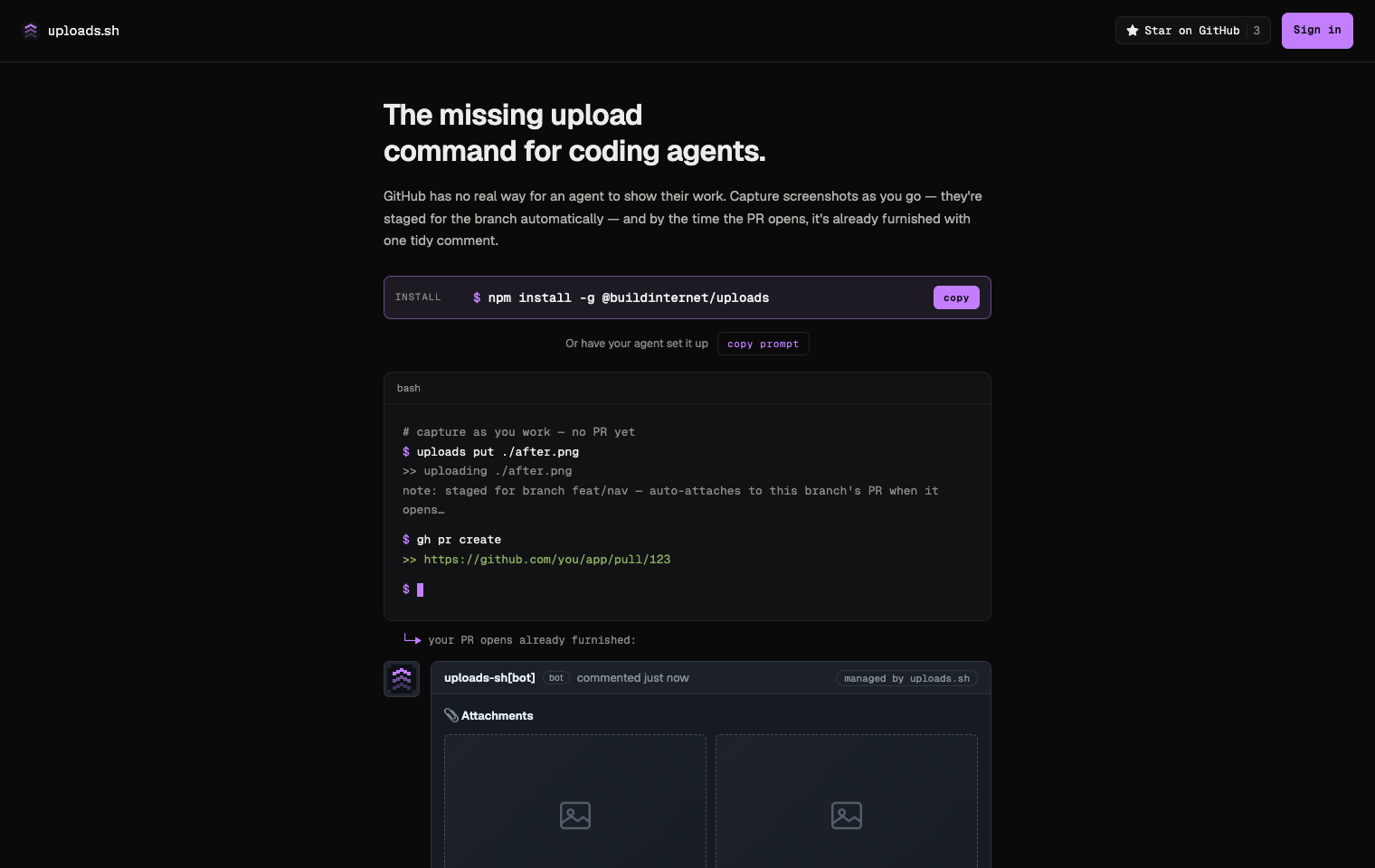
uploads
The missing upload command for coding agents.
A lightweight file-hosting service on Cloudflare Workers. Agents capture
screenshots as they work — each one staged to the branch automatically — so by
the time the PR opens it is already furnished with one tidy attachments
comment. Built on files-sdk so the storage layer is
provider-agnostic (R2 today; any files-sdk adapter later).
uploads.sh · Docs · npm → · Use it · What it looks like · What's in this repo · Develop





Under active development. uploads.sh is being built in the open, so APIs (including auth) can still change. Feedback is welcome — open an issue.
What is this?
You add a screenshot to GitHub by dragging it into the comment box. Agents
can't — GitHub's native image hosting only works through a browser session, so
an agent that just captured a before/after has nowhere to put it.
uploads gives agents that missing step, and it works while the branch is
still in progress. An agent runs uploads put ./after.png the moment a change
is visible; on a branch that stages the file automatically — no PR required, no
flag to remember. Capture at every milestone and there is nothing to reassemble
at the end: when the PR opens, everything staged is promoted into a single
managed attachments comment.
Keys are hash-free, so re-uploading the same filename overwrites in place and
the URL never changes — every embed of it updates at once. Workspaces keep
tenants (and their budgets and key policies) apart.
This repo is the source of the canonical deployment at
uploads.sh: the API worker, auth worker, MCP server, the
Astro web app, and the @buildinternet/uploads CLI (published to npm frompackages/uploads).
What it looks like
One comment per PR, rewritten in place on every sync. Files tagged--state before and --state after pair into a side-by-side table; anything
else lands below it.
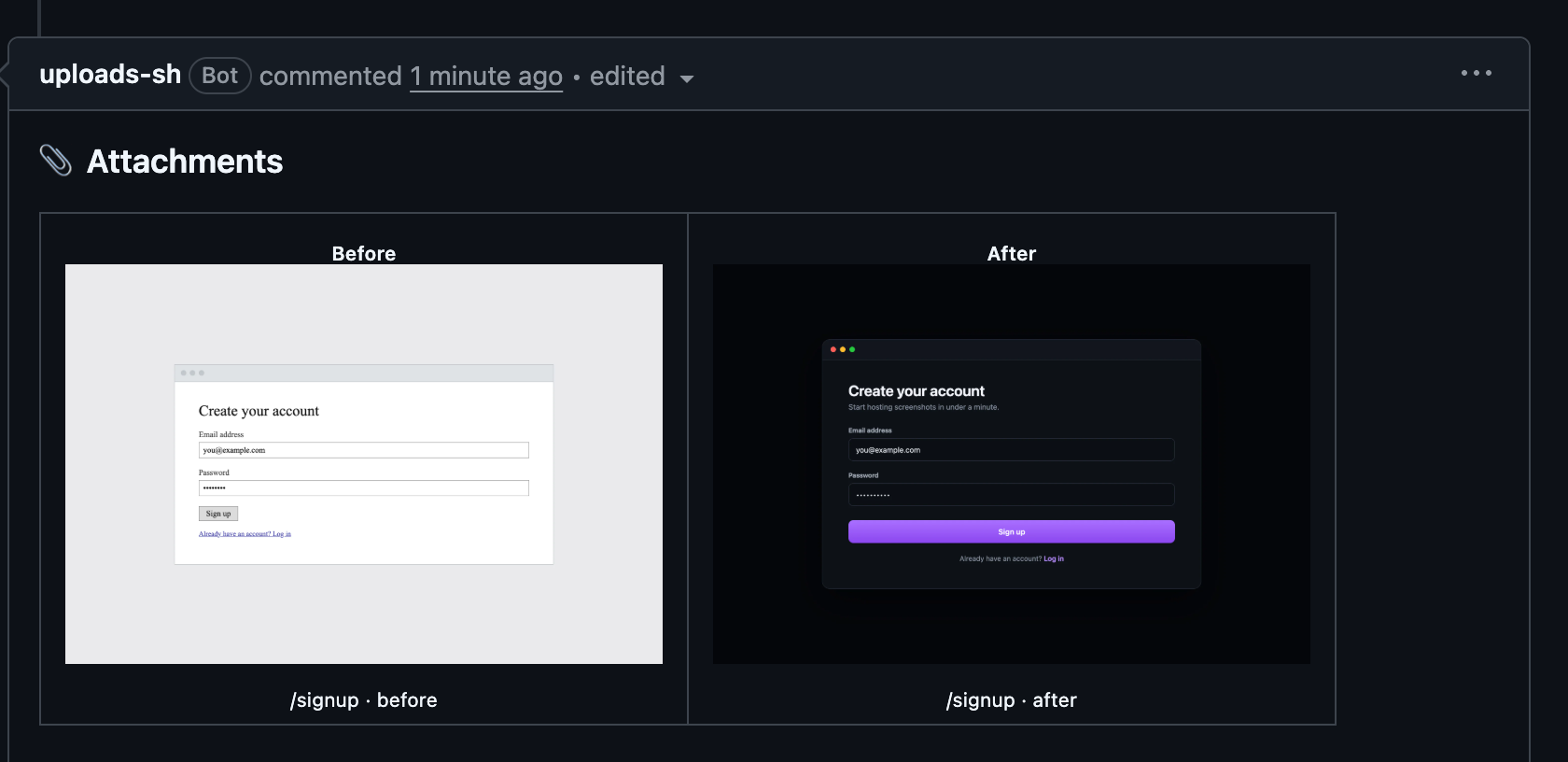
The real comment on
#436.
Pairing is by --meta path=… when several pairs share a comment (one before
and one after per path), and falls back to filenames that differ only by abefore/after token — hero-before.webp with hero-after.webp.
Use it
Install the CLI and sign in once:
npm install --global @buildinternet/uploads
uploads login
Then capture as you work. On a branch, a bare put stages the file against
that branch — no PR needed yet, and no flag to remember:
uploads put ./before.png --state before
uploads put ./after.png --state after
uploads staged                 # what's queued, and whether it will auto-attach
Open the PR however you normally would (gh pr create, the GitHub UI) and the
staged files promote themselves into one managed attachments comment —
instantly if the GitHub App is installed,
otherwise on your next uploads attach (or uploads attach --promote).
Already have a PR or issue open? Target it directly, no staging step:
uploads attach ./before.png ./after.png
attach detects the repository and current PR through gh, uploads all files,
and creates or updates that same one comment. Both commands run under npx @buildinternet/uploads … without a global install.
Sign in with GitHub or a magic link, then create your own workspace or accept
an invite into one — see enrollment. Hosted files are
public, including media attached to private repositories. Do not upload secrets
or sensitive UI.
Teach your agent the loop. uploads install wires in the agent skills and
the MCP server, so future sessions capture at each visual milestone on their
own instead of being asked. The skills also install standalone, into any agent
runtime, without checking anything out:
npx skills add buildinternet/uploads
That installs both: github-screenshots (visuals → PRs/issues) anduploads-cli (full CLI reference).
Full CLI usage — key conventions, stable PR/issue attachments, managed
comments, and public galleries — lives in docs/cli.md. REST
routes are in docs/api.md.
What's in this repo
| Path | What |
|---|---|
apps/api/ |
Hono worker — REST API, deploys to api.uploads.sh |
apps/auth/ |
Better Auth worker — sessions, enrollment, device flow |
apps/mcp/ |
Remote MCP server |
apps/web/ |
Astro site — uploads.sh, account and admin UI |
packages/storage/ |
@uploads/storage — files-sdk adapter factory |
packages/uploads/ |
@buildinternet/uploads — CLI + client, publishes to npm |
packages/ui/ |
@uploads/ui — shared design system |
packages/billing/ |
@uploads/billing — plans and limit resolution |
packages/email/ |
@uploads/email — transactional email templates |
packages/errors/ |
@uploads/errors — shared error codes and wire format |
skills/github-screenshots/ |
Workflow skill — visuals into PRs/issues/share links |
skills/uploads-cli/ |
Agent skill for driving the CLI |
hooks/ |
Shared pre-PR screenshot hook (uploads hook pre-pr-screenshot) for Claude + Codex |
plugins/claude/ |
Claude Code plugin config (skills path, MCP, commands) |
.codex-plugin/ |
Codex plugin manifest — same skills + shared hook |
The workers and web app are separate deployables. All storage access goes
through createStorage() in packages/storage — adding a provider is one new
case plus peer deps, no API changes.
Docs
| Doc | Contents |
|---|---|
| cli | CLI usage, GitHub embeds, keys, galleries |
| api | REST routes |
| local-dev | Manual setup, dev stack, smoke tests |
| workspaces | Multi-tenant model, budgets, key policy, BYO-bucket |
| enrollment | Agent login, scopes, expiry, and migration |
| admin-tokens | Minting, listing, and revoking upload tokens |
| deletion | Workspace soft delete, grace period, and restore |
| ops | Operator runbook (limits, retention, secrets) |
| deploy | Cloudflare setup and production deploy |
| releasing | Changesets and publishing the CLI to npm |
| contract testing | Deployed smoke checks and release gate |
| roadmap | Planned features |
How to set up, test, and open a pull request:
CONTRIBUTING.md. Agent working conventions live in
AGENTS.md.
Local development
Prerequisites: Node ≥24 and pnpm ≥11 (corepack enable). No Cloudflare
account needed for the core local loop — wrangler dev simulates R2, KV, and
D1 on disk:
pnpm bootstrap        # one-command setup: tooling, deps, env vars, local D1, default workspace
pnpm dev              # API on :8787 (local R2 + KV + D1)
bootstrap is idempotent, and pnpm doctor diagnoses a setup without changing
it. The rest of the loop — the authenticated dev stack, the check and test
gates, and how to open a pull request — is in
CONTRIBUTING.md.
License
Yorumlar (0)
Yorum birakmak icin giris yap.
Yorum birakSonuc bulunamadi