blender-agent-bridge
Health Pass
- License — License: GPL-3.0
- Description — Repository has a description
- Active repo — Last push 0 days ago
- Community trust — 23 GitHub stars
Code Pass
- Code scan — Scanned 12 files during light audit, no dangerous patterns found
Permissions Pass
- Permissions — No dangerous permissions requested
No AI report is available for this listing yet.
Safe, scene-aware MCP bridge for Blender with reversible editing and visual evidence.
Blender Agent Bridge
The local, safety-aware bridge between Blender and external AI agents.
Blender Agent Bridge is a Blender extension plus a localhost MCP server. It lets tools such as Codex, Claude Desktop, Claude Code, Cursor, and other MCP-capable clients inspect the open Blender scene, gather visual evidence, make reversible edits, and run Blender Python only when you explicitly enable session trust.











What You Get
- Scene-aware agent workflows without putting a chat app or model-provider key inside Blender.
- Read-only inspection of objects, materials, animation, rigs, cameras, nodes, render settings, and
.blendhealth. - Viewport, playblast, inspection-render, thumbnail, and render-job evidence that agents can review before changing the scene.
- Reversible helper edits with visible Commit and Revert controls in Blender.
- Optional session-trusted Python for broad authored work when you deliberately enable Trust Agent Scripts.
- Optional Poly Haven, Sketchfab, Tripo, Meshy, local TripoSR, and self-hosted studio workflows with provider-specific consent and provenance.
Quick Start
1. Install the Blender extension
Install Blender 4.2.0 or newer. The release workflow continuously checks Blender 4.2 LTS, 4.5 LTS, and 5.1; newer versions are allowed through capability checks instead of an artificial maximum-version gate.
Recommended install:
In Blender, open
Edit > Preferences > Get Extensions.Enable online access if Blender asks.
Press
Repositories.Press
+, chooseAdd Remote Repository, and name itBlender Agent Bridge.Paste this repository URL:
https://callmejones.github.io/blender-agent-bridge/index.jsonClose the repository popover, open the extension settings menu, and choose
Refresh Remote.Search for
Blender Agent Bridge.Press
Install, then confirm the extension is enabled.In the 3D View, press
Nand open theAgent Bridgetab.Press
Start. The panel should report that the bridge is on.
Manual fallback:
- Open the latest GitHub release.
- Under Assets, download
claude_blender-<version>.zip. - Do not download GitHub's generated
Source codeZIP; it is not an installable Blender extension. - In Blender, open
Edit > Preferences > Get Extensions. - Open the extension menu, choose
Install from Disk, and select the downloaded ZIP. - Enable
Blender Agent Bridge, open theAgent Bridgesidebar tab, and pressStart.
The extension ZIP already includes the MCP server. The recommended bundled mode does not require pip, uv, or uvx. For checksums, command-line installation, update behavior, and troubleshooting, see Install From GitHub.
2. Connect an MCP client
After pressing Start, press Copy MCP Config in Blender. That copies the complete mcpServers.blender entry with the correct local Python path, bridge URL, session token, version metadata, and tool-registry digest.
Keep every generated command, args, and env value together. The copied config is the source of truth for Codex, Cursor, Claude Code, and manual Claude Desktop setup.
| Client | Setup |
|---|---|
| Claude Desktop | Recommended: open the blender-agent-bridge-<version>.mcpb asset from the matching GitHub release and enter the bridge URL/token shown in Blender. Manual fallback: merge the complete copied mcpServers object into Claude Desktop's config, then fully restart Claude Desktop. |
| Claude Code | Take only the object inside mcpServers.blender, then run claude mcp add-json --scope user blender '<server-object-json>'. Run claude mcp list, restart Claude Code, and use /mcp to confirm it connected. |
| Codex app, CLI, or IDE extension | Do not install the MCPB. Open Settings > MCP servers > Add server, choose local STDIO, and copy the generated command, every args item, and every env value. Alternatively, convert the same entry to [mcp_servers.blender] in ~/.codex/config.toml. Save it, select Restart, then use /mcp or codex mcp list. |
| Cursor | Do not install the MCPB. Merge the complete generated JSON into ~/.cursor/mcp.json for all projects or .cursor/mcp.json for one project. Preserve other servers, refresh Cursor's MCP servers or restart Cursor, then check Settings > MCP. |
The MCPB is only the Claude Desktop connector format. Install and start the Blender extension separately for every client.
The generated config includes a localhost bridge token. Keep it in local configuration, never paste it into issues or public chat, and press Copy MCP Config again after changing the extension or bridge settings. Keep only one blender entry in each client, and connect only one active MCP server to a Blender bridge at a time.
Client-specific walkthroughs are available for Claude, Codex, Cursor, VS Code/Cline/Roo, ChatGPT, Gemini CLI, OpenCode, and Ollama hosts.
3. Test the connection
Keep Blender open with the bridge running, refresh or restart the MCP client, then ask:
Check Blender bridge status, find and invoke the scene-object inspection tool, and make no changes.
The default MCP tool list contains exactly blender_bridge_status, blender_tool_catalog, search_blender_tools, get_blender_tool_schema, and invoke_blender_tool. Helpers such as list_scene_objects are intentionally found through search, inspected through schema lookup, and called through the gateway.
Then try a reversible edit:
Move the selected cube up 1 Blender unit and make it red. Leave the change as a preview.
Helper preview edits stay pending in Blender until you use Commit, Revert, or Blender undo. Generated Python is refused while Trust Agent Scripts is off. With trust on, generated scripts run immediately with Blender Run Script-equivalent permissions and normal Blender undo/checkpoint behavior.
For deterministic diagnostics, use blender-bridge doctor when that command is available in your MCP runtime. It verifies the executable, optional client config, bridge socket, add-on/runtime compatibility, five-tool manifest, schema lookup, and a real read-only gateway invocation. See Connection Diagnostics.
Try These Prompts
With an object selected:
Move the selected cube up 1 Blender unit and make it red.
Make the selected cube bounce twice over 72 frames, getting smaller each bounce. Check it against the brief and leave it as a preview.
Capture close-up inspection renders of the selected vehicle underside, review them against the brief, and suggest repair operations.
Search Poly Haven for a sunset HDRI, cache it as an external asset job, poll until it is ready, then queue the import into the world as a preview.
Check which image-to-3D providers are ready and explain their cost, privacy, and quality tradeoffs. Do not start a job.
Generate a 3D model from these confirmed reference-image paths. If more than one provider is available, ask me which provider to use before starting anything.
Render a playblast as a background job, poll it, assemble the MP4, and validate the output.
Safety Model
Connected agents do not get blanket access by default. Blender stays the execution layer; the external client stays the model, conversation, planning, and account layer.
| Path | What happens |
|---|---|
| Local bridge | Off by default and bound to 127.0.0.1. Optional bearer authentication is available; without it, any local client that can reach the bridge may call its tools. |
| Preview edits | Show Commit and Revert controls in Blender and retain normal Blender undo support. |
| Project tools | Restrict generic file access to the current saved project directory. Save, open, and new-project operations require explicit confirmed paths. |
| Generated Python | Refused while trust is off. With trust on, it has Blender Run Script permissions, including filesystem, network, subprocess, project-file, persistent-cache, and full Blender API access. |
| Script trust | Runtime-only and visibly revocable. It clears on Revoke, timed expiry, add-on reload, or Blender exit. |
| Credentials | Provider keys are redacted from responses. Optional persistence uses the operating system credential facility where available, with a clearly reported user-only file fallback; keys are never written to Blender preferences, .blend files, manifests, or audit logs. |
See SECURITY.md, PRIVACY.md, and Safety Model for the detailed model.
Optional Providers
Every provider is optional. Turning off Allow Third-Party Uploads disables hosted generation without disabling scene inspection, preview edits, trusted scripts, project tools, rendering, Poly Haven, local TripoSR, or a configured self-hosted studio endpoint.
| Provider | Use it for | Setup |
|---|---|---|
| Poly Haven | CC0 HDRIs, PBR textures, and models. | No key required. |
| Sketchfab | Public model search and authenticated glTF downloads with attribution and license provenance. | Search needs no key; downloads need a Sketchfab API token. |
| Tripo | Hosted single-image and calibrated multi-view image-to-3D jobs. | API key plus Allow Third-Party Uploads. Hosted jobs require explicit spend approval in Blender. |
| Meshy | Hosted single-image and multi-image generation with Meshy 7, Meshy T2 Smart Topology, remeshing, textures, and thumbnails. | API key plus Allow Third-Party Uploads. Hosted jobs require explicit spend approval in Blender. |
| TripoSR | Local single-image blockouts without vendor upload or API credits. | Separate Python environment, TripoSR checkout, and compatible PyTorch installation. |
| Studio endpoint | Self-hosted single-view or multi-view generation behind a small HTTP API. | Local/private-network HTTP or HTTPS service URL, optional bearer token. The service is not bundled. |
When more than one generation provider is ready, the bridge asks which provider to use and starts nothing until the user answers. Hosted jobs show a provider-specific spend estimate before submission; provider pricing can change, so review the provider's own billing page before approval.
See Generation Providers for setup, reference limits, provider-choice behavior, local TripoSR notes, and the self-hosted studio contract.
Showcase
These examples are compressed documentation exports, not stock media or GPL-covered source assets. See showcase provenance before reusing any media.
Agent-Assisted Scene Work
The Egypt dogfight test scene exercised scene inspection, helper/workflow tools, playblast and render evidence, targeted repair, and background rendering. The source .blend file and full 1080p videos are not distributed.

| Chase camera | Wide render | Inspection close-up | Playblast evidence |
|---|---|---|---|
 |
 |
 |
 |
Material Render Studies
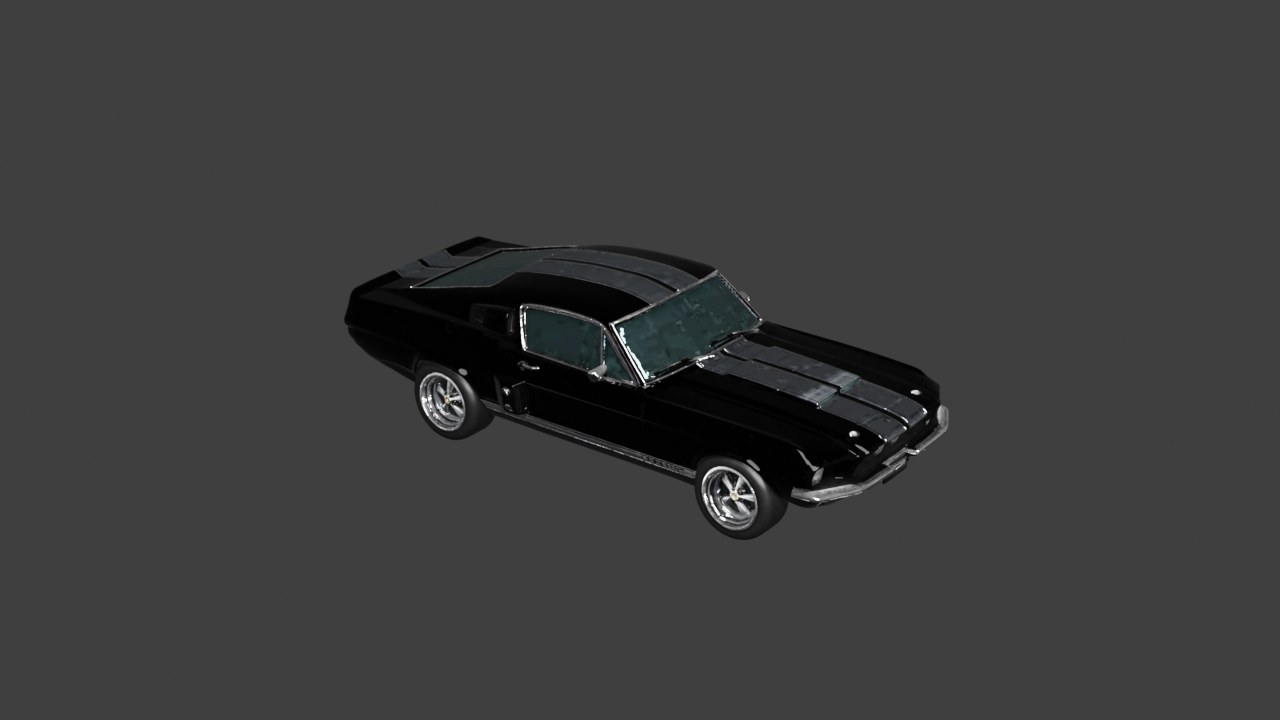
These stills were exported from maintainer-supplied .blend examples using Blender 5.1 material rendering for documentation.
| Desk lamp | Fastback car | Orchid window study |
|---|---|---|
 |
 |
 |
Image-To-3D Provider Evidence
This tracked Meshy provider run used four brand-free references to exercise Blender-side spend approval, multi-image upload, provider polling, GLB caching, preview import, sanitized provenance, semantic orientation review, material preservation, and front/side/rear/top evaluation.

The generated vehicle is useful evidence for a coherent textured concept/blockout. It is not presented as automatically edit-ready production topology. Read the vehicle evidence report for the topology findings and limitations.
Browse the curated showcase, propose a showcase submission, join Discussions, or report issues.
How It Works
flowchart LR
  user["User in Blender"] --> agent["External AI client"]
  agent --> mcp["Blender Agent Bridge MCP"]
  mcp --> bridge["Localhost bridge in Blender"]
  bridge --> scene["Open .blend scene"]
  bridge --> helpers["Safe helper tools"]
  bridge --> evidence["Viewport, playblast, render resources"]
  bridge --> assets["External asset cache/jobs"]
  bridge --> files["Project file lifecycle"]
  bridge --> scripts["Session-trusted Python"]
  helpers --> preview["Live preview transaction"]
  preview --> commit["Commit / Revert / Undo"]
  scripts --> trust["Trust / Revoke"]
The default MCP surface exposes five stable gateway tools. Every Blender helper remains searchable, schema-addressable, and executable through that gateway, so clients that retrieve only a handful of tools still have a reliable route from planning to execution.
For deeper implementation notes, see Architecture, External Bridge MCP, Multiview Reconstruction, Semantic Sculpting, and Implicit Shape Programs.
Release confidence is tracked through the tagged build and smoke workflow, Release, Testing Guide, and Next On The Roadmap.
Development
Contributor setup, build commands, and the complete test matrix live in Development, Testing Guide, and Release. Current priorities and deliberately deferred work live in Next On The Roadmap. See Contributing before opening a change, and Adding A Tool for registry and handler conventions.
The documentation index links the architecture, MCP, preview, safety, client, and launch guides.
License
Blender Agent Bridge source and release ZIPs are licensed under the GNU General Public License, version 3 or any later version. The Blender extension manifest declares this as SPDX:GPL-3.0-or-later; see LICENSE for the full license text. Release ZIPs include the license file at the package root. The separately distributed showcase media under docs/assets/ is governed by its provenance notice, not the extension's GPL license.
Reviews (0)
Sign in to leave a review.
Leave a reviewNo results found