11m-game
Health Uyari
- License — License: MIT
- Description — Repository has a description
- Active repo — Last push 0 days ago
- Low visibility — Only 5 GitHub stars
Code Gecti
- Code scan — Scanned 12 files during light audit, no dangerous patterns found
Permissions Gecti
- Permissions — No dangerous permissions requested
Bu listing icin henuz AI raporu yok.
A penalty shootout game for the AK Base Kit (STM32L151), built with an AI agent using AK MCP docs.




Eleven Meter - Game built on AK Embedded Base Kit

Gameplay Demo
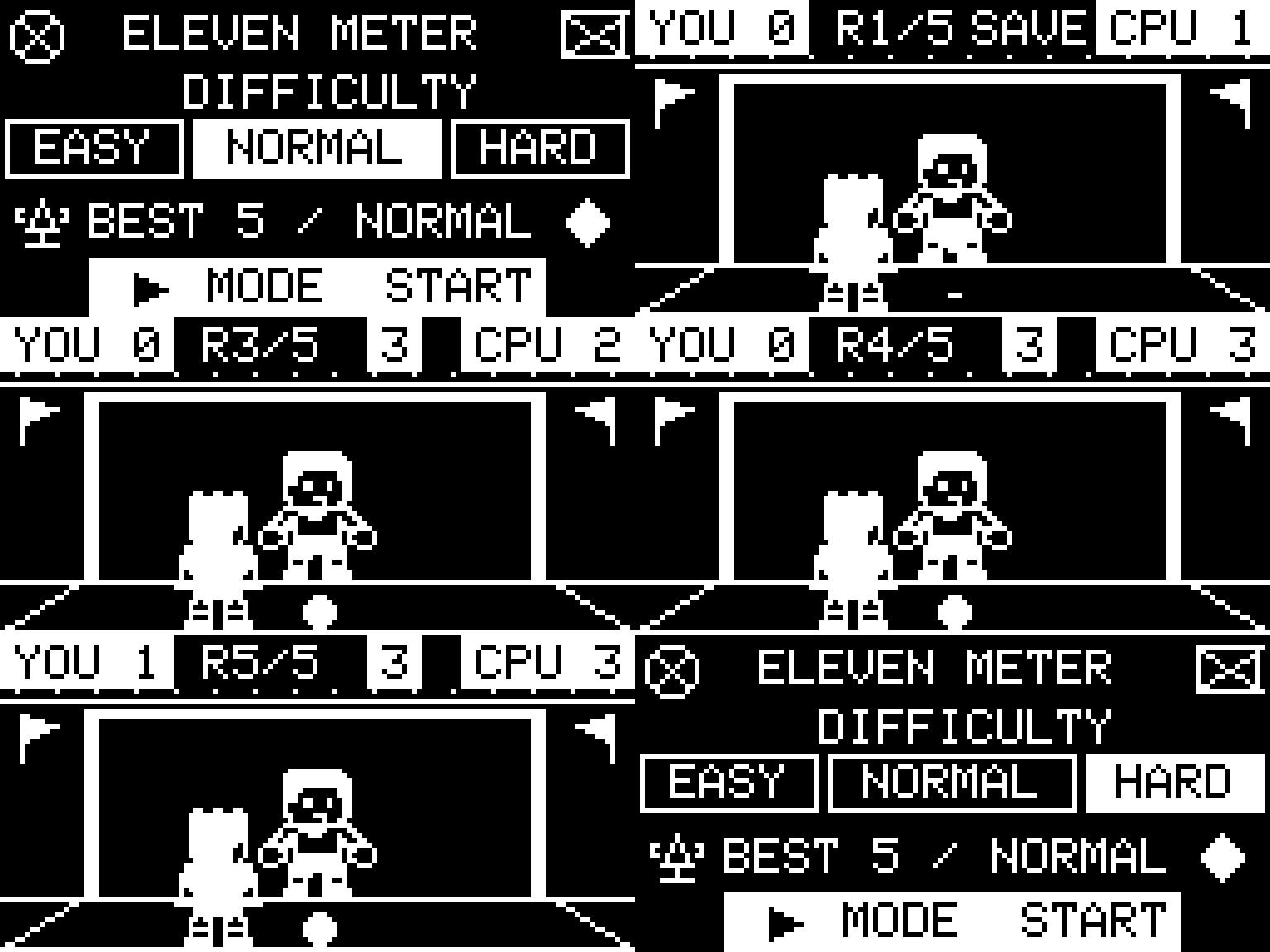
Documentation
| File | Description |
|---|---|
| README.md | Project overview, hardware, gameplay rules, and game objects. |
| docs/01-guide-coding-rules.md | Source layout, naming, formatting, and AK coding rules. |
| docs/02-design-sequence-object.md | Ownership and message sequences for Match, Shooter, Ball, Keeper, Goal, and the Scoreboard helper. |
| docs/03-design-sequence-runtime.md | Runtime flow from button input to animation, result handling, and screen updates. |
| docs/04-ak-mcp-deployment.md | Deployment guide for the AK documentation MCP server. |
Introduction
Eleven Meter is a five-kick penalty shootout built on the AK Embedded Base Kit. Choose a shooting direction with three buttons, beat the goalkeeper, and score at least three goals to win. The project demonstrates event-driven embedded game design through:
- System design: Gameplay is split into objects with clear responsibilities.
- Process management: AK tasks run cooperatively without blocking delays.
- Communication: Signals and messages carry input, commands, results, and display snapshots.
- Control logic: State machines coordinate kick selection, animation, round results, and the final score.
I. Hardware
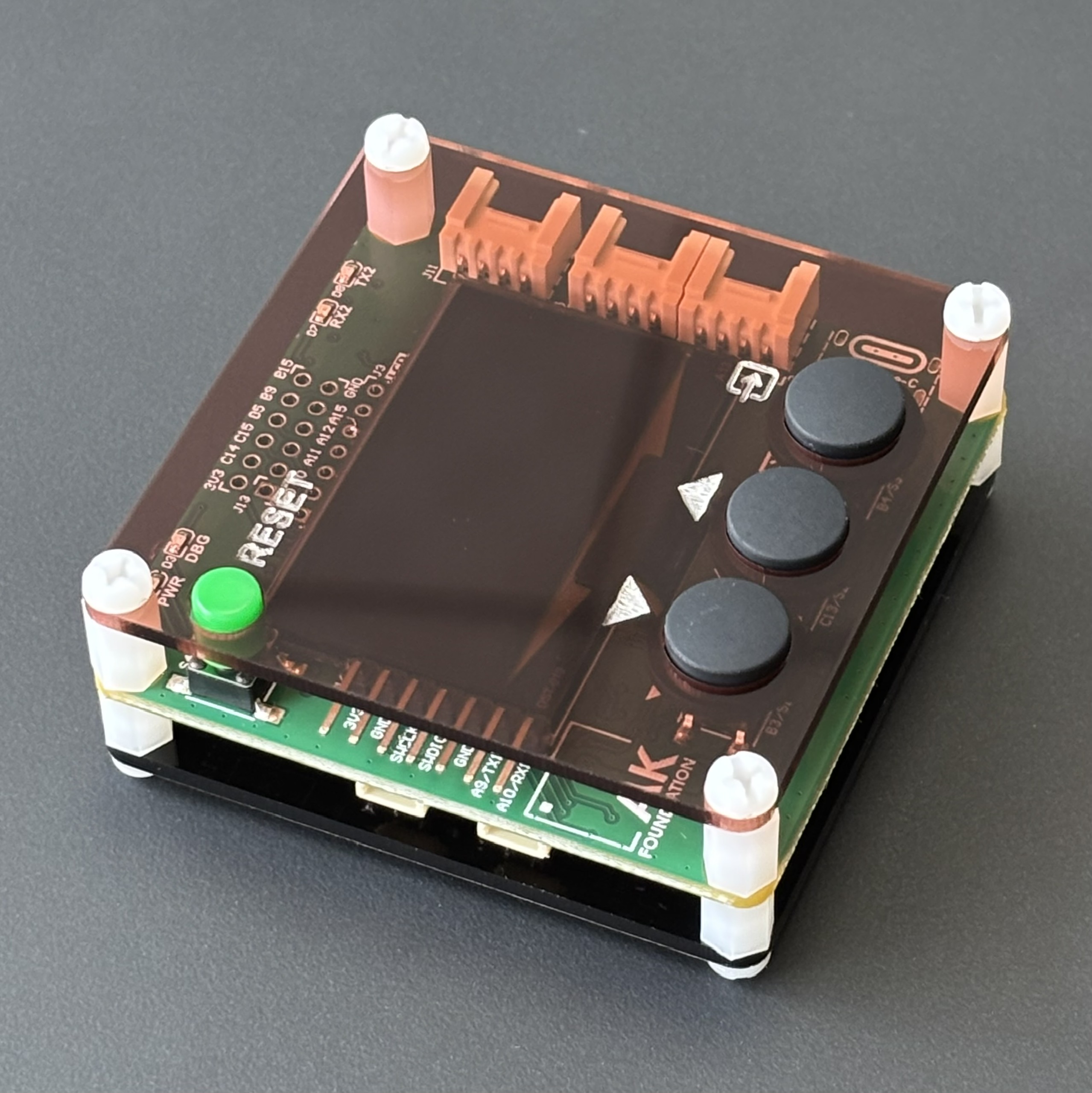 |
Figure 1: AK Embedded Base Kit - STM32L151
The AK Embedded Base Kit is an evaluation board for intermediate and advanced embedded programming.
Its 1.54-inch OLED, three push buttons, and buzzer provide the display, controls, and sound for a compact handheld game. RS485, Qwiic, and Grove connections are also available for other firmware experiments.
MCU Overview:
SoC Name : STM32L151CBT6
RAM      : 16 KB

Flash Partitions Layout
-----------------------
[ 0x08000000 - 0x08001FFF ] : Bootloader Partition (8 KB)
=> AK Bootloader

[ 0x08002000 - 0x08002FFF ] : BSF Shared Partition (4 KB)
=> Data shared between Bootloader and Application

[ 0x08003000 - 0x0801FFFF ] : Application Partition (116 KB)
=> Eleven Meter firmware
MCU Naming Convention:
| Part | Meaning |
|---|---|
STM32 |
STMicroelectronics 32-bit MCU family. |
L |
Low-power series. |
151 |
STM32L151 product line. |
C |
48-pin package. |
B |
128 KB Flash memory. |
T |
LQFP package. |
6 |
Industrial temperature grade. |
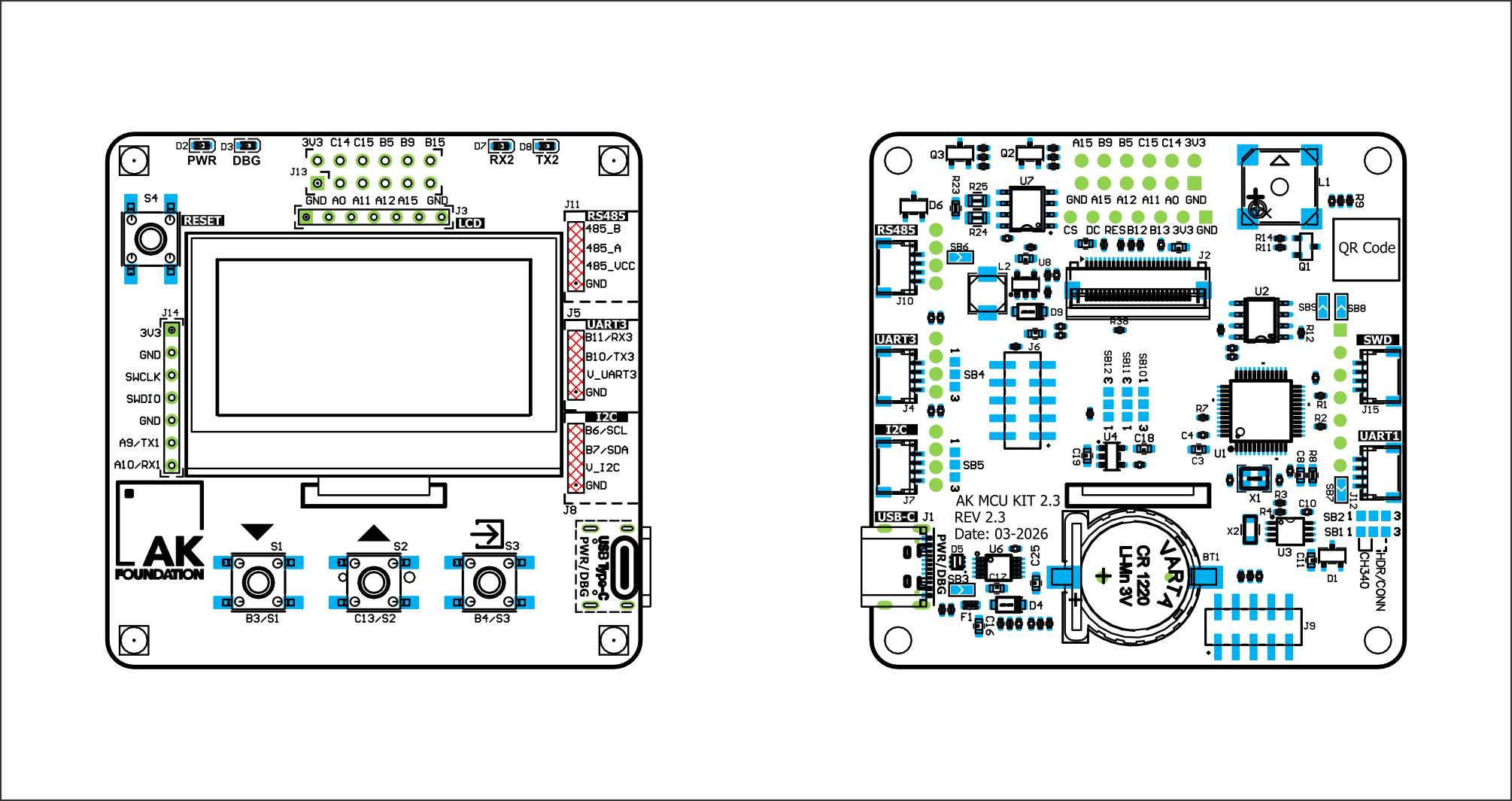 |
Figure 2: Board view Top + Bottom
II. Game Description and Objects
This section describes the gameplay, screens, and objects of Eleven Meter.
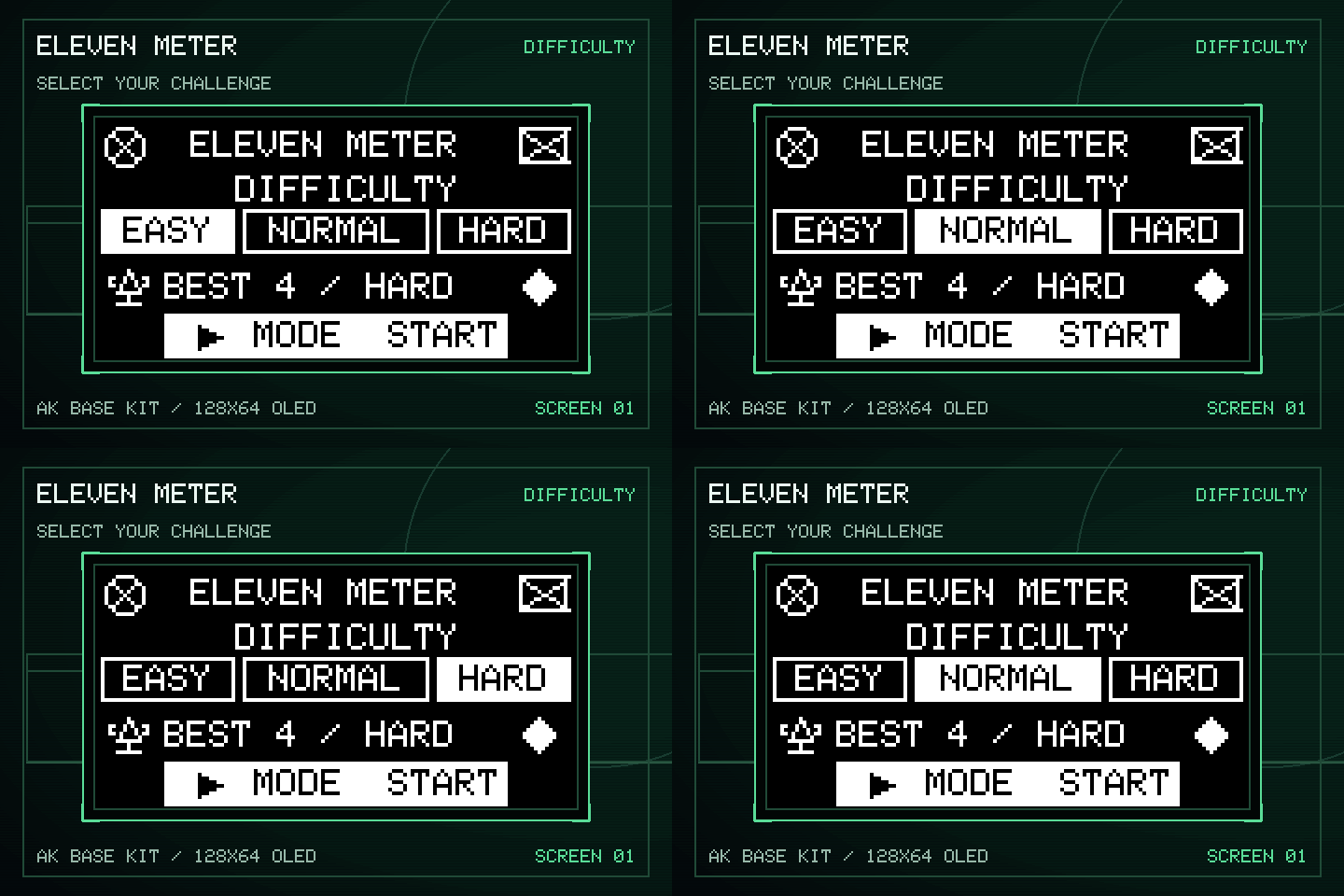 |
Figure 3: Menu screen
The game opens on the difficulty menu, which provides:
- Easy: The best chance of beating the goalkeeper.
- Normal: A balanced goalkeeper response.
- Hard: A higher chance that the goalkeeper matches the shot direction.
- BEST: The saved goal record and its difficulty.
- Start: Press [Mode] to begin a five-kick match with the selected difficulty.
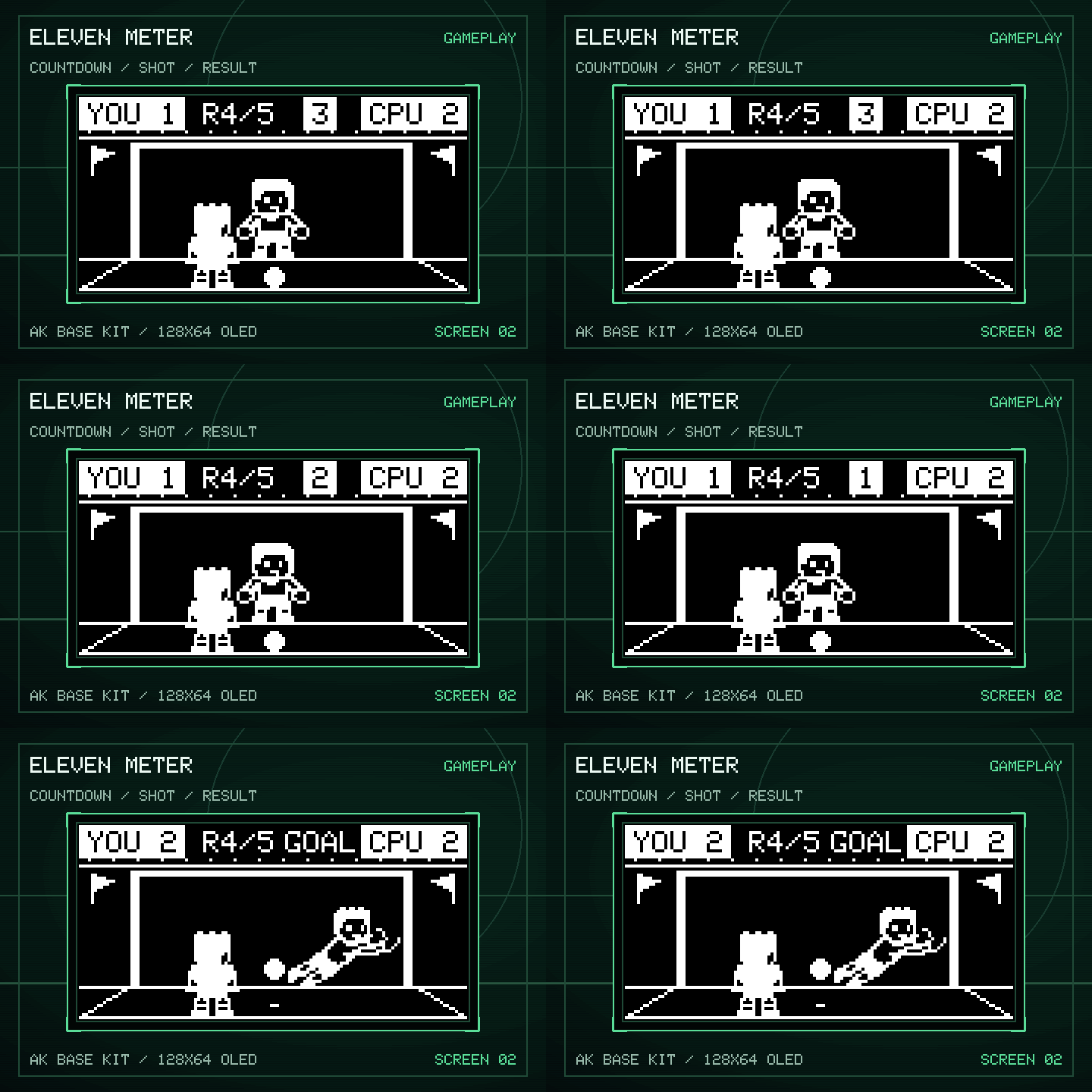 |
Figure 4: Gameplay screen
Objects in the Game:
| Bitmap | Object Name | Description |
|---|---|---|
 |
Match | Coordinates the menu, round setup, countdown, accepted input, result phase, and screen transitions. |
 |
Shooter | Owns kick selection and a short two-pixel step using the original standing bitmap. |
 |
Ball | Moves from the penalty spot toward the chosen target. A rushed kick may travel wide. |
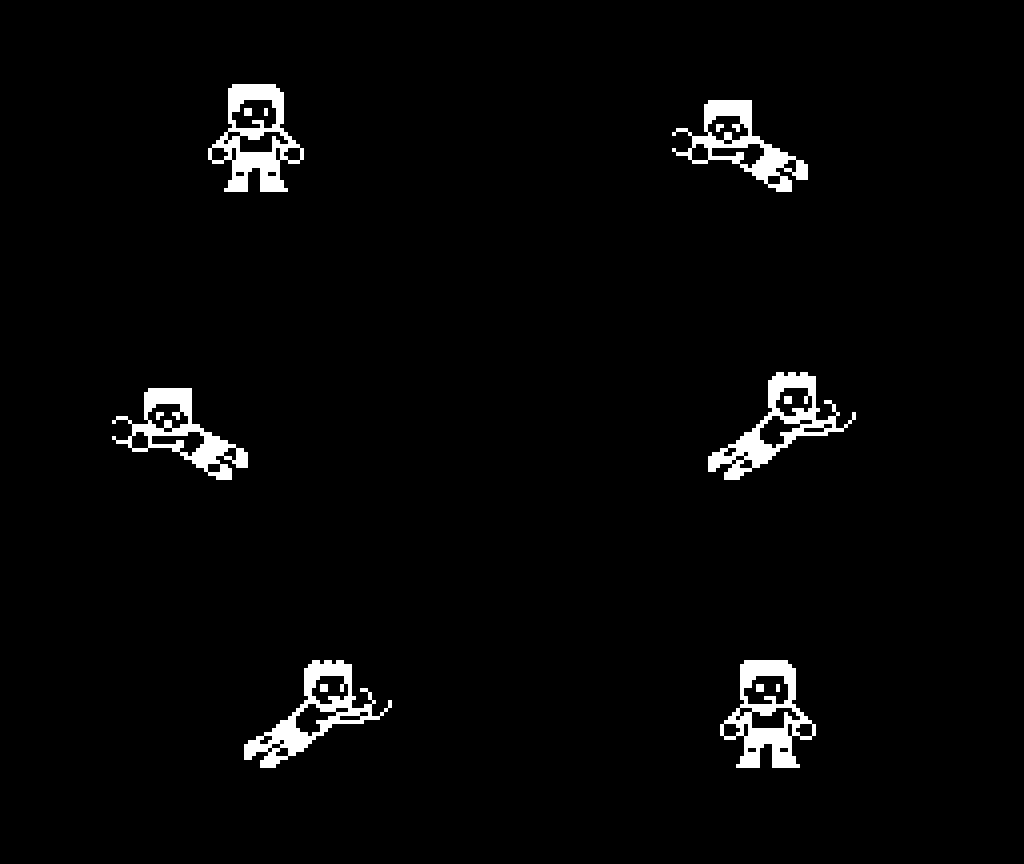 |
Keeper | Chooses a dive from the shot direction and current difficulty, then animates the save attempt. |
 |
Goal | Waits for the Ball and Keeper reports, then resolves the kick as a goal, save, or miss. |
 |
Scoreboard | Tracks five rounds, all kick results, and the final winner. |
Note: For detailed object flows, see Game Object Sequences.
III. How to Play:
- On the menu, press [Up] or [Down] to choose Easy, Normal, or Hard.
- Press [Mode] to start the shootout.
- During a round, use the buttons from left to right as you face the OLED: [Down] → left, [Up] → center, [Mode] → right. Menu and Game Over controls remain unchanged.
- Choose before the three-second countdown ends. If time runs out, the shot goes to the center.
Game Mechanics:
Five kicks: Every match contains five penalty attempts.
Winning: Score at least three goals out of five. Saves and misses both count toward the CPU score.
Three results: A kick ends as a goal, save, or miss.
Reaction pressure: Shooting too quickly increases the chance of missing the target.
Difficulty: The selected level changes how often the goalkeeper matches the shot direction.
Score: The HUD shows the player score, CPU score, round number, and selection countdown.
Best result: The highest goal count is stored together with its difficulty. An equal goal count on a harder difficulty replaces the previous record.
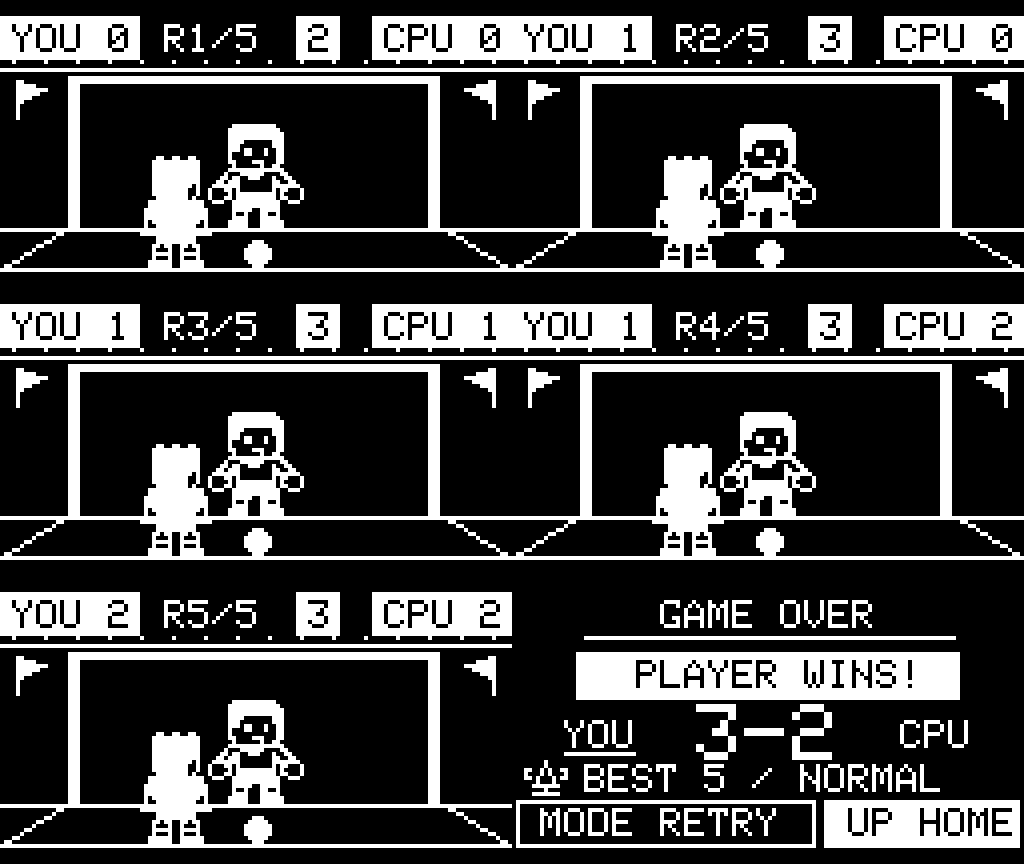
Animation: The original standing shooter takes a two-pixel step, the ball follows the shot, and the goalkeeper animates the response.
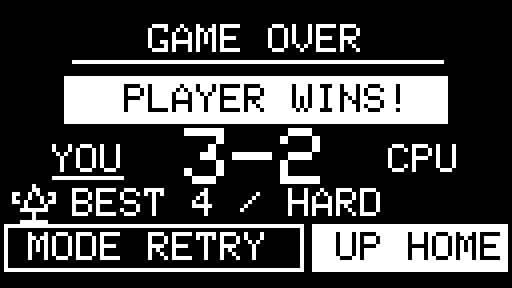
Game Over: After the fifth result, a short Full Time transition leads to the final score, with two actions:
- Retry: Press [Mode] to play another match.
- Home: Press [Up] to return to the difficulty menu.
Note: Try to improve BEST, or match it at a harder difficulty.
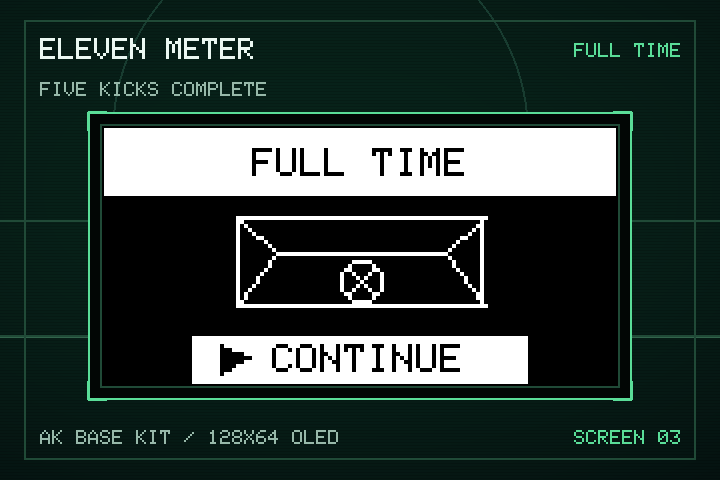 |
Figure 5: Full Time transition screen
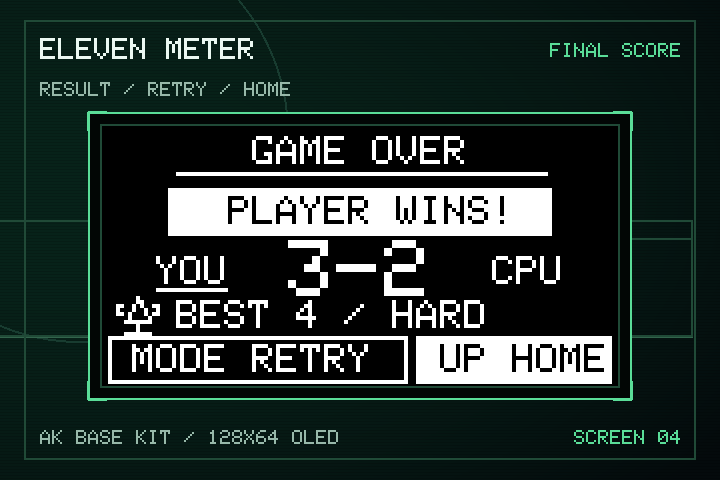 |
Figure 6: Game Over screen
IV. Basic Game Sequence Logic
Note: For the complete signal flow, see Runtime Signal Processing.
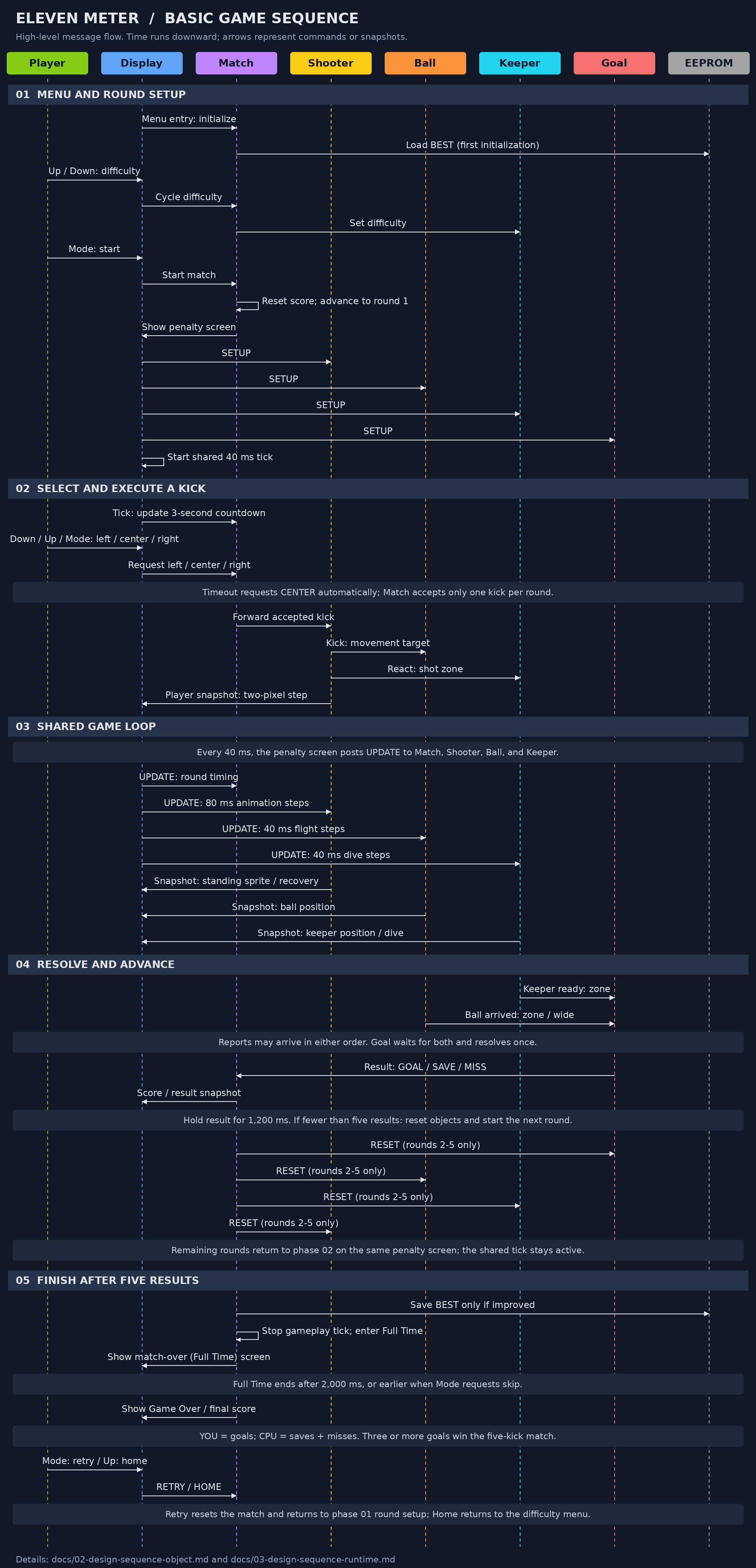 |
Figure 7: Game sequence logic
Contact & Support
Cao Trong Phuoc - Software Engineer - Embedded Systems
Thank you for visiting this repository.
If you have questions, suggestions, or feedback about Eleven Meter or embedded firmware development, feel free to get in touch.


Yorumlar (0)
Yorum birakmak icin giris yap.
Yorum birakSonuc bulunamadi