xno-skills
Health Warn
- License — License: MIT
- Description — Repository has a description
- Active repo — Last push 0 days ago
- Low visibility — Only 5 GitHub stars
Code Fail
- execSync — Synchronous shell command execution in scripts/generate-cli-refs.js
- process.env — Environment variable access in scripts/generate-server-card.js
- rm -rf — Recursive force deletion command in scripts/pack-mcpb.sh
Permissions Pass
- Permissions — No dangerous permissions requested
No AI report is available for this listing yet.
AI agent Skill, MCP server, and CLI for transacting in the Nano (XNO) cryptocurrency. Manage wallets securely via OWS, sign messages, and build seamless zero-fee integrations.
xno-skills



A CLI, MCP server, and AI skills for Nano (XNO). Built on top of Open Wallet Standard (OWS) for secure key custody.
Agent Skills
Built-in skill for Personal AI Agents (OpenClaw etc.) and humans with AI Coding Assistants (Claude Code, Cursor, etc.) alike:
npx skills add -g CasualSecurityInc/xno-skills
# or non-interactively, i.e. for agent use:
npx -y skills add -y --all -g CasualSecurityInc/xno-skills
[!IMPORTANT]
If you installed skills from this repository before May 4, 2026, you have 11 individualnano-*skills that have been consolidated into a singlenanoskill. Remove the old ones first:npx skills remove -g -y nano-block-lattice-expert nano-check-balance nano-convert-units nano-create-wallet nano-generate-qr nano-mcp-wallet nano-request-payment nano-return-funds nano-sign-message nano-validate-address nano-verify-messageThen reinstall as above.
Available skills:
nano: Wallet ops, balance, send/receive, QR codes, address validation, unit conversion, payment requests, refunds, block-lattice protocol expertise, and more — all in one skill. Usesxno-mcpMCP tools first, falls back toxno-skillsCLI.
CLI
npm install -g [email protected]
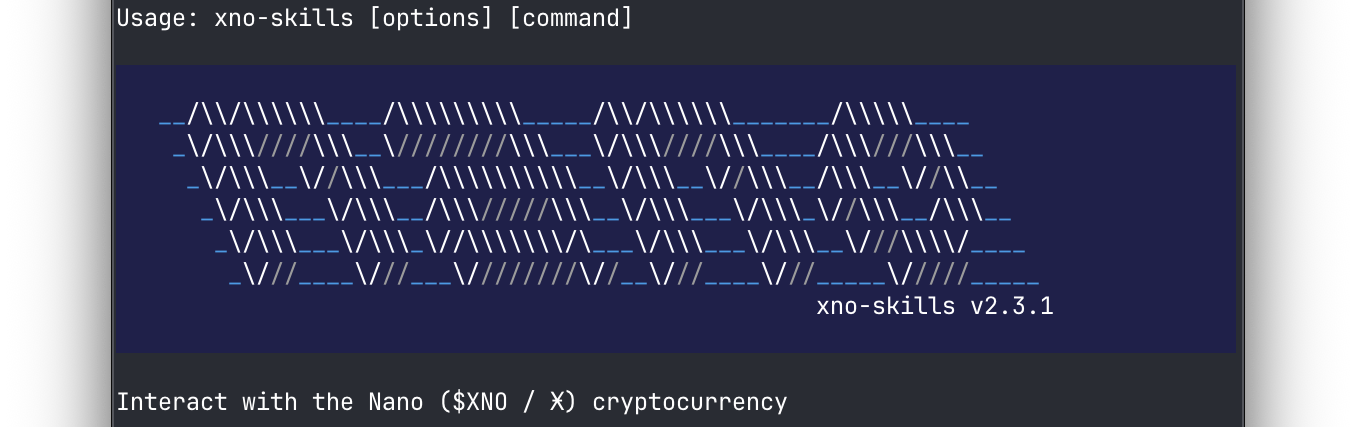
xno-skills --help
Wallet Operations
| Command | Description |
|---|---|
wallets [options] |
List wallets that have Nano accounts |
balance [options] |
Show balance and pending amount |
receive [options] |
Receive pending blocks |
send [options] |
Send Nano |
change-rep [options] |
Submit a change representative block |
submit-block [options] |
Sign and submit a prepared block hex |
history [options] |
Show transaction history |
Utilities
| Command | Description |
|---|---|
info [options] |
Discover the current state and representative of any Nano account |
convert [options] <amount> <from> |
Convert between XNO units |
qr [options] <address> |
Generate a QR code for a Nano address |
validate [options] <input> |
Validate a Nano address or block hash |
Cryptography & Signing
| Command | Description |
|---|---|
sign [options] <message> |
Sign a NOMS message with a private key |
verify [options] <address> <message> <signature> |
Verify a NOMS message signature |
Advanced & RPC
| Command | Description |
|---|---|
rpc |
Query a Nano node RPC |
block |
Build unsigned Nano state blocks for manual/expert workflows |
System
| Command | Description |
|---|---|
about |
Show version and environment info for troubleshooting |
mcp |
Start the MCP server or view configuration instructions |
All commands support -j / --json for machine-readable output.
Wallet lifecycle (create, import, rename, delete) is managed by OWS. xno-skills bundles OWS as a dependency — no separate install needed. See the OWS quick-start for terminal usage, or install OWS agent skills with npx skills add open-wallet-standard/core@ows.
MCP Server
Exposes Nano wallet functions as tools for AI agents (Claude Desktop, Cursor, Codex, etc.). MCP resources (xno-wallet:// URIs) are served but require client-side resources/read support — not yet available in OpenCode (#15535).
{
  "mcpServers": {
    "nano": {
      "command": "npx",
      "args": ["-y", "-p", "[email protected]", "xno-mcp"]
    }
  }
}
Client Setup Examples
Codexcodex mcp add nano \
-c sandbox_mode="danger-full-access" \
-c 'sandbox_permissions=["network-access"]' \
-- npx -y -p [email protected] xno-mcp
claude_desktop_config.json)
{
  "mcpServers": {
    "nano": {
      "command": "npx",
      "args": ["-y", "-p", "[email protected]", "xno-mcp"]
    }
  }
}
~/.config/opencode/opencode.json)
{
  "$schema": "https://opencode.ai/config.json",
  "mcp": {
    "nano": {
      "type": "local",
      "command": ["npx", "-y", "-p", "[email protected]", "xno-mcp"],
      "enabled": true
    }
  }
}
~/.gemini/settings.json)
{
  "mcpServers": {
    "nano": {
      "command": "npx",
      "args": ["-y", "-p", "[email protected]", "xno-mcp"]
    }
  }
}
~/.gemini/antigravity/mcp_config.json)
{
  "mcpServers": {
    "nano": {
      "command": "npx",
      "args": ["-y", "-p", "[email protected]", "xno-mcp"]
    }
  }
}
.vscode/mcp.json)
{
  "servers": {
    "nano": {
      "type": "stdio",
      "command": "npx",
      "args": ["-y", "-p", "[email protected]", "xno-mcp"]
    }
  }
}
Library
For using xno-skills as a TypeScript library, see LIBRARY.md.
Security Notes
- Never share your seed or private keys. Anyone with access can fully control your wallet.
- Store seeds securely. Use hardware wallets or encrypted storage — never in plain text or version control.
- Address validation. Always validate addresses before sending. Nano addresses include checksums.
- Unit precision. Nano uses 30 decimal places. Always use string-based conversion to avoid floating-point errors.
Development
npm install
npm test
npm run build
Releasing
See RELEASING.md.
Similar Projects
- kilkelly/nano-currency-mcp-server — MCP server for Nano with a simple per-transaction send limit
- strawberry-labs/berrypay-cli — Nano wallet CLI for AI agents with payment processing and auto-sweep
License
MIT
Reviews (0)
Sign in to leave a review.
Leave a reviewNo results found