c2d-terminal
Health Uyari
- License — License: MIT
- Description — Repository has a description
- Active repo — Last push 0 days ago
- Low visibility — Only 5 GitHub stars
Code Basarisiz
- rm -rf — Recursive force deletion command in Scripts/build-release.sh
- rm -rf — Recursive force deletion command in Tools/readme/render.sh
Permissions Gecti
- Permissions — No dangerous permissions requested
Bu listing icin henuz AI raporu yok.
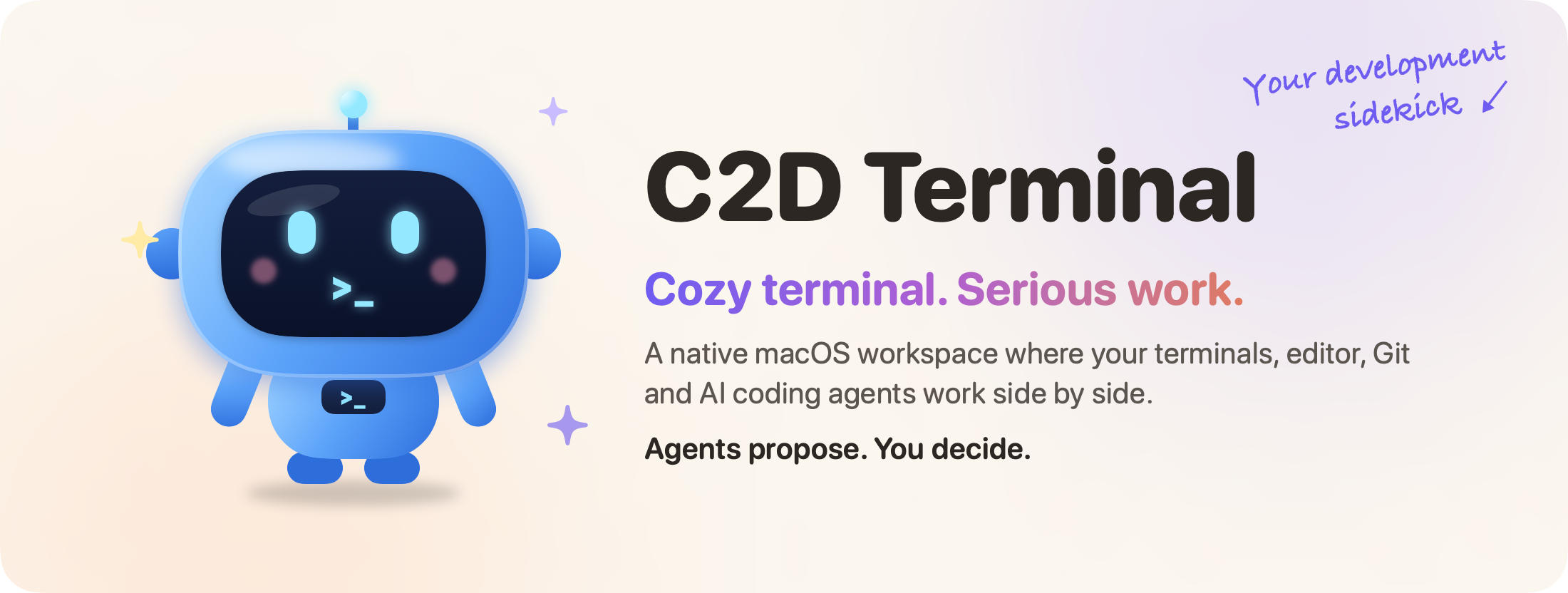
C2D Terminal — macOS-first AI-native terminal workspace


See it in action
A quick 45-second tour: open a project, work beside Claude Code, run the tests and review the
changes in Git.
https://github.com/user-attachments/assets/faf51b06-3f14-49f6-a3ef-1ebacfdd79eb
 Open source MIT licensed. Fork it, bend it, ship your own flavour of it. Make it yours → |
 Privacy first No C2D server, no account. Your agents run with your own provider access. How it handles your data → |
 Early stage Usable day to day, but there are no signed or notarized builds yet. Build from source → |
Why C2D Terminal?
A calmer, more connected way to work with code and AI agents.
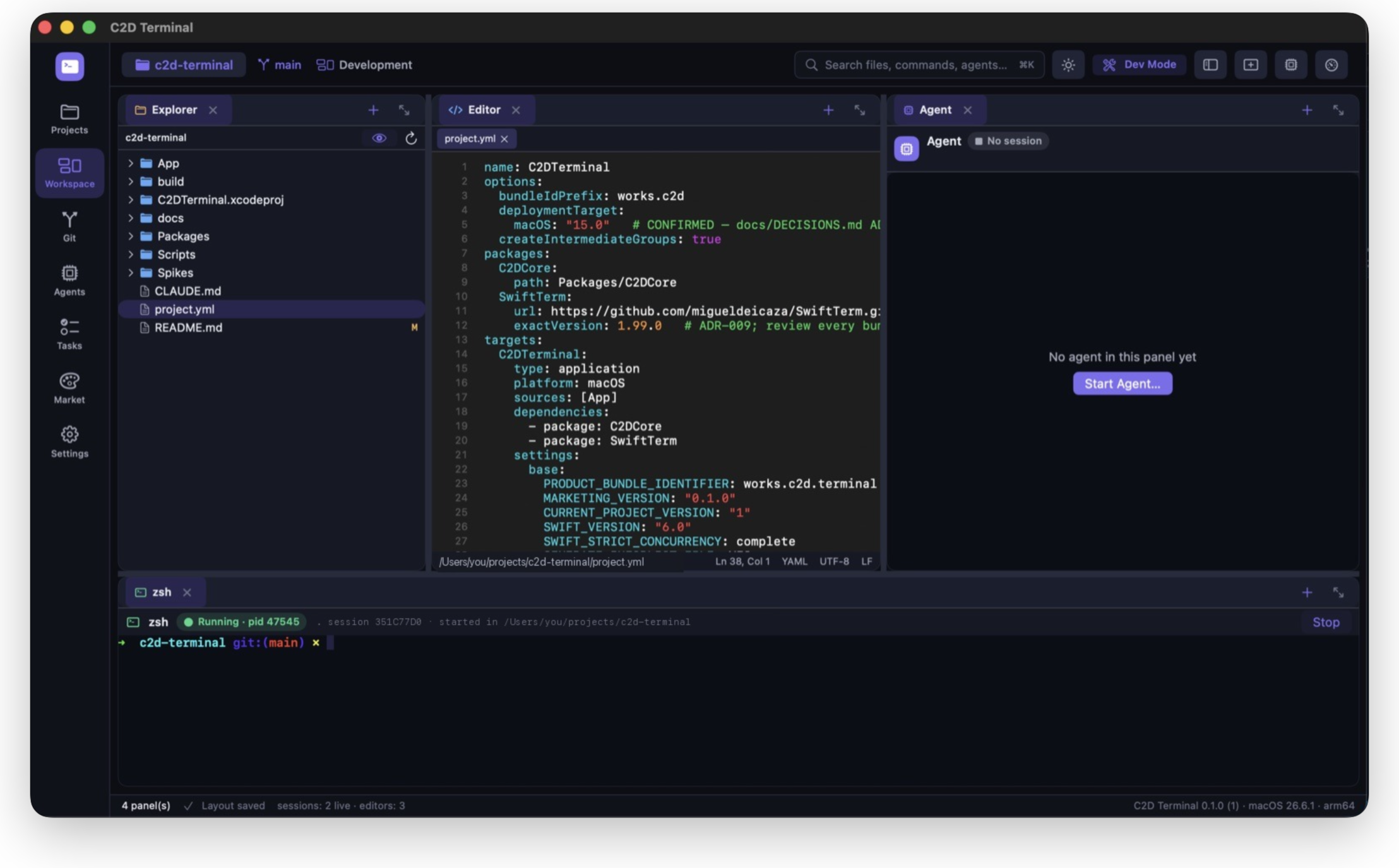
 Everything in one place Terminals, editor, Git and agents side by side. No more hopping between five apps. |
 You stay in control Agents propose changes. You review them, and nothing is committed or pushed until you press the button. |
 Built for real workflows Worktrees, split panes, several projects open as pages, tasks, and a ⌘K palette. |
 Know your context Token Saver shows what your sessions use and trims what you hand over, without guessing. |
Features
- Real terminals. Every shell and agent runs in a genuine PTY (SwiftTerm on top of C2D's own PTY
core) with your login shell, config andPATH. 10 000-line scrollback; the panel shows the
kernel-reported working directory and foreground command. - Claude Code sessions. Launch Claude Code into a C2D-owned terminal for the current project,
optionally with a task as the first prompt. Each launch gets its own session id. - Editor and explorer. File tree with file operations, a native text editor with syntax
highlighting, go-to-line, project-wide search, and clickablefile:linepaths in terminal output. - Git. Status, diff, stage and unstage per file or per hunk, commit (optionally with a message
written by Claude Code), branches, worktrees, merge-conflict resolution, file history, and explicit
Fetch / Pull / Push. - Layouts. Dockable, splittable panels saved per project, layout presets, several projects open
as pages, and terminal windows with native tabs and split panes. - Tasks. A per-project task list with dependencies; a task can be handed to an agent at launch.
- Command palette (⌘K / ⌘P), four built-in themes including a light one, and a diagnostics
export that redacts secrets and your username. - Buddy. A small desktop companion you can summon from the sidebar. Purely decorative: no chat,
no AI, no network. - Token Saver. Free and optional, see below.
Token Saver
Token Saver helps you see and reduce the context you hand to agents. It uses no AI and makes no
model calls of its own.
- Usage. Reads the token usage fields from Claude Code's own local transcripts
(~/.claude/projects) and shows them per project and session. Read-only and on demand; nothing is
stored, copied or uploaded. - Condensing. Context you pick explicitly (terminal output, diffs, files, notes) is cleaned up
deterministically before you hand it to an agent, by copying it as Markdown or writing.c2d/context.md. Terminal output is condensed, and exact duplicates and extra whitespace are
removed. Lossless by default. Lossy folding is opt-in and never removes lines that look like
errors, warnings orfile:linereferences. The original is always kept. - Honest numbers. Usage, estimated reduction and verified savings are three separate numbers
and are never added together. Byte sizes are measured, token reductions are labelled as
estimates, and "tokens saved" reads Not measured yet until a controlled comparison exists.
An optional paired experiment (Tools/experiment) compares hand-off variants with real Claude Code
runs. It makes model calls on your own account only after you type SPEND at its prompt.
Privacy
- There is no C2D server or account, and the app makes no network requests of its own.
- Agents run with your own provider accounts and settings. C2D never injects credentials and does
not change Claude Code's configuration. - Token Saver reads only usage metadata from local transcripts, on demand.
Requirements
- macOS 15 or later on Apple Silicon.
- Xcode with Swift 6.1 or later (CI builds with Xcode 16.4).
- XcodeGen.
- Claude Code, if you want agent sessions.
Install XcodeGen:
brew install xcodegen
Build and run
The quickest way: generate the project, build Debug and launch the app.
./Scripts/run-debug.sh
Launch it with a project already open:
./Scripts/run-debug.sh /path/to/project
Manual build
C2DTerminal.xcodeproj is generated from project.yml and is not committed. Generate it:
xcodegen generate
Build the Debug app:
xcodebuild build -project C2DTerminal.xcodeproj -scheme C2DTerminal -configuration Debug -destination 'platform=macOS' -skipPackagePluginValidation -skipMacroValidation
Or open C2DTerminal.xcodeproj in Xcode and press Run.
Release package
./Scripts/build-release.sh
This writes build/C2DTerminal.app and build/C2DTerminal-<version>-unsigned.zip. The app is
ad-hoc signed, so Gatekeeper will refuse it on other Macs until it is signed with a Developer ID.
Development
Run the core tests (Swift Testing; they spawn real shells and real git):
swift test --package-path Packages/C2DCore
Edit project.yml, not the generated project file. Debug builds accept -c2d… launch arguments
for scripted runtime checks; they are listed with comments in App/Model/AppModel.swift and are
compiled out of Release builds. In Debug, the C2D_SUPPORT_DIR=<dir> environment variable points
all app data at a throwaway folder.
App/                 SwiftUI/AppKit app: workspace canvas, terminal, explorer, editor, Git, agents, tasks, palette, Token Saver, Buddy
Packages/C2DCore/    Engine-free core: PTY, layouts, persistence (JSON + SQLite), projects, agents, files, Git, tasks, optimizer
Tools/experiment/    Token Saver paired-experiment runner (bundled into the app)
Tools/readme/        Renders the README artwork in .github/readme (./Tools/readme/render.sh)
Scripts/             run-debug.sh, build-release.sh
Spikes/              SwiftTerm evaluation harness (not part of the app)
Website/             Landing page (c2dterminal.com), screenshots and the demo video
Known limitations
- No signed, notarized or auto-updating builds yet.
- Claude Code is the only verified agent. A Codex launcher exists but is unverified.
- No VoiceOver audit yet.
Make it yours
C2D Terminal is MIT-licensed, so it's yours too: fork it, bend it, ship your own flavour of it.
Some ideas if you want a place to start:
- Bring a new agent. Codex, Gemini CLI, Aider, your own tool. Each CLI agent is described in
Packages/C2DCore/Sources/C2DCore/Agents/AgentProvider.swift: its executable, launch arguments
and the capabilities that have actually been verified. - Paint a theme. Four built-in moods so far, defined in
App/Design/ThemeManager.swift. Yours
could be the fifth. - Teach Token Saver a trick. Better condensing rules for your build tool's noisy output, with
the original always kept. - Sand the rough edges. Accessibility, keyboard flows, the things that annoy you every day.
Found a bug, have an idea, or built something cool on top? Open an issue or a pull request, we'd
love to see it. Small fixes are just as welcome as big features. Please run the core tests before
opening a pull request.
License
Yorumlar (0)
Yorum birakmak icin giris yap.
Yorum birakSonuc bulunamadi