sidekick-agent-hub
Health Gecti
- License — License: MIT
- Description — Repository has a description
- Active repo — Last push 0 days ago
- Community trust — 61 GitHub stars
Code Uyari
- fs module — File system access in scripts/bump-version.sh
Permissions Gecti
- Permissions — No dangerous permissions requested
This tool is a multi-provider AI coding assistant and session monitor. It integrates into VS Code and the terminal to provide inline code completions, code transforms, and a TUI dashboard for tracking agent activity and context across tools like Claude Code and Codex CLI.
Security Assessment
Overall Risk: Low. The tool is designed to monitor AI agent sessions, meaning it inherently interacts with local file systems and likely makes network requests to communicate with AI provider APIs (like Anthropic or OpenAI). However, the automated audit found no hardcoded secrets and no dangerous permissions requested. A minor warning was flagged for file system access, but this is restricted to a benign version-bumping shell script (`bump-version.sh`). Users should still be aware that the extension will handle API keys and transmit code context to third-party AI providers to function correctly.
Quality Assessment
The project demonstrates strong health and maintenance signals. It is licensed under the permissive MIT license and was updated very recently (within the last day). It has garnered 61 GitHub stars, indicating a fair amount of early community trust. Additionally, the project is published on the official VS Code Marketplace, Open VSX, and npm, and features an active CI/CD pipeline, all of which point to a legitimate and well-maintained open-source project.
Verdict
Safe to use.
Multi-provider AI coding assistant & agent session monitor for VS Code and the terminal — inline completions, code transforms, and a full TUI dashboard for Claude Code, OpenCode, and Codex. Switch between multiple Claude Code accounts.

Sidekick Agent Hub









AI coding assistant with real-time agent monitoring — VS Code extension and terminal dashboard.
AI coding agents are powerful but opaque — tokens burn silently, context fills up without warning, and everything is lost when a session ends. Sidekick gives you visibility into what your agent is doing, AI features that eliminate mechanical coding work, and session intelligence that preserves context across sessions. Works with Claude Max, Claude API, OpenCode, or Codex CLI.
Two Ways to Use Sidekick
VS Code Extension
Inline completions, code transforms, commit messages, session monitoring, and more — all inside VS Code.
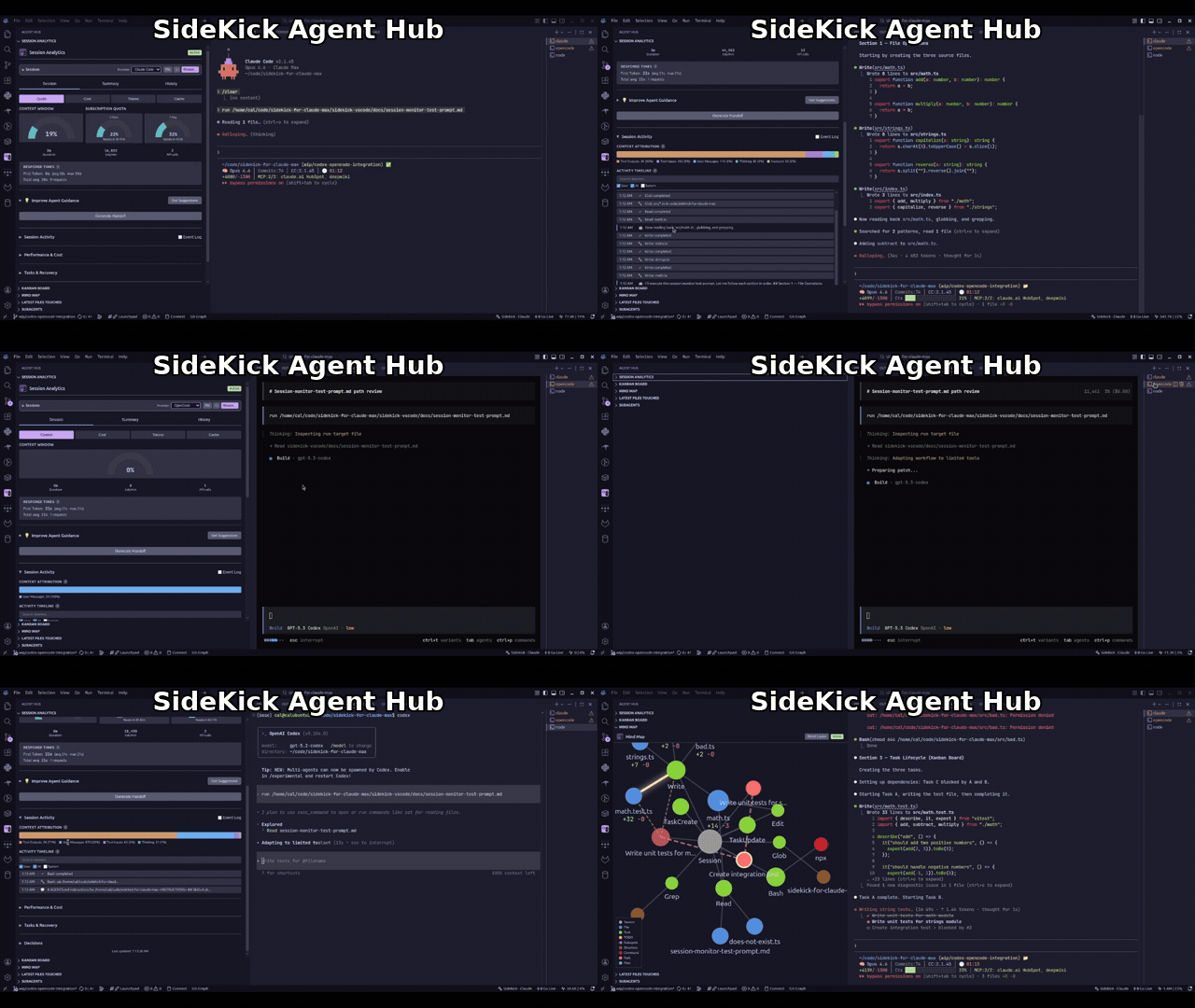
Install from the VS Code Marketplace or Open VSX. See the full feature list in the docs.
Terminal Dashboard (CLI)
Full-screen TUI for monitoring agent sessions — standalone, no VS Code required.
Note: The npm package is
sidekick-agent-hub, but the binary is calledsidekick.
npm install -g sidekick-agent-hub    # requires Node.js 20+
sidekick dashboard
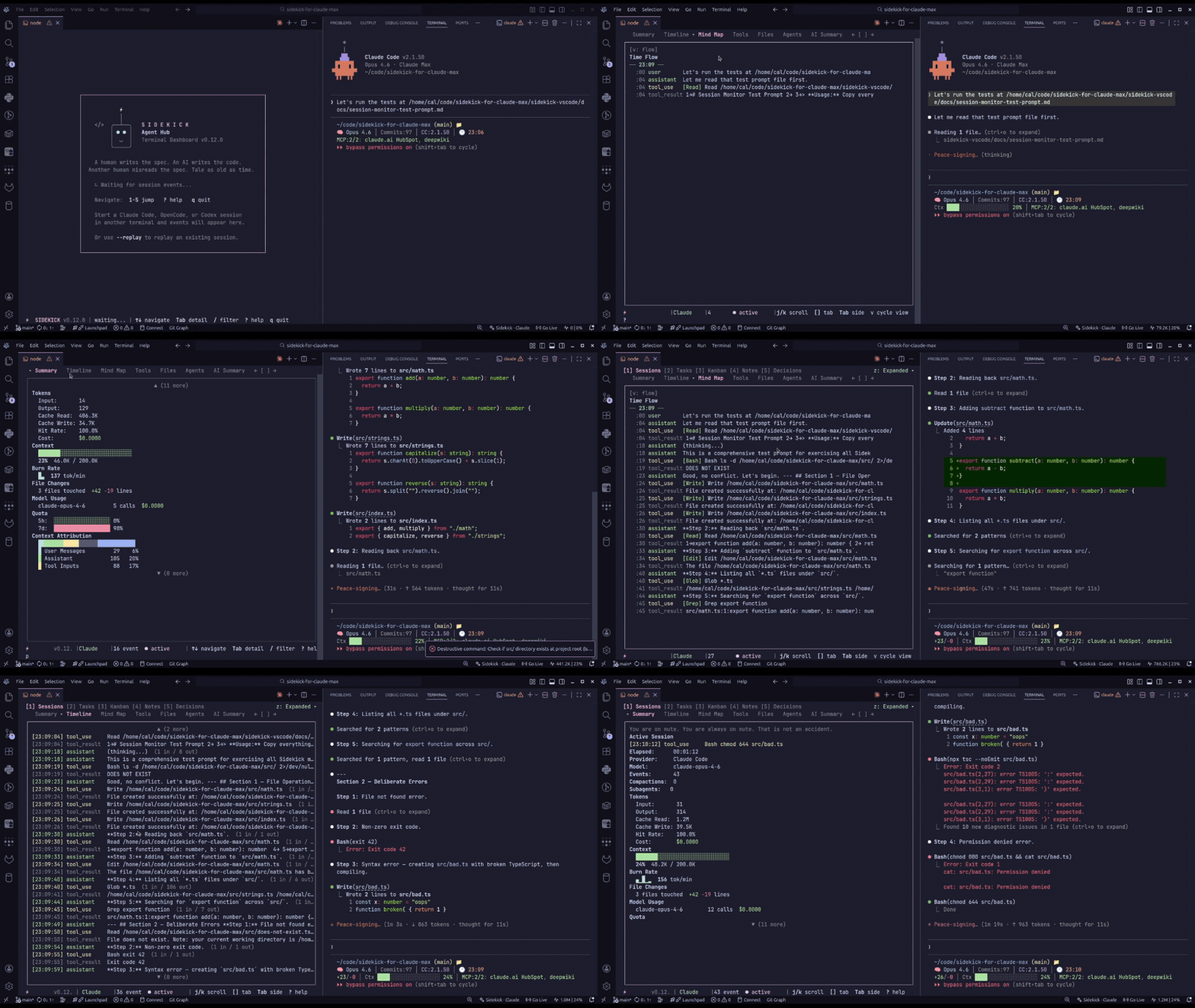
Browse sessions, tasks, decisions, knowledge notes, charts, and live event streams. Auto-detects your project and session provider. See the CLI Dashboard docs for keybindings and full usage.
Eight panels: Sessions, Tasks, Kanban, Notes, Decisions, Plans, Events, and Charts. The Events panel streams live session activity with colored type badges. The Charts panel shows tool frequency bars, event distribution, a 60-minute activity heatmap, and pattern analysis. Press / to filter with substring, fuzzy, regex, or date modes.
Standalone commands jump directly to a specific panel or run one-shot queries:
sidekick tasks                                      # open tasks panel
sidekick search "migration"                         # cross-session search
sidekick stats                                      # session statistics
sidekick quota                                      # quota / rate-limit check
sidekick status                                     # API status check (Claude + OpenAI)
sidekick dump --format markdown > session-report.md
sidekick report                                     # HTML report → browser
Also available: sidekick decisions, sidekick notes, sidekick handoff, sidekick context, sidekick quota, sidekick status, sidekick account.
Account Management
Manage multiple accounts for Claude Code and Codex — save, switch, and remove without manual login/logout cycles:
sidekick account                                    # list saved accounts
sidekick account --add --label Work                 # save the current Claude Code account
sidekick account --switch                           # switch to next account
sidekick account --switch-to [email protected]     # switch to a specific account
sidekick account --remove [email protected]           # remove a saved account

# Codex profiles
sidekick account --provider codex                   # list Codex accounts
sidekick account --provider codex --add --label Dev # add a Codex profile (opens login)
sidekick account --provider codex --switch-to Dev   # switch by label, email, or ID
In VS Code, account actions are available from the status bar menu and the Command Palette — for both Claude Code and Codex providers. See the Claude Max and Codex provider docs for setup guides.
Provider Support
| Provider | Inference | Session Monitoring | Cost |
|---|---|---|---|
| Claude Max | Yes | Yes | Included in subscription |
| Claude API | Yes | — | Per-token billing |
| OpenCode | Yes | Yes | Depends on provider |
| Codex CLI | Yes | Yes | OpenAI API billing |
OpenCode note: DB-backed OpenCode session monitoring reads
opencode.dband currently expects an executablesqlite3runtime in the host environment.
Why Am I Building This?
AI coding agents are the most transformative tools I've used in my career. They can scaffold entire features, debug problems across files, and handle the mechanical parts of software engineering that used to eat hours of every day.
But they're also opaque. Tokens burn in the background with no visibility. Context fills up silently until your agent starts forgetting things. And when a session ends, everything it learned — your architecture, your conventions, the decisions you made together — is just gone. The next session starts from zero.
That bothers me. I want to see what my agent is doing. I want to review every tool call, understand where my tokens went, and carry context forward instead of losing it. Sidekick exists because I think the people using these agents deserve visibility into how they work — not just the output, but the process.
Documentation
Full documentation is available at the docs site, including:
- Getting Started
- Provider Setup
- CLI Dashboard
- Feature Guide
- Configuration Reference
- Architecture
- Why Am I Building This?
Contributing
Contributions are welcome! See CONTRIBUTING.md for setup instructions and guidelines.
See Also
sidekick-shared — the shared data access library, published as a standalone npm package. Types, parsers, session providers, event aggregation, model pricing, Zod schemas, and more — for building your own tools on top of Sidekick session data without depending on the VS Code extension or CLI. Install with npm install sidekick-shared.
Sidekick Docker — a sibling project that brings the same real-time dashboard experience to Docker management. Monitor containers, Compose projects, images, volumes, and networks from a keyboard-driven TUI or VS Code panel. Available as a VS Code extension, Open VSX extension, and CLI.
Community
If Sidekick is useful to you, a star on GitHub helps others find it.
Found a bug or have a feature idea? Open an issue — all feedback is welcome.
License
MIT
Yorumlar (0)
Yorum birakmak icin giris yap.
Yorum birakSonuc bulunamadi