ravenclaw
Health Uyari
- License — License: Apache-2.0
- Description — Repository has a description
- Active repo — Last push 0 days ago
- Low visibility — Only 5 GitHub stars
Code Gecti
- Code scan — Scanned 12 files during light audit, no dangerous patterns found
Permissions Gecti
- Permissions — No dangerous permissions requested
This MCP server provides persistent memory and project management capabilities for AI coding agents, allowing them to maintain context across sessions, track issues, and receive instructions via a web dashboard or REST API.
Security Assessment
Overall Risk: Medium. The tool connects to a PostgreSQL database and acts as an orchestration layer that explicitly manages and monitors AI agents, including the potential to execute shell commands through those agents. It relies on Server-Sent Events (SSE) and REST APIs for its real-time web dashboard, meaning it requires network access and acts as a local server. No hardcoded secrets or dangerous code patterns were found during the automated scan, and the tool does not request explicitly dangerous MCP permissions. However, because it is designed to act as a wrapper that sends instructions to external AI tools, it inherently processes and routes your project data and commands.
Quality Assessment
The project is very new and has low community visibility, currently sitting at only 5 GitHub stars. On the positive side, it is actively maintained (with recent updates), has a clear and comprehensive README, and uses the standard Apache-2.0 license, making it safe from a licensing standpoint. Developers should expect early-stage software behavior.
Verdict
Use with caution — the code itself is safe and well-licensed, but the tool's low community adoption and its inherent role in routing commands to AI agents mean you should monitor its activity closely.
Work context management for AI coding agents — web UI, MCP, CLI
Ravenclaw
Work context management system for AI coding agents.
Ravenclaw gives AI agents persistent memory across sessions. Instead of re-explaining your project every time, agents start with full awareness — what's been built, what's in progress, and what to do next.
Web UI where you instruct agents, monitor their work in real-time, and manage project context — all in one place.
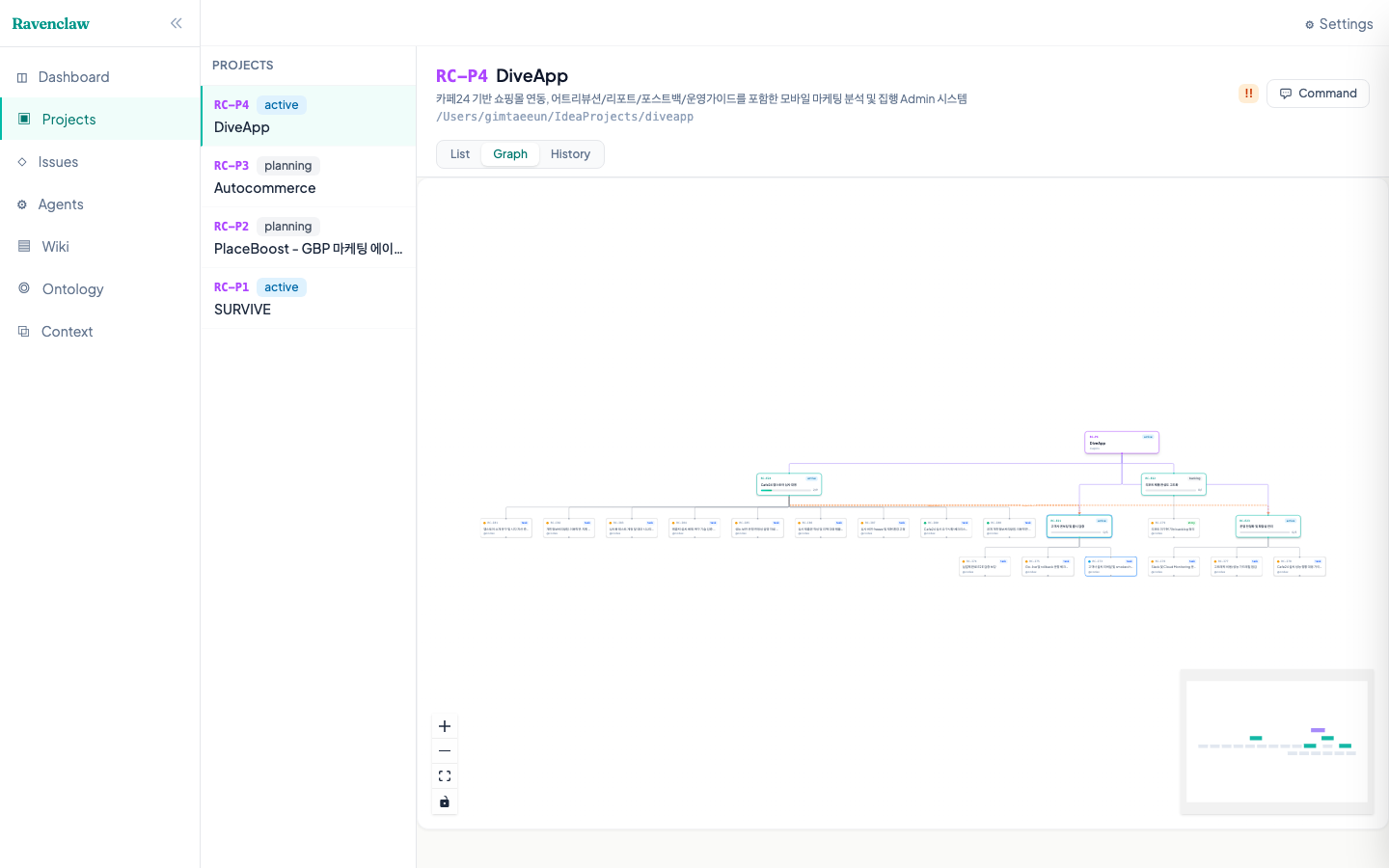
Why Ravenclaw?
AI coding agents (Claude Code, Gemini CLI, Codex) are powerful — but they forget everything between sessions. Managing multiple projects with multiple agents gets chaotic fast:
- "Where did I leave off?" repeated every session
- Context lost when switching between projects
- No visibility into what agents are doing
- No structured way to break down and track work
Ravenclaw solves this with a project management system that agents can read and write — via MCP tools, CLI, or REST API.
Screenshots
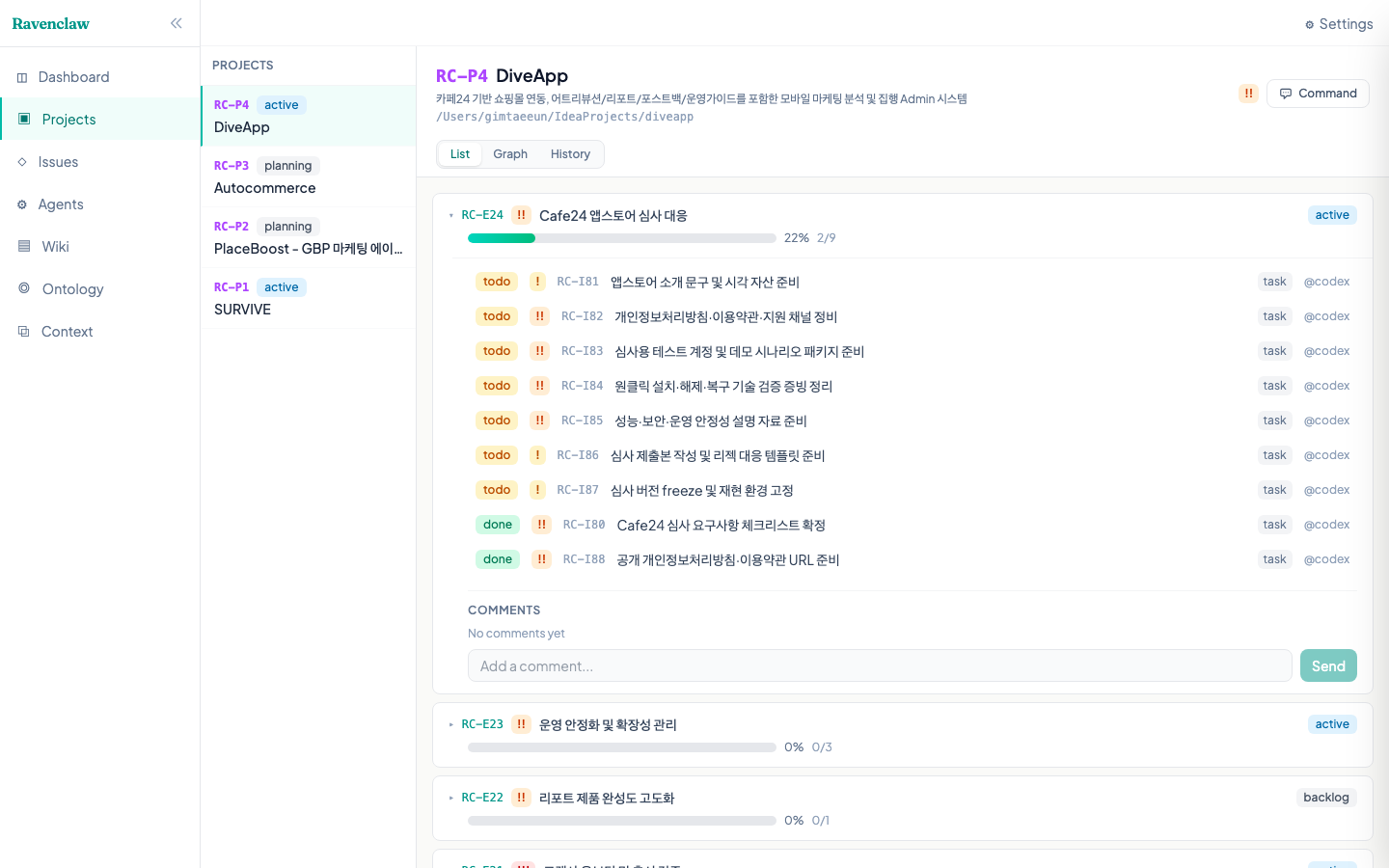
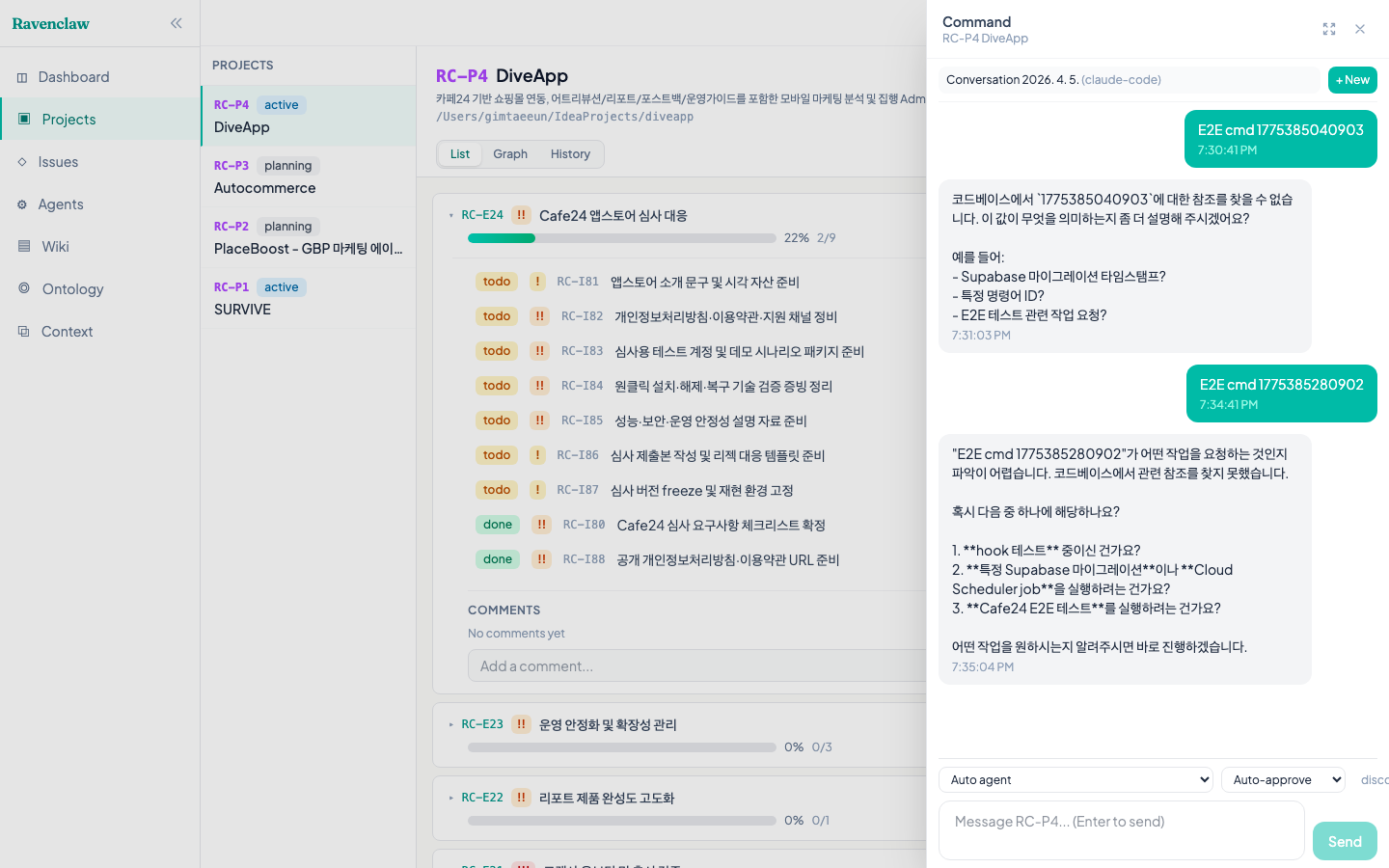
| Projects + Epics | Chat with Agent |
|---|---|
 |
 |
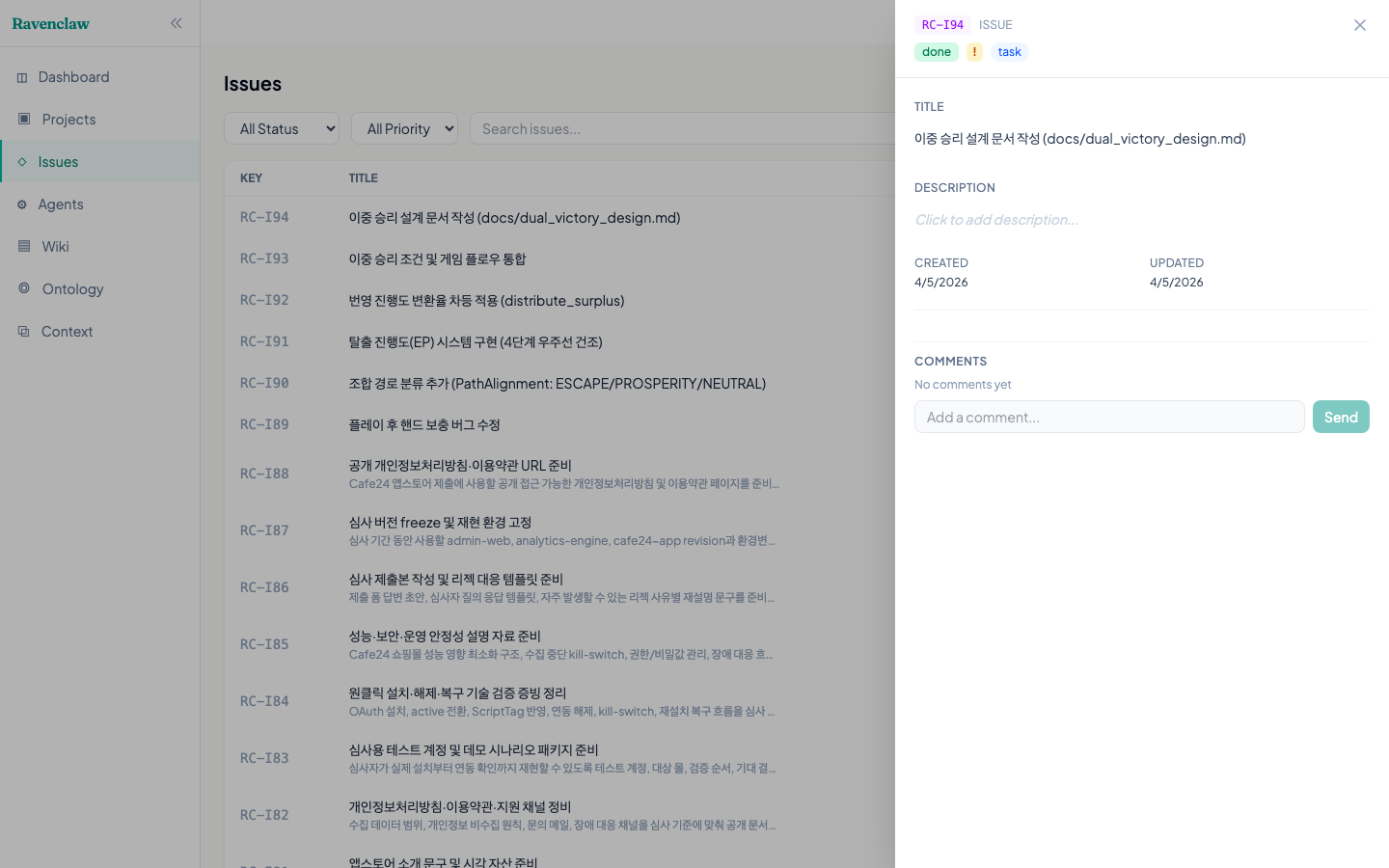
| Graph View | Detail Panel |
|
 |
Key Features
Agent Orchestration
- Web-based chat — Send instructions to agents directly from the browser
- Real-time streaming — Watch agent responses as they type (SSE)
- Conversation continuity — Sessions persist across messages via
claude --resume - Multi-agent support — Claude Code, Gemini CLI, Codex
- Permission control — Auto-approve, bypass, accept-edits, or interactive mode
- Tool activity indicator — See "Running: Bash", "Running: Edit" in real-time
Project Management
- Three-level hierarchy — Project > Epic > Issue with dependency tracking
- Interactive graph view — Visual project structure with clickable nodes
- Detail panel — Click any item to view/edit description, status, metadata inline
- Progress tracking — Epic progress auto-calculated from issue completion
- Wiki & Ontology — Versioned knowledge base with auto-extracted concept graph
Context & Sessions
- Context handoff — Agents save snapshots; new sessions load where the last left off
- Completion notes — Agents record what was done and why when closing issues; future sessions carry this rationale forward automatically
- Human-in-the-loop — Agents ask questions, users answer via web UI
- Session locking — Epic-level locks prevent concurrent agent conflicts
- Persistent chat history — Conversations stored in DB, survive server restarts
Architecture
┌──────────────┐
│ Web Dashboard │  React + Tailwind + ReactFlow
└──────┬────────┘
       │
┌──────┴────────┐     ┌────────────┐     ┌────────────┐
│  API Server   │─────│ PostgreSQL │     │  AI Agent   │
│  (Hono)       │     └────────────┘     │(Claude/etc.)│
└──┬────┬───┬───┘                        └──────┬──────┘
   │    │   │                                   │
   │    │   └── Process Manager ────────────────┘
   │    │       (spawn, stream, resume)
   │    └── REST API + SSE Streaming
   │
   └── Conversations (DB-persisted, session continuity)

┌────────────┐     ┌────────────┐
│ MCP Server │     │  CLI (rc)  │
│ (40+ tools)│     │            │
└────────────┘     └────────────┘
| Package | Description |
|---|---|
@ravenclaw/core |
DB schema (Drizzle ORM), services, types |
@ravenclaw/api |
Hono REST API + Process Manager + SSE + Conversations |
@ravenclaw/cli |
Terminal interface (rc command) |
@ravenclaw/mcp |
MCP server for AI agent integration (40+ tools) |
@ravenclaw/web |
React dashboard with graph view and interactive chat |
Quick Start
git clone https://github.com/chainofdive/ravenclaw.git
cd ravenclaw
pnpm install && pnpm build

# Start PostgreSQL + run migrations
docker-compose up -d
pnpm db:push

# Start API server
source .env && DATABASE_URL="$DATABASE_URL" node packages/api/dist/index.js

# Start web dashboard
pnpm --filter @ravenclaw/web dev
See docs/SETUP.md for detailed setup instructions.
How It Works
Agent starts a session
  │
  ├─ get_latest_context(RC-P1)      ← load previous handoff
  ├─ start_work_session(...)        ← record session
  ├─ get_project(RC-P1)             ← see full project tree
  │
  ├─ start_issue(RC-I26)            ← pick up a task
  ├─ ... coding ...
  ├─ complete_issue(RC-I26,         ← mark done + record what was done and why
  │    summary: "Used ECS pattern     (completion note persisted for future sessions)
  │    for O(1) shuffle...")
  ├─ save_context(RC-P1, "...")     ← save progress for next session
  │
  ├─ request_human_input(...)       ← ask user if needed
  └─ end_work_session(...)          ← close session
Or via the web UI: type a message → agent works in the project directory → stream results back in real-time.
Data Model
Workspace
  └─ Project (RC-P1)                    ← product / game / campaign
       │  directory: /path/to/project   ← agents run here
       ├─ Epic (RC-E10: Phase 1)        ← milestone (depends_on other epics)
       │    ├─ Issue (RC-I26: task)      ← individual task
       │    └─ Issue (RC-I27: task)      ← depends_on RC-I26
       └─ Conversation                  ← persistent chat with agent
            └─ Messages (user/assistant, DB-stored)
Plus: Wiki pages, Ontology, Comments, Dependencies, Work sessions, Context snapshots, Human input requests, Agent directives.
CLI
rc project create "MyApp" --directory /path/to/myapp --priority high
rc project list / show / update / delete

rc epic list / show / create / update / delete
rc issue list / create / start / done / delete

rc context                          # full work context
rc context save RC-P1 "progress..." # save snapshot
rc session start / end / list

rc wiki list / search
rc search "keyword"
rc ontology show / rebuild
MCP Tools (40+)
| Category | Tools |
|---|---|
| Projects | list_projects, get_project, create_project, update_project, delete_project |
| Epics | list_epics, get_epic, create_epic, update_epic, delete_epic |
| Issues | list_issues, get_issue, create_issue, update_issue, delete_issue, start_issue, complete_issue |
| Dependencies | add_dependency, list_dependencies, remove_dependency |
| Context | get_work_context, get_work_context_summary |
| Sessions | save_context, get_latest_context, start_work_session, end_work_session |
| Human Input | request_human_input, check_human_input, list_pending_inputs |
| Wiki | list_wiki_pages, get_wiki_page, create_wiki_page, update_wiki_page |
| Other | search, list_comments, add_comment, acquire_lock, release_lock, get_ontology, rebuild_ontology |
API
All endpoints under /api/v1, authenticated via Authorization: Bearer <api-key>.
| Group | Key Endpoints |
|---|---|
| Projects | GET/POST /projects, GET/PUT/DELETE /projects/:id, GET /projects/:id/tree |
| Epics | GET/POST /epics, GET/PUT/DELETE /epics/:id, GET /epics/:id/tree |
| Issues | GET/POST /issues, GET/PUT/DELETE /issues/:id, POST /issues/:id/start|done |
| Conversations | GET .../list, POST .../new, POST .../message, GET .../stream (SSE) |
| Context | GET /context, GET /context/summary |
| Sessions | POST /sessions, PUT /sessions/:id/end |
| Human Input | POST /input-requests, GET .../waiting, PUT .../answer |
| Wiki | GET/POST /wiki, GET/PUT /wiki/:id |
| Files | GET /files?path=...&project_id=... |
Full endpoint list: Dependencies, Locks, Ontology, Search, Comments, Agents, Directives, SSE streaming.
Testing
cd packages/web && pnpm test:e2e # 14 Playwright E2E tests
Documentation
- docs/SETUP.md — Installation and configuration
- docs/SESSION_GUIDE.md — Agent session workflow
License
Yorumlar (0)
Yorum birakmak icin giris yap.
Yorum birakSonuc bulunamadi