clawdius
Health Uyari
- License — License: MIT
- Description — Repository has a description
- Active repo — Last push 0 days ago
- Low visibility — Only 5 GitHub stars
Code Uyari
- fs module — File system access in .agents/skills/launch/scripts/launch.sh
Permissions Gecti
- Permissions — No dangerous permissions requested
Bu listing icin henuz AI raporu yok.
A 💌 love letter to Visual Studio Code, Claude Code, and Clawd — a fork of Visual Studio Code built around Claude Code.

Clawdius
A 💌 love letter to Visual Studio Code, Claude Code, and Clawd.




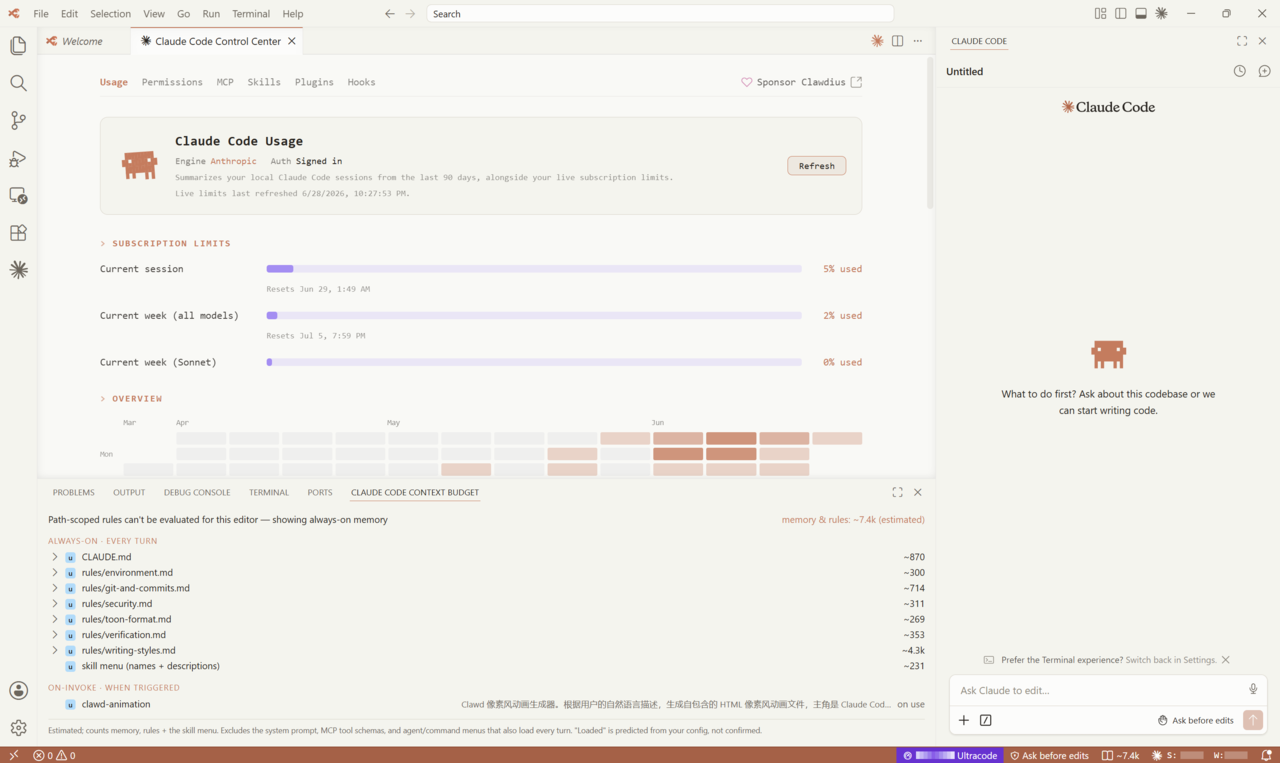
Clawdius is a fork of Visual Studio Code, built and styled around the official Claude Code plugin from Anthropic. On top of the editor you already know, it adds native tools to track your usage, configure Claude Code without hand-editing JSON, estimate what fills your context window, and keep your token spend in check. It works with the Claude Code providers you already have — a Claude subscription, AWS Bedrock, Google Vertex, or a custom endpoint — and slots into the Claude Code workflows you use today.
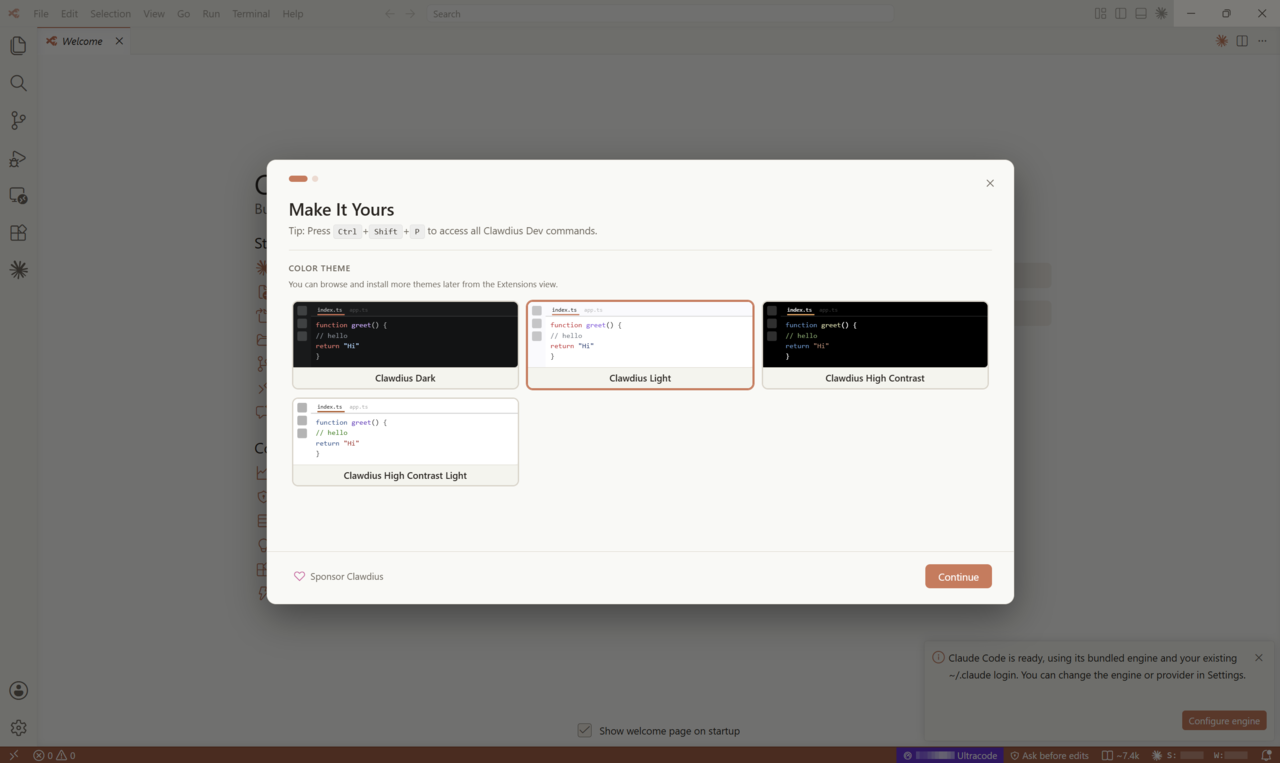
Why Clawdius
- The real Claude Code, not a clone. Clawdius installs Anthropic's official Claude Code plugin from Open VSX on first run and drives it with your existing
~/.claudelogin. No reimplementation, no second account. - Your providers, your terms. A Claude subscription, AWS Bedrock, Google Vertex, or a custom endpoint — Clawdius uses whatever your Claude Code is already configured for.
- Quiet by default. No telemetry, no crash reporting, no marketplace or update pings. The only network traffic is the kind you start, like a Claude turn or an extension you choose to install.
- Token awareness, built in. See your session and weekly usage at a glance, and know what Claude loads for the file you are editing before you spend on it.
Inside Clawdius
Claude Code, built in
The official Claude Code pane opens in the sidebar, signed in and ready, powered by the same engine as the CLI. Clawdius retires VS Code's Copilot chat and makes Claude the default, so the assistant you reach for is the genuine article.
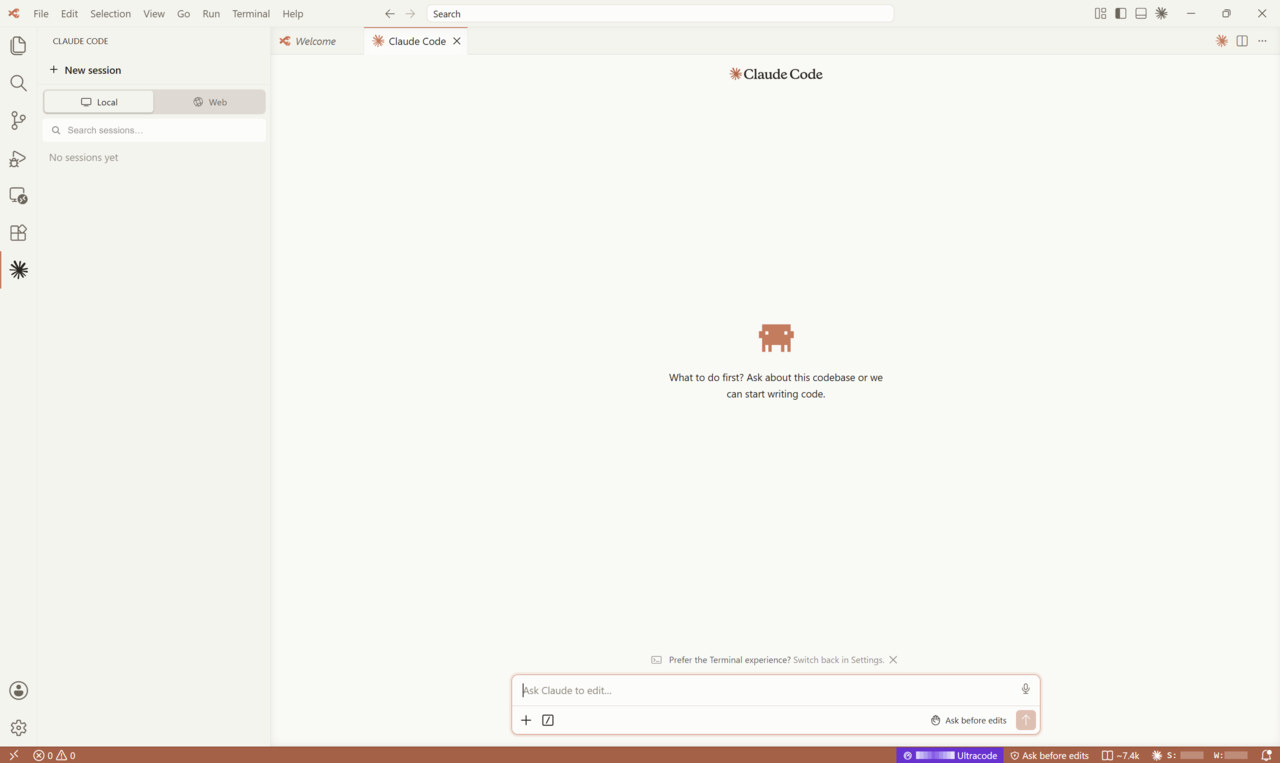
The Control Center
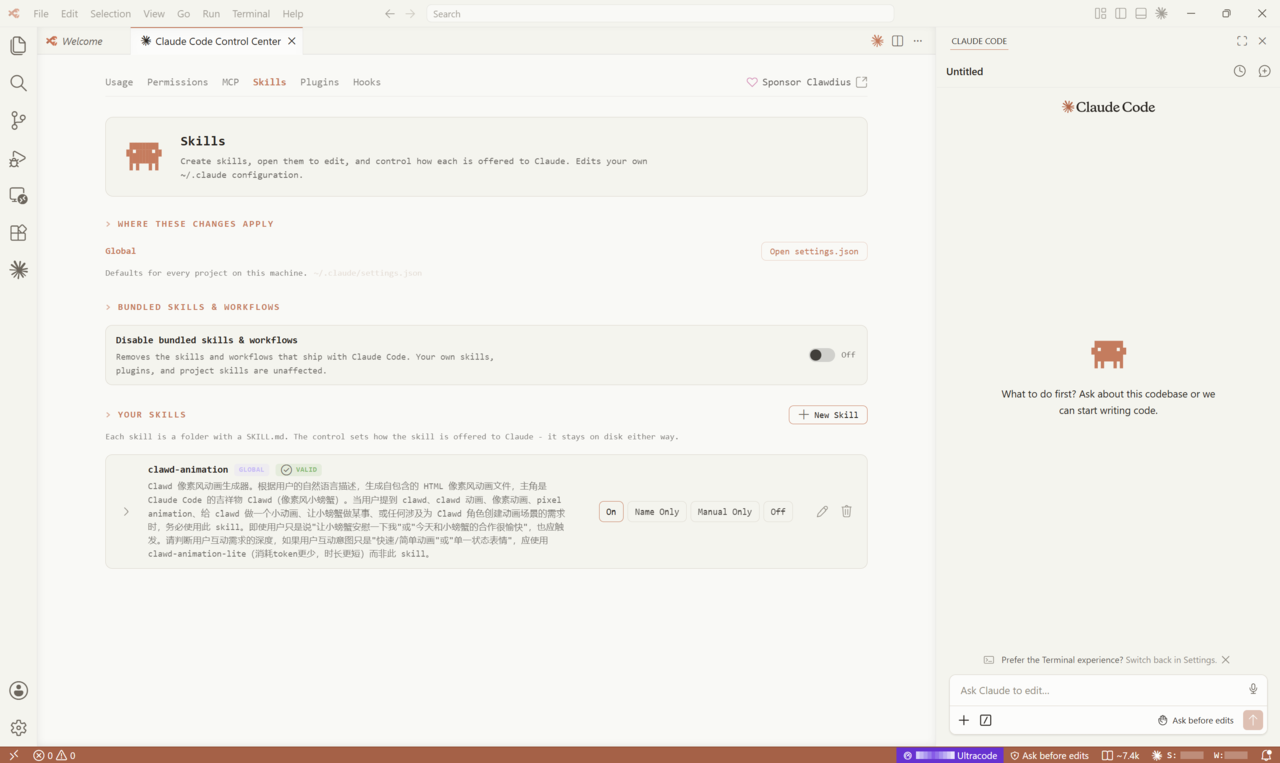
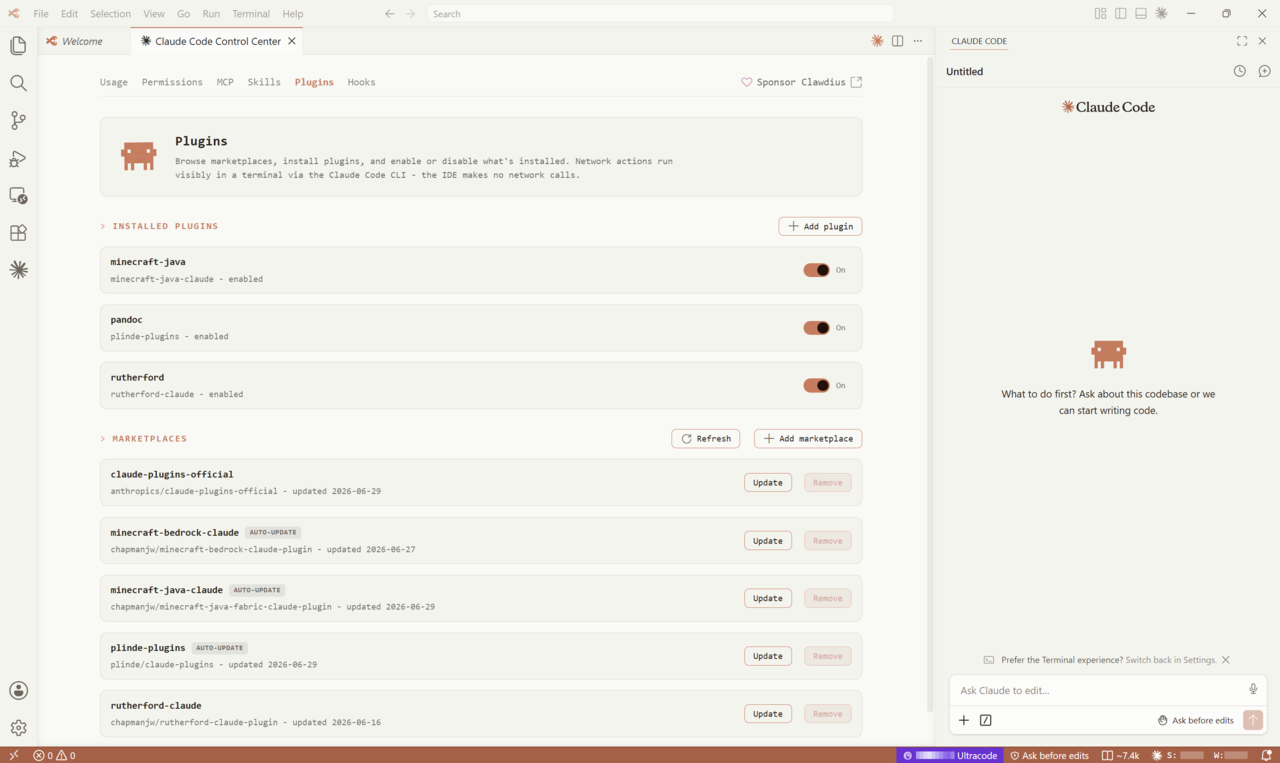
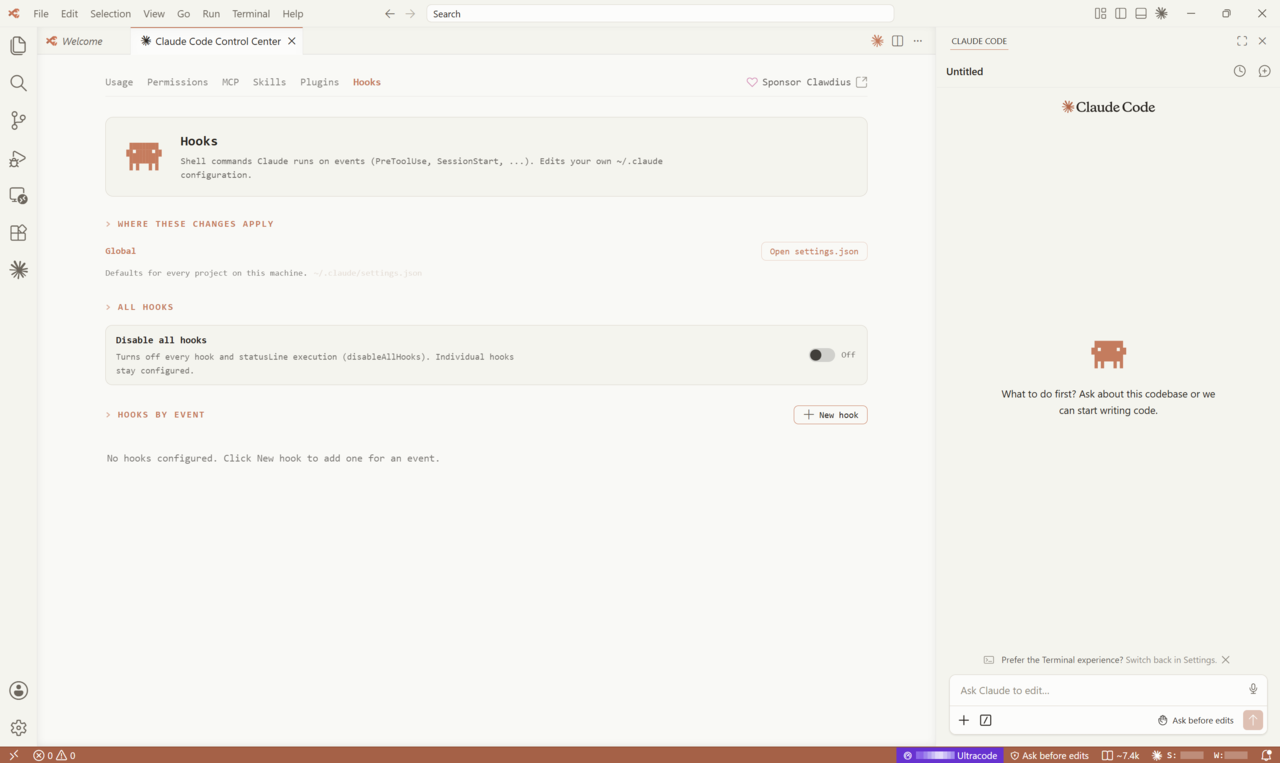
A native pane that edits your ~/.claude configuration so you never have to touch raw JSON. Each tab maps to a part of Claude Code you would otherwise tune by hand.
Permissions — review and edit allow/ask/deny rules and the active permission mode.
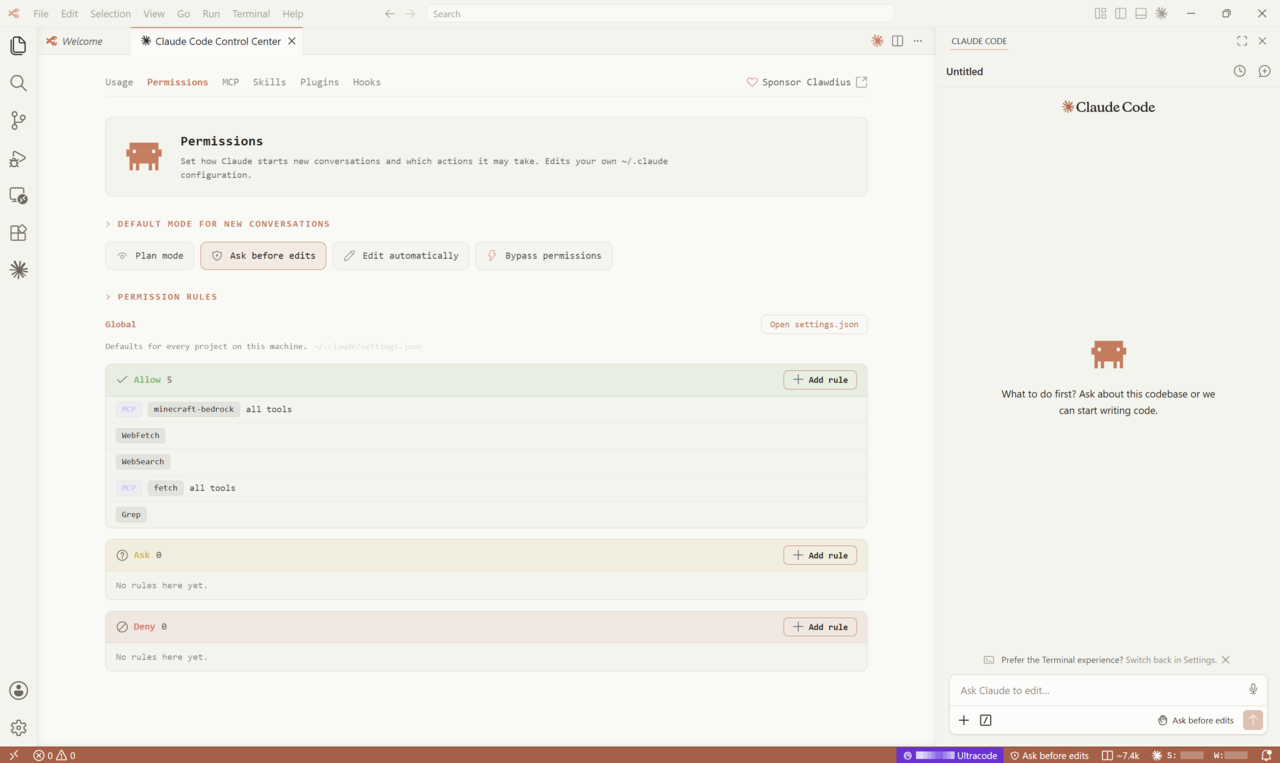
MCP — add, toggle, and inspect Model Context Protocol servers and their tools.
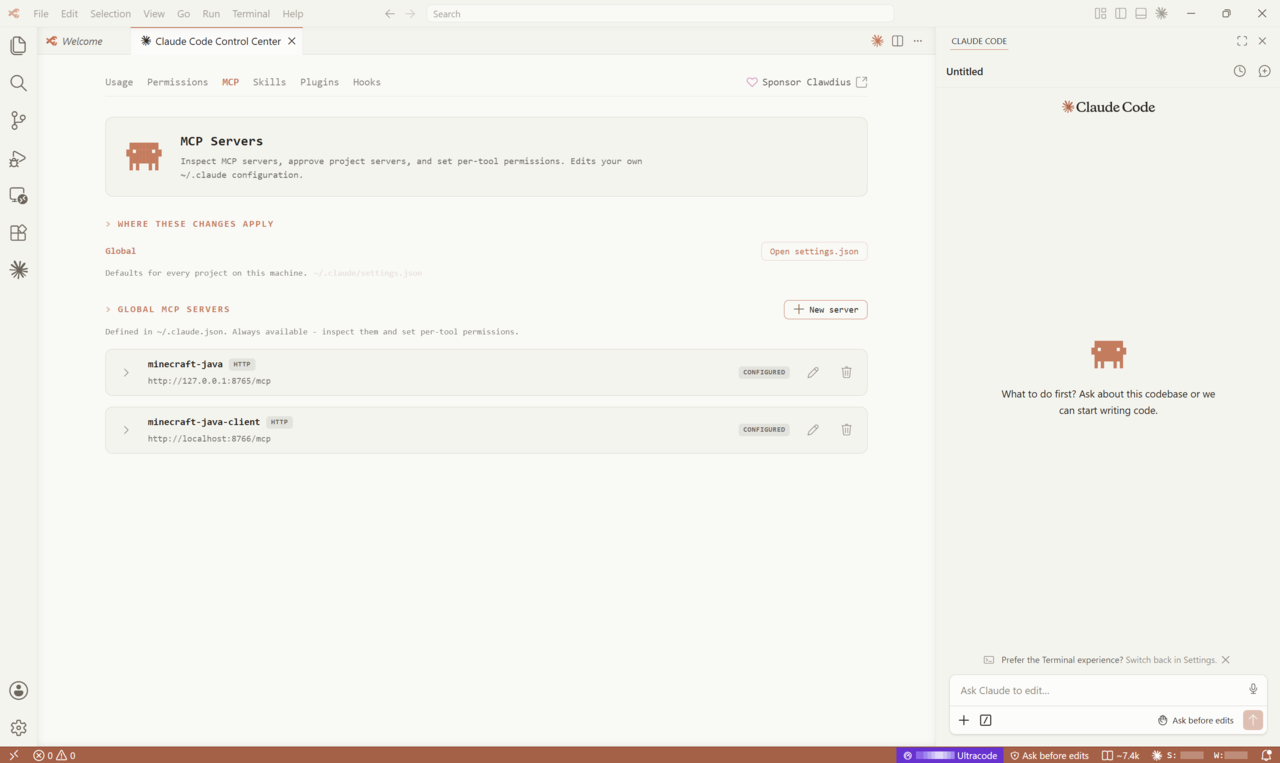
Skills — enable or disable the skills Claude can call on.
Plugins — browse the marketplace and manage installed Claude Code plugins.
Hooks — wire up lifecycle hooks with a structured editor instead of editing settings by hand.
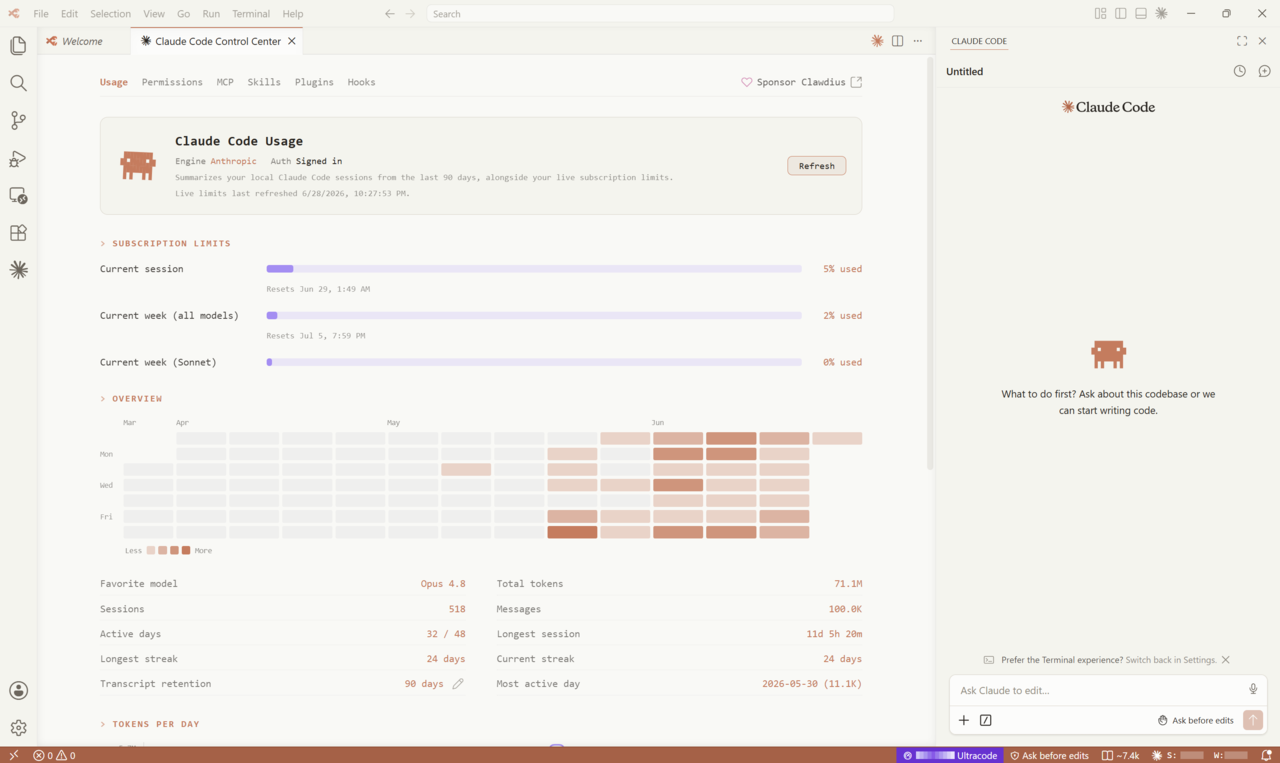
Usage at a glance
A status-bar meter and a full dashboard report your session and weekly token use, computed locally from your Claude Code transcripts. The dashboard breaks usage down by window and model so you can see where your budget goes — and it refreshes only when you open it, never in the background.
Context Budget Inspector
For the file you are editing, the inspector lists what Claude actually loads — memory, rules, and skills — split into what applies every turn, what loads on demand, and what is skipped, each with an estimated token cost. It also shows the measured cached prefix from your last session, so the estimate has a real number to stand next to.
Install
Grab the build for your platform from the Releases page. Builds are signed (Windows via Azure Trusted Signing, macOS via Apple Developer ID + notarization, Linux via GPG); a new publisher still has little reputation, so your OS may warn on first launch — the per-platform steps below cover how to proceed.
Supported platforms
| Platform | Architectures | Packages | Signing |
|---|---|---|---|
| Windows 10 / 11 | x64, arm64 | .exe (user + system installers), .zip portable |
Azure Trusted Signing |
| macOS | Apple Silicon (arm64), Intel (x64) | .dmg |
Apple Developer ID + notarization |
| Linux | x64, arm64 | apt / dnf repository, .deb, .rpm, .tar.gz |
GPG-signed packages |
| Linux remote server (REH) | x64, arm64 | .tar.gz |
— |
Clawdius shares upstream VS Code 1.127.0's OS baseline: Windows 10 (1809) or later, a current macOS, and a Linux distribution with glibc 2.28 or newer (Ubuntu 20.04+, Debian 10+, RHEL/Rocky 8+, Fedora 38+).
Windows
Choose an installer (<arch> is x64 or arm64):
ClawdiusSetup-<arch>-<version>.exe— the standard installer; installs for the current user, no administrator rights needed. Recommended.ClawdiusSystemSetup-<arch>-<version>.exe— installs for all users (requires administrator).Clawdius-win32-<arch>-<version>.zip— portable; unzip and runClawdius.exe.
If SmartScreen warns about an unrecognized app, choose More info → Run anyway.
macOS
Apple Silicon: download Clawdius-darwin-arm64-<version>.dmg. Intel: download Clawdius-darwin-x64-<version>.dmg. Open the .dmg and drag Clawdius into Applications. The app is signed with an Apple Developer ID and notarized; if Gatekeeper still blocks the first launch, right-click the app and choose Open, or clear the quarantine flag:
xattr -dr com.apple.quarantine /Applications/Clawdius.app
Linux
Recommended — apt / dnf repository. Hosted on Cloudsmith; adds the signed repository so clawdius installs and updates through your package manager. Works on x64 and arm64.
Debian / Ubuntu:
curl -1sLf 'https://dl.cloudsmith.io/public/chapmanjw/clawdius/setup.deb.sh' | sudo -E bash
sudo apt install clawdius
Fedora / RHEL / Rocky / openSUSE:
curl -1sLf 'https://dl.cloudsmith.io/public/chapmanjw/clawdius/setup.rpm.sh' | sudo -E bash
sudo dnf install clawdius        # or: sudo zypper install clawdius
Direct download. Grab a package from the Releases page instead (no repository; you update manually):
# Debian / Ubuntu  (amd64 for x64 CPUs, arm64 for arm64)
sudo apt install ./clawdius_*_amd64.deb

# Fedora / RHEL / openSUSE  (x86_64 for x64 CPUs, aarch64 for arm64)
sudo dnf install ./clawdius-*.x86_64.rpm

# Portable tarball  (extracts to a VSCode-linux-<arch> folder)
tar -xf Clawdius-linux-x64-*.tar.gz && ./VSCode-linux-x64/bin/clawdius
The .deb and .rpm packages are GPG-signed — the Cloudsmith repository serves the same signed packages with automatic updates.
Build from source
Clawdius builds with the upstream VS Code toolchain on Windows, macOS, and Linux. See docs/BUILD.md for the exact prerequisites. In short:
npm ci
npm run compile
./scripts/code.sh      # on Windows: scripts\code.bat
Privacy
Clawdius makes no network call you did not ask for. Telemetry, crash reporting, experiment fetches, and update and marketplace pings are off. Extensions install from Open VSX, and the only outbound traffic is what you initiate — a Claude turn, or an extension or update you choose to fetch.
Project documentation
- docs/BUILD.md — build and run from source.
- docs/CONTRIBUTING.md — how to contribute.
- docs/SECURITY.md — reporting security issues.
- docs/CHANGES_AGAINST_UPSTREAM.md — every change this fork makes against Code - OSS, and why.
- docs/MERGING.md — how Clawdius tracks and merges newer upstream releases.
License and trademarks
Clawdius is licensed under the MIT License, the same as Code - OSS; see LICENSE.txt.
"Visual Studio Code", "VS Code", and the Microsoft logos are trademarks of Microsoft and are not used by this fork. "Claude" and "Claude Code" are products of Anthropic. Clawdius is an independent fork — not affiliated with, sponsored by, or endorsed by Anthropic or Microsoft.
If Clawdius is useful to you, a ⭐ on the repo helps, and you can sponsor the project to support its development.
Yorumlar (0)
Yorum birakmak icin giris yap.
Yorum birakSonuc bulunamadi