roam-cli
Health Gecti
- License — License: MIT
- Description — Repository has a description
- Active repo — Last push 0 days ago
- Community trust — 23 GitHub stars
Code Gecti
- Code scan — Scanned 12 files during light audit, no dangerous patterns found
Permissions Gecti
- Permissions — No dangerous permissions requested
Bu listing icin henuz AI raporu yok.
Self-hosted web control plane for Codex, Claude Code, and AI coding agents running on your own machines.
RoamCli
中文文档见 README_ch.md。
RoamCli is a self-hosted web UI and control plane for Codex, Claude Code, and other AI coding agents running on your own machines.
Start, supervise, and resume coding-agent sessions from a browser while keeping repository access and code execution on runner machines you control. The browser talks to the Server; each Runner owns workspace access and execution, then connects outbound to the Server over reverse WebSocket.
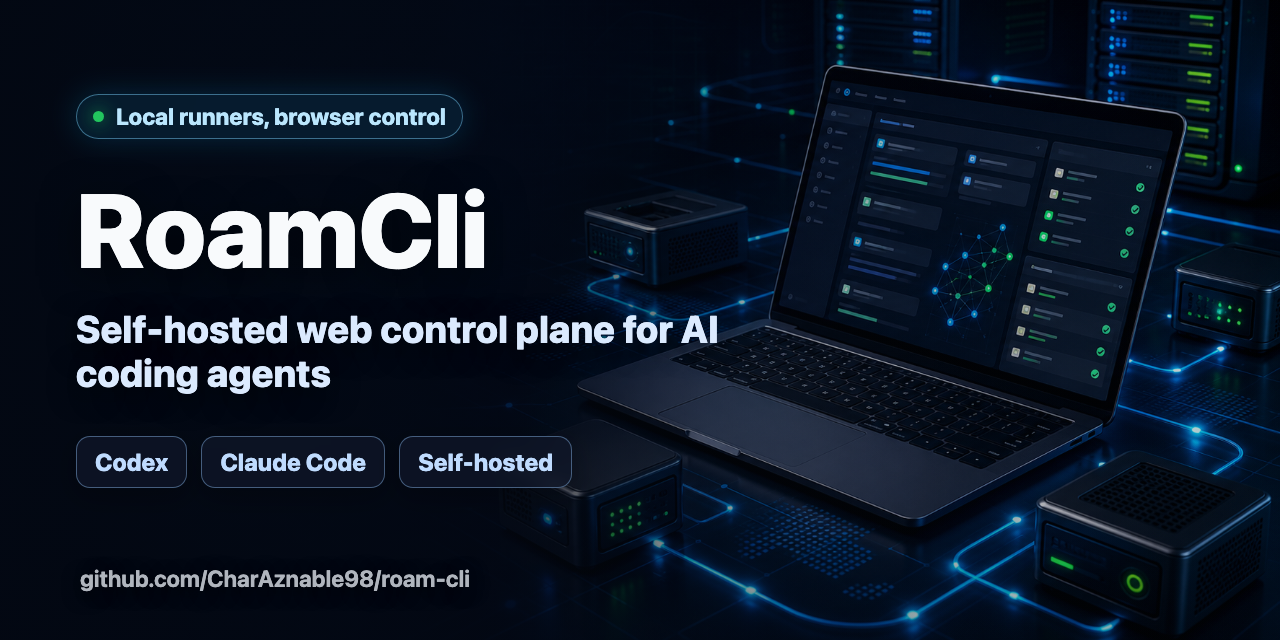
Built for self-hosted AI coding agent workflows: Codex, Claude Code, local runners, browser supervision, and remote development control planes.
Quick links: Quick start · What you can do · How it works · Install from source · Agent plugins · FAQ
What You Can Do
- Connect one or more development-machine Runners to a central Server without opening inbound ports on the Runner.
- Create Projects and Sessions from the browser.
- Stream agent messages and terminal output while a task is running.
- Browse and edit UTF-8 files in the active execution folder.
- Review approvals, accept or reject actions, and apply accepted patches.
- Load agent capabilities through local workspace plugins, including Codex and Claude Code.
Quick Start
RoamCli is currently installed from a source checkout. You need Node.js 24 or newer, pnpm 10 or newer, Git, and the coding-agent CLI you want to run. Docker and Docker Compose are optional for the source Docker path.
Clone, install, and build the workspace:
git clone https://github.com/CharAznable98/roam-cli.git
cd roam-cli
pnpm install
pnpm build
Start the Server:
HOST=127.0.0.1 \
PORT=8787 \
ROAMCLI_DATA_DIR=.roamcli-server \
pnpm --filter @roamcli/server dev
On first start, the Server prints a setup token and writes it to .roamcli-server/setup-token.txt. Open the Web UI, enter the setup token, and set the owner password:
http://127.0.0.1:8787
In Account & Security, copy the Runner token. From the directory you want to expose as the Runner workspace, start a local workspace Runner with at least one agent plugin:
pnpm --dir /path/to/roam-cli --filter @roamcli/runner dev -- \
  --server ws://127.0.0.1:8787/v1/runner \
  --token <runner-token-from-account-security> \
  --workspace "$PWD" \
  --agent-plugin @roamcli/agent-codex
Then create a Project, create a Session, and send prompts to the connected agent from the Web UI.
How It Works
RoamCli has three independent parts:
- Server: the central control plane. It serves the Web UI, HTTP API, WebSocket hub, SQLite data, and local artifact storage.
- Runner: a process on a development machine or any machine that has access to your code. It connects back to the Server, starts agents, reads and writes workspace files, streams terminal output, and applies approved patches.
- Web UI: the browser interface served by the Server. The browser talks to the Server only; it does not need direct access to any Runner.
Runners use reverse WebSocket connections, so a Runner usually only needs outbound network access to the Server.
Install From Source
Local Source Install
Use source install for local development, evaluation, or when you want to manage the process yourself:
git clone https://github.com/CharAznable98/roam-cli.git
cd roam-cli
pnpm install
pnpm build
pnpm build builds the Server packages and the Web UI assets that the Server can serve.
Start the Server from the checkout:
HOST=127.0.0.1 \
PORT=8787 \
ROAMCLI_DATA_DIR=.roamcli-server \
pnpm --filter @roamcli/server dev
Source Docker Compose
The root docker-compose.yml is for source checkouts. It builds the Server image locally and starts the Server only; you still need to start one or more Runners separately and point them at the Server.
docker compose up --build
The compose setup exposes the Server on port 8787 and persists Server data in the roamcli-data volume.
Installer Script
The installer script can clone a specific branch, tag, or commit, build the Server image locally, and start it with Docker Compose:
chmod +x scripts/install-server.sh
./scripts/install-server.sh --ref main
Useful options:
./scripts/install-server.sh --ref main --public-origin https://roam.example.com
./scripts/install-server.sh --dry-run
./scripts/install-server.sh --uninstall
--uninstall stops and removes the generated Server deployment files. It asks for a second confirmation before deleting Server data; data is preserved by default.
Windows users should run the installer from WSL2 with Docker Desktop integration enabled, or use the local source install path.
Connect A Runner
Start a Runner from the directory you want to expose as the Runner workspace. Until the npm packages are published, use the local workspace command from the source checkout:
pnpm --dir /path/to/roam-cli --filter @roamcli/runner dev -- \
  --server ws://127.0.0.1:8787/v1/runner \
  --token <runner-token-from-account-security> \
  --workspace "$PWD" \
  --agent-plugin @roamcli/agent-codex
To enable both built-in agent plugins:
pnpm --dir /path/to/roam-cli --filter @roamcli/runner dev -- \
  --server ws://127.0.0.1:8787/v1/runner \
  --token <runner-token> \
  --workspace "$PWD" \
  --agent-plugin @roamcli/agent-codex \
  --agent-plugin @roamcli/agent-claude-code
The Runner writes the effective startup configuration to <workspace>/<data-dir>/config.json, defaulting to .roam-runner/config.json under the workspace. Later starts from the same workspace can omit persisted options:
pnpm --dir /path/to/roam-cli --filter @roamcli/runner dev -- --workspace "$PWD"
If required values are missing in an interactive terminal, the Runner opens a React Ink TUI wizard and then re-execs the local command with the selected plugin packages. In non-interactive shells, pass --server, --token, and at least one --agent-plugin explicitly.
Use RoamCli
- Confirm that your Runner is online.
- Create a Project. Select the Runner; the UI fixes that Runner's workspace as the directory prefix, and you enter the relative project path under it.
- Create a Session inside the Project.
- Use the Chat panel to send prompts to the agent.
- Use the Files panel to browse and edit UTF-8 text files inside the execution folder.
- Use the Terminal panel to send input to the active session.
- Use the Approvals panel to approve or reject requests and apply accepted patches.
Agent Plugins
The Runner core is intentionally minimal and does not load a default agent plugin. Choose at least one plugin with --agent-plugin or ROAMCLI_AGENT_PLUGINS.
Built-in workspace plugin packages:
@roamcli/agent-codex@roamcli/agent-claude-code
The Codex plugin uses codex app-server --stdio -c skip_git_repo_check=true by default. The Codex command can be overridden with:
ROAMCLI_AGENT_CODEX_COMMAND
Use ROAMCLI_AGENT_CODEX_COMMAND when the runner should launch a specific Codex binary or wrapper. App-server arguments are fixed to the stdio transport path.
The legacy codex exec --json invocation is still available only when explicitly selected:
ROAMCLI_AGENT_CODEX_MODE=exec-json
ROAMCLI_AGENT_CODEX_ARGS
ROAMCLI_AGENT_CODEX_ARGS applies only in exec-json mode and accepts either a shell-like string or a JSON string array.
Configuration
Server
| Variable | Description | Default |
|---|---|---|
HOST |
Server bind host. | 127.0.0.1 |
PORT |
Server bind port. | 3000 |
ROAMCLI_DATA_DIR |
Directory for SQLite data and local artifacts. | .roamcli-server |
ROAMCLI_WEB_DIST |
Path to built Web UI assets. | auto-detects apps/web/dist or ../web/dist |
ROAMCLI_PUBLIC_ORIGIN |
Public browser origin allowed for mutating API calls, for example https://roam.example.com. |
inferred from request host |
ROAMCLI_RESET_OWNER |
Set to 1 on startup to clear owner credentials and Web sessions, then generate a new setup token. Runner tokens and project/session data are left intact. |
unset |
Runner
Runner reads local config from <workspace>/<data-dir>/config.json. CLI options and environment variables override local config and are written back before the Runner connects.
| CLI option | Environment variable | Description |
|---|---|---|
--server |
ROAM_RUNNER_SERVER |
Server WebSocket URL. http and https URLs are converted to ws and wss. |
--token |
ROAM_RUNNER_TOKEN |
Runner token shown in Account & Security. |
--runner-id |
ROAM_RUNNER_ID |
Stable Runner identifier. Defaults to hostname plus a generated UUID. |
--workspace |
ROAM_RUNNER_WORKSPACE |
Workspace root exposed to RoamCli sessions. Defaults to the current directory. |
--data-dir |
ROAM_RUNNER_DATA_DIR |
Relative runner data directory under the workspace for state and session worktrees. Defaults to .roam-runner. Absolute paths and parent traversal are rejected. |
--profile |
ROAM_RUNNER_PROFILE |
Runner profile: strict, standard, or trusted. Defaults to standard. |
--agent-plugin |
ROAMCLI_AGENT_PLUGINS |
Required agent plugin package to load. Repeatable by CLI, comma-separated by environment variable. |
Repository Layout
apps/server       Fastify API, WebSocket hub, persistence, artifacts, static Web hosting.
apps/runner       Runner CLI, agent process management, workspace file operations.
apps/web          React browser client.
packages/shared   Shared protocol schemas/types plus Node-side security helpers.
packages/agent-*  Agent plugin SDK and built-in Codex and Claude Code plugins.
More
License
RoamCli is licensed under the MIT License. See LICENSE.
Yorumlar (0)
Yorum birakmak icin giris yap.
Yorum birakSonuc bulunamadi