chatshell-desktop
Health Gecti
- License — License: Apache-2.0
- Description — Repository has a description
- Active repo — Last push 0 days ago
- Community trust — 25 GitHub stars
Code Gecti
- Code scan — Scanned 12 files during light audit, no dangerous patterns found
Permissions Gecti
- Permissions — No dangerous permissions requested
Bu listing icin henuz AI raporu yok.
Give any AI model, cloud or local, web search, file access, and a shell on your desktop, with nothing extra to set up.
ChatShell
Give any AI model, cloud or local, web search, file access, and a shell on your desktop, with nothing extra to set up.
Status: In active development. Features and behavior may change between releases.


Connect a cloud AI provider or a local model, then use it to research topics, work with files, and run commands. Built-in tools work without plugins or MCP servers; additional integrations are optional.
Available for macOS, Windows, and Linux. Licensed under Apache 2.0.
Download ChatShell · Documentation
Quick Start
- Download and install ChatShell for your platform. The Windows installer is not code-signed yet, so SmartScreen may warn on first run: choose More info, then Run anyway.
- Connect an AI provider with your API key (a ChatGPT or Claude subscription cannot be used here), or configure a local model through Ollama or LM Studio.
- Select a model that supports tool use, then send:
Find things to do in Kyoto on a rainy day and group them by neighborhood.
ChatShell can use its built-in search and fetch tools to gather information and return a summary. New conversations start in Yolo mode, which runs tools without asking. Switch to Ask in the chat input toolbar to approve file changes and shell commands first.
Why ChatShell?
- Tools work on first launch: Web search, page fetching, file reading and editing, and shell commands are built in. Search uses DuckDuckGo by default, with Yahoo or Baidu available in Settings, so there is no search API key to get. MCP servers are optional.
- Bring any model: Connect cloud providers with your own API key, or run local models through Ollama or LM Studio. You pay your provider directly, per use.
- You decide what runs: New conversations start in Yolo mode, which runs every tool without asking. In Ask mode, file changes and shell commands wait for your approval; searching and reading still run on their own. Catastrophic commands such as
rm -rf /are blocked in both modes. - History stays on your device: Conversations are stored in SQLite locally. Cloud providers receive what you send them; optional iCloud sync uploads encrypted copies.
When to use something else: If you would rather not manage API keys, the official ChatGPT or Claude desktop apps give you their models on a flat subscription, with vendor features such as memory and voice. If you want a longer-established client with a larger community, try Cherry Studio, Msty, or Chatbox.
Security and Data
- No telemetry: ChatShell sends no usage data. Update checks go to
dl.chatshell.app, with GitHub Releases as a fallback. - Where data goes: Conversations stay in local SQLite. Cloud providers receive only what you send them. Optional iCloud sync uploads encrypted copies.
- Secrets: API keys and MCP tokens are encrypted with AES-256-GCM; the master key is held in the OS credential store.
- Builds: macOS builds are signed and notarized by Seedvector LLC. Updates are signature-verified before install. Windows builds are not yet code-signed.
- Support: ChatShell is maintained by Seedvector LLC. GitHub issues get a first response within a week.
- Reporting vulnerabilities: See SECURITY.md.
Example Tasks
Try these prompts with a model that supports tool use:
- Plan a trip:
Find things to do in Kyoto on a rainy day and group them by neighborhood. - Choose a purchase:
Compare three robot vacuums under $400, including recurring costs and common complaints. - Plan meals:
Suggest five dinners for two using rice, eggs, spinach, and chicken. Save a shopping list for anything else needed. - Organize files:
Look through my Downloads folder and suggest how to organize it. Wait for my approval before moving anything.
Results depend on the selected model, enabled tools, and available permissions.
See more example tasks for research, coding, automation, and creative prompts.
Screenshots
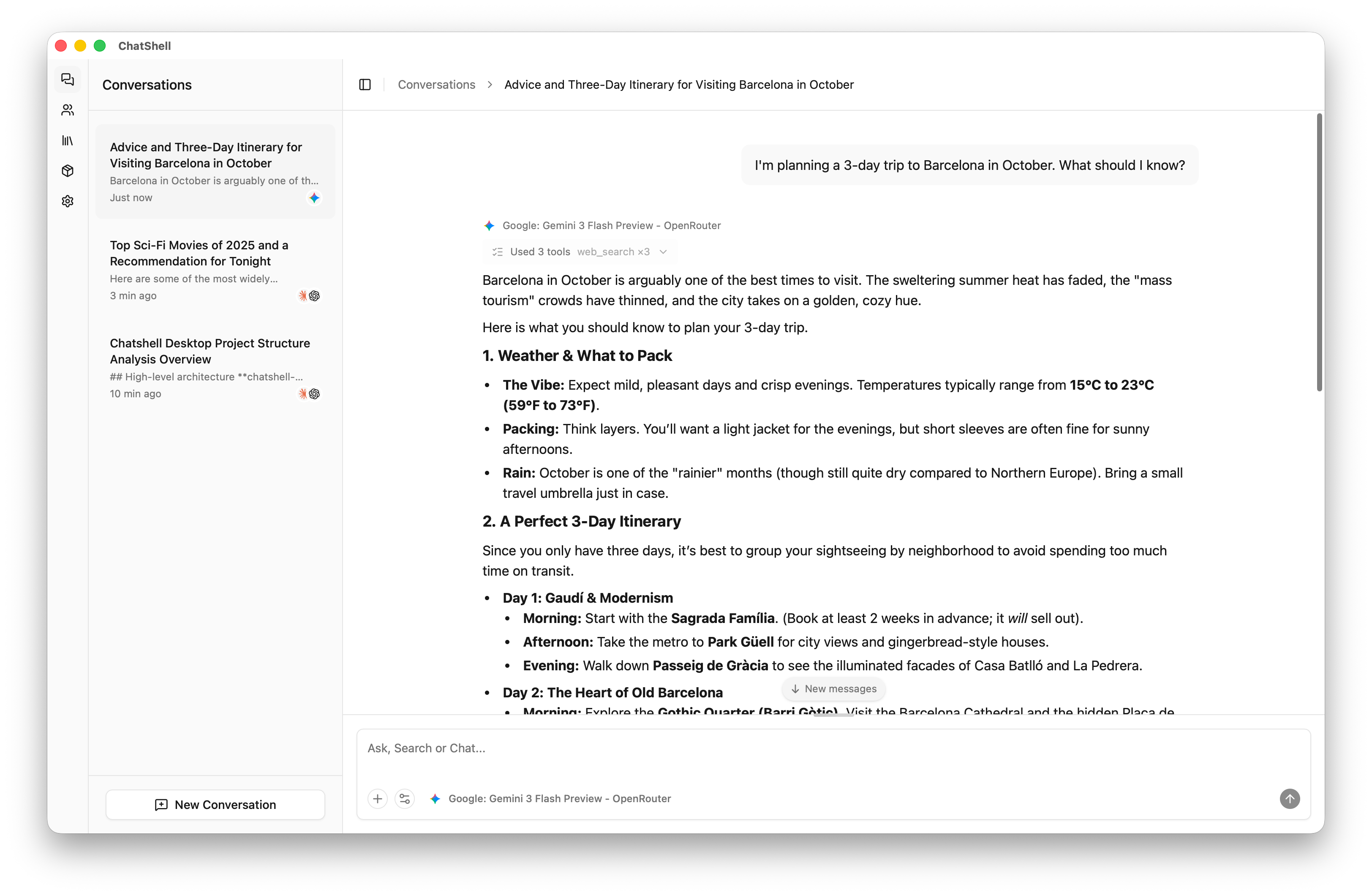
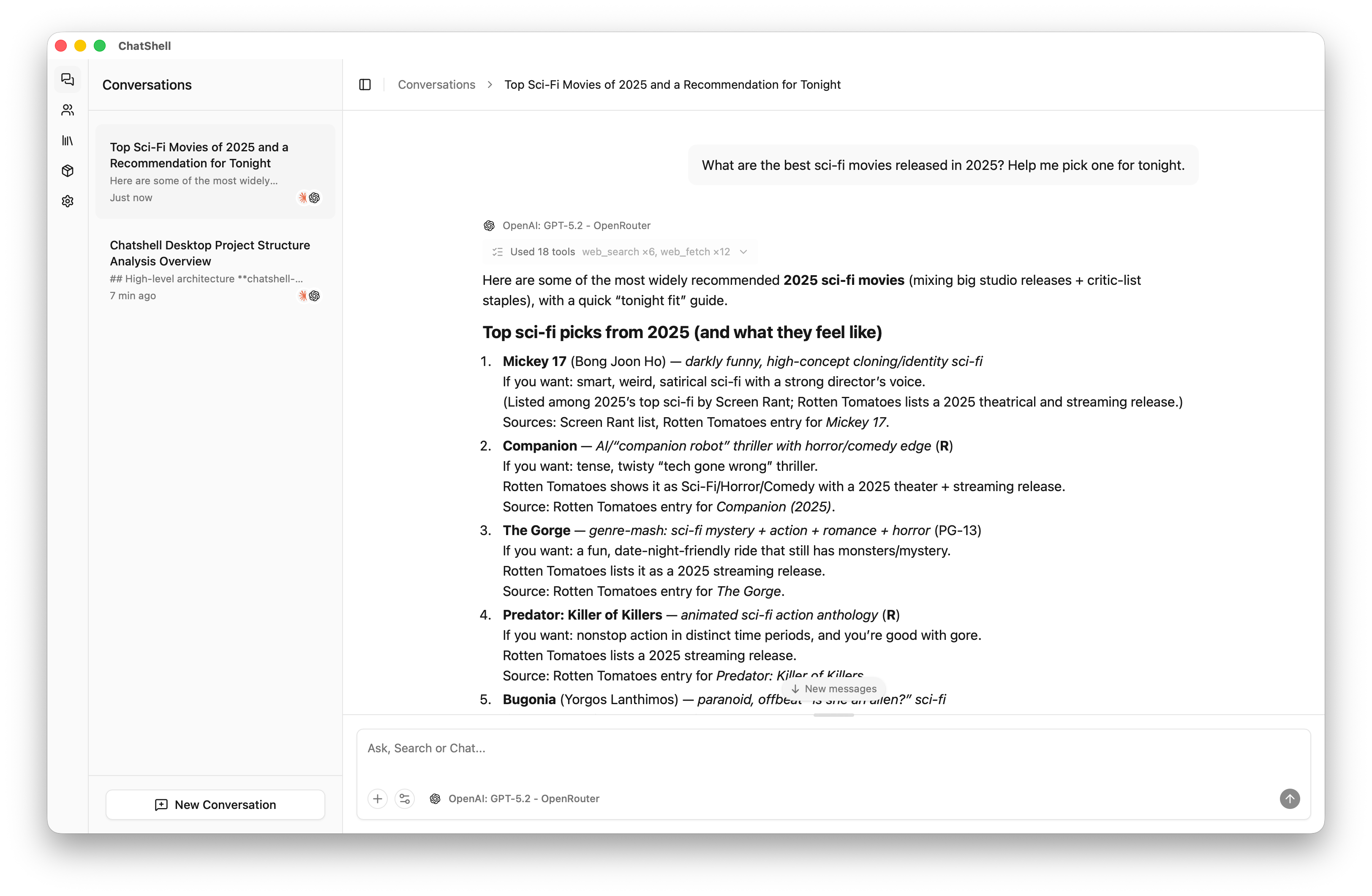
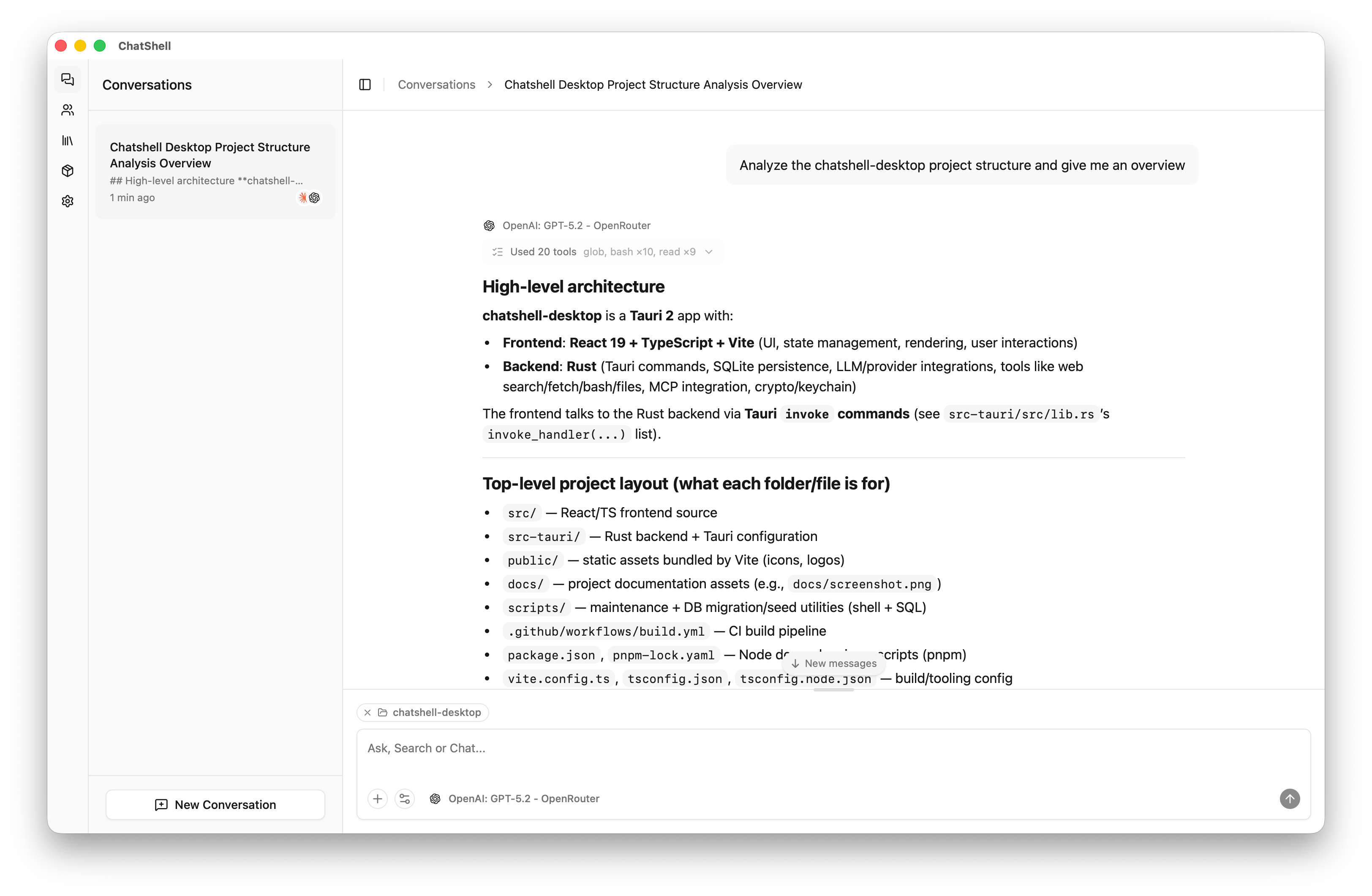
More Features
- Keep conversations useful: Search past messages, branch a conversation, and export replies as Markdown or images.
- Work with attachments: Add documents, images, and web pages. Image understanding and generation require compatible models.
- Translate text: Translate in a full-page view with source and result side by side, then continue in a conversation for follow-up questions.
- Reuse your setup: Save prompts and assistants for tasks you do regularly.
- Extend it: Add reusable instructions through skills, or connect external tools through the Model Context Protocol (MCP).
- Sync optionally: Sync encrypted conversation history and attachments through iCloud Drive on supported macOS and iOS builds.
See the feature guide for tool details, provider configuration, skills, integrations, and storage behavior.
Resources
Yorumlar (0)
Yorum birakmak icin giris yap.
Yorum birakSonuc bulunamadi