PokeTokenBar
Health Uyari
- License — License: MIT
- Description — Repository has a description
- Active repo — Last push 0 days ago
- Low visibility — Only 5 GitHub stars
Code Basarisiz
- rm -rf — Recursive force deletion command in scripts/build-app.sh
- rm -rf — Recursive force deletion command in scripts/create-signing-cert.sh
- rm -rf — Recursive force deletion command in scripts/generate-icns.sh
Permissions Gecti
- Permissions — No dangerous permissions requested
Bu listing icin henuz AI raporu yok.
Use your tokens to raise, evolve, and collect Pokémon! 🥚
PokeTokenBar
Your AI coding tokens, hatched into Pokémon — right in your menu bar.





PokeTokenBar turns the AI coding tokens you're already burning — Claude Code, Codex & Gemini CLI — into a growing Pokémon companion in your macOS menu bar. Spend tokens, hatch an egg, evolve it through its real evolution line, graduate it into your Pokédex, and start again. Underneath the companion it's a precise usage tracker — today's spend, cost, and official 5-hour / weekly limits, read straight from your local logs.
Token usage is read directly from your local Claude Code, Codex & Gemini CLI logs (
totalTokens= input + output + cache, local date) — no external CLI needed. Unofficial, non-commercial Pokémon fan project — see License & disclaimer.
Why
- The usage tracker you actually enjoy opening. Your spend raises a Pokémon that hatches, evolves, graduates, and fills a Pokédex — and every shiny is a reason to check back.
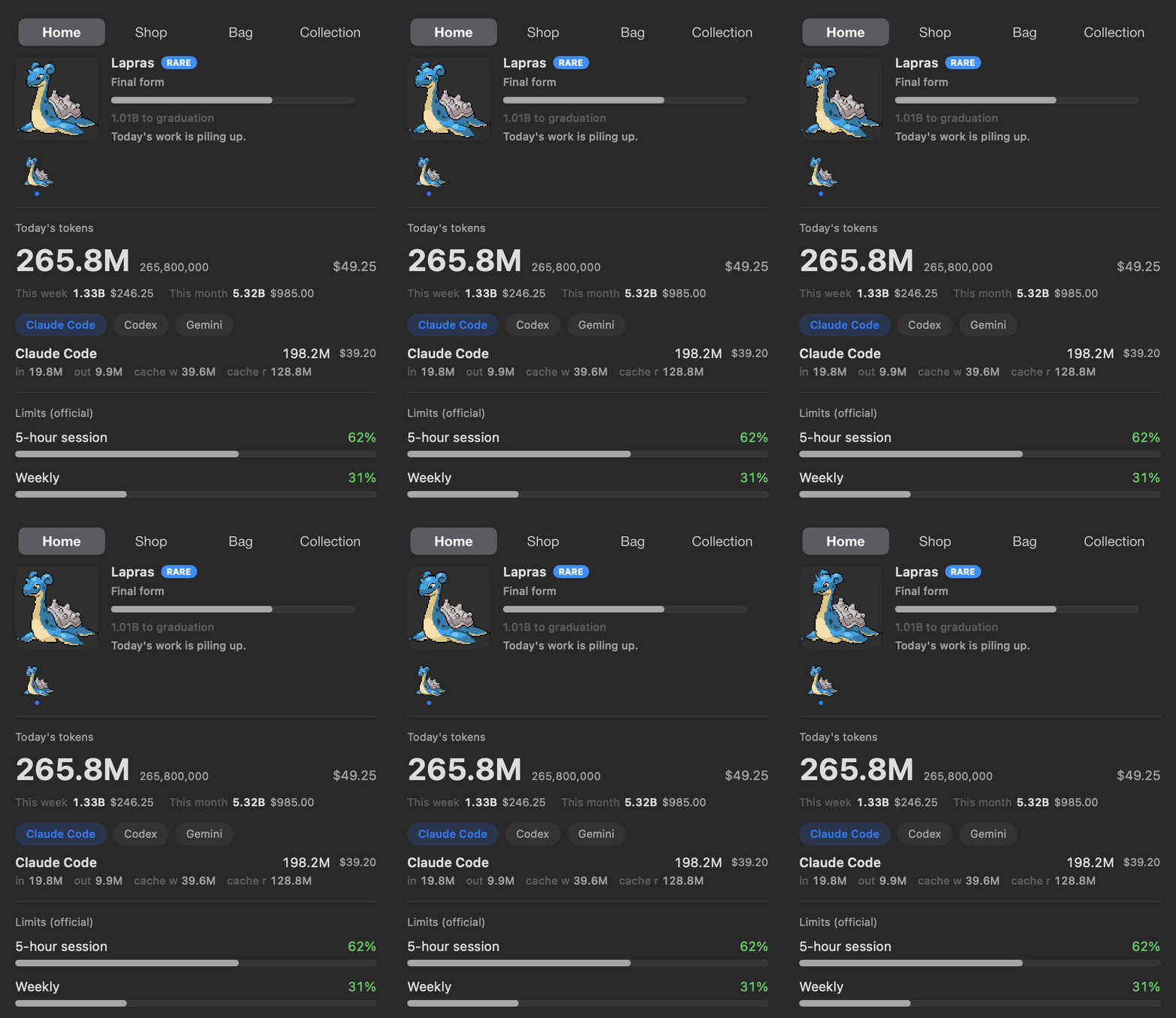
- See today's token spend & cost at a glance — no dashboard, no browser tab.
- Track official 5-hour / weekly limits with reset countdowns and a burn-rate forecast for when you'll hit them.
How it works
- 🥚 Code as usual. The tokens you burn in Claude Code, Codex & Gemini CLI incubate an egg — nothing extra to run.
- 🐣 Hatch. Eggs hatch into Pokémon with real evolution lines from PokéAPI — any Gen 1–5 line (329 possible starts), weighted by the official capture rate: commons hatch often, a legendary is a 1-in-129 event. Every hatch rolls one of 25 natures — and once in a rare while, the egg hatches ✨ Shiny.
- ⚡ Evolve. Keep coding and it grows through its actual evolution tree (1/2/3 stages, branching), with a little flash celebration at each step.
- 🎓 Graduate & collect. Final form + threshold sends it to your Pokédex — rarer takes longer (≈3 days common → ≈24 days legendary at heavy use) — and a fresh egg arrives.
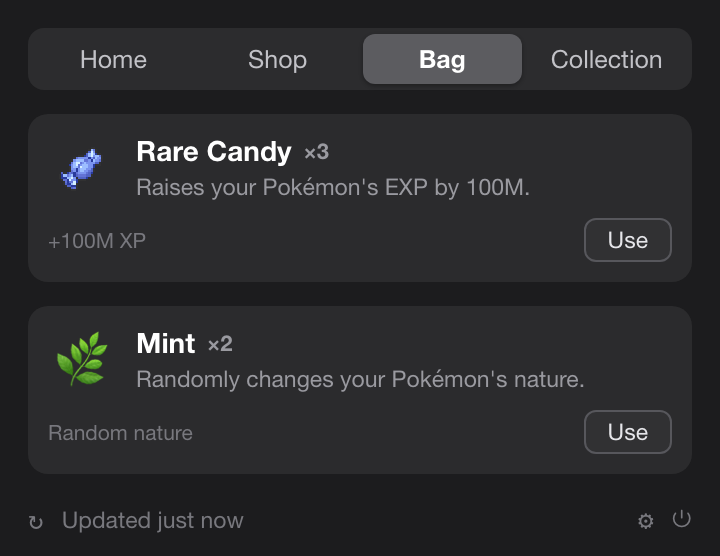
- 🍬 Max out, get a candy. Fill a 5-hour or weekly usage limit and you earn Rare Candy — spend it from the Bag to grow your current Pokémon.
- 🛒 Spend at the Shop. Every token you've used is spendable currency — buy Rare Candy, or a Mint that re-rolls your Pokémon's nature at random, from the new Shop tab.
Tour
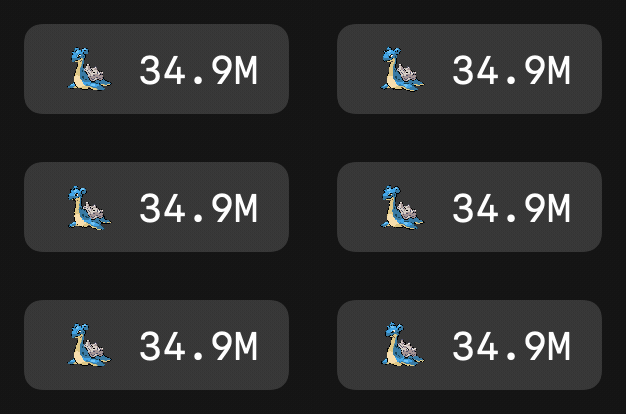
In your menu barAn animated Gen-V sprite lives next to today's total tokens (compact, e.g.200.7M). Add today's cost ($) or official limit % — or turn everything off for a character-only bar.
|
 |
 |
✨ Once in a rare while — ShinyShiny hatches keep their distinct colors everywhere — menu bar, home card, evolution line, Pokédex — through every evolution. A dedicated notification makes sure you don't miss the moment. |
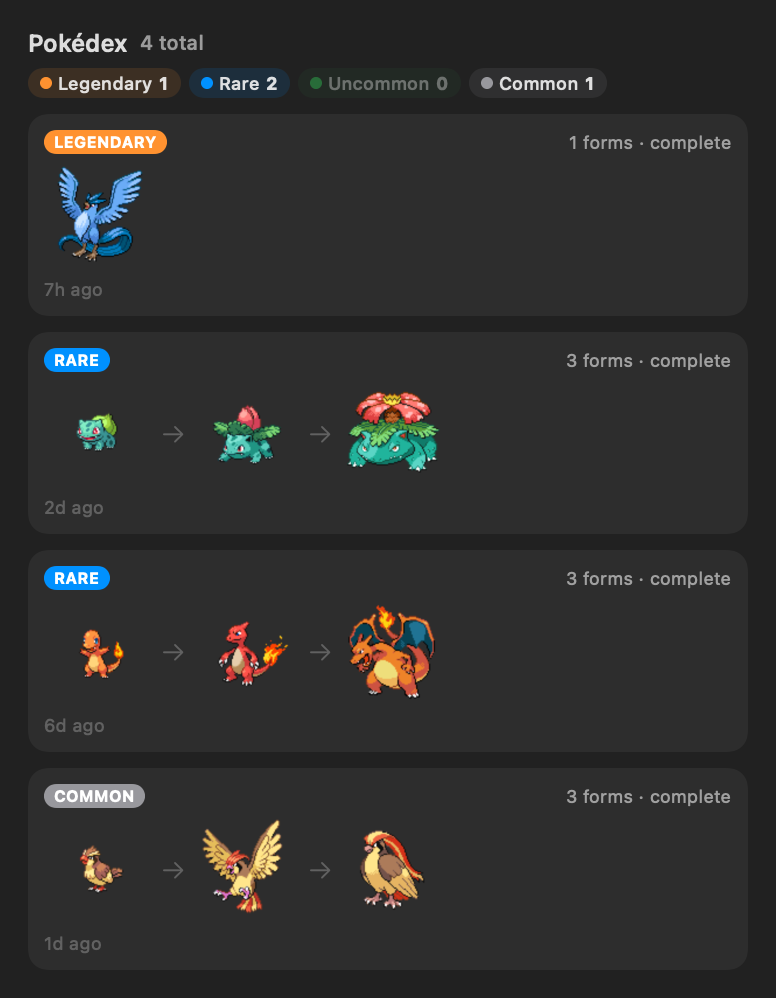
A Pokédex worth fillingGraduated Pokémon are preserved with their full evolution line, rarity, nature, and capture date — shinies wear a ✨ badge. Sorted so your rarest catches sit on top. |
 |
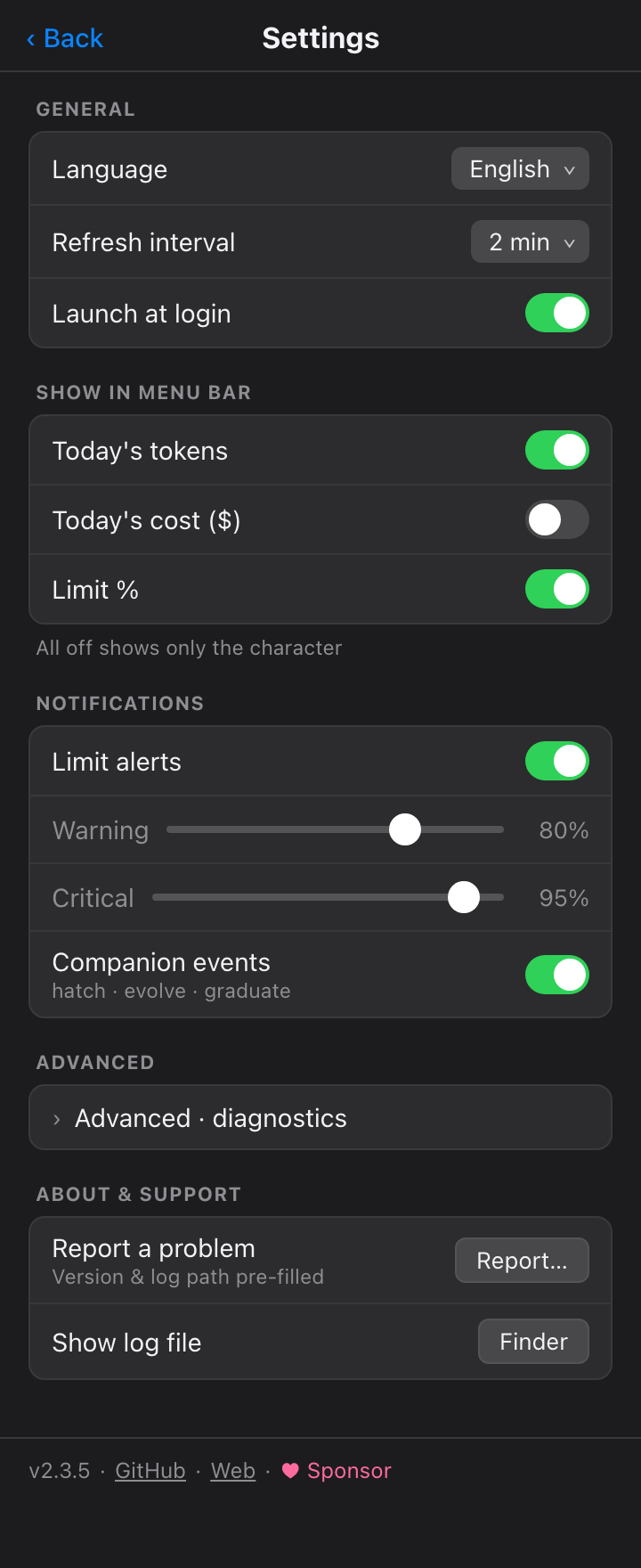 |
Tune it your wayMenu-bar items, refresh interval (1–15 min or manual), launch at login, a Keychain opt-out that just hides the limits section, limit alerts with warning/critical thresholds, and companion event notifications. Full KO / EN / JA UI and Pokémon names. |
🍬 Fill a limit, earn a Rare CandyMax out a 5-hour or weekly usage limit and you're handed a Rare Candy — one per 5-hour cap, five per weekly. Spend it from the new Bag tab to grow your current Pokémon: the moment you're rate-limited becomes the moment you level up. |
 |
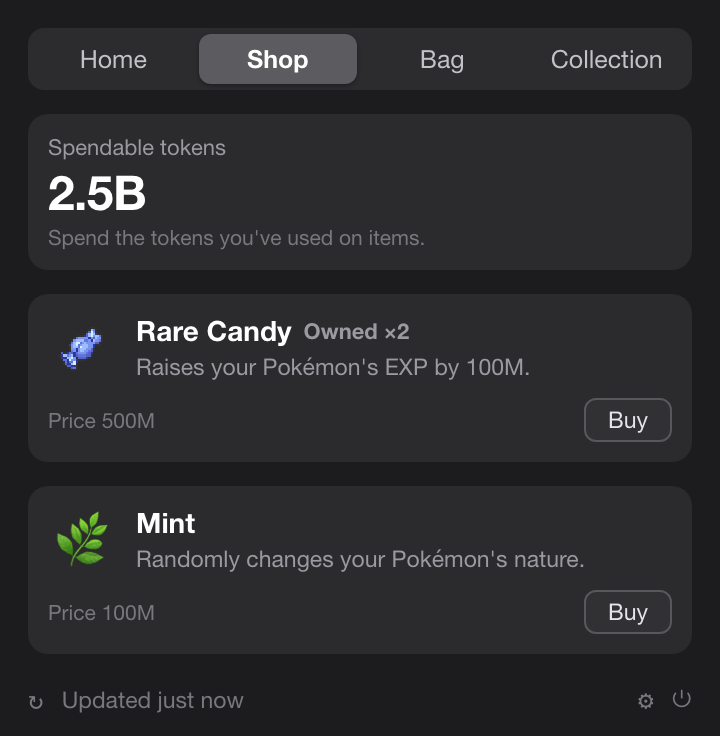 |
🛒 A shop that runs on your usageThe tokens you've already used are your currency. Spend them in the new Shop tab on Rare Candy to grow your current Pokémon, or a Mint to re-roll its nature at random. |
Also in the box
- Per-service tabs — with more than one CLI connected, compact tabs switch the detail & limits between Claude Code / Codex / Gemini; today's total stays combined.
- Official limits — Claude & Codex 5-hour / weekly utilization with reset countdowns, right under today's numbers.
- Burn-rate forecast — projects when the current 5h window hits 100%.
- In-app updates — one-click update check; current version shown in Settings.
Install
Requirements
macOS 14+ (Apple Silicon or Intel). That's it — token usage is read directly from your local Claude Code / Codex / Gemini CLI logs, no external CLI required.
Homebrew
brew install --cask chattymin/tap/poke-token-bar
ad-hoc/self-signed; the cask strips the quarantine attribute on install.
Build from source
swift build                  # debug
swift test                   # unit tests
./scripts/build-app.sh       # release → PokeTokenBar.app → /Applications
Data sources
| Source | Used for | Notes |
|---|---|---|
~/.claude/projects/**/*.jsonl |
Claude Code daily/blocks/weekly/monthly | read directly; deduped by message id; cached incrementally |
~/.gemini/tmp/**/chats/*.json(l) |
Gemini CLI daily/monthly | session records (tokens per message); weekly = daily sum |
~/.codex/sessions/**/*.jsonl |
Codex daily/monthly | token_count events; weekly = daily sum |
Keychain → oauth/usage |
Claude official 5h/weekly % | unofficial endpoint; single Keychain prompt, then cached |
codex app-server |
Codex official 5h/weekly % | account snapshot only; no model turn |
| PokéAPI | Pokémon species, evolution, sprites | runtime fetch; cached locally, never bundled |
Privacy & permissions
- On-device. Token usage is read directly from your local Claude Code / Codex / Gemini CLI logs; the app never runs
claude/codexmodel turns, only reads usage. - Keychain (optional). To show official limits it reads the Claude OAuth credential once (a single password prompt), then caches it in the app's own Keychain item for reuse. Turn it off in Settings — the limits section simply hides.
- Pokémon assets are fetched at runtime from PokéAPI and cached only under
~/Library/Application Support/PokeTokenBar/. Nothing copyrighted is bundled in this repository or its releases.
License & disclaimer
MIT — see LICENSE. The MIT license covers this project's original source code only; it grants no rights to any third-party trademarks, artwork, or data accessed through the app.
PokeTokenBar is an unofficial, non-commercial fan project. It is not affiliated with, endorsed, sponsored, or approved by Nintendo, Game Freak, Creatures Inc., or The Pokémon Company. "Pokémon" and all related names, characters, and imagery are trademarks and copyrights of their respective owners. This project claims no ownership of, and asserts no rights over, any Pokémon intellectual property.
- No copyrighted assets are bundled or redistributed by this repository. Pokémon species data and sprites are fetched at runtime from the public PokéAPI and cached locally on the user's own device; sprite images served via PokéAPI remain the property of their respective owners.
- Any Pokémon imagery in this repository's documentation (screenshots/GIFs) is shown solely to illustrate the app's functionality.
- The app is provided free of charge for personal, non-commercial use only.
- If you are a rights holder with any concern about this project, please open an issue or contact the maintainer, and we will respond promptly.
Provided "as is", without warranty of any kind. This notice is not legal advice.
Yorumlar (0)
Yorum birakmak icin giris yap.
Yorum birakSonuc bulunamadi