Drifting
Health Warn
- License — License: AGPL-3.0
- Description — Repository has a description
- Active repo — Last push 0 days ago
- Low visibility — Only 5 GitHub stars
Code Pass
- Code scan — Scanned 12 files during light audit, no dangerous patterns found
Permissions Pass
- Permissions — No dangerous permissions requested
No AI report is available for this listing yet.
Open-source, local-first novel writing app for Mac: the ease of a Markdown editor, the scaffolding of a classic writing studio, and an AI Agent for the whole book.
Drifting
An open-source, local-first novel writing app for Mac.
The ease of a Markdown editor, the scaffolding of a classic writing studio, and
an Agent for the whole book.
Download for Mac ·
Website · Documentation
macOS 13+ · Apple Silicon · Early development
English | 简体中文
Interface: 简体中文 · 繁體中文 · English · 日本語 · 한국어 · Español · Deutsch · Français · Português (Brasil). Localization.
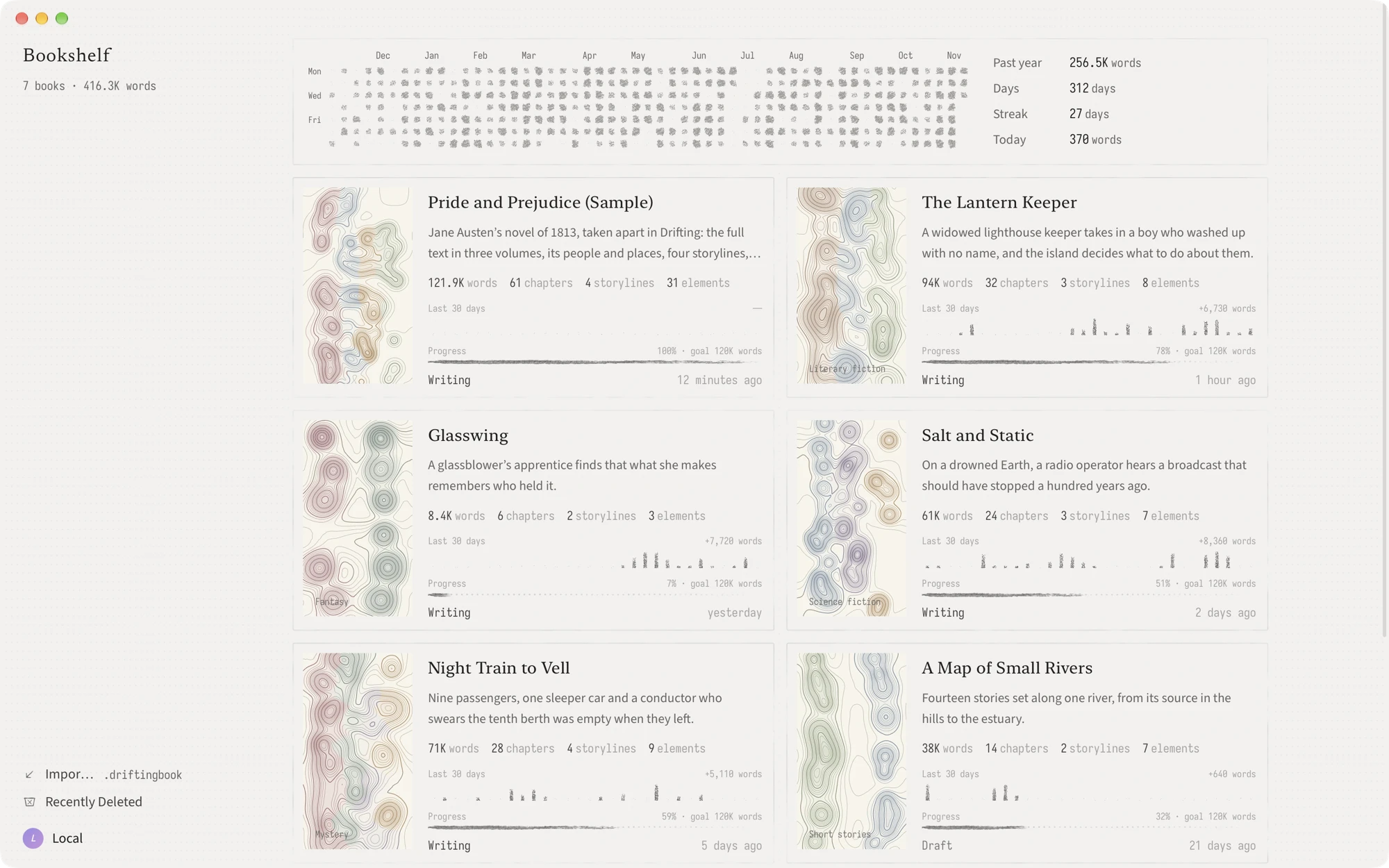
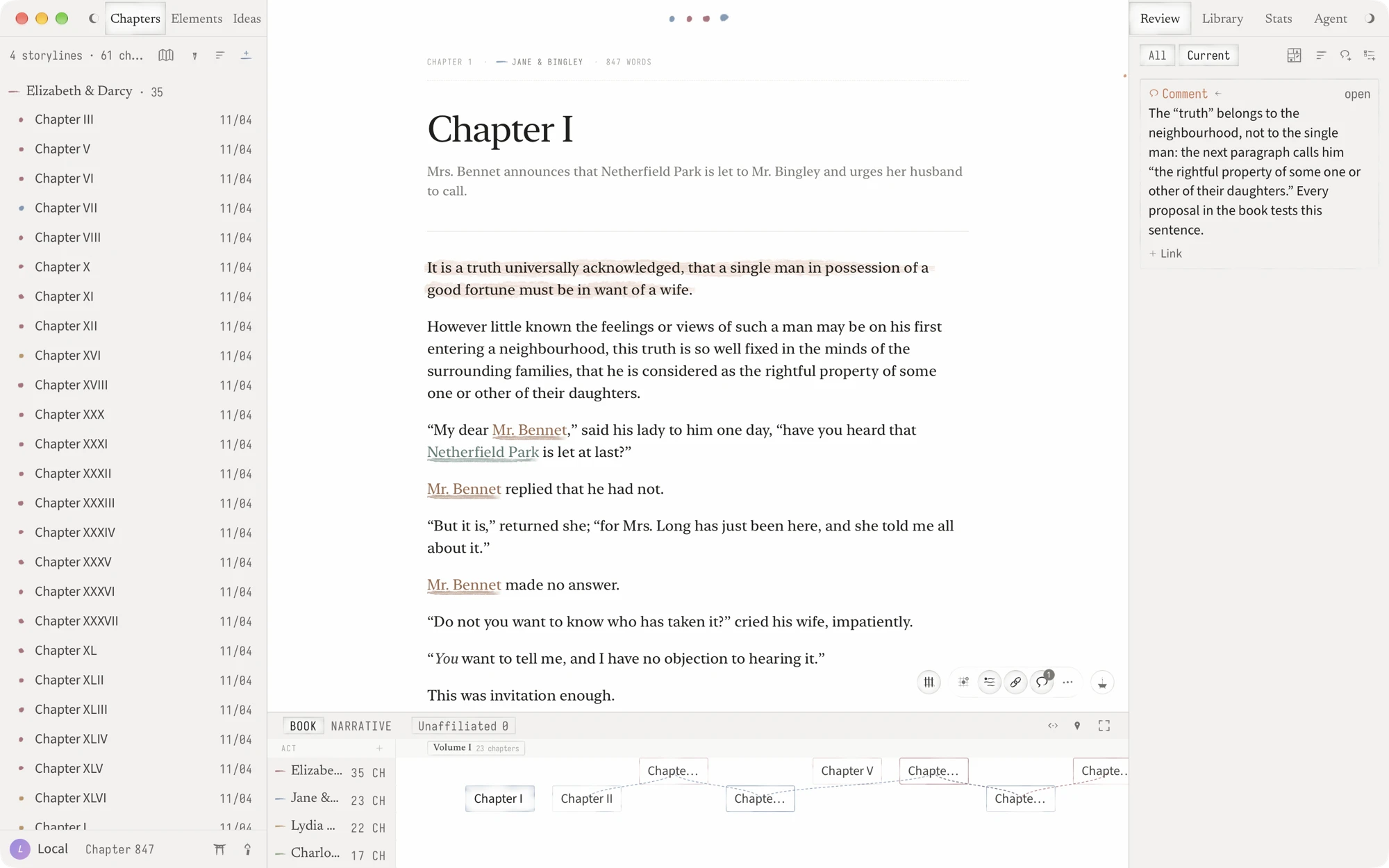
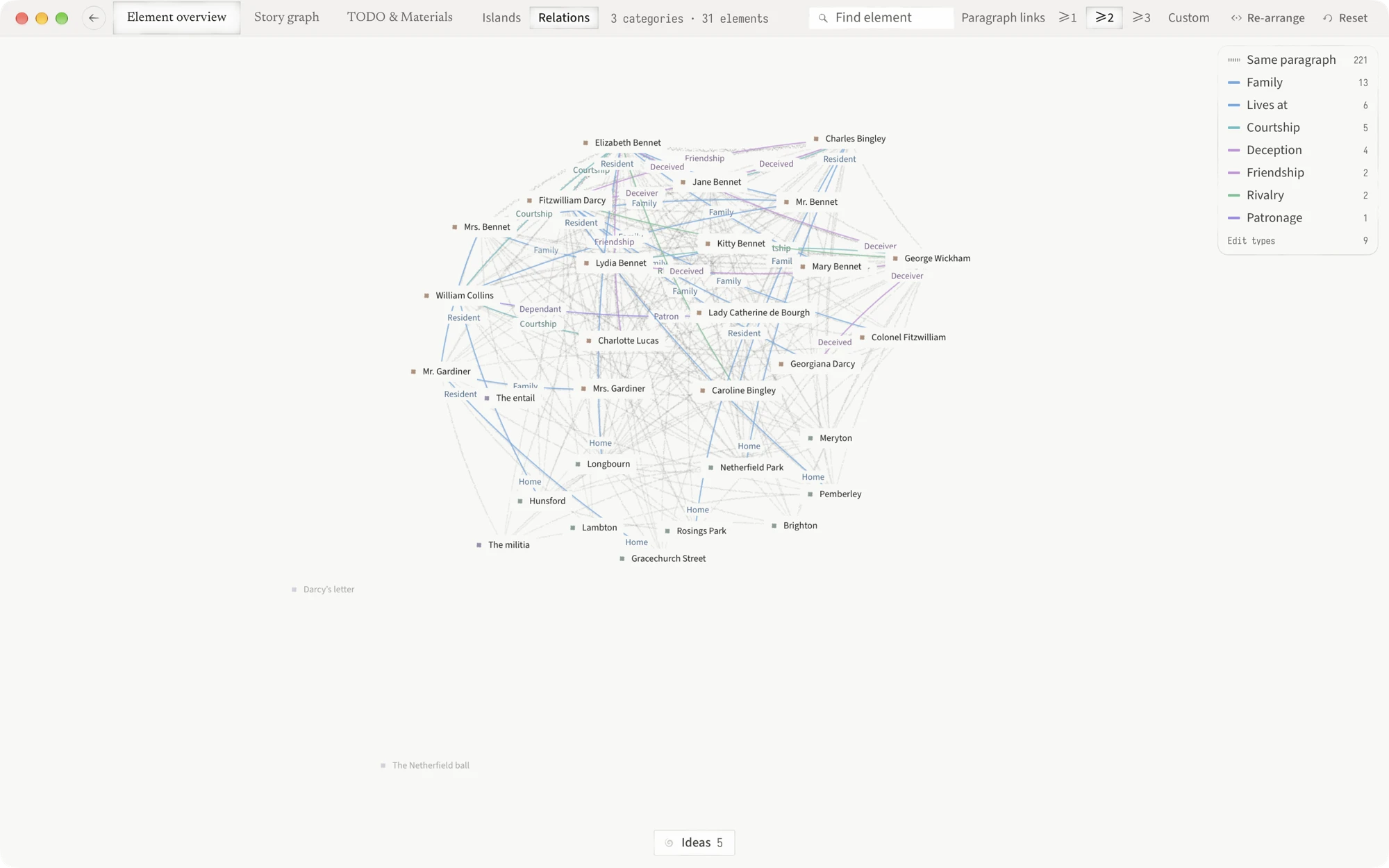
Drifting is an open-source, local-first novel writing app for Mac. It writes
like a Markdown editor, builds a book the way classic writing studios like
Scrivener do — chapters and outline, characters and world, storylines and
research — and comes with an AI Agent that can read, search and edit the whole
project.
Early development. Drifting is used daily by its author and changes often.
Keep independent copies of manuscripts that matter, and read the
known issues.
Download
macOS 13 or later on Apple Silicon. Download the .dmg from
GitHub Releases.
The app tells you when a new version is out; you choose when to install it.
The first launch opens a sample project you can explore or delete.
Writes like a Markdown editor
- One quiet page and the keyboard. Type
#,##or###to start a scene, a
beat or a note;**bold**,*italic*,>and---take shape as you type. - Every project is also a folder of Markdown files. Edit chapters and ideas in
Obsidian or any text editor, and the changes merge back into Drifting. - Copy or save any document, or the whole book, as Markdown. Import
.md,.txtand.docx.
The scaffolding of a classic writing studio
- Write chapter by chapter, or read and edit the whole book in one view.
- Acts sit on the timeline; scenes, beats and notes are headings inside a
chapter, listed in the outline beside the text. - Ideas hold fragments that have not found a place yet. Turn one into a
chapter or an element when it is ready. - Elements for characters, places, objects and lore, grouped into
categories. Patches record how an element changes, next to the passage
that changes it. Typed relations connect elements, chapters and
storylines. - Storylines, a timeline in book order or narrative time, and a plot grid for
each chapter. - Materials for research: notes, images and PDFs in folders, each opening as
a tab. Comment on a region of an image or PDF. - Full-window views: Element overview, Story graph, and TODO &
Materials. Project Home gathers progress, quick creation and a daily
check-in. - Comments and TODOs are anchored to the text. History snapshots, word counts,
daily goals and streaks. - Export the book, or chosen chapters, as EPUB, PDF or Word.
An Agent for the whole book
- Bring your own key for DeepSeek, Anthropic or OpenAI, or sign in with a
ChatGPT subscription (experimental). Writing never requires AI. - The Agent reads, searches and edits your project: prose, elements, relations,
storylines, materials, TODOs. Its edits are marked in the text and can be
undone from history. - Project Memory keeps the preferences and rules you give it. TODOs, chapter
reviews and check-in cards can run as background Agent sessions. - When you come back after a break, it can file what you wrote into elements,
patches and relations. It never edits prose on its own. - External agents: Codex, Claude Code and Antigravity can connect to one
project through MCP, read-only by default. See
external agent setup.
Your data
- Everything is stored on your Mac and works offline. No account needed.
- Export every project as a Markdown ZIP, or back up the whole library as a
restorable.driftingfile. - Deleted projects stay in Recently Deleted for 30 days.
With an account you can sync between Macs and share a chapter as a web page
that readers can comment on. Synced projects are not end-to-end encrypted. See
the privacy policy and
terms.
Compared with Scrivener and Novelcrafter
Scrivener is a long-standing desktop writing studio with no built-in AI;
Novelcrafter is a web app for writing with AI that needs a connection. Drifting
keeps the scaffolding of the first and adds an Agent for the whole book, in a
free, open-source Mac app that keeps your manuscripts on your Mac as Markdown
files.
| Drifting | Scrivener | Novelcrafter | |
|---|---|---|---|
| Runs as | Mac app | Mac, Windows and iOS apps | Web app |
| Price | Free | One-time purchase | Subscription |
| Source | Open source (AGPL) | Closed | Closed |
| Offline | Yes | Yes | Needs a connection |
| AI | An Agent for the whole project, on your own key | None built in | Your own key or a local model |
Help
Support · Known issues ·
Report a bug ·
Security
Build from source
Drifting is built with Tauri, Rust, React and TypeScript. Source builds run
locally without an account; the Hosted sync service is operated separately and
is not part of this repository. Running on macOS needs Xcode and your own Apple
Development certificate; see the contributor quick start.
pnpm install --frozen-lockfile
pnpm dev:check
pnpm dev
Documentation · Contributing ·
Releasing
License
Project source is AGPL-3.0-or-later; packages/prose-metrics is
Apache-2.0. Third-party code and assets keep
their own licenses.
Third-party notices · Trademarks ·
Client privacy boundary · Source history
Reviews (0)
Sign in to leave a review.
Leave a reviewNo results found