liseur-sync
Health Gecti
- License — License: MIT
- Description — Repository has a description
- Active repo — Last push 0 days ago
- Community trust — 25 GitHub stars
Code Uyari
- process.env — Environment variable access in internal/api/testdata/mcp-client.mjs
Permissions Gecti
- Permissions — No dangerous permissions requested
Bu listing icin henuz AI raporu yok.
Self-hostable reading-position sync and statistics server for Liseur, KOReader, and friends
liseur-sync

Self-hosted server for book libraries and reading-position synchronization.
liseur-sync is the companion server for Liseur. It also provides a kosync-compatible API for KOReader and CrossPoint.
The server is a single Go binary with SQLite by default, optional PostgreSQL, and multi-user support.
Project site: https://chmouel.github.io/liseur-sync/


Set up KOReader
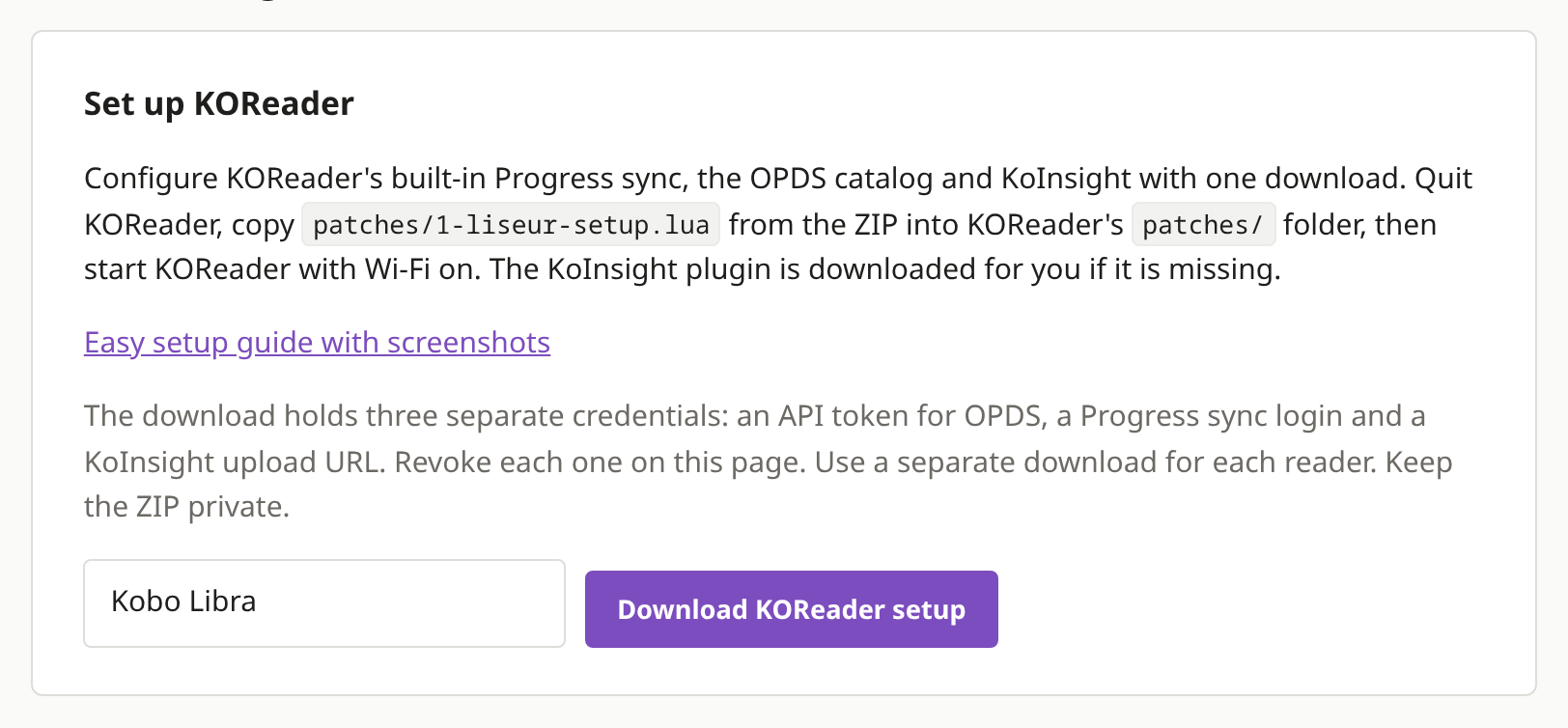
Download the setup from the Devices page, copy its plugin folders into KOReader's plugins/ folder and start KOReader. The library appears in KOReader's built-in OPDS catalog, reading positions sync through its built-in Progress sync, and reading time goes to the server through the KoInsight plugin, which the setup downloads for you.
Step-by-step guide with screenshots
Set up CrossPoint
On an Xteink running CrossPoint, pair CrossPoint Sync with a code from the Devices page to sync your reading position. Add the OPDS catalog with a library token to download books, and install the statistics plugin the Devices page builds for the reader to record reading time.
Step-by-step guide with screenshots
Interfaces
liseur-sync provides:
- reading-position synchronization using full locators
- a native REST API
- a kosync-compatible API for KOReader and CrossPoint, with paragraph-precise positions shared with Liseur
- OPDS 1.2 and OPDS 2.0 catalogs
- EPUB library indexing and search
- audiobooks found in watched folders, played inside the web reader
- EPUB and audiobook upload, and deletion, for writable folders
- a browser based EPUB reader that supports offline reading.
- per-user reading statistics and sessions
- optional Audiobookshelf chapter and listening sync
- optional mirroring of an account's positions to another server
- per-user series claims
- a per-account sentence translation cache.
- optional MCP server for connecting AI assistants such as ChatGPT, allowing readers to ask questions about their books, reading progress, highlights and characters withouth spoiler.
API documentation is available in docs/openapi.yaml.
Client implementation notes and the synchronization protocol are documented in docs/integrating.md.
Reading synchronization
Reading-position updates are stored as an append-only log rather than replacing the previous position.
This allows the server to resolve updates from multiple devices without an older client blindly replacing newer state. The same history is used to derive reading sessions and statistics.
Book identity is independent of its filesystem path. Clients can resolve books using content and metadata identifiers, including hashes, before exchanging reading state.
Reader preferences synchronize as well per device.
Clients
Every device writes positions its own way, and the server keeps them together:
- KOReader syncs positions through its built-in Progress sync, browses the library over OPDS and uploads reading time with the KoInsight plugin. One download from the Devices page sets all three up: see the setup guide or the reference.
- CrossPoint pairs through kosync; see docs/crosspoint.md.
- Liseur, the Android app and the main client, uses the native API. See how it connects.
Pairing and setup for each client is in docs/deployment.md.
Mirroring
If reading positions are also kept somewhere else, such as BookOrbit, a second liseur-sync or a plain KOReader sync server, a mirror can keep one account in step with it. It is off until an administrator configures it, each mirror covers exactly one account, and several peers can be named at once. See docs/deployment.md.
Library
liseur-sync can index either:
- a directory containing EPUB files, with
.m4baudiobooks beside them - a Calibre library using
metadata.db
Plain directories derive series information from their directory structure. Calibre libraries use metadata.db as the catalog source.
A book can also carry an audiobook: .m4b files are picked up from the same folders and paired with their EPUB, by directory, ISBN, ASIN or title and author. See Audiobooks.
Catalogs are exposed through the web UI, REST API, and OPDS.
From Settings, an account can also export its library and reading status as a CSV file: the export button opens a preview dialog with copy and download beside it.

Folder access
Folders are granted to accounts individually. Adding a folder does not automatically make it visible to every account.
From the CLI:
liseur-sync admin add-folder -assign alice Shelf /srv/books
Folders can also be configured under:
Settings > Administration > Folders
Account folder grants are managed under:
Settings > Administration > Users
Writable folders
Folders are read-only by default.
Uploads and deletions are only allowed for folders explicitly configured to accept uploads:
liseur-sync admin folder-uploads <folder-id> on
For API clients:
library-uploadpermits adding books, and audiobooks, to writable folderslibrary-deletepermits removing books from writable folders
These are separate token scopes.
Deleting through the web UI requires an administrator account.
A folder that does not accept uploads remains read-only: the server indexes its contents but does not add or remove files from it.
See:
Web reader
liseur-sync includes a browser-based EPUB reader.

The reader uses the same synchronization API as other clients, so reading state is shared with Liseur, KOReader, CrossPoint, and other compatible clients.
When another device has read further, the reader offers to continue there, naming both pages, how long ago the other device was there, and the passage it had on screen. The same comparison can be asked for at any time with the sync button in the reader bar (s), which shows both positions and offers to take the other one, keep this page, or cancel and change nothing. The library and the offline shelf refresh on a pull-down, or with their refresh button: pending reading is delivered first, then the page is redrawn. See ADR-0040.
EPUB content is unpacked and rendered without exposing publisher files through normal application routes. Scripts embedded in EPUBs are not executed.
The reader design and security model are documented in ADR-0007, including support for running the reader on a separate hostname.
Offline PWA
Liseur-sync's web UI ships as a PWA that lets you read books offline. Install
the site with your browser's "Add to Home Screen" option (Safari, Chrome, etc.),
open the installed app and sign in there, then choose Save offline for each
book you want to carry. Books saved in the browser beforehand do not carry over
to the installed app on iOS.
The installed app opens downloaded books without a network connection and keeps
positions, reading sessions, highlights and notes locally until it can
reconnect.
Install it on an iPad, step by step
Audiobooks
A book whose audiobook the server can find opens with a player in the reader: chapters, playback speed, and skip back and forward.
Listening is reading here, so the audiobook moves the same position a page turn does, and the page follows the narration while it plays. A single button turns following and the sentence highlight on and off, and the highlighting steps aside if you scroll away.
Following lands on the right chapter from the audiobook's own chapters. To highlight the sentence actually being spoken, the server asks a speech-to-text service to listen a few seconds ahead. That part is optional, configured under Settings > Administration > Speech-to-text, and nothing about reading positions depends on it.
Audiobooks that live on an Audiobookshelf server can be followed from there instead of from a watched folder.
To add one, the book's details page accepts an .m4b in a folder that accepts uploads. It writes a new file next to the book and never replaces an audiobook already there.
Installation
Install script
The installer supports Docker and rootless Podman.
curl -fsSL https://raw.githubusercontent.com/chmouel/liseur-sync/main/scripts/install.sh | bash
Alternatively:
git clone https://github.com/chmouel/liseur-sync.git
cd liseur-sync
scripts/install.sh
To install a specific version:
LISEUR_VERSION=vX.Y.Z scripts/install.sh
The installer configures the database, starts the server, and creates the initial account.
Docker Compose
SQLite:
docker compose --profile sqlite up -d
Bundled PostgreSQL:
docker compose --profile postgres up -d
External PostgreSQL:
docker compose --profile external up -d
Build from source
go tool templ generate ./internal/webui/
go build ./cmd/liseur-sync
./liseur-sync serve
Initial setup
The web interface is available at:
/ui/
When the database contains no accounts, the setup page creates the initial administrator account and can watch a first folder of books in the same step.
Users, folders, API tokens, folder grants, and reader pairing can be managed from the administration interface or with the admin CLI.
Deployment details, including TLS, KOReader pairing, Calibre integration, watched folders, and backups, are documented in docs/deployment.md.
Client integration
Liseur uses the native API.
Protocol and synchronization details:
OpenAPI specification:
Security
Security issues should be reported according to SECURITY.md.
Do not report security vulnerabilities through public GitHub issues.
License
MIT.
The screenshots use public-domain editions from Standard Ebooks and are generated by scripts/screenshots.sh.
Yorumlar (0)
Yorum birakmak icin giris yap.
Yorum birakSonuc bulunamadi