claude-base
Health Warn
- License — License: MIT
- Description — Repository has a description
- Active repo — Last push 0 days ago
- Low visibility — Only 5 GitHub stars
Code Pass
- Code scan — Scanned 12 files during light audit, no dangerous patterns found
Permissions Pass
- Permissions — No dangerous permissions requested
No AI report is available for this listing yet.
Opinionated Claude Code foundation — Explore → TDD → Audit workflow, auto-detected stack presets (nextjs, fastapi, astro, ...), curl | bash install. MIT.
claude-base
Make Claude Code follow a real engineering workflow — Explore → Specify → Plan → TDD → Audit → Commit — with guardrails that test-first, audit to a quality score, and block secrets + destructive commands automatically.
Most Claude Code setups add more agents. claude-base adds discipline and safety: per-file rules, hooks, and an anti-drift CI gate. One install, auto-detects your stack — and it learns from your mistakes across every project so you stop repeating them.




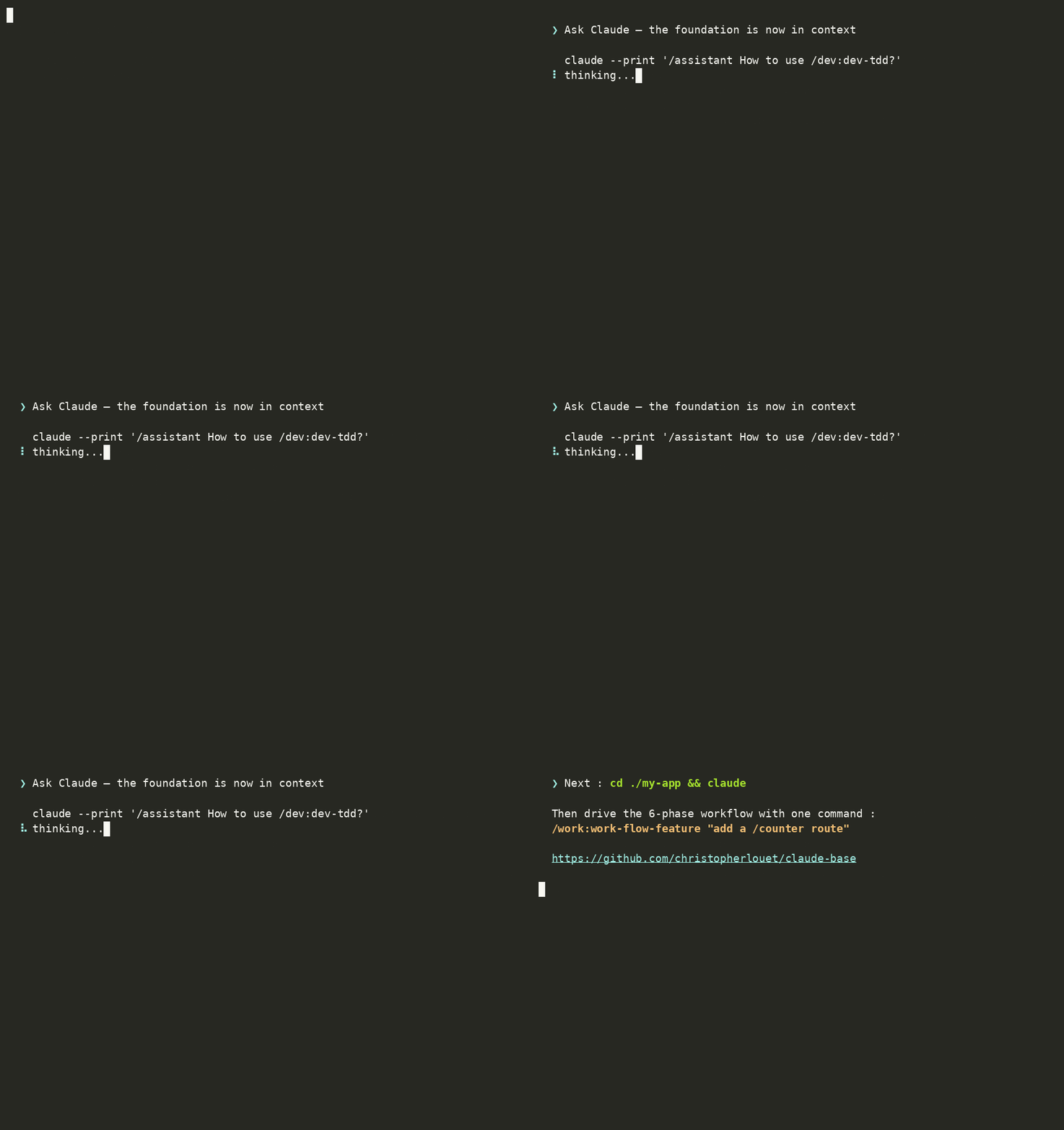
A real curl | bash install + claude-base init scaffolding the foundation into a project — start to finish.
Try it (30 seconds)
Requires: the Claude Code CLI (the claude command), plus git and jq on your PATH (claude-base init reads JSON manifests with jq).
# 1. Install the foundation (clones to ~/.local/share/claude-base, symlinks to ~/.local/bin)
curl -fsSL https://raw.githubusercontent.com/christopherlouet/claude-base/main/install.sh | bash
claude-base version          # ✓ should print: claude-base v5.0.0

# 2. Install into a project (auto-detects the stack, picks the right preset)
claude-base init --preset nextjs ./my-app
# or just: claude-base init ./existing-project   (interactive, auto-detects)
# ✓ prints a summary of the .claude/ files written into the project

# 3. Open Claude Code in the project and run the canonical workflow
cd ./my-app && claude
> /work:work-flow-feature "add a /counter route with optimistic UI"
That last command chains the 6 phases automatically: Explore → Specify → Plan → TDD → Audit → Commit. Each phase has dedicated slash commands you can also drive manually.
Is it for you?
| You are... | This helps... | Skip it if... |
|---|---|---|
| Solo dev shipping side-projects with Claude Code | preset gives you stack + workflow rigor in 30s ; no copy-pasting prompts between sessions | you barely use Claude Code yet — start with the official docs first |
| Team lead wanting consistent Claude Code outputs across a codebase | enforces TDD + audit-loop gates in shared .claude/ config, anti-drift counters CI-gated |
your team has already built bespoke prompts you're happy with |
| Educator / mentor | the 6-phase workflow is named, teachable, and the audit-loop produces a quality score | you only need ad-hoc Claude Code use |
| Returning user who tried Claude Code, found it too freeform | the dispatcher CLI stays small and learnable, and the foundation is fully reversible (claude-base uninstall) |
you prefer raw .claude/ files without a foundation layer |
You don't have to learn the 106 commands. The core loop is six slash-commands — one per phase: /work:work-explore, /work:work-specify, /work:work-plan, /dev:dev-tdd, /qa:qa-loop, /work:work-pr. The rest are domain-specific (CI, a11y, payment, GDPR, etc.) and either auto-trigger via path rules or stay one slash away when relevant.
How it compares
claude-base is the opinionated discipline layer for Claude Code — it doesn't compete with the tools below, it composes with them:
- vs Spec Kit (agent-agnostic SDD primitives) — spec-kit gives you
specify / plan / tasks / implementacross 30+ agents; claude-base adds what it doesn't: an Explore phase, enforced TDD, the audit-fix loop, path-specific rules, and hooks — Claude-Code-native. Use both: spec-kit for the primitives, claude-base for the discipline. - vs the official marketplace (vendor-published single-tool skills) — the marketplace ships deep per-tool coverage; claude-base is the workflow layer + a curated, billing-safe list of which vendor skills to trust. They pair: foundation for the rigor, vendor skills for the depth.
Full positioning — comparison tables, the curation engine, and where it's heading — in docs/POSITIONING.md.
A default install ships the core only. The horizontal activity domains (
biz,legal,growth) and the stack/thematic domains (nextjs,flutter,iac,observability, …) are opt-in modules (claude-base add <module>) — runclaude-base modulesto list all 15. A fresh project gets the smaller core slice. Seespecs/horizontal-pure-modules/.
What you get on disk
After claude-base init, your project gains:
your-project/
├── CLAUDE.md              # Project instructions auto-loaded by Claude Code
├── .claude/
│   ├── settings.json      # Hooks, permissions, plugin enablement
│   ├── commands/          # Slash commands grouped by domain (work, dev, qa, ops, ...)
│   ├── agents/            # Sub-agents with isolated context
│   ├── skills/            # Auto-triggered on keywords
│   ├── rules/             # Path-specific rules (TDD, security, a11y, performance)
│   ├── presets/           # Stack-specific bundle manifests
│   ├── output-styles/     # Output rendering styles
│   └── templates/         # Per-stack CLAUDE.*.md scaffolds
└── .github/               # (optional) CI workflows + pre-commit hooks
Everything is plain markdown + JSON. No daemon, no telemetry, no network access at runtime. Reversible via claude-base uninstall.
What's included
| Component | Count | What it is |
|---|---|---|
| Slash commands | 106 across 9 domains (work, dev, qa, ops, doc, biz, growth, data, legal) | Manually triggered (/work:work-plan) |
| Sub-agents | 45 | Autonomous, isolated-context workers spawned by commands |
| Skills | 53 | Auto-triggered on keywords in your prompts |
| Path-specific rules | 32 | Auto-activated based on the file being edited (TS strict, OWASP, WCAG, YAGNI/minimal-code, ...) |
| Presets | 11 | Stack-specific bundles ; tier breakdown in Going deeper |
Learns across projects. A personal, human-gated lessons referential: after a hard-won fix or a correction, claude-base proposes a generalized, sanitized one-line lesson and — on your confirmation — stores it in your own ~/.claude/rules/lessons.md, which Claude Code loads into every project. A mistake made once stops recurring everywhere; run /lessons --bootstrap to seed it from what you already learned. The lessons stay yours — never committed to any repo. How it works →
Full catalogue: Docusaurus reference — or browse .claude/ directly after install.
The 6-phase workflow in action
After install, you cd ./my-app && claude and the foundation drives the workflow (the GIF at the top of this page is the real install, recorded in an isolated Docker container — reproducible, scaffolding under website/demo/):
> /work:work-flow-feature "add a /counter route with optimistic UI"

[work-explore]  Scans app/, hooks/, lib/ → detects the project shape
[work-specify]  Drafts user stories + acceptance criteria
[work-plan]     Lists the files to touch + identifies risks
[dev-tdd]       RED → GREEN → REFACTOR cycle, tests before code
[qa-loop]       Audit + auto-fix until target score (default ≥ 90)
[work-pr]       Branch, commit, push, open the PR
One command chains the 6 phases. Each phase is also runnable on its own (/work:work-explore, /dev:dev-tdd, etc.) if you prefer manual control.
Installation
Option 1: One-liner (recommended)
curl -fsSL https://raw.githubusercontent.com/christopherlouet/claude-base/main/install.sh | bash
This clones the foundation to ~/.local/share/claude-base and symlinks the
dispatcher into ~/.local/bin/claude-base. The installer never runs as root,
never modifies your shell rc files, and needs only git to run (the next step, claude-base init, additionally needs jq — see Requirements). After install:
claude-base init --preset fastapi ./my-api      # Python backend
claude-base init --preset nextjs   ./my-web-app # Next.js fullstack
claude-base init --simple          ./my-project # Foundation only, no preset
claude-base preset list                          # Discover available presets
claude-base help                                 # All commands
To update the foundation later:
curl -fsSL https://raw.githubusercontent.com/christopherlouet/claude-base/main/install.sh | bash -s -- --update
Pinning to a release (reproducible installs)
The one-liner above tracks the moving main tip. To install a specific, tested
release instead, pass --ref <tag> — still a single line:
curl -fsSL https://raw.githubusercontent.com/christopherlouet/claude-base/main/install.sh | bash -s -- --ref v5.0.0
A pinned install stays pinned across --update (it never silently jumps tomain). To move it to another release, pass --ref <newtag>; to return to the
latest main, pass --ref main.
Verify before executing (supply-chain conscious)
Piping any script straight into your shell runs it unverified — our ownsecurity.md rule says to download → verify →
execute, and a hook in this repo blocks curl … | sh in agent sessions. Each
tagged release publishes a SHA256SUMS asset, so you can honor that on install:
TAG=v5.0.0
curl -fsSL "https://raw.githubusercontent.com/christopherlouet/claude-base/$TAG/install.sh" -o install.sh
curl -fsSL "https://github.com/christopherlouet/claude-base/releases/download/$TAG/SHA256SUMS" -o SHA256SUMS
sha256sum --check --ignore-missing SHA256SUMS   # must print: install.sh: OK
bash install.sh --ref "$TAG"
Fetch install.sh from the same tag as the checksum (/$TAG/, not /main/)
— the published SHA256SUMS covers the tagged script, not the moving tip.
If ~/.local/bin is not on your PATH, add it (most modern distros already do):
export PATH="$HOME/.local/bin:$PATH" # add to ~/.bashrc or ~/.zshrc
Option 2: Manual git clone
git clone https://github.com/christopherlouet/claude-base.git
cd claude-base

# Install in an existing project (in-repo dispatcher — no PATH install yet)
./bin/claude-base init --simple /path/to/your/project

# Full install with CI/CD, hooks, Docker
./bin/claude-base init --all /path/to/your/project
Option 3: Manual copy (minimal)
# Copy the Claude configuration directly
cp -r claude-base/.claude your-project/
cp claude-base/CLAUDE.md your-project/

# Optional
cp claude-base/.mcp.json your-project/
cp claude-base/.github your-project/ -r
Keeping Claude Code itself up to date
The commands above install and update claude-base — they do not touch the underlying Claude Code CLI. If you installed Claude Code through Homebrew or WinGet, you can opt into background upgrades by exporting CLAUDE_CODE_PACKAGE_MANAGER_AUTO_UPDATE=1 in your shell. This has no effect on the curl one-liner install of claude-base, and no effect if you installed Claude Code through any other channel. Available in Claude Code 2.1.129+.
Repository layout
After curl | bash install, the foundation lives at ~/.local/share/claude-base/. The repo's top-level layout:
| Path | Role |
|---|---|
bin/claude-base |
CLI dispatcher (init / update / validate / doctor / lessons / add / remove / modules / preset / uninstall / version / help) |
install.sh |
One-liner installer — clones to ~/.local/share/claude-base/, symlinks the dispatcher to ~/.local/bin/ |
.claude/ |
Foundation kit — skills/, agents/, commands/, rules/, presets/, output-styles/, templates/, settings.json |
scripts/ |
Implementation scripts behind the CLI + maintenance tools (audit-base.sh, audit-docs.sh, doctor.sh, diff.sh, ...) + hook scripts |
templates/ |
Stack-specific CLAUDE.*.md templates + advisory docs (FAQ.md, PERFORMANCE-GUIDE.md, TROUBLESHOOTING.md) |
docs/ |
Human-maintained documentation — QUICKSTART.md, CHEATSHEET.md, ARCHITECTURE.md, WORKFLOWS.md, STACK-RECIPES.md, CUSTOMIZATION.md, recipes/, reference/, guides/ |
website/ |
Docusaurus site — docs/ is auto-mirrored here by npm --prefix website run generate |
specs/ |
Feature specs consumed by the workflow agents (/work:work-specify, /work:work-plan) |
tests/ |
1260 bats tests across 48 files |
.github/workflows/ |
CI : ci.yml, security.yml, docs.yml, pr-check.yml, release.yml, dependabot-auto-merge.yml |
AGENTS.md, CHANGELOG.md, VERSION, LICENSE, SECURITY.md, CONTRIBUTING.md, CODE_OF_CONDUCT.md, counts.json |
Project metadata |
For the full file-by-file reference, see the Docusaurus reference docs.
Available Commands (106)
Commands are grouped into 9 domains:
| Domain | Count | Examples |
|---|---|---|
work- |
15 | /work:work-explore, /work:work-plan, /work:work-commit, /work:work-pr, /work:work-flow-feature |
dev- |
16 | /dev:dev-tdd, /dev:dev-debug, /dev:dev-api, /dev:dev-flutter, /dev:dev-prisma |
qa- |
13 | /qa:qa-loop, /qa:qa-security, /qa:qa-perf, /qa:wcag-audit, /qa:qa-e2e |
ops- |
28 | /ops:ops-deploy, /ops:ops-docker, /ops:ops-monitoring, /ops:ops-k8s, /ops:ops-rollback |
doc- |
5 | /doc:doc-onboard, /doc:doc-explain, /doc:doc-changelog, /doc:doc-generate |
biz- |
9 | /biz:biz-model, /biz:biz-mvp, /biz:biz-pricing, /biz:biz-personas |
growth- |
9 | /growth:growth-landing, /growth:growth-seo, /growth:growth-cro, /growth:growth-analytics |
data- |
2 | /data:data-pipeline, /data:data-modeling |
legal- |
5 | /legal:legal-rgpd, /legal:legal-terms-of-service, /legal:legal-privacy-policy |
→ Full list: docs/CHEATSHEET.md or the Docusaurus catalog.
→ By stack: docs/STACK-RECIPES.md lists the relevant commands for each stack (Web, Mobile, API, Auth, etc.).
Recommended Workflow
The fastest way in is the built-in orchestrator — or run the six phases yourself:
/assistant              # guided: explains the workflow and suggests the next command
/assistant-auto "..."   # automatic: routes your request to the right workflow
Practical example (one phase at a time)
# 1. Explore the existing system
/work:work-explore the authentication system

# 2. Specify the feature (User Stories + acceptance criteria)
/work:work-specify add OAuth2 Google sign-in

# 3. Plan the implementation
/work:work-plan OAuth2 Google

# 4. Implement in TDD (tests BEFORE the code)
/dev:dev-tdd OAuth2 authentication flow

# 5. Audit + fix loop (score 90 required)
/qa:qa-loop "score 90"

# 6. Open the PR
/work:work-pr OAuth2 Google authentication
The shape is identical for any stack — swap the arguments (e.g. /dev:dev-tdd UserProfileScreen with BLoC + widget tests for a Flutter screen). The single /work:work-flow-feature "..." command chains all six phases for you.
Available Templates
| Template | Language / Framework |
|---|---|
CLAUDE.react.md |
React |
CLAUDE.nextjs.md |
Next.js (App Router) |
CLAUDE.vue.md |
Vue.js 3 |
CLAUDE.node-api.md |
Node.js API |
CLAUDE.python.md |
Python |
CLAUDE.go.md |
Go |
CLAUDE.rust.md |
Rust |
CLAUDE.java.md |
Java / Spring Boot |
CLAUDE.fullstack.md |
Fullstack monorepo |
CLAUDE.flutter.md |
Flutter / Dart (Mobile) |
CLAUDE.neovim.md |
Neovim / Lua config |
# Recommended: scaffold via the dispatcher (works post-install, any cwd)
claude-base init --type react ./my-app

# Or copy the template manually (from a foundation clone)
cp templates/CLAUDE.react.md CLAUDE.md
The dispatcher path additionally wires hooks, settings, and preset-specific filtering ; the raw cp only installs the project-instructions file.
Utility CLI (claude-base)
After curl | bash install, the unified dispatcher is on your PATH. Use it as the canonical entry point:
# Create a new project (interactive)
claude-base init

# Install in an existing project
claude-base init --simple /path/to/project

# Update commands
claude-base update /path/to/project

# Validate the configuration
claude-base validate /path/to/project
claude-base validate --json /path/to/project   # for CI/CD

# Diagnose a project (config, deps, and downstream security drift)
claude-base doctor /path/to/project

# Add / remove / list the opt-in domain modules
claude-base modules
claude-base add nextjs /path/to/project

# Personal cross-project lessons (seed, prune the store)
claude-base lessons bootstrap-scan
/lessons --bootstrap    # the guided flow, from inside Claude Code

# Uninstall
claude-base uninstall /path/to/project
Maintenance tools without a dispatcher alias (still callable directly from a foundation clone):
# Diff against the foundation
./scripts/diff.sh /path/to/project

# IDE integration (VSCode, IntelliJ, Vim/Neovim)
./scripts/ide.sh setup vscode
IDE Integration
./scripts/ide.sh setup <vscode|idea|vim|all>   # configure
./scripts/ide.sh check  <vscode|idea|vim>      # verify
./scripts/ide.sh remove <vscode|idea|vim>      # uninstall
Sets up Settings/Tasks/Extensions/Snippets (VSCode/Cursor), Run Configurations/Code Style/Templates (IntelliJ), or Abbreviations/Mappings/Autocmds (Vim/Neovim). Run ./scripts/ide.sh --help for the full surface.
CI/CD Included
GitHub Actions
- ci.yml: Tests (bats + node), shellcheck, lint, build
- security.yml: Gitleaks + shellcheck-security workflow
- pr-check.yml: PR format / size / labels validation (uses
amannn/action-semantic-pull-request) - docs.yml: Builds and deploys the Docusaurus site to GitHub Pages
- release.yml: Automated releases with changelog
- dependabot-auto-merge.yml: Auto-merges dependabot PRs that pass CI
Full file-by-file at .github/workflows/.
Pre-commit Hooks
The foundation ships .husky/ with auto-lint, Conventional Commits validation, and secret detection (gitleaks). Enabled automatically when claude-base init runs with --hooks or --all. To re-enable manually in an existing install : npx husky install (assumes husky + lint-staged + commitlint are already in your project's devDependencies).
Documentation
Online documentation
The full documentation site lives at https://christopherlouet.github.io/claude-base/.
It covers:
- Quick start guide
- Catalog of 106 commands, 45 agents, 53 skills, 32 rules
- Recommended workflows (Explore → Specify → Plan → TDD → Audit → Commit)
- Stack Recipes: relevant commands per stack (Web, Mobile, API, Auth, Database, Infra, Observability, Testing, Data, AI/LLM, Business, Growth)
- Specific guides: Learning path, Extending, Team, Prompting, Troubleshooting
Local documentation
- QUICKSTART.md: 5-minute getting started
- CHEATSHEET.md: Command quick reference
- ARCHITECTURE.md: Commands vs Agents vs Skills vs Rules
- WORKFLOWS.md: Workflow diagrams
- STACK-RECIPES.md: Commands/agents/skills per stack (Web, Mobile, API…)
- CUSTOMIZATION.md: Customization guide
- recipes/: Targeted recipes — recommended vendor skills, Python toolchain options, SaaS monetization, nightly curation-bot deploy, etc.
- guides/EXTENDING-GUIDE.md: Extend the foundation (custom commands/skills/rules)
- guides/TEAM-GUIDE.md: Team adoption — including
When .claude/ is gitignored(scope choices for plugins & skills) - guides/PROMPTING-GUIDE.md: Prompting techniques
- guides/TROUBLESHOOTING-GUIDE.md: Common issues and fixes
- Learning path (Docusaurus only): 9h30, 5 levels novice → pro
Resources
Secret Detection (gitleaks)
The foundation ships a pre-configured gitleaks ruleset at .gitleaks.toml. It runs automatically via pre-commit hooks (when enabled) and on every PR through security.yml. Detected categories include AWS/GitHub/GitLab/Stripe/Slack tokens, JWTs, private keys, and database URLs — see .gitleaks.toml for the exact rules.
Install gitleaks itself per the upstream instructions. Local scan :
gitleaks detect --source . --config .gitleaks.toml          # full scan
gitleaks detect --staged --config .gitleaks.toml            # staged-only (pre-commit)
Automated Tests
The foundation ships with bats-core tests that validate every script. Install bats via the upstream instructions (or ./scripts/test.sh --install-bats to use the foundation's bundled helper).
./scripts/test.sh                # parallel run, all tests
./scripts/test.sh validate       # filter to one suite (e.g. validate.bats)
./scripts/test.sh -v             # verbose
Test layout
1260 bats tests across 48 files. A few anchors :| Area | File | Tests |
|---|---|---|
| Smoke + utility | smoke.bats, common.bats |
Fast integrity check + lib unit tests |
| Installer + dispatcher | install.bats, new-project.bats, dispatcher.bats |
One-liner installer, claude-base init flow, CLI dispatcher |
| Update flow | update.bats, update-presets.bats |
Refresh logic, preset-aware filters |
| Preset system | presets.bats, preset-detect.bats, preset-e2e.bats |
Manifest schema, data-driven detection, per-preset E2E |
| Quality gates | validate.bats, qa-loop.bats, audit-docs.bats |
Validation, audit-fix loop, doc-drift firewall |
| End-to-end | e2e.bats |
Full bootstrap → validate → uninstall cycle |
| Drift guards | manifest-hooks-coverage.bats, docs-under-claude.bats |
Hooks coverage, structural layout |
Full file-by-file inventory at tests/. Run via ./scripts/test.sh (parallel) or bats tests/*.bats (sequential).
Upgrades & Changelog
For per-release details (Added / Changed / Fixed / Security / Removed), see CHANGELOG.md — kept in Keep a Changelog format.
Upgrading an installed project
# Upgrade the foundation itself (refreshes ~/.local/share/claude-base)
curl -fsSL https://raw.githubusercontent.com/christopherlouet/claude-base/main/install.sh | bash -s -- --update

# Refresh an installed project to the current foundation
claude-base update /path/to/your/project

# Or refresh with a specific preset filter applied
claude-base update --preset nextjs /path/to/your/project

# Read-only: check whether your project still matches its recorded preset
claude-base update --detect-only /path/to/your/project
claude-base update is COPY-only by default — existing files in your project's .claude/ are not deleted. Pass --clean to wipe-and-replace (a backup is created first). update also flags a stack pivot: if your project has outgrown its recorded preset (e.g. a Vite SPA that grew into Next.js), it prints a non-blocking notice pointing at claude-base update --preset <name>; --detect-only reports that check (Diverges: yes/no) without updating anything.
Versioning policy
The foundation follows Semantic Versioning. Each release is tagged vX.Y.Z and shipped with a GitHub Release containing the relevant CHANGELOG excerpt. Pin via git checkout vX.Y.Z in ~/.local/share/claude-base if you need reproducible installs. Behaviour-breaking changes between minor versions are explicitly called out in the CHANGELOG under ### Breaking.
Production Readiness
Concrete signals rather than a self-assessment score :
- 1260 bats tests run on every PR (Linux + macOS), parallelised via `./scripts/test.sh`
- Six GitHub Actions workflows (CI, security, docs, PR check, release, dependabot auto-merge) gating merges
- Doc drift firewall (
scripts/audit-docs.sh) catches syntactic doc drift before merge — see PR #201 - Counter anti-drift gate (
scripts/validate-counts.sh) regenerated fromcounts.json - Pinned versions via git tags (current : v5.0.0) with full
CHANGELOG.mdin Keep-a-Changelog format
Security measures
- Gitleaks: secret detection ruleset (CI workflow + local scan) — see
.gitleaks.toml - ShellCheck: bash linting on all
scripts/(CI workflowsecurity.yml, severity warning) - Deny list: dangerous commands blocked (
rm -rf /,sudo,git push --force) - Protection hooks: blocks edits on main/master
- GitHub Secret Scanning: enabled on the public repo
- GitHub Code Scanning (CodeQL): TypeScript security analysis (Default Setup, scans
website/scripts/,website/src/) - Downstream drift detection:
claude-base doctor(and an advisory afterclaude-base update) flags an installed project whosesettings.json/ hook scripts have fallen behind the foundation — e.g. security hooks on a stale input contract that would silently no-op — and points you at the resync command - Verified install:
install.sh --ref <tag>pins to a released tag and each release publishesSHA256SUMS, so the installer can be verified before execution (see Installation)
See SECURITY.md for the full security policy.
Going deeper
Detail-level docs and editorial pieces that didn't make the front-door:
- Three preset tiers —
maintainer-vouched(production use ≥3 months) /vendor-pointer(vendor-authored, validated via marketplace audit) /community-curated(signed maintenance commitment). See.claude/presets/README.mdandspecs/presets-vendor-pointer-tier/spec.md. - Pre-detection category prompt — when
claude-base initruns on an empty directory with no preset/type and no auto-detect match, an interactive 8-entry intent prompt narrows the menu. Spec:specs/preset-category-prompt/spec.md. - Cross-tool compatibility —
AGENTS.mdat repo root signals SKILL.md open-standard compliance to Codex, Cursor, Copilot, Gemini CLI. Skills under.claude/skills/use the standard frontmatter ; Claude-specific extensions are silently ignored by other tools. SeeAGENTS.md. - Doc drift firewall —
scripts/audit-docs.shcatches 5 categories of syntactic drift (paths, claude-base verbs, init/update flags, local scripts, npm scripts) before merge. CI-gated.
Long-term direction
The foundation lives alongside the marketplace, not against it: its irreducible value is the workflow rigor + path rules, while tool-specific depth increasingly ships as vendor skills. Four mechanisms keep it aligned with that trajectory (a billing-safe curation engine, advice-neutrality over publisher-veto, per-preset recommendations with drift tracking, and trajectory-driven automation) — detailed in docs/POSITIONING.md.
Reviews (0)
Sign in to leave a review.
Leave a reviewNo results found