clawdi
Health Warn
- License — License: MIT
- No description — Repository has no description
- Active repo — Last push 0 days ago
- Low visibility — Only 5 GitHub stars
Code Pass
- Code scan — Scanned 12 files during light audit, no dangerous patterns found
Permissions Pass
- Permissions — No dangerous permissions requested
This tool provides a shared context layer for local coding agents, allowing them to sync memory, skills, session history, and vault secrets across different environments like Claude Code and OpenAI Codex.
Security Assessment
The overall risk is rated as Medium. By design, the tool handles highly sensitive data, specifically vault secrets and environment variables (e.g., API keys). It also explicitly executes shell commands via its `clawdi run` feature and makes external network requests to a hosted cloud backend (Clawdi Cloud) for data synchronization. While the automated code scan found no dangerous patterns or hardcoded secrets, and no risky system permissions were requested, the fundamental architecture requires sending local data to a remote server.
Quality Assessment
The project is relatively new and currently has low community visibility with only 5 GitHub stars. However, it is actively maintained, with recent updates pushed as recently as today. The codebase is fully open-source and protected by the permissive MIT license. The repository lacks a description, which slightly impacts its professional presentation, but the provided documentation is thorough and clear.
Verdict
Use with caution: The code itself appears safe and lacks malicious patterns, but you should thoroughly review how secrets are transmitted and strongly consider self-hosting the backend rather than syncing sensitive data through the hosted cloud service.
Clawdi
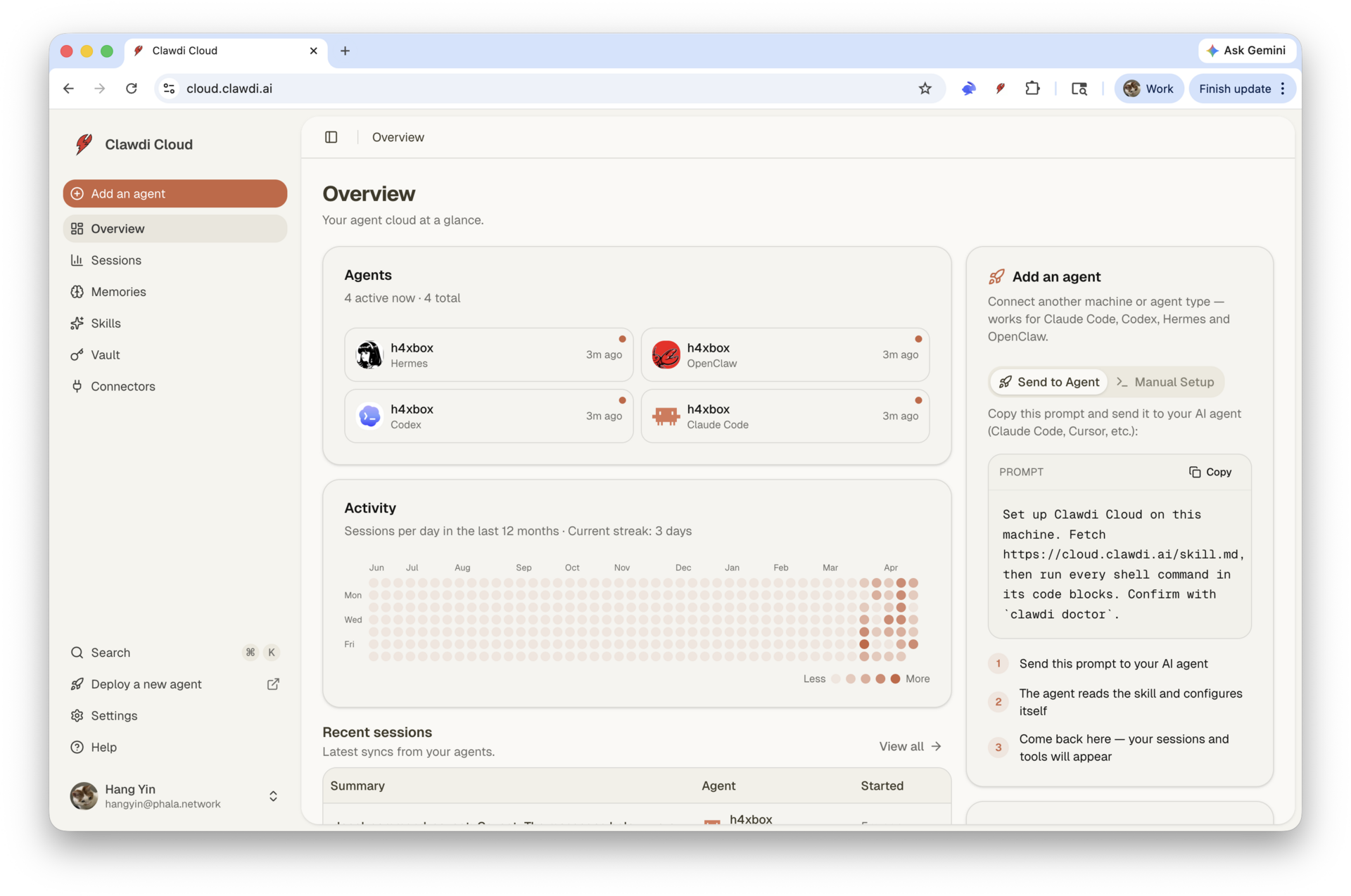
iCloud for AI agents. Share memory, skills, sessions, and secrets across Claude Code, Codex, OpenClaw, Hermes, and whatever agent you wire up next.
Clawdi gives local coding agents a shared context layer. Install one CLI, connect your agents once, and they can remember durable facts, reuse skills, sync session history, and run commands with vault secrets without copying state between tools.
The fastest way to try it is hosted Clawdi Cloud. The whole stack is also here: MIT-licensed CLI, FastAPI backend, Next.js dashboard, database schema, migrations, and docs. Use the hosted service, self-host it, fork it, or build your own agent sync layer from the pieces.
Quickstart
npm i -g clawdi

clawdi auth login
clawdi setup
clawdi doctor
That gets you:
- Browser-based login to Clawdi Cloud
- Agent auto-detection for Claude Code, Codex, Hermes, and OpenClaw
- MCP registration so your agent can call Clawdi tools
- The bundled
clawdiskill installed into each detected agent - A health check that verifies auth, agent paths, vault access, and MCP config
You can also try without installing:
npx clawdi --help
Headless environment? Use the manual flow:
clawdi auth login --manual
Why Clawdi Exists
AI agents are still treated like isolated apps. Claude Code has one set of sessions and instructions. Codex has another. Secrets sit in shell profiles and .env files. Useful memories get trapped in whichever agent happened to learn them.
Clawdi is the shared layer underneath:
- Cross-agent memory - Store durable preferences, decisions, facts, and project context once. Search them from any connected agent.
- Portable skills - Upload or install agent instructions once, then sync them into every registered agent.
- Session sync - Push local session history to the dashboard for review and recall.
- Vault secrets - Store secrets server-side and inject them only when running a command.
- MCP tools - Agents get memory and connector tools through the Model Context Protocol.
- Open stack - The CLI, backend, web dashboard, migrations, and local development path live in this repository under the MIT license.
How It Feels
Teach one agent something:
remember that this repo uses Bun for TypeScript and PDM for backend scripts
Later, in a different agent or a fresh session:
what package manager should I use here?
The agent can call Clawdi memory search, recover the stored preference, and answer from your actual context instead of guessing.
Run with secrets without putting them on disk:
clawdi vault set OPENAI_API_KEY
clawdi run -- python scripts/ingest.py
Sync your local work:
clawdi push
Install a shared skill everywhere:
clawdi skill install anthropics/skills/artifacts-builder
Hosted or Self-Hosted
Clawdi has two intended paths.
Use Clawdi Cloud
Best for trying it in minutes.
npm i -g clawdi
clawdi auth login
clawdi setup
The published CLI defaults to the hosted API. You get the least setup friction and can focus on wiring agents, memories, skills, and vault secrets.
Own the Stack
Best when you want to inspect, modify, self-host, or build on Clawdi.
git clone https://github.com/Clawdi-AI/clawdi.git
cd clawdi
bun install
docker compose up -d postgres
Then run the backend and dashboard locally:
cd backend
cp .env.example .env
pdm install
pdm migrate
pdm dev
cd ../apps/web
cp .env.example .env.local
bun run dev
Point your CLI at your local backend:
clawdi config set apiUrl http://localhost:8000
Local self-hosting currently expects:
- Node.js 22+ and Bun 1.3+
- Python 3.12 with PDM
- PostgreSQL 16 with
pg_trgmandpgvector - Clerk keys for dashboard auth
- Two generated encryption keys for vault data and MCP proxy JWTs
See backend/.env.example and apps/web/.env.example for the exact environment variables.
What Is In This Repo
apps/web/          Next.js 16 dashboard with Clerk auth, shadcn/ui, Tailwind v4
packages/cli/      Published `clawdi` CLI, agent adapters, and MCP server
packages/shared/   Shared API types, schemas, and constants
backend/           FastAPI backend, SQLAlchemy models, Alembic migrations
docs/              Architecture notes, scenarios, and development guides
The system is deliberately boring where it should be:
- FastAPI API server
- PostgreSQL for structured data and memory search
- File storage for session and skill bodies
- Local CLI state under
~/.clawdi - MCP stdio server spawned by each agent
- No Redis, Celery, or hidden worker fleet required for the core local stack
For the deeper map, read docs/architecture.md.
Supported Agents
| Agent | Sessions | Skills | MCP setup |
|---|---|---|---|
| Claude Code | Yes | Yes | Automatic |
| Codex | Yes | Yes | Automatic |
| Hermes | Yes | Yes | Automatic |
| OpenClaw | Yes | Yes | Manual MCP hint where required |
Each agent has a dedicated adapter in packages/cli/src/adapters. Adding another agent means implementing the same adapter shape: detect it, read sessions, read/write skills, and define how commands run with injected env.
CLI Reference
| Command | What it does |
|---|---|
clawdi auth login / logout |
Authenticate this machine |
clawdi status [--json] |
Show auth and sync state |
clawdi setup [--agent <type>] |
Register local agents, install MCP, install the bundled skill |
clawdi teardown [--agent <type>] |
Remove Clawdi's local agent wiring |
clawdi push |
Upload sessions and skills |
clawdi pull |
Download cloud skills into registered agents |
clawdi memory list/search/add/rm |
Manage cross-agent long-term memory |
clawdi skill list/add/install/rm/init |
Manage portable skills |
clawdi vault set/list/import |
Manage encrypted secrets |
clawdi run -- <cmd> |
Run a command with vault secrets injected |
clawdi doctor |
Diagnose auth, agent paths, vault, and MCP config |
clawdi update |
Check for a newer CLI version |
clawdi mcp |
Start the MCP stdio server used by agents |
Every command supports --help.
Development
Install dependencies:
bun install
Run the web app and workspace dev tasks:
bun run dev
Run the backend:
cd backend
pdm dev
Run checks:
bun run check
bun run typecheck

cd backend
pdm lint
pdm test
Run the CLI from source:
bun run packages/cli/src/index.ts --help
Build and link the CLI locally:
cd packages/cli
bun run build
bun link
clawdi --version
Troubleshooting
Run the diagnostic first:
clawdi doctor
Common issues:
clawdi auth loginfails - Re-run login, or useclawdi auth login --manualin headless environments.- No supported agent detected - Install a supported agent or pass
--agent claude_code,--agent codex,--agent hermes, or--agent openclaw. - Memory search is empty - Add a memory first with
clawdi memory add "...", then verify withclawdi memory search "...". - Local backend cannot start because
vectoris missing - Installpgvectorfor your PostgreSQL 16 instance, or use the included Docker Compose database. - Agent MCP tools look stale - Run
clawdi setup --agent <type>again and restart the agent.
License
MIT. See LICENSE.
Reviews (0)
Sign in to leave a review.
Leave a reviewNo results found