clipy
Health Pass
- License — License: Apache-2.0
- Description — Repository has a description
- Active repo — Last push 0 days ago
- Community trust — 24 GitHub stars
Code Fail
- spawnSync — Synchronous process spawning in desktop/scripts/desktop-packaging.test.mjs
- process.env — Environment variable access in desktop/scripts/desktop-packaging.test.mjs
- process.env — Environment variable access in desktop/scripts/setup-native-deps.mjs
- network request — Outbound network request in desktop/scripts/setup-native-deps.mjs
- spawnSync — Synchronous process spawning in desktop/scripts/speech-permissions.test.mjs
Permissions Pass
- Permissions — No dangerous permissions requested
No AI report is available for this listing yet.
The AI-native screen recorder. Record your screen and talk; the people you share it with and your AI agents both get it.

Clipy
The AI-native screen recorder. Record your screen and talk; the people you share it with and your AI agents both get it.
Website | Download | Docs | Pricing | Chrome extension


X | LinkedIn | Product Hunt | Facebook
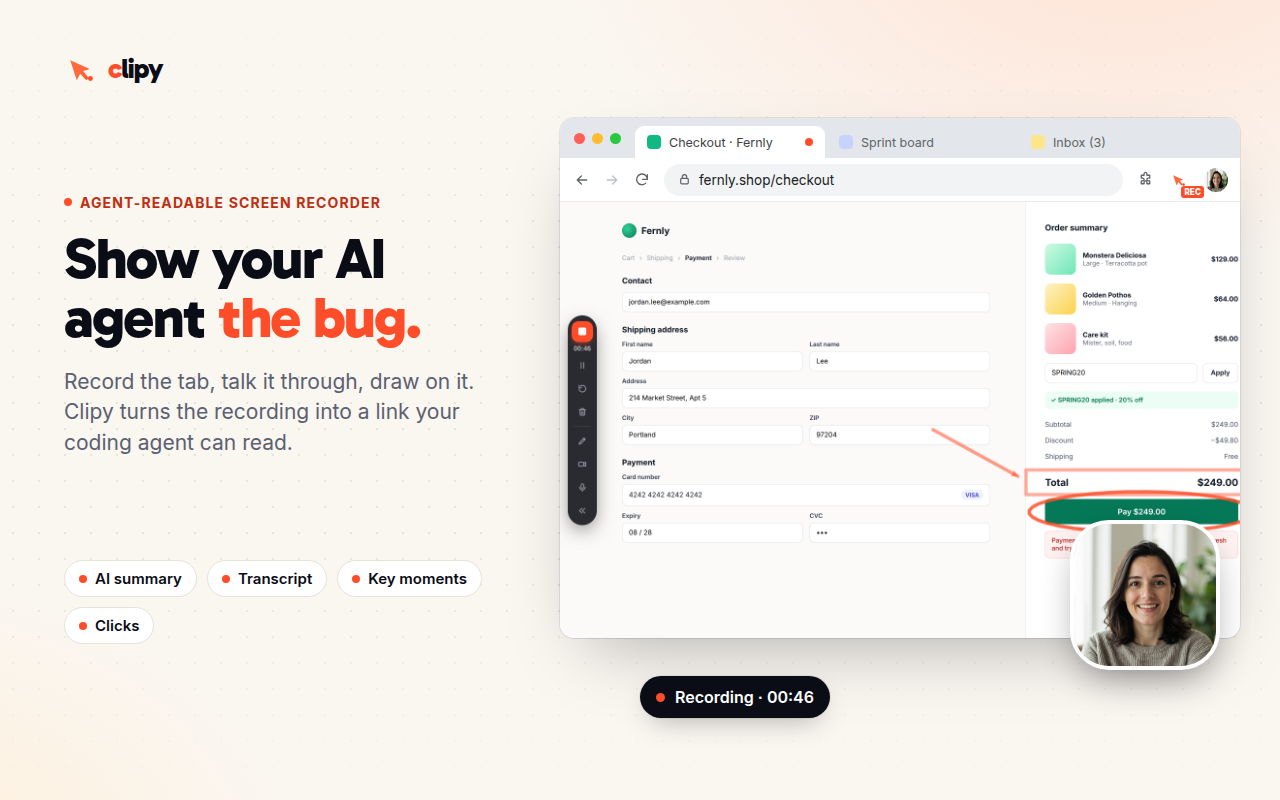
Clipy is the AI-native screen recorder. Record your screen, camera and voice,
and Clipy turns the take into something both people and AI agents can use: a
share link anyone can watch with no signup, plus the transcript, summary, key
moments and a screenshot of each moment, ready for Claude, ChatGPT, Codex,
Cursor or any other agent to read.
Use Clipy for bug reports, product reviews, sales demos, support and
onboarding walkthroughs, design feedback, async standups and any moment where
showing is faster than writing it down.
Why Clipy
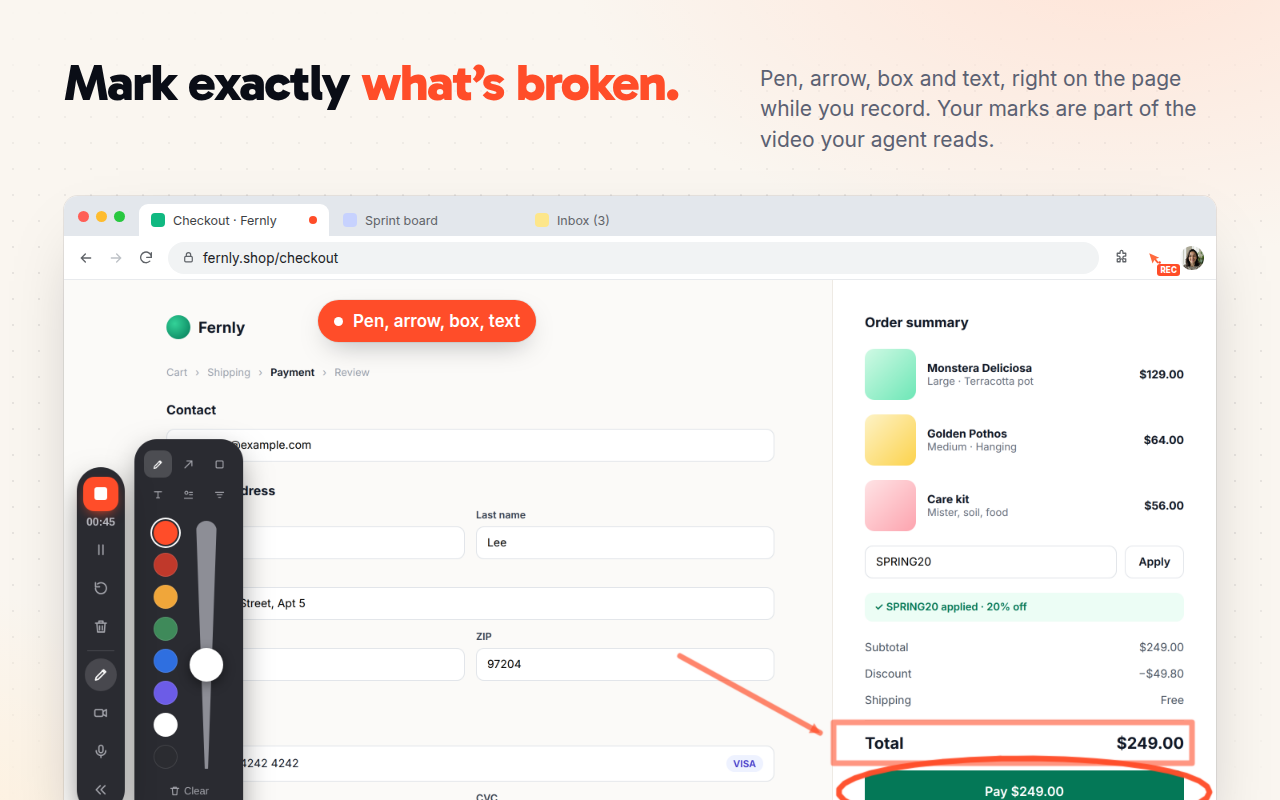
- Show, don't type. Record a tab, a window or the whole screen, talk it
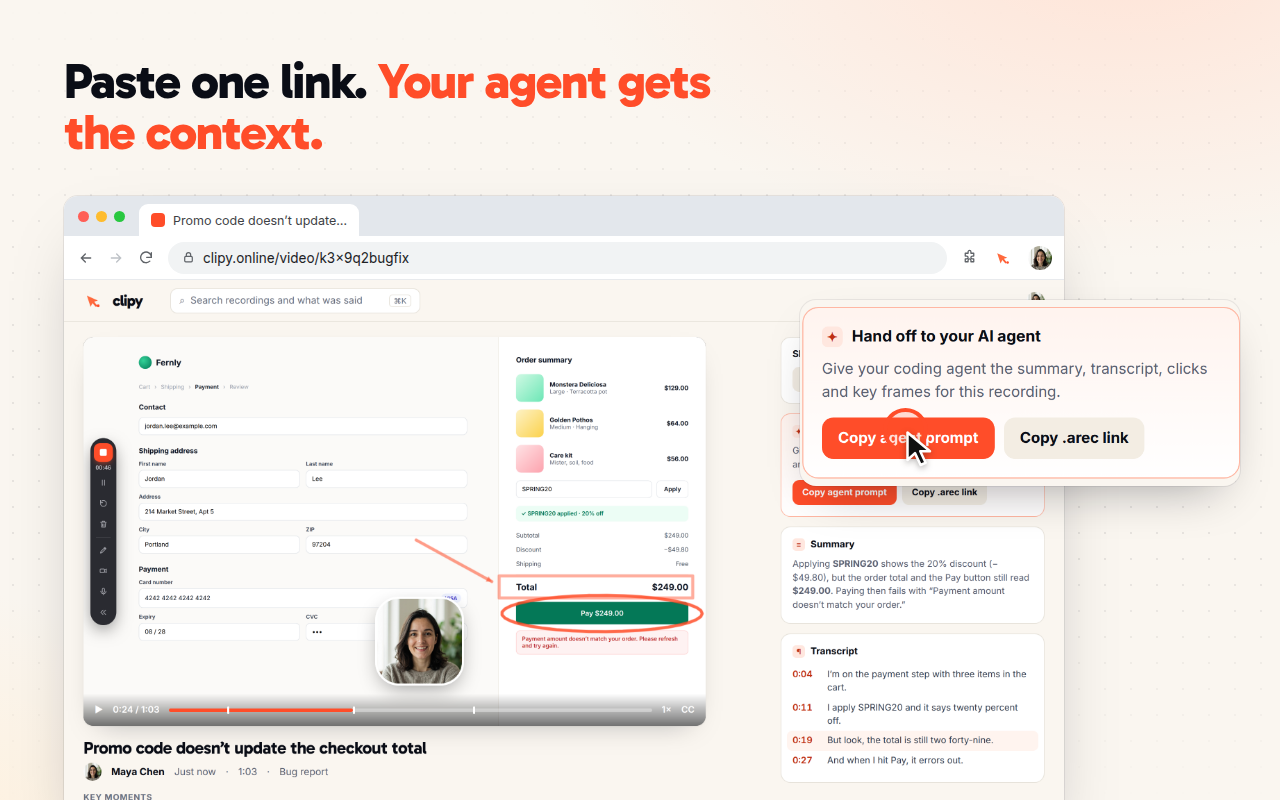
through, and draw on the page while you do. - Your agent watches too. Every recording becomes an
AREC, an open plain-text format with the
transcript, clicks, key moments and screenshots. Paste the link or the file
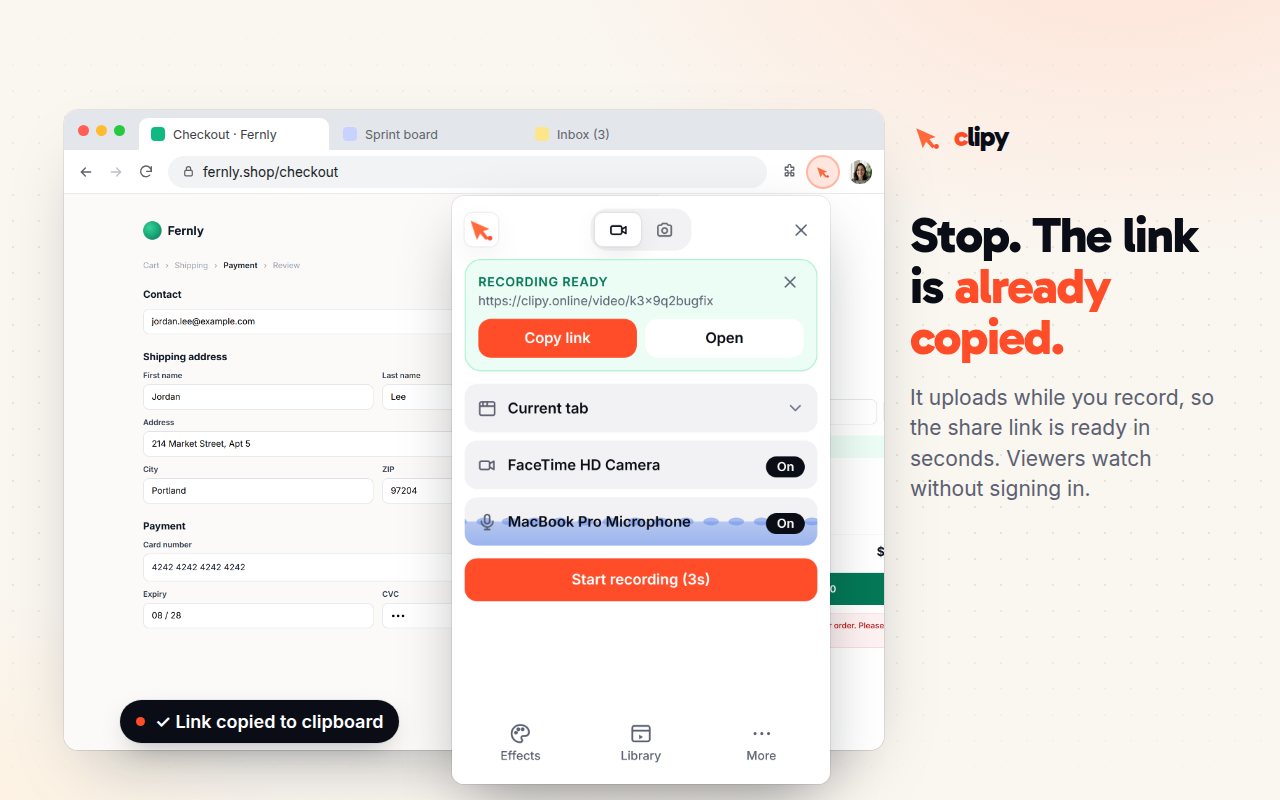
path into Claude Code, Codex or Cursor and it knows what you showed it. - Share in seconds. Clipy uploads while you record, so the link is ready
when you stop. Viewers watch without an account. - Runs on your machine. The desktop app and the CLI in this repository
build the AREC locally, with on-device transcription. Pick a model running
on your own computer and nothing leaves it. - Everywhere you record. macOS, Windows, Linux (CLI), Chrome, iPhone and
Android. - Bring any video. Hand your agent a YouTube link, a Loom link or a video
file and it gets the same agent-readable context.
Screenshots
| Hand off to your AI agent | Share the link instantly |
|---|---|
 |
 |
| Draw on the page while you talk | Start from any tab in one click |
 |
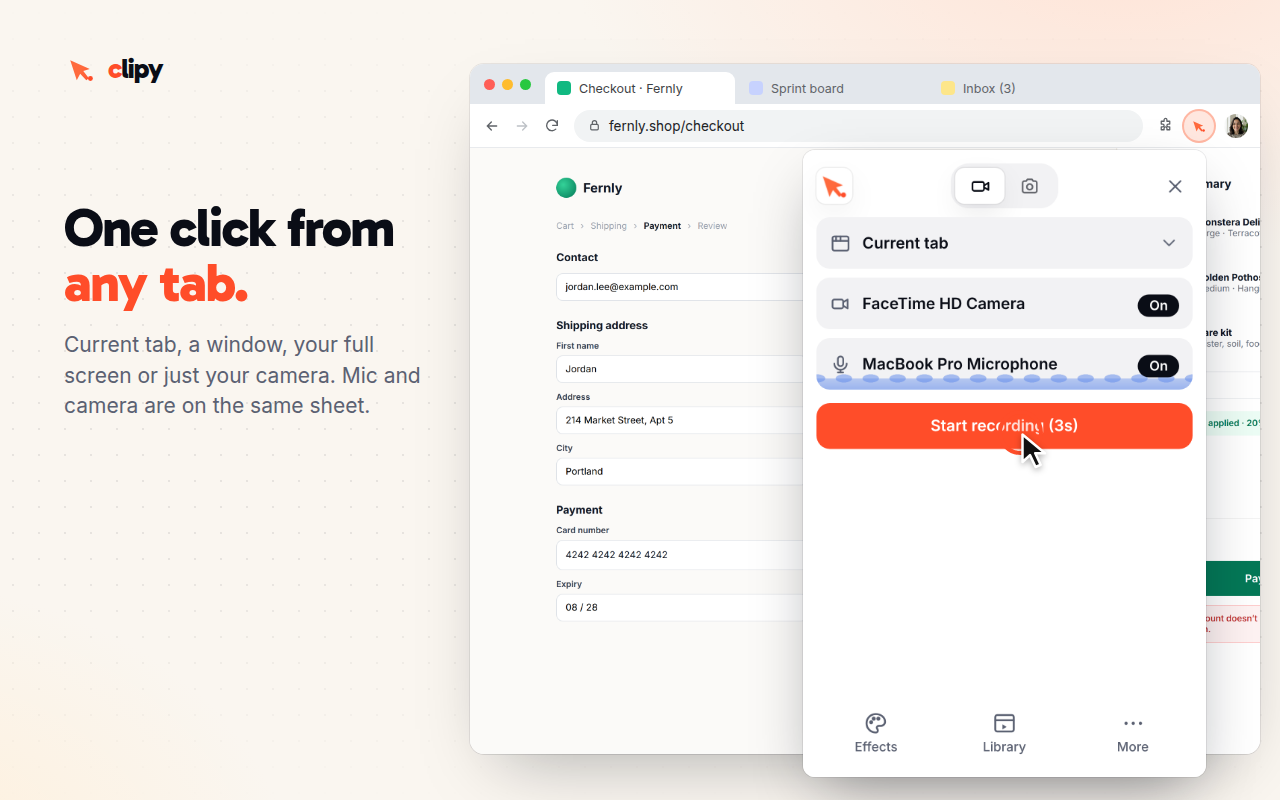 |
Get Clipy
| App | Get it |
|---|---|
| Desktop app for macOS and Windows | clipy.online/download, or build it from this repository (below) |
| Chrome extension | Chrome Web Store |
| iPhone, iPad and Android | clipy.online/download |
| Command line (macOS, Windows, Linux) | npm i -g @clipy/cli |
| In the browser, nothing to install | clipy.online |
The full product docs live at clipy.online/docs.
Get started
- Download Clipy from clipy.online/download
or add the Chrome extension. - Pick a tab, window or screen, and turn the camera and mic on or off.
- Record and talk. Draw on the page, or hold Control in the desktop app to
highlight what you mean. - Stop. The link is already copied.
- Send it to a person, or paste it into your AI agent.
Let your AI agent watch any video
This repository is also a Claude Code plugin marketplace. In Claude Code:
/plugin marketplace add clipy-recorder/clipy
/plugin install watch@clipy
Then /watch <YouTube URL | Loom link | video file> [question], for example/watch https://www.youtube.com/watch?v=<id> what are the main steps?. Claude
turns the video into an AREC on your machine and answers with timestamps.
Details in plugins/watch.
For Codex, Cursor and other agents, install the same workflow as a skill:
npm i -g @clipy/cli
clipy agents install codex     # or: cursor, claude
Self-hosting
Everything in this repository runs on hardware you own. There is no server to
stand up: recordings, transcripts, screenshots and the AREC stay in a folder
on your machine, and your agent reads them from disk.
The fastest way to run it is the CLI with --local:
npm i -g @clipy/cli
clipy models download english-fast          # on-device speech, one-time download
clipy speech install                        # the engine that runs it (about 35 MB)
clipy record --local --max 120              # press Enter or Ctrl-C to stop
The last line prints the path of recording.arec. Give that path to your
agent. clipy context import demo.mov --local does the same for a video file,
and clipy local status shows your settings.
To let a model pick spoken moments too ("this button", "it breaks here"), point
Clipy at a model you run yourself:
export CLIPY_MODEL_PROVIDER=ollama          # or: lmstudio, custom
export CLIPY_MODEL=<model you pulled>
clipy record --local
Hosted providers work the same way (openrouter, openai, gemini, groq)
with CLIPY_MODEL_API_KEY, or save the choice withclipy local setup --model-provider ....
Deployment options
| Method | Best for |
|---|---|
Desktop app built from desktop/ |
A menu-bar app on macOS or a tray app on Windows that records your screen, camera and voice |
CLI with --local |
macOS, Windows and Linux, scripts and agents |
clipy record --local --url <page> |
CI and servers: record a web page headlessly and keep the AREC as a build artifact |
Build the desktop app
desktop/ is the Clipy desktop app for macOS and Windows, built with Tauri 2
(Rust) and React. You need Rust 1.88 or newer, Node.js 20.19 or newer and
pnpm.
cd desktop
pnpm install --frozen-lockfile
pnpm tauri:icon         # once: generates the app icons
pnpm setup:native-deps  # macOS, once: downloads the FFmpeg framework
pnpm tauri:dev          # run it
pnpm tauri:build        # build the app bundle or installer
Windows needs FFmpeg 7 shared libraries; the full steps are in
desktop/README.md.
Drive it from an agent
On macOS, an agent can record through the desktop app with the CLI. Keep the
app running, then:
clipy sources --local --source mac-screen                  # displays and windows the app can see
clipy record --local --source mac-screen --for 60          # one take, up to 60 seconds
clipy record --local --source mac-screen --window "Safari" --for 30
For a take the agent starts, drives and stops itself:
clipy session start --local --source mac-screen
clipy mark "Opened the settings page"
clipy session stop --local                                 # waits for the app to finish
Each command ends by printing the path of the take's recording.arec, which
the agent then reads. --json prints the result as JSON instead. The first
take an agent starts asks for your consent in the app.
What is in this repository
| Path | What it does |
|---|---|
desktop/ |
The Clipy desktop app for macOS and Windows. |
packages/moments |
Picks the moments worth a screenshot. Rules on your machine find highlights, drawings, clicks and pauses; with a model it also finds what you pointed at while talking. |
packages/config |
Settings: which model picks spoken moments and how recordings are transcribed, from a config file and env vars. |
packages/capture |
Records the screen with ffmpeg on macOS, Windows and Linux, with a pointer and click sidecar where the OS allows it. |
packages/transcribe |
Turns speech into timestamped segments: downloadable on-device models, or your own key for OpenAI, Groq, Deepgram, AssemblyAI, ElevenLabs or Gemini. |
plugins/watch |
The Claude Code plugin that lets an agent watch any video. |
Where your data goes
Moment selection works with no key at all. To add spoken cues, point it at any
OpenAI-compatible endpoint: OpenRouter, OpenAI, Google Gemini, Groq, or a model
running on your machine with Ollama or LM Studio.
| Choice | What leaves your machine |
|---|---|
| No model provider and on-device transcription | Nothing. |
| Ollama or LM Studio | Nothing: the model runs on your machine. |
| A model provider (OpenRouter, OpenAI, Gemini, Groq or a custom URL) | The transcript text, the labels of what you clicked, and a bounded sample of pointer and key events go to that provider, under its terms. Video and screenshots do not. With OpenRouter, requests also name the app (HTTP-Referer: https://clipy.online, X-Title: Clipy), as OpenRouter asks apps to. |
| On-device transcription | Nothing: the audio stays on your machine. |
| A transcription key (OpenAI, Groq, Deepgram, AssemblyAI, ElevenLabs or Gemini) | The audio goes to that provider, under its terms. |
Contribute
Build, test and pull request steps are in CONTRIBUTING.md.
Issues labelled good first issue are a good place to start. Report security
problems privately, as SECURITY.md describes.
pnpm install
pnpm test
License
Apache-2.0. See LICENSE and NOTICE.
The speech models are downloaded separately, only when you ask for them, and
keep their own licenses: "english-fast" is NVIDIA Parakeet TDT-CTC 110M
(CC-BY-4.0) and "multilingual" is OpenAI Whisper base (MIT), both as ONNX
exports from the sherpa-onnx project (Apache-2.0). The sherpa-onnx engine is
downloaded the same way, the first time on-device transcription needs it.
Reviews (0)
Sign in to leave a review.
Leave a reviewNo results found