log-lens
Health Uyari
- License — License: MIT
- Description — Repository has a description
- Active repo — Last push 0 days ago
- Low visibility — Only 5 GitHub stars
Code Gecti
- Code scan — Scanned 1 files during light audit, no dangerous patterns found
Permissions Gecti
- Permissions — No dangerous permissions requested
Bu listing icin henuz AI raporu yok.
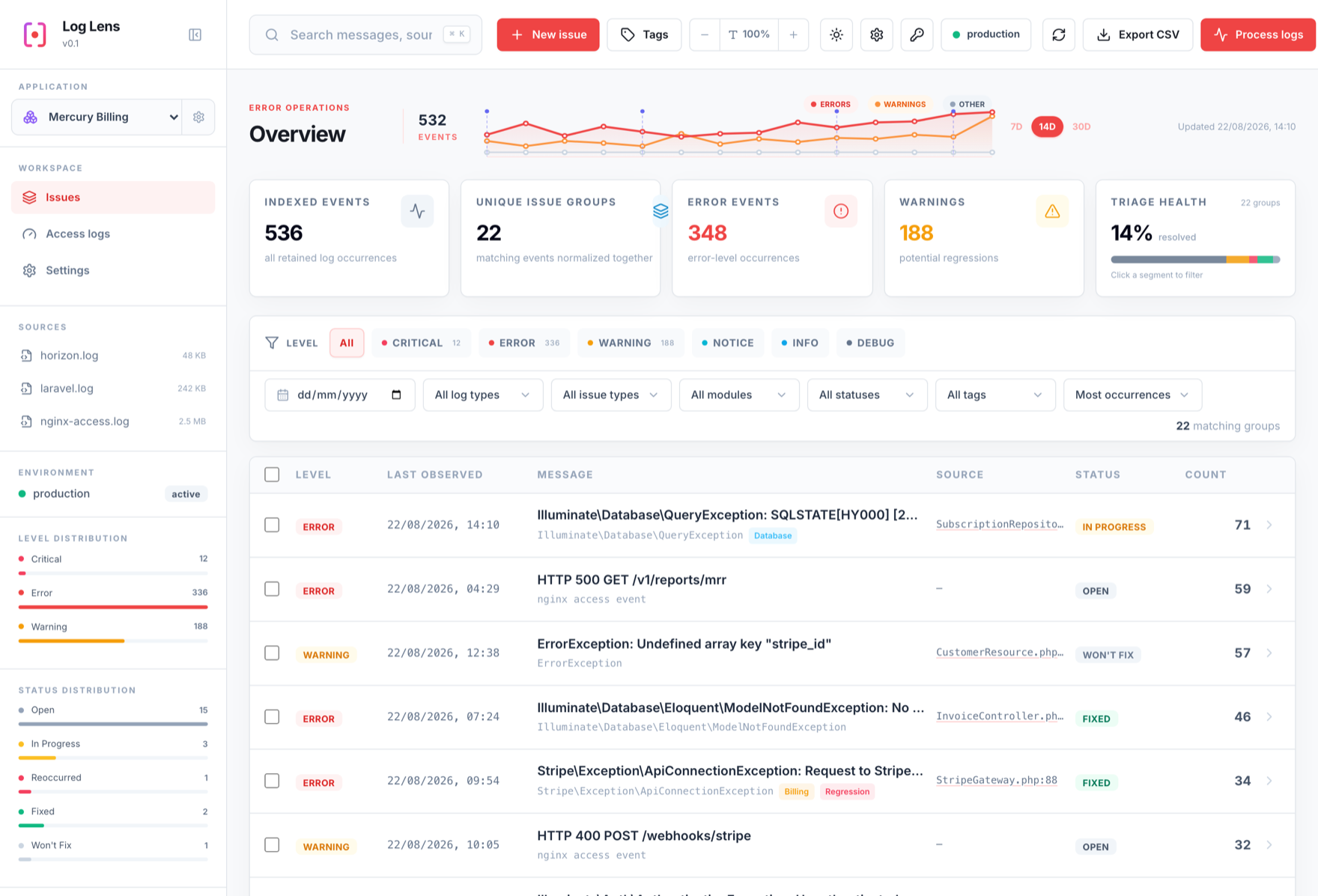
Local-first log dashboard and error tracker for Laravel, Horizon, nginx, and console logs — the Laravel package (read-only mirror; do not push). Issue tracker for both Log Lens packages.
Log Lens for Laravel




Mount the Log Lens dashboard and JSON API inside an existing Laravel application.
This is a thin adapter over cliqthemes/log-lens-core; all parsing, storage, and
API logic lives in the core engine.
Requires PHP 8.2+ and Laravel 10, 11, 12, or 13.
Install
composer require cliqthemes/log-lens
php artisan log-lens:install
The service provider is auto-discovered and the UI assets ship pre-built, so no
Node build is needed. log-lens:install publishes the assets/config, offers to
import storage/logs, offers a connector for ongoing sync (printing the
schedule line to paste in), offers the zero-key error reporter, and reminds
you about access control. Safe to re-run. Prefer doing it by hand?
php artisan vendor:publish --tag=log-lens-assets   # publishes the built UI to public/vendor/log-lens
php artisan vendor:publish --tag=log-lens-config   # optional: config/log-lens.php
Either way, visit /log-lens (see Authorization first —
access is open in local by default).
Authorization
Access is decided by a gate on every route (dashboard and API) — no API key is
used in Laravel mode; the host app's auth is the source of truth. The default,
with nothing configured, is:
localenvironment → open (any browser on the machine, including an
unauthenticated/incognito tab). Convenient for development; be aware of it.- any other environment → denied to everyone (fails safe when deployed).
Restrict it with any one of these:
1. An auth callback in a service provider's boot():
use LogLens\Laravel\LogLens;

// Require a logged-in user (blocks incognito even in local):
LogLens::auth(fn ($request) => $request->user() !== null);

// Or restrict further — a permission, a role, or an allowlist:
LogLens::auth(fn ($request) => $request->user()?->can('view-logs') ?? false);
LogLens::auth(fn ($request) => $request->user()?->hasRole('admin') ?? false);
2. A Laravel Gate named viewLogLens (used when no callback is set):
use Illuminate\Support\Facades\Gate;

Gate::define('viewLogLens', fn ($user) => $user?->can('view-logs') ?? false);
3. Middleware — add auth middleware to config('log-lens.middleware'), e.g.['web', 'auth'], to redirect guests to login before the gate even runs.
Disabling
Set LOG_LENS_ENABLED=false to unregister the routes entirely — a hard
kill-switch independent of the gate above.
Configuration
config/log-lens.php:
route_prefix(defaultlog-lens) andmiddleware(default['web']).root— where the SQLite database andlogs/,processed/,sources/live
(defaultstorage_path('log-lens')).core— engine settings passed through tocliqthemes/log-lens-core(ingested
severities, size limits, pagination, connector chunking, SSH defaults,
processed-archive retention).core.auth.tokenis intentionally empty.
Documentation
Full documentation: https://docs.log-lens.cliqthemes.com/ — start with
the Laravel package guide.
Artisan
php artisan log-lens:import path/to/logs --app=default
php artisan log-lens:sync --app=default            # all connectors
php artisan log-lens:sync --app=default --connector=2
Schedule log-lens:sync in the app's console kernel for continuous connector
ingestion.
How it works
The provider registers one route at the prefix that mirrors the standalone front
controller: requests without an api parameter return the SPA shell; requests
with one are translated into a LogLens\Http\LogLensRequest and passed to the
core LogLens\Kernel, whose LogLensResponse becomes a Laravel JSON
response. The SPA calls the API with same-prefix relative URLs, and its assets are
served from public/vendor/log-lens.
MIT licensed. Release history: CHANGELOG.md and
releases. Bugs, requests, and
security advisories for both packages go to
cliqthemes/log-lens.
Yorumlar (0)
Yorum birakmak icin giris yap.
Yorum birakSonuc bulunamadi