tarocub
Health Gecti
- License — License: MIT
- Description — Repository has a description
- Active repo — Last push 0 days ago
- Community trust — 121 GitHub stars
Code Uyari
- network request — Outbound network request in package-lock.json
- network request — Outbound network request in src/bus/bus-client.ts
Permissions Gecti
- Permissions — No dangerous permissions requested
This tool bridges the official Codex and Claude Code CLIs directly to Telegram, allowing you to run and manage multiple AI bots with distinct personalities from your phone.
Security Assessment
The overall risk is Medium. The application acts as a bridge and makes expected outbound network requests (via `bus-client.ts`) to connect to Telegram and the respective AI services. It relies on standard environment variable access (via `app-server-adapter.ts`) to handle API keys and configuration safely, meaning no hardcoded secrets were detected. It does not request any dangerous system permissions. However, because it actively interfaces with external networks and manages active AI sessions, users should ensure it is deployed in a secure, private environment.
Quality Assessment
The project demonstrates solid quality and maintenance. It is written in modern TypeScript (v5.9), recently updated (last push was today), and properly licensed under the permissive MIT license. The codebase includes automated testing via Vitest. Community trust is currently low but growing, sitting at 14 GitHub stars. The documentation is extensive, well-structured, and clearly guides users through the setup process.
Verdict
Use with caution — while the code is open, recently maintained, and follows standard security practices for API key handling, its deep integration with external messaging platforms and active AI sessions warrants standard network monitoring and secure credential management.
TaroCub runs Codex, Claude Code, and Antigravity locally, then lets you control them from Telegram and Feishu/Lark.
English | 中文文档 | Full Reference
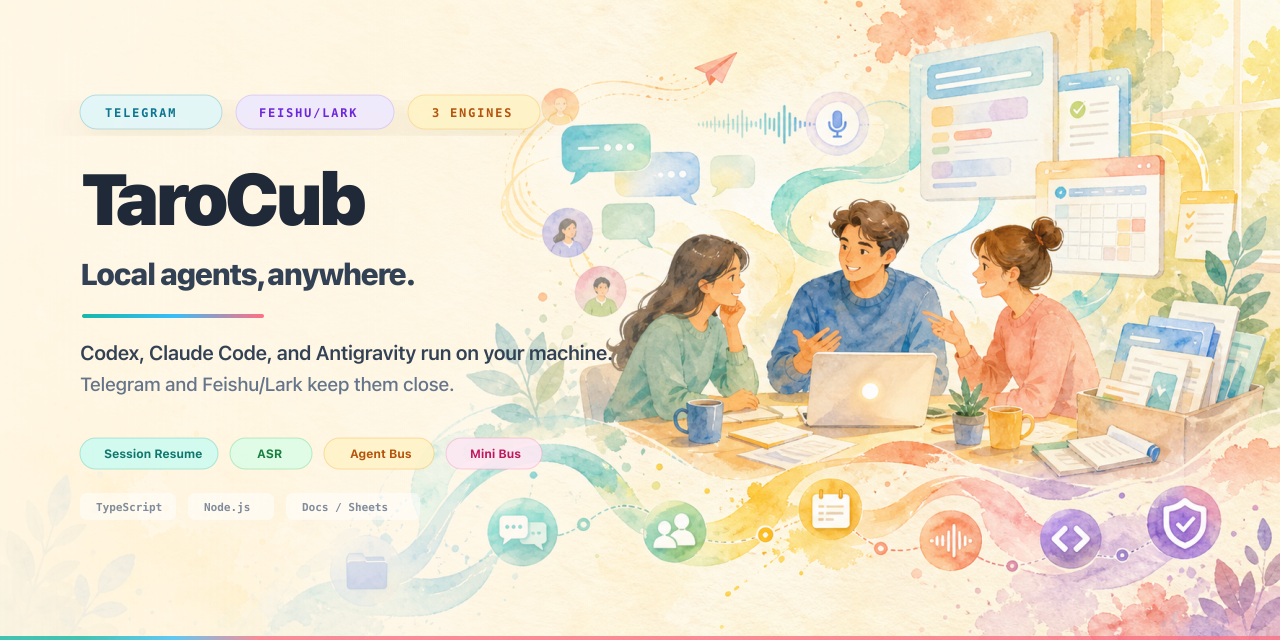





TaroCub
Run Codex, Claude Code, and Antigravity locally. Control them from Telegram and Feishu/Lark.
TaroCub runs real CLI agents on your own machine, then gives them durable chat surfaces, files, sessions, tasks, cron, audit logs, and multi-agent workflows.
Resume local sessions anytime from your phone, whether you are at your desk, commuting, or walking the dog.
Quick Start | Surfaces | Core Highlights | Lark Setup | Commands | Docs
What This Is
TaroCub is a local bridge, not a hosted agent product. It runs the real Codex, Claude Code, and Antigravity CLIs on your own computer, then gives them a durable messaging control surface across Telegram and Feishu/Lark.
This project was formerly named cc-telegram-bridge; the old repository URL, state directories, and cctb shorthand remain useful for compatibility while the public name moves to TaroCub.
It is built for people who already use CLI agents heavily and want:
- phone-first operation through Telegram;
- Feishu/Lark-native operation with cards, Docs comments, Sheets, and group workflows;
- durable state for sessions, cron jobs, file delivery, usage, timelines, audit logs, and multi-agent routing.
The intended setup flow is agent-assisted: clone the repo, open it in Codex, Claude Code, or Antigravity, and ask the agent to configure the bridge for you. The CLI exists so your local agent can do the boring setup work instead of making you hand-edit every file.
The old long README is preserved as Full Reference. This landing page is intentionally short.
Quick Start
Recommended: ask your local agent to configure it
Open this repository in Codex, Claude Code, or Antigravity and say:
Read the README and configure TaroCub for me.
Use this Telegram bot token: <paste token>
Enable YOLO mode for my personal bot instance.
For Lark, say:
Read the README and configure the Feishu/Lark bot for me.
Run the Lark wizard, check permissions, install/bind lark-cli, and tell me what I need to scan or approve.
That is the preferred path. Manual commands are still below for operators who want to see each step.
Telegram
Create a Telegram bot with @BotFather, then run:
git clone https://github.com/cloveric/tarocub.git
cd tarocub
npm install
npm run build

npm run dev -- telegram configure <telegram-bot-token>
npm run dev -- telegram yolo on
npm run dev -- telegram service start
telegram yolo on is the recommended default for a personal, trusted bot instance. It lets Codex, Claude Code, and Antigravity keep moving without asking for approval on every turn. Use telegram yolo unsafe only for fully trusted local workspaces, and use telegram yolo off when you explicitly want approval prompts.
Send any message to the bot. It will reply with a pairing code:
npm run dev -- telegram access pair <pairing-code>
You can now talk to your local CLI agent from Telegram.
Feishu / Lark
For the full Lark-native setup, let the aggregate setup command install/bind lark-cli >= 1.0.41, run the QR wizard, provision permissions, and check the app:
npm install
npm run build

node dist/src/index.js lark setup --install-cli --identity bot-only
node dist/src/index.js lark service start
If lark doctor reports missing app scopes, copy the JSON it prints into the Feishu/Lark app permission page, publish the app version, then run:
node dist/src/index.js lark provision
node dist/src/index.js lark doctor
Surfaces
| Surface | Best for | Status |
|---|---|---|
| Telegram | Mobile control, voice input, file delivery, multi-bot operations, cron, Agent Bus | Primary and deepest-tested |
| Feishu/Lark | Team chat, interactive cards, Docs comments, Sheets/Docs/Drive workflows, group/thread workflows | Production-capable with lark-cli |
| Local CLI | Operations, setup, debugging, status, backups, direct sends | First-class operator interface |
Core Highlights
| Highlight | Why it matters |
|---|---|
| Real CLI engines, not a fake chat backend | Codex, Claude Code, and Antigravity run as their native local CLIs, so your real auth, local files, project instructions, MCP/plugins, and engine behavior stay intact. |
| Session Resume | Continue existing work instead of starting over: Claude local sessions, Codex threads, and Antigravity conversations can be attached from chat and detached later. |
| Telegram as a mobile control plane | Talk to agents from your phone, send files and screenshots, record voice messages, approve work, stop stuck turns, inspect status, and restart instances. |
| Feishu/Lark as a native work surface | Lark adds what Telegram cannot: Card 2.0 choices, approval cards, Docs comment @mentions, Sheets/Docs/Drive workflows through lark-cli, /newgroup, and thread-aware group work. |
| ASR for voice/audio/video | Telegram and Lark voice/audio/video resources can be downloaded, locally transcribed, and passed into the engine as normal task context. |
| File and artifact delivery | Agents can return generated images, PDFs, reports, decks, source bundles, and other files through structured send.file, send.image, send.batch, audio, and video tags. |
| Scheduled work and reminders | /cron and cron.add persist one-shot reminders, recurring jobs, and agent-run scheduled tasks outside model memory, with chat/thread routing preserved. |
| Agent Bus | Multiple bot instances can call each other as local workers for delegation, fan-out, chain, verifier, and coordinator-led crew workflows. |
| Mini Bus | Telegram topics or Lark threads can become lightweight named peers, so one group can run planner/writer/reviewer-style workflows without separate bots. |
| Board | Durable Kanban state for tasks, dependencies, WIP, review gates, and execution history, instead of relying on a model to remember project state. |
| Search MCP | Optional Brave/Tavily MCP gives source-traceable web_search, web_extract, provider status, fallback notices, and source logs. |
| Operational visibility | status, doctor, timeline, audit, dashboard, usage tracking, service locks, and backups make failures inspectable instead of mysterious. |
Feature Map
| Feature | Telegram | Feishu/Lark | Local CLI |
|---|---|---|---|
| Codex / Claude Code / Antigravity engines | Yes | Yes | Yes |
| Session resume / detach | Yes | Yes | Yes |
| Voice, audio, and video ASR | Yes | Yes | Inspect/debug |
| File and image delivery | Yes | Yes | telegram send / lark send |
| Stop and approvals | Inline buttons | Interactive cards | Service controls |
| Plan Mode-style choices | Limited buttons | Rich choice cards | Tool/debug path |
| Cron reminders and agent jobs | Yes | Yes | Manage/list/run |
| Board durable tasks | Yes | Yes | Inspect/export |
| Agent Bus fan/chain/verify | Yes | Yes | Configure peers |
| Mini Bus topic/thread workflows | Telegram topics | Lark threads | Inspect state |
| Docs comments and Sheets workflows | Not applicable | Yes, with lark-cli |
Provision/auth/doctor |
| Timeline, audit, dashboard, usage | Yes | Yes | Primary ops surface |
Lark Setup
Lark has two levels:
| Level | What works |
|---|---|
| SDK transport only | Long-connection receive/send, access checks, ordinary replies, stop/approval cards, media intake. |
| Full Lark-native mode | Docs/Drive/Calendar/Sheets actions, /newgroup, document creation/auto-grant, user OAuth, richer agent workflows. Requires lark-cli >= 1.0.41. |
Recommended production flow:
node dist/src/index.js lark setup --install-cli --identity bot-only
node dist/src/index.js lark auth start --recommend --domain docs,drive --scope "sheets:spreadsheet:create sheets:spreadsheet:write_only sheets:spreadsheet:read sheets:spreadsheet.meta:read"
node dist/src/index.js lark auth finish <device-code>
node dist/src/index.js lark service restart
lark setup wraps the QR wizard, lark-cli preflight/bind, app provisioning, OAuth status check, and lark doctor. If you already created the app and only want to re-check the local side, use node dist/src/index.js lark setup --skip-wizard --install-cli --identity bot-only.
Useful Lark commands:
node dist/src/index.js lark setup --install-cli
node dist/src/index.js lark status
node dist/src/index.js lark permissions --missing
node dist/src/index.js lark access pair <code>
node dist/src/index.js lark send --chat oc_xxx --message "hello"
node dist/src/index.js lark timeline 20
node dist/src/index.js lark dashboard
Inside Lark, the bot supports the same core slash surface as Telegram: /status, /usage, /engine, /model, /effort, /fast, /yolo, /goal, /resume, /detach, /stop, /reset, /cron, /board, /mini, /fan, /chain, /verify, /group, /newgroup, /newtopic, and /continue.
Operator Commands
Telegram
telegram service start --instance work
telegram service restart --all
telegram service status --all
telegram engine codex --instance work
telegram yolo on --instance work
telegram usage --instance work
telegram timeline --instance work
telegram dashboard --instance work
telegram backup --instance work --out ./work.cctb.gz
Lark
lark service start
lark service restart
lark doctor
lark access status
lark cli identity status
lark auth status --verify
lark send --chat oc_xxx --message "hello"
In-chat slash commands
# basics
/help
/status
/usage
/btw can you sanity-check this without changing the session?

# engine and safety
/engine codex
/model gpt-5.5
/effort xhigh
/fast off
/yolo on
/config

# goals and sessions
/goal ship this with tests
/goal status
/resume
/resume thread thread_abc123
/resume conversation fdfc8ab1-7936-4599-98b0-d8ba2593c250
/detach
/reset
/stop
/continue

# scheduled and durable work
/cron list
/cron add 0 9 * * 1 weekly summary
/board add write launch plan
/board list

# multi-agent workflows
/mini here planner
/mini ask planner break this into tickets
/fan compare these approaches
/chain improve this answer step by step
/verify implement and review this

# groups and Lark-native project spaces
/group status
/group all
/newgroup Project Room
/newtopic Research Thread

# approvals when cards are unavailable
/approve
/deny
Current Release
- v0.1.0 — resets the public product to TaroCub, renames the GitHub/package surface, adds the product thesis to the banner, and keeps
cctbplus old state paths as compatibility surfaces. - v4.6.70 — transitional release that introduced the TaroCub family name before the full product reset.
- v4.6.69 — makes Lark setup more self-healing: when user OAuth is missing, setup now prints the recommended Docs/Drive/Sheets auth command, and the docs clarify that
user-defaultno longer force-rebinds existing lark-cli sessions. - v4.6.68 — deepens Lark-native reliability: safe running reactions, native @name resolution, card-to-text fallback, one-shot
lark setup, clearer permission repair, and safer lark-cli binding that will not wipe user OAuth. - v4.6.67 — closes a Lark runtime secret-boundary gap: runtime
lark-clichild processes now getLARK_CHANNEL=1without inheritingLARK_APP_SECRET.
See GitHub Releases for the full changelog.
Safety Model
The bridge is powerful because it controls local CLIs. Treat it like local automation, not a sandboxed SaaS bot.
- Run it only on machines and workspaces you trust.
- Use access pairing/allowlists before exposing private or group chats.
- Use YOLO/full-auto only for trusted instances.
- Keep app secrets in bridge state, not prompts, argv, or child-process env.
- Use
doctor,timeline,audit, anddashboardbefore guessing at failures.
More detail: Security Boundaries, State Model, and Full Reference.
Docs
| Need | Link |
|---|---|
| Complete old README / full operations reference | docs/full-reference.md |
| Release process | docs/release-checklist.md |
| Runtime architecture notes | docs/architecture-notes.md |
| State files and persistence | docs/state-model.md |
| Security model | docs/security-boundaries.md |
| Agent Bus protocol | docs/bus-protocol.md |
| Search MCP setup | docs/search-mcp.md |
| Runtime env troubleshooting | docs/runtime-env-troubleshooting.md |
Development
npm install
npm run build
npm test -- --run
The project is TypeScript, Node.js >= 20, and Vitest. It stores runtime state under ~/.cctb/<instance> for Telegram instances and ~/.cctb/lark for the default Lark state dir.
License
MIT
Yorumlar (0)
Yorum birakmak icin giris yap.
Yorum birakSonuc bulunamadi