claude-agent-teams
Health Gecti
- License — License: MIT
- Description — Repository has a description
- Active repo — Last push 0 days ago
- Community trust — 12 GitHub stars
Code Uyari
- fs module — File system access in ci-cd/github-actions-review.yml
Permissions Gecti
- Permissions — No dangerous permissions requested
Bu listing icin henuz AI raporu yok.
Claude Code Agent Teams — Multi-agent orchestration from your terminal (Opus 4.6)
Claude Code Agent Teams — Multi-Agent Orchestration From Your Terminal
Your AI assistant just became a team lead.
The First Thing That Confused Me
When I first looked at Agent Teams, I assumed each agent would be defined somewhere — a config file, a markdown spec, some kind of schema. The examples show detailed prompts describing each teammate's role, responsibilities, and file ownership. It looked like a declarative system.
It's not. There is no agent definition file. The markdown examples are just prompts you paste into Claude Code. The entire orchestration mechanism is:
- One config switch in
settings.jsonthat turns the feature on - A natural language prompt that describes the team you want
- Claude Code handles the spawning, task management, and messaging
No YAML. No agent schema. No workflow definition. You describe a team conversationally, and Claude Code builds it.
That immediately raised a second question: if the agents are defined by the prompt, why define them at all? Why not just say "this PR needs a review, handle it" and let Claude decide what specialists to spawn?
You can. It works. But the reason the examples are prescriptive is control.
When you define the agents, you know exactly what's running and what it costs — each teammate is a separate Claude instance. You prevent Claude from over-spawning eight teammates when three would do. You control file ownership. And you can shape the team dynamic — collaborative, adversarial, or independent.
When you let Claude decide, it might under-scope or over-scope. You lose the ability to set the structure. It's the same tradeoff as managing a real team. You could say "here's the problem, figure it out." But more often you want to say "I need these three roles, here's how I want you to coordinate."
In practice there's a spectrum:
- Prescriptive: "Spawn 3 teammates: security, performance, tests"
- Guided: "Review this PR with multiple specialists, max 4 teammates"
- Open: "This PR needs review. Handle it."
All three work. Prescriptive for expensive or risky tasks. Open for quick exploratory ones. Once that clicked, the rest of Agent Teams made sense.
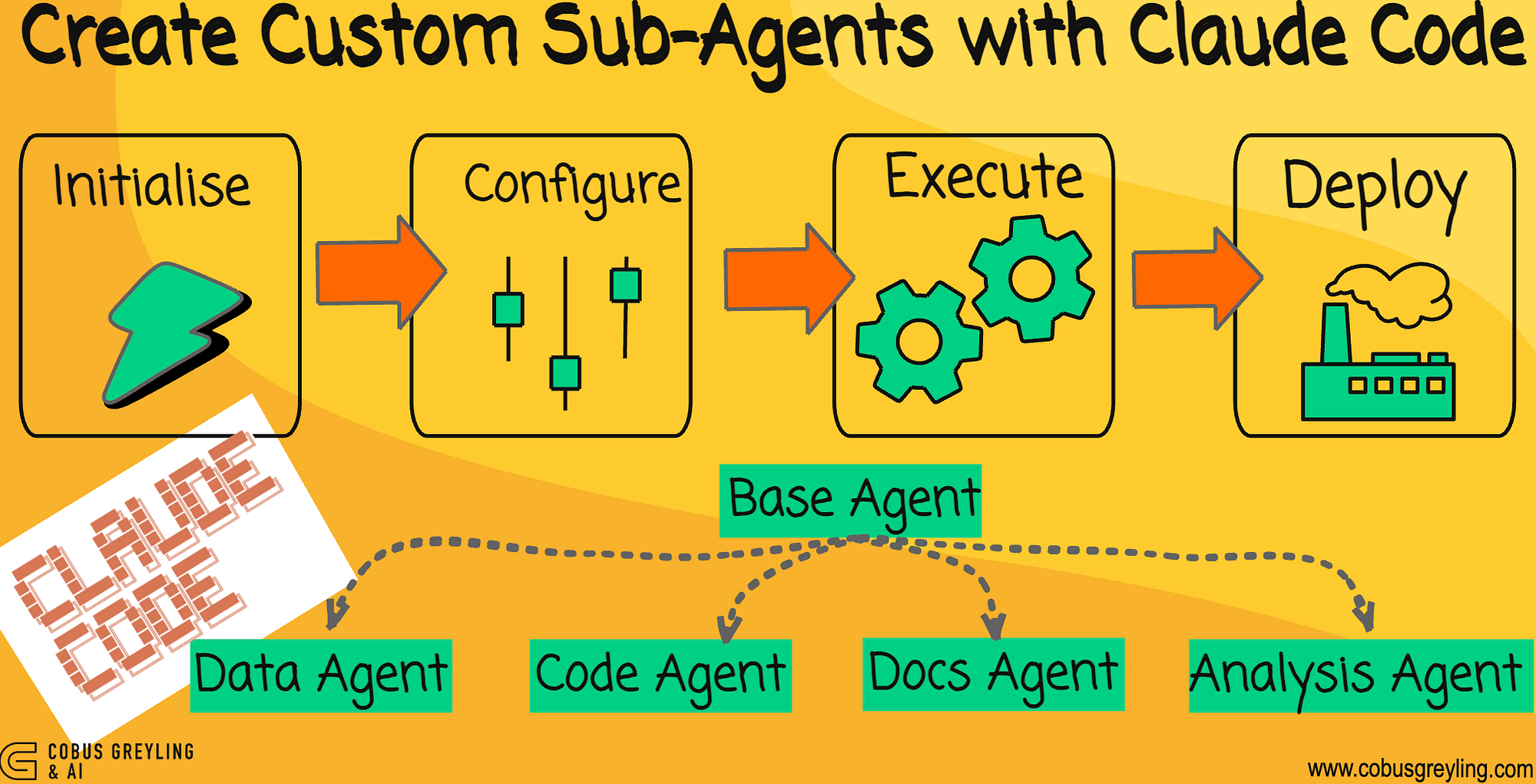
In a previous post I walked through creating custom agentic workflows with Claude Code — a supervisor agent coordinating specialised subagents for data processing, code generation, documentation, and analysis. That setup demonstrated something important: you could describe the agentic workflow you wanted, and Claude Code would create the framework, file structure, code, and documentation.
Subagents were a meaningful step forward from single-session prompting. But they had a constraint. Subagents report results back to the main agent. They never talk to each other. If Agent A discovers something that Agent B needs, the main agent has to relay it. Every insight routes through one bottleneck.
With the release of Opus 4.6, Anthropic shipped something that removes that bottleneck entirely: Agent Teams.
What Changed
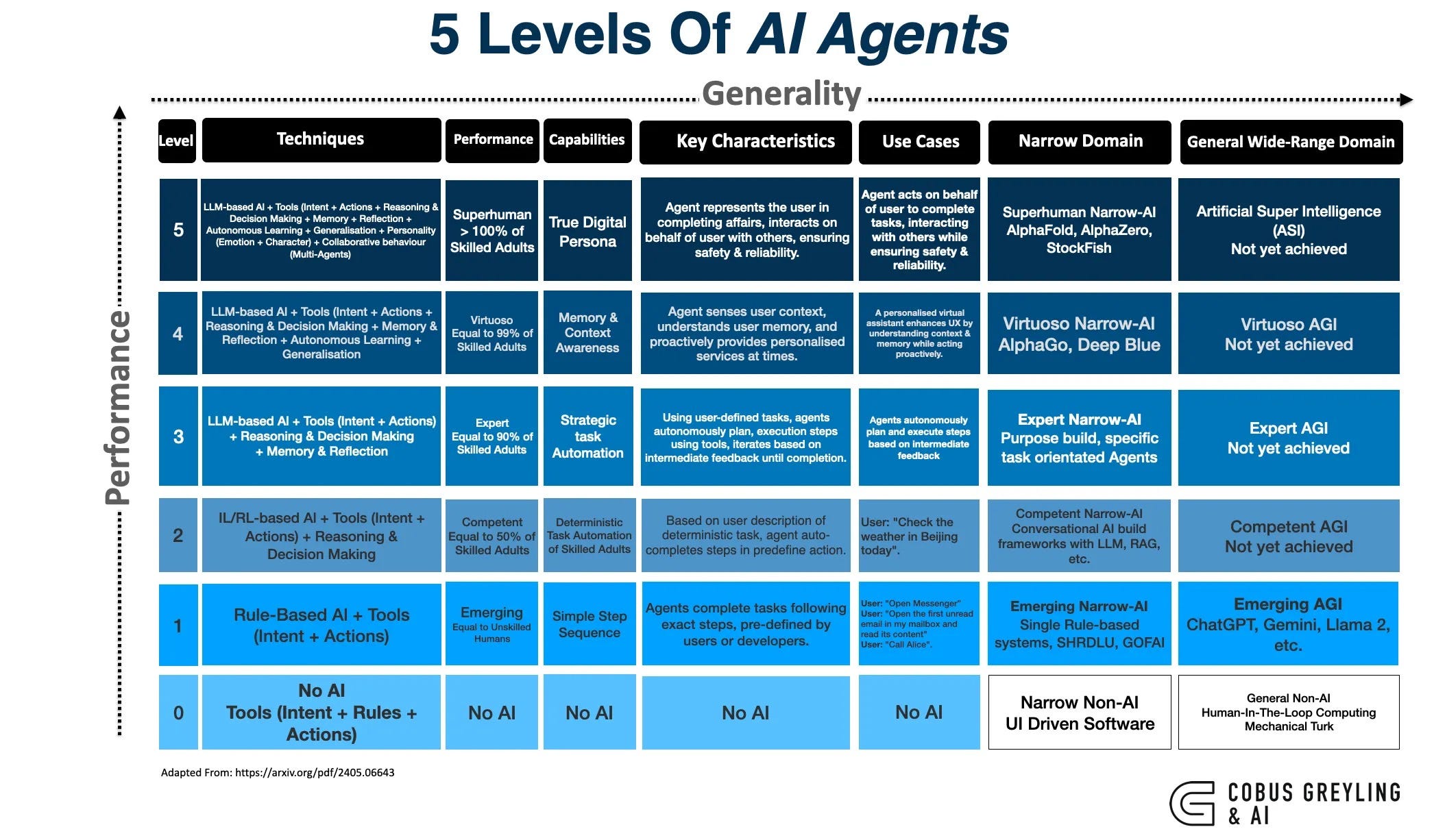
I wrote about the 5 Levels of AI Agents previously, and Anthropic's own position that coding agents are becoming the universal everything agent. Agent Teams is the infrastructure that makes that practical.
The difference between subagents and Agent Teams is communication.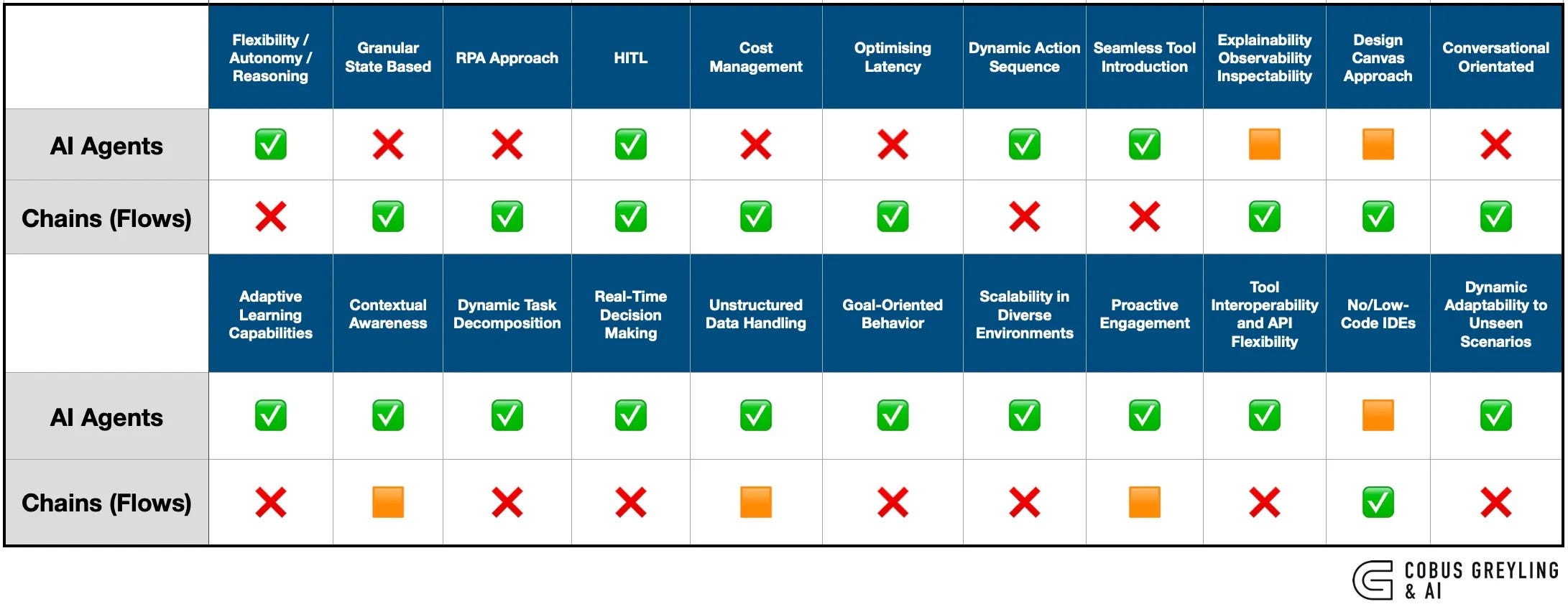
Subagents run within a single session. They do focused work and return a result. They cannot message each other, share discoveries mid-task, or coordinate without the main agent acting as intermediary.
Agent Teams removes that constraint. Teammates message each other directly. They share a task list. They claim work, coordinate, and even debate each other — all without routing through a lead.
| Subagents | Agent Teams | |
|---|---|---|
| Context | Own context window; results return to caller | Own context window; fully independent |
| Communication | Report results back to the main agent only | Teammates message each other directly |
| Coordination | Main agent manages all work | Shared task list with self-coordination |
| Best for | Focused tasks where only the result matters | Complex work requiring discussion and collaboration |
| Token cost | Lower: results summarised back to main context | Higher: each teammate is a separate Claude instance |
This matters because the most interesting problems are not decomposable into isolated subtasks. Code review requires cross-referencing security with performance. Debugging requires adversarial hypothesis testing. Feature implementation requires frontend, backend, and tests to stay in sync. These are coordination problems, and coordination requires communication between workers — not just reporting to a manager.
As I noted when covering the Moltbook studies, AI agents broadcasting without conversing produces shallow outcomes. Agent Teams is Anthropic's answer to that exact problem in the development context.
The Architecture
An Agent Team consists of four components:
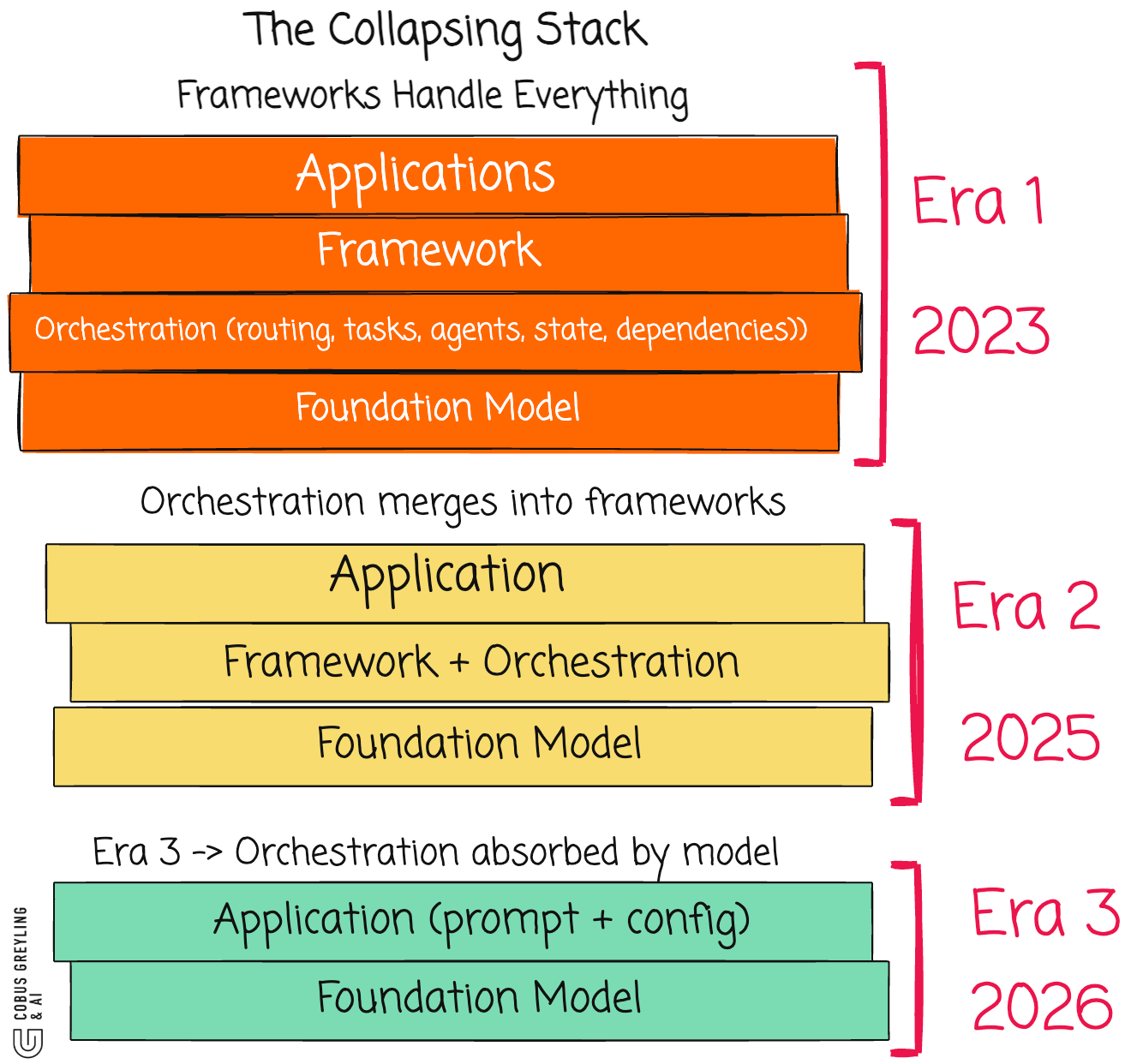
Each teammate is a full, independent Claude Code instance with its own context window. Teammates load project context automatically — CLAUDE.md, MCP servers, and skills — but they do not inherit the lead's conversation history. They start fresh with only the spawn prompt.
Teams and tasks are stored locally:
~/.claude/teams/{team-name}/config.json
~/.claude/tasks/{team-name}/
Task claiming uses file locking to prevent race conditions when multiple teammates try to claim the same task simultaneously. When a teammate completes a task that others depend on, blocked tasks unblock automatically.
Setting It Up
Agent Teams is experimental and disabled by default. Enable it in your settings.json:
{
  "env": {
    "CLAUDE_CODE_EXPERIMENTAL_AGENT_TEAMS": "1"
  }
}
See settings.json in this repo for the full configuration.
Display Modes
You get two options for how teammates appear in your terminal:
In-process (default) — all teammates run inside your main terminal. Use Shift+Down to cycle through them.
Split panes — each teammate gets its own pane. Requires tmux or iTerm2. You see everyone's output simultaneously.
{
  "teammateMode": "tmux"
}
Or per-session:
claude --teammate-mode in-process
Three Practical Examples
What I find most notable about Agent Teams is that the orchestration happens through natural language. No SDK. No Python scaffolding. You describe what you want, and Claude creates the team.
1. Parallel Code Review
A single reviewer gravitates toward one type of issue at a time. Splitting the review into independent domains means security, performance, and test coverage all get thorough attention simultaneously.
Create an agent team to review PR #142. Spawn three reviewers:
- One focused on security implications
- One checking performance impact
- One validating test coverage
Have them each review and report findings.
Each reviewer applies a different lens to the same PR. The lead synthesises findings after all three finish. See examples/parallel-review.md for the full prompt.
2. Competing Hypotheses Debugging
This is where Agent Teams shows its real value. When the root cause of a bug is unclear, a single agent finds one plausible explanation and stops looking. Agent Teams fights this by making teammates explicitly adversarial.
Users report the app exits after one message instead of staying
connected. Spawn 5 agent teammates to investigate different
hypotheses. Have them talk to each other to try to disprove each
other's theories, like a scientific debate. Update the findings doc
with whatever consensus emerges.
The debate structure is the key mechanism. Sequential investigation suffers from anchoring — once one theory is explored, subsequent investigation is biased toward it. Multiple independent investigators actively trying to disprove each other means the surviving theory is more likely to be the actual root cause.
See examples/competing-hypotheses.md for the full prompt.
3. Cross-Layer Feature Build
When a feature spans frontend, backend, and tests, file conflicts become a risk. The solution is giving each teammate ownership of a distinct layer.
Create a team with 3 teammates to build the user notification system:
- Teammate 1: backend API endpoints and database migrations
- Teammate 2: frontend components and state management
- Teammate 3: integration tests and API contract tests
Use Sonnet for each teammate. Require plan approval before
they make any changes.
The plan approval step is important. Each teammate works in read-only plan mode until the lead approves their approach. This prevents wasted effort on misaligned implementations.
See examples/cross-layer-build.md for the full prompt.
Controlling The Team
Plan Approval
For complex or risky tasks, you can require teammates to plan before implementing:
Spawn an architect teammate to refactor the authentication module.
Require plan approval before they make any changes.
The teammate plans. The lead reviews. If rejected, the teammate revises and resubmits. Once approved, implementation begins. You influence the lead's judgment through your prompt: "only approve plans that include test coverage" or "reject plans that modify the database schema."
Quality Gates With Hooks
Hooks let you enforce rules automatically when teammates finish work:
TeammateIdle — runs when a teammate is about to go idle. Exit with code 2 to send feedback and keep them working.
TaskCompleted — runs when a task is being marked complete. Exit with code 2 to prevent completion and send feedback.
See hooks/ in this repo for example hook scripts.
Talking To Teammates Directly
Each teammate is a full Claude Code session. You can message any of them directly:
- In-process mode:
Shift+Downto cycle, then type - Split-pane mode: click into their pane
This is useful for redirecting an approach, asking follow-up questions, or giving additional context mid-task.
What To Watch Out For
Agent Teams is still experimental. Current limitations:
- No session resumption —
/resumeand/rewinddo not restore in-process teammates - No nested teams — teammates cannot spawn their own teams
- Token costs scale linearly — each teammate has its own context window
- File conflicts — two teammates editing the same file leads to overwrites
- One team per session — clean up before starting a new one
- Split panes require tmux or iTerm2 — not supported in VS Code terminal or Ghostty
Practical Guidance
- Start with 3–5 teammates. Coordination overhead increases with team size.
- 5–6 tasks per teammate keeps everyone productive without excessive switching.
- Avoid same-file edits. Break work so each teammate owns different files.
- Start with research and review before trying parallel implementation. The coordination patterns become clear without the risk of code conflicts.
Ephemeral Teams vs Durable Agents
There's an important distinction to make here. Agent Teams teammates are ephemeral by design. They exist for the duration of a session and then they're gone. No persistent identity, no memory across sessions, no /resume. You describe a team, it runs, it finishes, it disappears.
Code-defined agents — what you'd build with LangGraph, CrewAI, or AutoGen — are the opposite.
| Agent Teams (Ephemeral) | Code-Defined Agents (Durable) | |
|---|---|---|
| Lifespan | One session | Persistent across runs |
| Identity | Described in a prompt, forgotten after | Defined in code, versioned in git |
| Memory | Context window only | Vector stores, databases, state files |
| Resumability | None — no /resume for teammates |
Built-in checkpointing and replay |
| Reproducibility | Depends on the prompt you type | Deterministic — same code, same structure |
| Orchestration | Natural language | Code (Python, YAML, config) |
The tradeoff is clear. Ephemeral agents are fast to create and cheap to experiment with. You type a prompt, get a team, throw it away. Perfect for one-off tasks — reviewing a PR, debugging a bug, exploring a codebase.
Durable agents are what you deploy. When you need the same team structure to run every night against every PR in CI, you don't want to describe it in natural language each time. You want it in code, tested, versioned, and deterministic.
Agent Teams sits in the developer workflow space — interactive, exploratory, disposable. It's not competing with production agent frameworks. It's competing with "let me open four terminal tabs and do this manually."
What This Signals
When I wrote about Anthropic's position that you should build skills, not agents, the underlying argument was about composability — modular, reusable capabilities rather than monolithic agent architectures.
Agent Teams takes that further. The skills are still there. The CLAUDE.md context is still there. But now the orchestration layer is native. You do not build a multi-agent framework. You describe a team in natural language, and Claude Code handles the spawning, task management, messaging, and coordination.
The shift is from "AI assistant" to "AI team lead" — and it is happening inside the terminal.
Additional Resources
Case Study: Debugging a WebSocket Disconnect
A detailed walkthrough of an actual Agent Teams session. Five investigators, one production bug. The team found the root cause in 9 minutes — a process.exit(1) hiding in a catch block. Includes teammate dialogue, cross-examination, and cost analysis.
Model Selection Guide
When to use Opus, Sonnet, or Haiku for each teammate role. Includes cost comparison tables, role-based recommendations, and a rule of thumb: judgment → Opus, competence → Sonnet, consistency → Haiku.
Cost Calculator
Estimate token usage and cost before running a team:
python cost-calculator.py --preset review
python cost-calculator.py --teammates 5 --model sonnet
python cost-calculator.py --compare
Decision Tree
Should you use Agent Teams, a single agent, or a code framework? A flowchart and comparison matrix to help you decide.
Advanced Patterns
Five advanced team patterns: hierarchical delegation, round-robin review, progressive refinement, escalation chains, and context injection. Full prompts included.
Anti-Patterns
Seven common mistakes with Agent Teams and how to avoid them. Over-specialization, file conflicts, token explosion, premature consensus, and more.
Troubleshooting
Ten common problems with solutions: stuck teammates, file conflicts, test failures, context overflow, and more.
CLAUDE.md Examples
Sample CLAUDE.md files optimized for multi-agent sessions:
review-team.md— code review contextdebug-team.md— adversarial debugging contextbuild-team.md— cross-layer feature build context
CI/CD Integration
GitHub Actions workflows for automated Agent Teams:
github-actions-review.yml— PR review on every pushnightly-audit.yml— nightly security audit
Observability
Capture and analyze team performance:
hooks/capture-output.sh— log task completions to JSONLhooks/session-summary.sh— generate post-session summaryobservability/report-generator.py— full reports in Markdown, JSON, or HTML
Team Launcher Scripts
One-command team setup:
./scripts/launch-review-team.sh --pr 142
./scripts/launch-debug-team.sh --bug "app disconnects after one message"
./scripts/launch-build-team.sh --feature "user notifications"
Repo Contents
├── README.md                          # This blog post
├── framework-layer-blog.md            # Stack compression analysis
├── settings.json                      # Agent Teams configuration
├── cost-calculator.py                 # Token/cost estimation tool
├── decision-tree.md                   # When to use Agent Teams
├── case-study.md                      # Real debugging walkthrough
├── model-selection-guide.md           # Opus vs Sonnet vs Haiku per role
├── troubleshooting.md                 # 10 common problems + fixes
├── examples/
│   ├── parallel-review.md             # PR review with 3 specialists
│   ├── competing-hypotheses.md        # Adversarial debugging with 5 agents
│   └── cross-layer-build.md           # Frontend/backend/tests team
├── patterns/
│   ├── advanced-patterns.md           # 5 advanced team patterns
│   └── anti-patterns.md               # 7 mistakes to avoid
├── claude-md-examples/
│   ├── review-team.md                 # CLAUDE.md for code review
│   ├── debug-team.md                  # CLAUDE.md for debugging
│   └── build-team.md                  # CLAUDE.md for feature builds
├── hooks/
│   ├── teammate-idle.sh               # Quality gate: keep working
│   ├── task-completed.sh              # Quality gate: block incomplete tasks
│   ├── capture-output.sh              # Log task completions to JSONL
│   └── session-summary.sh             # Generate post-session summary
├── scripts/
│   ├── launch-review-team.sh          # One-command review team
│   ├── launch-debug-team.sh           # One-command debug team
│   └── launch-build-team.sh           # One-command build team
├── ci-cd/
│   ├── github-actions-review.yml      # PR review workflow
│   └── nightly-audit.yml              # Security audit workflow
├── observability/
│   └── report-generator.py            # Session report generator
└── images/
Author
Cobus Greyling
Yorumlar (0)
Yorum birakmak icin giris yap.
Yorum birakSonuc bulunamadi