claude-for-chrome
Health Uyari
- No license — Repository has no license file
- Description — Repository has a description
- Active repo — Last push 0 days ago
- Community trust — 22 GitHub stars
Code Uyari
- network request — Outbound network request in guide/request.js
Permissions Gecti
- Permissions — No dangerous permissions requested
This is a Chrome browser extension allowing users to access the Claude AI model using their own Anthropic API key. It bypasses the official Claude interface by providing a custom UI wrapper within the browser.
Security Assessment
Risk Rating: High. This tool requires the user to input their API key, which is inherently sensitive. The automated scan flagged an outbound network request in `guide/request.js`, which is expected for an AI API client, but the destination and payload should be verified manually to ensure the key isn't being exfiltrated. Additionally, the extension's download is linked via an external website and the source code is explicitly noted as being obtained via browser developer tools from a public resource. This means the distributed binaries could easily be tampered with, and the code origin cannot be fully trusted.
Quality Assessment
The repository is currently active, with its last push occurring very recently, and has a small community following (22 stars). However, it lacks a software license. Furthermore, the project admits it is an unofficial reverse-engineered product, raising serious questions about its legal standing and long-term maintenance viability.
Verdict
Not recommended. The combination of unverified code origins (reverse-engineered via browser tools), missing licensing, external download links, and the requirement to expose a sensitive API key creates an unacceptable security risk for users.
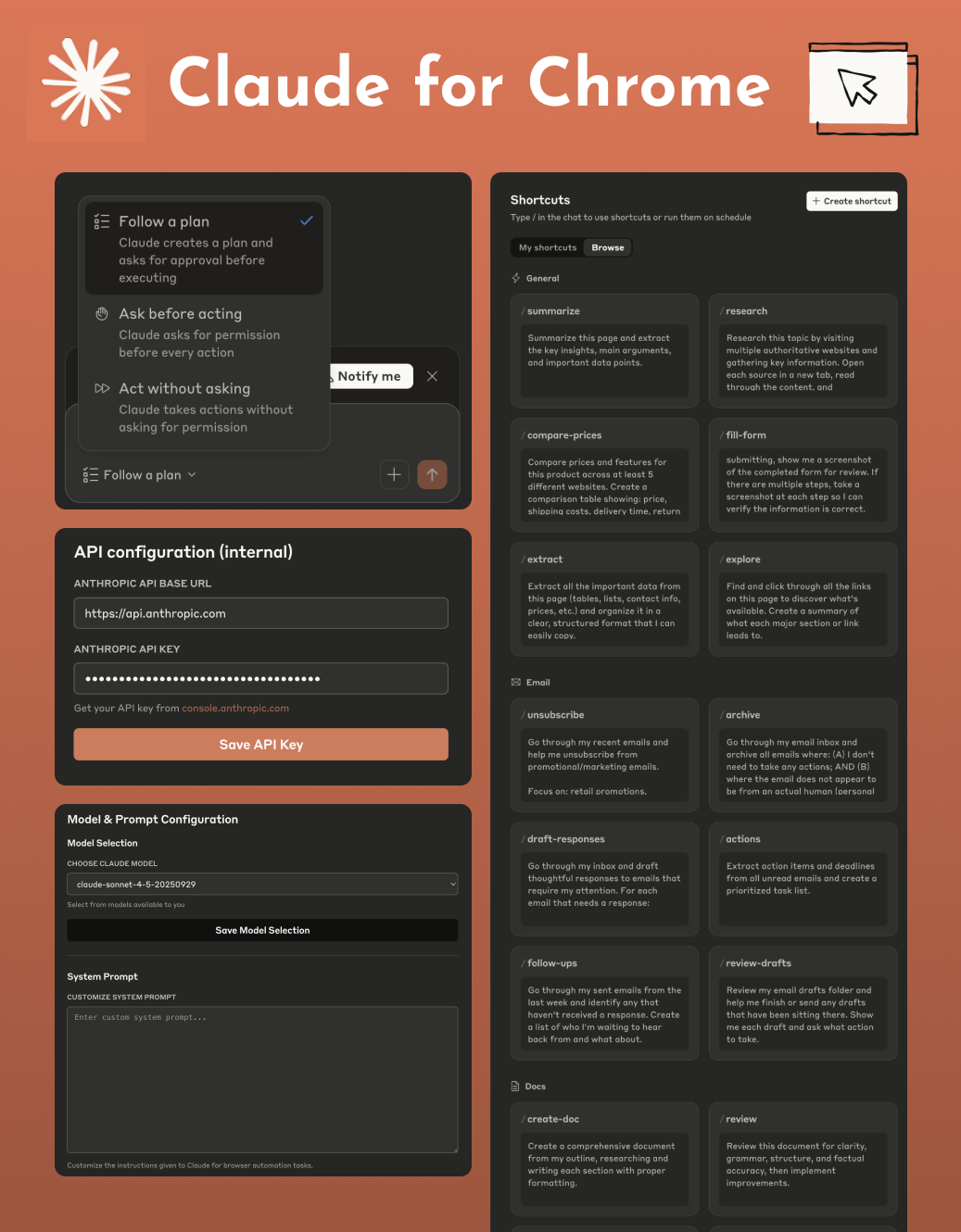
Open Claude in Chrome extension. No Claude account or waitlist is required. Simply use your own API key to get instant access.
Open Claude in chrome - v1.0.66 Powered by Opus 4.6
This is not an official repository. Please see the disclaimer for more information.
This is an unlocked research preview of the Open Claude in chrome extension. No Claude account or waitlist is required. Simply use your own API key to get instant access.
🛒 Purchase Now | 🚀 Download


https://github.com/user-attachments/assets/5fa41682-9960-4b6e-b73d-5958167ac4b2
🚀 Installation Guide
Follow these simple steps to install the extension.
Download and Unzip
Download the .zip file and unzip it to a folder on your computer.
Open Chrome Extensions
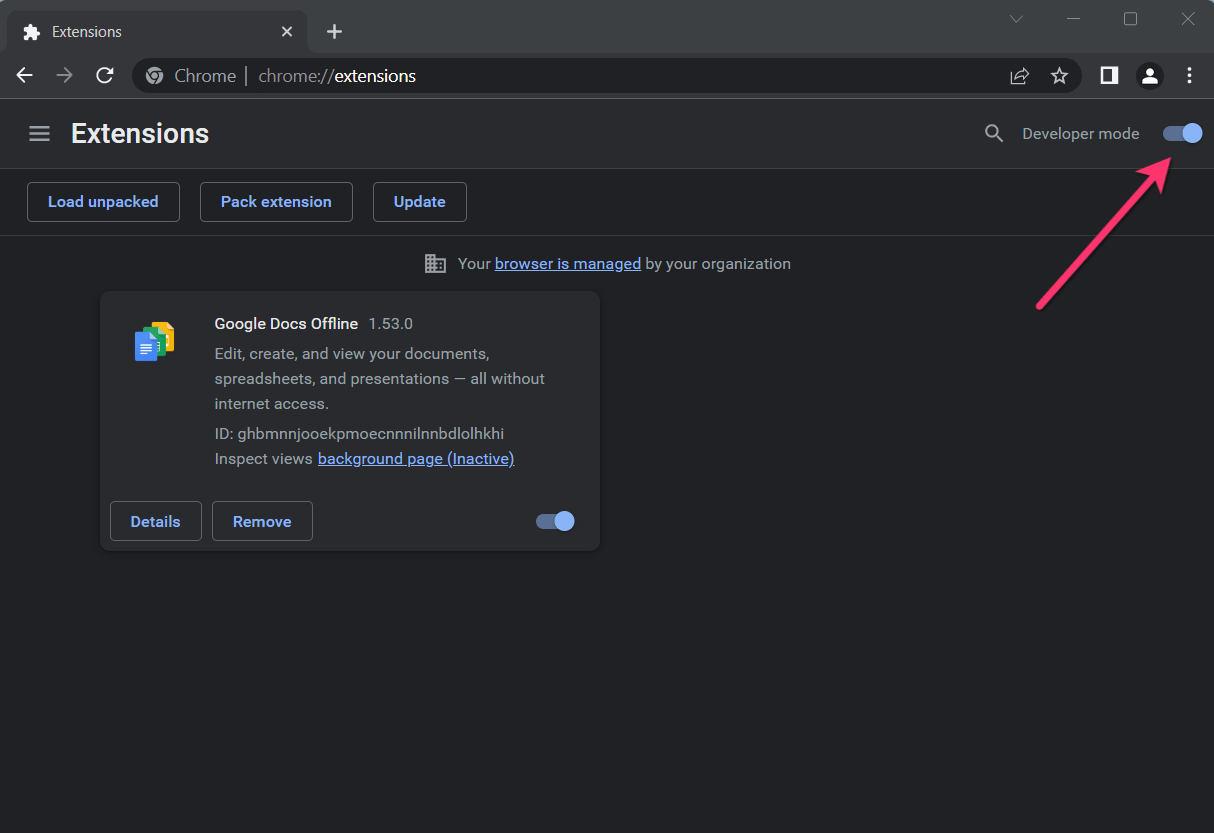
In your Chrome browser, navigate to the extensions page by entering
chrome://extensionsin the address bar.Enable Developer mode.
Click on the Load Unpacked button
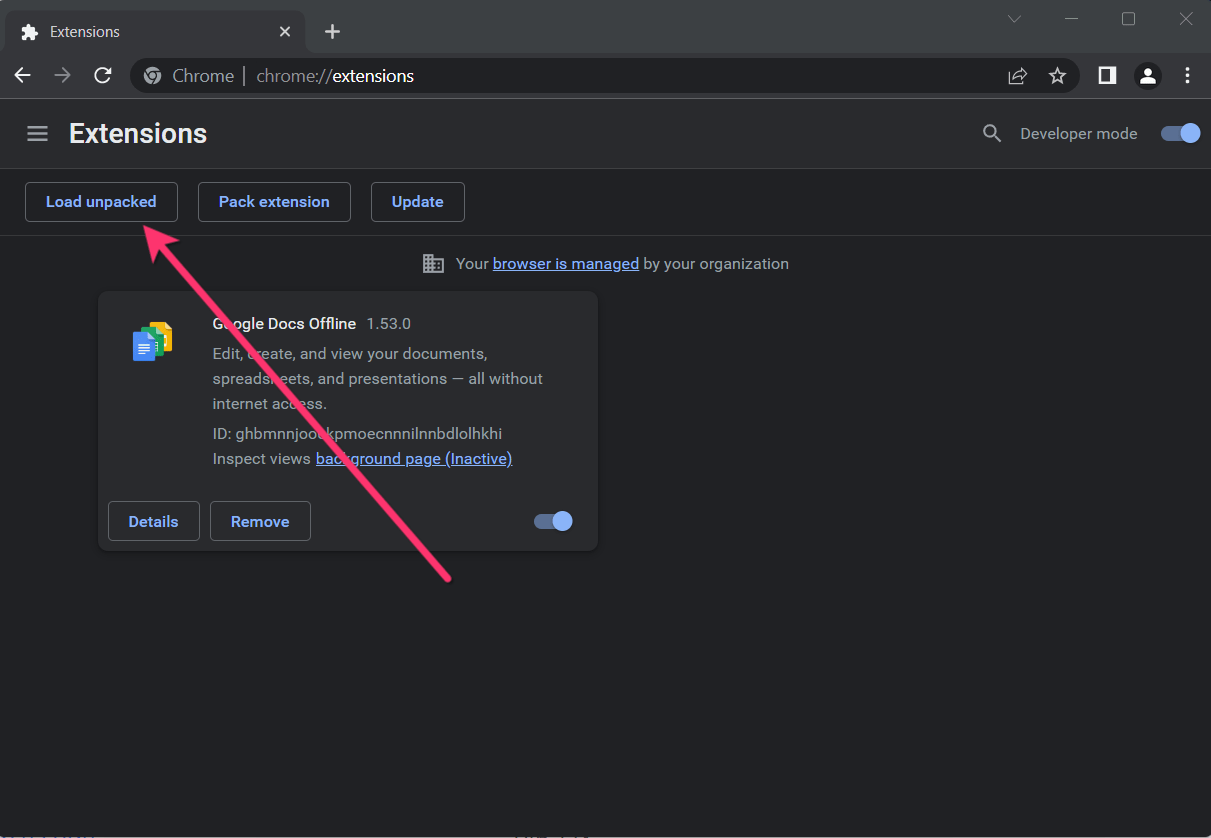
Select the directory of with the unpacked Zoom Chrome Extension ZIP file from step 1
⚙️ Getting Started
How to configure the API Base URL and API Key?
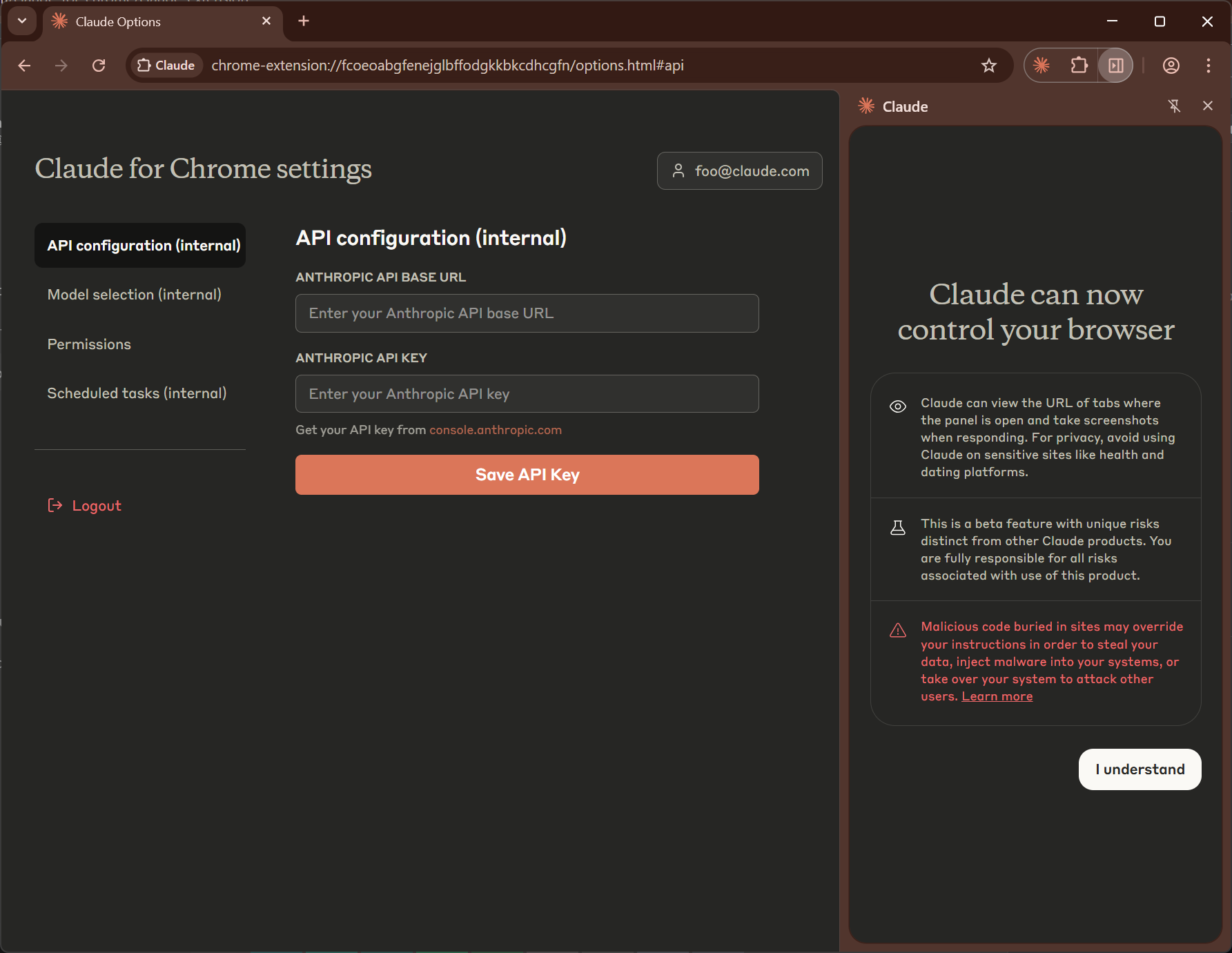
Right-click the Claude extension icon and click the Options menu to enter the Options page.
On the Options page, click API configuration (internal), and then enter your API Key in the input box below Anthropic API Key.
If you need to configure a third-party API Key, you will need to configure the API Base URL. Log in to https://openclaude.111724.xyz/ and configure it in the input box below Base URL. In some versions, this can be configured on the extension's Options page.
You're all set! Enjoy using Claude directly in Chrome.
📚 Disclaimer
This repository is for educational and research purposes only. All code is copyrighted by Anthropic Inc.
The source code was obtained from publicly accessible resources through browser developer tools.
If there are any copyright concerns, please contact for removal.
Yorumlar (0)
Yorum birakmak icin giris yap.
Yorum birakSonuc bulunamadi