CodeAlta
Health Uyari
- License — License: BSD-2-Clause
- Description — Repository has a description
- Active repo — Last push 0 days ago
- Low visibility — Only 6 GitHub stars
Code Gecti
- Code scan — Scanned 9 files during light audit, no dangerous patterns found
Permissions Gecti
- Permissions — No dangerous permissions requested
Bu listing icin henuz AI raporu yok.
Your efficient agentic AI coding CLI assistant
CodeAlta 

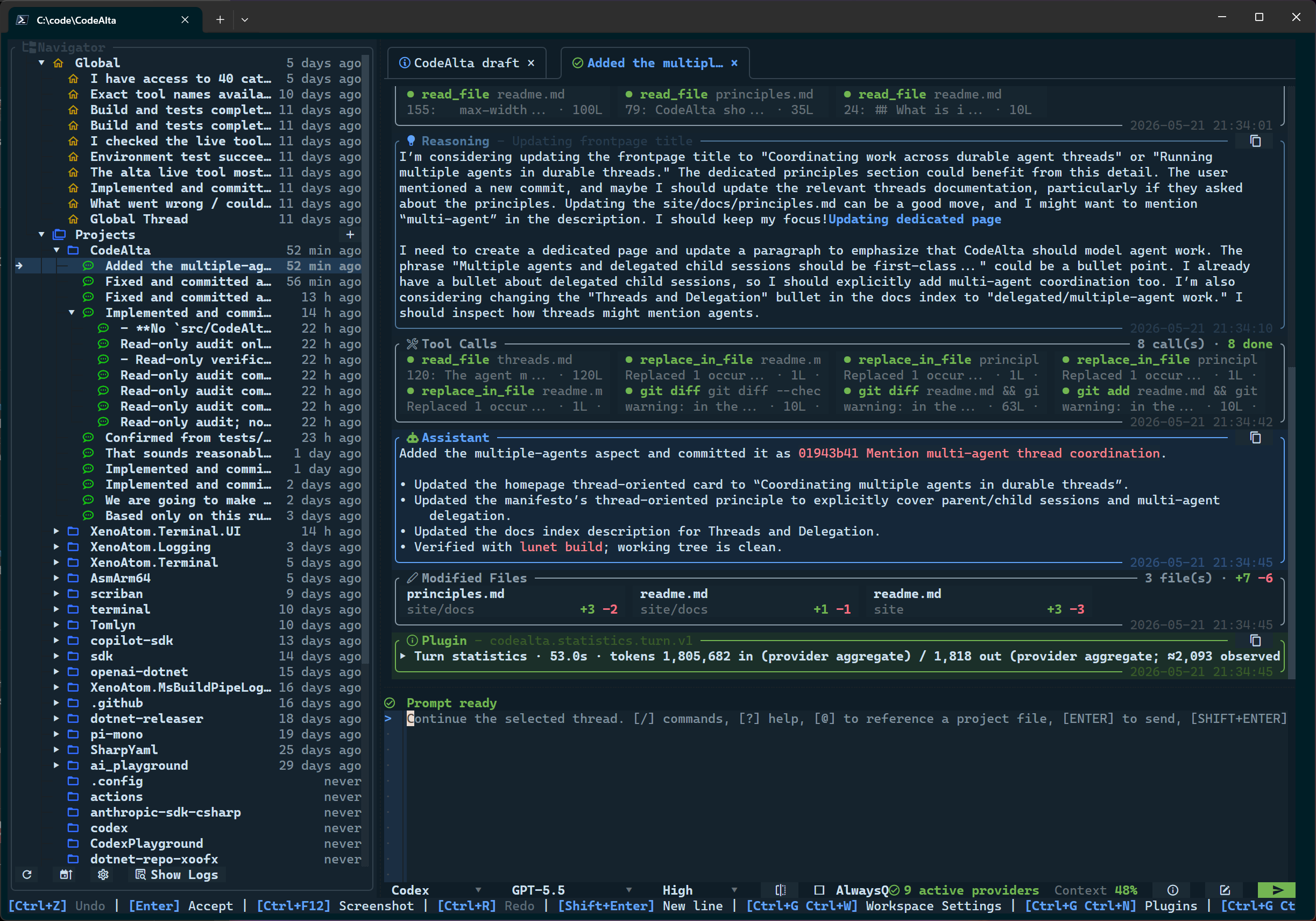
CodeAlta is a terminal workspace for agentic coding. It brings model-provider setup, project navigation, prompt attachments, threaded sessions, delegated work, and trusted local plugins behind the alta command.
CodeAlta is pre-release software. Configuration, screenshots, and extension APIs may change before
1.0.
🚀 Install
Install .NET 10, then install the CodeAlta global tool:
dotnet tool install -g CodeAlta
alta
Update an existing installation with:
dotnet tool update -g CodeAlta
On first launch, CodeAlta creates ~/.alta/config.toml. If no provider is enabled yet, the Model Providers dialog opens so you can configure Codex, Copilot, OpenAI-compatible APIs, Anthropic, Gemini/Vertex, or custom endpoints.
✨ What it gives you
- Keyboard-first terminal workspace: tabs, prompt editor, project sidebar, command discovery, model selectors, context status, and inspectable timeline cards stay in one TUI.
- Provider-neutral model setup: configure hosted APIs, subscription-backed Codex/Copilot, cloud providers, and compatible endpoints with the same provider workflow.
- Context-aware prompts: attach files and folders with
@, paste images when the selected model supports them, and inspect what context was sent. - Threaded agent sessions: keep project-scoped history, reopen sessions, queue prompts on busy threads, steer running work where supported, and compact long local-runtime conversations.
- Actionable operations: model/provider tests, startup config recovery, usage details, logs, modified-file summaries, and tool input/output dialogs are built into the workspace.
- Trusted local extension points: source plugins, Agent Skills-compatible skill folders, and the in-session
altalive tool let you automate local workflows while keeping provenance visible.
⌨️ Common shortcuts
| Action | Shortcut / command |
|---|---|
| Help and command discovery | F1, /help, or ? |
| Open project | Ctrl+O or /open |
| Attach project files | type @ in the prompt |
| Open model providers | Ctrl+G Ctrl+R |
| Browse models | Ctrl+G Ctrl+O or /models |
| Open logs | Ctrl+G Ctrl+L or /logs |
| Switch tabs | Alt+Left / Alt+Right |
| Focus sidebar / prompt | Ctrl+G Ctrl+S / Ctrl+G Ctrl+P |
📖 Documentation
- User guide and screenshots: https://codealta.github.io/
- Getting started: https://codealta.github.io/docs/getting-started/
- Model provider configuration: https://codealta.github.io/docs/model-providers/
- In-session
altalive tool: doc/live-tool.md - Skills: doc/skills.md
- Maintainer notes: doc/readme.md
🪪 License
CodeAlta is released under the BSD-2-Clause license.
🤗 Author
Alexandre Mutel aka xoofx.
Yorumlar (0)
Yorum birakmak icin giris yap.
Yorum birakSonuc bulunamadi