viz3d
Health Pass
- License — License: MIT
- Description — Repository has a description
- Active repo — Last push 0 days ago
- Community trust — 11 GitHub stars
Code Pass
- Code scan — Scanned 10 files during light audit, no dangerous patterns found
Permissions Pass
- Permissions — No dangerous permissions requested
No AI report is available for this listing yet.
A skill that turns hard-to-picture places, systems and events into live 3D worlds, dashboards and films.
viz3d
Some things are hard to understand from text, a spreadsheet or a two-hour documentary. How does an airport turn a plane
around in 45 minutes? What does an ER do with ten arrivals at once? How does a metro keep trains two minutes apart, or
a toll gantry charge a truck at full speed? Why did a reactor explode at 01:23?
This skill has your agent turn questions
like these into a 3D world you can watch or click through. The world is built from researched facts and from models
made to real dimensions.
It has seven modes:
- Live app: a three.js app with a dashboard around a 3D world of the place. A seeded simulation moves the units and
the numbers. The agent records a 30 s film by driving the app with real clicks on a virtual clock. - Documentary film: a 2 to 4 minute film of an event, told in order. It is built from a sourced fact file, a map,
block-built scenes and flat glowing figures. Captions are timed for reading, and the score changes with the story. - Quick prototype: a live app in one pass from three.js primitives, with no Blender. Use it when you need something
to show your leads this week. - Live embed: the 3D view as a web component (
<viz3d-world>) or an iframe page that goes into the dashboard or
product you already have. It reads your real data from REST, Server-Sent Events, WebSocket or a CSV export through a
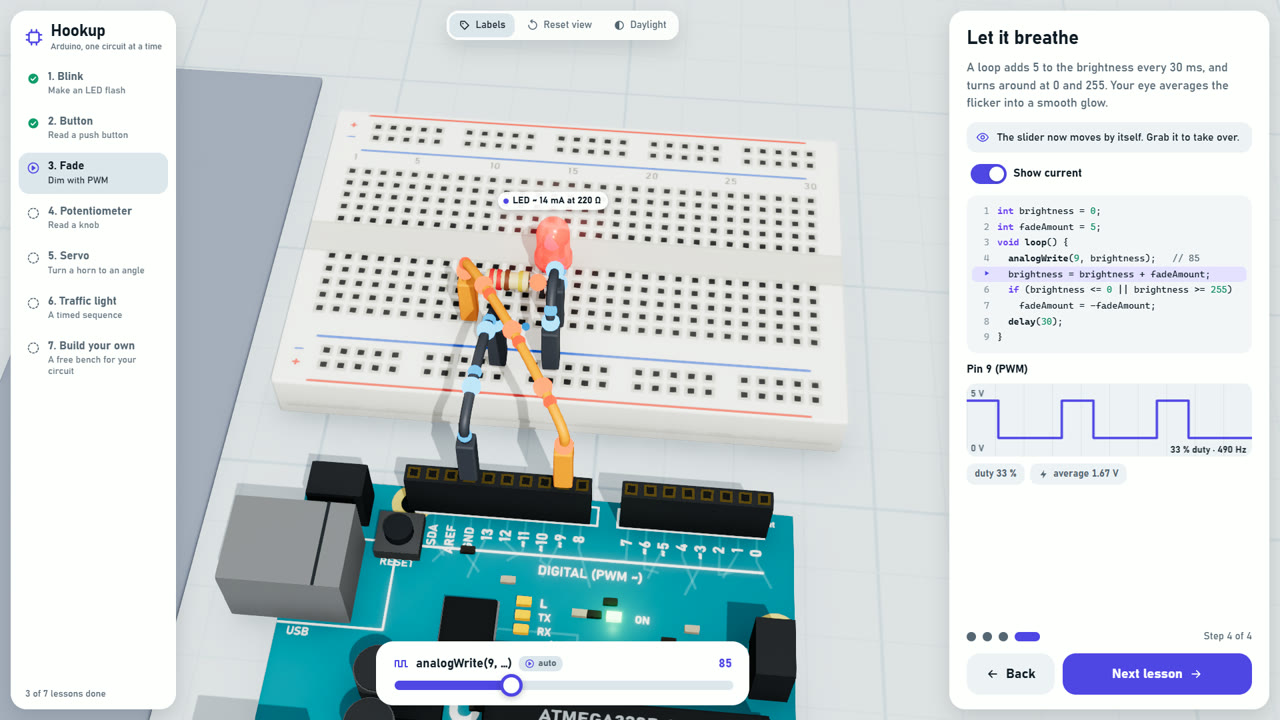
field mapping file, so a new feed needs no code change. Tokens stay on your backend. - Lesson app: a step-by-step lesson on a real object at real size, such as an Arduino and a breadboard. Parts and
wires plug in as they do on a desk. The highlighted code line is what the board does right now. A free bench lets
the learner build their own circuit. - Action short: creatures, machines or characters doing something, such as a fight, a chase or a launch. Every
move is planned beat by beat, and every hit lands on a visible contact. The agent checks the frames for hidden or
mistimed actions before it shows you the film. - Book: an illustrated cutaway plate of one big object or building, such as a liner or a castle, in 3D. You orbit
it, read the margin labels and fly into any room, each full of small people at work. Several subjects make a
page-turning book with a short quiz on each page.
| Live app | Documentary film |
|---|---|
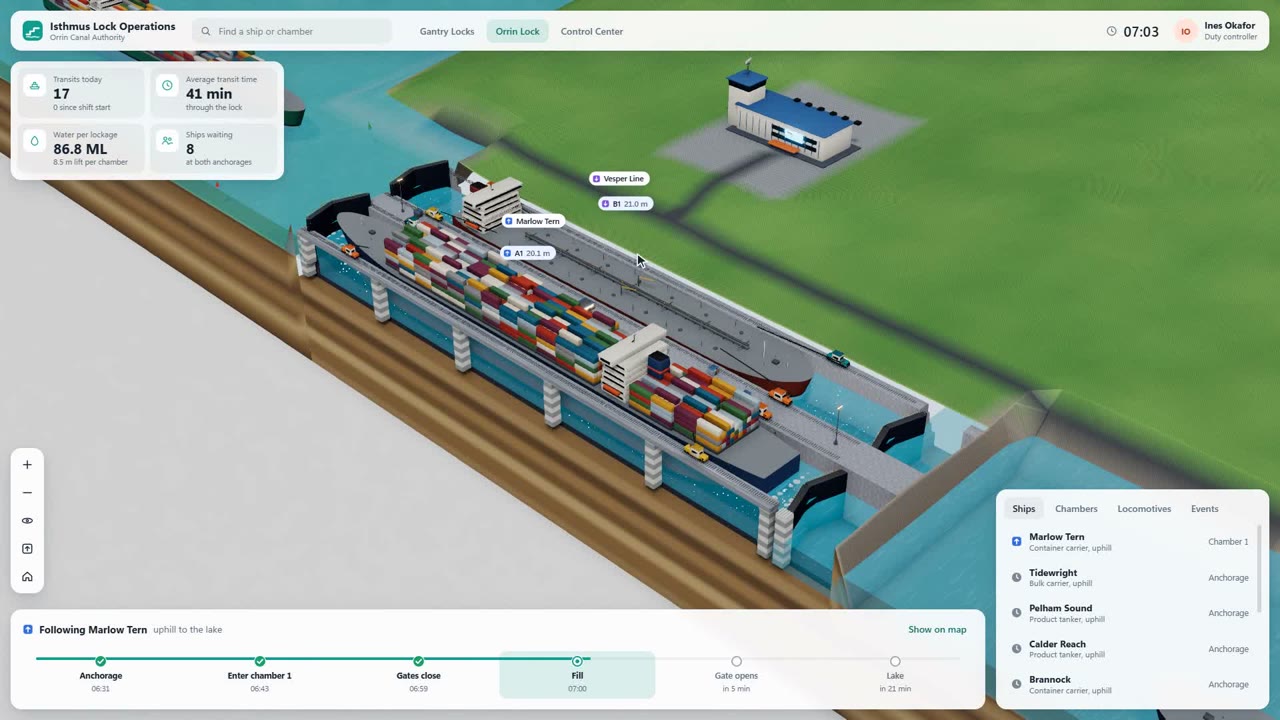 |
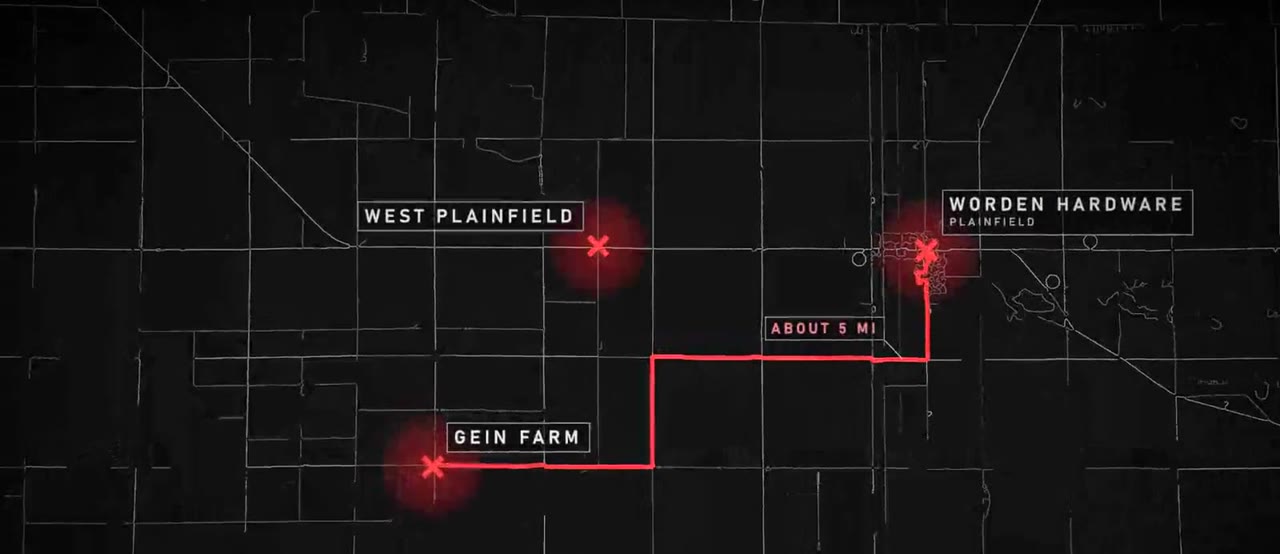 |
| Quick prototype | Live embed |
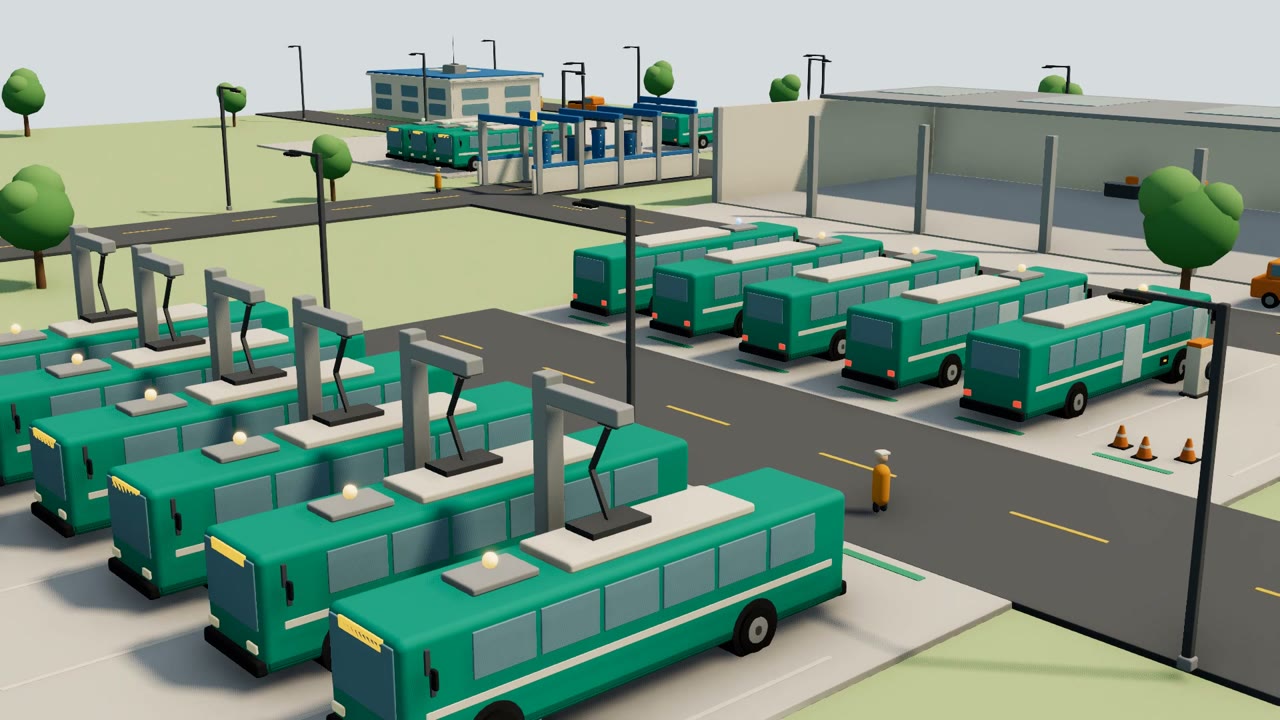 |
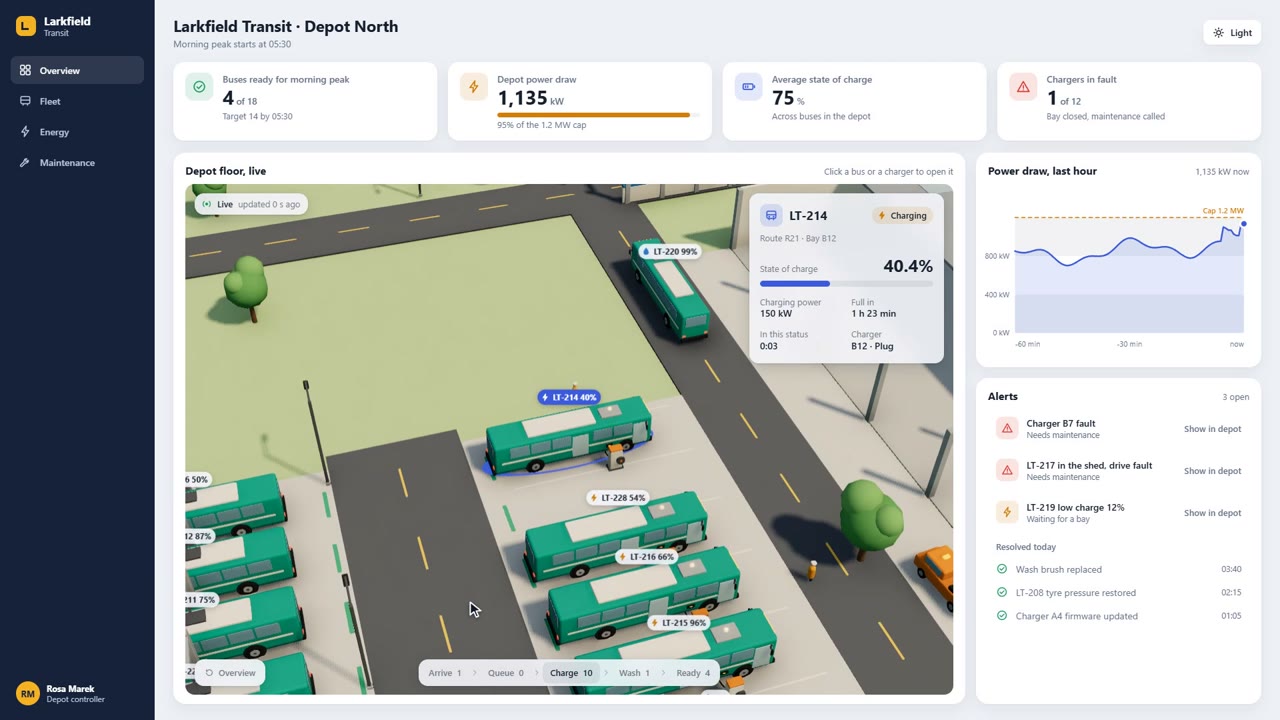 |
| Lesson app | |
 |
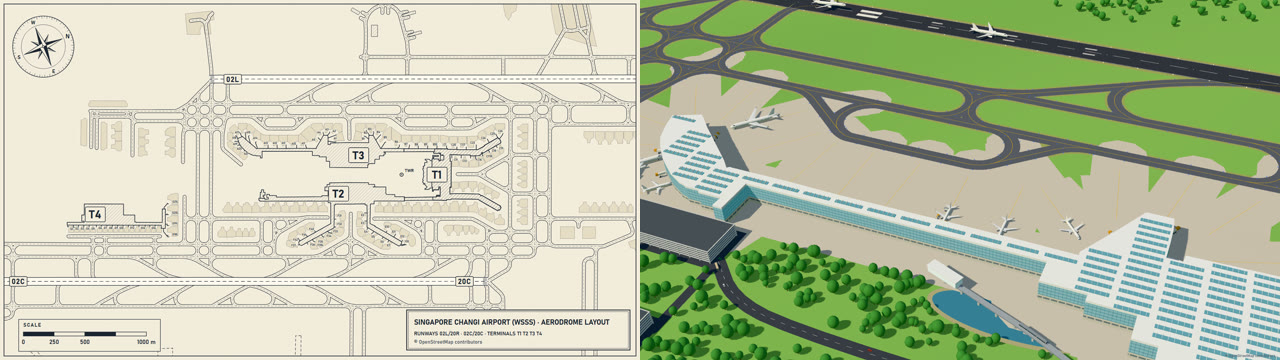
A real place starts from its real layout. The agent draws the plan from OpenStreetMap data and
builds the 3D world on the same coordinates, so the two line up. Things then work as they do in reality. Aircraft
follow the taxiway centre lines and give way to each other. Jet bridges and service vehicles attach to the real doors
and ports, and the agent measures every gap before it records.
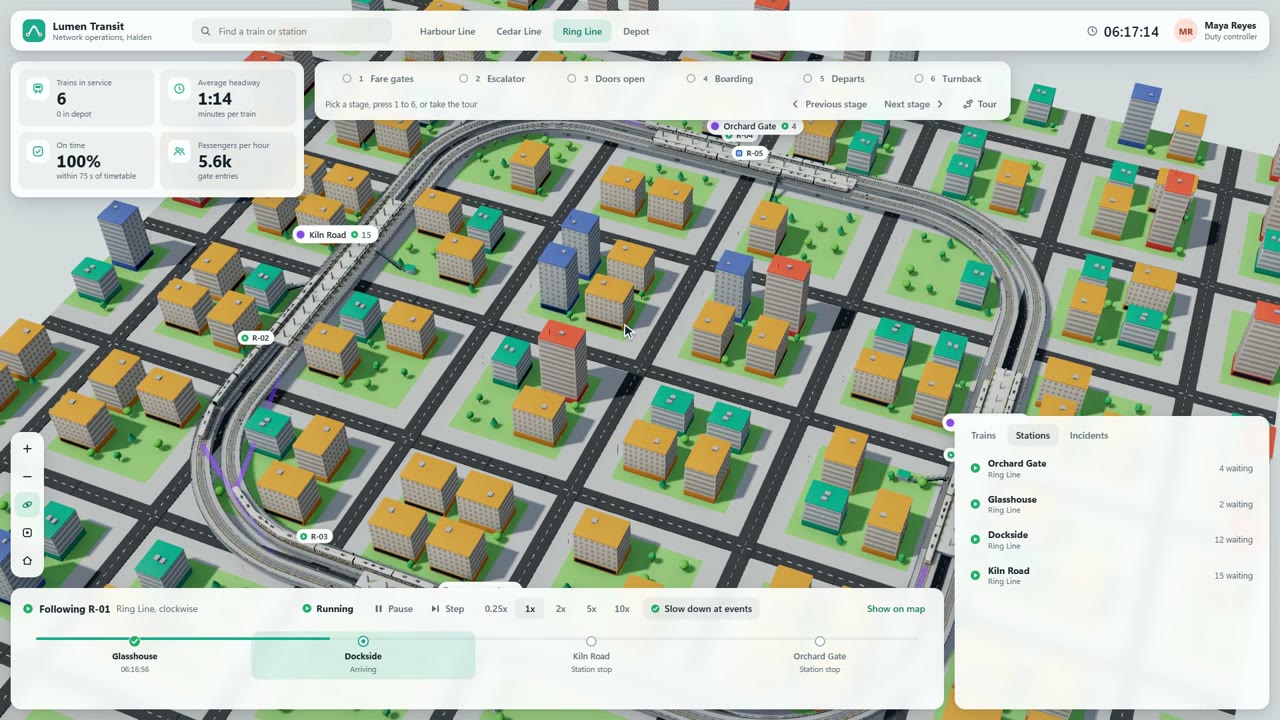
Every live app has stage cameras on number keys, a guided tour, follow camera and playback from 0.25x to 10x:
There are six looks: toy isometric, point-cloud survey, photoreal terrain, dark documentary, pixel diorama and illustrated cutaway plate.
What is new
- The
/viz3dcommand with a mode word, and command files for Gemini CLI and OpenCode. - The
bookmode and the illustrated cutaway plate look. - The pixel diorama look and an action short mode.
- A self-review loop that measures frames, looks at them and fixes faults before you see the result.
- A source list for ready models, and notes on publishing a live page as a claude.ai Artifact.
Install
In Claude Code, add this repository as a plugin marketplace and install the plugin:
/plugin marketplace add codepawl/viz3d
/plugin install visualize-in-3d@codepawl
From a shell, the same two steps are:
claude plugin marketplace add codepawl/viz3d
claude plugin install visualize-in-3d@codepawl
For Claude Code, Codex, Cursor and other agents that read skill folders, use the skills CLI:
npx skills add codepawl/viz3d
To install by hand, copy both folders in plugins/visualize-in-3d/skills/ (visualize-in-3d and the viz3d
command) into your agent's skills folder:
| Agent | Skills folder |
|---|---|
| Claude Code | ~/.claude/skills/ |
| Codex | ~/.agents/skills/ |
| Cursor | ~/.cursor/skills/ (it also reads ~/.claude/skills/ and ~/.agents/skills/) |
| Gemini CLI | ~/.gemini/skills/ |
| OpenCode | ~/.config/opencode/skills/ |
Gemini CLI and OpenCode take slash commands from their own folders. To get /viz3d there, also copy the command file:
| Agent | Copy | To |
|---|---|---|
| Gemini CLI | harness/gemini/viz3d.toml |
~/.gemini/commands/ |
| OpenCode | harness/opencode/viz3d.md |
~/.config/opencode/commands/ |
Use
Start it with the command, a mode and the subject:
/viz3d film the 1906 San Francisco earthquake
/viz3d app a container port
/viz3d action two mechs fighting in a flooded city
/viz3d book the Titanic
| Mode | What you get |
|---|---|
app |
Live app with a dashboard and a 30 s film |
lesson |
Lesson app that builds a real object step by step |
prototype |
Quick prototype from three.js primitives, no Blender |
embed |
Live embed for your dashboard, on your real data |
film |
Documentary film |
action |
Action short: creatures, machines or characters doing something |
book |
Illustrated cutaway plate of one subject, or a page-turning book of several, with quizzes |
Leave the mode out and the agent picks one from the subject. How you type the command depends on the agent:
| Agent | Command |
|---|---|
| Claude Code, plugin install | /viz3d (or /visualize-in-3d:viz3d when another plugin also has a viz3d) |
| Claude Code, skills folder | /viz3d |
| Codex | $viz3d, or pick it from /skills |
| Cursor | /viz3d |
| Gemini CLI, OpenCode | /viz3d, after you copy the command file |
You can also just ask for what you want to see, for example:
- "Visualize how a container port works."
- "Show how a city metro keeps its trains apart."
- "Build Singapore Changi Airport from its real layout and show a turnaround."
- "Make an Arduino lesson app that goes one circuit at a time."
- "Make a documentary-style 3D film of the 1906 San Francisco earthquake."
- "Make a quick 3D prototype of our warehouse for Monday's leadership review. Here is last week's CSV export."
- "Put a live 3D view of our fleet in our ops dashboard. The feed is at /api/fleet/events."
The agent writes a topic file first, then builds the models, then the app or the film. It checks its own film on
contact sheets before it shows you anything.
For a live embed, the agent builds a web component and an iframe page. Put the component in any page and point it at
your feed:
<script type="module" src="/viz3d-world.js"></script>
<viz3d-world source="https://ops.example.internal/events" mapping="/mapping.json" chrome="panel"></viz3d-world>
mapping.json links your field names and status codes to the 3D view, so a new feed needs no code change. For a tool
that only takes a URL, use embed.html?source=... in an iframe. To test without your real system, the skill'sscripts/mock-feed.mjs replays a JSONL file as a live feed.
What you need
- Node 20 or later, with Playwright and Chromium for recording.
- ffmpeg on your PATH.
- A GPU that runs WebGL2 at 1080p.
- Blender 5.x is optional. It gives much better models for the full live app and
the documentary. Without it the skill builds the models in three.js and tells you the quality is lower. Quick
prototypes and embeds never need it.
The skill asks before it downloads anything, such as elevation data, map data or reference images.
Contributing
Faults you saw, new looks, example topics and harness adapters are welcome. Read
CONTRIBUTING.md. Coding agents read AGENTS.md.
License
MIT
Reviews (0)
Sign in to leave a review.
Leave a reviewNo results found