chorono-editor
Health Warn
- License — License: MIT
- Description — Repository has a description
- Active repo — Last push 0 days ago
- Low visibility — Only 5 GitHub stars
Code Pass
- Code scan — Scanned 12 files during light audit, no dangerous patterns found
Permissions Pass
- Permissions — No dangerous permissions requested
No AI report is available for this listing yet.
Open-source 2D animation editor. Create with Claude Code or Codex via MCP, then refine layers and keyframes visually.
Chorono
Create animations with your AI agent. Refine every layer and keyframe visually.
Chorono is an open-source, local-first 2D animation and motion graphics editor. Use Claude Code or Codex through MCP to create editable scenes, then adjust layers, keyframes, easing and timing in the browser.
- Create with an agent or by hand. Work through MCP or use the visual editor directly.
- Keep creative control. Refine shapes, text, particles and animation timing in the same scene.
- Continue where you left off. Save a portable editable project and reopen it for the next revision.
The editor runs on your computer with Node.js 20+, npm, Git and a modern browser.
v0.2.0: large-scene rendering, bounded resource ownership, media loading,
timeline/Scene Explorer fixes and subtree tools.
Release notes · Türkçe sürüm notları · Changelog
Website · Install Chorono · Türkçe kurulum · Editable example · Documentation · Get help
See the working text animation example, kinetic typography study and Claude Code animation tutorial. Each includes a preview and an editable project to inspect.
Try an editable example
Open the first-animation example to inspect a four-second scene with eight named layers and 51 editable keyframes. Change its headline or a circle's color, save the scene, and reopen it to continue editing.
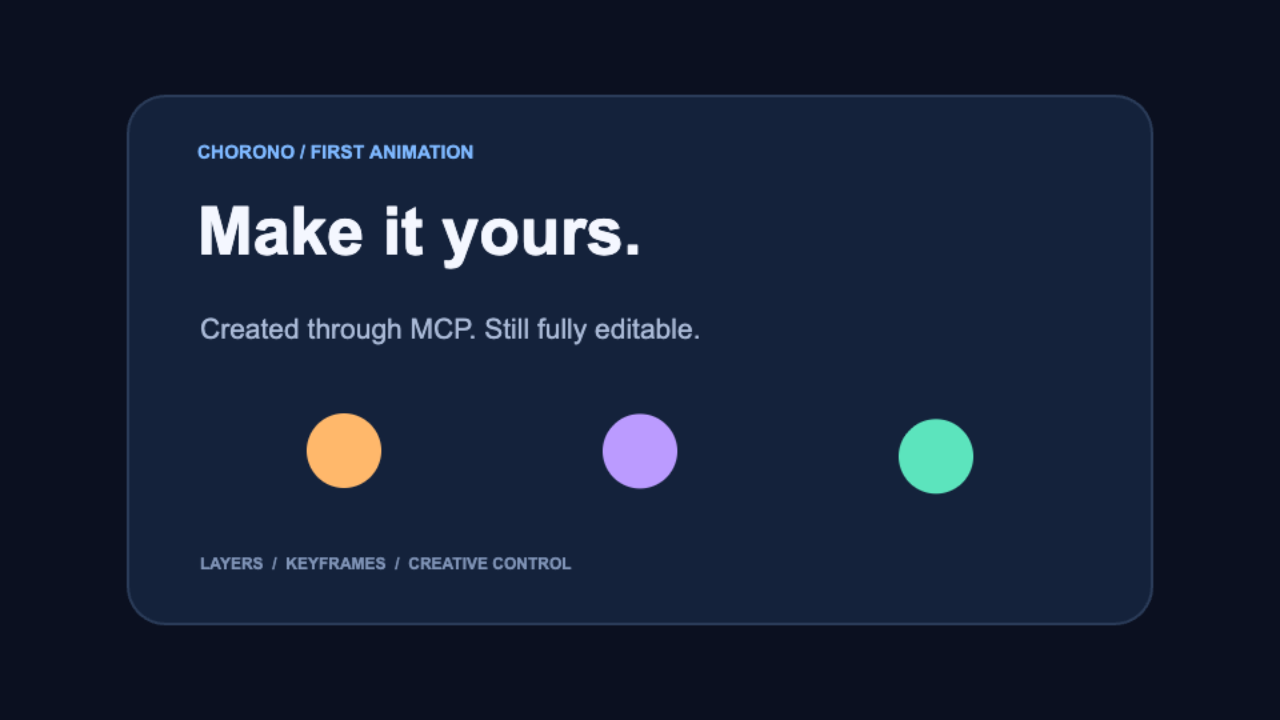
Set up and control Chorono from an agent
Claude Code or Codex can set up the editor, start it on your computer, and create editable animations through MCP. Start with the installation guide (Türkçe) or the documentation index.
1. Install on your computer
Install Node.js 20+, npm, Git, and a modern browser. In Terminal on macOS/Linux or PowerShell on Windows:
git clone https://github.com/codie1982/chorono-editor.git
cd chorono-editor
npm ci
npm run cli:build
npm run chorono -- setup
npm run chorono -- start --background --open
setup installs missing editor dependencies, builds missing outputs, prepares MCP client settings, and installs the bundled skills. The default --agent all selects Codex, Claude Code and Claude Desktop for MCP; use --agent codex, --agent claude-code or --agent claude-desktop to select one. Filesystem skills are installed for Codex and Claude Code. Claude Desktop has a separate skill import mechanism.
Use --project /path/to/animation-project on setup, start and doctor to keep animation projects separate from the editor checkout. Existing checkouts are preserved; setup never pulls or resets them. The installation guide covers paths, client settings, stopping and rebuilding.
2. Connect the browser editor
Open the URL printed by start and choose MCP → Connect this editor. Reload your client's MCP connections or start a new agent session, then check:
npm run chorono -- doctor
Readiness requires a connected editor tab as well as a running server. Reconnect after a browser reload. Ask your agent:
Use Chorono to create a scene with circles and text. Add intro, idle and outro animations, inspect preview frames, and save the editable project.
Portable projects are saved under <animation-project>/projects/. This local MCP workflow needs no model-provider API key. See troubleshooting (Türkçe) if doctor reports an incomplete connection.
3. Understand and install the agent skills
| Skill | What it teaches the agent | Source |
|---|---|---|
chorono-setup |
Install/start the editor, configure MCP clients, diagnose connections and manage skills | SKILL.md |
chorono |
Create/edit scenes, keyframes and timelines; inspect preview images; validate and save editable projects | SKILL.md |
The source structure keeps the main instructions short and loads topic references when needed:
skills/
├── chorono-setup/
│   ├── SKILL.md
│   └── agents/openai.yaml
└── chorono/
    ├── SKILL.md
    ├── agents/openai.yaml
    └── references/
        ├── connection.md
        ├── animation.md
        ├── interaction.md
        └── media-and-output.md
Setup already installs these skills for the selected agents. To manage only skills from a checkout after npm run cli:build:
npm run skills -- list
npm run skills -- install --dry-run
npm run skills -- install
npm run skills -- check
npm run skills -- update
Project installs go to .agents/skills/ for Codex and .claude/skills/ for Claude Code. Add --global --agent codex for a user-wide Codex install, or choose --agent claude-code. Modified copies are preserved.
Alternatively, install only the instructions directly from GitHub with the third-party skills CLI (currently requires Node.js 22.20+):
npx skills add codie1982/chorono-editor --skill chorono --skill chorono-setup -a claude-code -a codex --copy
Installing skills alone does not install/start the editor or connect MCP. Continue with steps 1–2. See the agent skills guide (Türkçe) for scope, updates and the difference between installation methods.
The standalone CLI source is packages/cli (@codie1982/chorono). This quick start works from GitHub without relying on an npm release. For local tarballs and maintainer packaging, see the distribution guide.
⚡ Headline Feature: GPU-Accelerated Rendering
WebGL2-accelerated rendering (feature/gpu-particle-renderer-v1):
- Particles via WebGL instanced quads — every particle in an emitter draws in a single GPU draw call
- 9 SDF particle shapes — Circle, Soft Circle, Rectangle, Rounded Rectangle, Line, Triangle, Star, Smoke Puff, Flame Blob — all anti-aliased in-shader (fwidth)
- GPU post-effects — separable Gaussian blur shared by blur, glow, and shadow
- After Effects-quality motion blur — accumulation of many equal-weight sub-frame samples (smooth smear, not discrete ghosts)
- Automatic CPU fallback — graceful degradation to Canvas 2D when WebGL is unavailable
- Smart GPU compositor — correct source-over / additive / screen / multiply blending against the scene below
- Hardened — event system on every class, error handling, SSR-safe GPU capability probing, WebGL context-loss recovery
Performance (particle render, Apple M2, real measurement)
GPU offloads the render; particle simulation (spawn/evaluate) stays on CPU.
Particles   CPU render   GPU render   speedup
   1,000      1.9 ms       0.01 ms      ~140×
  10,000      4.9 ms       0.12 ms       ~42×
  50,000     49.5 ms       0.6 ms        ~84×
At ~50k particles the CPU draw alone (49.5 ms) blows the 16.6 ms/60 FPS budget; the GPU draw stays sub-millisecond.
✨ Complete Feature Set
🤖 AI-Powered Animation Studio
Agent Loop & Intelligent Planning
- Natural language animation creation — Describe your animation: "Mavi daire ekle, soldan sağa kay, fade in yap" → instant keyframes
- Multi-turn agent loop — AI reasons → mutates scene → verifies → continues (max 5 turns, 30 tools)
- Context-aware AI — Scene state, layer visibility, timeline position fed to every agent turn
- Read & Mutate tools — Separate action types; AI can inspect before deciding next steps
- Intent classification — Zero-cost system prompt analysis (no LLM round-trip)
- Quality scoring — Automatic overlap detection, off-screen layers, composition balance check
- High-level animation actions —
create_stagger_animation,center_layer,align_layers,fit_to_canvas,create_loop_animation
Flexible AI Backends
- Anthropic Claude — Native tool-use with caching support
- OpenAI GPT-4o — tool_use_id round-trip compatible
- Custom providers — Ollama, Groq, Together, Azure, local models
- Fallback rendering — Graceful degradation if API unavailable
🎨 Advanced Editing Tools
Spline Object System (3ds Max-style)
- Editable paths — Circle, Rectangle, Line, Ellipse, Arc, Donut, N-gon, Star
- Point editing — Corner, smooth, bezier, bezier-corner types
- Segment operations — Insert anchors (De Casteljau), delete, reverse, open/close
- Text-to-spline — Convert text outlines to editable splines via OpenType.js
- Hit-testing — Point, handle, segment, and contour selection with visual feedback
Smart Selection Engine
- Select Similar — Match by scale, rotation, edge distance, type, opacity
- Select by Transform — Rule-based selection (AND/OR/NOT logic)
- Canvas tools — Box, Lasso, Circle, Paint selection modes
- Inside vs Touching — 3ds Max Window/Crossing containment toggle
- Non-intrusive — Selection state lives in UI layer, doesn't mutate scene
Clone & Array System
- Clone tool — Live instances; source edits propagate automatically
- Array patterns — Linear, Grid, Radial, Path, and Repeater (non-destructive)
- Path array — Arc-length distribution along Bézier paths
- Instance resolver — Render & hit-test aware of instancing hierarchy
- Bake support — Convert instance to independent copy
Transform Tools
- Gizmos — Move, rotate, scale with live visual feedback
- Multi-select rotation/scale — Shared pivot (centroid) for multiple layers
- Snap guides — Vertex, angle, scale, smart guides with numeric display
- Transform history — Every gizmo operation undoable
⏱️ Professional Timeline & Animation
Advanced Timeline Features
- Out-of-range modes — Constant, Cycle, Loop, Ping-pong, Linear interpolation
- Work area & markers — Playback regions, navigation markers (Cmd+click to create)
- Keyframe tools — Slide by frame, range select, stagger dialog, spreadsheet editor
- Ruler interactions — Shift+drag for range selection, visual feedback
Parameter Wiring (17+ Preset Formulas)
- Drive any property — Link layers via expressions and scene parameters
- Formula categories — Clamp, Remap, Range, Curve, Phase, Modulo
- Live preview — Real-time feedback of wired values
- Broken-wire detection — Visual warnings for invalid references
- Dock panel — Dedicated wiring panel with enable/edit/delete controls
- Track header indicators — Show which parameters are wired
State Machines (FSM)
- Node-graph editor — Visual state/transition design (SVG-based)
- Per-state timelines — Each state references its own Timeline (Rive/Unity Animator model)
- Guard conditions — Parameter-based transition rules (no explicit trigger needed)
- Blend support — Smooth animation blending between states
- Runtime player — ChronoPlayer with multi-state playhead
- Export ready — Full .json serialization for headless playback
- Sub-mode toggle — [● Animation] [○ State Machine] within single canvas
🎬 Scripting & Automation
JavaScript-Based Scripting (No Custom DSL)
- Full undo/redo — Scripts operate through command system (automatic undo)
- Scene API — Add layers, update properties, delete, group
- Timeline API — Create tracks, keyframes, modifiers and independent animations
- Event definitions — Author triggers, bindings, wires and state-machine transitions
- Expression evaluator — Runtime property calculation with parameter context
Authoring Scripts (Editor-Time)
- JavaScript handles —
const card = scene.add('rect') - Command wrapping — Every script mutation wrapped in undoable command
- Game engine foundation — Extensible for future engine workflows
Interactive Runtime & Console
- Headless ChronoPlayer — Standalone animation playback (no UI)
- Manual Script Console — Run trusted local authoring code; agents use isolated MCP scripts
- Trigger system — Time-based, event-based, and manual triggers
✨ Animation Effects & Modifiers
Signal Modifiers (Procedural Animation)
- Arithmetic — Sine, Pulse, Quantize, Offset, Scale, Clamp
- Noise — Fractal, Jitter, Perlin noise-driven variation
- Time manipulation — TimeWarp (slow/fast), EaseCurve, Multiplier
Physics Simulation
- Spring — Oscillation with damping (frequency, damping ratio)
- Decay — Exponential falloff
- Elastic — Overshoot oscillation
- Bounce — Elastic collision simulation
- Overshoot — Anticipation + follow-through
GPU Post-Effects
- Separable Gaussian blur — Shared by blur, glow, and shadow
- Motion blur — After Effects-style accumulation (smooth smear)
- CSS filter fallback — Graceful degradation on non-GPU browsers
- Real-time preview — Effect strength and quality adjustable
🎭 Particle Effects (GPU-Powered)
Polymorphic Emitter System
- 6 emission shapes — Point, Line, Circle, Rectangle, Path, Source Layer
- 9 particle types — Circle, Soft Circle, Rectangle, Rounded Rectangle, Line, Triangle, Star, Smoke Puff, Flame Blob
- Scene-layer emission — Emit from any layer's geometry (live motion)
- Dedicated dock tab — Separate particle controls from main properties
Real-Time Controls
- Density, speed, lifetime — All animatable via keyframes
- Rotation, scale, color — Per-particle parameters
- Blend modes — Normal, Screen, Additive, Multiply
- Particle preview — In-modal SVG ghost preview with preset browser
Advanced Features (V2+)
- LifeGradient editor — Animate color/opacity over particle lifetime
- Preset browser — Curated particle effect library
- Multi-source emitter — Emit from multiple layer geometries
- Custom shapes — Polygon, N-gon, spiral, helix
- Spawn velocity fields — Direction and speed variation
- Tangent-follow orientation — Particles align to motion
📁 Asset Management & Import
Universal Import Pipeline
- File formats — Images (JPG, PNG, WebP, etc.), video (MP4, WebM), audio (MP3, WAV), SVG, Lottie, dotLottie, Chorono scenes
- Clipboard support — Paste images directly from clipboard
- Asset registry — Centralized collection, inventory, orphan cleanup
- Preview & preflight — Single-file modal preview before import
- Atomic transactions — All-or-nothing import (undo fully supported)
Security
- SVG sanitization — Strip scripts, XXE protection, external-ref blocking
- HTTPS-only validation — No mixed-content imports
- URL validator — Prevent data: and javascript: URIs
🔄 Composition & Layout Tools
Align & Distribute
- 6 align operations — Left, Right, Top, Bottom, Center H/V
- 3 reference modes — Selection bounds, Canvas bounds, Key Object
- Distribute centers/spacing — Equal distribution with gap control
- Pack & tidy — Auto-arrange with configurable spacing
- Smart guides — Live center, edge, spacing overlays (CSS-filter fallback)
- Auto-key — Automatically add keyframes when aligning animated layers
Context-Aware Menus
- Right-click actions — LayerPanel, SceneCanvas, AssetsPanel, ParametersPanel, EventsPanel
- Quick access — Add Layer, Fit/Zoom, Delete, Duplicate workflows
🌐 SDKs & Integrations
Web SDK (@chorono/web-sdk)
Embed animations in any website:
<script src="https://cdn.chorono.io/web-sdk/latest.js"></script>

<div id="animation-container"></div>

<script>
  const player = new ChronoPlayer({
    container: '#animation-container',
    sceneUrl: 'https://cdn.example.com/my-animation.json',
    autoplay: true,
    loop: true
  });
</script>
Features:
- Lightweight bundle — ~45KB (gzipped), lazy-loaded WebGL/Canvas
- Event system —
play,pause,seek,completeevents - Property binding — Drive DOM attributes with animation values
- Headless playback — ChronoPlayer with zero UI
- Responsive — Auto-scale to container
- Browser support — Chrome, Firefox, Safari 12+, Edge, mobile browsers
API:
player.play();
player.pause();
player.seek(timeMs);
player.setPlaybackRate(1.5);
player.setProperty('layer.id', { opacity: 0.5 });
player.on('complete', () => console.log('Done!'));
Runtime (@chorono/runtime)
Headless playback for Node.js and CLI:
npm install @chorono/runtime
See npm package for latest version.
Features:
- Headless ChronoPlayer — Standalone animation playback (no UI)
- Server-side rendering — Render frames to PNG/WebP for video generation
- CLI tool — Export scenes to MP4, GIF, or frame sequences
- Full Scene API — Manipulate scenes programmatically
- Event system — Listen to animation events
Android SDK (chorono-android)
Native animation playback on Android:
// Gradle
dependencies {
    implementation 'io.chorono:chorono-android:1.0.0'
}

// Usage
val player = ChronoPlayer(context)
player.loadScene(uri)  // File, Uri, or Stream
player.play()

// Listen to events
player.onEvent { event ->
    when(event) {
        is PlayEvent -> Log.d("Chorono", "Playing")
        is CompleteEvent -> Log.d("Chorono", "Finished")
    }
}

// Control playback
player.pause()
player.seek(2000)  // ms
player.setPlaybackRate(1.5)
Features:
- Native Canvas rendering — Android Canvas API (CPU) + OpenGL ES 3.0 (GPU particles optional)
- Efficient — Frame-skipping on low-end devices, adaptive quality
- Kotlin-first API — Coroutines support, lifecycle-aware
- File & Network — Load from assets, Uri, InputStream
- Scene composition — Merge multiple scenes, layer visibility control
- Event forwarding — Animation events to app logic
More Platforms (Coming Soon)
| Repository | Platform | Language/Framework |
|---|---|---|
chorono-ios-sdk |
iOS / macOS | Swift |
chorono-macos |
macOS native | Swift |
chorono-flutter |
iOS + Android | Flutter/Dart |
chorono-react-native |
iOS + Android | React Native |
chorono-kmp |
iOS + Android | Kotlin Multiplatform |
chorono-desktop |
Windows / Linux / macOS | Electron |
chorono-qt |
Embedded / Desktop | Qt / C++ |
chorono-python |
Server / scripting | Python |
chorono-node |
Server / CLI | Node.js |
chorono-embed |
Lightweight embed | Vanilla JS |
chorono-wechat |
WeChat Mini Program | JS |
chorono-tizen |
Samsung Smart TV | Tizen JS |
chorono-webos |
LG Smart TV | webOS JS |
chorono-harmony |
Huawei devices | HarmonyOS |
chorono-core |
Cross-platform engine | C++ |
chorono-gpu |
GPU rendering module | WGSL / GLSL |
chorono-runtime |
Headless playback | TypeScript |
MCP Server (chorono-mcp)
The local MCP server is implemented in this repository. It connects Claude Desktop, Claude Code and Codex to the actual editor, with isolated QuickJS scripting, multi-timeline control, PNG previews, portable project persistence and the native ActionRegistry tools.
Run npm run mcp:build, npm run mcp:setup, then npm run dev:mcp (or build and npm run start:mcp). Open http://127.0.0.1:2000, then click MCP → Connect this editor. Generated client configurations are in .chorono/client-configs/. See the MCP setup and tool reference for configuration, all capabilities, security boundaries and smoke tests.
Claude Desktop, Cursor, VS Code Copilot integration:
- Native tools — Layer, keyframe, path, spline, particle, parameter and state-machine actions
- Live scene — Tools read and mutate a connected browser tab with revision checks and undo/redo
- Isolated scripting — QuickJS memory/time limits, atomic edits and commit-without-replay plans
- Multiple animations — Explicit timelines, modifiers, controllers, preview isolation and runtime controls
- Persistence — Portable scene JSON with embedded local media, runtime JSON, SVG and image sequence exports
For code-driven scene design, scripts can read a complete detached scene.snapshot(), inspect layer.data / layer.get(path), and preserve nested settings with layer.patch(...). Script-selected timelines also govern clone/array animation copies. Existing state machines, parameters, bindings, triggers and wires can be edited without rebuilding the scene. Native audio clip helpers share the editor's trim/split/gain commands. Animated layer data is applied before rendering, including particles, repeaters, shape geometry, typography, effects and masks. See the scripting guide (Türkçe) for actual APIs, typed values, limits and the dry-run/commit workflow. Three.js/modeling support is separate future work.
🚀 Getting Started
Prerequisites
- Node.js 20+ and npm
- Git
- Modern browser with WebGL2 support (Chrome, Firefox, Safari 15+, Edge)
Installation
git clone https://github.com/codie1982/chorono-editor.git
cd chorono-editor
npm ci
npm run dev
Open http://localhost:2000 (the dev server runs on port 2000)
This starts the manual editor. For agent control, follow Set up and control Chorono from an agent, which also configures MCP and installs skills. Stop any running Next server before installing dependencies or building.
Environment Setup (Optional — AI Features)
Provider keys are for the editor's built-in AI panel. The external Claude/Codex MCP workflow above uses the model client and needs no provider key in the editor.
ANTHROPIC_API_KEY=sk-...
OPENAI_API_KEY=sk-...
📖 Architecture
Core Data Model
ChronoScene → Layer → Timeline → Track → Keyframe
GPU Subsystem
src/lib/render/gpu/
├── GPUCapabilities.ts                  # WebGL2/WebGL1 + extension detection (SSR-safe)
├── GPUCompositor.ts                    # Identity-transform blend & blit to 2D canvas
├── GPUEvents.ts                        # Shared typed event emitter base
├── particles/
│   ├── ParticleGPUBackend.ts           # Abstract backend
│   ├── WebGLInstancedQuadBackend.ts    # Instanced-quad particle renderer
│   ├── WebGLParticleShader.ts          # 9-shape SDF shaders (WebGL2/1)
│   └── ParticleBufferPacker.ts         # Per-frame instance staging buffer
└── effects/
    ├── GPUEffectShaders.ts             # Blur + motion-blur GLSL
    ├── GPUImageEffects.ts              # Separable Gaussian blur engine
    └── GPUMotionBlur.ts                # Accumulation motion-blur engine

src/lib/render/renderMotionBlurAccumulated.ts   # Motion-blur orchestration
Key Modules
src/lib/core/— Data model (Layer, Timeline, ChronoScene)src/lib/editor/— Commands and state managementsrc/lib/ai/— AI integration (ActionRegistry, AgentLoop)src/lib/render/— Canvas + GPU rendering pipelinesrc/components/— UI panels and canvas
🧪 Testing
npm test                    # Run all tests
npm test -- --watch       # Watch mode
npm test -- --coverage    # Coverage report
1,000+ tests (1,086) covering core features, GPU buffer/transform logic, particle physics, and animation.
🛠️ Development
Build
npm run build
npm start
⚠️ Critical: Never run next build while dev server is running — it corrupts .next/.
Code Style
- OOP with abstract base classes
- Private properties + getter/setters
- Event emission for all new classes
- Self-documenting code (minimal comments)
📚 Documentation
Browse the documentation index for the full guide list.
| Guide | English | Türkçe |
|---|---|---|
| Computer installation and MCP connection | Installation | Bilgisayara kurulum |
| Skill structure, installation and updates | Agent skills | Ajan skill'leri |
| Connection and installation problems | Troubleshooting | Sorun giderme |
| First animation in the editor | Getting started | Başlangıç |
| JavaScript scene authoring | Scripting | Betik yazımı |
Technical references: MCP tools and limits, CLI and skill distribution, and CLI package.
🎯 Active Branches & Roadmap
Core Features (Main)
| Feature | Status | Highlights |
|---|---|---|
| GPU Particle Renderer | ✅ Ready | 10K+ particles @ 60 FPS, 9 SDF shapes, motion blur |
| State Machines (FSM) | ✅ Ready | Node-graph editor, guard conditions, timeline per-state |
| Parameter Wiring | ✅ Ready | 17+ presets, broken-wire detection, track-header indicators |
| AI Agent Loop | ✅ Ready | Multi-turn reasoning, read/mutate tools, intent classification |
| Spline Object System | ✅ Ready | 8 primitives, point editing, text-to-spline conversion |
| Smart Selection | ✅ Ready | Select Similar/Transform, canvas tools, Inside/Touching toggle |
| Clone & Array | ✅ Ready | Live instances, 5 array patterns, instance resolver |
| JavaScript Scripting | ✅ Ready | Full reads, safe patches, timelines, interaction definitions, native audio helpers |
In Progress
| Branch | Feature | ETA |
|---|---|---|
feature/gpu-particle-renderer-v1 |
GPU blur + motion blur post-effects | Next |
feature/particle-effect-engine-bl13 |
Particle v2 (LifeGradient editor, presets, custom shapes) | Sprint 2 |
feat/text-element-typography |
Per-character animation framework | Sprint 3 |
feat/align-distribute-tools |
Advanced composition (smart guides, auto-key) | Sprint 3 |
🔜 Editor Modes — Coming Soon
Chorono is built on a multi-mode architecture. The 2D Animation mode is production-ready today. Additional modes are under active development:
| Mode | Description | Status |
|---|---|---|
| 🎨 Drawing Mode | Vector illustration tools, brush engine, freehand paths | Coming Soon |
| 🎮 Game Engine Mode | GameObjects, physics, collision, state-machine-first workflow | Coming Soon |
| 🎬 Video Editor Mode | Clip timeline, transitions, color grading, multi-track audio | Coming Soon |
| 🧊 3D Modeling Mode | Three.js-based 3D objects, cameras, lighting, GLTF export | Coming Soon |
Each mode shares the same AI panel, scripting API, state machine system, and SDK export pipeline — only the scene object type, tools, and renderer change.
Planned (Next Quarter)
| Feature | Description | Effort |
|---|---|---|
| Particle V2+ | Preset browser, physics fields, GPU trails | 3 weeks |
| Runtime Console | DevTools-style debugging | 2 weeks |
| Export formats | MP4, GIF, Lottie, SVG sequences | 4 weeks |
| Drawing Mode | Brush engine + vector illustration | 6 weeks |
| Game Engine Mode | Physics + collision + GameObject system | 8 weeks |
Support
- Install and connect: Follow the installation guide (Türkçe).
- Resolve setup or MCP problems: Check troubleshooting (Türkçe).
- Ask a question, report a bug or suggest a feature: Search existing issues or open a new issue.
- Share your first-run experience: Use the first-animation feedback form.
- Share your work or discuss workflows: Visit Chorono Discussions.
- Report a security issue privately: Follow the security policy.
For installation or animation problems, include your operating system, Node.js version, agent client, steps to reproduce, and the expected and actual behavior. If relevant, include the output of npm run chorono -- doctor. Remove API keys, tokens and other private information before sharing logs or project files.
🤝 Contributing
Read CONTRIBUTING.md for development setup, validation commands and the PR process. Please follow our Code of Conduct.
Use the bug report, feature request or first animation feedback form. The required Tests and builds check must pass before changes can merge into main.
📄 License
MIT License
Made with ❤️ by the Chorono team
One platform. Every screen. Every creative tool.
Reviews (0)
Sign in to leave a review.
Leave a reviewNo results found