Tia-Portal-CLI
Health Uyari
- License — License: AGPL-3.0
- Description — Repository has a description
- Active repo — Last push 0 days ago
- Low visibility — Only 5 GitHub stars
Code Uyari
- Code scan incomplete — No supported source files were scanned during light audit
Permissions Gecti
- Permissions — No dangerous permissions requested
Bu listing icin henuz AI raporu yok.
AI PLC programming and headless TIA Portal automation. Let an AI agent program for you — 303+ CLI verbs over the Siemens Openness API, JSON in and out, dry-run by default. Offline and on-premise, no cloud copilot. S7-1500, S7-1200, SCL, ladder logic, SimaticML, SINAMICS, WinCC. Claude Code, Codex, Cursor skill.
⚡ Tia-Portal-CLI — AI-assisted PLC engineering for Siemens TIA Portal
A local, deterministic command line between an AI agent and TIA Portal Openness.
Inspect, generate and change PLC, hardware, drive, HMI, Safety, Multiuser and online engineering
objects through 346 unique JSON verbs. Nothing is sent to a cloud service, and project writes are previews
until an explicit --apply.






English · Português (Brasil) · Deutsch
This repository is the public product showcase. The current source and binaries are private.
For a 2–3 day assisted trial, source access, a commercial licence or a live demo:
[email protected]


Use the green button for a pre-filled email, or the blue button for START Automação's contact page.
- Dry-run is the default. Write verbs return the proposed change and act only with
--apply. - Local and on-premise. The agent, CLI, TIA Portal and project stay on the engineering machine.
- Agent-neutral. Codex, Claude Code, Cursor, Copilot or any process that can run a command and
read JSON can use it; there is no required editor extension or hosted agent service. - Online access is explicit and guarded. Discovery is read-only. Online writes require
--apply; a physical interface additionally requires--allow-physical.sim-runis restricted
to S7-PLCSIM Advanced. - The API boundary is respected. It uses Siemens TIA Portal Openness and the normal Windows
group, executable whitelist and consent flow—no UI scraping or protection bypass.
Supported engineering environment: Windows x64 with a licensed TIA Portal V19, V20 or V21
installation. A version-specific worker is built against the PublicAPI assemblies installed on that
machine, so optional capabilities fail explicitly instead of silently crossing Portal versions.
Independent project, not affiliated with, authorised by, or endorsed by Siemens
AG. TIA Portal, SIMATIC, SINAMICS, STEP 7 and Openness are trademarks of Siemens AG. The
product requires the customer's own licensed Siemens installation; no Siemens binary or customer
project data is distributed here.
Watch it work
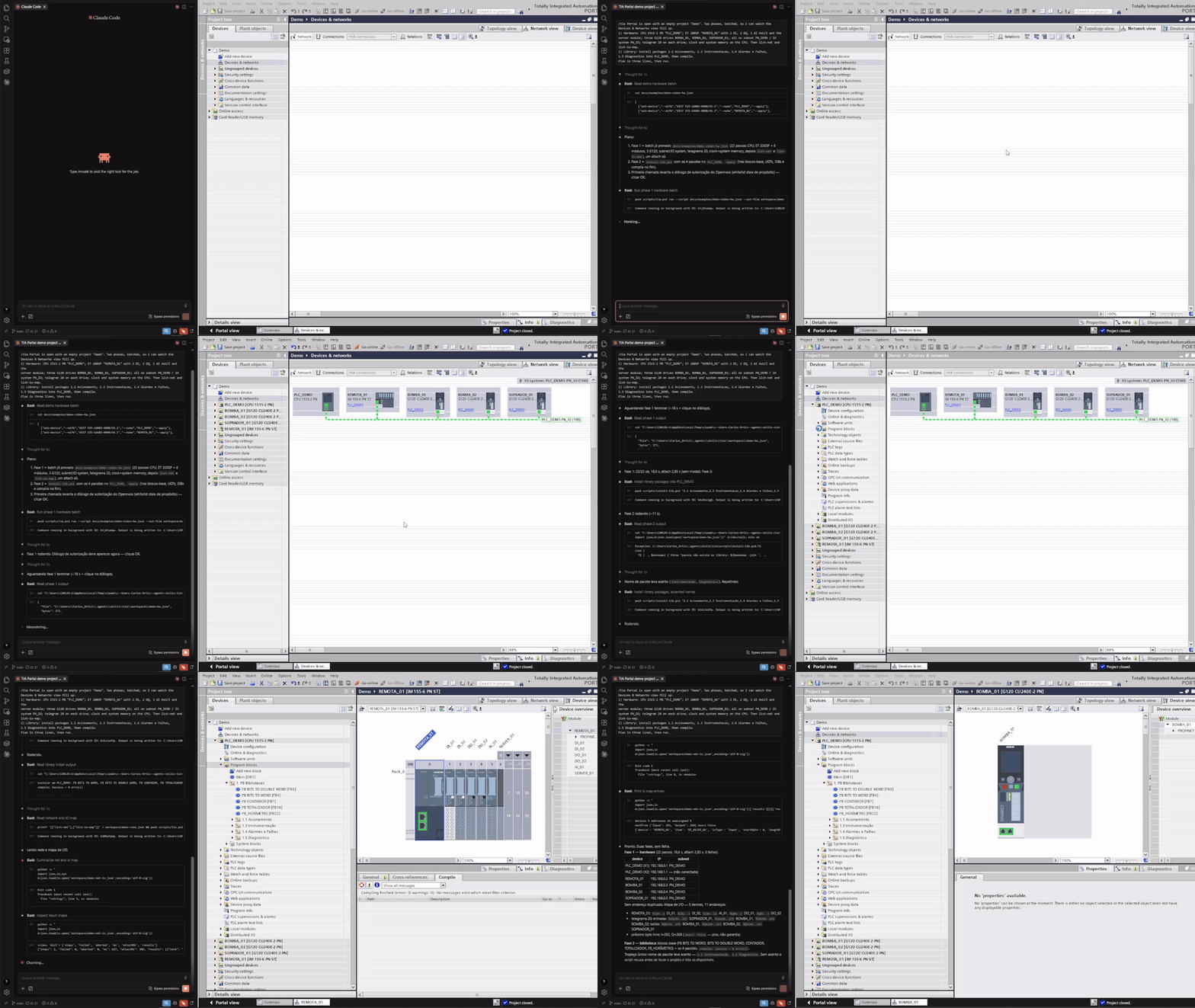
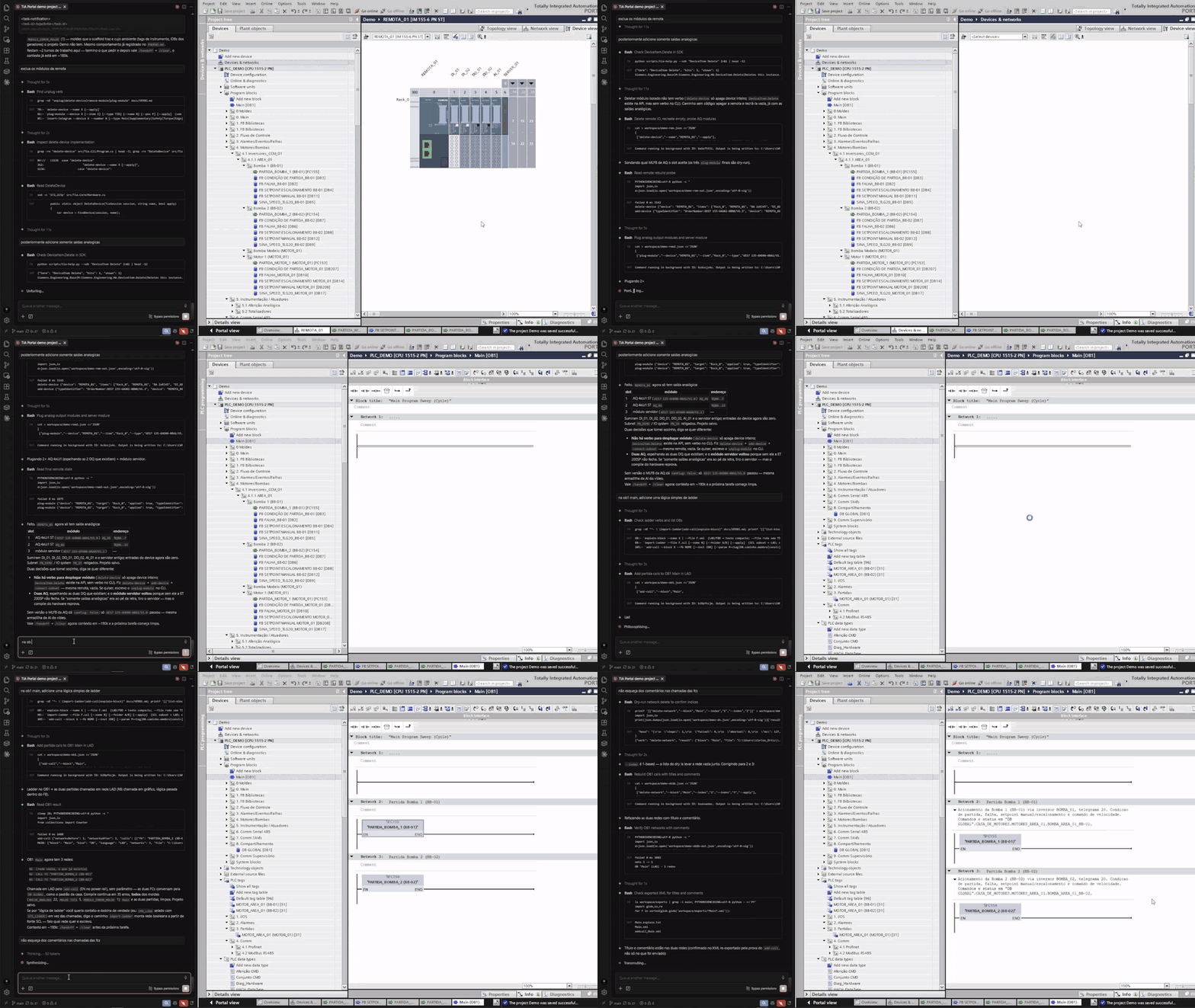
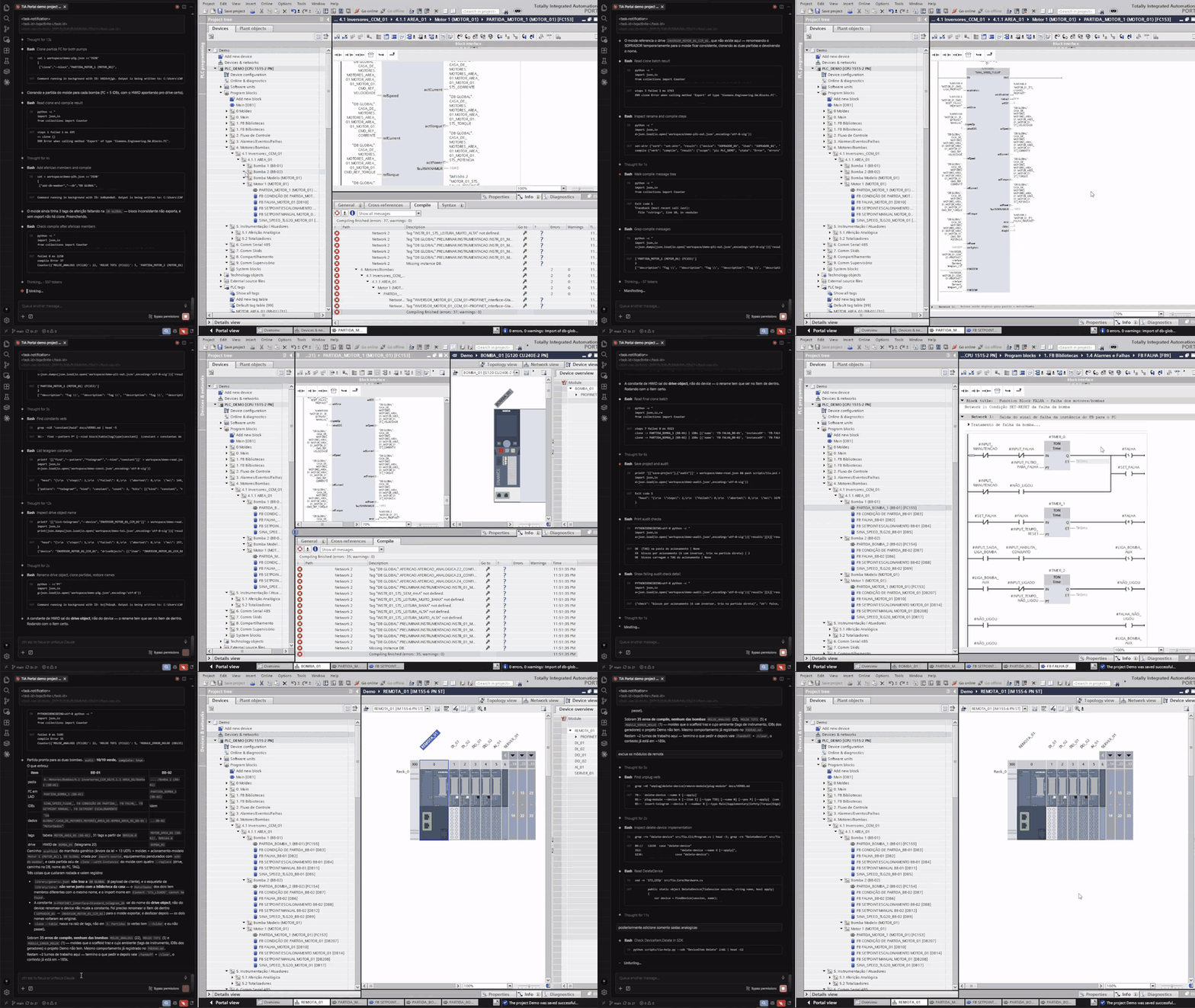
Three moments from one agent session on an empty project. The CLI drives; TIA Portal updates live.
I/O modules are added to the rack and two starters are called from Main [OB1] in ladder.
Compile result: 0 errors, 0 warnings.
Blocks are generated per pump and the audit checks grade the result.
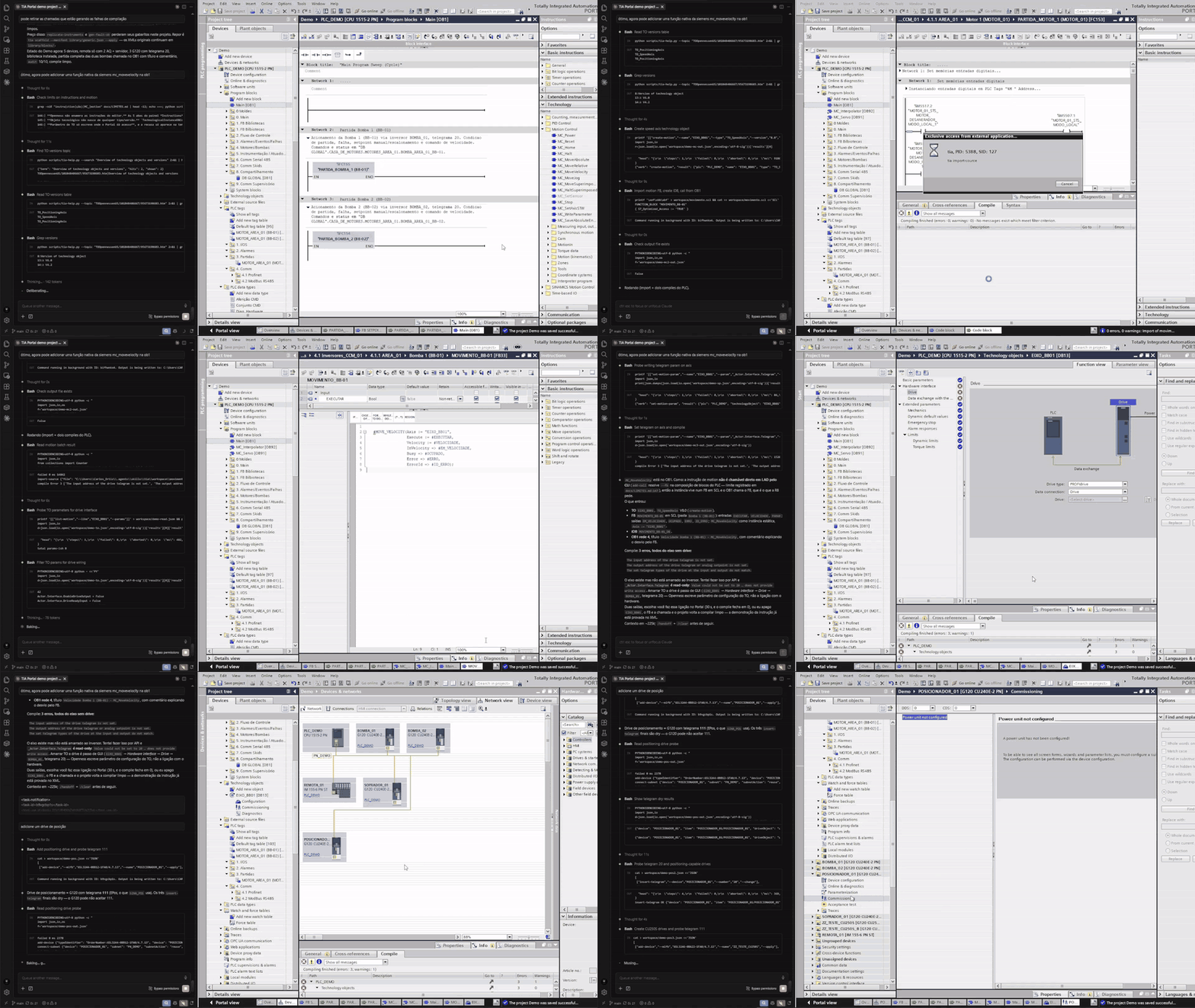
A SINAMICS drive joins PROFINET. The compile closes with three errors, and the CLI reports what
is missing instead of hiding an incomplete result.
What it covers
The current v3 surface contains 346 unique command-line verbs across 347 generated help
signatures (find has two forms), all with structured JSON output and stable exit codes.
Representative areas:
| Area | Examples |
|---|---|
| Project orientation | env, info, tree, find, xref, reachable, unused, trace |
| PLC software | blocks, interfaces, DB members, tags, UDTs, sources, LAD calls, compile and diff |
| Hardware and networks | devices, modules, racks, I/O addresses, subnets, PROFINET and CAx/AML |
| SINAMICS and starters | telegrams, drive parameters, generated starter logic and simulation scenarios |
| WinCC Classic | screens, scripts, tags, connections, text lists, templates and screen-object audits |
| WinCC Unified | screens, items, tags, connections, alarms, events, named objects and runtime settings |
| Safety | F-program information, runtime groups, settings, signatures, printouts and validation tests |
| Motion | technology objects, cams, interpreter programs and mappings |
| Libraries | global libraries, master copies, types, packages and repeatable installation workflows |
| Multiuser | Project Server discovery, local sessions, marking, commit and check-in |
| Online and simulation | target discovery, online/offline, compare, download/upload and PLCSIM Advanced |
| Batch and audit | checked step files, transactions, rehearsal/rollback, compile and acceptance audits |
See the public capability map for the operating model, safety boundaries and
more representative commands.
Validation snapshot (2026-10-19): 230 verbs have successful live V21 evidence, 100 write verbs
have V21 dry-run evidence, 43 have direct V19 evidence and 41 have direct V20 evidence. Version
counts overlap; 16 verbs still have no recorded live evidence and are not presented as proven.
An AI agent wrote a PLC program from scratch
For the blind engineering tests, the machine specification and pass/fail ruler were frozen before
each round by someone who did not execute the work. The agent received only that specification and
delivered a PLC program that compiled. The result includes the acceptance evidence and the failures
encountered along the way; the full test pack is available with a product demo.
The useful distinction is simple: the model chooses the engineering operation, while deterministic
C# code performs the Openness call and returns machine-checkable evidence. The model does not click
through Portal dialogs or invent an unverified success.
How an agent uses it
The installed product exposes one tia shim on PATH:
tia env                              # Portal processes, products and options; no attach
tia tree                             # compact PLC map; read-only
tia standardize-tags                 # preview only
tia standardize-tags --apply         # explicit project write
tia compile --apply                  # compile and return structured messages
For multi-step work, the agent maps the project, studies the relevant engineering rules, validates a
batch offline, rehearses it when possible, then applies that same reviewed batch with compile and
audit as acceptance steps. A single Openness session executes the sequence; concurrent Portal calls
are refused.
Large results can be written to a file while stdout receives only a bounded digest. Agent mode also
provides a fixed envelope—{verb, ok, action, data, warnings, next, ms}—so automation does not have
to scrape human console text.
How it works
flowchart LR
A["🤖 AI agent / engineer<br/>(local shell)"] -->|"tia <verb> --json args"| B["tia worker<br/>(.NET Framework 4.8 x64)"]
B -->|"TIA Portal Openness"| C["TIA Portal V19–V21<br/>(running instance)"]
B -->|"SimaticML / AML / CSV / XLSX"| D[("local workspace")]
C --> E["Engineering project"]
B -. explicit guarded path .-> F["PLCSIM or online target"]
The shim selects the worker compiled for the target Portal major. The worker attaches through
Openness, uses typed APIs or controlled SimaticML/AML round trips, and returns JSON on stdout with a
stable process exit code. Ring-0 diagnostics such as env, licenses and sim-diag do not attach
to Portal; engineering verbs serialize access to the single Openness session.
Safety boundaries
- Project-changing verbs are dry-run unless
--applyis present. Lifecycle operations are
explicitly documented exceptions because opening, saving or closing is their purpose. - Destructive replacement workflows create a local recovery export first when the API permits it;
that safety net does not replace a project backup. - Physical online access is never implicit: a write needs
--apply, and a physical interface needs
the additional--allow-physicalopt-in.sim-runrefuses a real CPU. - The product sends no telemetry or project content to a hosted service. Optional Project Server
access goes only to the server named by the operator; local telemetry, when enabled, stays local. - Openness limitations are reported as capability errors. The CLI does not work around unavailable
APIs by automating the GUI.
Please report a suspected vulnerability privately as described in SECURITY.md.
Trial available
An assisted 2–3 day trial is available for one engineering machine and a test-project copy.
Before the licence clock starts, the installation check must pass and a small, concrete success
criterion is agreed in writing. The project stays on the customer's machine; support asks for error
text, not the project.
See how the trial works or contact
[email protected].
Access and licensing
The current product line is v3. The exact evaluation or commercial build is identified bytia --version; its source code and distributable builds are not published in this showcase
repository.
Copyright (c) 2026 Codyte.
Current versions are available under AGPL-3.0 or a separate commercial licence. Using the CLI
internally on your own engineering projects does not by itself distribute the software. A commercial
licence without copyleft obligations is available for organizations that need it.
Releases through v2.0.0 were published under MIT and remain MIT; that historical grant is
irrevocable. It does not make later private versions or their source part of this repository.
For a trial, licensing, source access, integration work or a live demonstration, contact
[email protected].
Yorumlar (0)
Yorum birakmak icin giris yap.
Yorum birakSonuc bulunamadi