tereditor
Health Uyari
- License — License: NOASSERTION
- Description — Repository has a description
- Active repo — Last push 0 days ago
- Low visibility — Only 5 GitHub stars
Code Gecti
- Code scan — Scanned 12 files during light audit, no dangerous patterns found
Permissions Gecti
- Permissions — No dangerous permissions requested
Bu listing icin henuz AI raporu yok.
Workbench where Claude Code and Codex manage worktrees that you can see and get worktree-aware LSP and IntelliJ navigation over MCP, in Ghostty terminals
tereditor
Like an IDE, but for terminal coding agents.
Keeps your CLI. Adds what's missing.
The name joins TERminal and EDITOR.
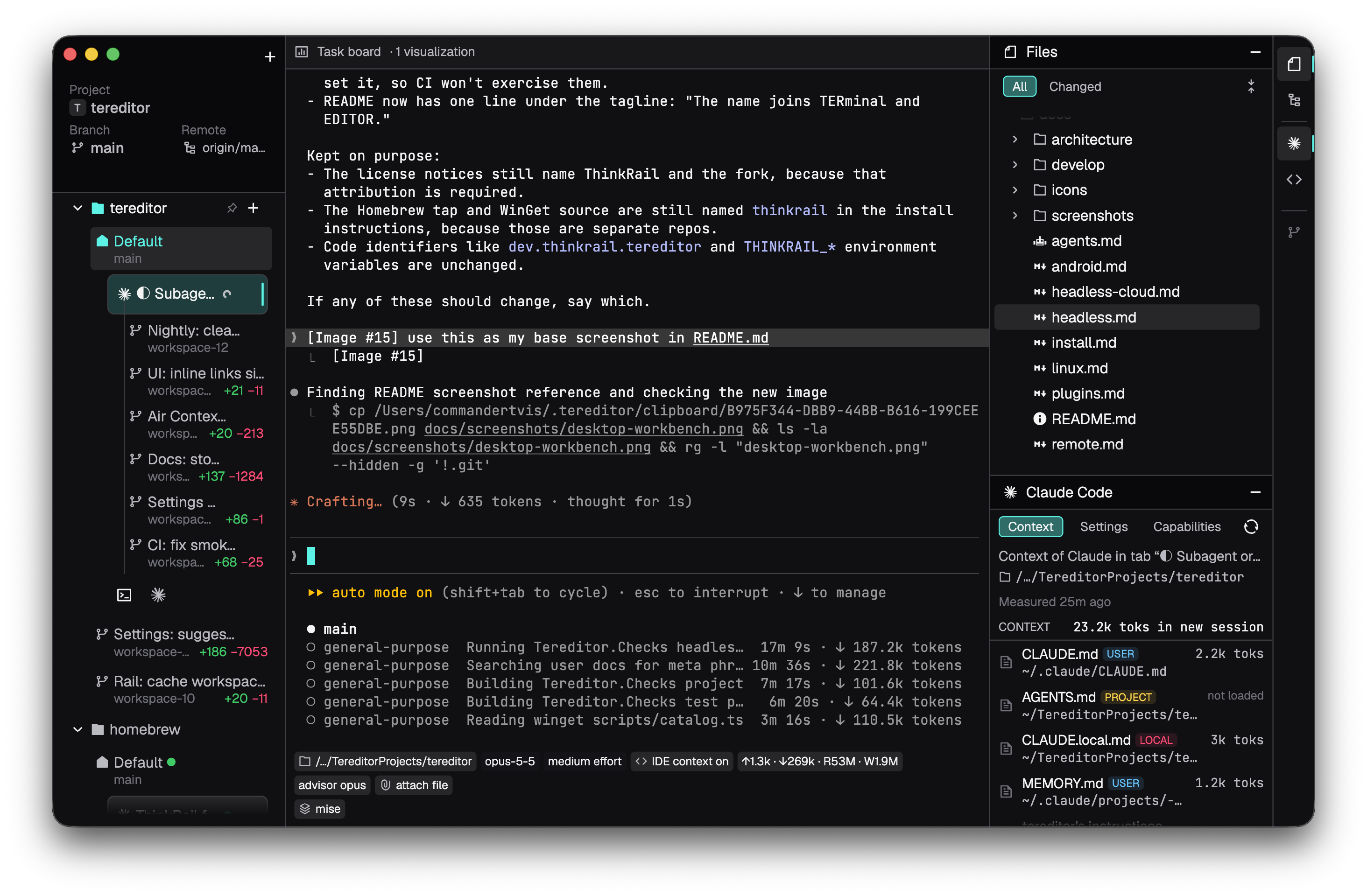
[!NOTE]
tereditor is a prototype. The desktop app targets macOS first, and Windows, Linux and Android builds ship too.
Highlights
|
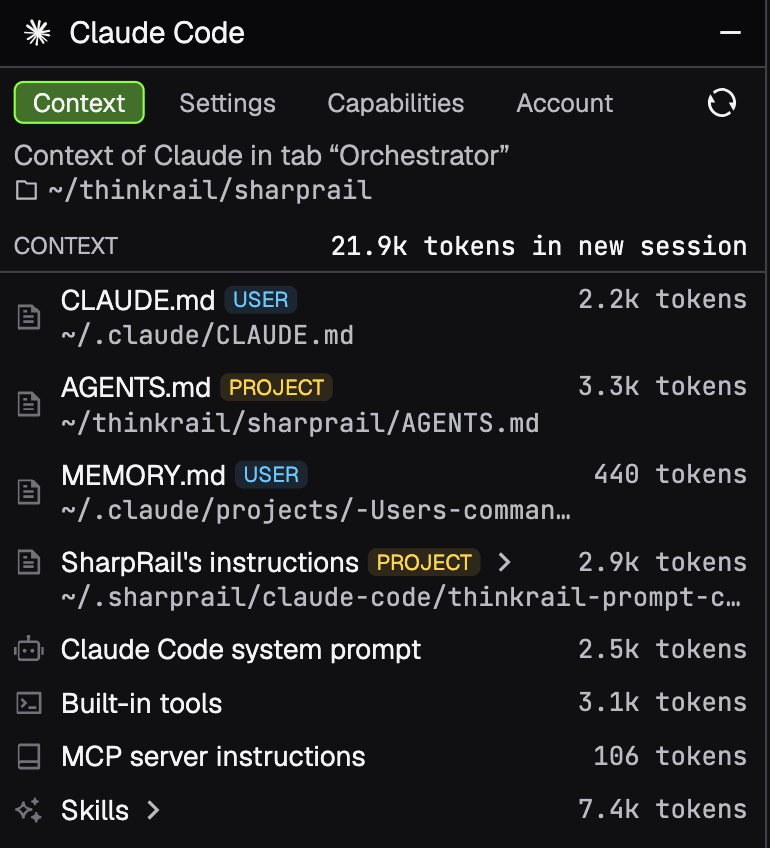
Claude Code without the configuration chaos Instructions, skills, tools and settings are scattered across files and layers. The Claude Code pane’s Context tab lists everything a new session starts with and what each item costs in tokens, and Settings edits go through a diff you review first. Docs → |
|
|
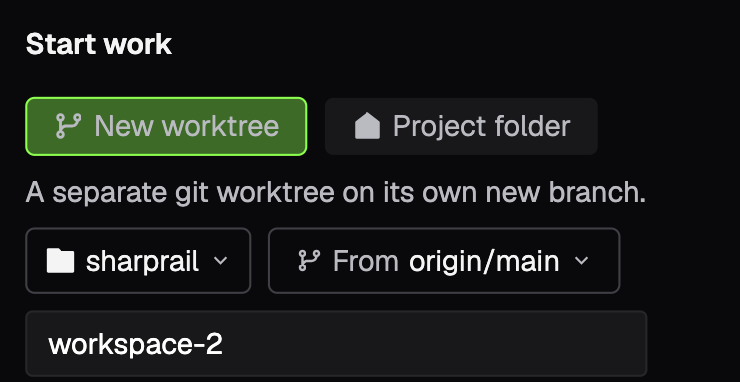
Worktrees that are ready to work Create a Git worktree for a task yourself, or hand an agent several tasks at once and it creates a separate worktree for each through MCP tools. Agents work in the workspace you prepared when a task needs no isolation, and they remove the worktrees they made once the work is preserved. New worktrees start with your mise, direnv and Python environments applied, and chips under each terminal show what was applied. Docs → |
|
|
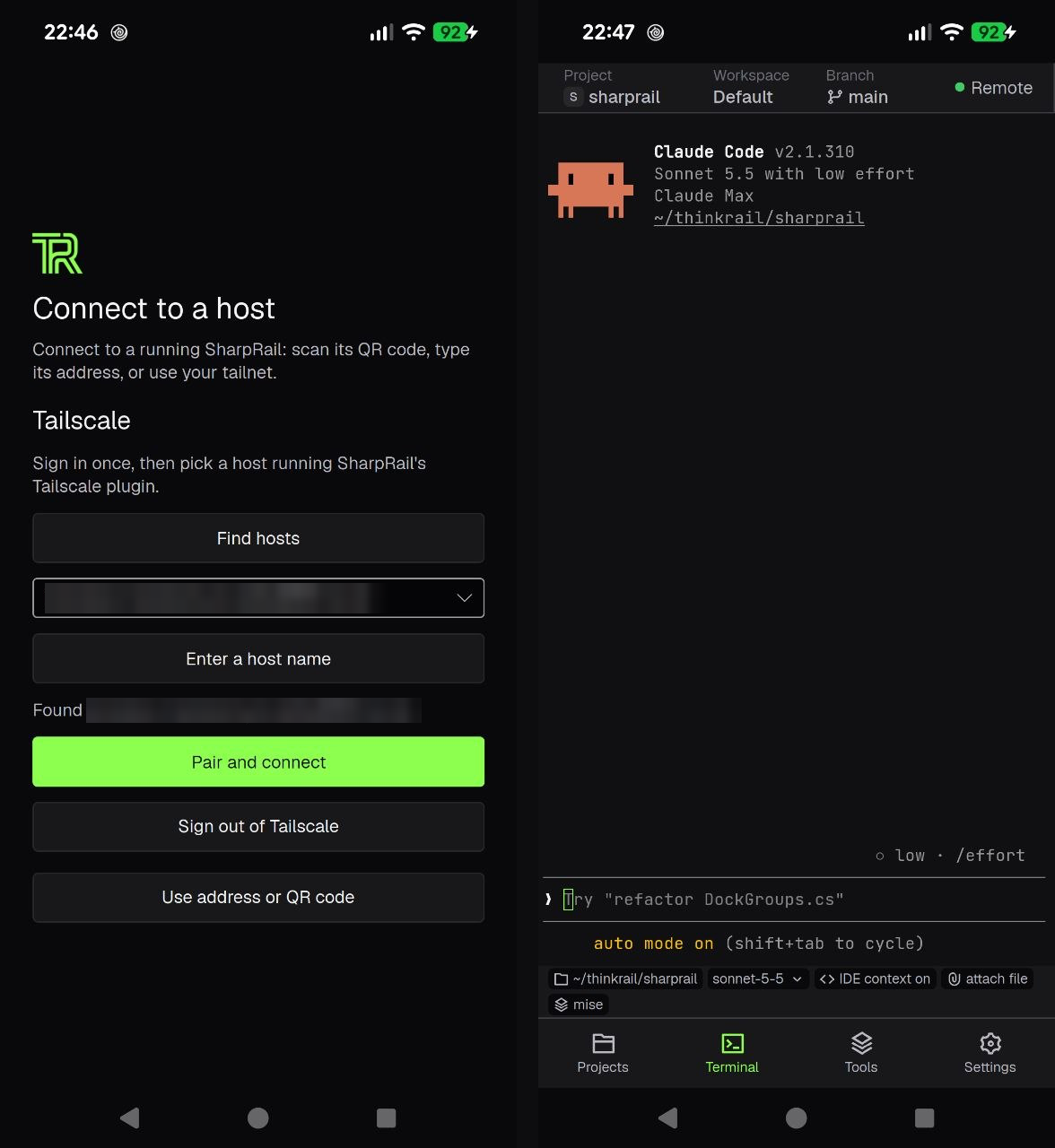
Your PC from your phone The Android app is a workbench for the host running on your PC. You can browse and edit files, read Markdown and diffs, and use the host's terminals and agents while the work keeps running there. The phone needs only a free Tailscale account, because the app carries its own Tailscale node and there is no VPN app to install. Docs → |
|
|
Agents draw beside the terminal Diagrams and option comparisons. Docs → |
|
Agents
 Claude Code and
 Codex get launchers, resume and status in workspace terminals.
 omp has very early support.
- All three can run through JetBrains Air Gateway.
Install
Nightly builds are on the releases page:
On macOS, download the disk image for Apple silicon (not notarized) or use Homebrew through the
tap:brew trust --tap commandertvis/homebrew brew tap commandertvis/homebrew https://github.com/CommanderTvis/homebrew brew install --cask commandertvis/homebrew/tereditorOn Windows, download the unsigned x64 or ARM64 ZIP. WinGet also works through the
WinGet source:winget source add --name commandertvis --arg https://commandertvis-winget.vercel.app --type Microsoft.Rest winget install --id CommanderTvis.Tereditor --exact --source commandertvis --scope userOn Linux, download the AppImage for x64 or ARM64 (glibc 2.31+).
On Android, install the APK, a client for a tereditor host on another machine (Remote hosts and clients).
To build from source, run:
scripts/mise x -- dotnet run --project src/Tereditor.UI -c Release
Building covers the app bundle, and Machine setup lists what to
install per platform.
More
The documentation index lists every page. Start with Install, Using tereditor
and Agents.
Yorumlar (0)
Yorum birakmak icin giris yap.
Yorum birakSonuc bulunamadi