confab-web
Health Uyari
- License — License: MIT
- Description — Repository has a description
- Active repo — Last push 0 days ago
- Low visibility — Only 7 GitHub stars
Code Basarisiz
- rm -rf — Recursive force deletion command in e2e/containers/workstation/scripts/debug_with_daemon.sh
- rm -rf — Recursive force deletion command in e2e/debug_test.sh
Permissions Gecti
- Permissions — No dangerous permissions requested
This tool is a self-hosted platform that archives, analyzes, and manages your Claude Code sessions. It provides analytics, AI-powered recaps, and team sharing features, all deployed locally via Docker.
Security Assessment
Overall Risk: Medium. The application accesses highly sensitive data because it ingests full code transcripts and proprietary workflow details. It requires external network requests to function, such as calling the Anthropic API for AI recaps and communicating with external OAuth providers (GitHub, Google, Okta). No hardcoded secrets were found, and it does not request dangerous system permissions. However, the codebase contains recursive force deletion commands (`rm -rf`) inside end-to-end testing scripts. While likely intended to clean up test environments, this represents a potential local execution risk if mismanaged.
Quality Assessment
The project is actively maintained, with its most recent code push happening today. It is properly licensed under the standard MIT license. However, community trust and visibility are currently very low, as indicated by having only 7 GitHub stars. This means the code has not been broadly reviewed by the wider security community, and its maturity for enterprise production use remains unproven.
Verdict
Use with caution — the self-hosted architecture keeps your data secure, but exercise strict oversight due to the sensitive nature of the data being handled, the presence of force-deletion scripts, and the project's low community visibility.
Open-source session management platform for Claude Code — analytics, AI recaps, sharing, and team features. Self-hosted with Docker.
Confabulous
Self-hosted analytics for your Claude Code sessions.



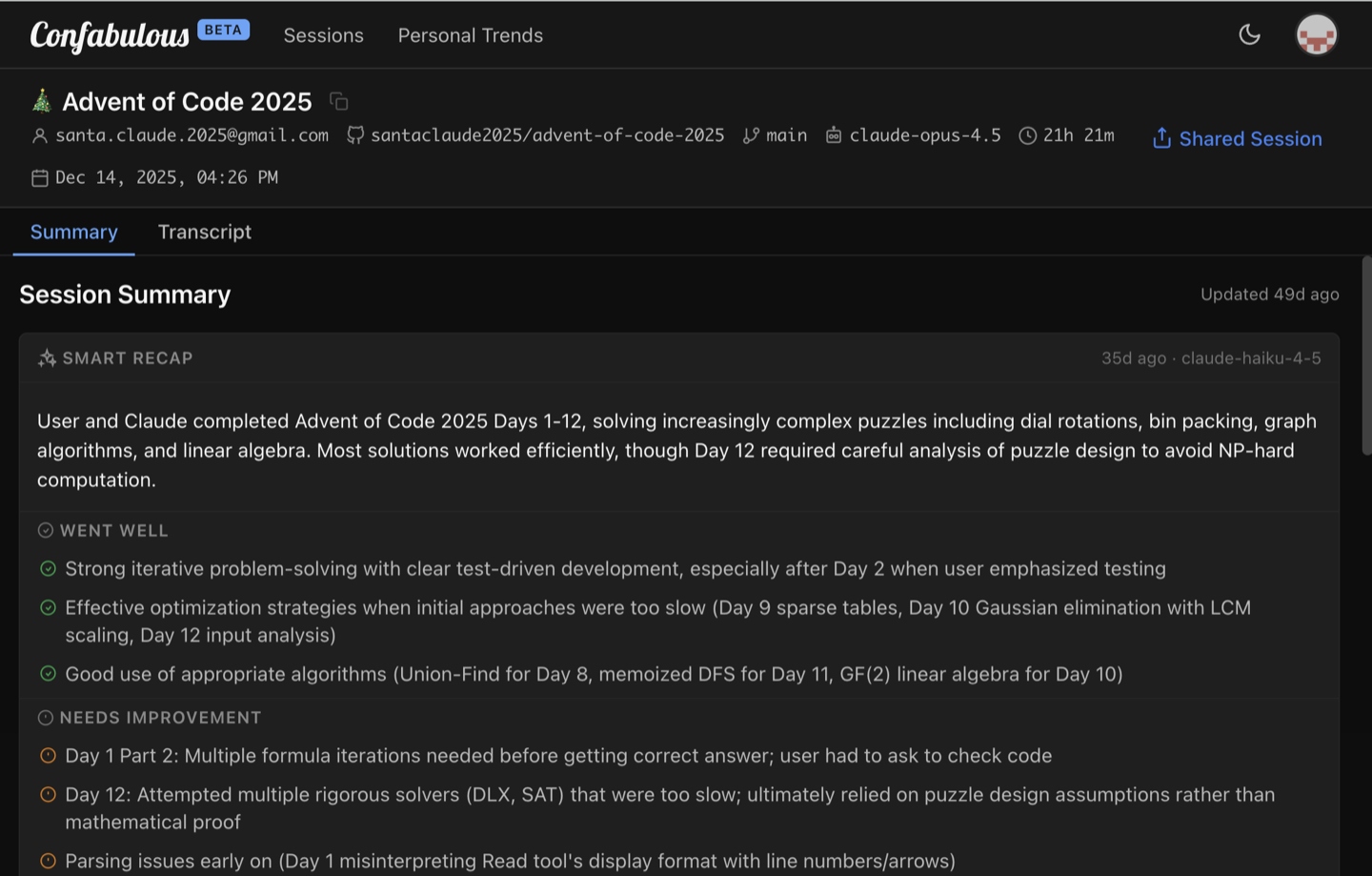
Session Summary |
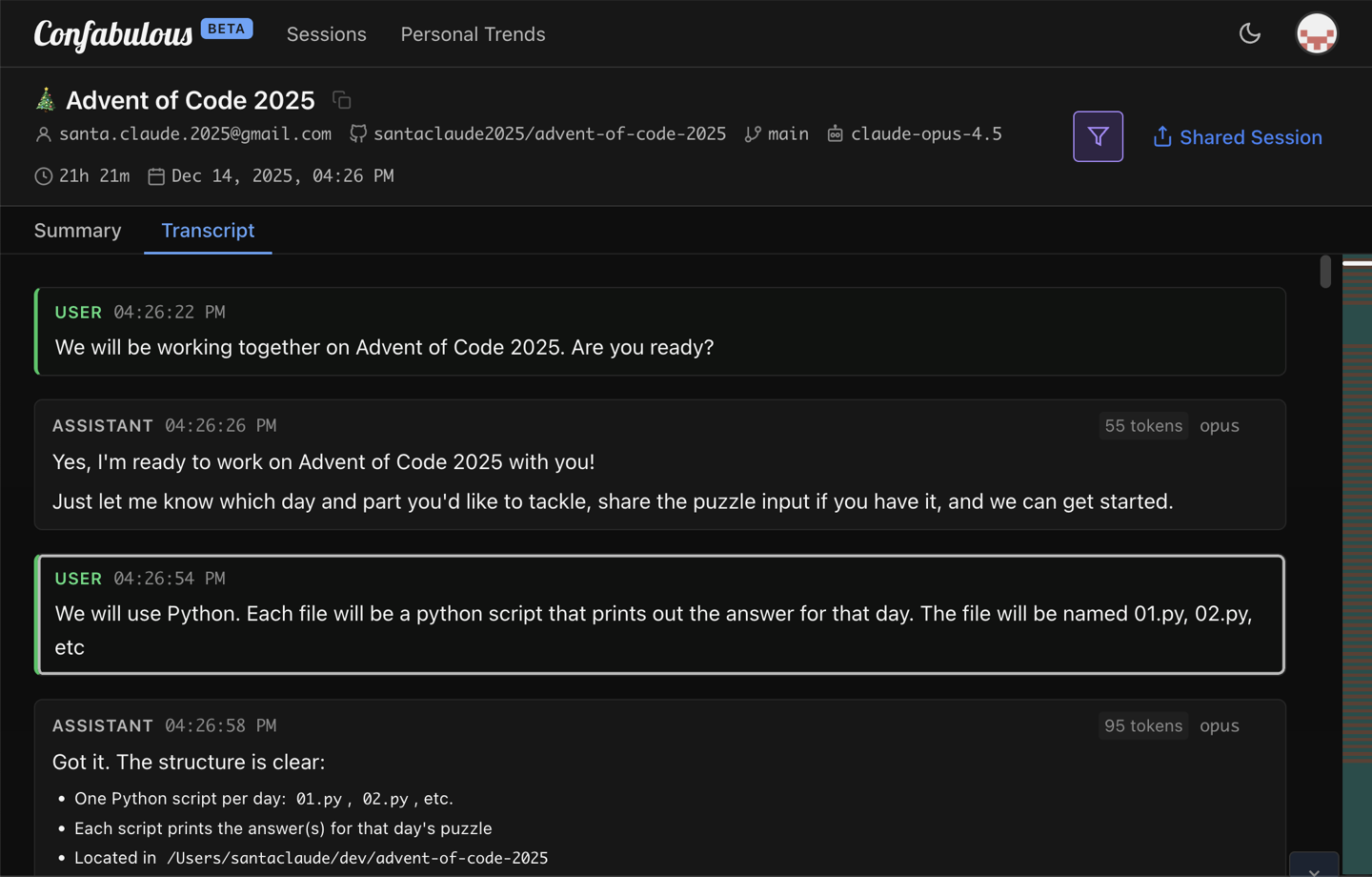
Transcript |
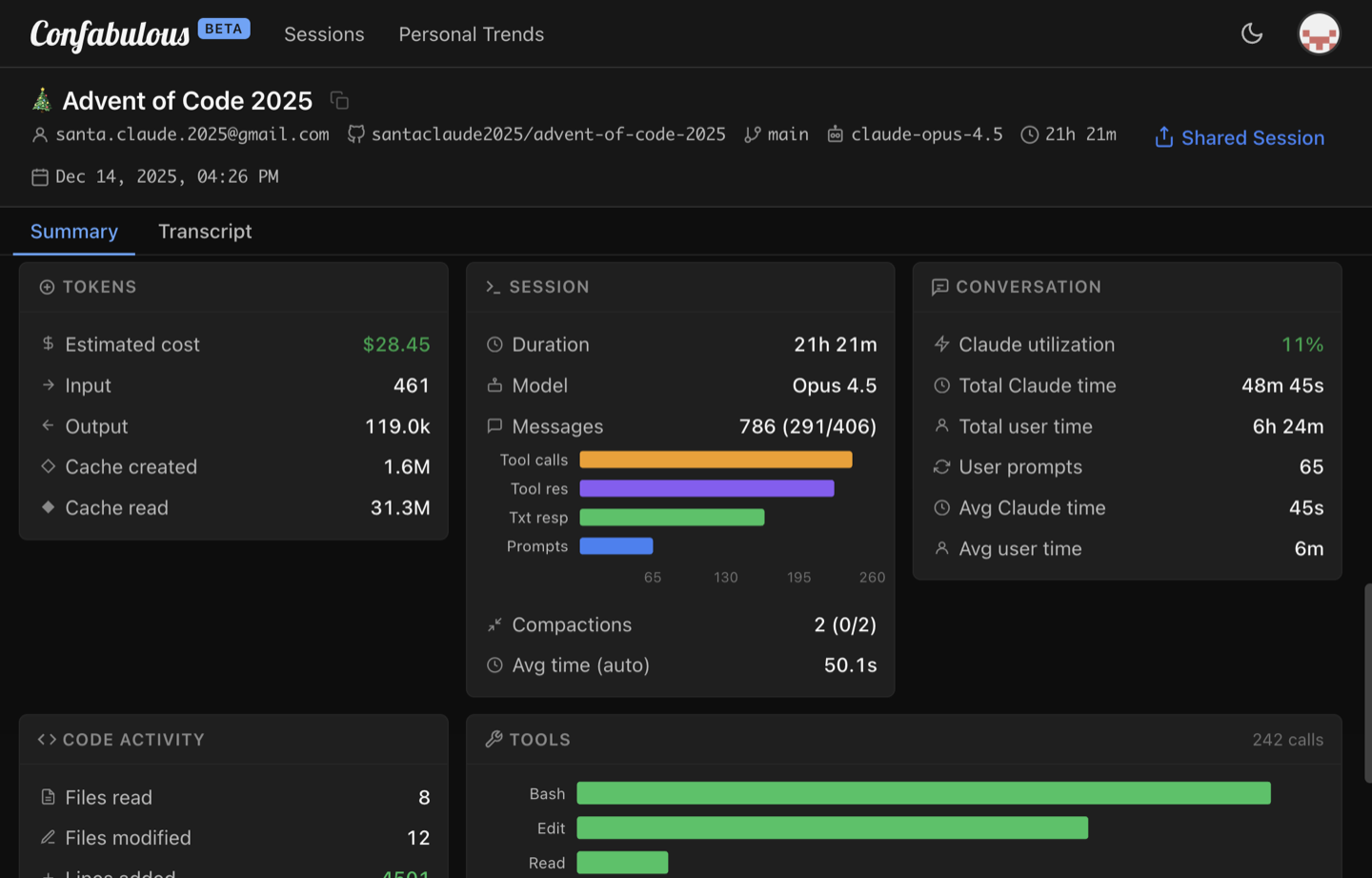
Analytics |
Open-source, self-hosted platform for archiving, searching, and analyzing your Claude Code sessions. Runs entirely in Docker on your own infrastructure.
[!IMPORTANT]
Code sessions contain proprietary code, architecture decisions, and internal workflows. The self hosted Confabulous stack keeps all of it on your network — no third-party access, no vendor lock-in.
Quickstart
Prerequisites: Docker and Docker Compose
Start the Stack
docker compose up -d
Open http://localhost:8080 — log in with [email protected] / localdevpassword.
Connect the CLI
Install the Confab CLI:
curl -fsSL https://raw.githubusercontent.com/ConfabulousDev/confab/main/install.sh | bash
Point it at your server:
confab setup --backend-url http://localhost:8080
Start a Claude Code session — it appears in the dashboard automatically.
Features
- Session Management — Archive, browse, search sessions; full transcript viewer
- Analytics & Smart Recaps — Cost tracking, AI-powered recaps (requires Anthropic API key)
- Sharing — Fine-grained session-by-session sharing, or open sharing policy for self-hosted high-trust deployments
- Multi-User Auth — Password auth, GitHub OAuth, Google OAuth, or OIDC (Okta, Auth0, Azure AD, Keycloak)
- Admin Panel — User management, activation/deactivation, storage monitoring
- Developer Experience — GitHub link detection, API keys, per-user rate limiting
- Infrastructure — Single Docker image (frontend + backend), Docker Compose one-command deploy, PostgreSQL + MinIO, custom domain support
How It Works
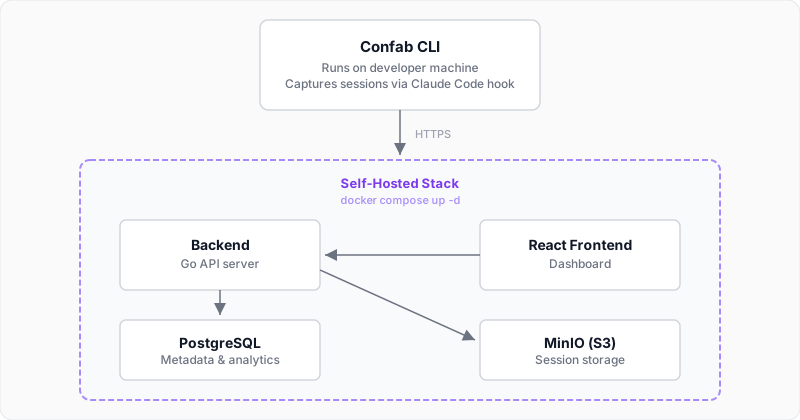
Self-Hosting
See the Self-Hosting Guide for complete deployment instructions including HTTPS setup, authentication options, and production hardening.
Configuration
Configuration is simple — everything is controlled through environment variables in docker-compose.yml. See CONFIGURATION.md for the full reference.
Cloud Deployment
The official SaaS instance lives at confabulous.dev, hosted on a Fly.io / Neon.tech stack. See deploy-to-fly.sh and fly.toml for details.
Developer Docs
Project Guides
CLAUDE.md-- Development workflow, testing, coding conventionsCONFIGURATION.md-- Full environment variable referenceSELF-HOSTING.md-- Deployment, HTTPS, auth setup, production hardening
Backend
backend/API.md-- REST API reference (endpoints, request/response schemas, auth)backend/internal/README.md-- Package index, dependency map, data flow, layering rules
Frontend
frontend/src/README.md-- Module index, data flow, architectural patterns
Dev Setup
# Start databases only
docker compose up -d postgres minio minio-setup migrate

# Backend (requires Go 1.21+)
cp backend/.env.example backend/.env
cd backend && go run cmd/server/main.go

# Frontend with hot-reload (requires Node.js 18+)
cd frontend && npm install && npm run dev
Running Tests
# Backend unit tests (fast)
cd backend && go test -short ./...

# Backend integration tests (requires Docker)
cd backend && go test ./...

# Frontend tests
cd frontend && npm test
Project Structure
confab-web/
├── docker-compose.yml     # Local development stack
├── CONFIGURATION.md       # Full configuration reference
├── backend/               # Backend service (Go)
│   ├── cmd/server/       # Server entry point
│   ├── internal/         # Internal packages
│   │   ├── api/         # HTTP handlers
│   │   ├── auth/        # OAuth & API keys
│   │   ├── db/          # PostgreSQL layer
│   │   ├── storage/     # MinIO/S3 client
│   │   └── testutil/    # Test infrastructure
│   └── README.md
│
└── frontend/              # React web dashboard
    ├── src/pages/        # Pages and routes
    ├── src/services/     # API client
    └── README.md
See also: Confab CLI (separate repo)
License
Yorumlar (0)
Yorum birakmak icin giris yap.
Yorum birakSonuc bulunamadi