quickstart-streaming-agents
Health Gecti
- License — License: Apache-2.0
- Description — Repository has a description
- Active repo — Last push 0 days ago
- Community trust — 66 GitHub stars
Code Gecti
- Code scan — Scanned 12 files during light audit, no dangerous patterns found
Permissions Gecti
- Permissions — No dangerous permissions requested
This project provides a quickstart guide and hands-on labs for building, deploying, and orchestrating real-time, event-driven AI agents natively on Apache Flink and Apache Kafka via Confluent Cloud.
Security Assessment
Overall Risk: Medium. As a quickstart tutorial, it requires you to handle sensitive credentials, including Confluent Cloud API keys and external LLM provider keys (like AWS Bedrock or Azure OpenAI). The code scan found no hardcoded secrets or dangerous execution patterns (like shell commands). However, the nature of the tool inherently involves making external network requests to LLM APIs and cloud services, and some labs involve web scraping. You must be careful to securely manage your environment variables and never commit your API keys to version control.
Quality Assessment
The project is in excellent health and actively maintained, with its most recent updates pushed today. It uses the highly permissive and standard Apache-2.0 license. While the GitHub star count is modest at 66, the repository demonstrates high professional quality, featuring comprehensive documentation, video demos, and structured architectural labs backed by a major enterprise company (Confluent).
Verdict
Safe to use, provided you follow standard security practices for managing your cloud and LLM API keys.
Build, deploy, and orchestrate event-driven agents natively on Apache Flink® and Apache Kafka®
Streaming Agents on Confluent Cloud Quickstart

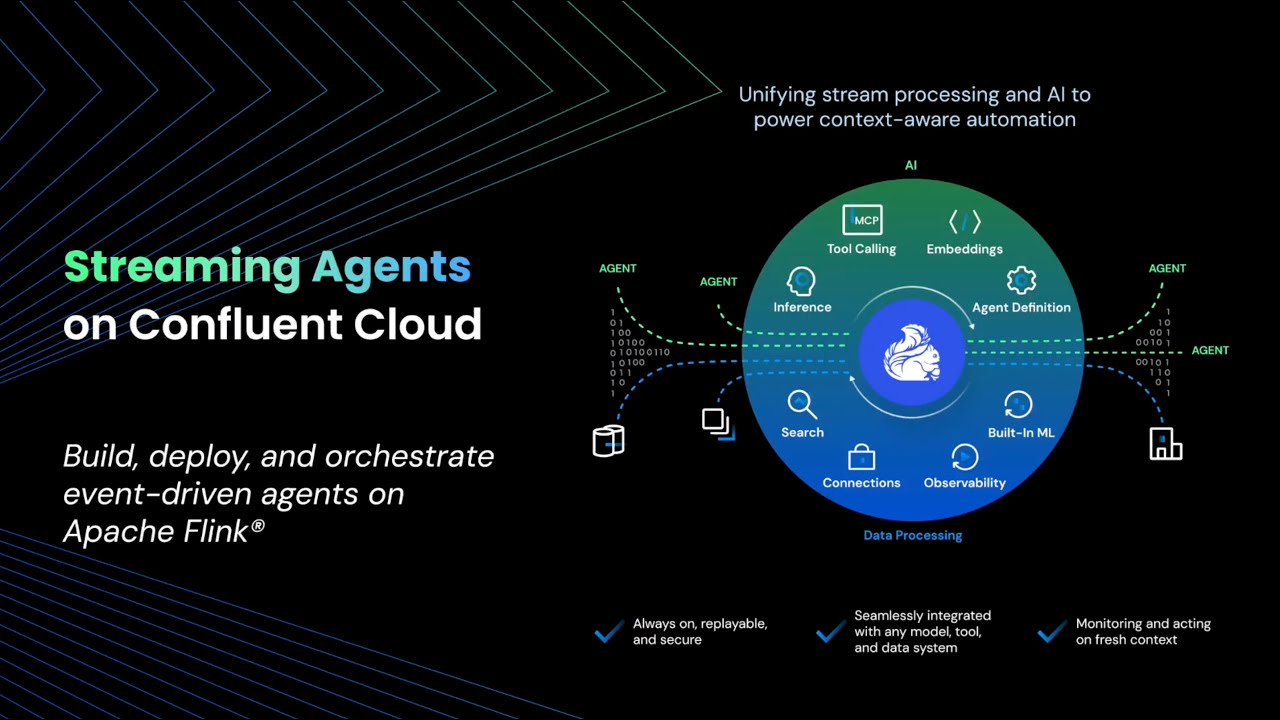
Build real-time AI agents with Confluent Cloud Streaming Agents. This quickstart includes three hands-on labs:
| Lab | Description |
|---|---|
| Lab1 - Price Matching Orders With MCP Tool Calling | *NEW!* Now using new Agent Definition (CREATE AGENT) syntax. Price matching agent that scrapes competitor websites and adjusts prices in real-time.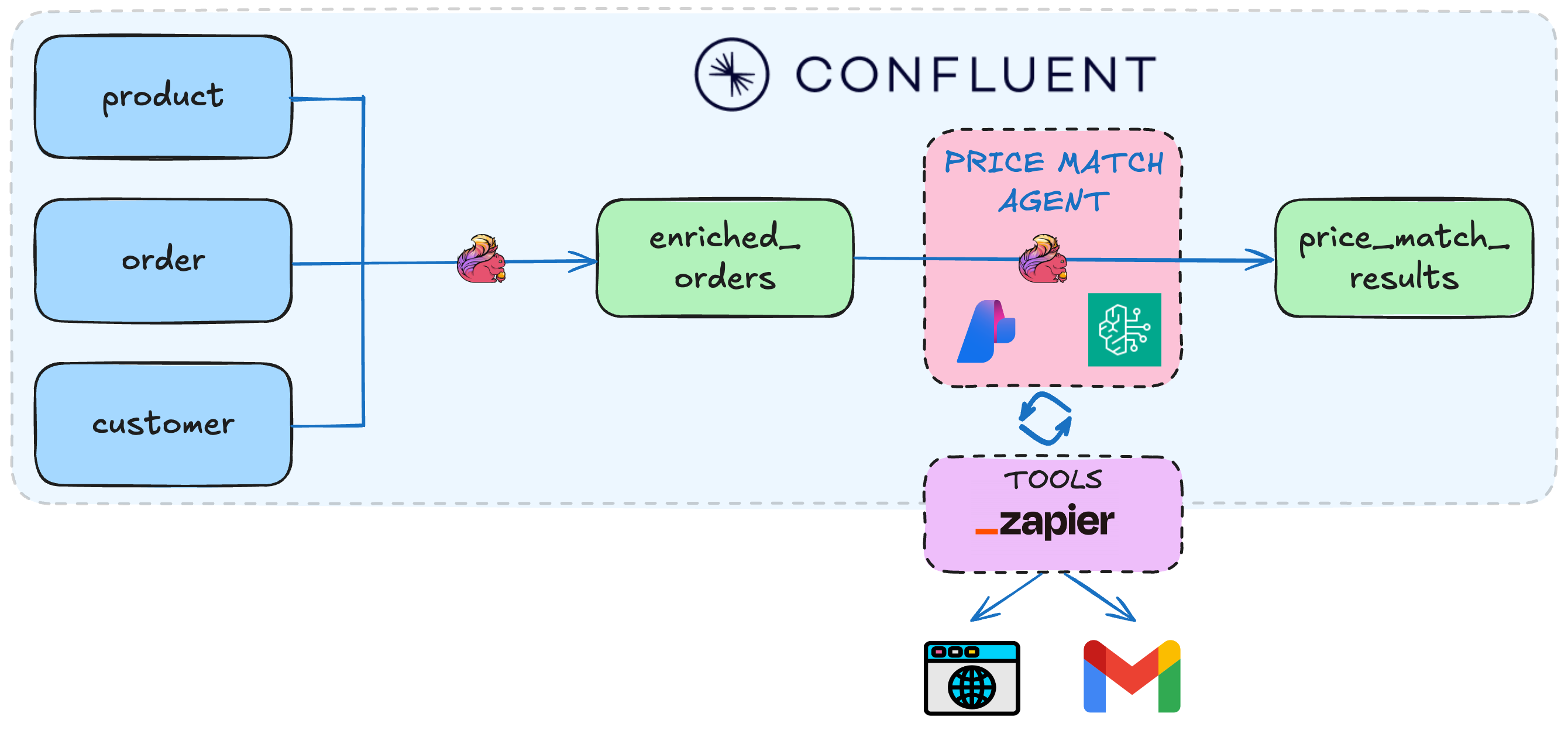 |
| Lab2 - Vector Search & RAG | Vector search pipeline template with retrieval augmented generation (RAG). Use the included Flink documentation chunks, or bring your own documents for intelligent document retrieval.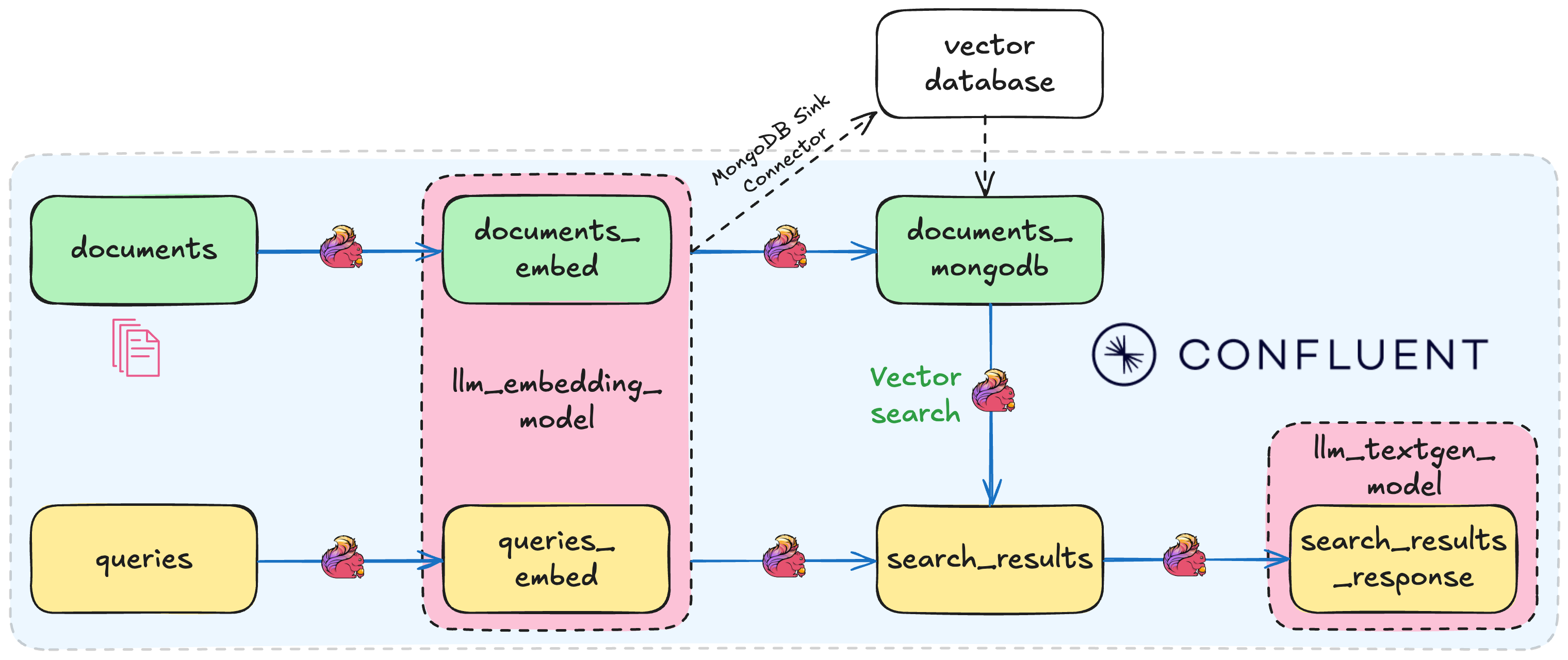 |
| Lab3 - Agentic Fleet Management Using Confluent Intelligence | End-to-end boat fleet management demo showing use of Agent Definition, MCP tool calling, vector search, and anomaly detection.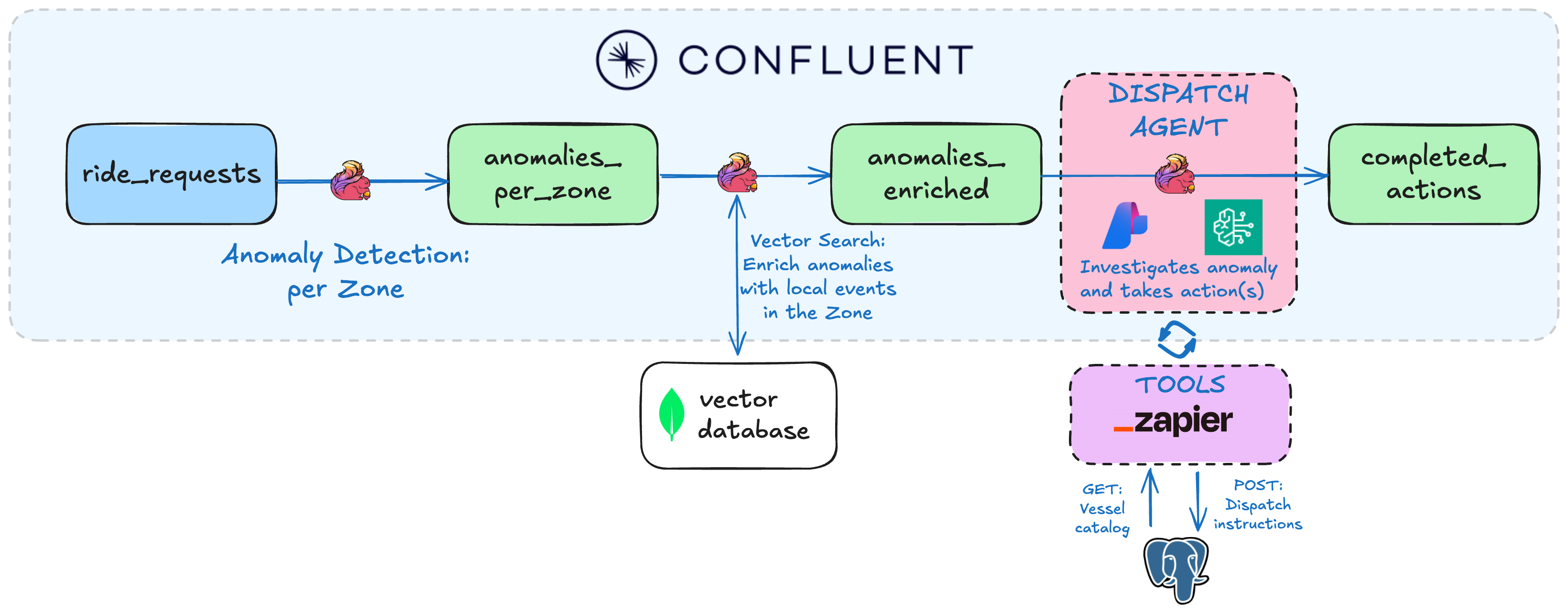 |
| Lab4 - Public Sector Insurance Claims Fraud Detection Using Confluent Intelligence | Real-time fraud detection system that autonomously identifies suspicious claim patterns in disaster insurance claims applications using anomaly detection, pattern recognition, and LLM-powered analysis.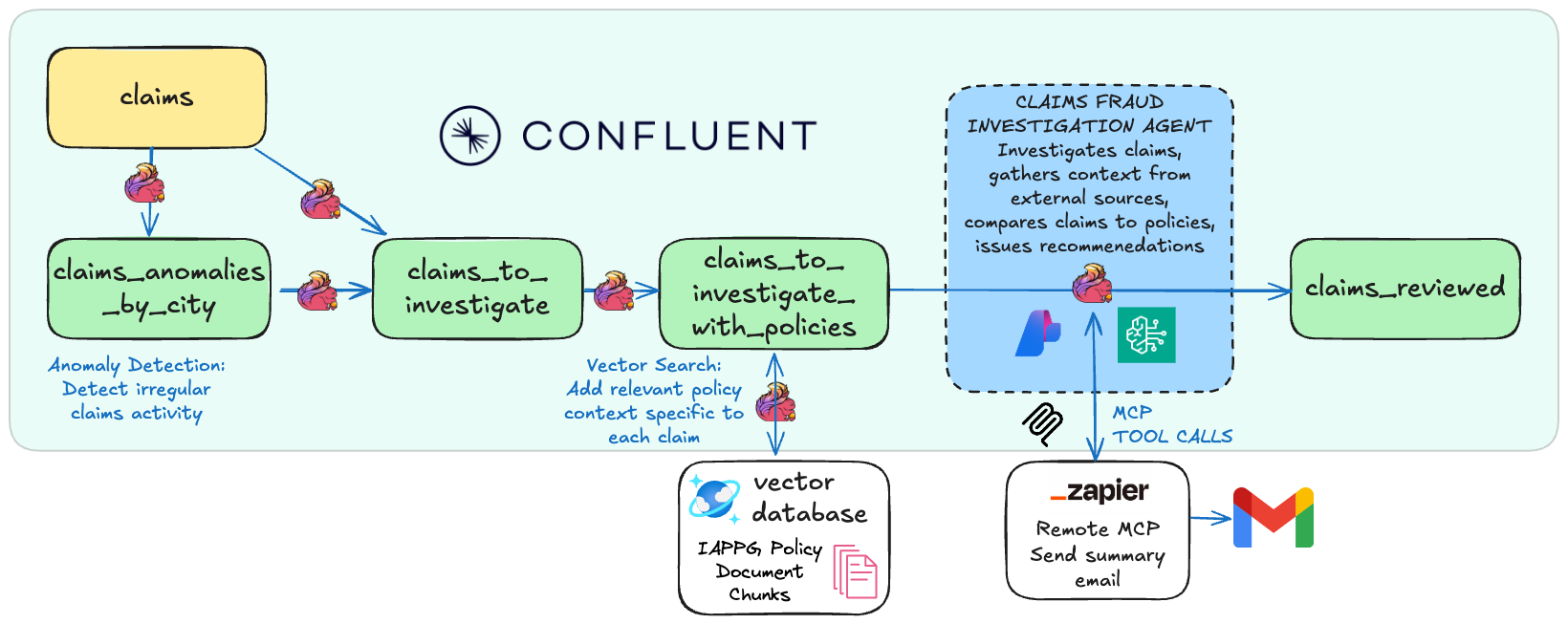 |
Prerequisites
Required accounts & credentials:
- LLM Provider: AWS Bedrock API keys OR Azure OpenAI keys - or BYOK
- Lab1 & Lab3: Zapier remote MCP server (Setup guide)
Note: SSE endpoints are now deprecated by Zapier. If you previously created an SSE endpoint, you'll need to create a new Streamable HTTP endpoint and copy the Zapier token instead. See the Zapier Setup guide for updated instructions.
Required tools:
- Confluent CLI - must be logged in
- Docker - for Lab1 & Lab3 data generation only
- Git
- Terraform
- uv
- AWS CLI or Azure CLI tools for generating API keys
brew install uv git python && brew tap hashicorp/tap && brew install hashicorp/tap/terraform && brew install --cask confluent-cli docker-desktop && brew install awscli # or azure-cli
Windows:
winget install astral-sh.uv Git.Git Docker.DockerDesktop Hashicorp.Terraform ConfluentInc.Confluent-CLI Python.Python
🚀 Quick Start
1. Clone the repository and navigate to the Quickstart directory:
git clone https://github.com/confluentinc/quickstart-streaming-agents.git
cd quickstart-streaming-agents
2. Auto-generate AWS Bedrock or Azure OpenAI keys:
# Creates API-KEYS-[AWS|AZURE].md and auto-populates them in next step
uv run api-keys create
- One command deployment:
uv run deploy
That's it! The script will autofill generated credentials and guide you through setup and deployment of your chosen lab(s).
[!NOTE]
See the Workshop Mode Setup Guide for details about auto-generating API keys and tips for running demo workshops.
Directory Structure
quickstart-streaming-agents/
├── terraform/
│   ├── core/                           # Shared Confluent Cloud infra for all labs
│   ├── lab1-tool-calling/              # Lab1-specific infra
│   ├── lab2-vector-search/             # Lab2-specific infra
│   └── lab3-agentic-fleet-management/  # Lab3-specific infra
├── deploy.py                           # Start here with uv run deploy
└── scripts/                            # Python utilities invoked with uv
[NEW!] Streamlined architecture:
- No heavyweight AWS/Azure Terraform providers needed - just LLM API keys generated with one command
- MongoDB is now pre-configured: No need to set up your own MongoDB Atlas cluster anymore - we provide MongoDB endpoints with read-only credentials, pre-populated with vectorized documents so you can get started faster
Cleanup
# Automated
uv run destroy
Sign up for early access to Flink AI features
For early access to exciting new Flink AI features, fill out this form and we'll add you to our early access previews.
Yorumlar (0)
Yorum birakmak icin giris yap.
Yorum birakSonuc bulunamadi