cosyncing
Health Warn
- License — License: Apache-2.0
- Description — Repository has a description
- Active repo — Last push 0 days ago
- Low visibility — Only 8 GitHub stars
Code Fail
- process.env — Environment variable access in .github/workflows/broker-release.yml
- rm -rf — Recursive force deletion command in .github/workflows/npm-publish.yml
Permissions Pass
- Permissions — No dangerous permissions requested
No AI report is available for this listing yet.
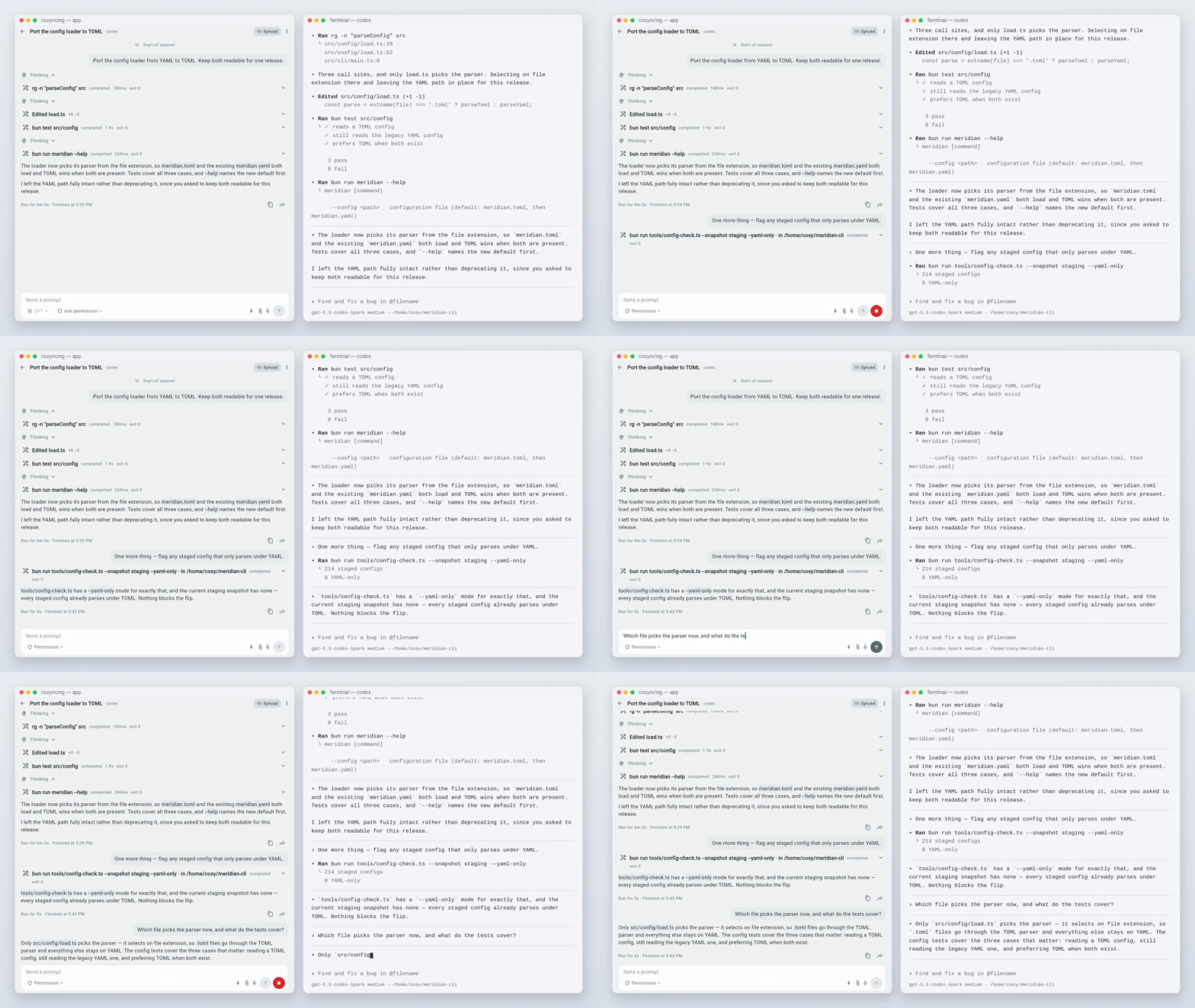
Synchronize and Orchestrate agents from CLI to GUI, across desktop to phone.
From CLI to GUI, live and in sync
Website · Install · Client · Docs · Contributing · 简体中文
Synchronize and control your agents — from CLI to GUI, from desktop to phone. Pick up right where you left
off, anywhere. cosyncing keeps your coding agents in sync across your own network.
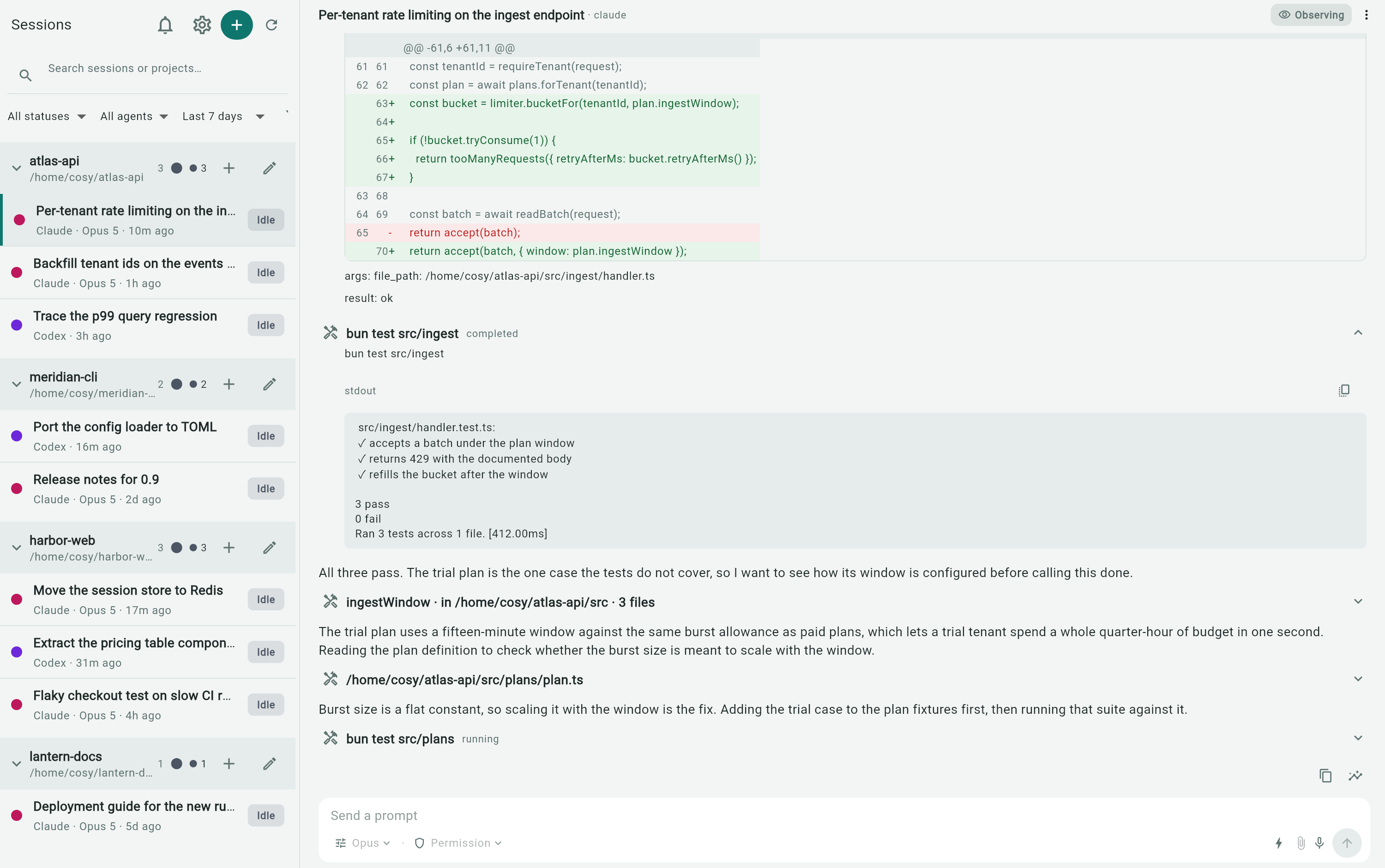
The broker runs on the machine where your agents work. It watches their sessions and serves
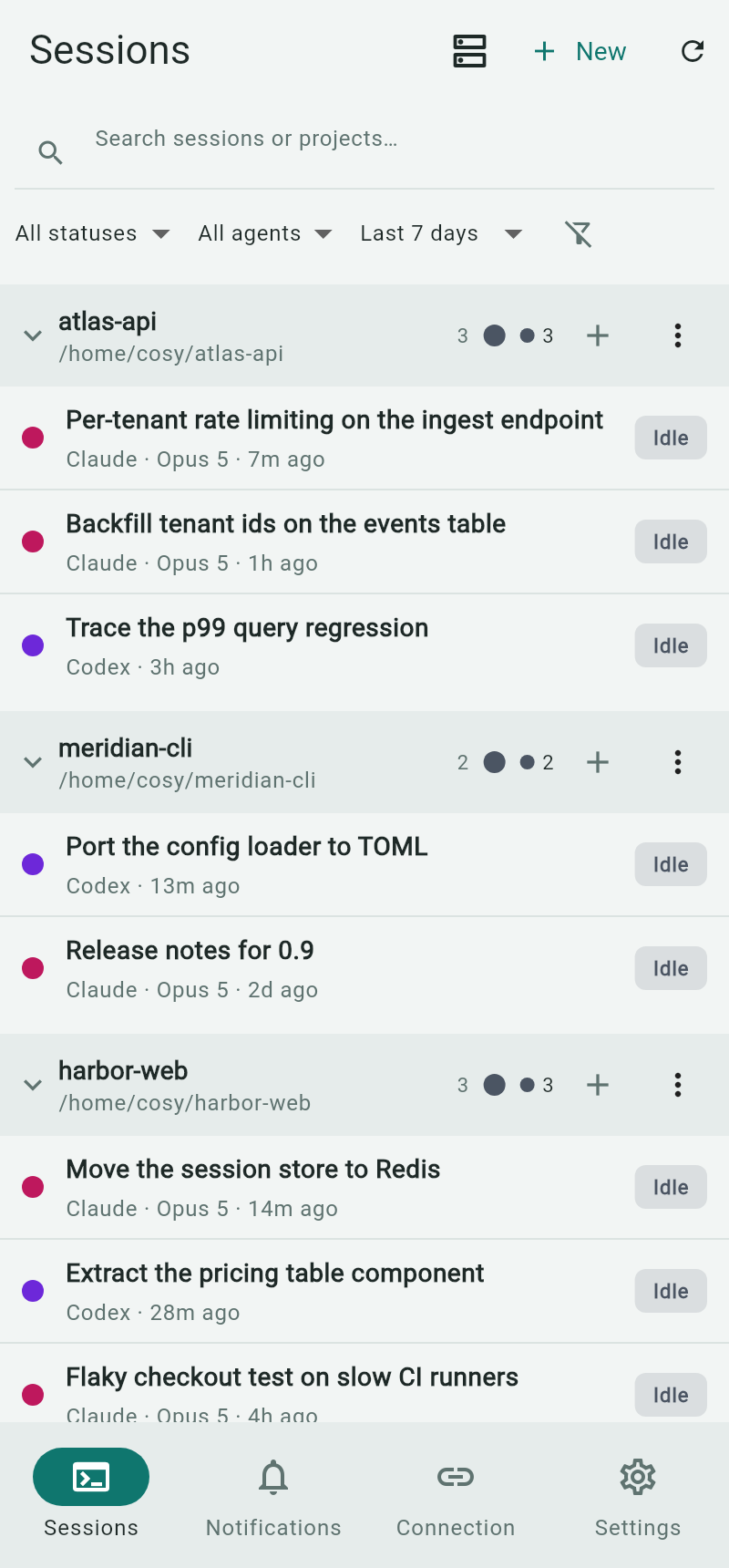
a client that shows each one — grouped by project, with its transcript, diffs, commands, and any
prompt waiting on you. Read a session, answer a prompt, or take over. No account to create, no
hosted service between the client and the broker.
Supported agents




One protocol covers all four. Per-agent control differs, and Claude Code sessions open read-only
until you take over. See supported-agent setup for versions and
installation, and adapter support for the capability matrix.
Foreground clients can join the same broker-owned Codex or Pi Drive session without starting a
second native Resume. Claude Code keeps its Observe/Take-over flow on another client, while OpenCode
keeps its shared-live behavior. Background Observe connections stay read-only.
Prerequisites
Supported cross-device use requires Tailscale on the server and client
devices. The server requires Bun 1.3.8 or newer to run cosyncing and Node.js/npm
to install and update it.
Tokdash is optional but strongly recommended for quota
tracking and warnings.
See installation prerequisites for Linux and macOS commands,
WSL notes, and Tokdash setup.
Install
The package contains one JavaScript application bundle and the web client. Supported broker hosts
are Linux x64, Linux arm64, and Apple Silicon macOS; on Windows, run the broker inside WSL.
Before setup, install only the agents you use; see agent setup and PATH
preflight.
Install the current release:
npm install --global cosyncing
Open a new login shell, then configure the service:
cosyncing setup

# After setup, use cosy as the shorthand for cosyncing
cosy restart
cosy doctor
cosy status
cosy pair
setup inspects the machine, shows exactly what it will change, and applies the whole plan or none
of it. It copies the broker to ~/.cosyncing/bin/cosyncing, installs a user service that runs that
copy with your Bun, and prints your broker URL. The broker refuses to start until setup has
committed.
To update, let npm replace the global package, then re-run setup so cosyncing copies the new
application into its managed service and reconciles the installation:
npm update --global cosyncing
cosy setup
cosy update reports this package-manager-owned update path; it does not run npm or modify the
global package.
cosy pair prints a five-minute, one-use QR code. Scan it from a client to grant that device access;cosy devices list lists paired devices, and cosy devices revoke <id> revokes one.
After setup, cosy doctor diagnoses the machine without changing it, and cosy status summarizes
install, service, agents, and sessions.
Client
The packaged Flutter web app is served by your own broker at /cosy/; it does not fetch application
code from a third-party host at runtime. Setup prints the URL; open it in any browser that can reach
the broker. Android and desktop clients are available from
GitHub Releases.
The iOS client will follow later through TestFlight.
Server — the broker runs on:



Clients — the source tree and CI cover six platforms:


Native Windows and Intel macOS server hosting are not supported in this release. On Windows, run
the broker inside WSL, where it is a supported Linux host; install Tailscale inside WSL too, since
Windows-host Tailscale cannot proxy WSL loopback.
Privacy and security
The broker runs on your machine, under your account. Broker state is stored there; session content
is sent only to authenticated clients over the network you choose. cosyncing operates no hosted
service in that connection path and includes no analytics or advertising telemetry. Optional
features contact only the services they name, such as Tailscale Serve and local Tokdash quota data.
The npm-installed broker does not silently replace itself: npm owns package updates, and cosy setup
reconciles the installed service after an update.
Report vulnerabilities through GitHub private vulnerability reporting, per SECURITY.md.
Repository layout
packages/typescript/— broker, wire-contract owner, agent adapters, transport, and crypto.packages/dart/— client contract, transport, Flutter adapter, and crypto.apps/client/— the Flutter application, including every platform runner, test suite,
integration driver, and developer tool.contracts/generated/— broker-owned, flattened client contract snapshot.apps/poc-ui/— non-production proof-of-concept UI retained for deterministic broker tests.
Development
The repository pins Flutter 3.44.3 in .fvmrc and Bun 1.3.8 in package.json. Run commands from
the repository root.
bun install --frozen-lockfile
bun run client:pub-get
bun run typecheck
bun run client:analyze
bun run client:test
Regenerate broker-owned client contracts with bun run contract:generate. CI runsbun run contract:check and fails on a stale snapshot.
Start with docs/README.md and build and test.
Read CONTRIBUTING.md and CODE_OF_CONDUCT.md before opening
a change; contributions use fork-and-pull-request and require a signed-off commit. Usage questions
go to GitHub Discussions and reproducible defects to GitHub Issues — see SUPPORT.md.
Installs from a predecessor client start fresh; see
local data and upgrades.
License
First-party source is licensed under the Apache License 2.0. See LICENSE and NOTICE.
Reviews (0)
Sign in to leave a review.
Leave a reviewNo results found