eplan-rag-mcp
Health Pass
- License — License: MIT
- Description — Repository has a description
- Active repo — Last push 0 days ago
- Community trust — 56 GitHub stars
Code Warn
- network request — Outbound network request in cloudflare-rag-eecpro/worker/src/index.ts
Permissions Pass
- Permissions — No dangerous permissions requested
No AI report is available for this listing yet.
EPLAN Electric P8 2026 + AI: MCP servers, docs RAG, and a Claude Code skill for EPLAN scripting/API development. EEC PRO RAG
THIS IS UNDER DEVELOPMENT !!!!
CLAUDE OR ANY AI STILL DON'T UNDERSTAND THE CONTEXT ABOUT HOW TO USE THE TOOL, NO UNLESS IT'S GUIDED AND PLANNED. BE CAREFUL
EPLAN AI Automation Toolkit
A collection of AI-assisted automation tools for EPLAN Electric P8 and EPLAN EEC Pro 2026, built around the Model Context Protocol (MCP).
The repo contains three independent sub-projects: a local MCP server that drives EPLAN P8 directly, and two remote MCP servers hosted on Cloudflare Workers that expose the indexed documentation via semantic search.
Working with an LLM here? Read
llm.md— it explains, in LLM-facing
terms, everything the toolkit can do and configure.
Repository Layout
.
├── eplan-p8-mcp-server/          # LOCAL: MCP server that controls EPLAN P8
├── cloudflare-rag-eplan-p8/      # REMOTE: Cloudflare Worker that serves the P8 docs RAG over MCP
├── cloudflare-rag-eecpro/        # REMOTE: Cloudflare Worker that serves the EEC Pro docs RAG over MCP
└── claude-skills/                # SKILL: Claude Code skill for EPLAN P8 development
| Folder | Type | Purpose | EPLAN product |
|---|---|---|---|
eplan-p8-mcp-server/ |
Local Python MCP | Drive a running EPLAN instance from Claude (open/close projects, exports, reports, scripts, etc.) | EPLAN Electric P8 |
cloudflare-rag-eplan-p8/ |
Remote Cloudflare Worker | Serve the P8 doc index as a remote MCP + REST API | EPLAN Electric P8 |
cloudflare-rag-eecpro/ |
Remote Cloudflare Worker | Serve the EEC Pro doc index as a remote MCP + REST API | EPLAN EEC Pro 2026 |
claude-skills/eplan-development/ |
Claude Code skill | Teach Claude to write correct EPLAN scripts, API code, and Remote Client apps (patterns + pitfalls) | EPLAN Electric P8 |
Each sub-project has its own README with installation and usage details.
What is MCP?
MCP (Model Context Protocol) is an open standard that lets AI assistants like Claude interact with external tools and services. Instead of just generating code, Claude can actually execute actions in EPLAN in real time and consult documentation through semantic search.
Quick Start
Local EPLAN automation (P8)
The local MCP server lets Claude drive a running EPLAN instance. It exposes
156 tools: 7 connection/utility tools plus 149 EPLAN actions
(eplan_*), every one executed silently inside a C# script under QuietMode —
no EPLAN dialog can block unattended runs.
The EPLAN version is auto-detected: the server scansC:\Program Files\EPLAN\Platform and targets the newest installed version.
No configuration needed.
pip install pythonnet mcp
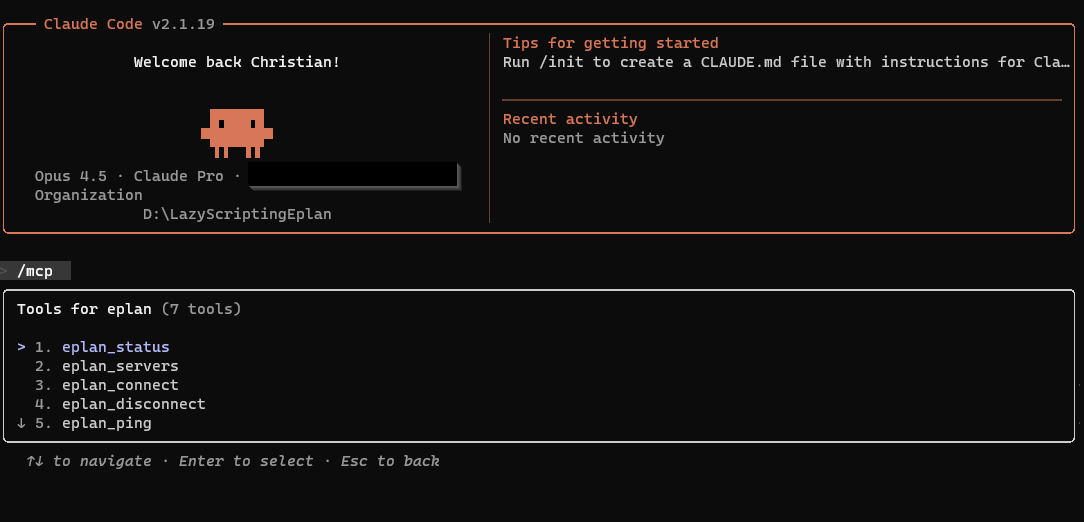
claude mcp add eplan -- python YOURPATH/eplan-p8-mcp-server/mcp_server/server.py
claude mcp list   # should list "eplan"
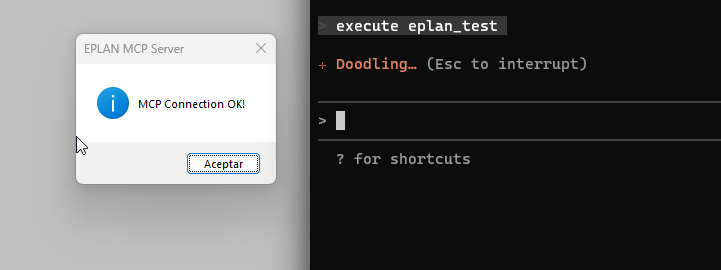
Then start EPLAN, open Claude Code, and say connect to eplan. See eplan-p8-mcp-server/mcp_server/README.md for the full guide.
Precondition of use
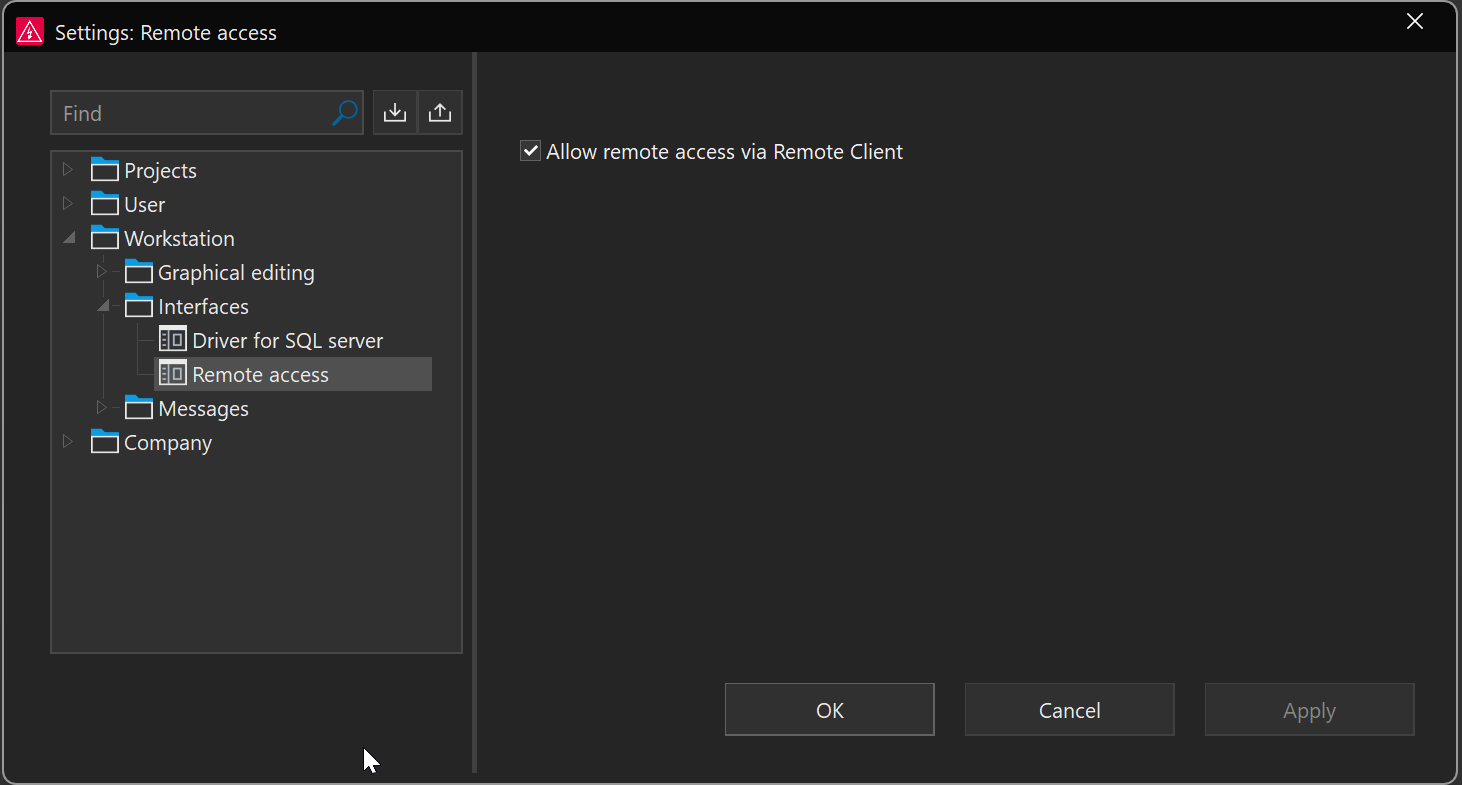
To use remoting, please proceed as follows:
To start Eplan remoting, you must first activate the Allow remote access via Remote Client setting. You can do this via GUI in the settings dialog (File > Settings... > Workstation > Interfaces > Remote access).
Remote documentation RAGs (P8 and EEC Pro)
These are already deployed and ready to use — no local data required:
# EPLAN Electric P8 documentation
claude mcp add eplan-rag -- cmd /c npx mcp-remote https://rag2026.covaga.xyz/mcp

# EPLAN EEC Pro 2026 documentation
claude mcp add eecpro-rag -- cmd /c npx mcp-remote https://rageecpro.covaga.xyz/mcp
They also expose a plain REST API (handy for verifying EPLAN action names and
parameters while developing):
curl -X POST https://rag2026.covaga.xyz/search -H "Content-Type: application/json" \
     -d "{\"query\": \"export project pdf\", \"topK\": 3}"
See cloudflare-rag-eplan-p8/README.md and cloudflare-rag-eecpro/README.md for the tools, REST endpoints, and architecture.
Claude Code skill for EPLAN development
While the MCP servers let Claude act on EPLAN, the skill teaches Claude to write correct EPLAN code: scripting entry points, verified action parameters, parts-database access, Remote Client automation (dynamic ports, headless EPLAN, Cogineer), and the production pitfalls (pseudo-async command blocking, message-loop monitor thread, dispose discipline, EPLAN 2025 remoting changes).
Install from Claude Code (this repo is also a plugin marketplace):
/plugin marketplace add covagashi/Eplan_2026_IA_MCP_scripts
/plugin install eplan-development@eplan-tools
See claude-skills/eplan-development/README.md for manual installation and details.
Adding New EPLAN Actions
The local MCP server registers tools dynamically from each actions package's__all__ list, so adding an action is just two steps (no per-tool boilerplate).
1. Implement the action
In eplan-p8-mcp-server/mcp_server/api/actions/<your_module>.py:
def open_project(project_path: str, open_mode: str = None) -> dict:
    """Open a project in EPLAN.

    Args:
        project_path: Full path to the .elk project file.
        open_mode: "Standard", "ReadOnly", or "Exclusive" (optional).
    """
    manager, error = _get_connected_manager()
    if error:
        return error
    action = _build_action("ProjectOpen", Project=project_path, OpenMode=open_mode)
    return manager.execute_action(action)
2. Export it
Add the function to the imports and to __all__ ineplan-p8-mcp-server/mcp_server/api/actions/__init__.py. It is then
auto-registered as eplan_open_project.
3. Restart the MCP server
The new tool becomes available after restarting Claude / the server.
4. Validate against the official docs (optional)
eplan-p8-mcp-server/tools/validate_actions.py cross-checks every action name
and parameter declared in the wrappers against the official EPLAN docs RAG and
writes a markdown report:
python eplan-p8-mcp-server/tools/validate_actions.py
Tips
- Verify against the docs — use the remote P8 RAG (
https://rag2026.covaga.xyz) to confirm the exact EPLAN action name and parameters. - Write meaningful docstrings + type hints — they become the tool description and input schema the LLM sees and relies on.
- Handle paths carefully — Windows paths need escaping (
\\) or forward slashes (/).
EPLAN Version Selection (automatic)
There is nothing to configure. On startup the server scansC:\Program Files\EPLAN\Platform for installed versions and:
- Auto mode (default):
eplan_connecttargets the newest installed
version and picks the right .NET runtime automatically (coreclr for
EPLAN 2027+, .NET Framework for 2026 and older). - Explicit mode (LLM's choice): the LLM can call
eplan_versionsto list
what is installed and then connect to a specific one witheplan_connect(version="2026")— e.g. "connect to eplan 2026".
Notes:
- EPLAN installed somewhere non-standard? Set the
EPLAN_PLATFORM_ROOT
environment variable to itsPlatformfolder. - Once one version's DLLs are loaded into the process, switching to another
version requires restarting the MCP server (a .NET runtime cannot be swapped
at runtime). eplan_connectalso accepts ahost(and"host:port") to reach an EPLAN
instance on another machine; port auto-detection only works on localhost.
Resources
Reviews (0)
Sign in to leave a review.
Leave a reviewNo results found