leathercad
Health Uyari
- License — License: Apache-2.0
- Description — Repository has a description
- Active repo — Last push 0 days ago
- Low visibility — Only 5 GitHub stars
Code Basarisiz
- rm -rf — Recursive force deletion command in .github/workflows/installers.yml
Permissions Gecti
- Permissions — No dangerous permissions requested
Bu listing icin henuz AI raporu yok.
Desktop application for designing leathercraft patterns that print at exact 1:1 scale

LeatherCAD
Leathercraft patterns that print at exactly 1:1.
Draw in real millimetres, stitch along the edge, and print a template you can cut out.




Download ·
Getting started ·
What's new ·
Roadmap
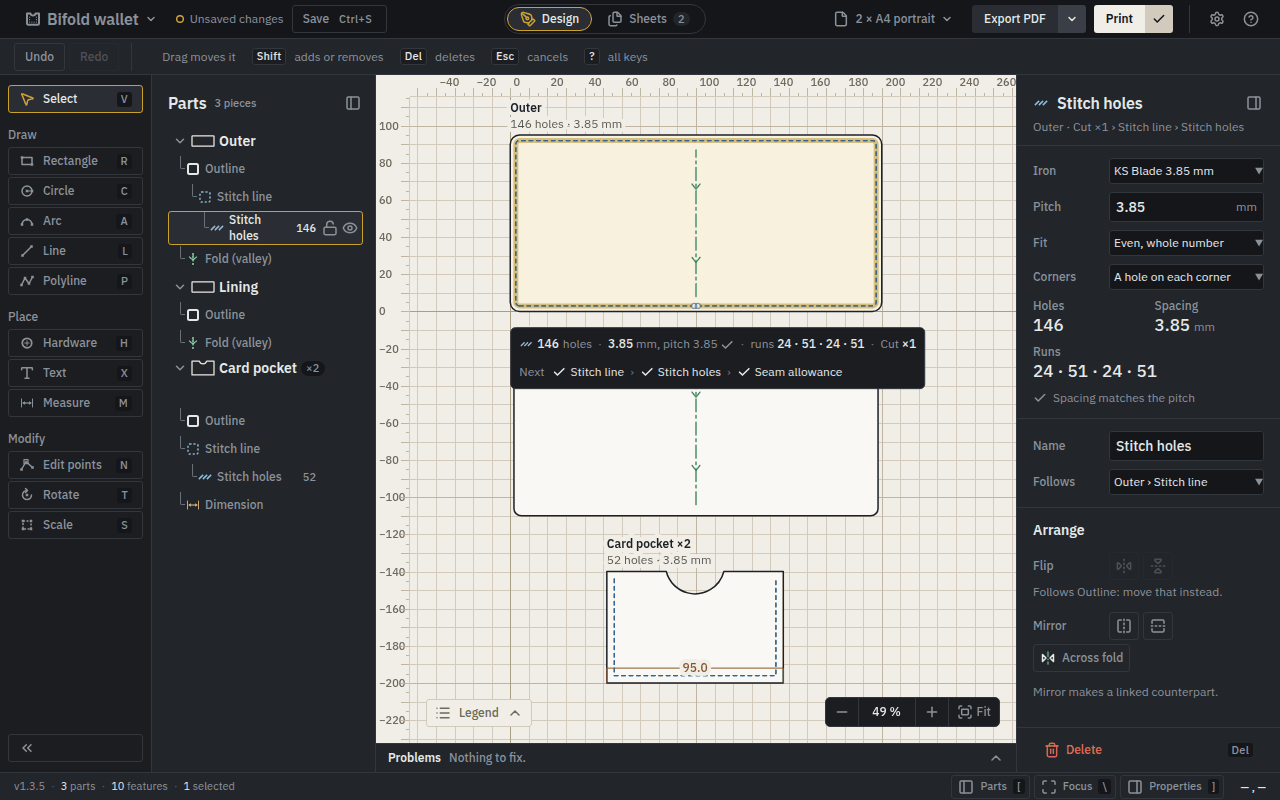
Why LeatherCAD
A general drawing program sees lines. LeatherCAD sees leather: an outline you cut, a stitch line
that follows it, holes at your pricking iron's pitch, a fold, a pocket you cut twice. Change the
outline and everything that depends on it follows. Then it prints on ordinary paper, true to the
millimetre — and every sheet carries a 100 mm gauge so you can check that with a steel rule.
A bifold wallet, start to finish
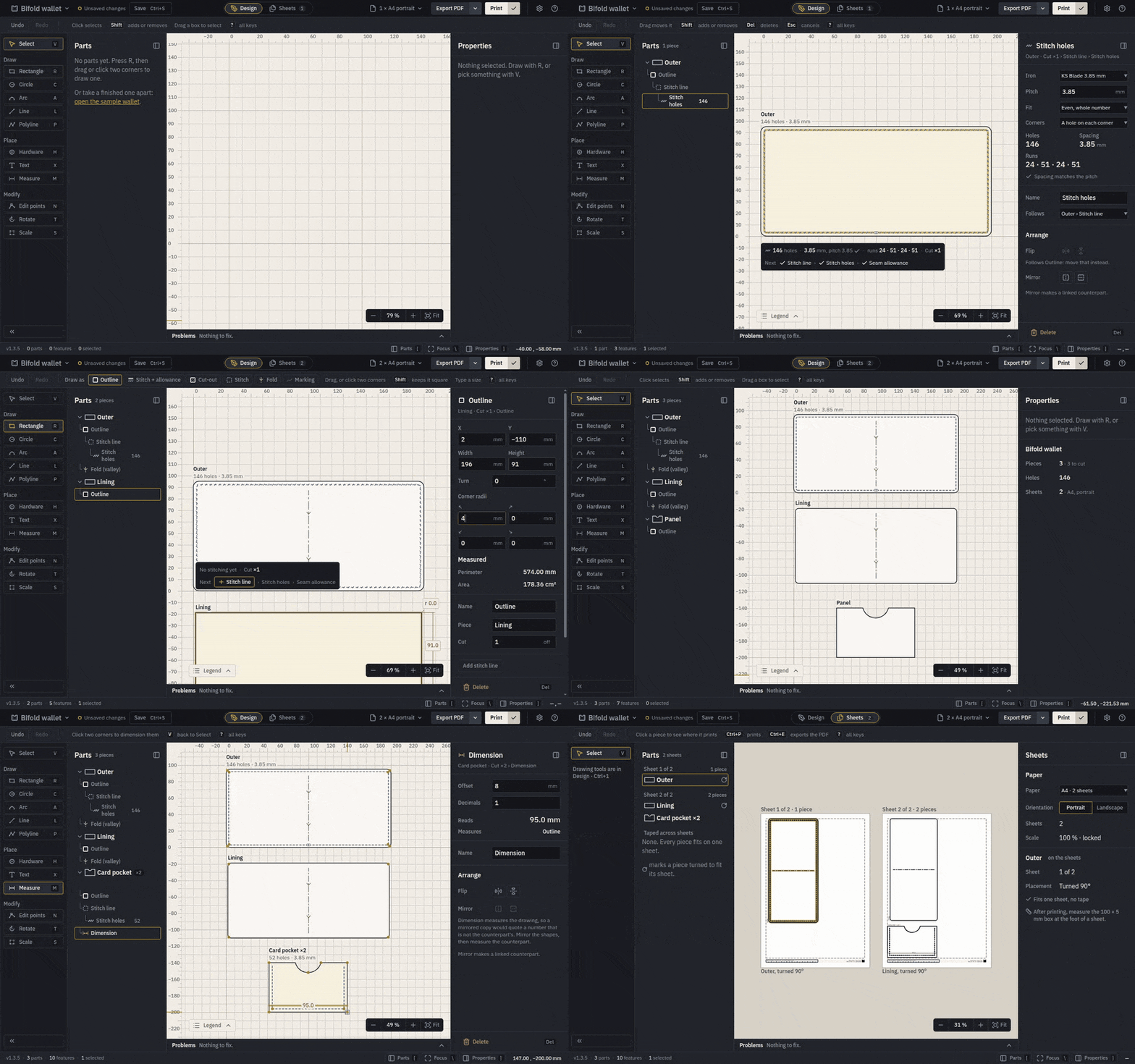
- Draw roughly, then type it exactly. Drag out a rectangle, then give it 200 × 95 mm and 5 mm
corners. Every number is in millimetres, and what you type is what prints. - Stitch it. Add stitch line follows the edge, 3.5 mm in unless you say otherwise; Add
holes places them at your iron's pitch and shows how many there are and the spacing they came
out at. - Fold it. A fold line shows which way it folds.
- Add the rest. A lining, and a card pocket with a thumb scoop, stitched on three sides and
marked cut 2. - See the paper before you print. The Sheets view shows every piece exactly where the PDF will
put it.
This demo is recorded from the real app by a script
(e2e/media/readme.spec.ts), so it always shows what LeatherCAD
actually does.
What it does
Parts that know what they areRectangles, circles, arcs, lines and polylines with arc segments — a pocket with a thumb scoop is one Stitching that follows the edgeA stitch line is an inset of its outline, and holes are placed along it at the iron's pitch, with a Problems stated, not hiddenHoles too close to the edge, spacing far from the iron's pitch, a stitch line that lost its outline: |
See the paper firstThe paper list says what each choice prints — 3 sheets of A4, portrait, 1 sheet of A4, Print, and check the printPrint shows the PDF in LeatherCAD's own preview, and from the AppImage on Linux — and on macOS, Your work is keptClosing with unsaved changes asks first, and after a crash LeatherCAD offers your unsaved work back. |
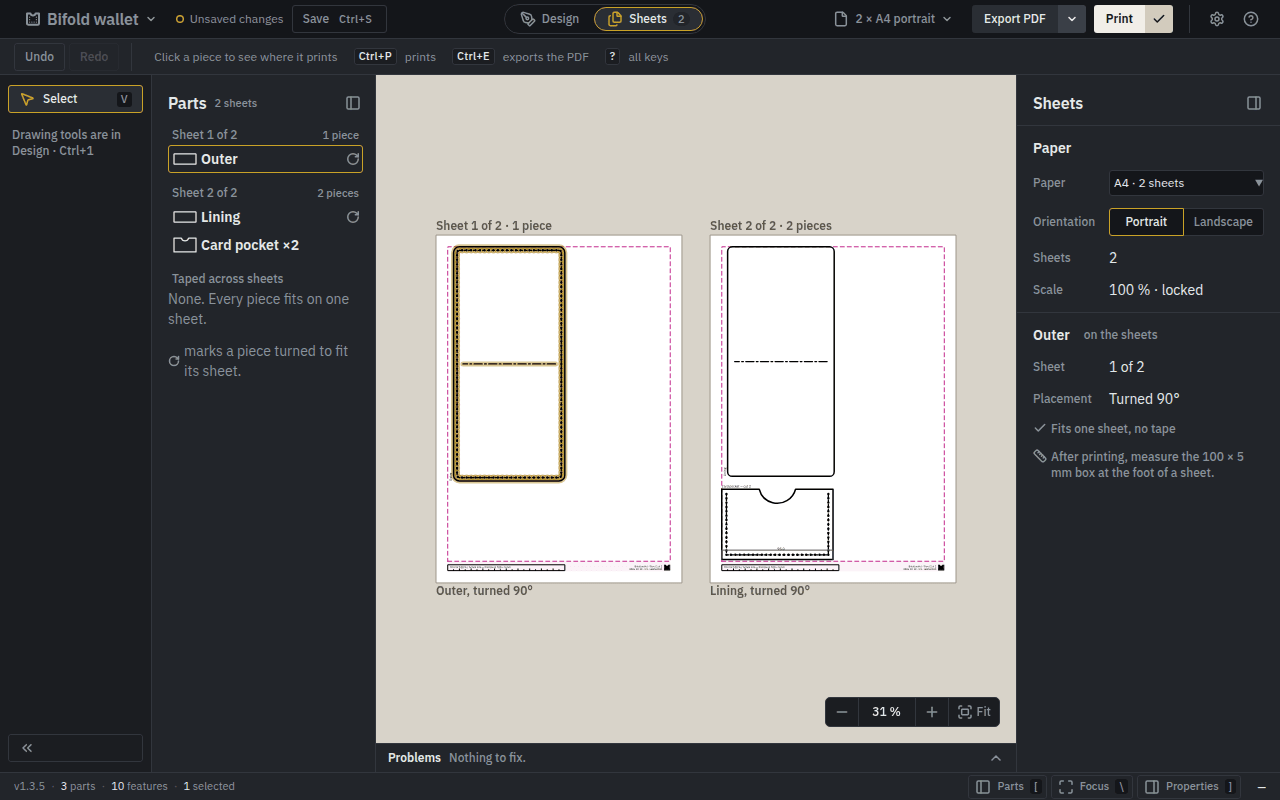
The Sheets view — the pieces on the paper, exactly as the PDF places them. |
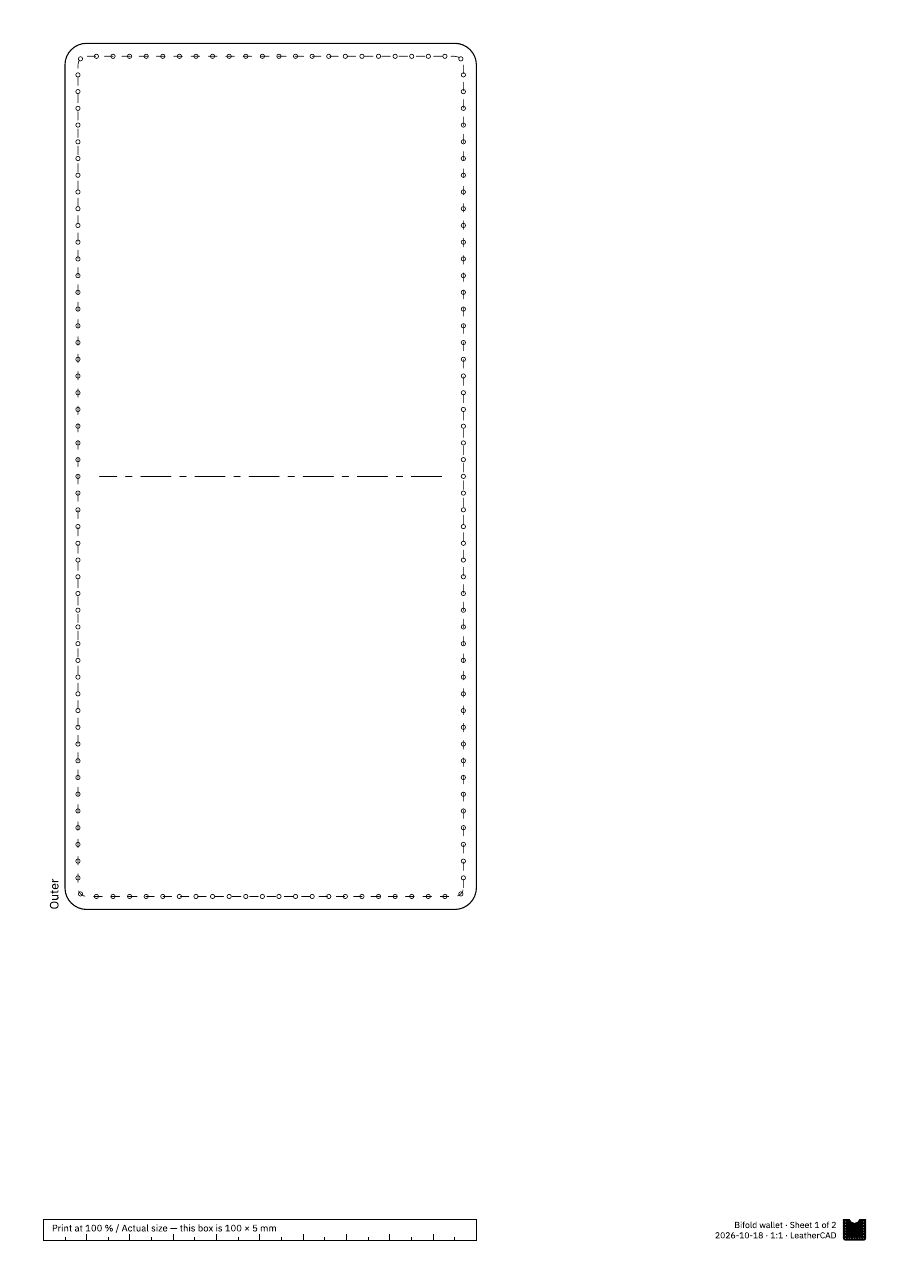
The printed sheet — with the 100 × 5 mm box to check it by. |
Download
The latest release has an AppImage,
a Flatpak and a .deb for Linux, an installer for Windows, and a dmg for macOS on Apple silicon and
Intel. LeatherCAD is free and open source, and its installers are not code-signed — signing costs
money every year — so Windows and macOS warn the first time you open it.
Getting started says which file to take, how to open it
anyway, and how to check that a download is the one this repository built.
It is made for Arch Linux and Ubuntu LTS (measured), Windows 10 22H2 and 11 (tested), and other
Linux and macOS 12 or newer (shipped). The
supported systems say what each level promises.
The 1:1 promise
A line drawn as 100 mm measures 100 mm on paper. Everything in LeatherCAD's design serves that:
- Millimetres all the way down. The model has no pixels; the screen is the only place that
knows about them. - Never scaled to fit. A part too big for the sheet gets more sheets, not a smaller drawing.
- Measured on every change. CI exports a print test and measures the PDF, rendered by an
independent renderer, on Linux, Windows and macOS
(e2e/print-verification.spec.ts). - Measured on paper. Before a release, a person prints it and measures it with a steel rule
(docs/print-verification-log.md).
Translations
LeatherCAD can be translated into any language: a translation is one file, and needs no
programming.
| Language | |
|---|---|
| English | ✅ Supported |
Translate LeatherCAD into your language. Every word the app says is in one file:
- Copy
apps/desktop/src/locales/en.jsonto a file named for
your language:pl.json,de.json,es.json,ru.json,pt-BR.json. - Translate each text after the
:. Keep the keys before it, and anything in{{double braces}},
exactly as they are: the app fills those in with a name or a number. Where English has_one
and_other, give every form your language uses — Polish and Russian also have_fewand_many. The glossary explains the leathercraft words. - Run
pnpm test locales(setting up). It names anything misspelt or in
the wrong form, and lists what is still in English. - Try it: run
pnpm dev, and choose your language in Settings › Language, where it is marked
preview. - Open a pull request. A part-finished translation is welcome too: it can be completed later.
A translation becomes a supported language — offered in every release — once it is complete and has
been reviewed, when the maintainers add it to the list of supported languages. Until then it is
there to try in pnpm dev, and nowhere else.
Printed patterns stay in English for now: their lettering is drawn from Latin glyphs, so they read
the same on every printer.
Documentation
For makers: Getting started — install, draw, stitch, print, and check
the print. Glossary — the leathercraft words the app uses.
For contributors: start with CONTRIBUTING.md, then
| Document | What it covers |
|---|---|
| product-spec.md | What LeatherCAD is and is not, its principles and its direction |
| product-roadmap.md | Where it is going: themes, milestones and what depends on what, drawn |
| architecture.md | The stack, the layers and the rules between them |
| domain-model.md | Parts, features, derivation, stitching, validation |
| geometry.md | Representation, numerics, offsetting |
| file-format.md | The .lcp format, versions and migrations |
| printing.md | Export, pagination, tiling, the accuracy budget |
| testing.md | Test layers, property tests, CI |
| roadmap.md | What is next, and what is known but not fixed |
| performance-backlog.md | Measured performance findings, priorities, tasks and acceptance criteria |
| adr/ | Why each decision was made |
CLAUDE.md holds the invariants no change may break. Found a security problem?
Report it privately — see SECURITY.md.
Licence
Apache-2.0. The interface and every printed word use IBM Plex Sans, under the
SIL Open Font Licence. Help → About LeatherCAD → Third-party notices
lists everything else the app ships.
Yorumlar (0)
Yorum birakmak icin giris yap.
Yorum birakSonuc bulunamadi