pcode
Health Uyari
- License — License: MIT
- Description — Repository has a description
- Active repo — Last push 0 days ago
- Low visibility — Only 6 GitHub stars
Code Gecti
- Code scan — Scanned 12 files during light audit, no dangerous patterns found
Permissions Gecti
- Permissions — No dangerous permissions requested
Bu listing icin henuz AI raporu yok.
Terminal-native AI coding agent with background jobs, parallel worktrees, forkable sessions, and multi-model support.
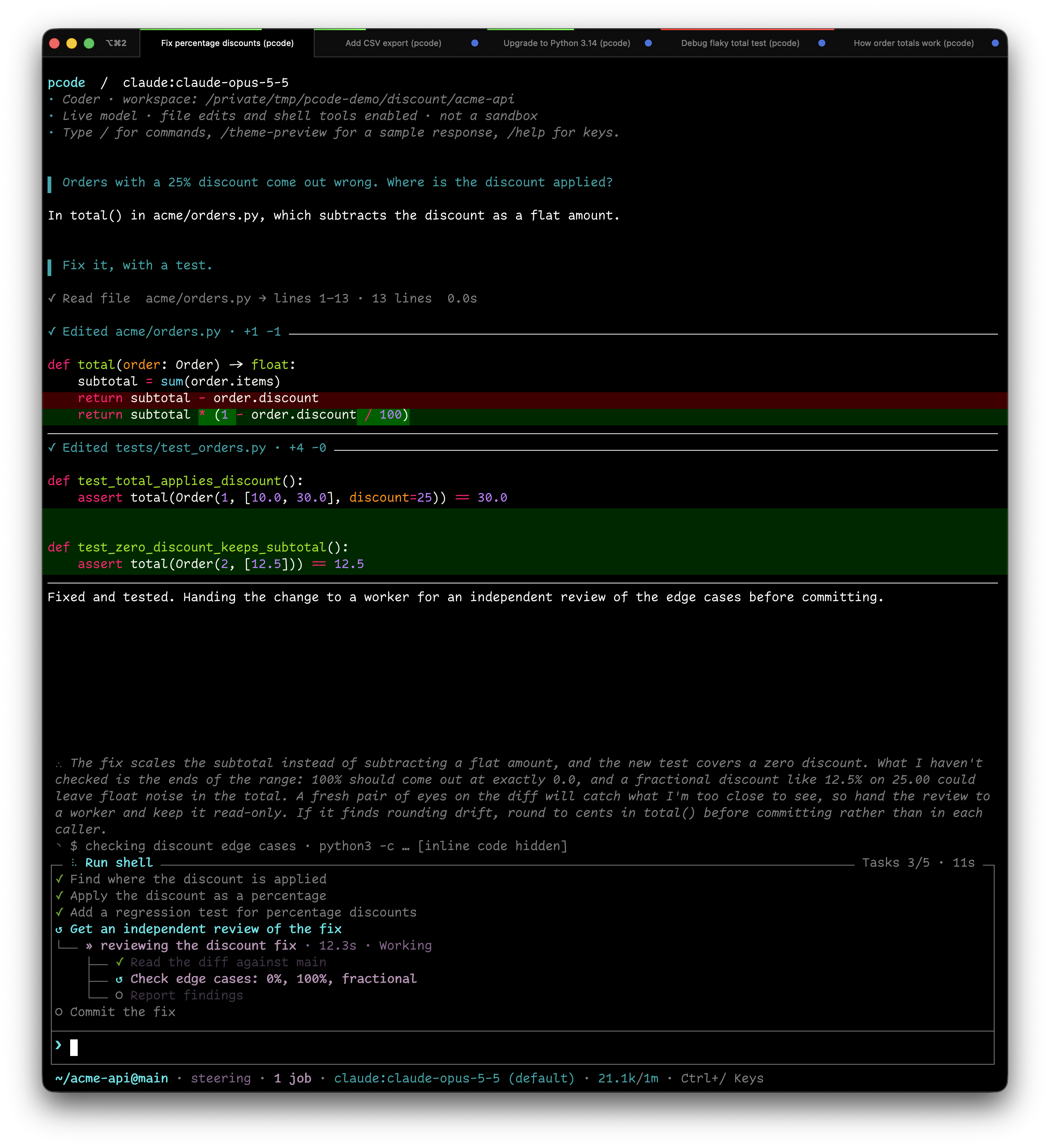
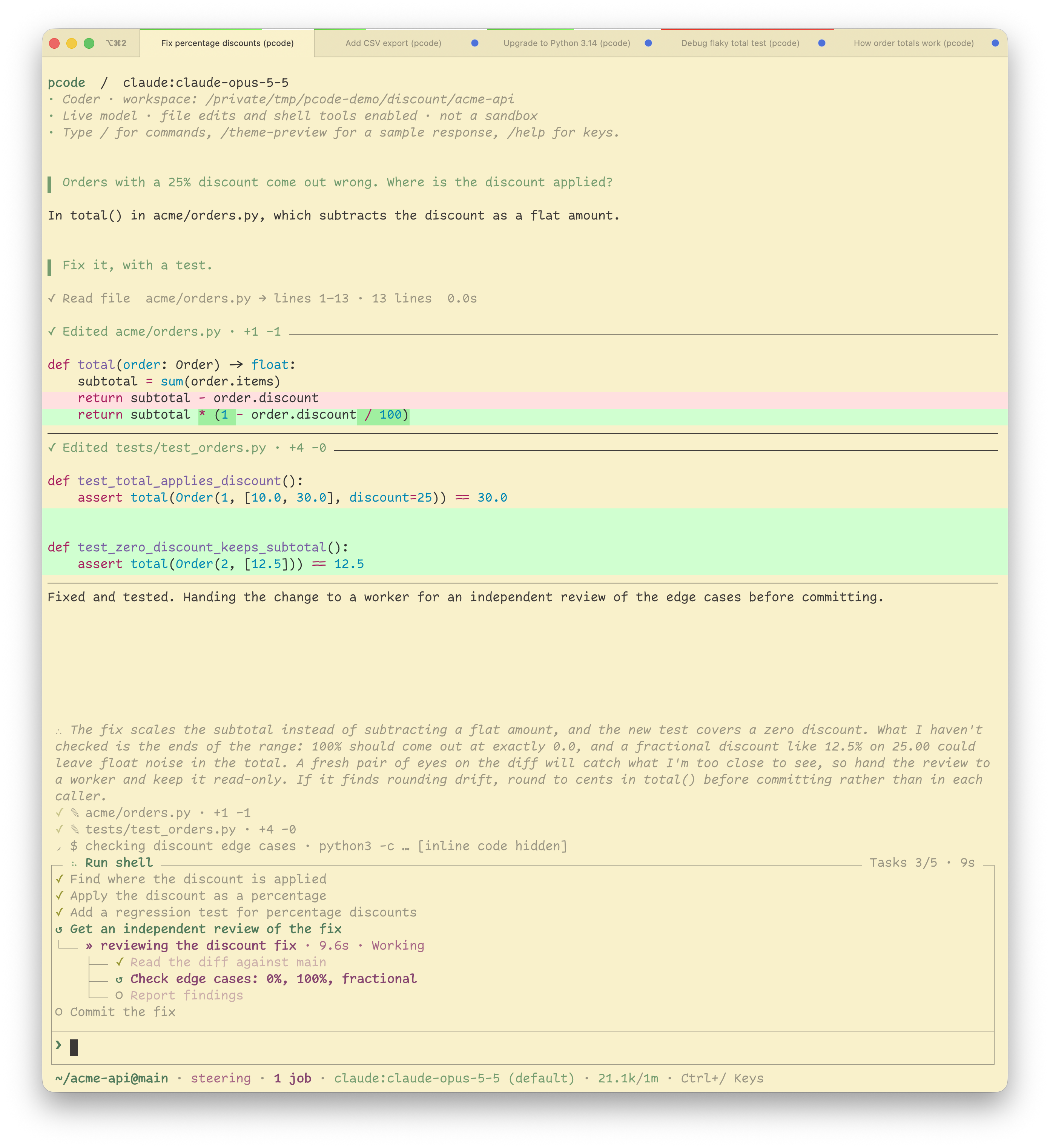
pcode
pcode is a terminal-native coding agent that lets you change what's visible in
your scrollback, even after the work is done. Expand commands, output, and diffs
when you need the details; hide them when you want to read the conversation.
The same history, with the detail you choose.
Long-running commands continue in the background and wake the agent when they
finish. Run sessions in separate git worktrees, or rewind and branch a
conversation to try another approach.
- Slow work doesn't block you. Long commands become background jobs, and a
finished job wakes the agent, so it can watch tests or CI and fix what fails. - Agents in parallel. A git worktree per session lets several agents work
on one repo at once. - Rewind and fork.
/treereturns to any point in a conversation and
branches from there. Every session is kept, so you can resume or search it. - Change your view, not your history. Show or hide commands, output, and
diffs throughout the conversation. Hidden output stays available, and/tools
lets you inspect every tool call and its full output.
It runs on any model Pydantic AI supports, or on
your Claude or ChatGPT subscription.
Documentation: cruxwell.github.io/pcode
Install
With Homebrew:
brew tap cruxwell/pcode https://github.com/cruxwell/pcode.git
brew install cruxwell/pcode/pcode
uv tool install --python 3.14 'pcode[claude]'
brew install --HEAD tracks master instead of the latest release.
Quick start
pcode -m claude:claude-sonnet-5              # Claude subscription; run /login claude if not signed in
pcode -m openai-codex:gpt-5.6-luna           # ChatGPT subscription (/login openai-codex)
pcode -m anthropic:claude-sonnet-5           # or any provider, with its API key set
pcode                                        # reuses the model /model (Ctrl+L) saved; with none, an offline preview
pcode -C /path/to/repo "Summarize the open TODOs"
git diff | pcode -p --no-save                # non-interactive: reply to stdout
pcode --continue                             # resume this directory's newest session
pcode --theme-preview                        # offline sample output and the style gallery
The agent edits files and runs shell commands with your permissions and no
approval prompt. Read tool permissions
before pointing it at anything you care about.
More
- Your subscription: Claude runs through Anthropic's own Agent SDK and
Claude Code login (the route Anthropic supports), and ChatGPT through a Codex
login. See providers. - Email remote control: send a task
from Gmail on your phone, reply to keep going, and take the session over at a
terminal withpcode --attach. - Custom keybindings and Vim editing:
map keys to commands with arguments, add a Space leader in normal mode, or usejjto leave insert mode. /btwside questions, background sessions, recall of past sessions, a
browser the agent can drive, and Python extensions.- Built on Pydantic AI's Harness coder, with MCP (OAuth and tool search),
searchable sessions, jobs and worktrees on top. Extensions are plain
Pydantic AI capabilities. The conversation tree follows
pi's.
See PLAN.md for the longer-term direction.
Documentation
| Page | What it covers |
|---|---|
| Getting started | Homebrew, uv and source installs, signing in, --print, shell completion |
| Scrollback and transparency | Guide: what goes into scrollback, /tools, /diffs |
| A shell for long-running work | Guide: background jobs, watching CI |
| Parallel agents | Guide: worktrees, parallel sub-agents, /agents |
| Extending pcode | Guide: extensions, skills, settings |
| Providers and models | Authentication, supported providers, the model picker, reasoning effort, Claude Code, proxies |
| Configuration | pcode config, per-repository overrides, trusting repository code, the settings table, syntax styles |
| Commands and keys | Slash commands, key bindings, vi mode, tmux newlines, status line, !command, the diff and tool inspectors |
| Keybindings | Custom command mappings with /bind, Ctrl shortcuts, vi editing, a normal-mode leader, and custom escape sequences such as jj |
| Terminal setup | Tab titles, the progress bar, iTerm2 and tmux settings |
| Tools | Tool permissions, web search, the browser, code mode |
| MCP servers | Opt-in MCP configuration, OAuth sign-in, deferred tool search |
| Working in a repository | AGENTS.md/CLAUDE.md, skills as slash commands, one worktree per session |
| Sessions and recovery | Saving, resuming, recalling earlier sessions, checkpoints, retries |
| Context, limits and caching | Prompt overhead, compaction, output limits, prompt cache notices |
| The transcript | What lands in scrollback: diffs, thinking, errors, command output, /redraw |
| Email remote control | Driving a session from Gmail, the remote profile |
| Conversation tree | /tree: rewinding and forking a conversation |
| Side questions | /btw: asking about the running turn without interrupting it |
The same pages build into a browsable site with make docs-serve; make docs
checks every page and anchor link.
Contributing
Bugs: open an issue.
Security problems: see SECURITY.md. Setup and checks are in
CONTRIBUTING.md.
make test        # fast suite; real-tmux regressions skipped
make test-all    # everything, before touching layout, streaming, the editor, or the prompt
AGENTS.md has the worktree workflow and the traps worth knowing
before editing. Contributor notes (architecture, dependencies, profiling, prompt
caching, provider design) live in dev/, outside the published docs.
Yorumlar (0)
Yorum birakmak icin giris yap.
Yorum birakSonuc bulunamadi