filepilot-ai
Health Uyari
- License — License: MIT
- Description — Repository has a description
- Active repo — Last push 0 days ago
- Low visibility — Only 9 GitHub stars
Code Basarisiz
- rm -rf — Recursive force deletion command in .github/workflows/ci.yml
Permissions Gecti
- Permissions — No dangerous permissions requested
Bu listing icin henuz AI raporu yok.
Local-first file intelligence: desktop app, CLI, and safe MCP server for AI agents.

FilePilot AI
Local-first file intelligence for desktop users, scripts, and AI coding agents.
FilePilot AI helps you search, understand, tag, deduplicate, summarize, and safely organize local files. It includes a desktop app, a CLI, and a privacy-first MCP server for Claude Code, Codex, Cursor, Claude Desktop, and other agent clients.





Version 0.8.1
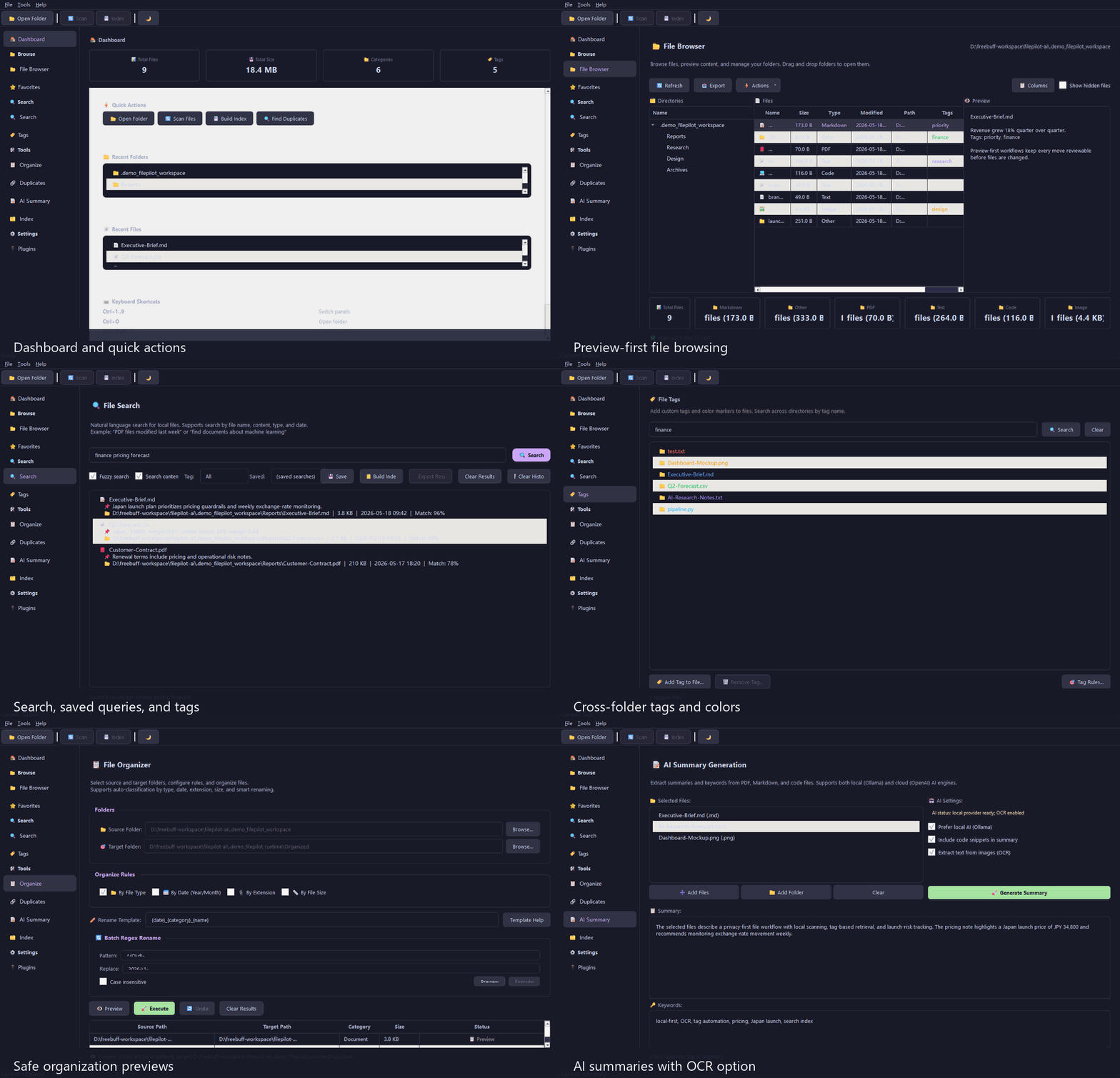
At A Glance
| What it is | Why it matters |
|---|---|
| Local-first file manager | Search, preview, tag, deduplicate, and organize files without uploading an index to a cloud service. |
| MCP server for agents | Let AI coding agents inspect only the folders you allow, with bounded reads and read-only defaults. |
| Preview-first organizer | Generate dry-run organization plans before any files move. |
| Optional AI summaries | Use local models or explicitly configured cloud providers for document summaries. |
| Desktop + CLI + MCP | Start visually, automate with scripts, or expose scoped tools to agent clients. |
Best For
- Developers who want Claude Code, Codex, Cursor, or Claude Desktop to inspect local files without broad filesystem access.
- Desktop users with messy Downloads, exports, backups, screenshots, PDFs, and duplicate files.
- Maintainers who want a local-first file intelligence layer with tests, docs, release checks, and a clear safety model.
- Builders looking for a practical Python/PySide6 MCP reference project that is more than a toy demo.
Why FilePilot Exists
Modern AI agents can reason about code and documents, but giving them raw access to your whole filesystem is risky. FilePilot sits between your local files and the tools that need them.
It is built around a simple promise:
- Your files stay local by default.
- File reads are scoped, bounded, and explicit.
- Cleanup starts as a preview, not a destructive action.
- AI features are optional and use only the providers you configure.
- Agent-facing write operations require opt-in write mode, confirmation, validation, and audit logs.
What Makes It Different
Most file tools focus on either a desktop UI, a command line, or an AI demo. FilePilot deliberately connects all three:
- The same core services power the desktop app, CLI, and MCP tools.
- MCP access is directory-scoped instead of "let the agent browse everything."
- Organization is plan-based, so agents can propose changes before anything moves.
- Release assets include checksum sidecars and CI verification.
- The repository includes issue forms, security policy, roadmap, architecture docs, and workflow prompts for contributors.
Three Ways To Use It
| Layer | Best for | Entry point |
|---|---|---|
| Desktop app | Visual browsing, previews, search, tags, summaries, duplicate review, and organization planning. | python -m filepilot.main |
| CLI | Repeatable scripts for scanning, searching, exports, disk usage, duplicates, and dry-run organization. | python -m filepilot.cli |
| MCP server | Safe local file tools for Claude Code, Codex, Cursor, Claude Desktop, and other MCP clients. | filepilot-mcp |
MCP For AI Agents
FilePilot MCP is the most agent-ready part of the project. It exposes useful file operations without handing an agent unrestricted filesystem access.
| Safety concern | FilePilot MCP behavior |
|---|---|
| Filesystem scope | Only directories passed with --allow are accessible. |
| Default permissions | The server starts read-only. Write-like tools require --write. |
| Large or sensitive reads | File size and returned-character limits are enforced. |
| Hidden paths | Dot-prefixed hidden paths are blocked unless --allow-hidden is set. |
| Organization changes | Plans are dry-run first, saved by ID, discoverable/filterable, then applied only with confirm=True. |
| Auditability | Write-like operations are recorded as JSONL audit events. |
Current MCP tools:
server_status, scan_files, search_files, index_folder, search_index,
read_file, extract_file_text, summarize_file, suggest_tags, add_tags,
find_duplicates, propose_organization_plan, list_plans,
cleanup_plans, apply_organization_plan, undo_organization_plan,
list_workflow_templates, get_workflow_template, mcp_client_config
See docs/MCP.md for the full safety model, docs/MCP-CLIENTS.md for Claude Desktop, Claude Code, Cursor, and Codex snippets, docs/MCP-WORKFLOWS.md for built-in agent workflow templates, and docs/ARCHITECTURE.md for the project architecture.
Quick Start
Desktop App
git clone https://github.com/cuiheng511/filepilot-ai.git
cd filepilot-ai

python -m venv .venv

# Windows
.venv\Scripts\activate

# macOS / Linux
source .venv/bin/activate

pip install -r requirements.txt
python -m filepilot.main
Package installs can choose only the needed layer:
pip install "filepilot-ai[desktop]"
pip install "filepilot-ai[mcp]"
MCP Server
Install the MCP extra and allow one local folder:
pip install -e ".[mcp]"
filepilot-mcp --allow ~/Documents --read-only
Allow multiple roots when a task needs both source and target folders:
filepilot-mcp --allow ~/Downloads --allow ~/Sorted --read-only
Enable write-like tools only for trusted sessions:
filepilot-mcp --allow ~/Downloads --allow ~/Sorted --write
Minimal MCP client config:
{
  "mcpServers": {
    "filepilot": {
      "command": "filepilot-mcp",
      "args": ["--allow", "C:\\Users\\you\\Documents", "--read-only"]
    }
  }
}
CLI
# Scan a folder
python -m filepilot.cli scan ~/Documents

# Search indexed files
python -m filepilot.cli search ~/Documents "project notes"

# Find duplicate files
python -m filepilot.cli duplicates ~/Downloads

# Export an inventory report
python -m filepilot.cli export ~/Projects --format csv -o report.csv

# Preview an organization plan before moving anything
python -m filepilot.cli organize ~/Downloads ~/Sorted --dry-run --rules category date
What FilePilot Can Do
| Area | Capabilities |
|---|---|
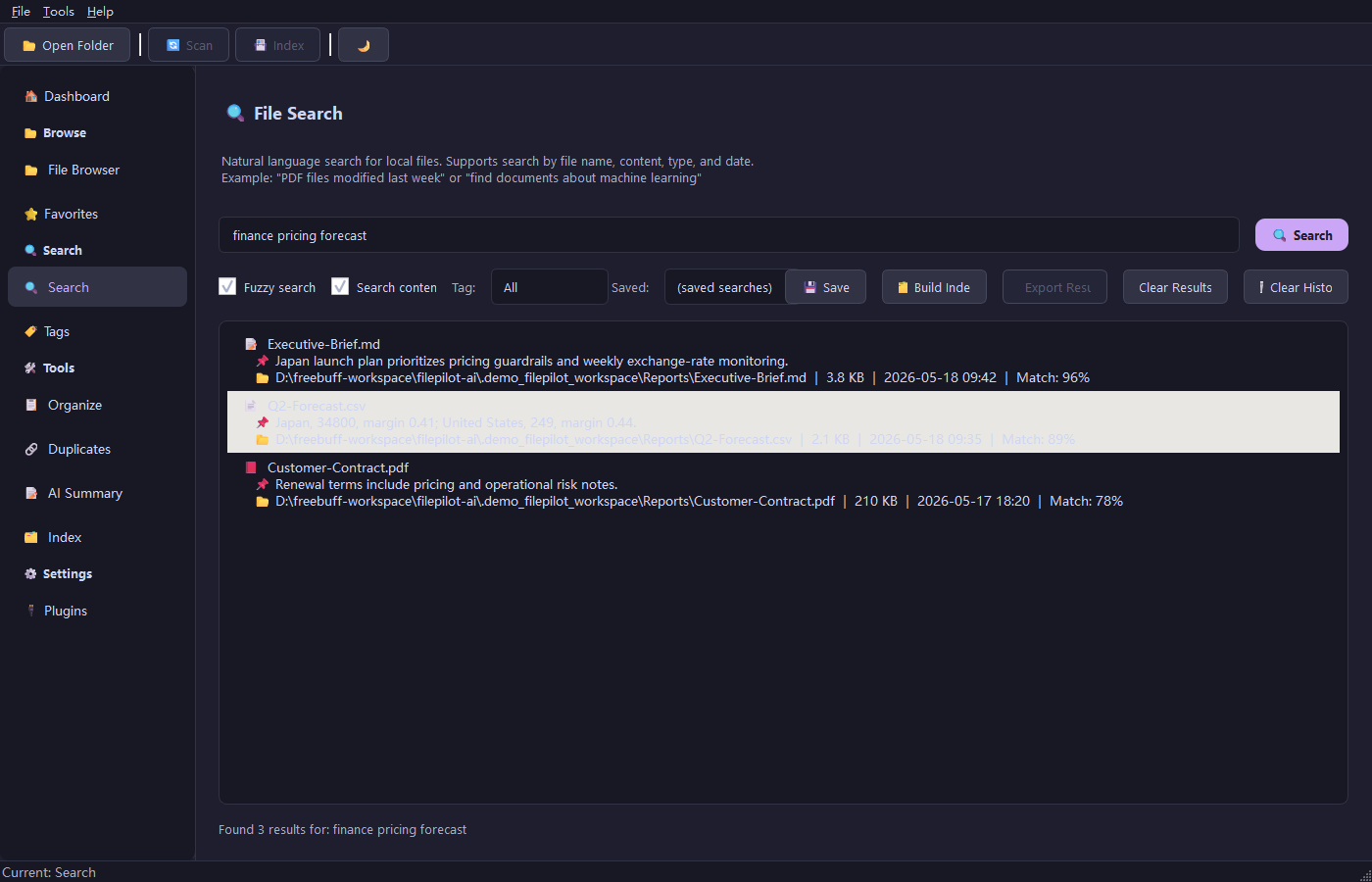
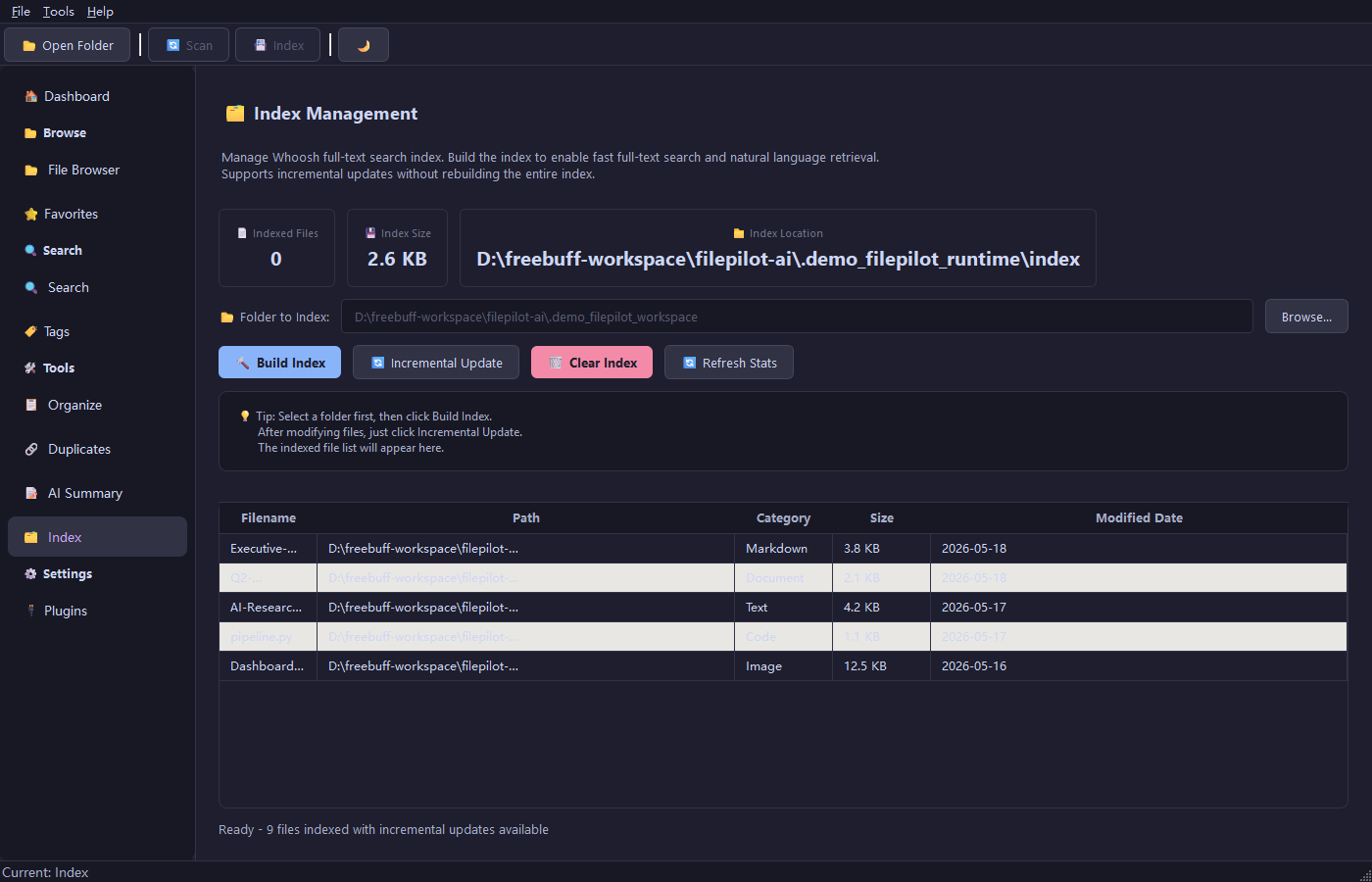
| Search and indexing | Local full-text search with Whoosh, SQLite metadata filtering, incremental indexing, and optional semantic re-ranking. |
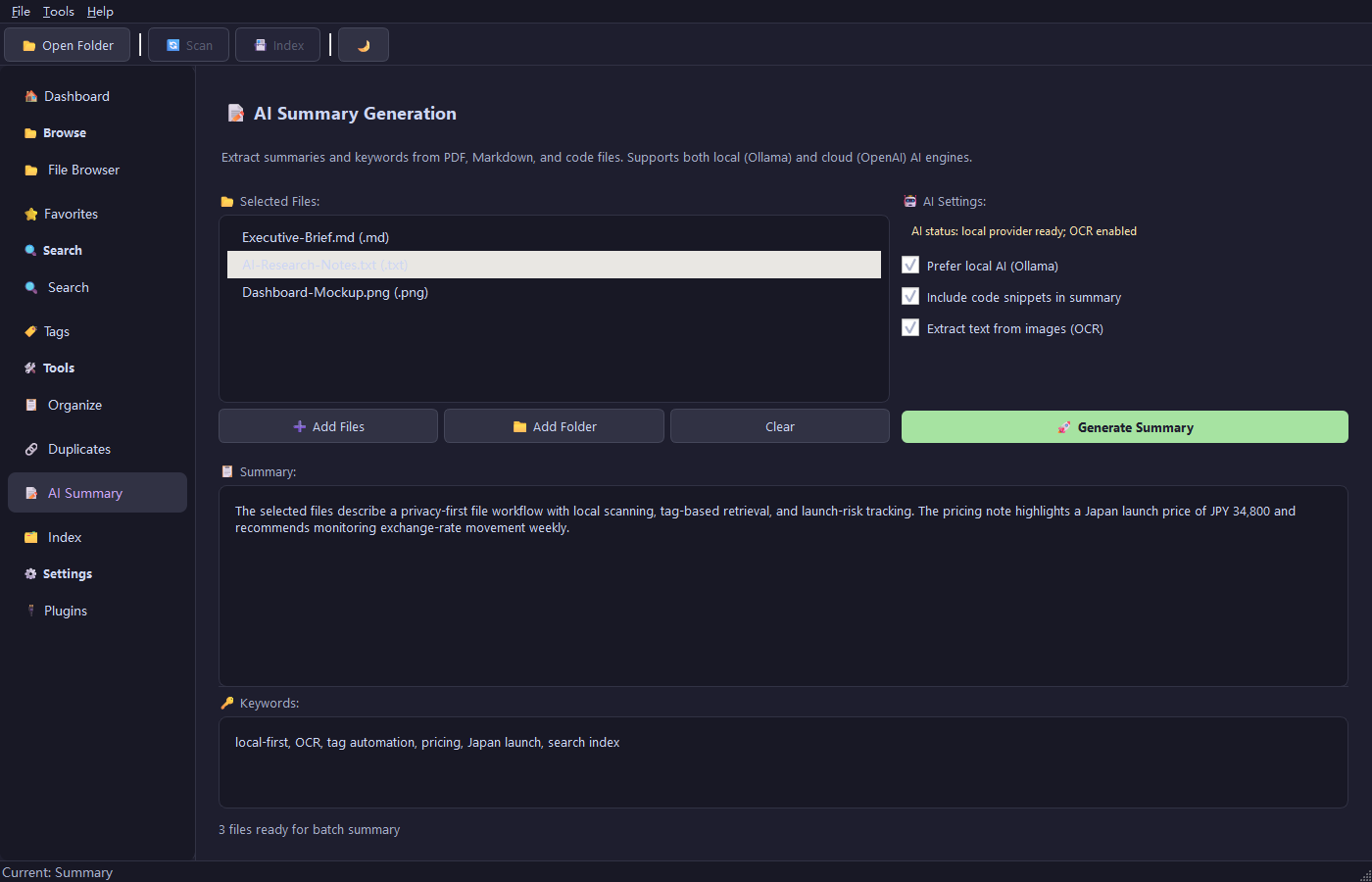
| File understanding | Text extraction for PDF, DOCX, XLSX, PPTX, Markdown, code, and plain text, with optional summaries. |
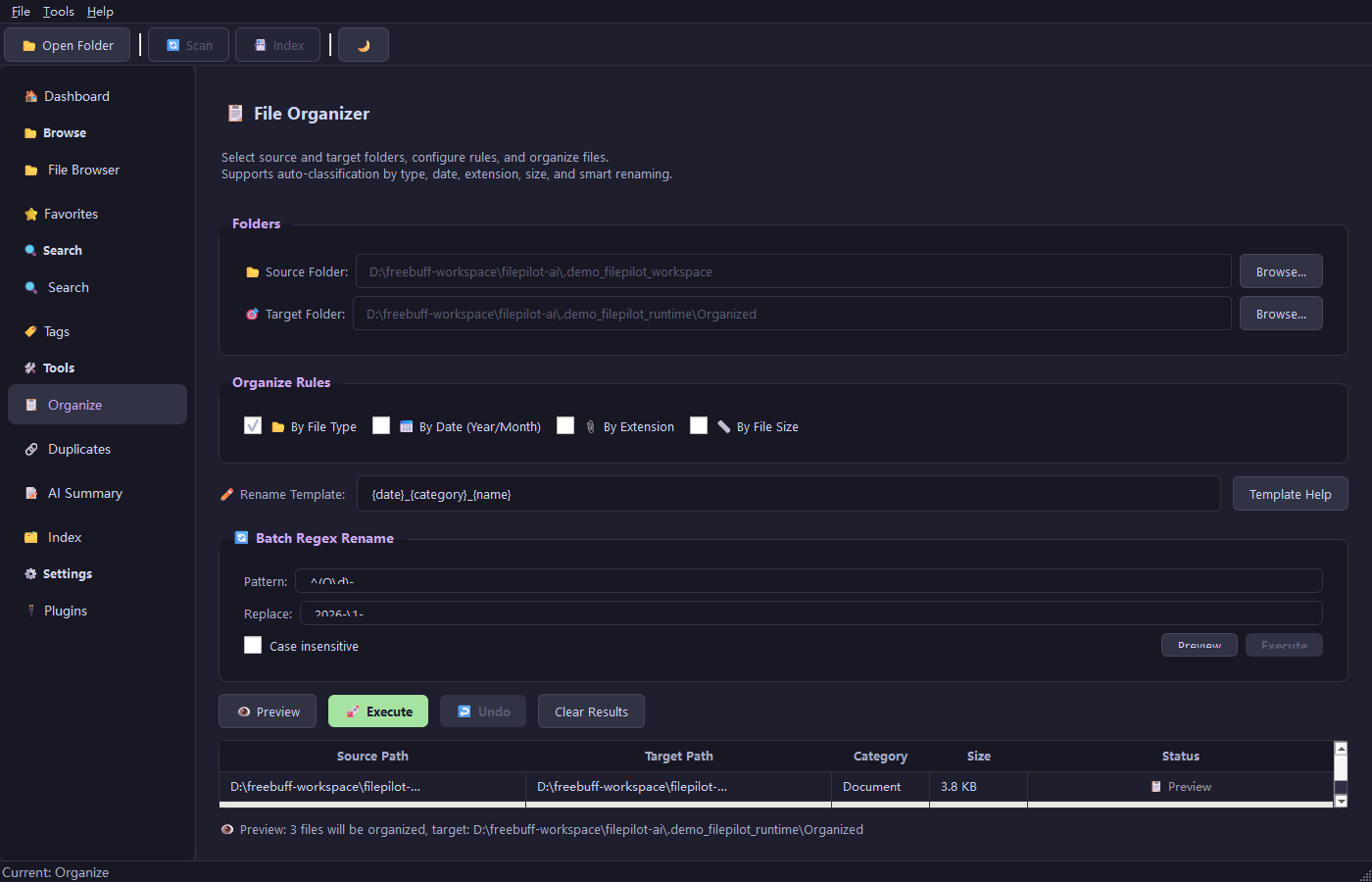
| Organization | Preview-first organization by category, date, extension, or size, with workflow stages, safety precheck, Review routing, recent history, and undo. |
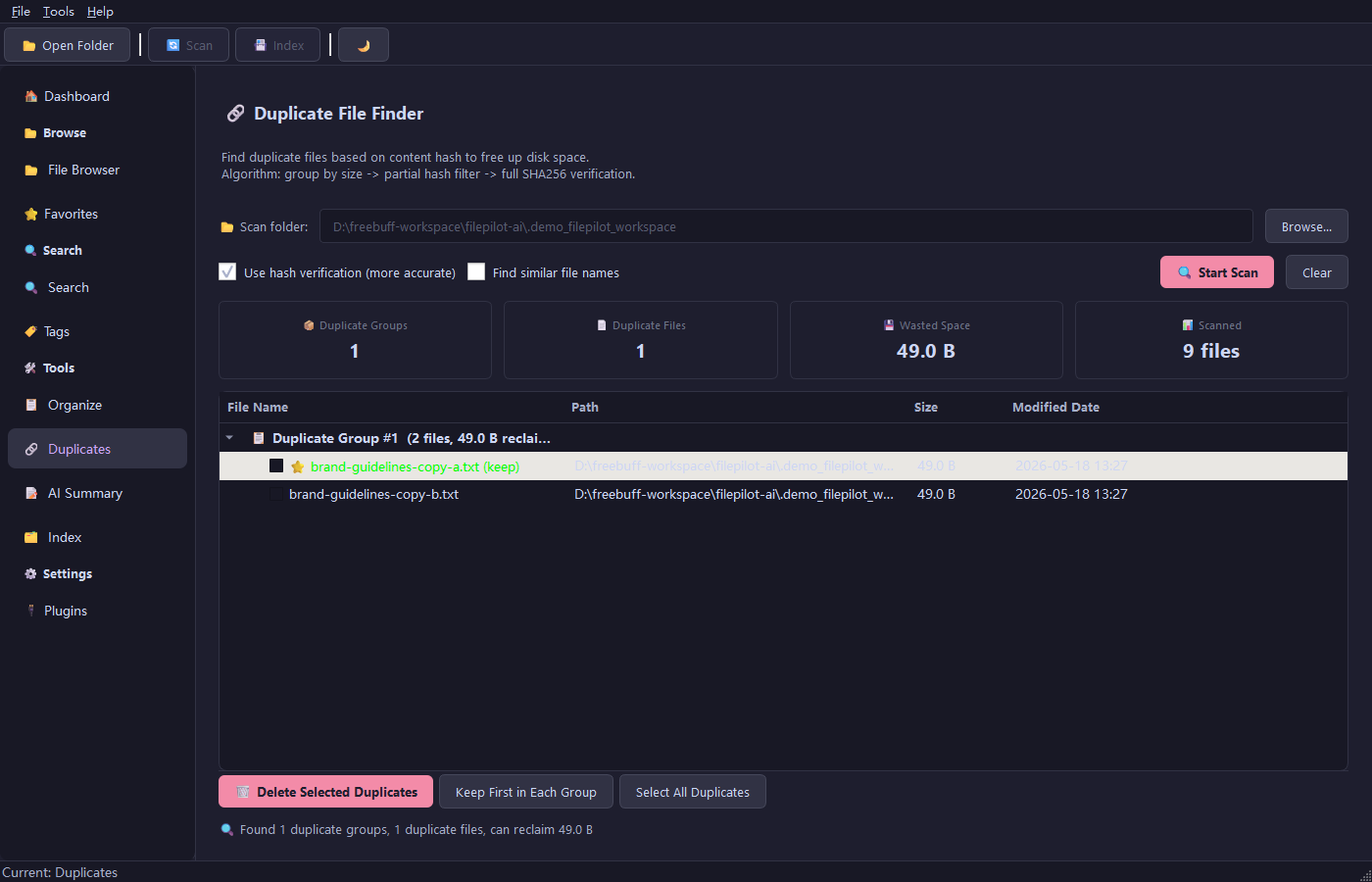
| Duplicate cleanup | Duplicate grouping with size checks, partial hashing, and full SHA-256 verification. |
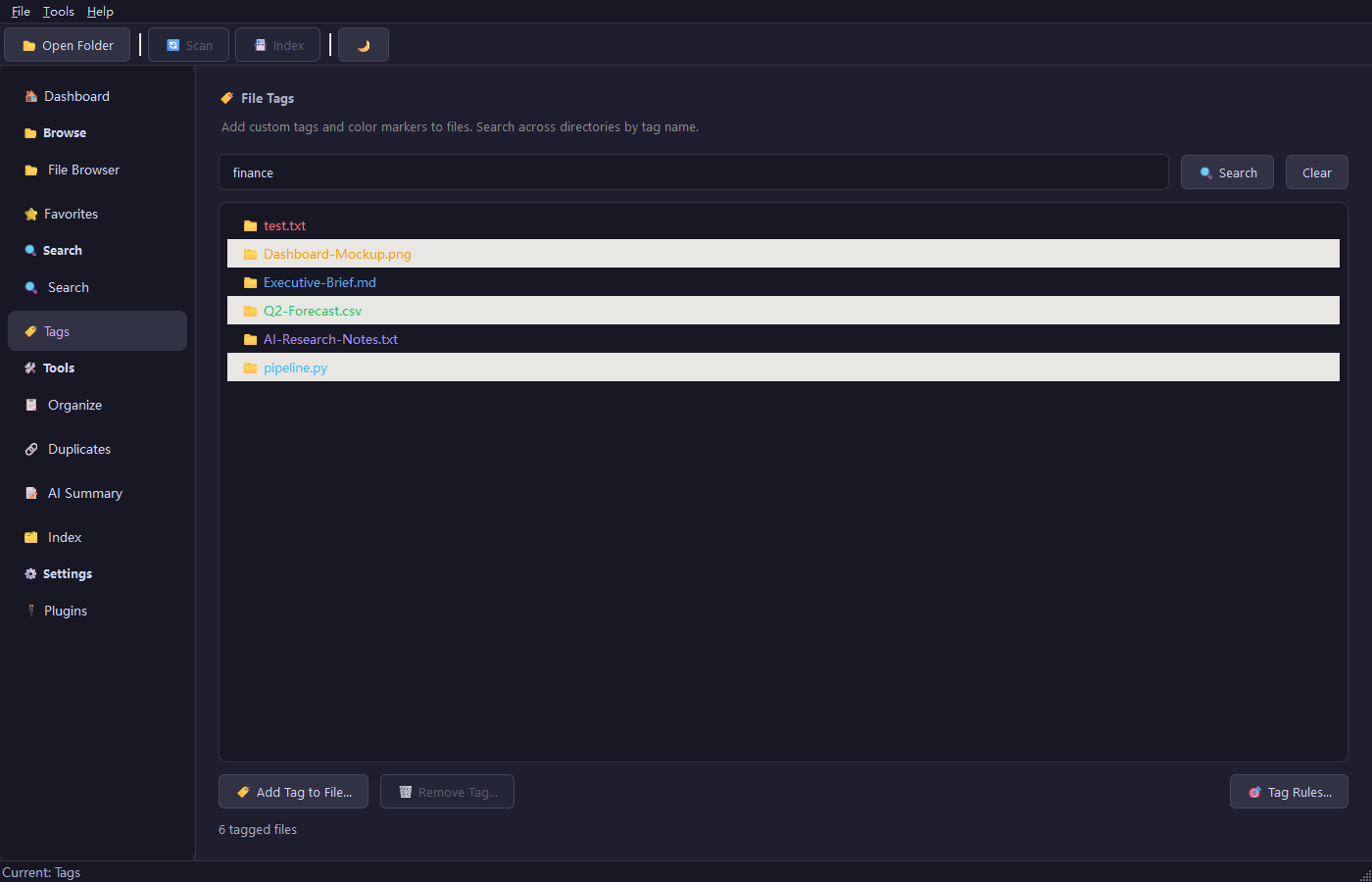
| Tags and memory | File tags, saved searches, favorites, tag cloud, and tag automation rules. |
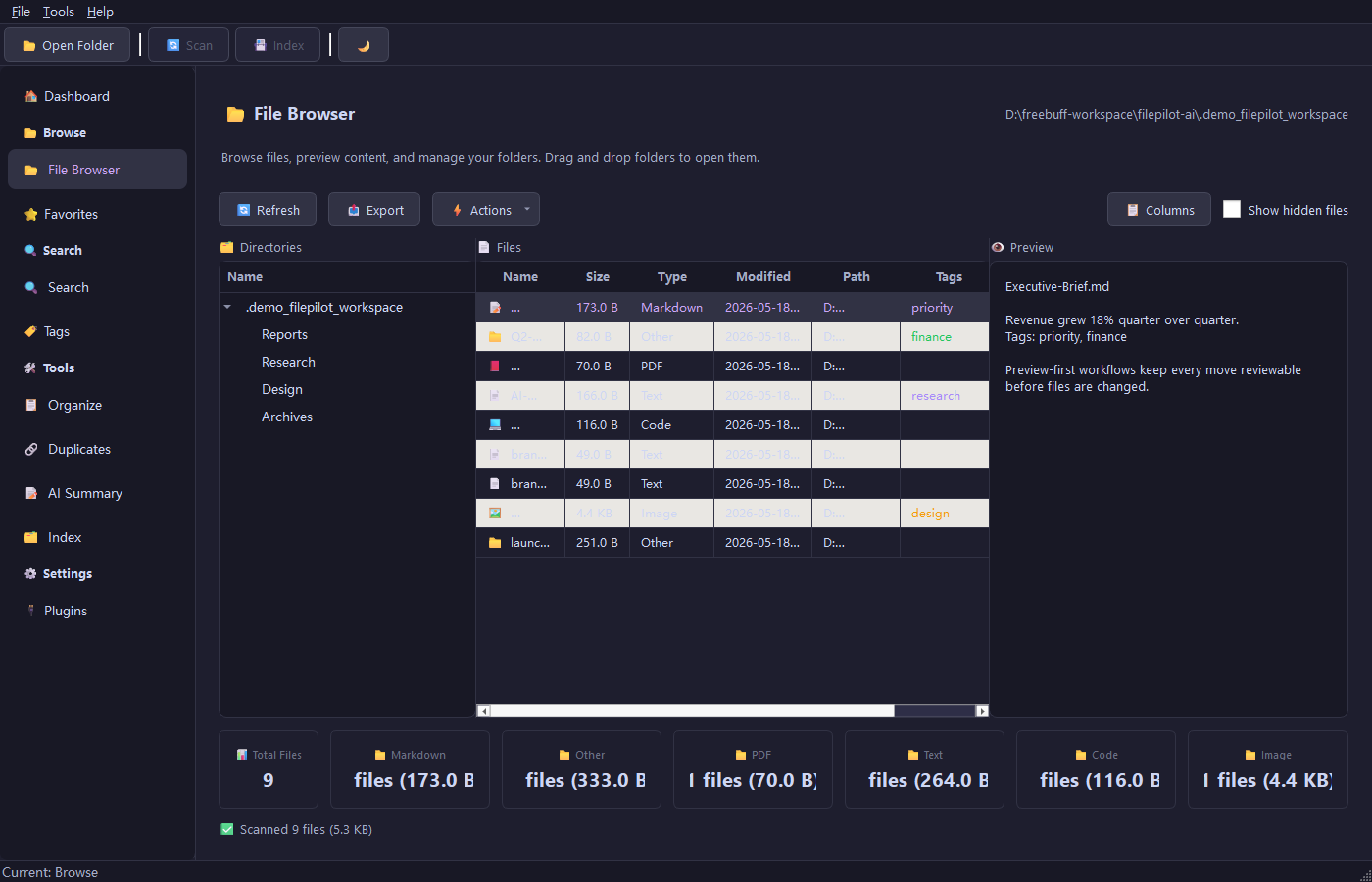
| Desktop workflows | File browser, previews, AI chat panel, notifications, tray support, themes, and accessibility labels. |
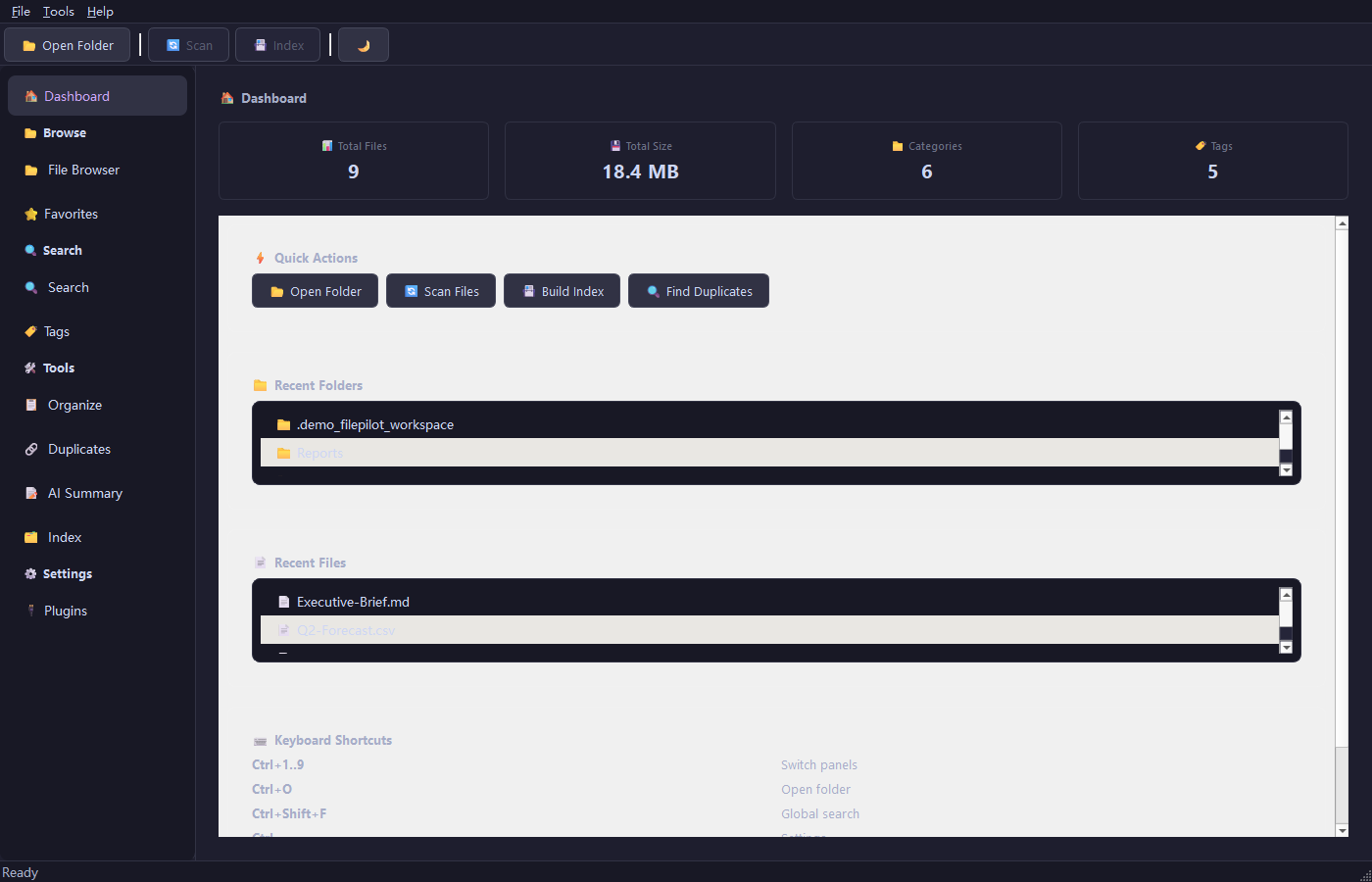
| Product guidance | First-run onboarding, dashboard workspace status, organize workflow guidance, and a settings view for security and privacy boundaries. |
| Extensibility | Extractor plugin SDK and plugin registry with safer remote-plugin checks. |
| Agent workflows | Directory-scoped MCP tools with read limits, discoverable saved plans, write opt-in, apply/undo planning, and audit logs. |
Screenshots
| Dashboard | File Browser |
|---|---|
 |
 |
| Search | Tags |
|---|---|
 |
 |
| Organize | Duplicates |
|---|---|
 |
 |
| AI Summary | Index |
|---|---|
 |
 |
Architecture
flowchart LR
    Desktop["Desktop app"] --> Core["Core services"]
    CLI["CLI"] --> Core
    MCP["MCP server"] --> Guard["Path guard"]
    Guard --> Core
    Core --> Scanner["Scanner"]
    Core --> Indexer["Whoosh + SQLite"]
    Core --> Duplicates["Duplicate finder"]
    Core --> Organizer["Organizer"]
    Core --> Tags["Tags"]
    Scanner --> Extractors["Extractors"]
    Extractors --> Summary["Summaries"]
    Summary --> Providers["Local or configured cloud AI"]
filepilot-ai/
|-- filepilot/
|   |-- ai/                  # AI providers and summarization
|   |-- core/                # Scanner, indexer, organizer, duplicates, tags, operations
|   |-- extractors/          # PDF, Markdown, code, image, Office, OCR extractors
|   |-- mcp/                 # MCP server, tools, audit log, and path safety
|   |-- ui/                  # PySide6 panels and dialogs
|   |-- cli.py               # Command-line interface
|   `-- main.py              # GUI entry point
|-- docs/                    # MCP, build, AI provider, plugin, and release docs
|-- tests/                   # Unit and UI tests
|-- scripts/                 # Build and release helpers
`-- pyproject.toml           # Package metadata and tooling
AI Providers
AI is optional. FilePilot works locally for scanning, indexing, duplicates, tags, and organization planning. When summaries or open-ended chat need a model, FilePilot can use configured local or cloud providers.
| Provider | Mode | Default URL |
|---|---|---|
| Ollama | Local | http://localhost:11434 |
| llama.cpp / vLLM | Local | http://localhost:8080 |
| LM Studio | Local | http://localhost:1234 |
| OpenAI | Cloud | https://api.openai.com/v1 |
| Anthropic | Cloud | https://api.anthropic.com |
| Custom endpoint | Cloud or local | User-defined |
See docs/AI-PROVIDERS.md for setup details.
Security And Privacy
| Area | Design |
|---|---|
| Local-first workflow | Scanning, indexing, duplicate detection, tags, and organization planning run locally. |
| MCP access | Agent access is limited to explicitly allowed directories. |
| MCP writes | Write-like tools are disabled unless the server starts with --write. |
| MCP audit log | Write-like MCP operations are recorded as JSONL audit events. |
| Organization apply/undo | Saved organization plans require --write, confirm=True, and current allowlist validation before any move or restore. |
| Bounded reads | MCP reads enforce file-size and character limits. |
| Optional AI | Summaries can use local models or explicitly configured cloud providers. |
| API keys | Stored with OS keyring when available, with encrypted fallback storage. |
| Safe deletion | Duplicate cleanup uses the system recycle bin through send2trash. |
| Plugin installs | Registry plugin names are constrained, remote entries require SHA-256 pins, and installs require confirmation. |
| Telemetry | No analytics, tracking, or background phone-home behavior. |
Development
pip install -e ".[test,dev,desktop,mcp]"
ruff check .
ruff format --check .
mypy
python -m pytest
The current test suite covers core services, UI behavior, CLI flows, MCP security, MCP tools, and release helpers.
Documentation
| Document | Description |
|---|---|
| docs/MCP.md | MCP server setup, safety model, tools, and troubleshooting. |
| docs/MCP-CLIENTS.md | Client snippets for Claude Desktop, Claude Code, Cursor, and Codex. |
| docs/MCP-WORKFLOWS.md | Built-in agent workflow templates and MCP client config helper notes. |
| docs/ARCHITECTURE.md | System map, data flow, core services, MCP safety boundary, and extension points. |
| docs/ROADMAP.md | Near-term quality track, 0.8.x MCP verification, 0.9 desktop confidence work, larger refactors, and contribution ideas. |
| docs/USE-CASES.md | Practical workflows for Downloads triage, duplicates, summaries, MCP agents, maintenance, and plugins. |
| docs/AI-PROVIDERS.md | Local and cloud AI provider configuration. |
| docs/FEATURES.md | Practical notes for newer desktop workflows. |
| docs/PLUGIN_SDK.md | Extractor plugin SDK and plugin examples. |
| docs/BUILD.md | Cross-platform packaging guide. |
| docs/AUTO-UPDATE.md | Auto-update API and troubleshooting. |
| docs/PROMOTION.md | Project pitches, submission copy, repository topics, and launch checklist. |
| RELEASING.md | Release process and integrity checks. |
Contributing
Contributions are welcome. Please read CONTRIBUTING.md, keep changes focused, and include tests for behavior changes. For security-sensitive behavior, use SECURITY.md. For general help and issue context, see SUPPORT.md.
License
FilePilot AI is released under the MIT License.
Yorumlar (0)
Yorum birakmak icin giris yap.
Yorum birakSonuc bulunamadi