claude-desktop-buddy-bridge
Health Uyari
- License — License: MIT
- Description — Repository has a description
- Active repo — Last push 0 days ago
- Low visibility — Only 5 GitHub stars
Code Basarisiz
- rm -rf — Recursive force deletion command in tests/test_bridge.py
Permissions Gecti
- Permissions — No dangerous permissions requested
This tool is a Python daemon that connects an M5StickC Plus hardware device to the Claude Code CLI via Bluetooth Low Energy (BLE). It intercepts tool execution requests and allows you to physically approve or deny them using buttons on the hardware device instead of typing in your terminal.
Security Assessment
Overall Risk: Medium. While the tool itself does not request explicitly dangerous OS permissions and is open about its behavior, its core function requires deep integration into your development environment. It works by injecting a system hook directly into your Claude Code global settings (`~/.claude/settings.json`), which allows it to intercept and route sensitive permission requests externally.
Additionally, a code scan flagged a recursive force deletion command (`rm -rf`) inside the testing scripts. While this is likely just used to clean up test directories and isn't part of the main application code, it requires careful review to ensure it cannot be exploited or accidentally triggered. The tool communicates over a local BLE connection rather than the wider internet, which limits remote data exfiltration risks. No hardcoded secrets were detected.
Quality Assessment
The project is relatively new and has low community visibility, currently sitting at only 5 GitHub stars. Because of this, it has not been widely vetted by a large audience. However, it is actively maintained, uses a standard MIT license, and includes clear documentation and automated tests. The codebase requires Python 3.11+ and relies on standard package managers.
Verdict
Use with caution: the core concept is safe and well-documented, but its deep CLI hook integration and low community testing mean you should review the test scripts for safe `rm -rf` usage before installing.
让 M5StickC Plus 成为 Claude Code 的物理审批按钮(CLI 版)
claude-desktop-buddy-bridge
用一块实体小屏幕,按键审批 Claude Code CLI 的每一次敏感操作。



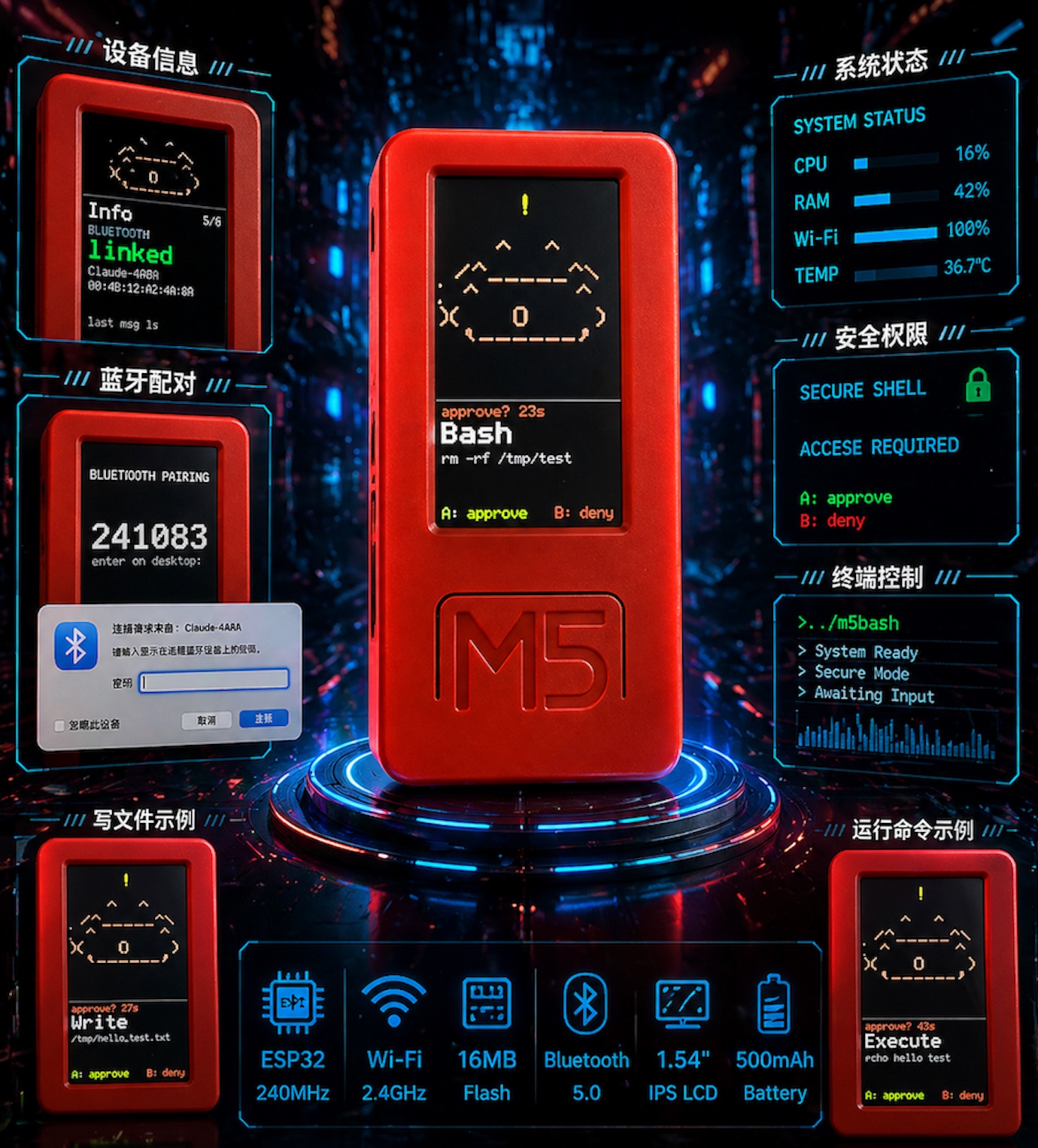
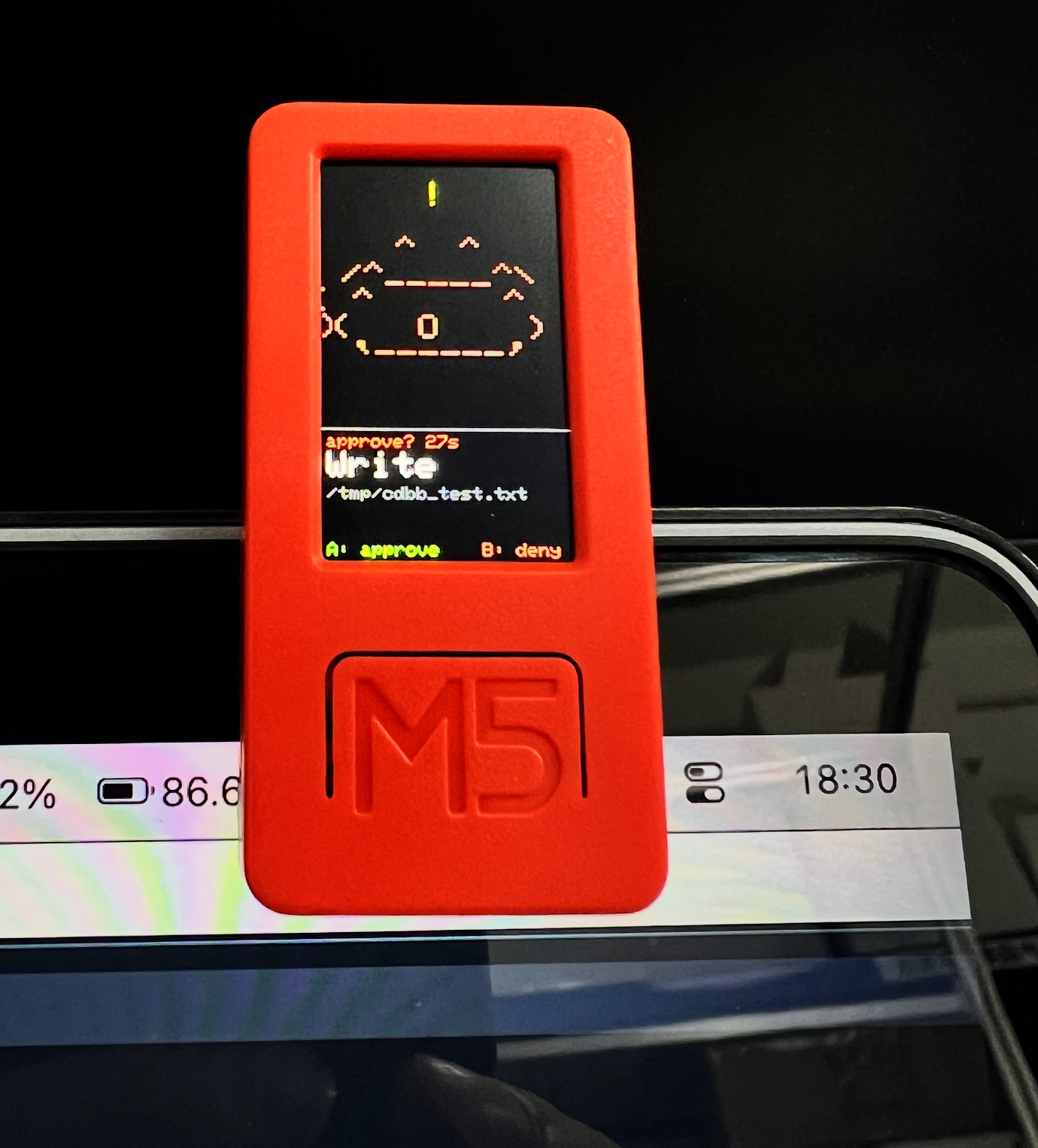
Anthropic 的官方 claude-desktop-buddy 固件让 M5StickC Plus 变成 Claude 的物理审批按钮——但它只与桌面应用通信,CLI 用户无缘使用。
claude-desktop-buddy-bridge 填补这个空缺:一个轻量 Python 守护进程,通过 Claude Code 原生 Hook 系统拦截工具调用,经由 BLE NUS 协议与设备通信,让你用手边的硬件按键来 approve / deny,而不是盯着终端敲 y。
flowchart TD
    A["**Claude Code CLI**\nPermissionRequest 钩子"]
    B["**cdbb 守护进程**"]
    C["**M5StickC Plus**"]
    D["**按键决策**\n批准或中止"]
    E["**继续执行**"]
    F["**中止任务**"]

    A --> B
    B -->|"BLE(NUS)"| C
    C --> D
    D -->|"决策结果"| B
    B --> E
    B --> F
功能
- 零侵入:通过 Claude Code 原生 Hook 接入,不需要修改任何项目文件
- Fail-open:守护进程未运行时,CC 自动回退到自己的权限对话框
- 自动扫描:无需手动查找设备地址,自动发现广播名以
Claude开头的设备 - 中文安全:所有发往设备的字符串自动 sanitize,避免固件点阵字体索引越界崩溃
- 并发串行:多个并发 hook 请求排队,不会同时争抢设备
- EOF 竞争检测:若 CC 提前终止 hook 进程,立即清空设备显示,不会傻等超时
- 心跳自愈:BLE 链路断开后连续失败退出,由 launchd/systemd 自动重启
硬件要求
- M5StickC Plus,烧录 Anthropic 官方
claude-desktop-buddy固件 - macOS(已测试)或 Linux(需额外蓝牙权限配置,见下文)
快速开始
1. 烧录固件
git clone https://github.com/anthropics/claude-desktop-buddy
cd claude-desktop-buddy
pio run -t erase && pio run -t upload
2. 安装 claude-desktop-buddy-bridge
# 使用 uv(推荐)
uv tool install claude-desktop-buddy-bridge

# 或直接从源码
git clone https://github.com/cuiqingwei/claude-desktop-buddy-bridge
cd claude-desktop-buddy-bridge
uv sync
3. 注入 Claude Code Hook
source .venv/bin/activate
cdbb install
# 只拦截 Bash 工具(更精准):
# cdbb install --tools Bash
这条命令会自动在 ~/.claude/settings.json 中写入:
{
  "hooks": {
    "PermissionRequest": [
      {
        "hooks": [
          {
            "type": "command",
            "command": "/path/to/cdbb-hook",
            "timeout": 120
          }
        ]
      }
    ]
  }
}
在 command 前面插入一行
"matcher": "Bash",
4. 启动守护进程
cdbb daemon
手动扫描并连接附近的 M5StickC Plus 设备(已经配对过的需要提前先忽略忘记设备)。
cdbb scan
正常会得到如下结果:
cdbb scan

正在扫描 BLE 设备(10 秒)…

F6DBFCE4-2CCB-AD5F-F6DD-3FFED230D9D0  Claude Buddy  ◀ cdbb 兼容
如果有多台设备或想跳过扫描:
CDBB_ADDR=F6DBFCE4-2CCB-AD5F-F6DD-3FFED230D9D0 cdbb daemon
5. 使用
打开 Claude Code,触发一个需要审批的操作(如执行 Bash 命令):
- M5 正面按钮 → 批准(
allow) - M5 侧面按钮 → 拒绝(
deny)
设备不在手边?cdbb 超时后自动 fail-open,CC 弹出自己的对话框。
常用命令
| 命令 | 说明 |
|---|---|
cdbb scan |
扫描附近的 Claude BLE 设备 |
cdbb install |
注入 hook 到 Claude Code 配置 |
cdbb install --tools Bash Write |
只拦截指定工具 |
cdbb daemon |
启动守护进程 |
cdbb daemon -v |
调试模式(显示详细日志) |
cdbb status |
检查守护进程是否在线 |
cdbb uninstall |
移除 hook 配置 |
macOS 开机自启(launchd)
# 先确认 cdbb 安装路径
which cdbb

# 编辑 plist,将路径替换为上一步的输出
cp extras/dev.cdbb.daemon.plist ~/Library/LaunchAgents/
# 编辑文件,修改 ProgramArguments 中的路径

launchctl load ~/Library/LaunchAgents/dev.cdbb.daemon.plist
卸载:
launchctl unload ~/Library/LaunchAgents/dev.cdbb.daemon.plist
rm ~/Library/LaunchAgents/dev.cdbb.daemon.plist
Linux 蓝牙权限
Linux 上默认需要 root 才能访问 BLE。推荐方式:
sudo setcap cap_net_raw+eip $(which python3)
# 或者指定 venv 里的 python
sudo setcap cap_net_raw+eip $(uv run which python)
环境变量
| 变量 | 说明 |
|---|---|
CDBB_ADDR |
直接指定 BLE 设备地址,跳过扫描(如 00:4B:12:A2:4A:8A) |
已知固件问题(claude-desktop-buddy)
以下是官方固件的已知 bug,claude-desktop-buddy-bridge 在代码层面已全部处理:
| 问题 | cdbb 处理方式 |
|---|---|
| 5×7 点阵字体不支持 UTF-8,非 ASCII 字节导致蓝牙栈约 1 秒内硬重置 | 所有字符串通过 sanitize() 替换为 ? |
entries 字段固件期望最旧在前,而非最新在前 |
snapshot() 中 reversed() 处理 |
开发
git clone https://github.com/cuiqingwei/claude-desktop-buddy-bridge
cd claude-desktop-buddy-bridge
uv sync --extra dev

# 运行测试
uv run pytest

# 直接运行
uv run cdbb scan
uv run cdbb daemon -v
项目结构
cdbb/
├── src/cdbb/
│   ├── __init__.py     版本号
│   ├── bridge.py       守护进程核心(BLE 通信 + Unix Socket 服务器)
│   ├── hook.py         被 Claude Code 调用的 hook 脚本
│   └── cli.py          命令行入口(daemon / scan / install / status)
├── tests/
│   └── test_bridge.py  单元测试
├── extras/
│   └── dev.cdbb.daemon.plist   macOS launchd 配置模板
├── pyproject.toml
└── README.md
致谢
BLE 线协议、固件及硬件设计均来自 Anthropic 的 claude-desktop-buddy。
核心架构设计参考了 CharmYue/cc-buddy-bridge——尤其是 EOF 竞争检测、permission_lock 串行化和 fail-open 设计,是目前社区实现中工程质量最高的版本。
License
Yorumlar (0)
Yorum birakmak icin giris yap.
Yorum birakSonuc bulunamadi