claude-code-ui
Health Warn
- License — License: MIT
- Description — Repository has a description
- Active repo — Last push 0 days ago
- Low visibility — Only 5 GitHub stars
Code Fail
- spawnSync — Synchronous process spawning in packages/claude-ui/scripts/pack-check.mjs
- process.env — Environment variable access in packages/claude-ui/scripts/pack-check.mjs
- network request — Outbound network request in packages/claude-ui/scripts/pack-check.mjs
- exec() — Shell command execution in packages/daemon/src/ancestors.ts
Permissions Pass
- Permissions — No dangerous permissions requested
No AI report is available for this listing yet.
A web UI for Claude Code: run and steer many sessions from your browser or phone. Local daemon, no cloud.
claude-code-ui



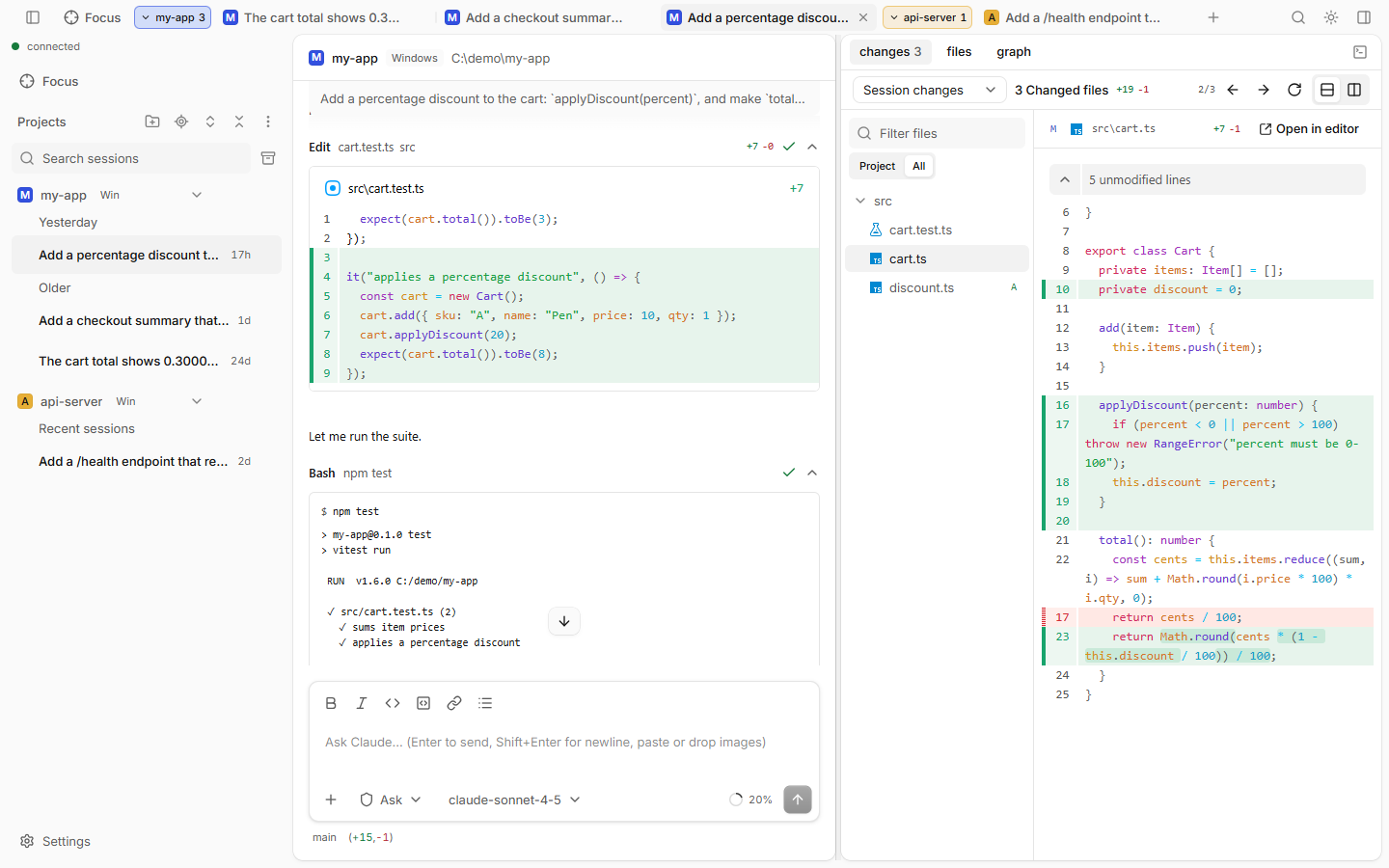
A web UI for Claude Code. Run, watch and steer many sessions from your browser or phone. A small local daemon runs everything on your own machine: no cloud, no relay, no telemetry. Unofficial; not affiliated with Anthropic.
Docs: https://cuonghuunguyen.github.io/claude-code-ui/
Install
You need Node.js 22+ and Claude Code logged in (claude login; your subscription is used, no API key). On Linux and WSL also a C++ toolchain for the terminal panel (sudo apt install build-essential python3).
npx claude-code-ui            # run without installing
npm i -g claude-code-ui       # or install; the command is `claude-ui`
claude-ui
It prints a pairing link and a QR code. Open the link to use the app.
With the daemon running, other terminals can ask it: claude-ui status, claude-ui sessions (--json for scripts), claude-ui projects, claude-ui workers, and claude-ui open to open the app in your browser (--print prints the pairing link). After claude-ui update, run npm i -g claude-code-ui to get the new launcher with these commands. To use it from your phone, start it with claude-ui --tailscale.
What you get
- Sessions in tabs, grouped by project. They keep running when the browser closes.
- Same behavior as Claude Code: permission prompts, modes, models, slash commands, skills,
/rewind. Sessions from theclaudeCLI show up too. - A Focus page and notifications for everything that waits for you.
- File tree and editor, diffs, a git graph and a terminal next to the chat.
- Works on a phone and installs as an app (over HTTPS).
- Windows with WSL, and Docker containers, from one install.
Read more:
Install & first run ·
Quick tour ·
Keyboard shortcuts ·
CLI flags ·
Troubleshooting ·
Privacy
Security in one paragraph
The daemon can run any command on your machine, so treat access to it like shell access. It listens on 127.0.0.1 only (unless --lan), every connection needs the pairing token, sessions stay inside --roots, and permission prompts are on by default. Keep the pairing link private. Details: Privacy.
Contributing
Build from source, project layout, tests and release steps: CONTRIBUTING.md. Changes: CHANGELOG.md.
License
MIT. Bundled third-party licenses: THIRD_PARTY_NOTICES.md.
Reviews (0)
Sign in to leave a review.
Leave a reviewNo results found