journalit
Health Pass
- License — License: NOASSERTION
- Description — Repository has a description
- Active repo — Last push 0 days ago
- Community trust — 243 GitHub stars
Code Warn
- fs module — File system access in .github/workflows/approve-contributor.yml
- fs module — File system access in .github/workflows/issue-gate.yml
- fs module — File system access in .github/workflows/pr-gate.yml
- process.env — Environment variable access in esbuild.config.mjs
- process.env — Environment variable access in eslint.config.mjs
- network request — Outbound network request in eslint.config.mjs
Permissions Pass
- Permissions — No dangerous permissions requested
No AI report is available for this listing yet.
Obsidian trading journal with broker sync, trade imports, analytics, prop firm tracking, reviews and rule-based trading workflows.

Local-first trading journal for Obsidian.



English | Español | Deutsch | Русский | 简体中文 | Français | Italiano | Tiếng Việt | हिन्दी | தமிழ் | العربية
Installation
Install Journalit from Obsidian Community Plugins:
- Open Settings → Community Plugins → Browse
- Search for
Journalit - Click Install, then Enable
Community page: https://community.obsidian.md/plugins/journalit
Highlights
- Local-first: core journaling stays inside your Obsidian vault.
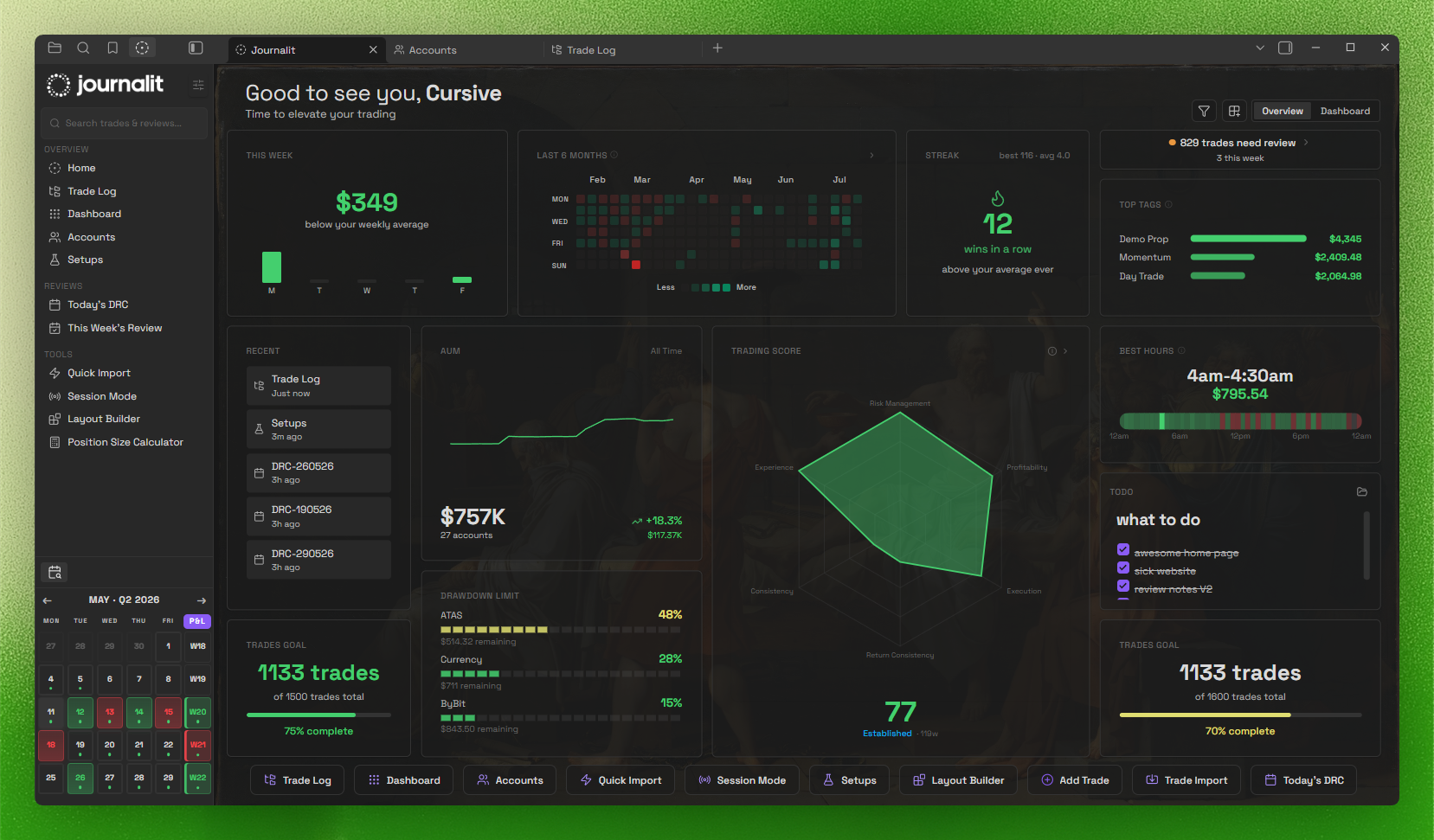
- Home View dashboard: draggable widgets + trading heatmap.
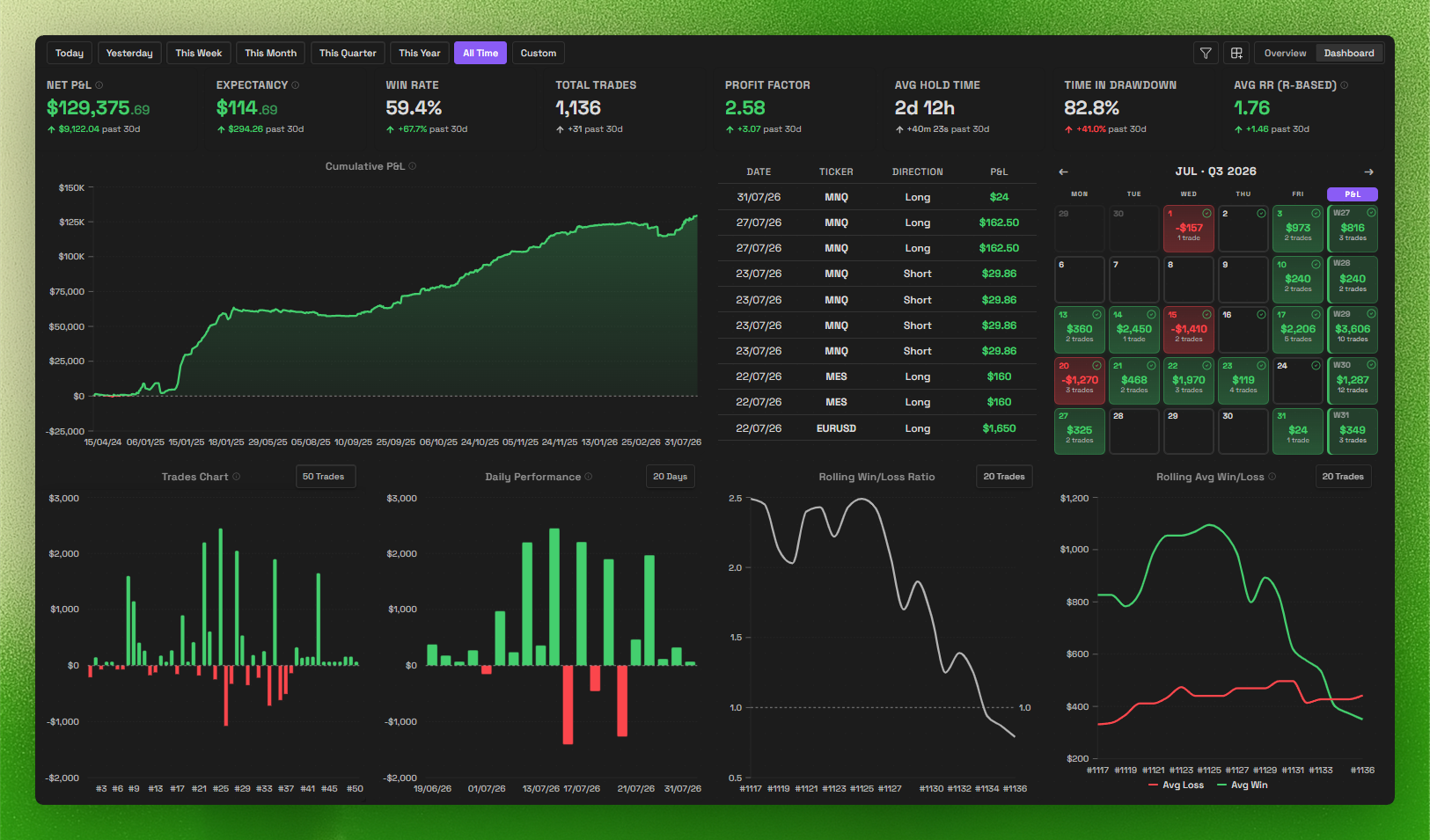
- Trading dashboard: track performance and patterns at a glance.
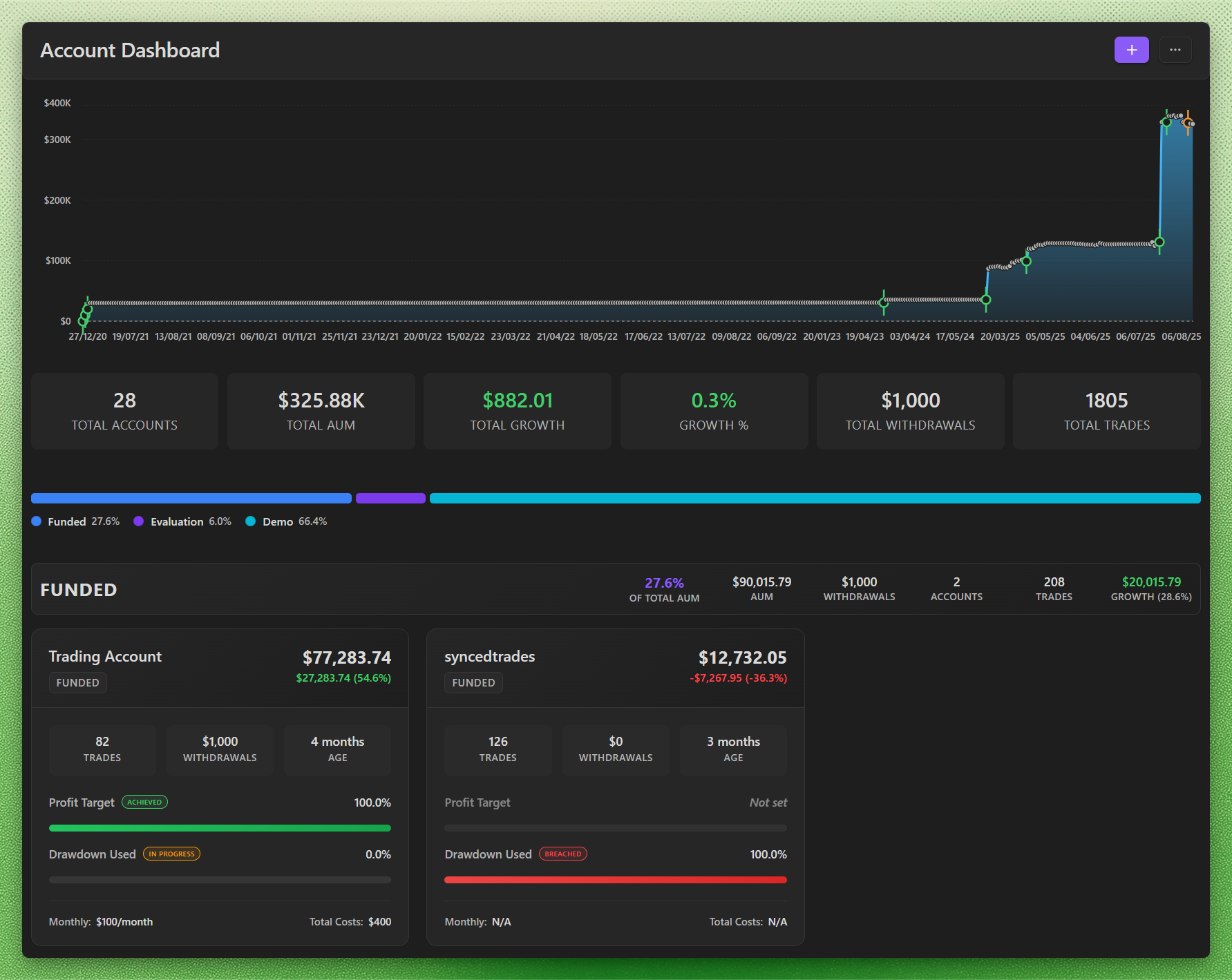
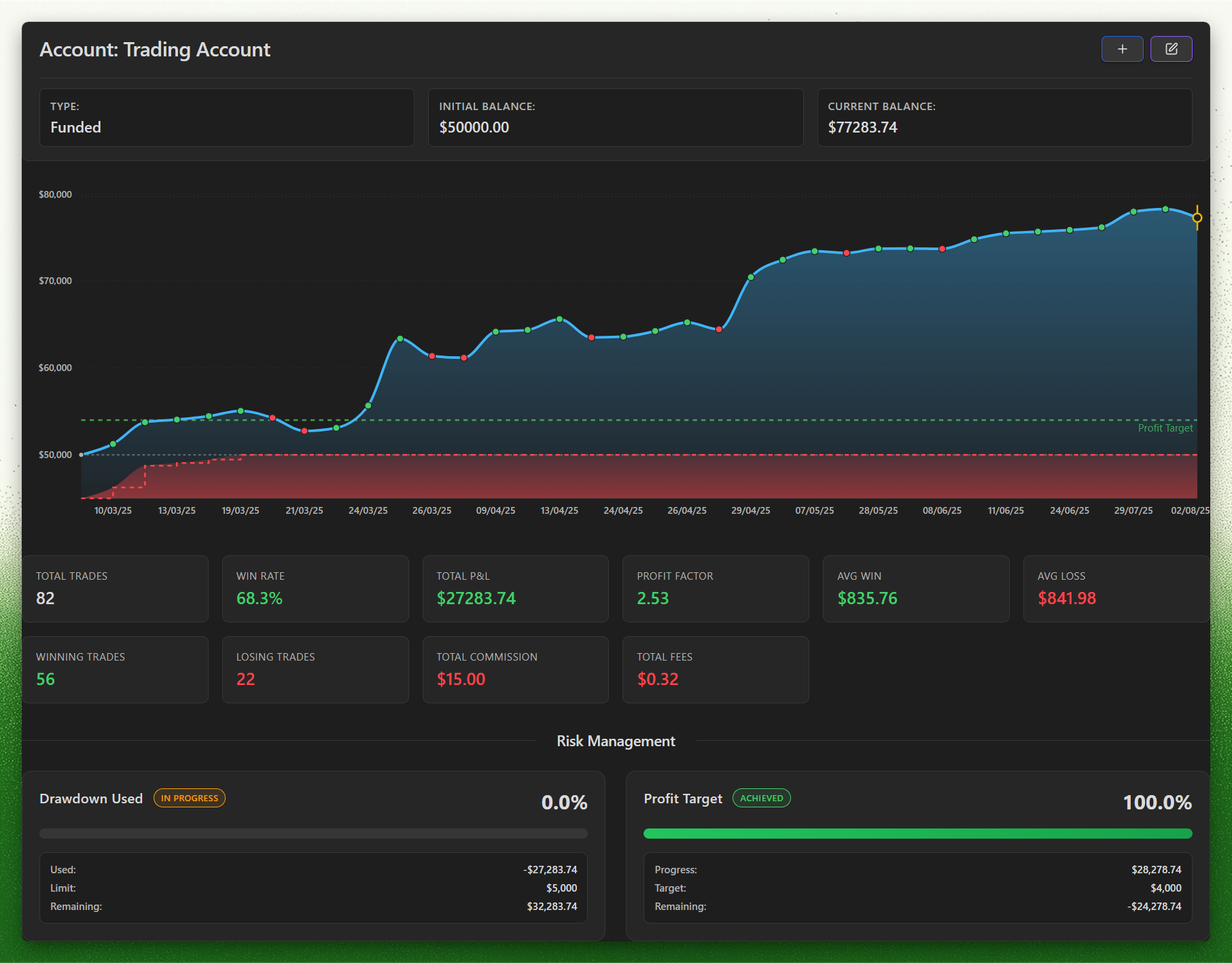
- Prop challenges: track evaluation and funded phases, drawdown, daily loss, profit targets, and payout rules, with firm profiles to set them up.
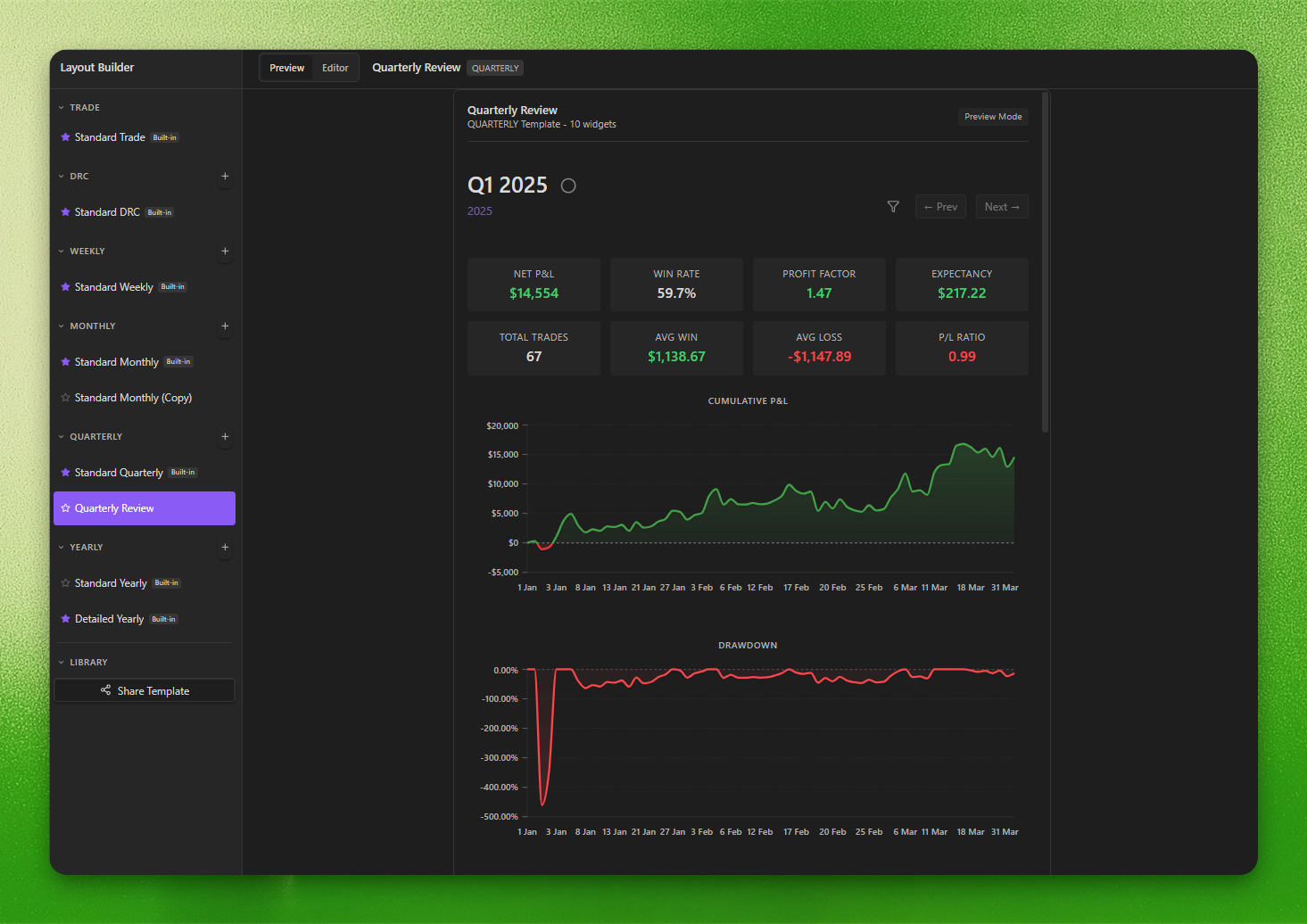
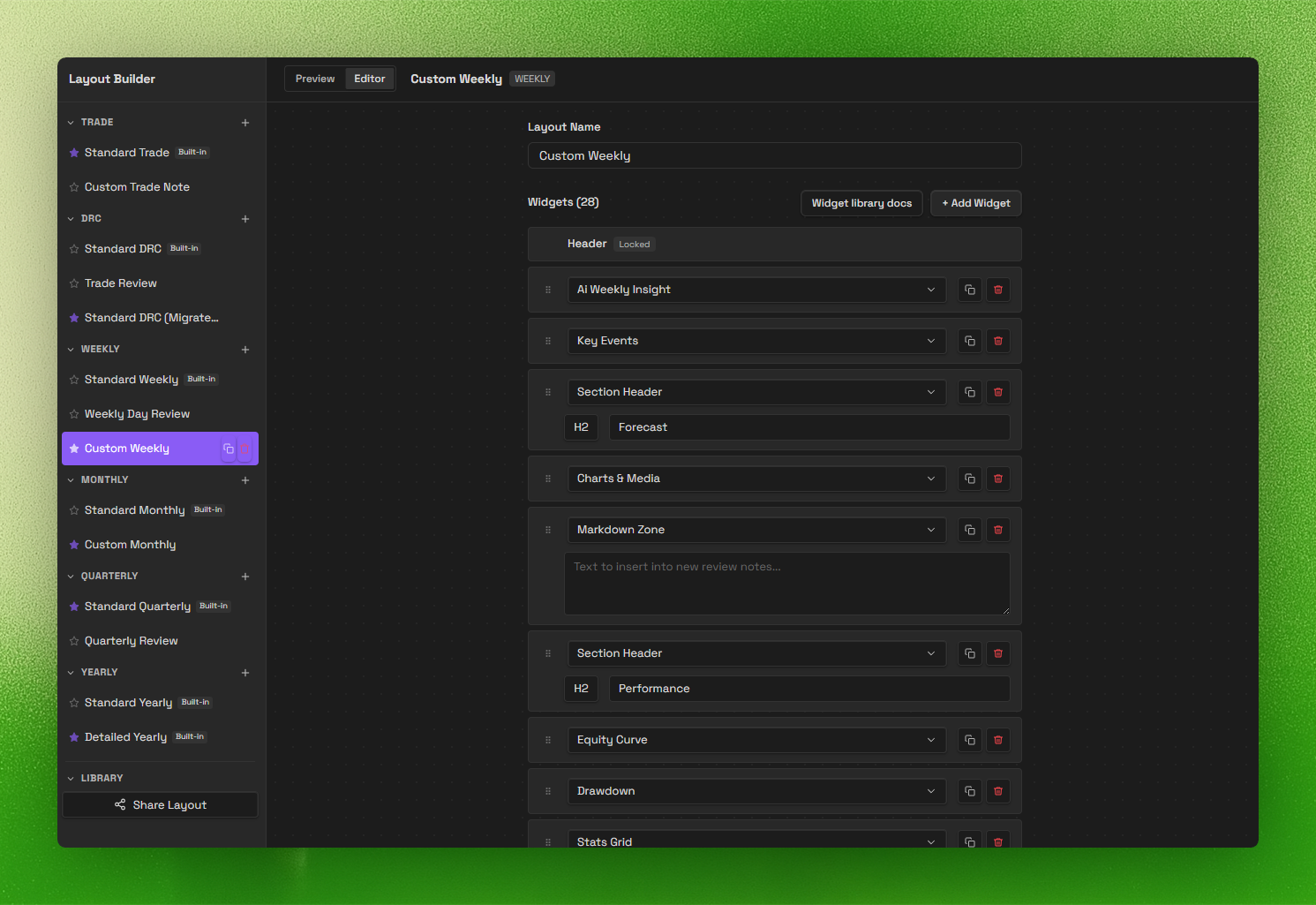
- Review system (V2): daily → yearly templates with a layout builder.
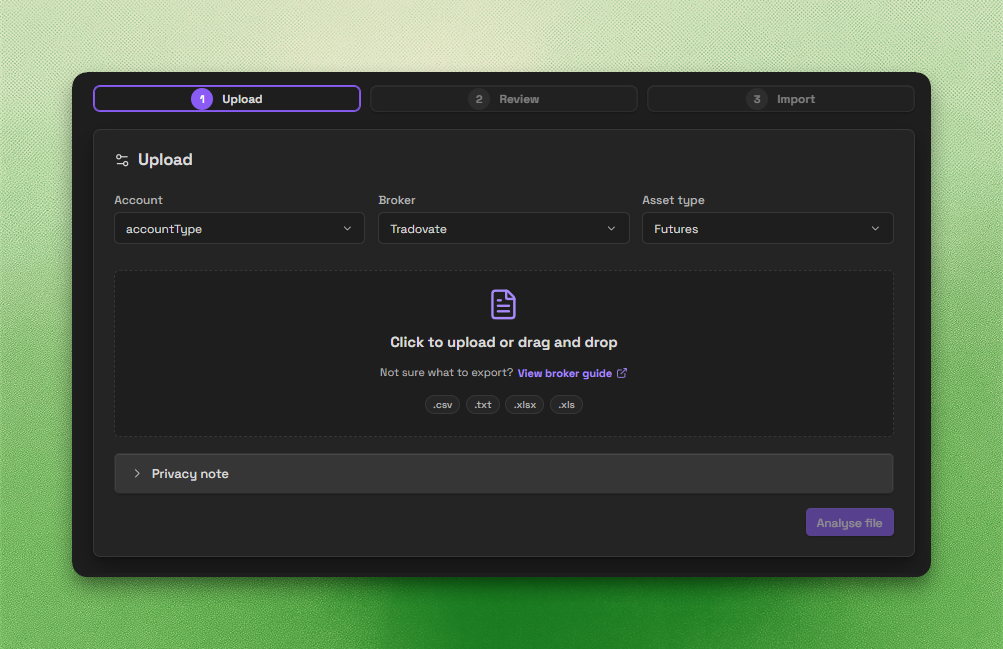
- Trade Import: backend-powered imports for CSV, spreadsheets, HTML, and broker statements.
- Trade Sync: automatic trade sync for supported brokers.
- AI apps (MCP): connect your AI app to analyse trades, draft reviews and update your journal.
Screenshots
Trading Dashboard
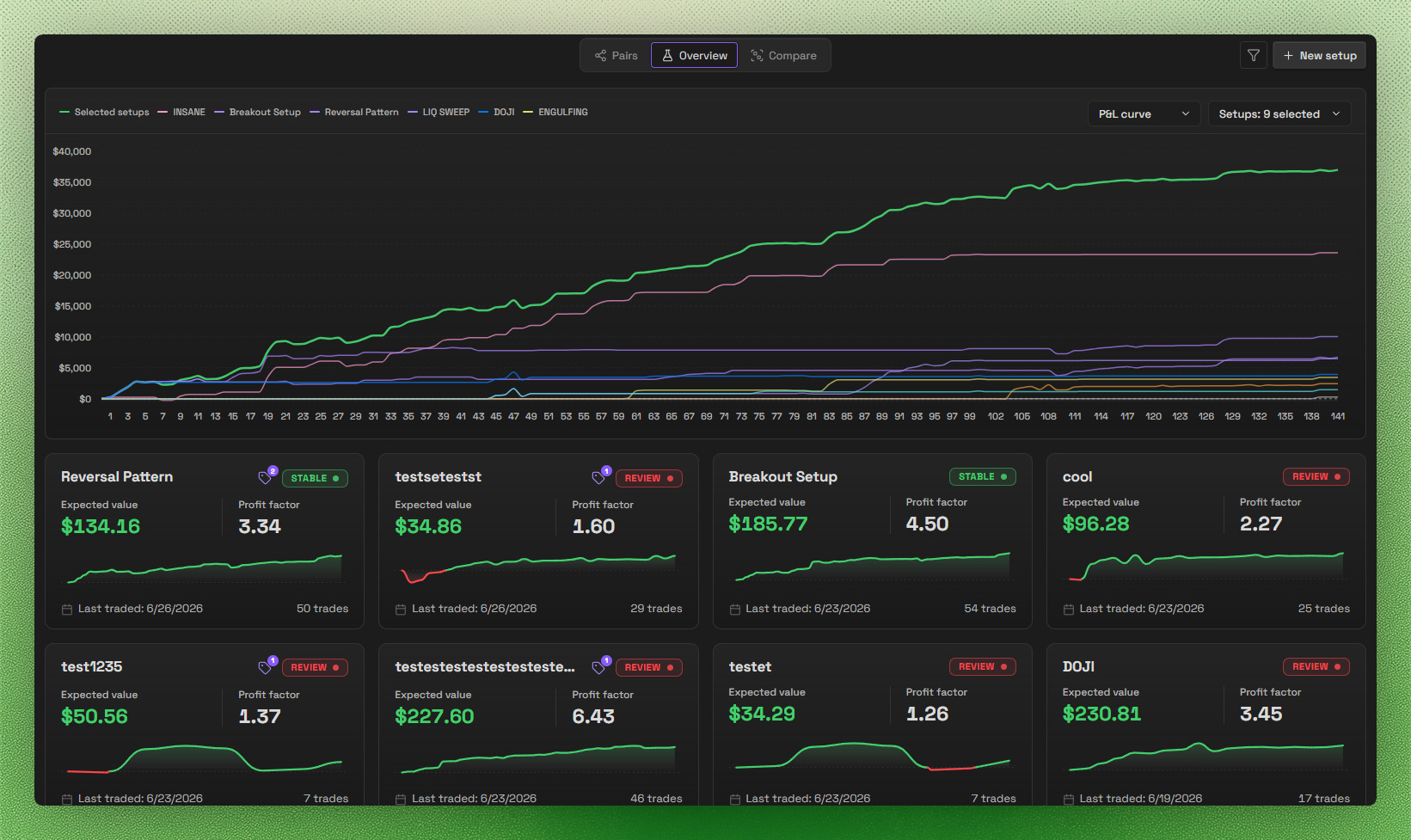
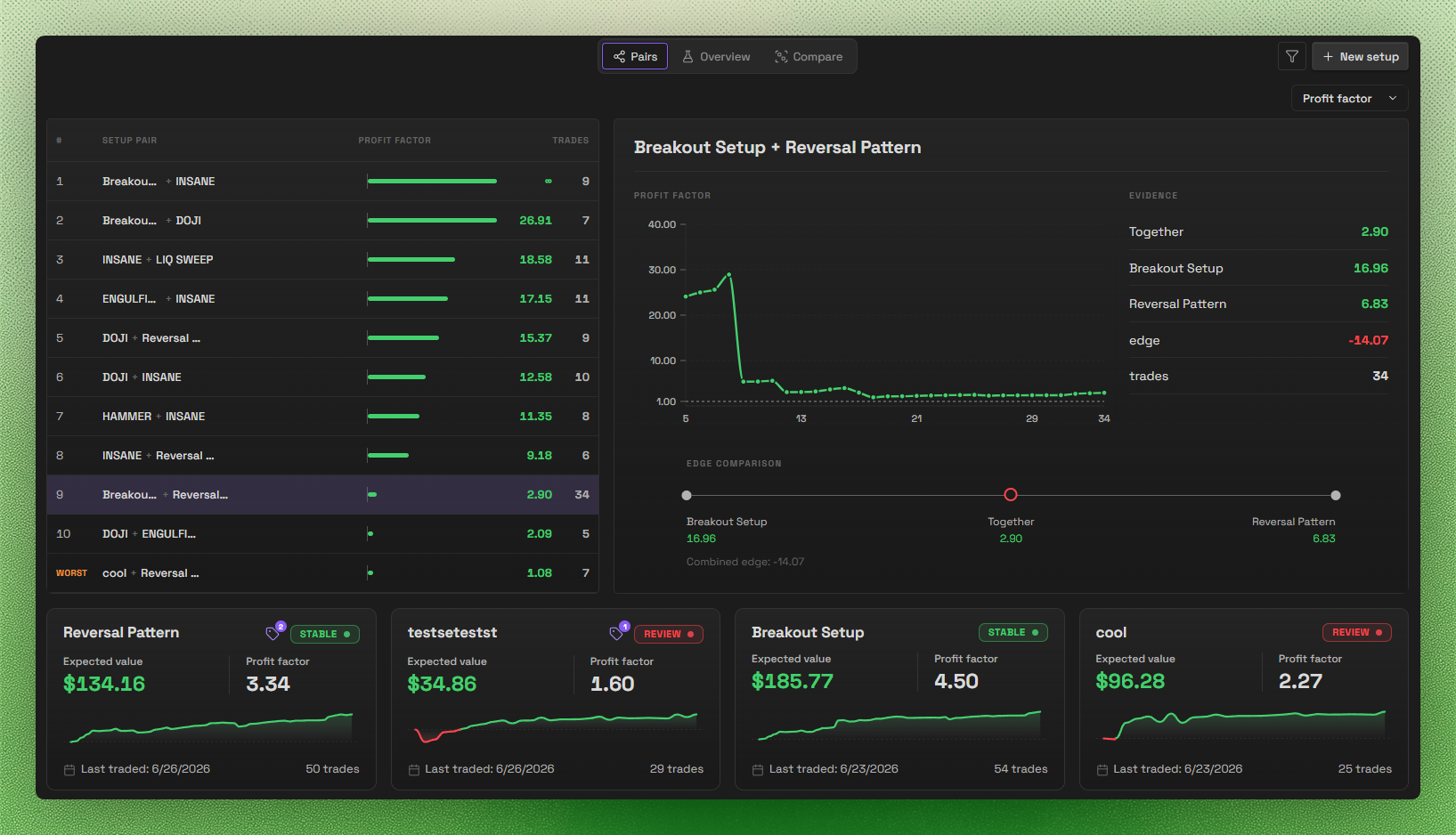
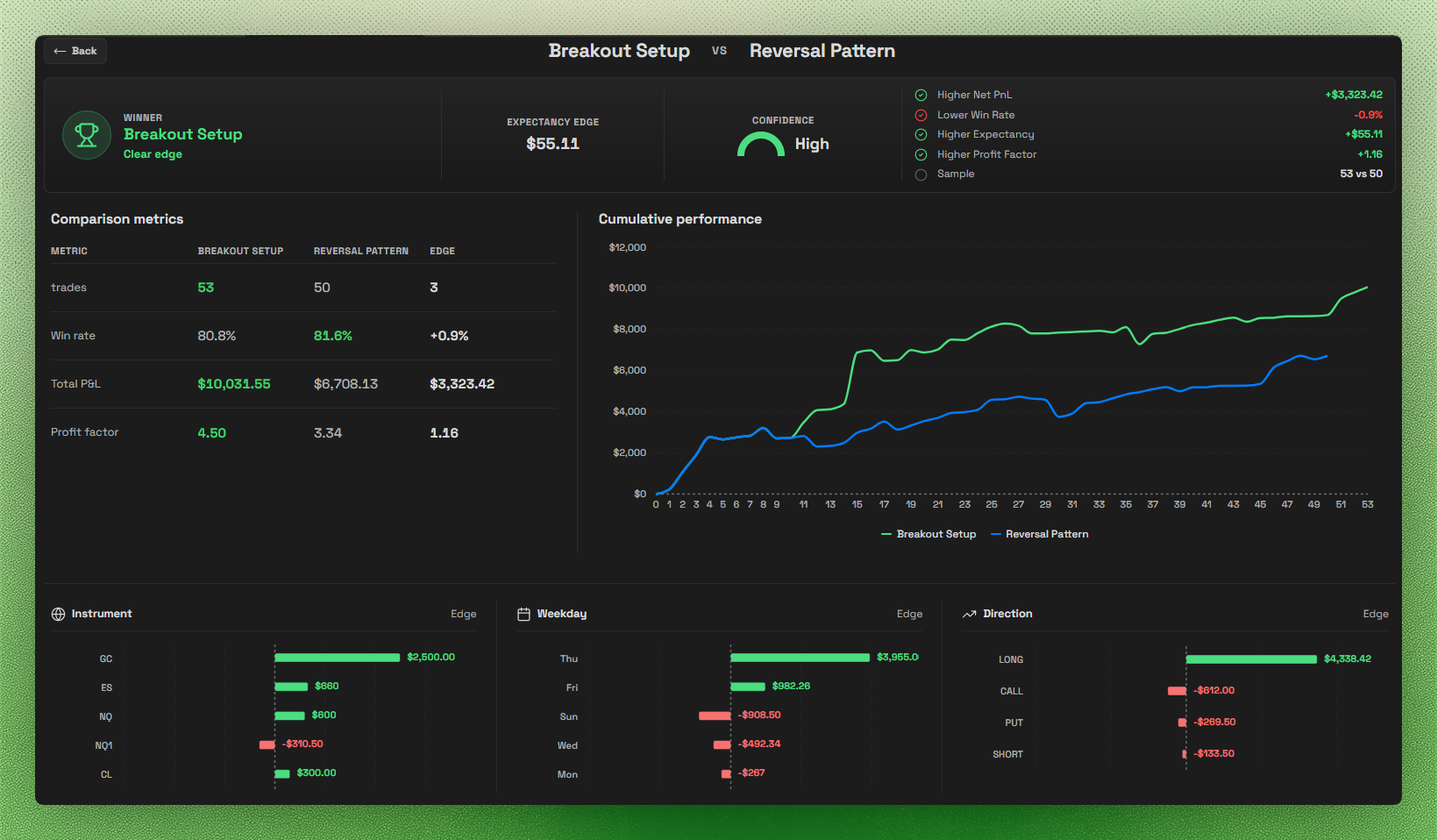
Setups
Accounts & Prop Challenges
Layout Builder
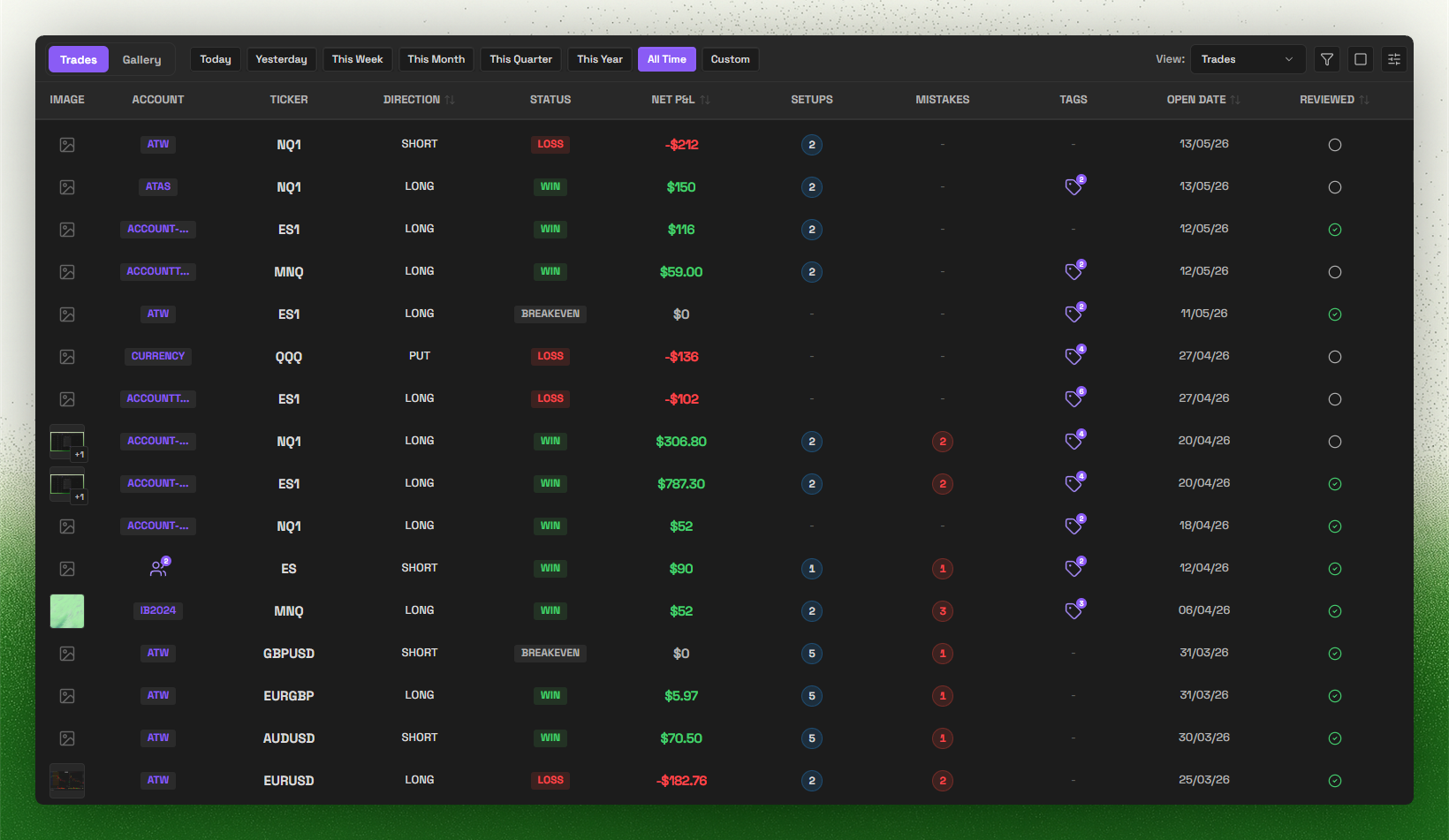
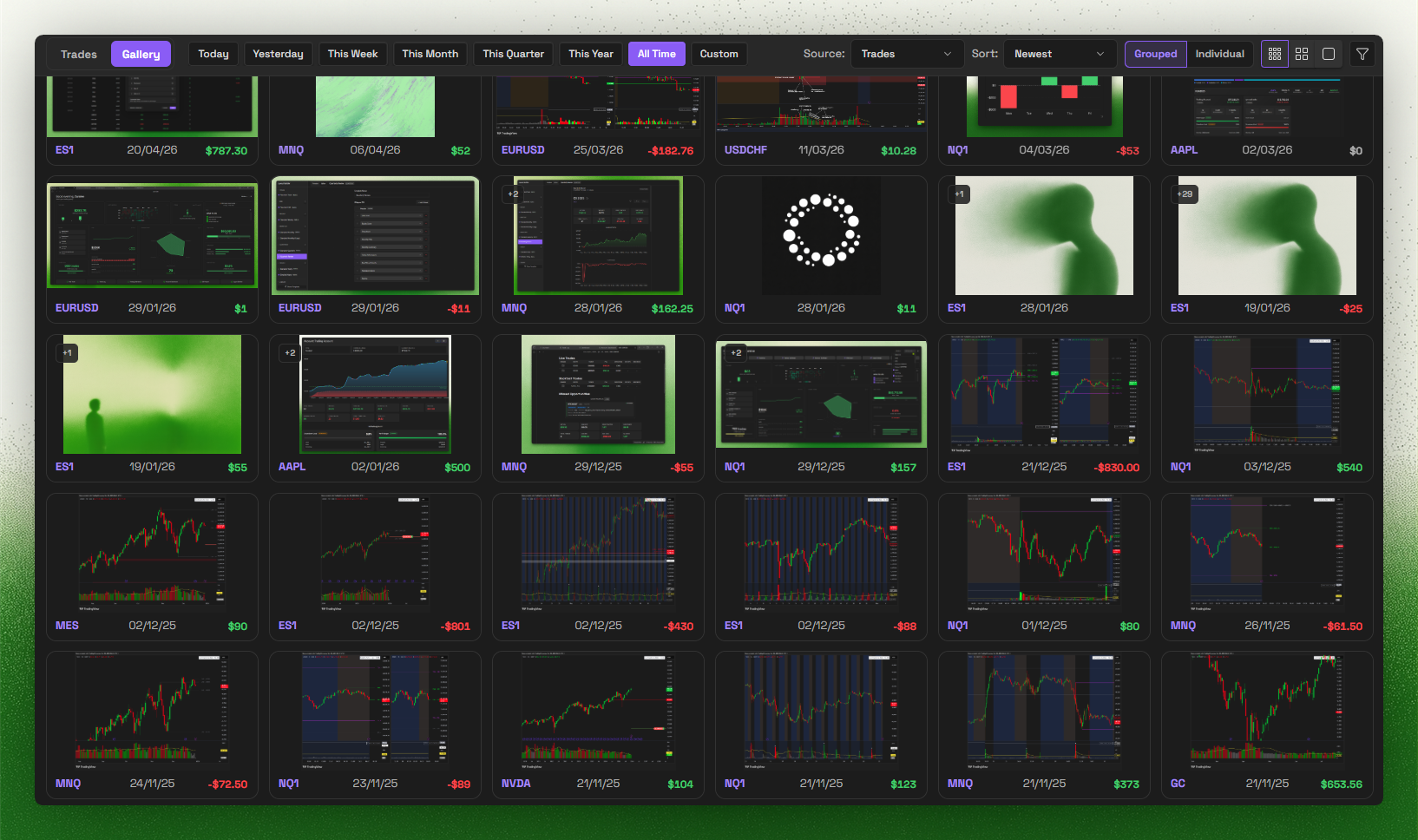
Trade Log & Gallery
Trade Import
AI apps (MCP)
Connect Claude, Claude Code, ChatGPT, Codex, Hermes, Grok Bot or another compatible AI app to your journal using MCP (Model Context Protocol). Ask it to analyse your trades, draft a weekly review or update journal fields without copying notes into a chat.
- Sign in to Journalit in Obsidian. Open Settings → Journalit → AI apps (MCP) and turn on Enable MCP access.
- Add
https://api.journalit.co/mcpas a remote MCP server in your AI app. - Sign in to Journalit when prompted, choose your vault, review the requested permissions and approve the connection.
Keep Obsidian open with Journalit running. Deletions, merges and large changes need your approval by default.
See the AI apps setup guide for client-specific steps, permissions, undo and monthly usage limits.
Supported brokers
Trade Sync creates an ongoing connection. Trade Import reads exported files. Support for one does not imply support for the other.
Automatic Trade Sync
- MetaTrader 4
- Tradovate
- cTrader
- Hyperliquid: watch-only USDC perpetuals
Rithmic Trade Sync is a preview for approved testers only. MetaTrader 5 statements use Trade Import, not FTP-based Trade Sync.
File-based Trade Import
Supported export sources and formats:
- IBKR
- Tradovate
- TopStepX
- TradeZero
- TradingView: Paper Trading order history and Strategy Tester List of Trades (backtests)
- Bybit
- BloFin
- Hyperliquid
- Sierra Chart
- MotiveWave
- FX Replay
- ATAS
- Trading Technologies (TT)
- Rithmic
- MetaTrader 4/5
- DeepCharts: Strategy Report Trade List
- Breakout Terminal:
trades.csv - Merrill Edge: account activity CSV
- PropReports: Executions report for stocks
Use Manual Mapping for other compatible files. See the Trade Import overview and each source's guide for the required export.
Missing your broker? Join Discord and tell us what you want next.
Search keywordsKeywords: obsidian trading journal, trading plugin, trade tracker, obsidian trading template, trading analytics, Trade Import, Trade Sync, prop firm, prop firms, funded account, profit target, trailing drawdown, max drawdown, prop challenge, evaluation, funded phase, payout rules, daily loss limit
AI: MCP, Model Context Protocol, Obsidian MCP, AI trading journal, AI-assisted journaling, Claude, Claude Code, ChatGPT, Codex, Hermes, Grok Bot
Brokers and platforms: MetaTrader, MetaTrader 4, MT4 sync, MetaTrader 5 imports, IBKR, Interactive Brokers, Tradovate, cTrader, Hyperliquid, Rithmic, TopStepX, TradeZero, TradingView, TradingView Strategy Tester, Bybit, BloFin, Sierra Chart, MotiveWave, FX Replay, ATAS, Trading Technologies, DeepCharts, Breakout Terminal, Merrill Edge, PropReports
More resources- How it works (local-first)
- Trade Import overview
- MetaTrader sync overview
- Compare with other journals
- Prop challenges guide
Important disclosures
- Local-first core: core journaling works offline and stores your notes and trades inside your Obsidian vault.
- Account required for full access: a Journalit account is required for authentication-backed and subscription-gated features.
- Paid features: a paid Pro subscription is required for Trade Sync, committing Trade Imports, the Economic Calendar, and prefilled prop-firm profiles. Signed-in free users can analyse and preview Trade Import files.
- Network use: Journalit checks public GitHub release metadata for updates by default without sending vault or account data. Signed-in features may use Journalit services; MT4 sync uses managed FTP, and currency conversion may use a third-party exchange-rate service. See PRIVACY.md.
- Optional AI access: when you enable MCP and authorise an AI app, requested journal data is shared through Journalit services with that app. The AI provider's privacy terms apply to anything it reads. You can disconnect the app or turn off MCP access at any time.
- Trade Import processing: analyse/preview sends your selected file and import options to Journalit. Server-side encrypted diagnostic captures expire after one day for free accounts or 14 days for Pro accounts; stored previews expire after seven days. Compatibility guidance is returned in those responses and displayed locally, with no separate client failure-report upload. See PRIVACY.md.
- Other network diagnostics: existing Tradovate Sync code sends client synchronization diagnostic events as disclosed in PRIVACY.md; this is separate from Trade Import. Upgrade buttons open journalit.co only when clicked, carrying fixed campaign parameters (no identifiers) for server-side attribution.
- Source available, proprietary license: the plugin is proprietary software with reviewable source.
- Privacy details: see PRIVACY.md for data handling, retention, and infrastructure details.
License
This plugin is source-available proprietary software. Source is published for Obsidian review and user inspection, but it is not licensed as open source. See LICENSE for permitted use.
Reviews (0)
Sign in to leave a review.
Leave a reviewNo results found