cutfac
Health Uyari
- License — License: AGPL-3.0
- Description — Repository has a description
- Active repo — Last push 0 days ago
- Low visibility — Only 8 GitHub stars
Code Gecti
- Code scan — Scanned 12 files during light audit, no dangerous patterns found
Permissions Gecti
- Permissions — No dangerous permissions requested
Bu listing icin henuz AI raporu yok.
Local-first short-form video studio: MCP server, local API and a desktop board for editing videos by chat

Cutfac



Cutfac is a local-first studio for short-form videos. Your own coding agent makes them; you point at what to change.
Download the signed Mac app, or build it yourself from this repository. Both have every feature.
Download for Mac »
Website
·
Build from source
·
Architecture
·
Issues





Features

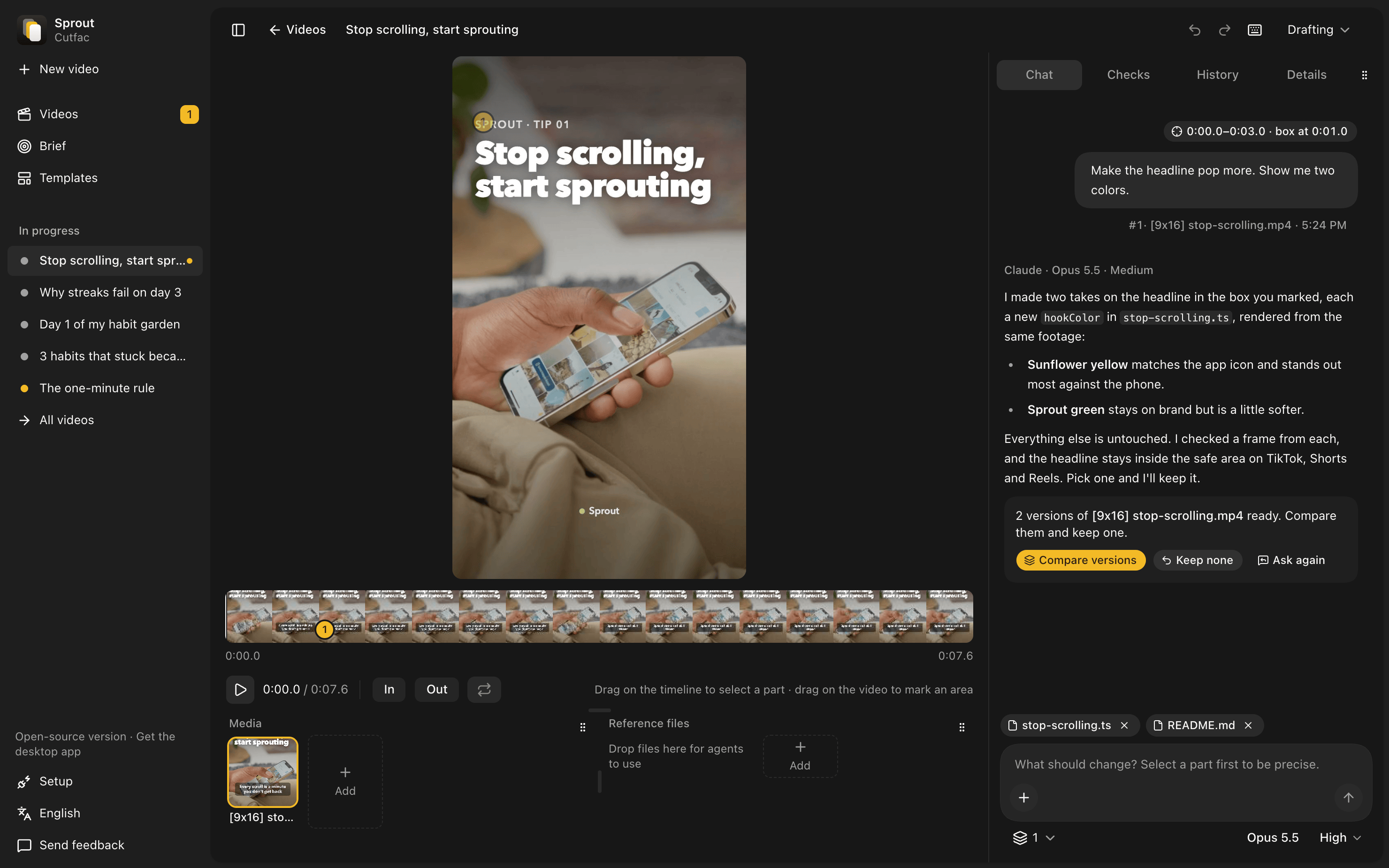
- Point at what to change. Select a part of the timeline or draw a box on the video, then say
what to change. Compare before and after, and keep it or undo it. - Ask for versions. Get a few takes of one change and keep the best.
- One board for every video, from drafting to review to done.
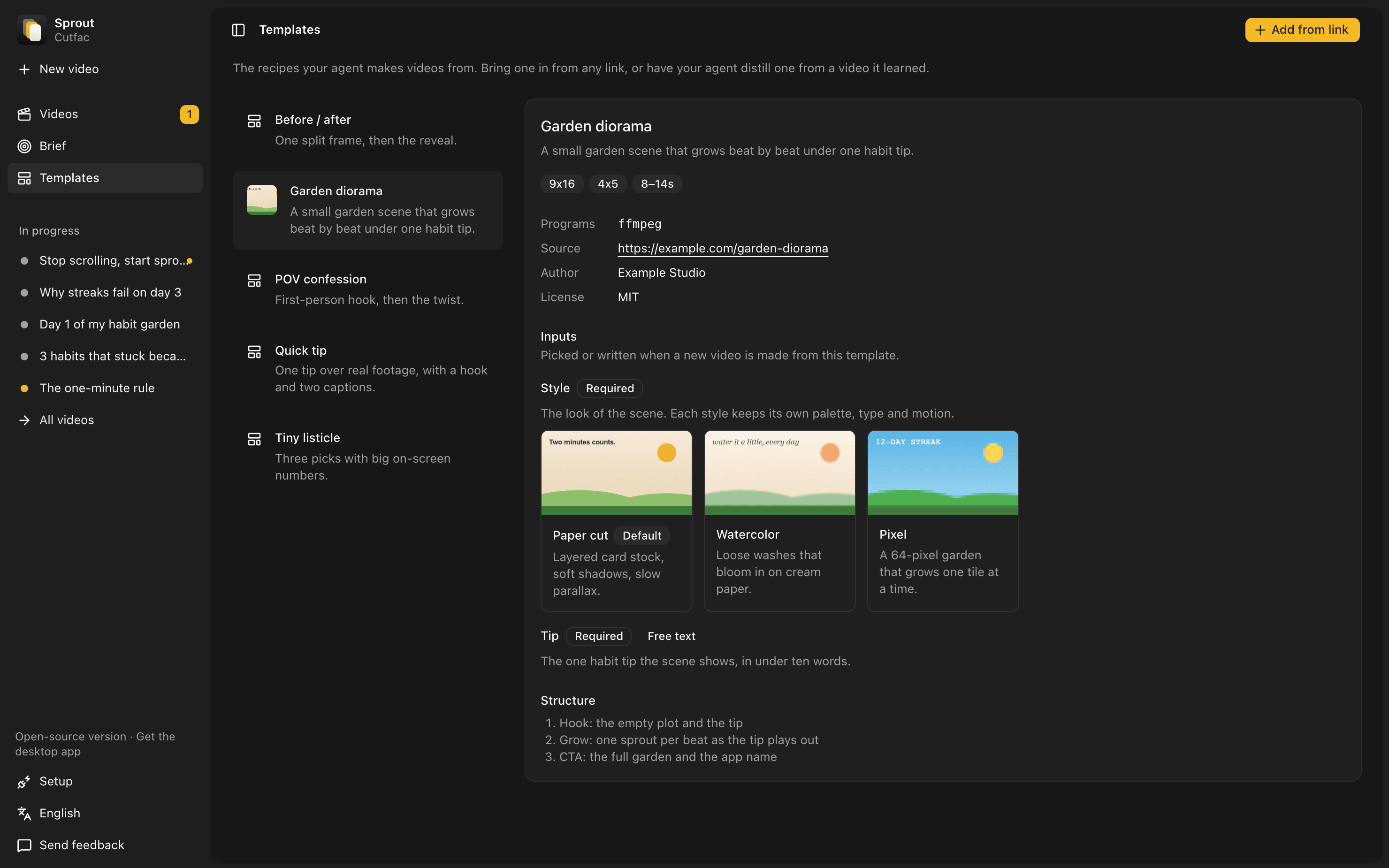
- Templates from any link. Turn a post, a repo or an Agent Skill into a reusable template.
- Teach it your product. Paste a link or pick a folder, and every video after fits it.
- Your own agent. Claude Code or Codex runs on your machine through the built-in MCP server.
- Plain files. A workspace is folders and YAML, so Git, Finder and your editor all work.
- English and Korean.
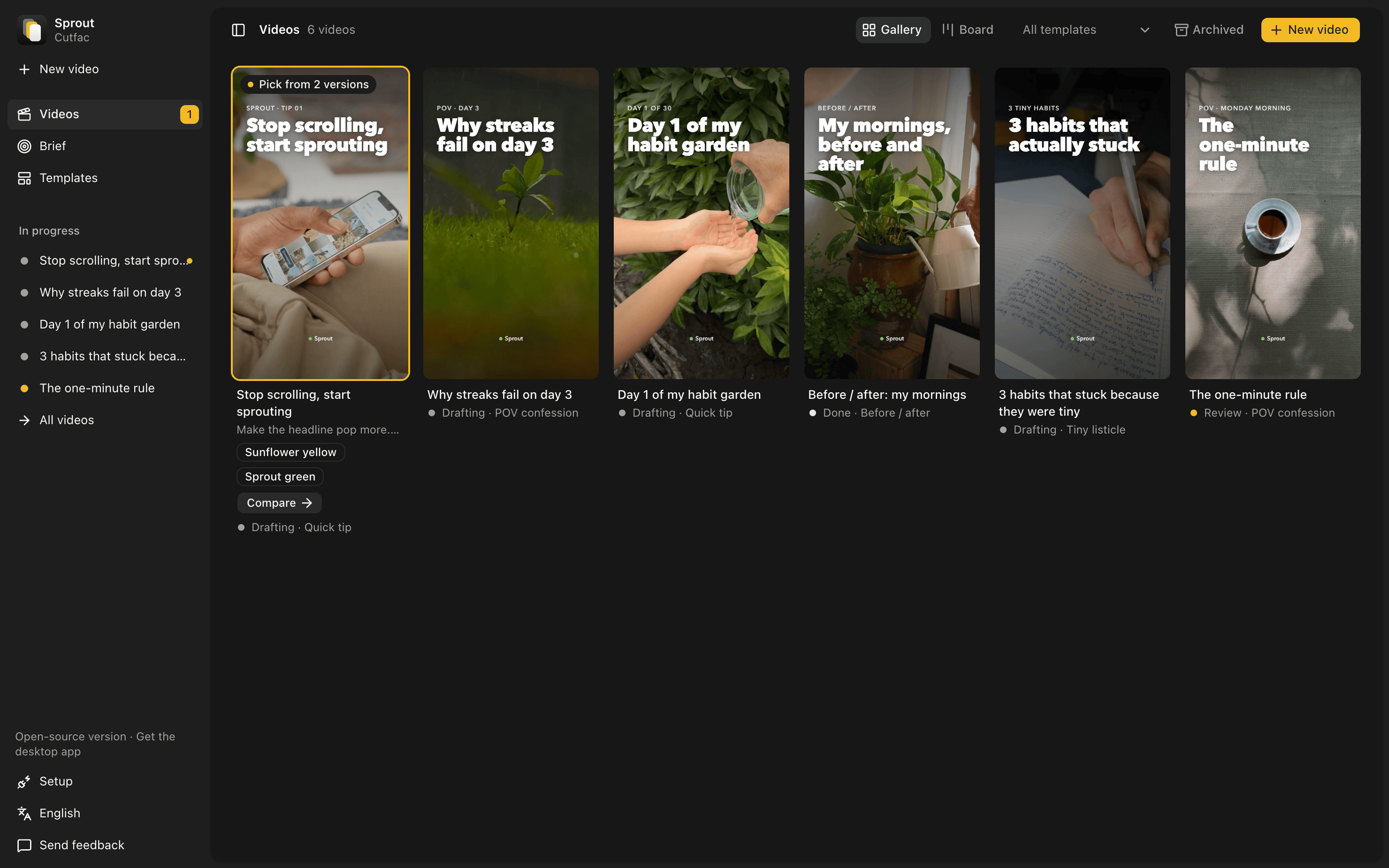
Demo footage from Pexels by Tuğba, RDNE Stock project, Santiago Peña Bossano, Annushka Ahuja,
Oksana Kyzyma and Sergei Starostin.
Quick start
For the signed Mac app, download it from cutfac.com. To run it from source,
install Bun 1.3+ and ffmpeg, then:
bun install && bun run build
bun src/cli.ts init ~/my-videos                       # make a workspace and connect your agents
bun src/cli.ts serve --workspace ~/my-videos          # open http://localhost:4317
init connects Claude Code (a .mcp.json in the workspace) and Codex (codex mcp add); pass--no-connect to only print the commands. Optional: yt-dlp to learn from video links andwhisper for transcripts.
Editing a video
Open a video, drag across the timeline to pick a part, drag on the video to mark an area, and type
what should change. Your agent gets the clip, the marked frame and the timecodes, edits the file,
and streams its steps into the chat. Then compare and keep or restore. Set how many versions to
make next to the message box to compare several takes.
Requests made while the agent works line up and run in turn. Every change can be undone, and the
History tab keeps each saved version. Press ? for shortcuts.
Mac app or from source
Both are the same code with every feature; nothing is held back from the source. Build it yourself
and it's free, with no limit. If you'd rather skip the build, the signed Mac app at
cutfac.com is ready to open and keeps itself up to date.
| Signed Mac app | Built from source | |
|---|---|---|
| Cost | First 3 videos free, then a one-time license (pricing) | Free under the AGPL-3.0, no limit |
| Setup | Download it and open it | Install Bun and ffmpeg, then build |
| Updates | Install themselves | Pull and rebuild |
Privacy
- Your videos and files stay on your disk. No account.
- The Mac app asks once, separately, whether to share error reports and usage statistics with the
Cutfac team. It sends only what you choose to share, through PostHog: what failed, and counts
like videos made and versions kept, never your videos, prompts or chats. Settings turns each off.
Builds from source never send any. - The Mac app keeps a log in
~/Library/Logs/Cutfacto help trace problems. It stays on your Mac
unless you send it with feedback, and entries older than 7 days are deleted
(details). - Agents run with your own Claude Code or Codex login. Cutfac never sees your API keys.
- The server listens on
127.0.0.1unless you pass--host, and refuses requests from other
websites. - It goes online only when you ask: learning from a link, or sending feedback. The Mac app also
checks for updates and sends what you agreed to share. With a license key, it checks the key
with cutfac.com, along with a hash of this Mac's hardware ID and its name, so the key counts the
Macs it's activated on. - Learn only from videos you're allowed to download.
See SECURITY.md to report a problem.
Development
bun run serve -- --workspace <dir>   # API on :4317
bun run dev:web                      # Vite on :5173
bun run desktop:dev                  # the Mac app on live code
bun test && bun run typecheck && bun run lint
Built with Bun, Effect v4, React 19, Vite, Tailwind CSS v4, shadcn/ui and Electron.
- docs/architecture.md: how it fits together, and the workspace layout
- docs/templates.md: the template format
- docs/desktop.md: the Mac app, updates, releasing and feedback
- CONTRIBUTING.md: sending a change
License
GNU Affero General Public License v3.0. The Cutfac name, logo and icon are trademarks of
Wyverse Labs and aren't covered by the license, so a build you distribute needs its own name and
icon. TRADEMARKS.md says what's fine and how to make a fork.
Yorumlar (0)
Yorum birakmak icin giris yap.
Yorum birakSonuc bulunamadi