jobseeker
Health Gecti
- License — License: NOASSERTION
- Description — Repository has a description
- Active repo — Last push 0 days ago
- Community trust — 12 GitHub stars
Code Basarisiz
- fs module — File system access in scripts/browser-agent.sh
- exec() — Shell command execution in scripts/browser-probe.mjs
- process.env — Environment variable access in scripts/browser-probe.mjs
- network request — Outbound network request in scripts/browser-probe.mjs
- exec() — Shell command execution in scripts/browser.mjs
- process.env — Environment variable access in scripts/browser.mjs
- exec() — Shell command execution in scripts/chat-sweep.mjs
- network request — Outbound network request in scripts/check-urls.mjs
Permissions Gecti
- Permissions — No dangerous permissions requested
Bu listing icin henuz AI raporu yok.
A local-first job-search assistant: watches your email, chats and calendar, finds roles worth your time, and surfaces the few things that need you today. Never applies or sends without approval.

JobSeeker
Your job search, remembered.
A local-first assistant that watches your email, chats and calendar, finds roles worth your time,
and every morning tells you the few things that actually need you today.
It never applies to anything, and never sends a message, without your explicit approval.




The problem
A job search falls apart in the gaps between apps. Applications live in ATS portals, recruiters
reply by email, referrals arrive over WhatsApp, conversations continue on LinkedIn, and interviews
land in a calendar. Nothing joins them up — so the things that go wrong are failures of memory,
not effort:
- An application goes quiet and you notice three weeks later.
- Someone offers a referral in a chat. The CV never gets sent.
- You apply to the same job twice, because it was reposted with a new reference number.
- You find a great role, then lose it in a list of forty.
- You agree a follow-up in one app and complete it in another, so it stays open forever.
JobSeeker is the thing that remembers. It reads the channels you already use, keeps one honest
picture of where everything stands, and surfaces the short list that needs you — while leaving every
decision, application and message to you.
What it looks like
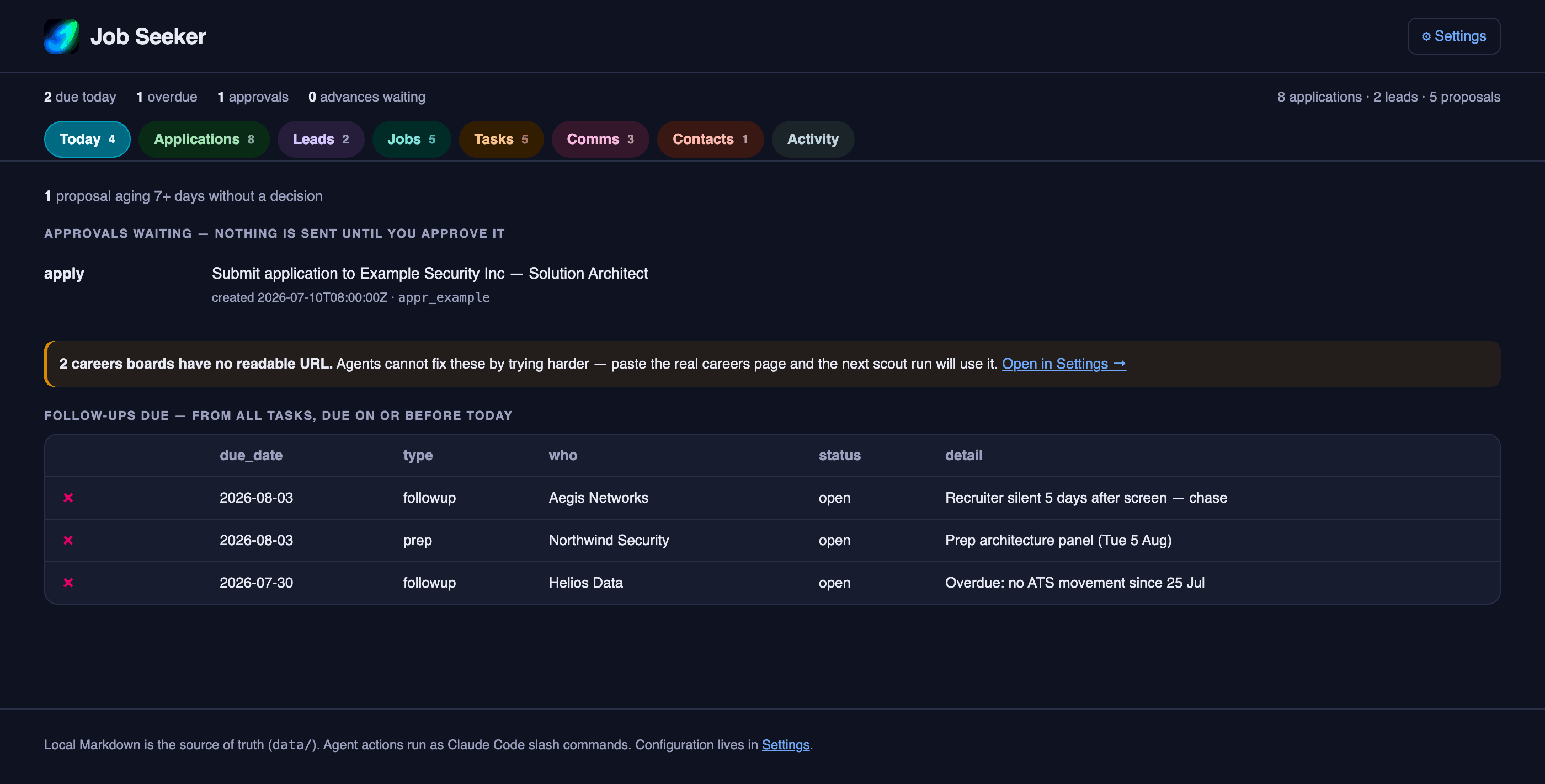
Today — the only screen most mornings need: what is due, what is waiting on a click, what is
overdue.
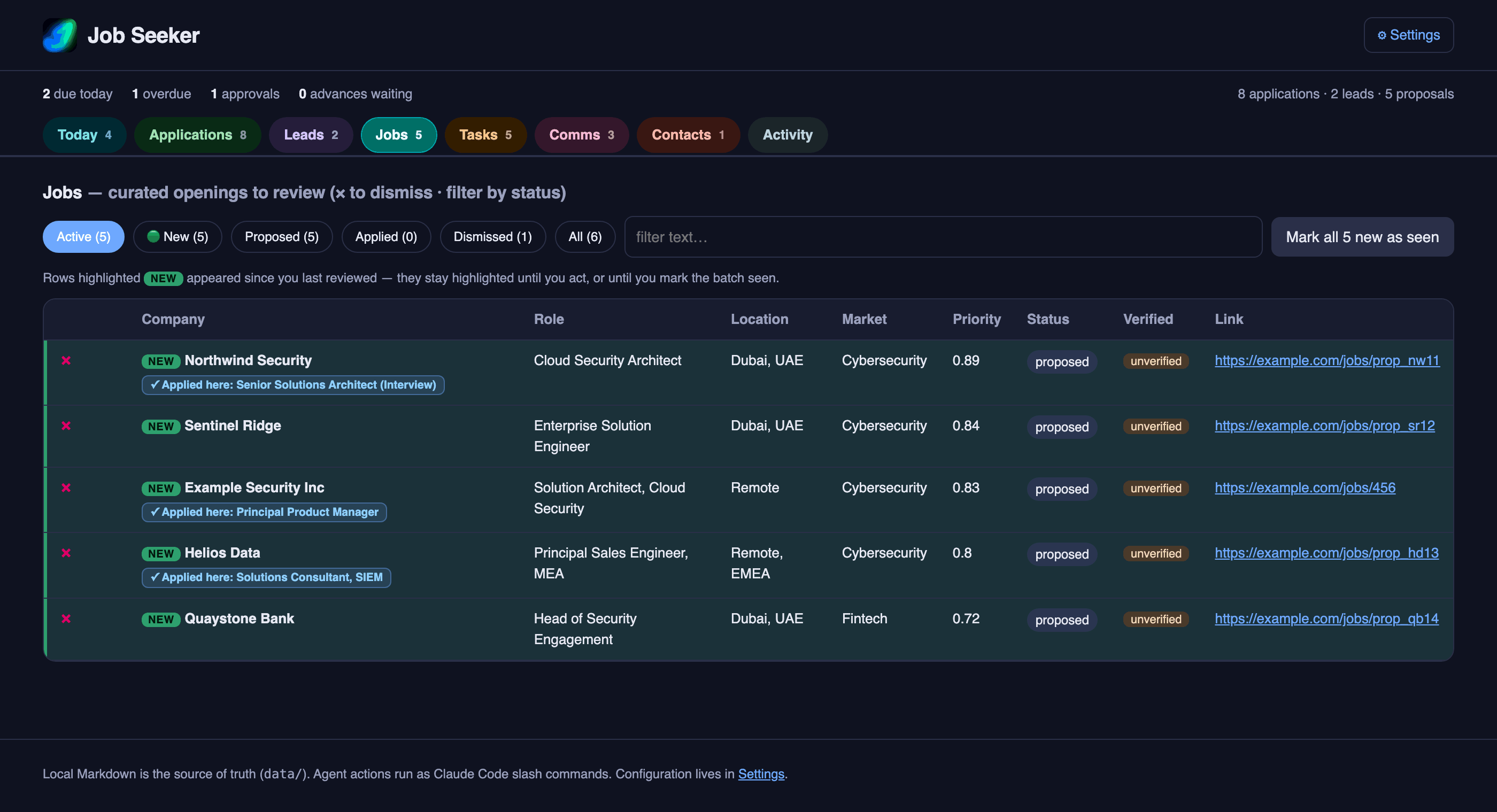
Jobs — roles found and scored against your CV, best match first. Reposts of jobs you have already
applied to are flagged rather than silently re-offered.
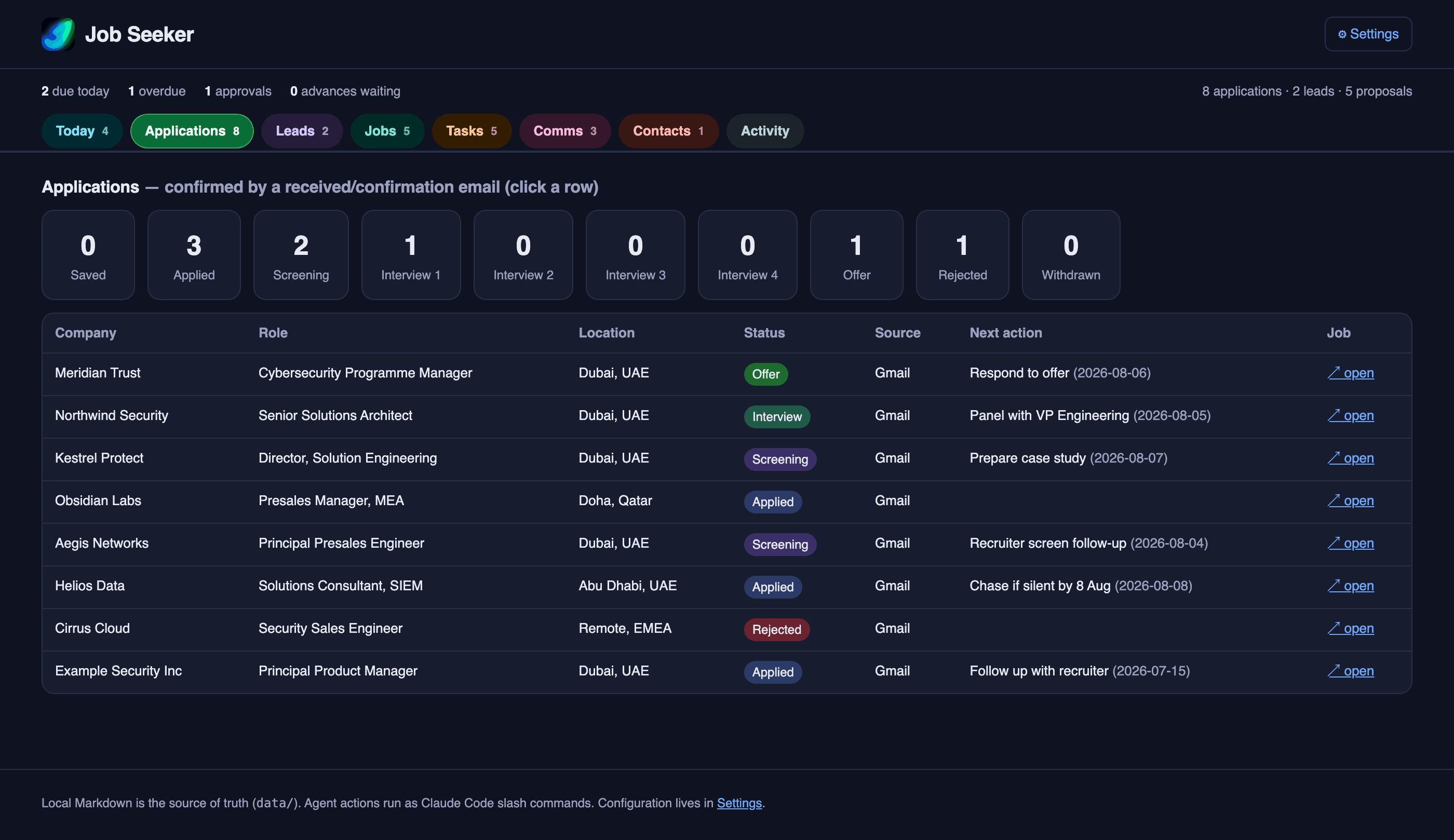
Applications — every application and lead, with its stage, its next action, and when it last
moved.
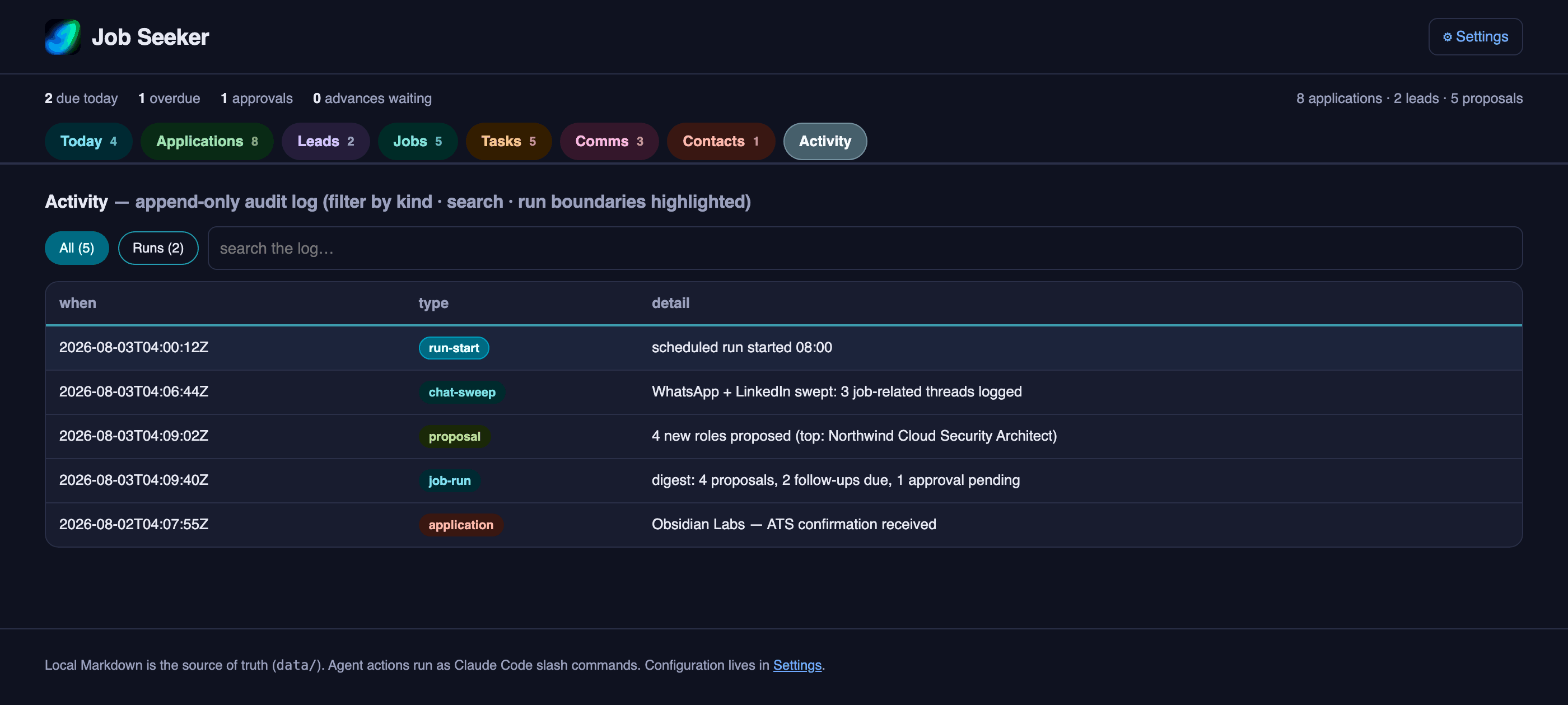
Activity — an append-only log of everything the system did, with run boundaries marked, so you
can always reconstruct what happened and when.
Settings — scoring weights, and one Companies page listing every company you are targeting:
why it is on the list, and where its jobs are read from. Grouped by market, collapsible, sortable,
and searchable across names, markets and notes.
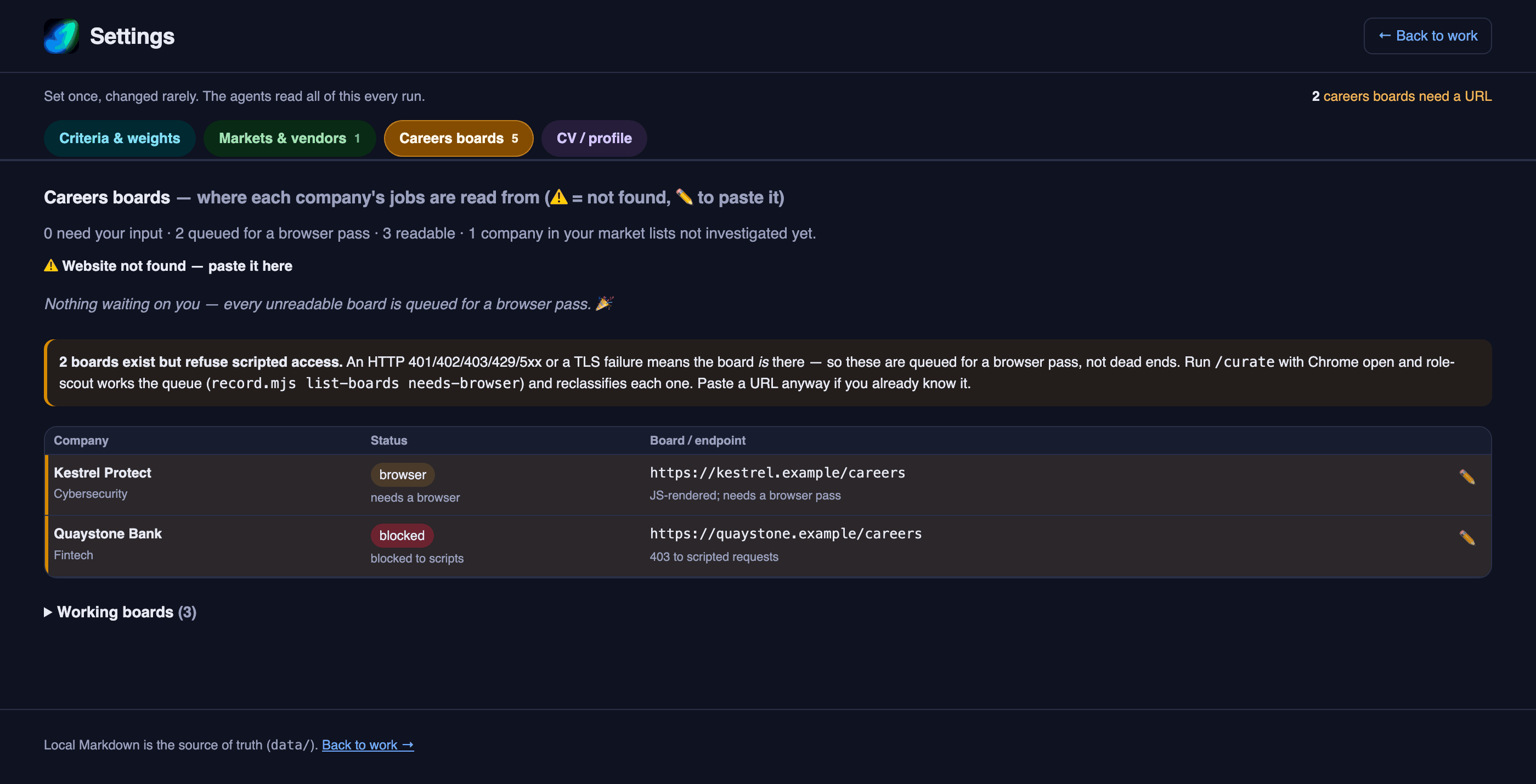
Every screenshot above uses a fictional sample dataset, not real data.
See it yourself:JOBSEEKER_DATA_DIR=data/.example npm run dashboard
How it works, in plain terms
Once a day (or whenever you ask), JobSeeker:
- Reads your email and calendar for anything job-related — recruiter mail, "we received your
application", interview invitations — and files it. - Reads your WhatsApp and LinkedIn message lists for job-related conversations, including ones
you have already read but never acted on. That is usually where referrals hide. - Looks for new roles at companies matching what you are targeting, and scores each against
your CV. - Checks what has gone quiet — applications with no movement, follow-ups you promised, offers
with a deadline. - Sends you a short summary on WhatsApp with the handful of things that need you.
Then it stops. It does not apply. It does not reply. Anything that would act on your behalf is
queued for you to approve.
What it will never do
- Never applies to a job without you approving that exact application.
- Never sends a message — email, LinkedIn or WhatsApp — without you approving that exact message.
- Never opens your chat threads. Opening a conversation marks it read, which would destroy your
own sense of what still needs attention. It reads only the conversation list. - Never logs your private conversations. Most of a personal WhatsApp is family and friends. Only
threads with a job-search signal are recorded; the rest are counted and left alone. - Never sends your data anywhere. Everything stays in files on your own machine.
Where your data lives
In a folder of plain text files you can open, read, edit and delete. No database, no cloud account,
no export needed. If you stop using JobSeeker tomorrow, you keep everything in a format any text
editor can read.
That folder is excluded from version control, so it cannot be published by accident.
Technical reader? How it works, why local Markdown is the source of truth, how it drives Chrome
without a debugging port, and the safety properties that hold: docs/ARCHITECTURE.md
Getting started
You need: a Mac, Google Chrome,
Node 20+, and Claude Code. Gmail and Google
Calendar work through Claude Code's own connectors — nothing to install for those.
Optional — WhatsApp delivery. By default the digest and approval prompts sit in the dashboard.
To have them reach your phone instead, install
whatsapp-claude-channel, a third-party Claude
Code plugin (not maintained by this project — a linked-device messaging bridge with its own access
control):
claude plugin marketplace add Rich627/whatsapp-claude-plugin
claude plugin install whatsapp-claude-channel@whatsapp-claude-plugin
Then, inside Claude Code, pair it to your own WhatsApp:
/whatsapp-claude-channel:setup
/onboard (below) then asks for your number and saves it as whatsapp_owner_jid inconfig/job-seeker.config.md. Skip all of this and JobSeeker still works exactly the same — the
digest is written to data/.last-digest.md and shown in the dashboard either way.
git clone <this repo> && cd JobSeeker
npm run setup
npm run setup does the whole machine side for you. It checks what you have, installs what it can,
walks you through the one or two things macOS insists you click yourself, and then verifies that
each one actually worked rather than assuming. There is nothing to npm install — JobSeeker itself
has zero package dependencies; everything above is Claude Code or the OS, not an npm package.
Then open Claude Code inside the folder and introduce yourself:
claude
/onboard
/onboard asks what you are looking for — markets, roles, locations, seniority — reads your CV, and
saves your answers. Once a day after that:
/job-run
That is the whole routine. It reads your channels, finds roles, and sends you a summary.
Talking to it
You do not need to memorise commands. Address jobseeker in plain English and it works out what
to run:
jobseeker, check my email and WhatsApp for anything new
jobseeker, find me Solution Architect roles in Dubai
jobseeker, what's my pipeline? what's due today?
jobseeker, add: call Dana on Friday about the referral
jobseeker, close anything I've already done
jobseeker, research the cybersecurity vendors worth targeting
There are also direct commands when you know exactly what you want:
| Command | What it does |
|---|---|
/job-run |
The full daily routine — the one the scheduler runs |
/curate |
Find and score new roles |
/track |
Update the tracker from Gmail, Calendar, WhatsApp and LinkedIn |
/apply <id> |
Prepare an application — pauses for your approval before submitting |
/followup |
Draft a follow-up — pauses for your approval before sending |
/markets |
Build or refresh the ranked company list for a market |
/onboard · /parse-cv |
First-run setup and CV parsing |
And two things you run in the terminal:
npm run dashboard    # the web view, at http://localhost:4319
                     #   Settings > Setup configures everything: targeting, spend caps,
                     #   the daily run time, and a live check of what is working
npm run audit        # a plain-text health check of your whole pipeline
npm run schedule -- 09:00   # move the daily run (--show / --remove)
Documentation
docs/ARCHITECTURE.md— how it works, and why (start here if you are technical)docs/REQUIREMENTS.md— what the system must do, and the constraints behind it.claude/AGENT-RULES.md— normative rules every agent followsSECURITY.md— the trust model, what is protected, and what is knowingly exposedCONTRIBUTING.md— the rules that are not negotiable, and whydocs/PERMISSIONS.md— macOS permissions, what is not needed, and troubleshootingdocs/SCHEDULER.md— the unattended rundocs/boards.md— careers-board quirksdocs/PLAN.md— the original design (superseded, kept for history)
Status and scope
Single-user, local, macOS. Built for one person's job search and shaped by its real failures — the
memory crash, the lost writes, the digest that contradicted itself, the nine runs in a row that
quietly read nothing. Most of the defensive design here exists because something went wrong first.
Not intended for multi-user or hosted operation, and deliberately incapable of bulk scraping or
unattended outbound messaging.
Respecting the services it reads. Channel access is read-only, low-volume, human-paced, and runs
from your own machine and connection. If a service challenges the session, JobSeeker stops and tells
you rather than working around it.
Support. This is a personal project, maintained as time allows. Bug reports with a reproduction
are welcome; a slow reply is bandwidth, not indifference. Security issues should go through
private reporting rather than a
public issue — see SECURITY.md.
Licence
PolyForm Noncommercial 1.0.0. You may use, modify and share it for noncommercial
purposes — personal use, research, and use by nonprofits, schools and government bodies are all
fine. Commercial use requires a separate licence from the author. It comes with no warranty. This is
source-available, not open source: PolyForm licences are not OSI-approved, deliberately.
Yorumlar (0)
Yorum birakmak icin giris yap.
Yorum birakSonuc bulunamadi