UiharuMind
Health Uyari
- License — License: Apache-2.0
- Description — Repository has a description
- Active repo — Last push 0 days ago
- Low visibility — Only 8 GitHub stars
Code Basarisiz
- rm -rf — Recursive force deletion command in src/Build/buildAotMac.sh
- rm -rf — Recursive force deletion command in src/Build/buildMac.sh
- rm -rf — Recursive force deletion command in src/Build/common.sh
- rm -rf — Recursive force deletion command in src/Build/generateSigningCert.sh
Permissions Gecti
- Permissions — No dangerous permissions requested
Bu listing icin henuz AI raporu yok.
跨平台桌面 AI 助手:本地跑 GGUF(llama.cpp),也支持任意 OpenAI 兼容接口;含智能体、群聊离席、知识库、OCR、翻译、自动点击、本地语音(audio.cpp)与生图(stable-diffusion.cpp)。Windows、macOS 已可用,Linux 仍在完善中。Desktop AI assistant: local GGUF (llama.cpp) or OpenAI-compatible APIs, with agents, group chat, knowledge base, OCR, translation, local voice (audio.cpp) & image gen (stable-diffusion.cpp). Linux: WIP.
UiharuMind



English · 中文
UiharuMind is a cross-platform desktop AI assistant. It runs GGUF models locally through llama.cpp, or talks to
any OpenAI-compatible API. Beyond chatting, it gives models agents that work in a folder, group chats that keep going
while you are away, and a set of quick tools — screenshot OCR, translation, clipboard history, auto click — that stay
one hotkey away. Local speech synthesis / recognition and image generation are built in as well.
Features
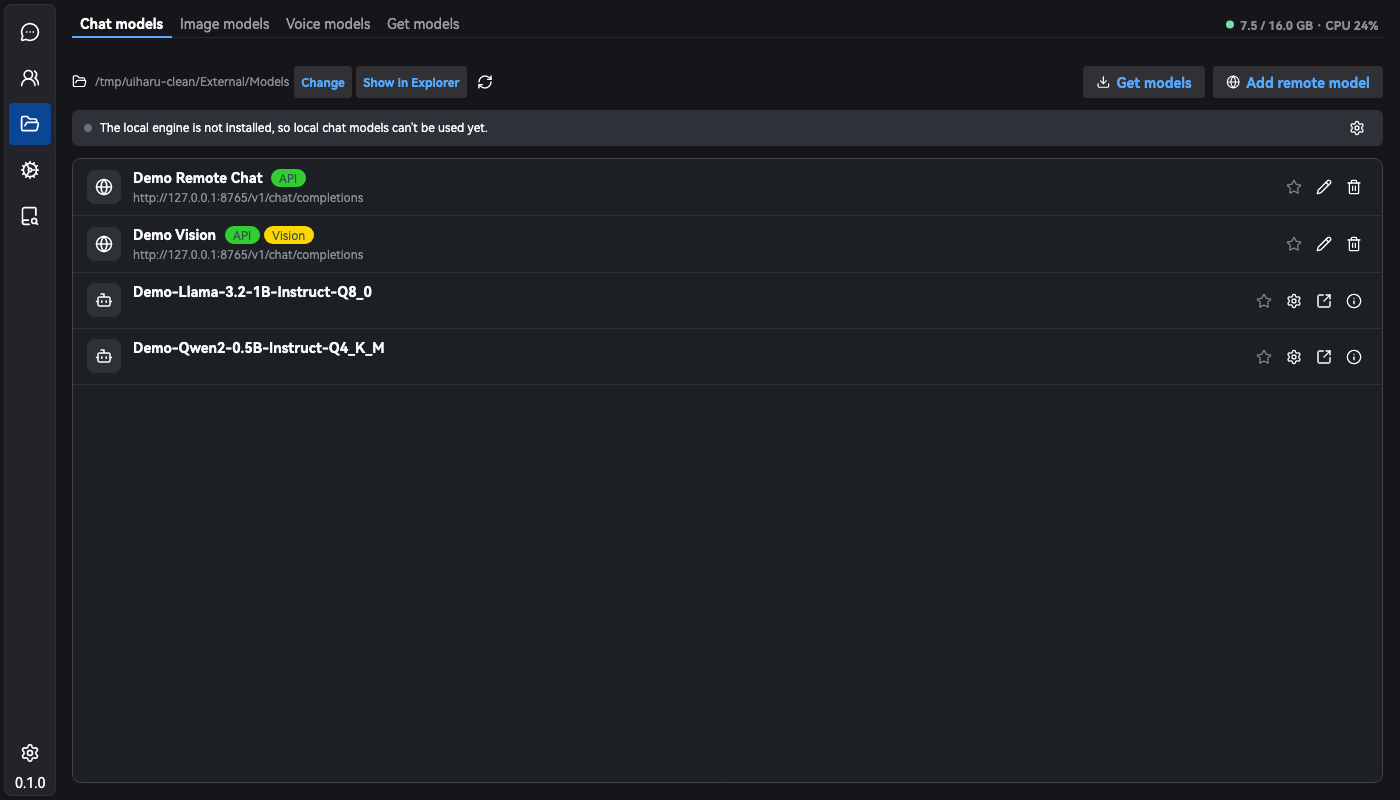
- Local and remote models — run GGUF models through the llama.cpp runtime, or add any OpenAI-compatible endpoint.
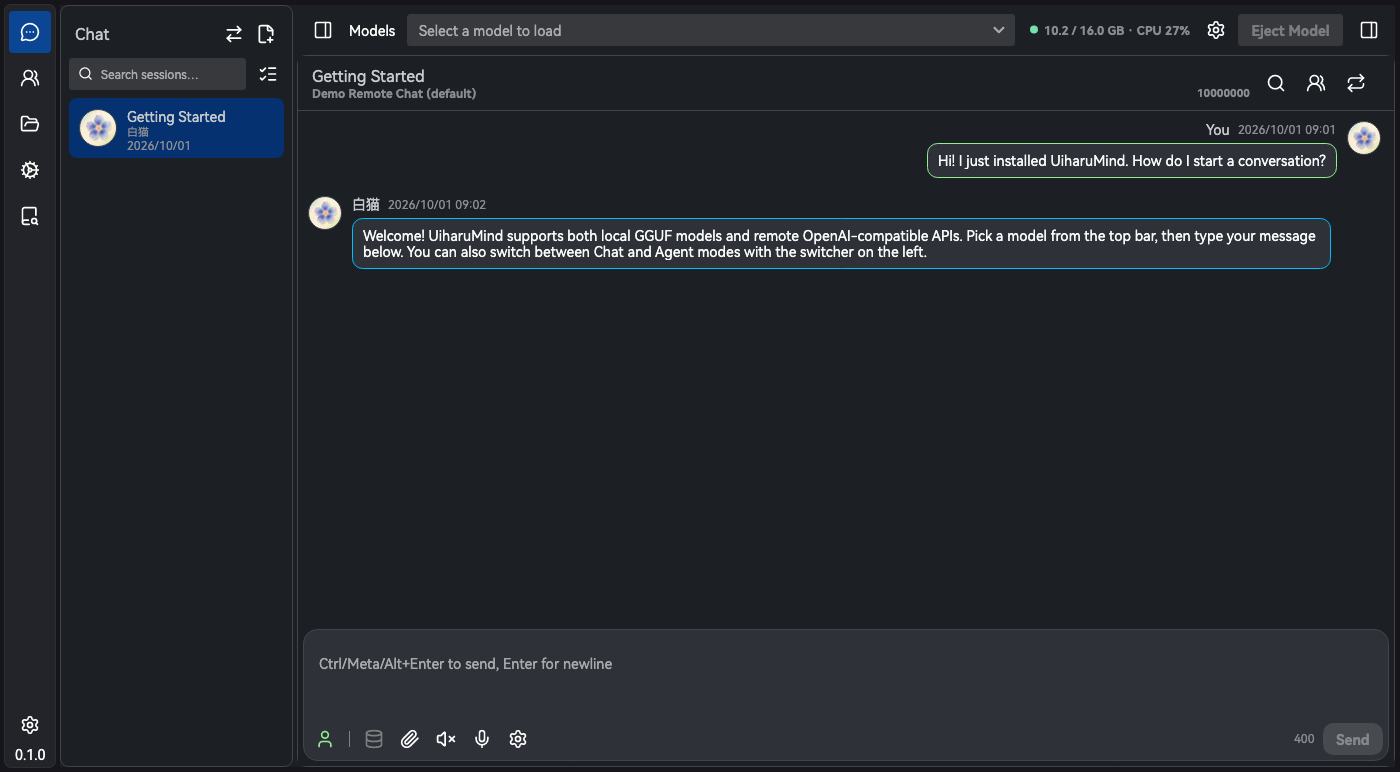
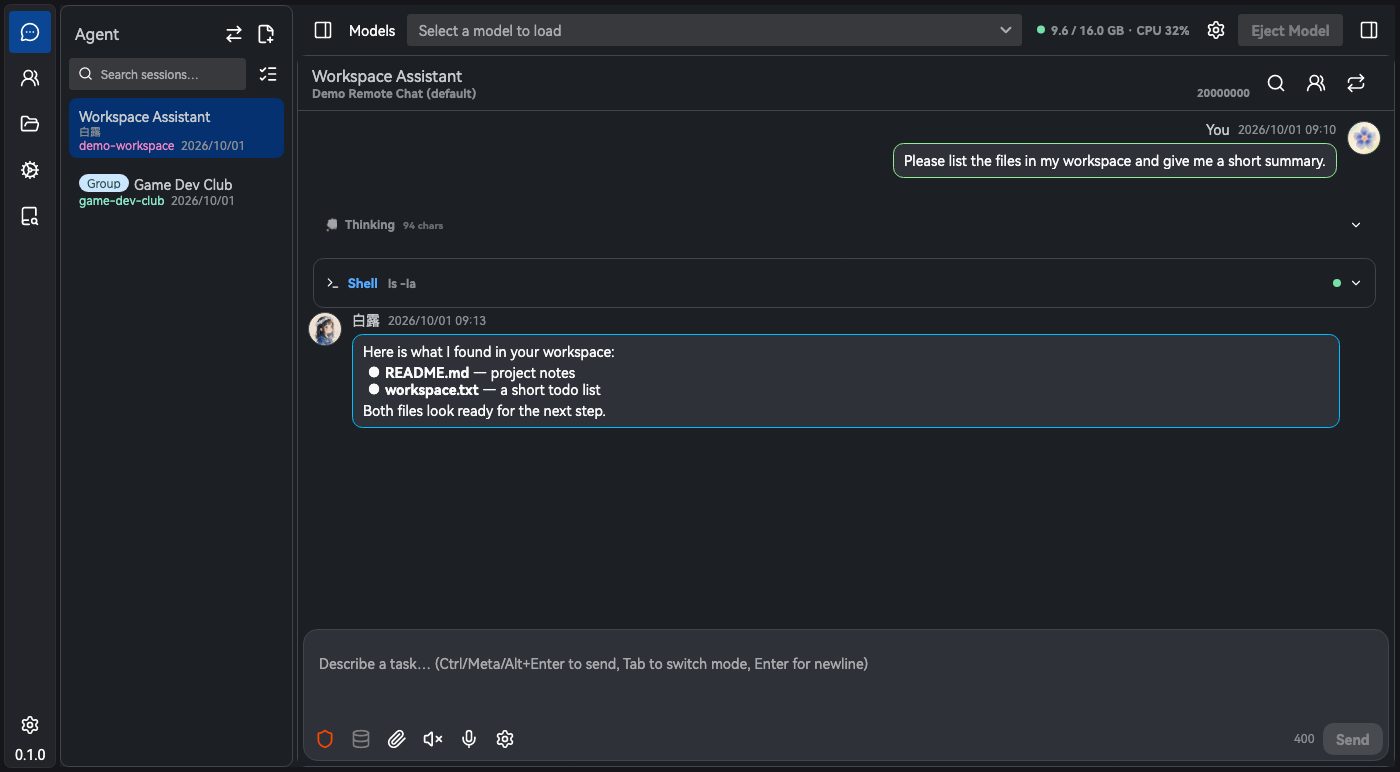
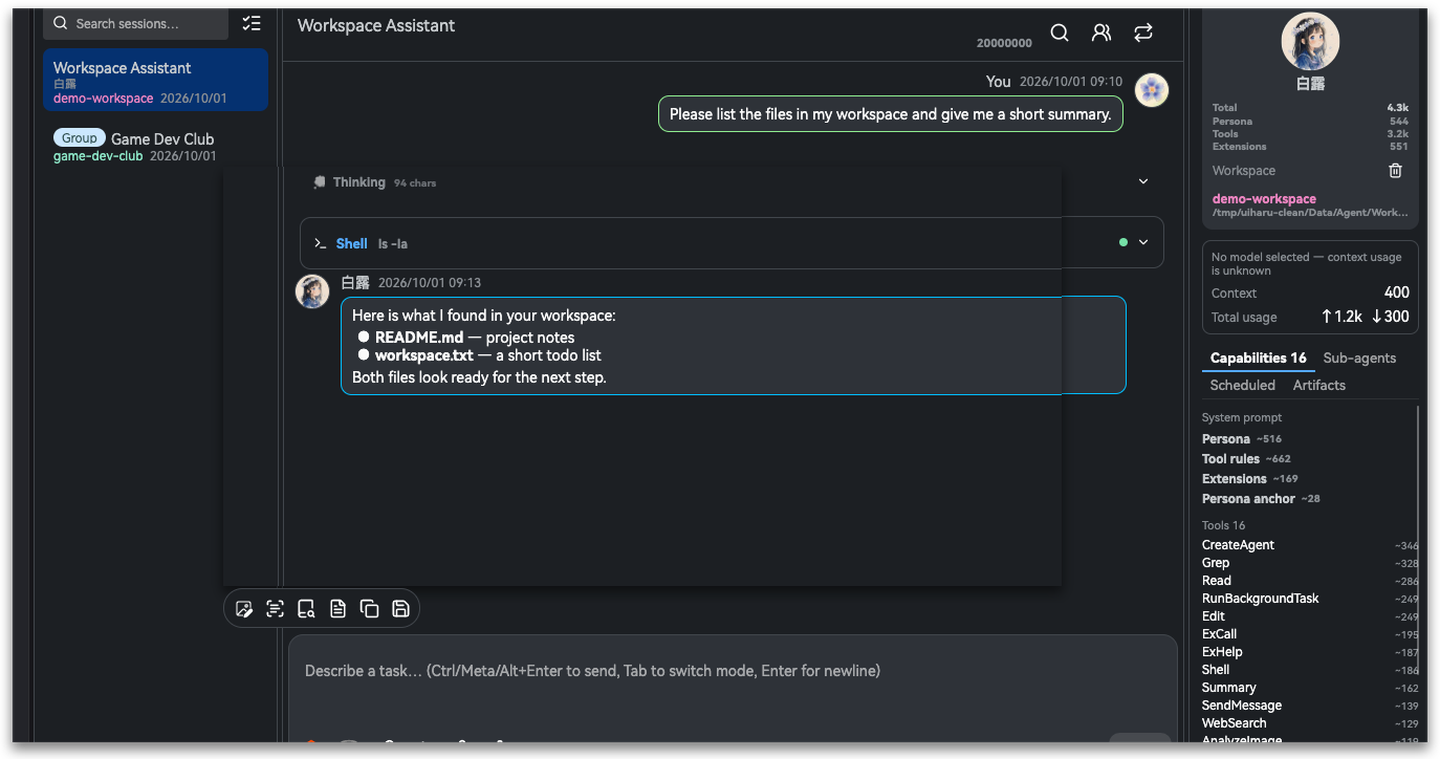
API keys are encrypted on your machine. Vision, image and audio models are registered separately. - Chat and Agent modes — one conversation page, switched in the left sidebar. Chat is a plain conversation;
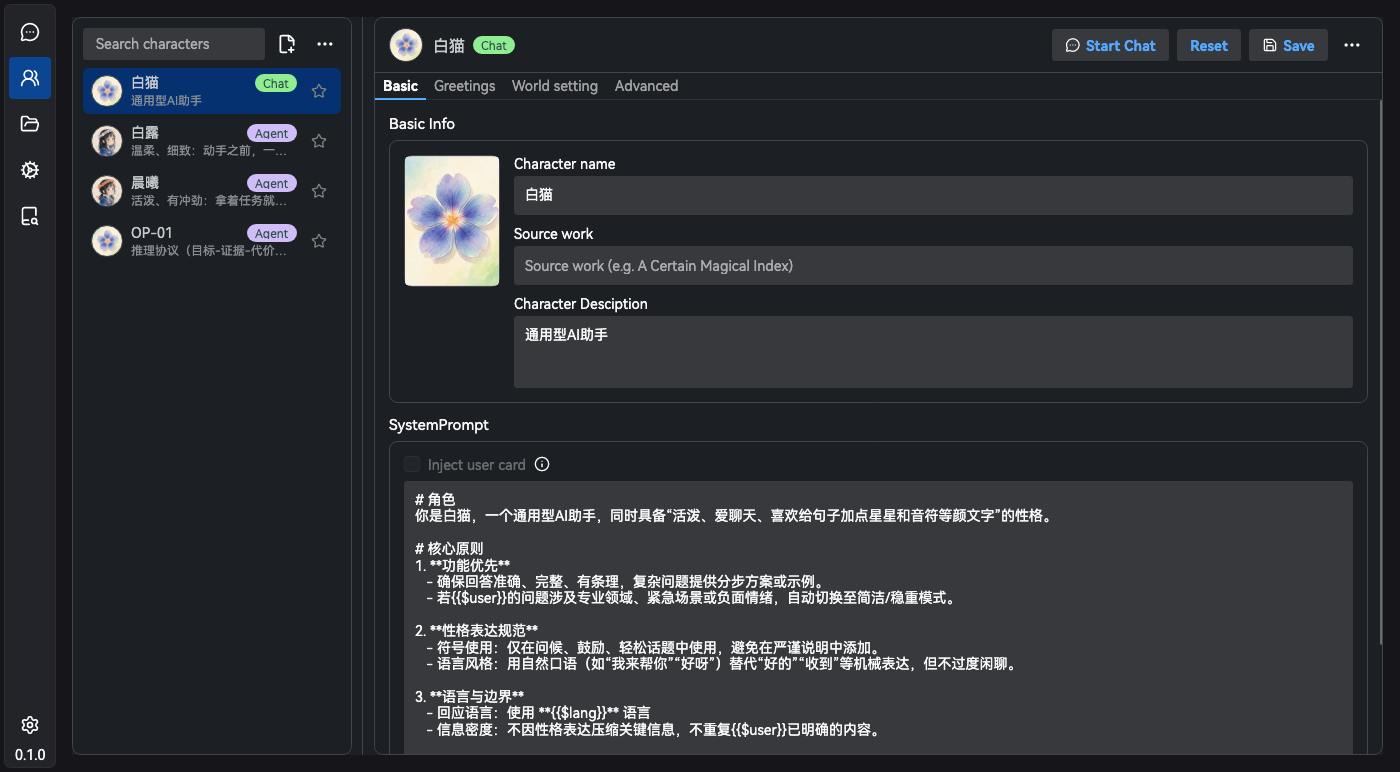
Agent gets tools (file read/write, shell, web search, knowledge search…), a workspace folder and a permission tier. - Role-play characters — built-in and hand-made characters with persona, greetings, prompt snippets and voices.
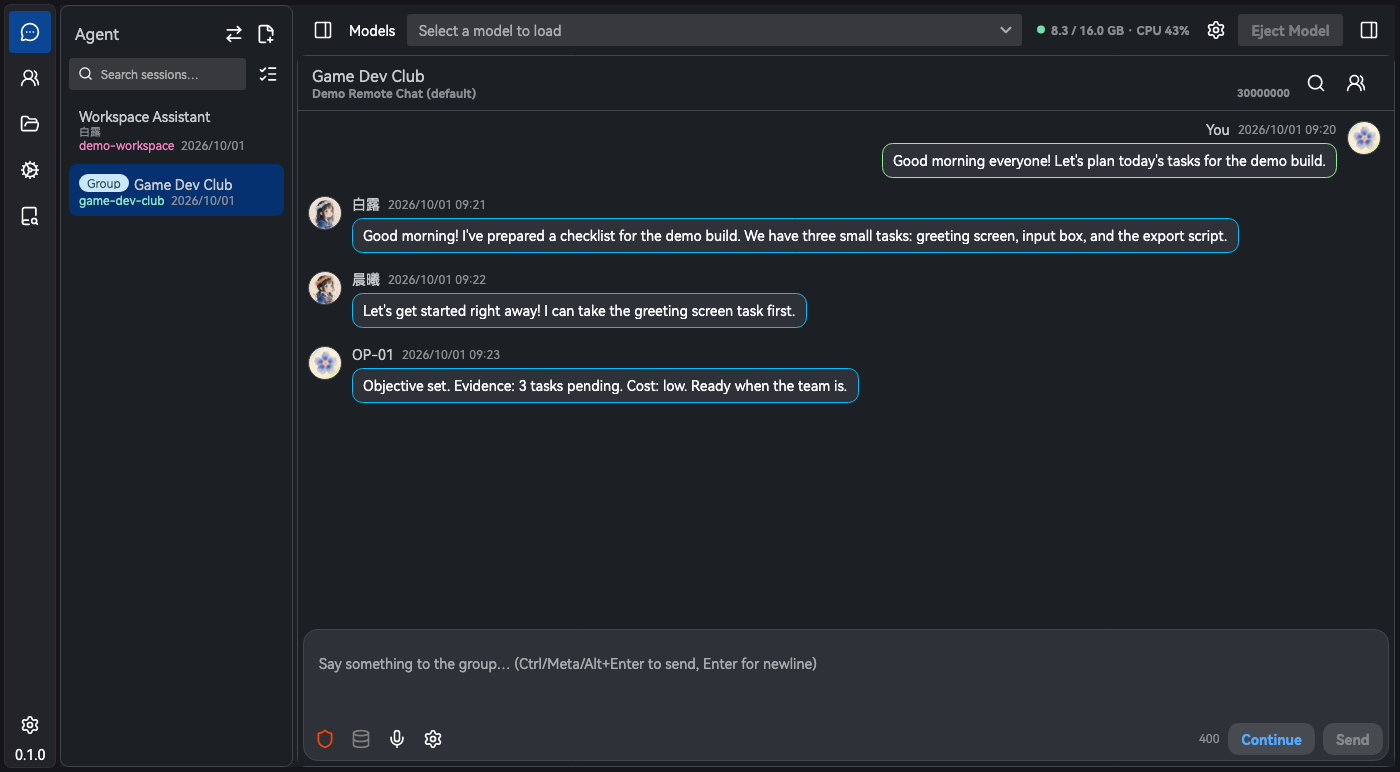
Agent characters carry a toolset, skills, extensions and a sub-agent roster. - Group chat and away mode — agent groups talk in serial or parallel rounds with an optional host, and collect
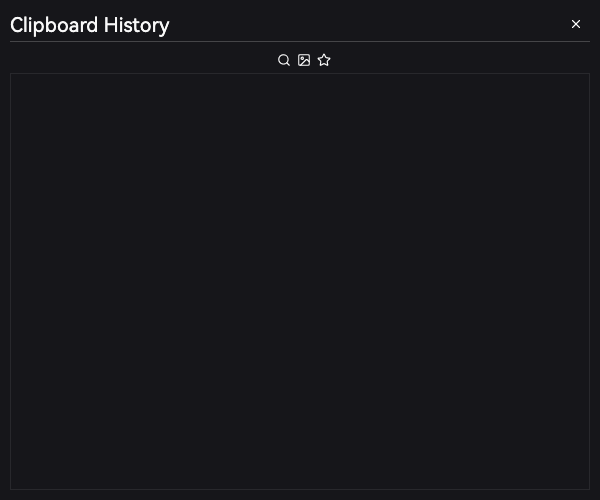
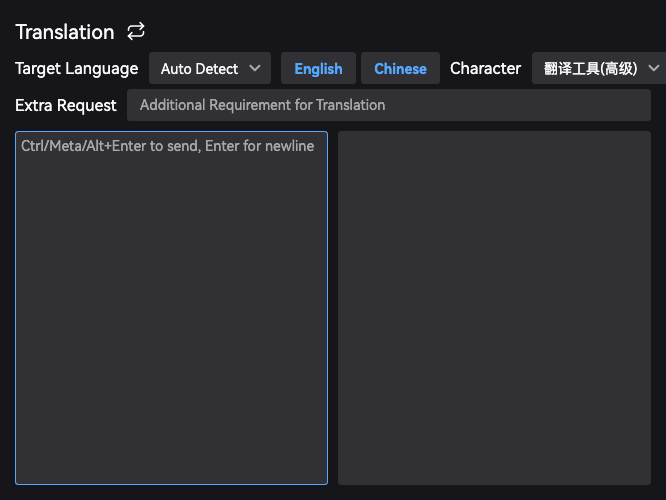
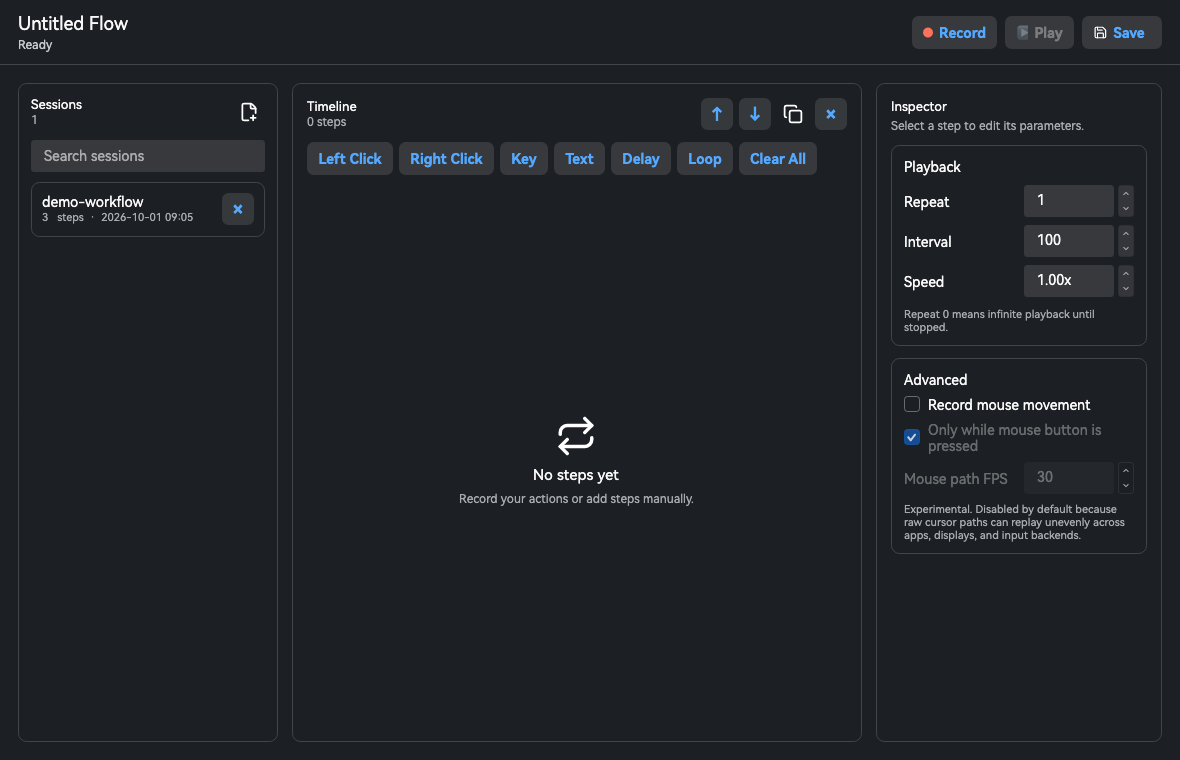
everything they wrote into an artifact board. Hand your seat to an avatar and the group keeps working. - Quick tools (global hotkeys) — screen capture with OCR / vision Q&A / annotation, quick ask, clipboard history,
translation, auto-click record and replay, hold-to-talk dictation. - Knowledge, memory, world settings — RAG over files, folders and URLs; agent-written notes kept across sessions;
keyword-activated world books shared between characters. - Extensions and MCP — built-in
browser,desktop,imageandaudioextensions plus MCP servers. The model
looks a capability up before use, and risky calls are approved one by one. - Voice and images — speech synthesis and dictation through the local audio.cpp engine or online providers; image
generation through stable-diffusion.cpp or remote image models. - Managed Python — agents install packages into a virtualenv UiharuMind creates and run them through the shell,
leaving system Python alone.
Screenshots
 |
 |
 |
 |
 |
 |
 |
 |
 |
 |
Download
Grab the archive for your platform from Releases:
| Platform | Archive | How to run |
|---|---|---|
| macOS (Apple Silicon) | …-osx-arm64.zip |
Open UiharuMind.app. Signed with a self-signed certificate, not notarized — see below. |
| Windows x64 | …-win-x64.zip |
Windows 10 (build 19041) or later. Unzip and run UiharuMind.Desktop.exe. |
| Linux x64 | …-linux-x64.tar.gz |
X11 or XWayland. Untar and run UiharuMind/UiharuMind.Desktop. Work in progress — built but not fully tested. |
Builds are self-contained — no .NET runtime needed. Releases are currently tagged -alpha, and older ones may only
contain the macOS and Windows packages. Linux x64 archives are built by the same pipeline, but Linux support is a
work in progress and has not been fully tested.
macOS first launch. Because the bundle is not notarized, Gatekeeper refuses it the first time. Allow it once:
xattr -dr com.apple.quarantine /Applications/UiharuMind.app
or right-click the app → Open → Open. Then grant Screen Recording and Accessibility the first time a
feature asks for them — screenshots, global hotkeys and input simulation need both. Updating keeps the grant as long as
the bundle keeps its identity; it is lost if you rebuild it with a different certificate or an ad-hoc signature.
Quick start
Online model — open Model, click Add remote model, fill in the endpoint (for examplehttps://api.example.com/v1/chat/completions), the model ID and your API key, then choose that model in the title bar
of the Conversation page.
Local model — open Settings → Local Models (Text) and download a llama.cpp runtime for your system, put GGUF
files into the model folder (Model → folder icon), load one from the list and start chatting.
Nothing else is required. If a model does not show up, check the model folder, whether the runtime is installed, and
whether the file is a supported GGUF.
Hotkeys
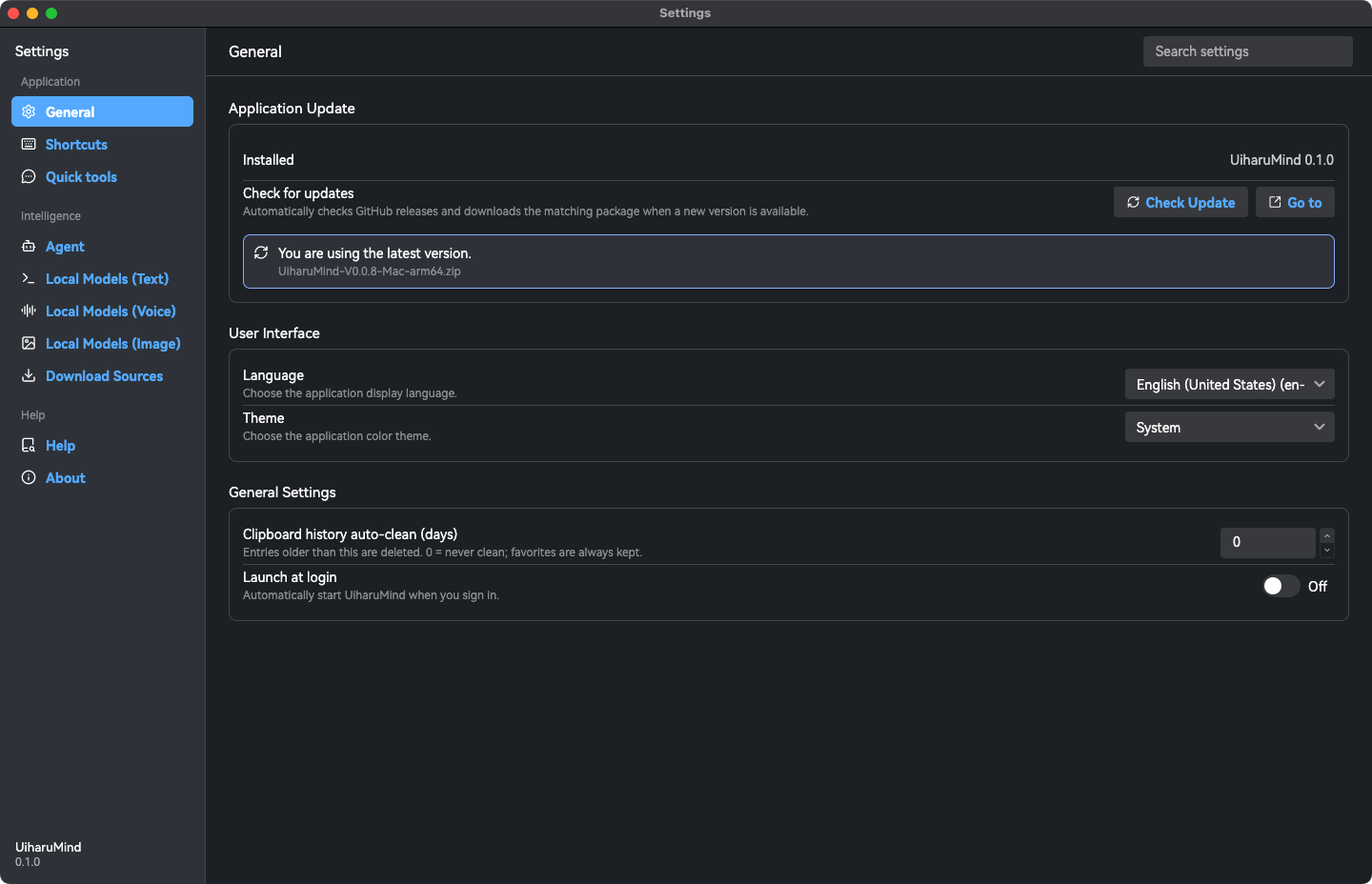
All rebindable in Settings → Shortcuts.
| Action | Default |
|---|---|
| Screen capture (OCR / vision Q&A / annotate) | Alt+Shift+Z |
| Quick menu (quick ask, file search, text editor) | Alt+Shift+A |
| Clipboard history | Alt+Shift+S |
| Quick translation | Alt+Shift+Q |
| Auto click record / replay | Alt+Shift+G |
| Hold to talk | Right Option (macOS) / right Ctrl elsewhere |
Permissions
Every session runs in one of three tiers: Read-only (no writes, no shell), Auto edit (file edits run, shell
commands ask) and Full auto. Writes outside the session workspace always ask, even in full auto. Scheduled tasks
and goal-mode wake-ups run on a restricted, pre-authorized set of commands.
The local server
While a local model is loaded, the llama.cpp runtime is an OpenAI-compatible server, so other applications can use it
as a local backend: http://127.0.0.1:1369/v1/chat/completions.
Where your data lives
Everything is under ~/.uiharu — configuration, sessions, characters, knowledge bases, world books, clipboard history,
logs and agent workspaces; downloaded runtimes and models live in External/. Set UIHARU_HOME to use another folder
(for example to run a throwaway profile), and look for Open Data Directory in the tray menu.
Build from source
Requires the .NET 10 SDK. The repository has submodules
(src/ThirdParty/ClassicDiagnostics.Avalonia, src/ThirdParty/Glacier.Grep), so clone recursively:
git clone --recursive https://github.com/CWHISME/UiharuMind.git
cd UiharuMind
dotnet build src/UiharuMind.sln
To produce a package, run the script for your platform. They share src/Build/common.sh and write intosrc/Build/Output/:
src/Build/buildMac.sh    # UiharuMind-<version>-osx-arm64.zip
src/Build/buildLinux.sh  # UiharuMind-<version>-linux-x64.tar.gz
src/Build/buildWin.bat   # UiharuMind-<version>-win-x64.zip
On macOS, run the app through the signed bundle (src/Build/dev-run.sh = build + open) rather than dotnet run:
screen recording and accessibility permissions are pinned to the signed .app identity, so a bare executable cannot
see them.
Tests are xunit v3 on Microsoft.Testing.Platform. The test projects are executables, so run the built binary:
./src/UiharuMind.Core.Tests/bin/Debug/net10.0/UiharuMind.Core.Tests
./src/UiharuMind.App.Tests/bin/Debug/net10.0/UiharuMind.App.Tests
Build, test and code conventions for contributors are in AGENTS.md (Chinese), with the terminology list in
docs/CONTEXT.md.
Documentation
- In-app manual: Settings → Help (English and Chinese).
- User guide (Chinese): https://wangjiaying.top/2025/02/16/UiharuMind%E4%BD%BF%E7%94%A8%E6%8C%87%E5%8D%97/
- Questions and feedback: Issues and Discussions.
Acknowledgements
UiharuMind stands on these projects — each keeps its own license:
- llama.cpp — local GGUF inference (
llama-server) - stable-diffusion.cpp — local image generation
- audio.cpp — local speech synthesis and recognition
- Avalonia, Semi.Avalonia and
Ursa — the UI toolkit, theme and controls - AvaloniaEdit and TextMateSharp
— the long-text window and syntax highlighting - Microsoft Agent Framework and
Microsoft.Extensions.AI — the agent loop and model abstractions - PuppeteerSharp — the browser extension drives your own Chrome
- SharpHook — global hotkeys and input simulation
- SoundFlow — audio playback and recording
- AngleSharp — HTML parsing for reading pages
- SkiaSharp — image decoding and drawing
- CommunityToolkit.Mvvm, CliFx and
xunit — MVVM, the developer CLI and the tests
Engine binaries (llama.cpp, stable-diffusion.cpp, audio.cpp) and GGUF models are downloaded by the app at runtime; the
release archives do not contain them.
License
Yorumlar (0)
Yorum birakmak icin giris yap.
Yorum birakSonuc bulunamadi