PPT-Design-DNA
Health Gecti
- License — License: Apache-2.0
- Description — Repository has a description
- Active repo — Last push 0 days ago
- Community trust — 29 GitHub stars
Code Basarisiz
- exec() — Shell command execution in scripts/ppt-layout-guard.js
- fs module — File system access in scripts/ppt-layout-guard.js
Permissions Gecti
- Permissions — No dangerous permissions requested
Bu listing icin henuz AI raporu yok.
PPT-Design-DNA is a Design-DNA-driven HTML presentation skill that turns reference images into reusable visual systems, saves them as Design Profiles, and applies those styles to high-quality presentation decks. Not a template filler, but an AI visual system designer for PPTs.
PPT-Design-DNA
Reusable visual systems for expressive presentations.
English | 简体中文
Quick start · Showcase · Architecture · Contributing
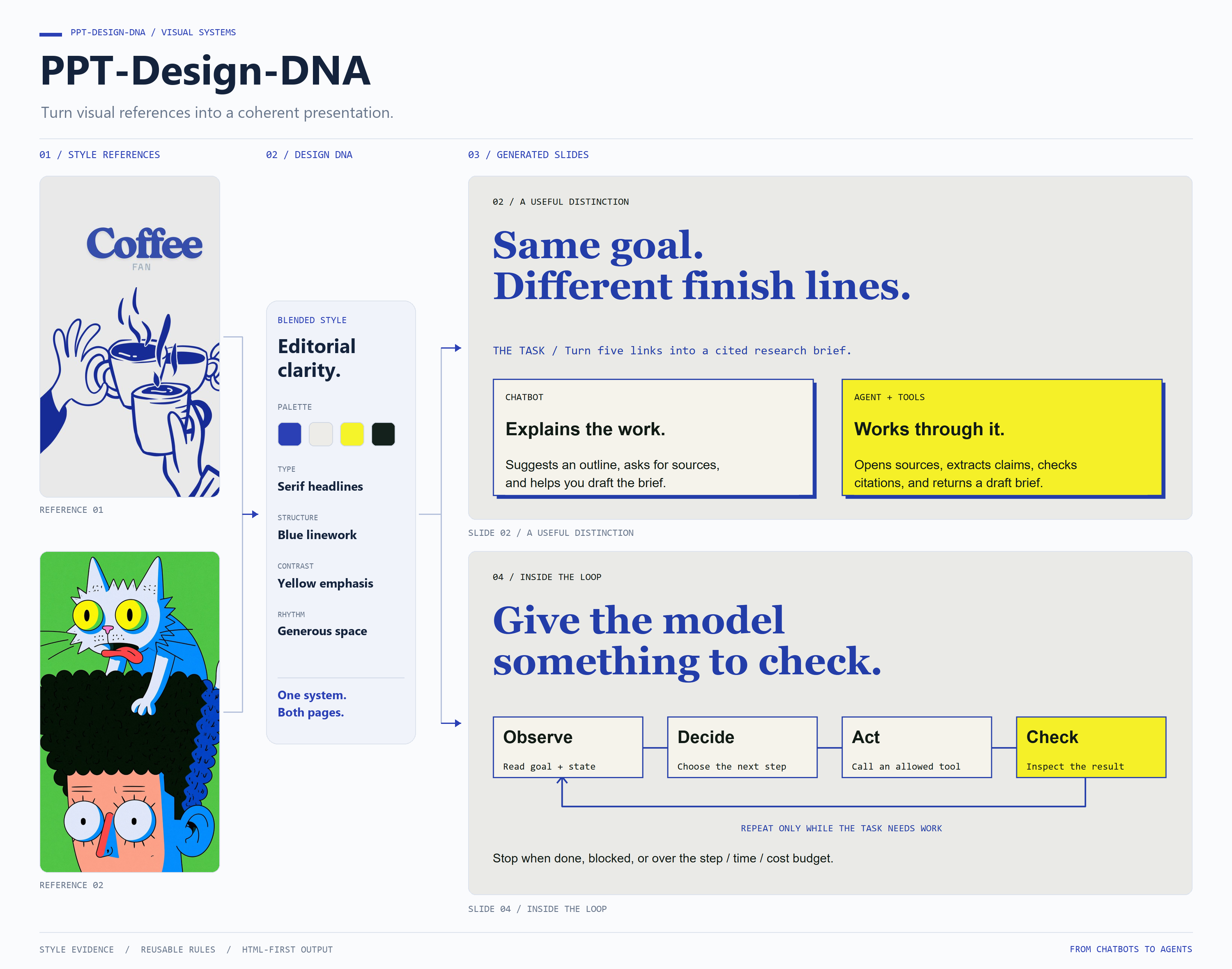
PPT-Design-DNA is an AI skill that turns reference imagery or a design brief into a visual system for HTML presentations. It captures composition, typography, color, texture, density, and motion as Design DNA, then applies those rules to the deck's content and audience.
Confirm the visual direction, refine its parameters, and generate a presentation. Save it as a versioned Design Profile when you want to reuse the style across future decks.
Capabilities
| Capability | What it enables |
|---|---|
| Reference-based design | Extract a coherent visual language from one image or blend several references. |
| Design Discovery | Explore candidate visual directions from a written brief when no reference is available. |
| Reusable profiles | Explicitly save, version, compare, and reuse a design system. |
| Scenario adaptation | Adjust visual intensity and information density for reports, launches, courses, and portfolios. |
| Existing deck renovation | Inspect existing presentations and plan a redesign or conversion around the required content fidelity. |
| HTML-first delivery | Generate animated presentations on a fixed 16:9 stage, with optional PDF or PPTX export when supported. |
| Layout validation | Check declared content zones, spacing, and layout budgets before HTML delivery. |
Reference images supply style evidence. Images intended to appear on a slide are confirmed separately as content assets.
Quick start
1. Install the skill
For a local Codex installation, clone the repository into your user skills directory.
macOS / Linux
mkdir -p "$HOME/.agents/skills"
git clone https://github.com/dakjdakd/PPT-Design-DNA.git "$HOME/.agents/skills/PPT-Design-DNA"
Windows PowerShell
New-Item -ItemType Directory -Force -Path "$HOME/.agents/skills" | Out-Null
git clone https://github.com/dakjdakd/PPT-Design-DNA.git "$HOME/.agents/skills/PPT-Design-DNA"
If the skill does not appear, restart Codex. See the setup guide for requirements, project-scoped installation, and validation commands. Skill locations follow the official Codex documentation.
2. Choose a visual direction
Attach a reference image and start with:
Use $PPT-Design-DNA with the attached reference image.
Extract its visual language and show me the Design DNA panel first.
Wait for my confirmation before collecting presentation requirements.
No reference image? Ask for Design Discovery:
Use $PPT-Design-DNA.
Explore three visual directions for a restrained, editorial presentation
with sharp typography and a light background. Show the previews first.
3. Confirm and generate
After you confirm the Design DNA, the skill collects the topic, audience, slide count, content, output format, and image strategy through option-based questions. It then plans and generates the deck.
The primary deliverable is outputs/<deck-slug>/index.html in your working project. Saving a reusable profile is optional and requires your approval. Use a separate working project for generated presentations.
How it works
Reference images / Saved profile / Design Discovery
                         ↓
                    Design DNA
                         ↓
             Parameter panel + confirmation
                         ↓
        Presentation requirements + image strategy
                         ↓
              Scenario fit + optional adapter
                         ↓
          Design Contract → Blueprint → Page Specs
                         ↓
               HTML deck → Layout guard
                         ↓
               Delivery + optional export
Design DNA describes five layers: Mood, Composition, Visual, Content Strategy, and Presentation. A Design Profile preserves that system for reuse; a Design Adapter derives a variant for a particular scenario.
The workflow includes source-level layout checks. These check declared geometry and layout constraints; rendered visual quality still depends on the generated content and the host environment. See the architecture guide for responsibilities and validation limits.
Showcase
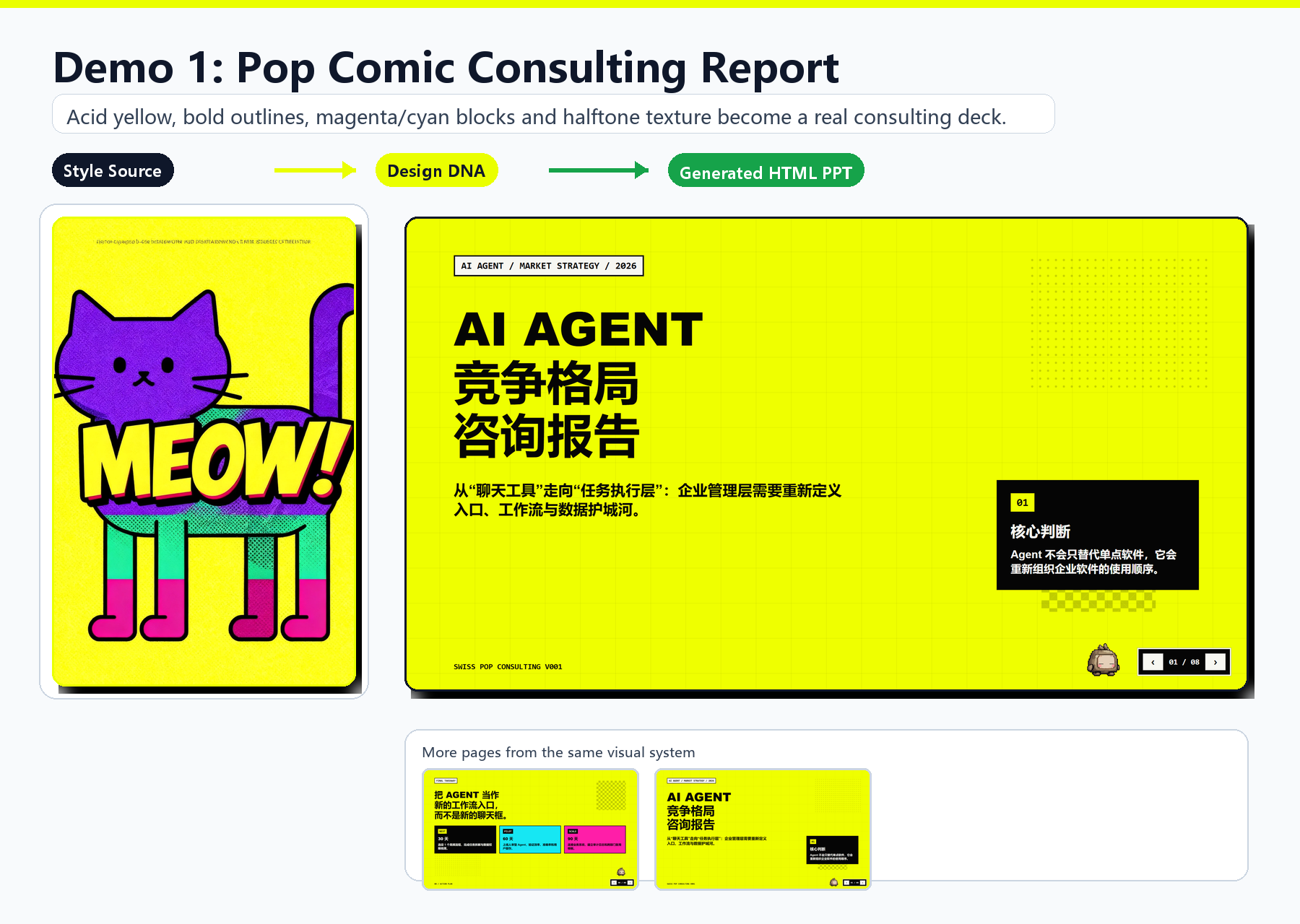
Pop Comic Consulting
Acid yellow, bold outlines, and halftone texture become a visual system for an AI Agent strategy report.
Blue Sketch × Bubble Type
Sketch lines, blue accents, green bubble forms, and grain blend into a research presentation built from multiple references.
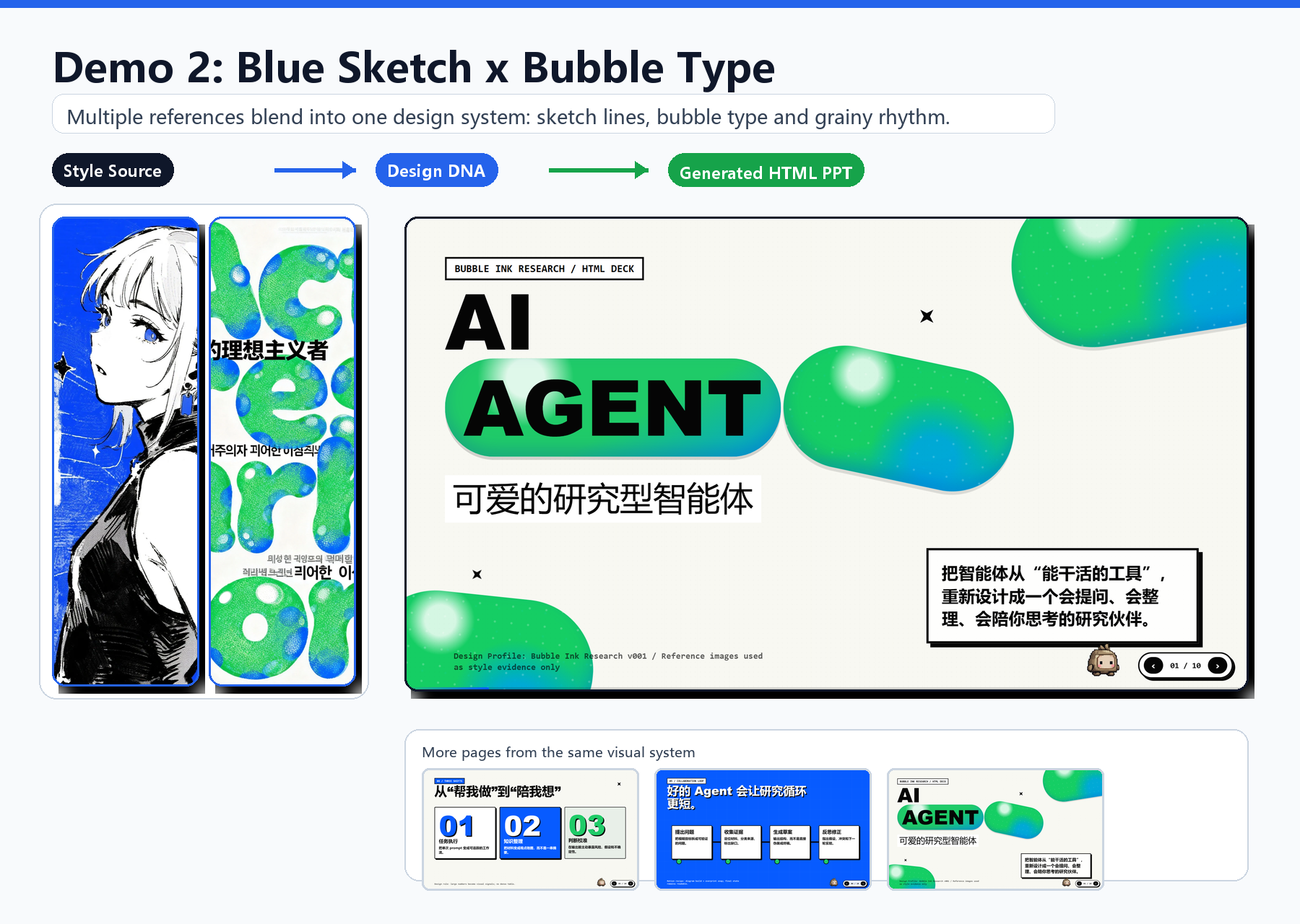
Browse the case studies for individual references and full-size slide images. The illustrated decks contain Chinese slide content; the English overview images describe the design process.
Documentation
| Resource | Purpose |
|---|---|
| Getting started | Installation, workflow examples, outputs, and layout validation. |
| Architecture | Repository structure, design concepts, and execution boundaries. |
| Showcase | Reference-to-presentation case studies. |
| Contributing | Naming, documentation, and validation conventions. |
| Skill entry point | Instructions consumed by the AI host. |
Repository structure
PPT-Design-DNA/
├── README.md                 # English project overview
├── README.zh-CN.md           # Simplified Chinese project overview
├── CONTRIBUTING.md           # Contribution guidelines
├── LICENSE                   # Apache License 2.0
├── .editorconfig             # Editor conventions
├── .gitignore                # Local and generated file exclusions
├── SKILL.md                  # Skill entry point
├── agents/                   # Host metadata and invocation policy
├── references/               # Workflow rules and design contracts
├── scripts/                  # Source-level layout validator
└── docs/                     # User and contributor documentation
    └── media/                # Documentation images, grouped by case
Contributing
Improvements to design rules, documentation, and reproducible layout checks are welcome. Read the contribution guide before opening an issue or pull request.
License
Licensed under the Apache License 2.0.
Yorumlar (0)
Yorum birakmak icin giris yap.
Yorum birakSonuc bulunamadi