kombinat
Health Uyari
- License — License: MIT
- Description — Repository has a description
- Active repo — Last push 0 days ago
- Low visibility — Only 8 GitHub stars
Code Uyari
- process.env — Environment variable access in src/agents/command.ts
Permissions Gecti
- Permissions — No dangerous permissions requested
Bu listing icin henuz AI raporu yok.
🏭 Dead simple, lightweight engine for 24/7 background AI agents. Works with your Claude, Codex or any other subscription.
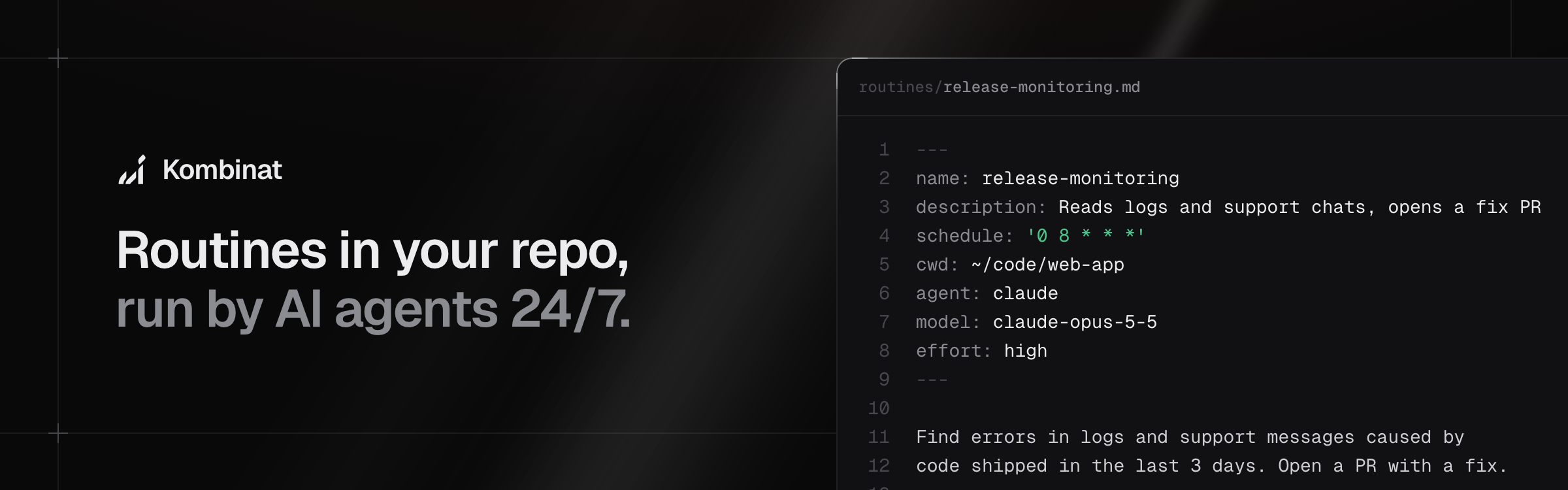
Background AI agents that run routines defined in your repository, 24/7. They run on your machine under launchd with Claude Code, Codex or any other CLI agent, using your normal subscription login.
Ready to use in your organisation or at home.
Quickstart:
Add Kombinat to the repository that will hold your routines. You need macOS, Node 24 and Claude Code or Codex, logged in. Kombinat looks for Claude Code at
~/.local/bin/claude. If yours is elsewhere, setCLAUDE_BIN.pnpm init # if there is no package.json yet, with npm: npm init -y pnpm add @danilqa/kombinat # with npm: npm install @danilqa/kombinat echo node_modules/ >> .gitignoreAdd your routines as
.mdfiles in aroutines/folder next topackage.json, see Writing a routine. Changes are picked up on the next check, no restart needed. Agents run with your usual setup, so your global skills, MCP servers andCLAUDE.mdare picked up.my-routines/ ├── routines/ │ └── fix-e2e-tests.md └── package.jsonStart the scheduler from that folder.
pnpm kombinat serve # or: npx kombinat serveIt runs in this terminal. To keep it running in the background and after reboots, stop it and run
pnpm kombinat installinstead, see Setup.Monitor and debug runs in the dashboard at http://localhost:7433, or in the terminal with
pnpm kombinat tui, which also works over ssh. See Monitoring. To open them from another machine, see Remote access.
Why Kombinat:
- Version-controlled routines. Merge a
.mdfile and the change is picked up automatically. - Minimal and lightweight. Run one command on a machine that is on 24/7.
- Your own integrations. Agents use your local environment as is, including skills, browser control and more.
- Cheap. Works with your existing Claude or Codex subscription.
Ideas to get you started:
- Post-release monitoring. Checks Intercom, Sentry, Grafana and the logs for problems in code shipped over the last 3 days, raises an alert and opens PRs with fixes.
- On-call engineer. Investigates production incidents and opens PRs to fix them.
- Flaky E2E test fixer.
- Dead code and feature flag clean-up.
Monitoring
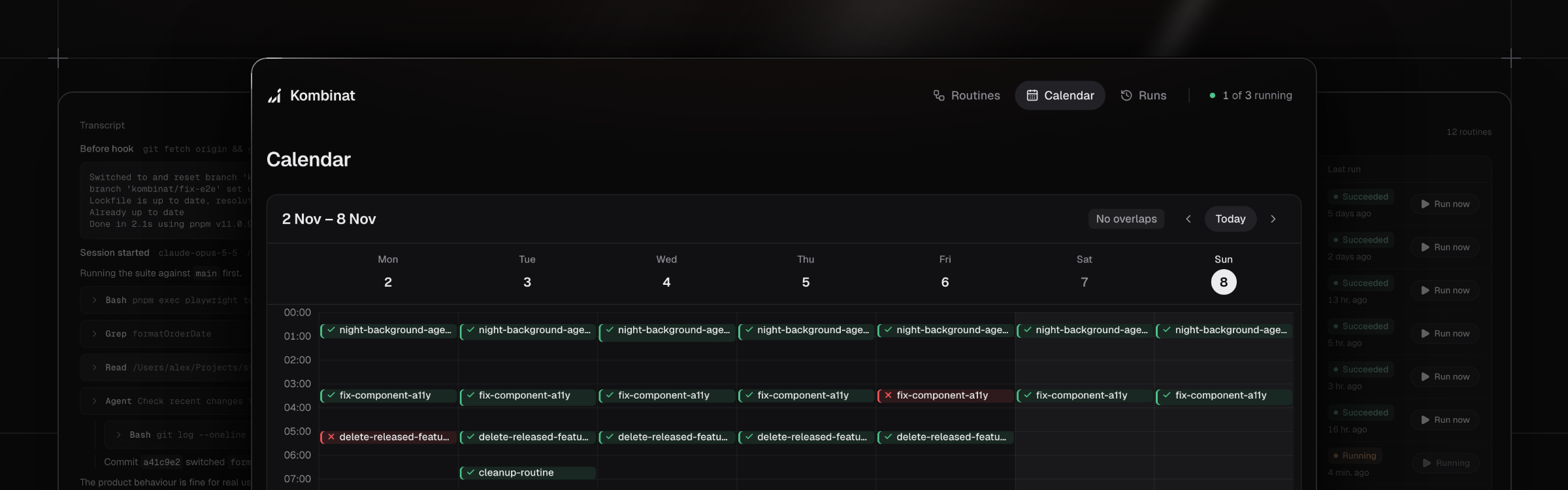
The daemon serves a dashboard at http://localhost:7433.
- Routines. Every routine with its schedule in plain words, agent and model, next run and last result. Start any routine with Run now.
- Calendar. A week of past runs coloured by status and the planned runs from each schedule, so you can spot gaps and routines that overlap.
- Runs. The latest runs across all routines. A run page shows the result, every tool call in the transcript and, for Claude and Codex, the command to resume the session in your terminal.
- Daemon status. The top bar shows whether the scheduler is ticking and how many routines are running.
In the terminal
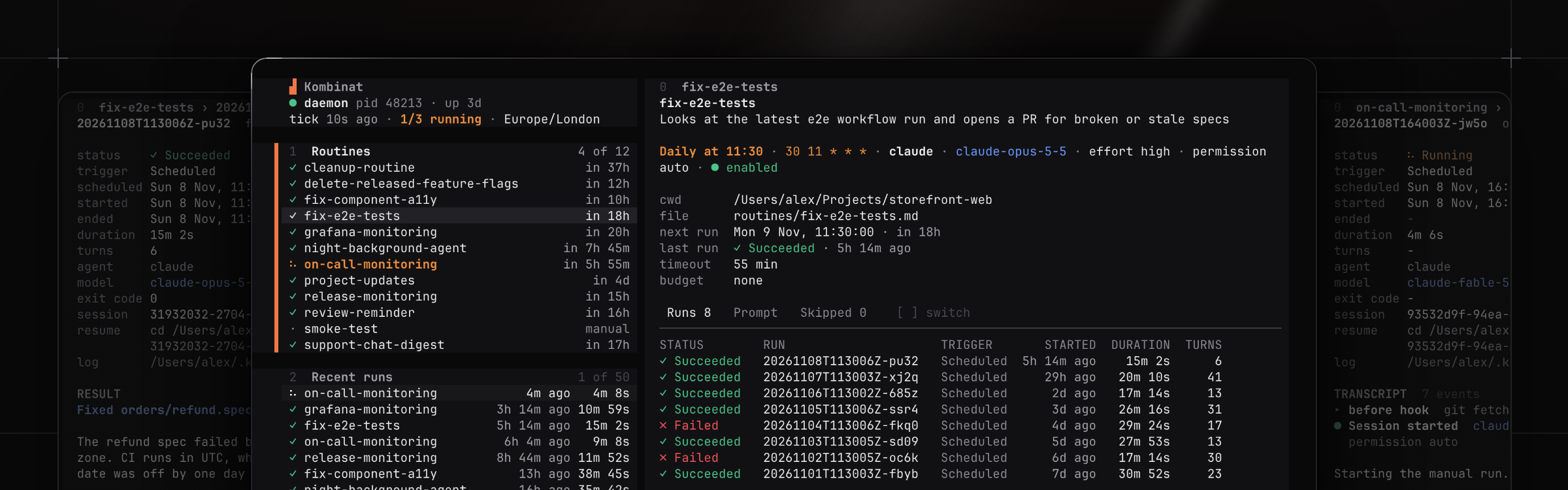
pnpm kombinat tui shows the same in the terminal, without the calendar. It works over ssh. Press ? for keys.
Remote access
The daemon has no login. It only listens on localhost, so other machines can't reach it, and it refuses to start routines for web pages from other sites. Other accounts on the same Mac can still reach it. To use it from another machine, for example from your laptop while it runs on a Mac mini in the office, go through SSH or Tailscale.
Over SSH
Turn on Remote Login on the Mac that runs Kombinat, in System Settings → General → Sharing. Then, on your laptop:
npx @danilqa/kombinat connect admin@mac-mini         # dashboard in the browser
npx @danilqa/kombinat connect admin@mac-mini --tui   # dashboard in the terminal
It opens an SSH tunnel to the daemon, then the dashboard. SSH asks for the password if you have no key set up. Ctrl-C disconnects. Instead of admin@mac-mini, use anything ssh accepts: a host from ~/.ssh/config, an IP address or a Tailscale machine name. If the daemon there uses another KOMBINAT_PORT, add --port.
You can also ssh in and run pnpm kombinat tui in the folder Kombinat runs in.
With Tailscale Serve
To open the dashboard from any device in your tailnet, your phone included, run this on the Mac that runs Kombinat:
tailscale serve --bg 7433
The dashboard is then at https://mac-mini.<your-tailnet>.ts.net, and npx @danilqa/kombinat tui --url https://mac-mini.<your-tailnet>.ts.net shows it in the terminal. Serve needs HTTPS certificates in your tailnet, the command asks to turn them on. They put the machine name in public certificate logs. It stays on after a reboot, tailscale serve --https=443 off turns it off. If the Mac has no tailscale command, see Using the Tailscale CLI.
Everyone who can reach the Mac in your tailnet can then read transcripts and start routines. To limit that, allow only some people to reach port 443 of the Mac in your Tailscale access rules.
Routines
The example routines of this repository, one row per file in routines/. Put the same routines:start and routines:end comments in your own README, and pnpm kombinat readme keeps a table like this one up to date.
| Routine | When | What it does |
|---|---|---|
| weather-example-routine | Weekdays at 08:00 | Says if you need an umbrella today |
How it works
- Each routine is a markdown file. The frontmatter sets the schedule and settings, the body is the prompt.
- A small daemon checks every 30 seconds which routines are due and starts their agent. It also serves a dashboard at http://localhost:7433.
- launchd keeps the daemon running and starts it again after a reboot. Runs only happen while the Mac is awake and you are logged in.
- Logs and run history are stored in
~/.kombinat/. - Claude and Codex use your subscription login. API key variables are removed from their environment.
Setup
You need Node 24 and the agents your routines use, logged in: Claude Code (claude auth status) and Codex (codex login). From the folder with routines/ and package.json:
pnpm add @danilqa/kombinat
pnpm kombinat install
This starts the daemon under launchd, in that folder. Open http://localhost:7433. There is one daemon per macOS user, so running install in another folder moves it there.
Commands
Run them from the same folder. With npm, use npx kombinat instead of pnpm kombinat, with Yarn yarn kombinat.
pnpm kombinat list           # routines, next run, last status
pnpm kombinat run <name>     # run a routine now, in the foreground
pnpm kombinat validate       # check all routine files
pnpm kombinat tui            # dashboard in the terminal, works over ssh
pnpm kombinat status         # daemon and scheduler state
pnpm kombinat readme         # update the routines table in README.md
pnpm kombinat uninstall      # stop and remove the daemon
Writing a routine
---
name: fix-e2e-tests
description: Finds the failing e2e test and fixes it
schedule: '30 11 * * *'
cwd: ~/projects/app
agent: claude
model: claude-opus-5-5
effort: high
timeoutMinutes: 55
---

1. Open the latest failed e2e run on GitHub ...
namemust match the file name.scheduleis a 5-field cron in local time, ormanualto run only on demand.cwdis where the agent starts.agentisclaude(default),codexorcommand.timeoutMinutesstops the run after this time. Default 55.beforeis an optional shell command that runs first. If it fails or takes more than 3 minutes, the run fails.enabled: falsekeeps the file but stops the schedule.
Changes apply on the next check, no restart needed. Write the prompt so the agent never has to ask a question: nobody will answer.
Agents
| Setting | claude |
codex |
command |
|---|---|---|---|
model |
default claude-opus-5-5 |
default from your Codex config | - |
effort |
low, medium, high (default), xhigh, max |
minimal, low, medium, high, xhigh |
- |
permissionMode |
auto (default), acceptEdits, dontAsk, bypassPermissions, plan, manual |
read-only, workspace-write (default), danger-full-access |
- |
maxBudgetUsd |
optional | - | - |
command |
- | - | required |
clauderunsclaude -p. Anything that needs approval is denied.codexrunscodex exec.permissionModesets its sandbox.commandruns any other CLI, for examplecommand: gemini --yolo. It gets the prompt on stdin, and its output is the result.
A setting the agent does not support fails validation.
Scheduling
- If the Mac was asleep, each routine runs once for its latest missed time, up to 7 days back.
- A routine never runs twice at the same time. If it is still running at its next time, that run is skipped.
- At most 3 routines run at once.
Updating
The daemon runs git pull in the folder every 5 minutes, so merged changes go live on their own. It only pulls when the checkout is on main with no local changes.
To update Kombinat, bump @danilqa/kombinat in package.json, for example with a Renovate or Dependabot PR. When the lockfile changes, the daemon installs dependencies with pnpm, npm or Yarn and restarts. Running routines are not interrupted.
Configuration
| Variable | Default | What |
|---|---|---|
KOMBINAT_PORT |
7433 |
dashboard port |
KOMBINAT_STATE_DIR |
~/.kombinat |
logs and history |
KOMBINAT_ROUTINES_DIR |
./routines |
routine files |
KOMBINAT_MAX_CONCURRENT |
3 |
routines that can run at once |
KOMBINAT_TICK_SECONDS |
30 |
how often the daemon checks routines |
KOMBINAT_PULL_MINUTES |
5 |
auto git pull interval, 0 to disable |
KOMBINAT_PULL_BRANCH |
main |
branch the daemon pulls |
CLAUDE_BIN |
~/.local/bin/claude |
Claude Code binary |
CODEX_BIN |
codex |
Codex binary |
Set them before pnpm kombinat install. They are saved in the launchd config.
Development
git clone https://github.com/Danilqa/kombinat.git && cd kombinat
pnpm install
pnpm dev        # run the daemon and the dashboard from this checkout
pnpm validate   # format, lint, typecheck and tests
pnpm dev pauses the launchd daemon until you press Ctrl-C. Add --no-scheduler to stop routines from running while you work. If the daemon runs another folder, the scheduler stays off anyway, and its routines catch up when it is back.
A checkout also works as a routines folder of its own: use pnpm cli <command> where this README says pnpm kombinat. Then code changes restart the daemon and UI changes rebuild the dashboard. To try it on a laptop, put the variables in .env.local (see .env.local.example) and use the :local scripts, for example pnpm cli:local list.
To publish a release, bump version in package.json and run pnpm publish. It builds the CLI and the dashboard first.
Yorumlar (0)
Yorum birakmak icin giris yap.
Yorum birakSonuc bulunamadi