geo-aeo-tracker
Health Gecti
- License — License: MIT
- Description — Repository has a description
- Active repo — Last push 0 days ago
- Community trust — 326 GitHub stars
Code Uyari
- process.env — Environment variable access in app/api/analyze/route.ts
- process.env — Environment variable access in app/api/mcp/route.ts
- process.env — Environment variable access in app/api/rank-signal/route.ts
- process.env — Environment variable access in app/api/site-context/route.ts
- process.env — Environment variable access in app/api/state/route.ts
Permissions Gecti
- Permissions — No dangerous permissions requested
Bu listing icin henuz AI raporu yok.
Open-source AI visibility tracker and AEO checker. Track how ChatGPT, Perplexity, Gemini and Google AI Mode mention and cite your brand. MCP server + CLI. Self-hosted, MIT.
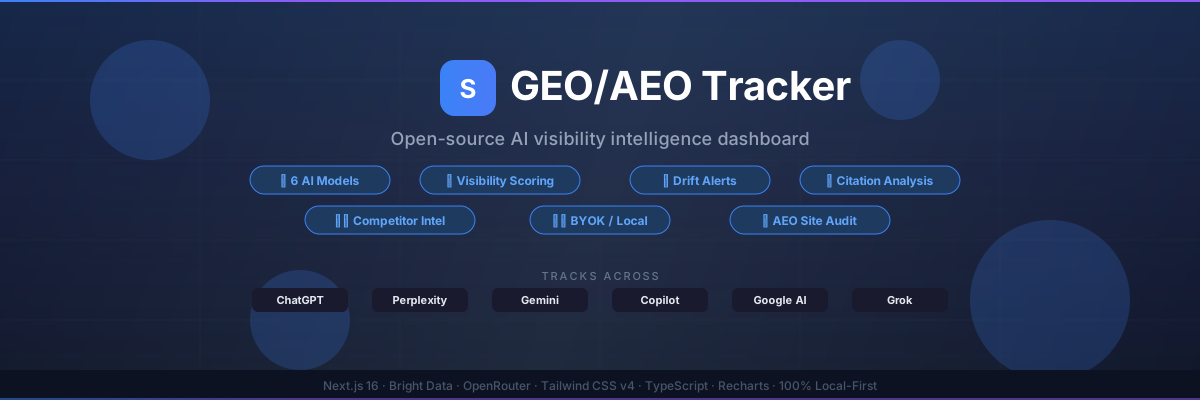



GEO/AEO Tracker
Open-source, self-hosted AI visibility tracker and AEO checker.
Track your brand in ChatGPT, Perplexity, Gemini and Google AI Mode from a dashboard, an MCP server or the CLI.
Features · Quick Start · Deploy · Cloud Sync · MCP · CLI · API
GEO/AEO Tracker is an open-source, self-hosted alternative to paid AI visibility tools such as Semrush AI Visibility and AthenaHQ. Each run scores your brand from 0 to 100 on mentions, position, frequency, citations and sentiment, and adds citation analysis, competitor battlecards and SRO analysis. It is for marketers, SEO teams and founders who want to own their data and their code. The software is free under the MIT license. Bright Data, OpenRouter and Gemini bill per API call. Try the live demo.
🌐 Built with Bright Data — the world's leading web data platform.
GEO/AEO Tracker uses Bright Data's AI Scraper API to reliably collect structured responses from 4 AI engines.
Get your API key →
Why
AI models are replacing traditional search for millions of queries. If your brand isn't visible in ChatGPT, Perplexity, or Gemini responses, you're invisible to a growing audience.
Paid AI visibility plans in the table below run $165 to $295 a month, and they keep your data on their servers. AEO and GEO tools compared lists current prices and plan limits.
GEO/AEO Tracker is the alternative:
- 🔑 BYOK (Bring Your Own Keys): results are stored in your browser by default
- 🤖 4 AI engines simultaneously: ChatGPT, Perplexity, Gemini and Google AI Mode
- 💸 Free software, pay-per-call data: the code is MIT licensed, and Bright Data, OpenRouter and Gemini bill per call
- 🛡️ Local-first by default: IndexedDB + localStorage, no external database
- ☁️ Optional cloud sync via your own Supabase project (free tier) for multi-device access
AEO and GEO tools compared
| Tool | Plan and price | Engines on that plan | Prompt allowance | Open source / self-hosted | Where data lives |
|---|---|---|---|---|---|
| GEO/AEO Tracker | Free (MIT), you pay API providers per call | ChatGPT, Perplexity, Gemini, Google AI Mode | No plan cap, limited by your API spend | Yes, MIT | Your browser (optional own Supabase) |
| Semrush SEO + AI Search Starter (includes AI Visibility) | $199/month monthly, $165.17/month billed annually | Google Search, ChatGPT, Perplexity, Gemini and more | 50 prompts tracked daily | No | Vendor cloud |
| AthenaHQ Starter | $295/month | 11 models including ChatGPT, Perplexity, AI Overviews, AI Mode, Gemini, Claude, Copilot, Grok, DeepSeek, Meta AI, Mistral | 3,600 credits a month (1 credit = 1 AI response) | No | Vendor cloud |
Prices as of October 2026.
A paid tool is the better pick when you want:
- Managed scheduling and reports without running anything yourself
- More engines on the plan, such as Claude, DeepSeek or Meta AI
- No API keys to manage
GEO/AEO Tracker is the better pick when you want:
- To own your data, with results stored in your browser or your own Supabase project
- No per-seat plan, so cost follows the prompts you run
- To change the code
Features
📋 13 Feature Tabs
| Tab | What it does |
|---|---|
| ⚙️ Project Settings | Brand name, aliases, website, industry, keywords, description |
| 💬 Prompt Hub | Manage tracking prompts with {brand} injection. Run single or batch across models in parallel |
| 🎭 Persona Fan-Out | Generate persona-specific prompt variants (CMO, SEO Lead, Founder, etc.) |
| 🔍 Niche Explorer | AI-generated high-intent queries for your niche |
| 📝 Responses | Browse AI responses with brand/competitor highlighting, filters, and search |
| 📊 Visibility Analytics | Score trends over time via Recharts line charts. CSV export |
| 🔗 Citations | Domain-grouped citation frequency analysis |
| 🎯 Citation Opportunities | URLs where competitors get cited but you don't, with outreach briefs |
| ⚔️ Competitor Battlecards | AI-generated side-by-side competitor analysis with strengths/weaknesses |
| 🏥 AEO Audit | Site readiness check: llms.txt, AI crawler access (robots.txt), Schema.org, BLUF density, heading structure |
| 📡 SRO Analysis | Deep pipeline: Cross-Platform Citations → SERP → Page Scraping → Site Context → LLM Analysis (Gemini Grounding runs in the bulk-sro API). Produces SRO Score (0–100), prioritized recommendations, content gaps & competitor insights |
| ⏱️ Automation | Cron / GitHub Actions templates for scheduled runs |
| 📖 Documentation | Searchable 19-section guide covering every feature |
🚀 Core Capabilities
- 🤖 Multi-model tracking across ChatGPT, Perplexity, Gemini and Google AI Mode
- 🌍 Geo-scoped tracking: run visibility checks by country and compare markets, with a "visibility by country" breakdown
- � SRO Analysis: multi-stage pipeline scoring how well your page is optimized for AI search results
- 🧪 Rank Signal: paired A/B tests inside the SRO tab that measure whether one text feature (a number, a named source, a freshness clause, …) changes which passage a model picks
- 📈 Visibility scoring (0–100): brand mentions, position, frequency, citations, sentiment
- 🔌 MCP server: ask your AI agent to check brand visibility, pull Google results or audit a page, through
/api/mcpon your own deploy - ⌨️ CLI:
npx geo-aeo-trackerchecks your brand's AI rank and runs the AEO audit from a terminal or a CI job - 🔔 Drift alerts: automatic notifications when your score changes significantly
- ⏰ Scheduled auto-runs: configurable interval-based batch scraping
- 🚀 Batch runs: every prompt × engine combo, 4 at a time to stay inside the rate limit
- 📅 Historical comparison: delta tracking across time periods
- 🏢 Multi-workspace: manage multiple brands/projects independently
- 🎨 Dark/light/system theme with a polished sidebar UI
- 📱 Mobile-responsive: collapsible sidebar with hamburger menu, adaptive KPI grid, and scrollable model toolbar — works on any screen size
🧪 Rank Signal
The SRO score says how often your page is used; Rank Signal tests which text features get a passage picked. After an SRO run, it takes passages from your page and the top competitors (topped up from the rest of the SERP top 10 when there are fewer than 40), builds two versions of each that differ in exactly one feature, and asks a judge model which one it would rather cite. Wins are scored with a Jeffreys posterior and read only at 20, 30 and 40 trials, so a verdict (positive, negative, no clear effect, or inconclusive) comes with its 95% interval. An S00 placebo, which rewords one sentence without changing its meaning or length, shows how much the judge reacts to being edited at all. It is a pairwise preference proxy, not live grounding selection. Method after DEJAN AI's Rank Signal (dejan.ai/optimizer-sample).
AI visibility checker (GEO/AEO audit)
The AEO audit checks whether AI search engines can find, read and quote a page. It needs no API key and costs nothing to run: open the AEO Audit tab, call audit_page from the MCP server, or run it from the CLI:
npx geo-aeo-tracker audit https://acme.com
It runs 20 checks and scores the page from 0 to 100 on the share that pass:
- Discovery: llms.txt, llms-full.txt, AI crawler access in robots.txt for the page's path, and an XML sitemap (including a sitemap index or one listed in robots.txt)
- Structure: JSON-LD structured data, FAQ schema, Open Graph tags, meta description, canonical tag
- Content: a direct answer in the opening text (BLUF), heading hierarchy, content depth, internal links
- Technical and rendering: HTTPS, page size,
langattribute, client-side rendering, how much text the server-rendered HTML holds, a<noscript>fallback, JavaScript weight
Each failed check says what to fix.
Architecture
Next.js 16 + Turbopack
├── app/
│   ├── page.tsx                    # Main dashboard (or demo via env var)
│   ├── demo/page.tsx               # Standalone demo route
│   └── api/
│       ├── scrape/route.ts         # Bright Data AI Scrapers (Node runtime)
│       ├── analyze/route.ts        # OpenRouter LLM analysis (Node.js runtime)
│       ├── audit/route.ts          # AEO site audit crawler
│       ├── sro-analyze/route.ts    # SRO final LLM analysis
│       ├── serp/route.ts           # Bright Data SERP results
│       ├── site-context/route.ts   # Homepage context extraction
│       ├── unlocker/route.ts       # Bright Data Web Unlocker (single/batch)
│       ├── brightdata-platforms/   # 5-platform AI citation polling
│       ├── bulk-sro/route.ts       # SSE bulk SRO analysis
│       └── state/route.ts          # Cloud KV store (GET/PUT/DELETE — Node runtime)
├── components/
│   ├── sovereign-dashboard.tsx     # Main shell — state, tabs, KPIs
│   └── dashboard/
│       ├── types.ts                # AppState, ScrapeRun, Provider, etc.
│       └── tabs/                   # 13 tab components
├── lib/
│   ├── client/
│   │   ├── sovereign-store.ts      # Storage API — IDB default, cloud when configured
│   │   └── cloud-mode.ts           # isCloudActive / isCloudAvailable helpers
│   ├── server/
│   │   ├── supabase.ts             # Server-side Supabase singleton (service_role)
│   │   ├── kv-store.ts             # kvGet / kvSet / kvDelete helpers
│   │   ├── brightdata-scraper.ts   # Bright Data AI Scraper integration
│   │   ├── brightdata-platforms.ts # 5-platform citation scraper
│   │   ├── gemini-grounding.ts     # Gemini Grounding via Google Search
│   │   ├── openrouter-sro.ts       # SRO analysis via OpenRouter
│   │   ├── serp.ts                 # SERP data via Bright Data
│   │   ├── sro-types.ts            # SRO type definitions
│   │   └── unlocker.ts             # Web Unlocker scraping
│   └── demo-data.ts                # Deterministic seed data for demo mode
├── supabase/
│   └── migrations/
│       └── 001_kv_store.sql        # kv_store table + updated_at trigger
└── scripts/
    ├── test-scraper.js             # API validation script
    └── test-pillar.js              # Feature pillar tests
Key decisions:
- IndexedDB primary store (no size limit) with localStorage as best-effort cache; same public API whether cloud is active or not
- Cloud storage routes through
/api/state— the client never calls Supabase directly, soservice_rolestays server-side and RLS isn't a concern - Auto-opt-in cloud: when
NEXT_PUBLIC_CLOUD_STORAGE_ENABLED=truethe IDB write path becomes a cache; IDB is the authoritative fallback if the cloud route fails - Node.js runtime for
/api/analyze(Gemini Flash via OpenRouter), 120 second max duration - Bright Data Web Scraper API for AI model scraping — reliable, structured data
- Bright Data SERP + Web Unlocker for SRO pipeline data gathering
- Google Gemini API for grounding analysis in SRO pipeline
- Zod schema validation on all API routes
- Recharts for analytics visualizations
- Tailwind CSS v4 with CSS custom properties for theming
Quick Start
Prerequisites
- Node.js 20.9+
- Bright Data API key + AI Scraper dataset IDs
- OpenRouter API key
Install & Run
git clone https://github.com/danishashko/geo-aeo-tracker.git
cd geo-aeo-tracker
npm install
Copy the template and fill in your keys. Every variable is documented inline in .env.example:
cp .env.example .env
Every variable is optional. The app builds, boots, and deploys with an empty .env — you just get the sample dataset instead of live data. Add one key at a time to switch features on; nothing else breaks when one is missing.
What each variable does
BRIGHT_DATA_KEY— unlocks live AI-engine tracking. This is the one that matters: with no key the dashboard loads the sample dataset and tells you so in a banner. Add it and the same dashboard goes live.OPENROUTER_KEY— powers LLM analysis (/api/analyze,/api/sro-analyze,/api/site-context). Without it, scraping still works and the analysis panels report that they are not configured. Model override viaOPENROUTER_MODEL(defaultgoogle/gemini-3.5-flash).GEMINI_API_KEY— separate from OpenRouter. It powers only the Gemini grounding stage of thebulk-sroAPI, which uses Google Search grounding to see which pages Gemini actually cites in real time. OpenRouter can't do that, which is why it is its own key. Missing key skips that one stage; the rest of the SRO pipeline runs.BRIGHT_DATA_DATASET_*— you don't need these. The app ships with Bright Data's public AI-Scraper dataset ID for every engine. Set one only to point an engine at a custom or private dataset from the Scrapers Library.BRIGHT_DATA_SERP_ZONE/BRIGHT_DATA_UNLOCKER_ZONE— zone names for the SRO pipeline. They default toserp_api1andweb_unlocker1, the names Bright Data's own docs use, so most accounts work untouched. Set them if you named your zones differently.MCP_TOKENturns on the MCP server at/api/mcp. Clients send it asAuthorization: Bearer <token>. Unset, the endpoint answers 503.MCP_ENGINE_TIMEOUT_MS(default240000) is the per-engine deadline forcheck_visibility.RANK_SIGNAL_JUDGE_MODEL/RANK_SIGNAL_REWRITE_MODEL— Rank Signal's judge (defaultgoogle/gemini-3.6-flash) and pair builder (defaultOPENROUTER_MODEL, thengoogle/gemini-3.5-flash). Both must be inRANK_SIGNAL_ALLOWED_MODELS(comma list, defaults to those two) and in the route's price table.RANK_SIGNAL_MAX_USD_PER_HOUR(default10) caps server-side spend per instance; it is in-memory, so a stranger can use it up and lock you out until the hour resets, and the per-IP limit readsx-vercel-forwarded-for, thenx-real-ip, then the lastx-forwarded-forhop, so it is best-effort off Vercel. Put auth and a shared store (Upstash / Vercel KV) in front for hard limits.
Supabase cloud-sync and demo-mode variables are documented in .env.example.
npm run dev
Open http://localhost:3000.
Validate Setup
npm test                # Unit tests (robots.txt parser)
npm run test:scraper    # Test Bright Data API connection
npm run build           # Full production build check
npm run lint            # ESLint
Deploy to Vercel
✅ Deploys with zero configuration. No keys are requested during setup. The deployment lands on a working dashboard running the sample dataset, and you add keys afterwards to switch it to live data.
- Click the button above (or run
vercel --prodfrom your clone) - Wait for the build. You now have a live URL showing the sample dashboard
- To track real engines, go to Project Settings → Environment Variables, add
BRIGHT_DATA_KEY(andOPENROUTER_KEYfor the analysis layer), then redeploy
Step 3 is genuinely optional. If you only wanted to look around, stop after step 2.
🧪 Demo-Only Mode (optional)
Want to deploy a read-only preview with sample data and no API keys?
- Add env var
NEXT_PUBLIC_DEMO_ONLY=truein Vercel → Project Settings → Environment Variables - Redeploy. The dashboard will load with pre-generated demo data instead of making live API calls
☁️ Optional: Cloud persistence with Supabase
By default, all your data stays in your browser (IndexedDB). That's great for a single device, but if you want your runs, prompts, and settings to persist across devices — or survive clearing browser data — you can plug in a free Supabase project.
Why it's optional
- Local-first still works 100% without Supabase.
- When enabled, the client never talks to Supabase directly. Every read/write goes through a server-side Next.js route using your service-role key, so your key stays private and RLS is a non-issue.
- You can toggle cloud sync on/off per-browser from Project Settings → Cloud Sync.
Setup (5 minutes)
Create a free project at supabase.com.
In the Supabase SQL editor, paste and run
supabase/migrations/001_kv_store.sqlfrom this repo. This creates a singlekv_storetable with RLS enabled.In Supabase → Project Settings → API, grab:
Project URL→SUPABASE_URL(orNEXT_PUBLIC_SUPABASE_URL— either is accepted)service_rolesecret key →SUPABASE_SERVICE_ROLE_KEY
In Vercel → Project Settings → Environment Variables, add:
SUPABASE_URL=https://your-project.supabase.co
SUPABASE_SERVICE_ROLE_KEY=your_service_role_key
NEXT_PUBLIC_CLOUD_STORAGE_ENABLED=true

# Shared secret that authenticates the cloud sync API. Generate a long
# random string (e.g. `openssl rand -hex 24`). REQUIRED when cloud sync is
# enabled — without it the /api/state route rejects every request.
STATE_SYNC_SECRET=your_long_random_secret
Redeploy. Open Project Settings → Cloud Sync, enable it, and paste the
sameSTATE_SYNC_SECRETvalue into the Sync passphrase field. This is
what keeps your KV store private: the API denies any request without it, so
the secret never ships in the client bundle.
Free tier caveats (always check supabase.com/pricing for current limits)
- Free tier includes a generous Postgres database, but projects pause after a week of inactivity on the free plan — first request after a pause may be slow.
- The
service_rolekey has full DB access — keep it server-side only (Vercel env vars are fine; never commit it). - Single-tenant by design: one deployment = one Supabase project = your data. If you want multi-user auth, you'll need to extend the schema with a user_id column + RLS policies.
What gets synced
- All app state keyed by workspace (
sovereign-aeo-tracker-*) — runs, prompts, settings, SRO results. - NOT synced (kept local on purpose): theme preference, workspace list, active workspace — these are per-device UI choices.
MCP server
Your deploy doubles as a remote MCP server at /api/mcp (Streamable HTTP, stateless). Agents get four tools that run on your own keys:
| Tool | What it returns | Bills |
|---|---|---|
list_engines |
The AI engines you can query, their Bright Data dataset IDs and known outages | Nothing |
check_visibility |
One prompt sent to ChatGPT, Perplexity, Gemini and Google AI Mode in parallel. Per engine: visibility score (0 to 100, same scoring as the dashboard), sentiment, brand and competitor mentions, cited sources and whether your site is cited | Bright Data, once per engine |
google_serp |
Google organic results for a keyword and your domain's rank | Bright Data, once |
audit_page |
The AEO audit from the dashboard: llms.txt, AI crawler access, Schema.org, BLUF, headings and more, scored 0 to 100 | Nothing |
1. Turn it on. Set a long random MCP_TOKEN in .env (or in Vercel environment variables) and restart. Without it /api/mcp answers 503, because the tools spend your Bright Data balance.
node -e "console.log(require('crypto').randomBytes(32).toString('hex'))"
2. Connect your client. Claude Code:
claude mcp add --transport http geo-aeo-tracker http://localhost:3000/api/mcp --header "Authorization: Bearer YOUR_MCP_TOKEN"
Any client that supports Streamable HTTP with custom headers works the same way: use the URL https://your-deploy/api/mcp and send Authorization: Bearer YOUR_MCP_TOKEN.
3. Ask. For example: "Check how visible Forkful is for 'best meal kit for busy families' in the UK, competitors Greenplate and Hearthbox, site forkful.com."
Good to know:
check_visibilitytakes 30 to 240 seconds, because it waits for the slowest engine. Each engine gets 240 seconds; one that runs out comes back as an error and the others still return. On Vercel the route stops at 300 seconds (maxDuration), so keep the default there. On your own server you can raise it withMCP_ENGINE_TIMEOUT_MS.- Clients that send a progress token get a progress update as each engine finishes.
- Results stay out of the dashboard. The dashboard keeps its data in your browser, which the server cannot read.
- On a demo deploy (
NEXT_PUBLIC_DEMO_ONLY=true)/api/mcpanswers 403 like every other API route.
CLI
The same checks run from your terminal with npx, no deploy and no dashboard. Bring your own Bright Data key; the audit needs none.
export BRIGHT_DATA_KEY=your_key
Check your brand in AI answers (ChatGPT, Perplexity, Gemini and Google AI Mode in parallel, scored like the dashboard):
npx geo-aeo-tracker check "best crm for startups" --brand Acme --competitor HubSpot,Pipedrive --website acme.com
Run a GEO/AEO audit on any page (llms.txt, AI crawler access, Schema.org, answer-first content, headings; free):
npx geo-aeo-tracker audit https://acme.com
Get Google results and your rank:
npx geo-aeo-tracker serp "best crm for startups" --target acme.com
npx geo-aeo-tracker engines lists the engines and known outages. Every command takes --json. check and audit take --min-score <n> and exit with code 3 below it, so a daily GitHub Actions job can fail when your AI visibility drops. check bills Bright Data once per engine and takes 1 to 5 minutes, because it waits for the slowest engine; --engine gemini --engine google_ai limits it. The CLI reads .env.local and .env from the current folder, so it picks up the tracker's own keys when you run it in the repo. Run npx geo-aeo-tracker --help for every option.
API Routes
| Route | Runtime | Purpose |
|---|---|---|
POST /api/scrape |
Node.js | Bright Data AI Scrapers — query AI models for brand mentions |
POST /api/analyze |
Node.js | OpenRouter LLM inference: battlecards, niche queries |
POST /api/audit |
Node.js | AEO site audit — llms.txt, schema, BLUF, heading checks |
POST /api/sro-analyze |
Node.js | SRO final analysis — synthesizes all data into score + recommendations |
POST /api/serp |
Node.js | Bright Data SERP — organic search results for a keyword |
POST /api/site-context |
Node.js | Homepage scrape + context extraction via OpenRouter |
POST /api/unlocker |
Node.js | Bright Data Web Unlocker — single or batch URL scraping |
POST /api/brightdata-platforms |
Node.js | 4-platform AI citation polling via Bright Data datasets |
POST /api/bulk-sro |
Node.js | SSE streaming — bulk SRO analysis across multiple keywords |
POST /api/rank-signal |
Node.js | SSE streaming — Rank Signal paired A/B trials for one signal (GET returns signals + allowed judge models) |
POST /api/mcp |
Node.js | Remote MCP server (Streamable HTTP, stateless). Needs MCP_TOKEN as a Bearer token; see MCP server |
GET/PUT/DELETE /api/state |
Node.js | Cloud KV store proxy — reads/writes to Supabase using service-role key (disabled when cloud not configured) |
All routes include input validation and error handling. Most routes use in-memory caching to minimize API costs.
Tech Stack
| Layer | Technology |
|---|---|
| Framework | Next.js 16 + Turbopack |
| Language | TypeScript (strict) |
| Styling | Tailwind CSS v4 with @theme inline |
| Charts | Recharts |
| Validation | Zod |
| Storage | IndexedDB (idb-keyval) + localStorage, optional Supabase cloud sync |
| AI Scraping | Bright Data Web Scraper API |
| LLM Inference | OpenRouter (Gemini Flash) |
| SRO Grounding | Google Gemini API (@google/genai) |
| SERP Data | Bright Data SERP API |
| Web Scraping | Bright Data Web Unlocker |
| Deployment | Vercel |
FAQ
Is GEO/AEO Tracker free?
The software is free under the MIT license. Bright Data, OpenRouter and Gemini bill per API call, so your cost depends on how many prompts and engines you run.
Which AI engines does it track?
It tracks the 4 engines Bright Data runs an AI scraper for: ChatGPT, Perplexity, Gemini and Google AI Mode. Copilot was removed in v1.7.0 because Bright Data retired its Copilot scraper. Grok was removed in v1.5.0, and Bright Data has listed its Grok scraper as unavailable since June 2026.
On 10 November 2026 Bright Data listed its Perplexity scraper as temporarily unavailable. Perplexity runs return an error until Bright Data restores it. Outages are posted in the Bright Data release notes.
Is there a CLI?
Yes. npx geo-aeo-tracker check "<prompt>" --brand <name> scores your brand in ChatGPT, Perplexity, Gemini and Google AI Mode, and npx geo-aeo-tracker audit <url> runs the GEO/AEO audit for free. See CLI.
Does it have an MCP server?
Yes. Set MCP_TOKEN and your deploy serves an MCP endpoint at /api/mcp with four tools: list_engines, check_visibility, google_serp and audit_page. Setup is in MCP server.
How do I track my brand's rank in ChatGPT?
Add the questions your buyers ask to the Prompt Hub and run them, or run npx geo-aeo-tracker check "<prompt>" --brand <name> --engine chatgpt. Each answer gets a visibility score from 0 to 100 from mentions, position, frequency, citations and sentiment, plus the competitors ChatGPT named and the sources it cited. Leave out --engine to compare ChatGPT with Perplexity, Gemini and Google AI Mode.
Is there a free AI visibility checker?
The AEO audit is free and needs no key: npx geo-aeo-tracker audit <url> checks a page for AI search readiness. Checking your brand inside AI answers calls Bright Data, which bills per call.
Is there an open-source alternative to Profound or Peec AI?
Yes. GEO/AEO Tracker is an MIT-licensed, self-hosted AI visibility tracker. It runs on your own API keys, keeps results in your browser or your own Supabase project, and you can change the code. Prices for paid tools are in AEO and GEO tools compared.
Where is my data stored?
Results are stored in your browser (IndexedDB) by default. You can sync them to your own Supabase project. Prompts are sent to Bright Data and OpenRouter to collect and analyze the AI answers.
Do I need a Bright Data account?
Yes, for live tracking: set BRIGHT_DATA_KEY. Without it the dashboard shows a sample dataset. An OpenRouter key adds the LLM analysis panels.
Can I run it on a schedule?
Yes. The Automation tab has an in-app scheduler (hourly, every 6 hours, every 12 hours or daily) that runs while the browser tab is open, and explains how to set up Vercel Cron or GitHub Actions for unattended runs.
Is there an open-source AI visibility tracker?
Yes. GEO/AEO Tracker is MIT licensed and self-hosted. It tracks 4 engines, scores your visibility from 0 to 100, and shows citations and competitor battlecards. Paid plans are in AEO and GEO tools compared.
For AI agents and LLMs
- AGENTS.md covers setup, commands, environment variables, architecture and conventions for coding agents such as Claude Code, Codex, Cursor and GitHub Copilot.
CLAUDE.mdimportsAGENTS.md.- The live demo serves /llms.txt, /llms-full.txt and markdown pages when a request sends
Accept: text/markdown.
License
MIT — use it, fork it, ship it.
Built by Daniel Shashko
Powered by Bright Data
Yorumlar (0)
Yorum birakmak icin giris yap.
Yorum birakSonuc bulunamadi