arguseye
Health Uyari
- License — License: MIT
- Description — Repository has a description
- Active repo — Last push 0 days ago
- Low visibility — Only 5 GitHub stars
Code Gecti
- Code scan — Scanned 12 files during light audit, no dangerous patterns found
Permissions Gecti
- Permissions — No dangerous permissions requested
Bu listing icin henuz AI raporu yok.
Preview React, browser-renderable Next.js and Vue components from source. UI edit evidence for coding agents and VS Code, without starting the app.
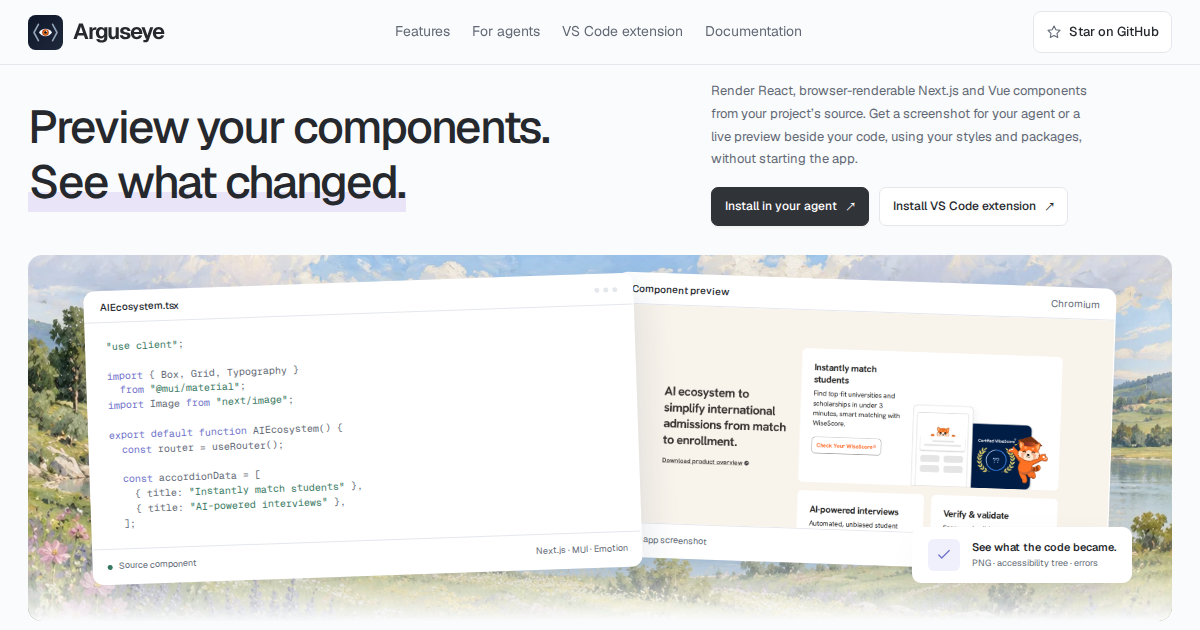





Arguseye — component previews for agents and VS Code
See your component. Change it. Inspect the consequences.
Watch the 58-second film · Agent setup and downloadable skill · VS Code extension
Arguseye gives coding agents eyes on real React, browser-renderable Next.js, and Vue 3 components, without starting your app or writing stories. It uses your source, installed packages, discovered usage props, and supported layout context. Each render returns a cropped PNG, accessibility text, and structured evidence—including unresolved inputs, warnings, and errors.
npx @ayushniroula/arguseye install claude
Requires Node.js 22+, installed project dependencies, and Chromium or Google Chrome. Run this in your project, then restart your agent. Replace claude with codex, cursor, gemini, windsurf, vscode, antigravity, or copilot.
If Arguseye saves you a dev-server restart, a star helps other developers find it.
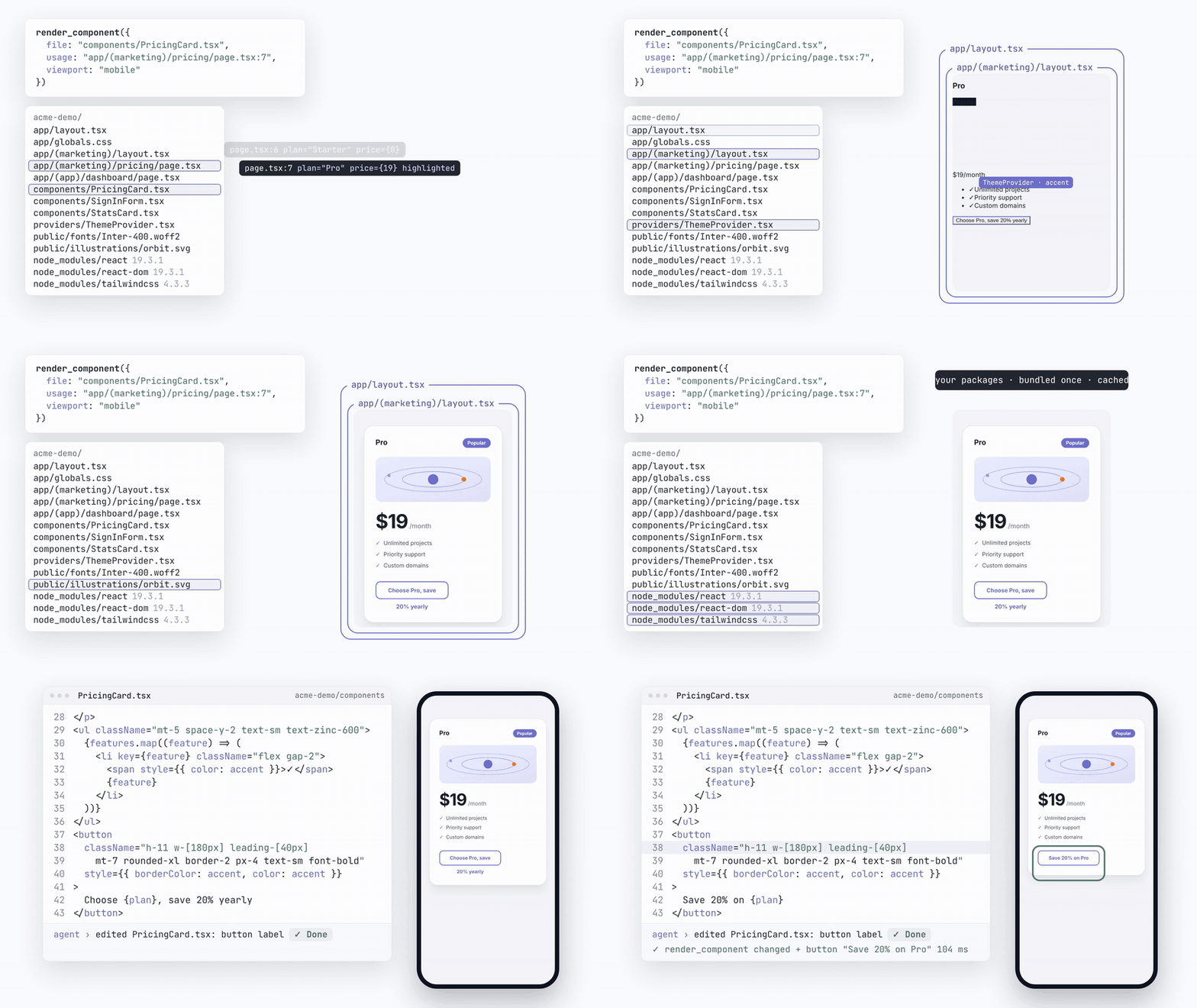
Explore the interactive demo ↗ · Choose your setup · Verify an edit · Tool reference · Performance & boundaries
Choose your setup
Expand your client for a copyable recipe. These controls work directly on GitHub; the website has the live demo and installation tabs.
Claude Codenpx @ayushniroula/arguseye install claude
Writes the project's .mcp.json and the skill in ~/.claude/skills/arguseye. Restart Claude Code, then ask it to preview the component you are editing.
npx @ayushniroula/arguseye install codex --project /path/to/app
Adds the MCP entry to ~/.codex/config.toml and the skill to ~/.agents/skills/arguseye. Restart Codex to load them.
Choose one command:
npx @ayushniroula/arguseye install cursor
npx @ayushniroula/arguseye install windsurf
npx @ayushniroula/arguseye install gemini
npx @ayushniroula/arguseye install antigravity
The installer merges into the chosen client's existing configuration. See the installation guide for the exact file locations and verification status of each client.
VS Code and GitHub CopilotFor the visual editor panel, install Arguseye from the VS Code Marketplace and run Preview Component on a .tsx, .jsx, or .vue file.
For Copilot's MCP tools:
npx @ayushniroula/arguseye install vscode
This writes .vscode/mcp.json. The visual extension and MCP server are two views of the same rendering engine.
# Inspect a component without MCP.
npx @ayushniroula/arguseye shot src/Card.tsx --export Card --out card.png --json

# Print MCP configuration without changing files.
npx @ayushniroula/arguseye install print

# Preview exactly what an installer would change.
npx @ayushniroula/arguseye install codex --project /path/to/app --dry-run
Requirements: Node.js 22+, installed project dependencies, and a Playwright-compatible Chromium browser or Google Chrome. If no browser is available, install one with npx playwright install chromium. Vue projects also need their own vue/compiler-sfc.
The bundled skill teaches agents when to render, how to interpret evidence, and how to fall back to the CLI. All installation options →
Verify an edit
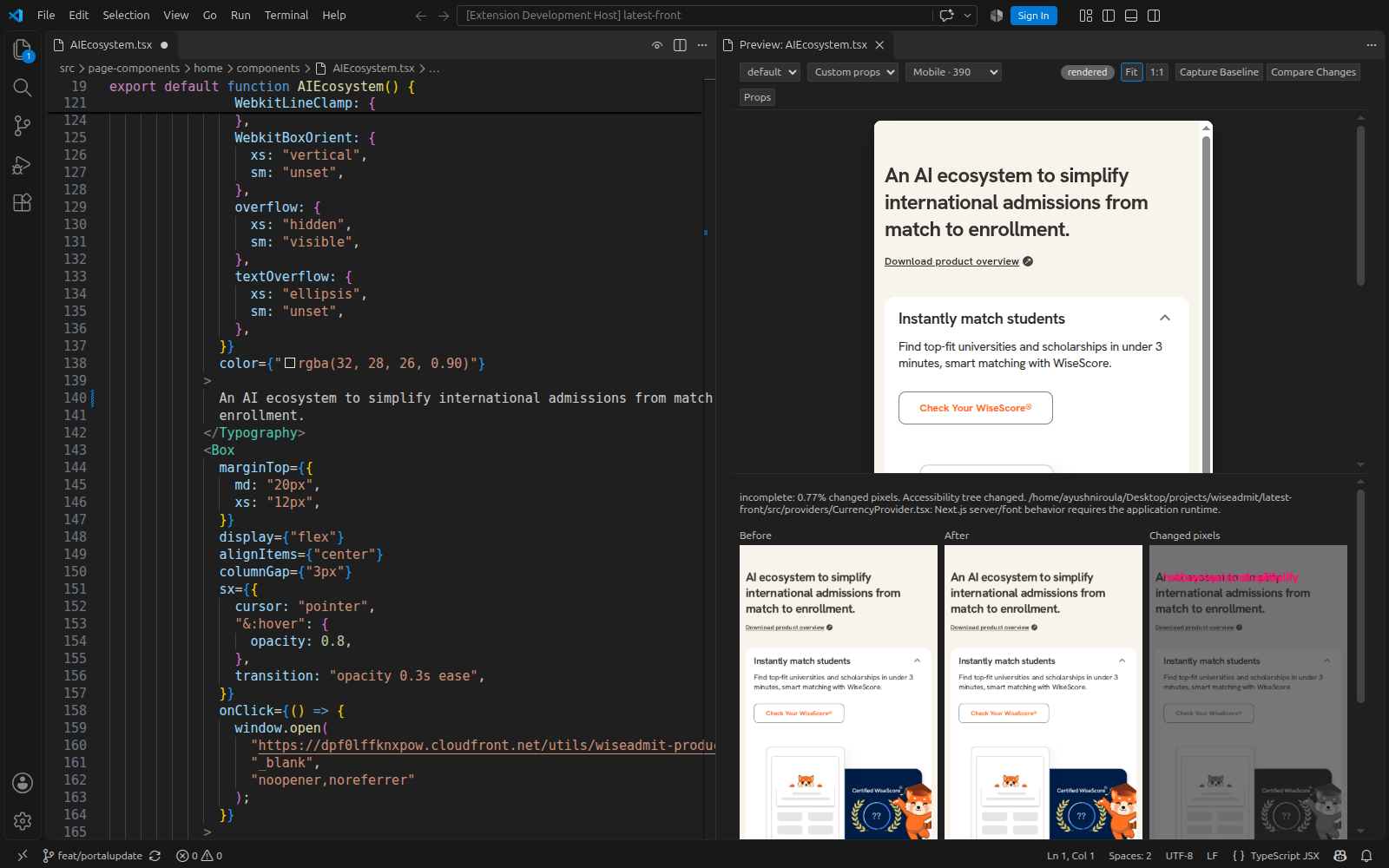
Capture the component, edit its source, then compare against the saved baseline. The export, resolved props, and viewport stay fixed for the comparison.
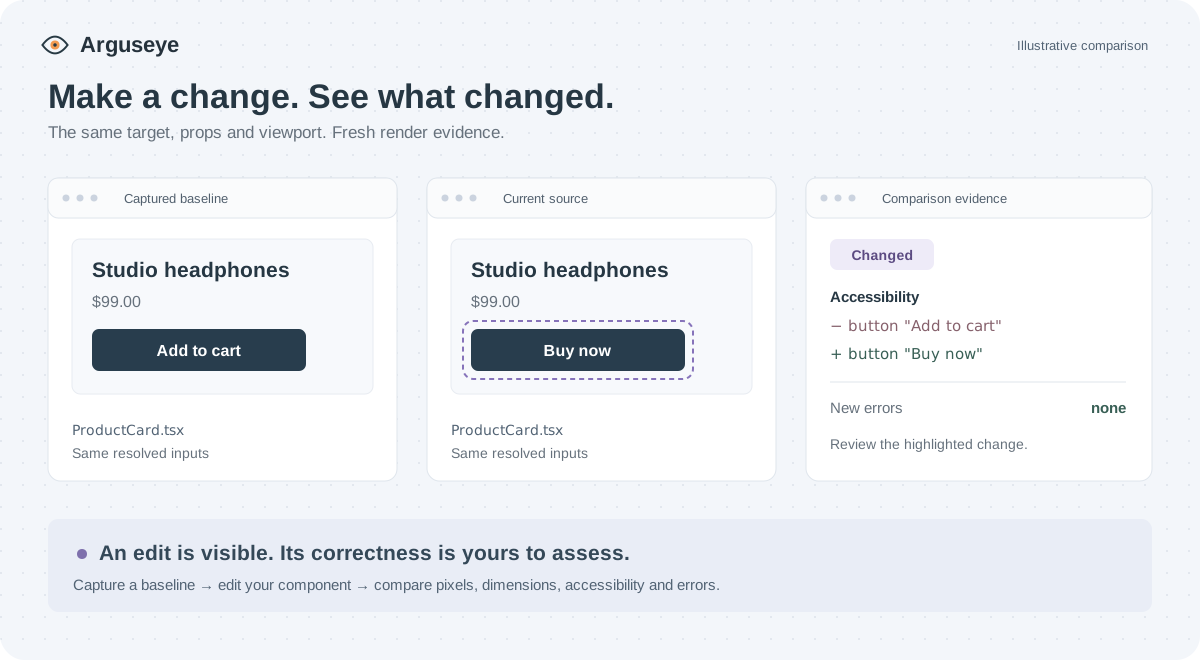
Render
src/Card.tsxusing its real usage props and save the capture ID. After my edit, compare against that baseline. Show the before, after, and pixel diff; report accessibility changes, new errors, and any incomplete context.
The agent uses render_component followed by render_diff({ baselineId }). MCP sessions retain the latest 64 captures; expired IDs require a new baseline.
npx @ayushniroula/arguseye shot src/Card.tsx --export Card \
  --capture-dir .arguseye/baseline --out .arguseye/before.png --json

# Edit src/Card.tsx, then compare its current source.
npx @ayushniroula/arguseye diff --baseline .arguseye/baseline \
  --out .arguseye/comparison --json
The comparison directory contains before, after, and highlighted diff images plus JSON evidence. CLI captures persist in the directory you choose.
Results are unchanged, changed, or incomplete. A visual difference is evidence for review; it does not establish correctness. Runtime props, missing providers, unsupported framework behavior, and assets that did not settle remain visible in warnings and unresolved inputs.
Why an agent needs eyes
A source diff cannot show clipped text, missing padding, or a theme that failed to apply. Arguseye lets the agent inspect rendered output close to the component it changed.
| Task | Arguseye returns |
|---|---|
| Inspect a component | Cropped PNG, accessibility tree, errors, warnings, and timings |
| Reuse real inputs | Discovered literal props, with runtime expressions reported as unresolved |
| Inspect an edit | Pixel differences, dimension changes, accessibility changes, and new/resolved errors |
| Check other usages | Paginated isolated renders, up to 12 per batch, with individual capture IDs |
| Reproduce a state | Component actions, storage inputs, usage ancestors, or a stand-in parent frame |
| Work in the editor | Unsaved-buffer previews, viewport presets, props controls, and baseline comparison |
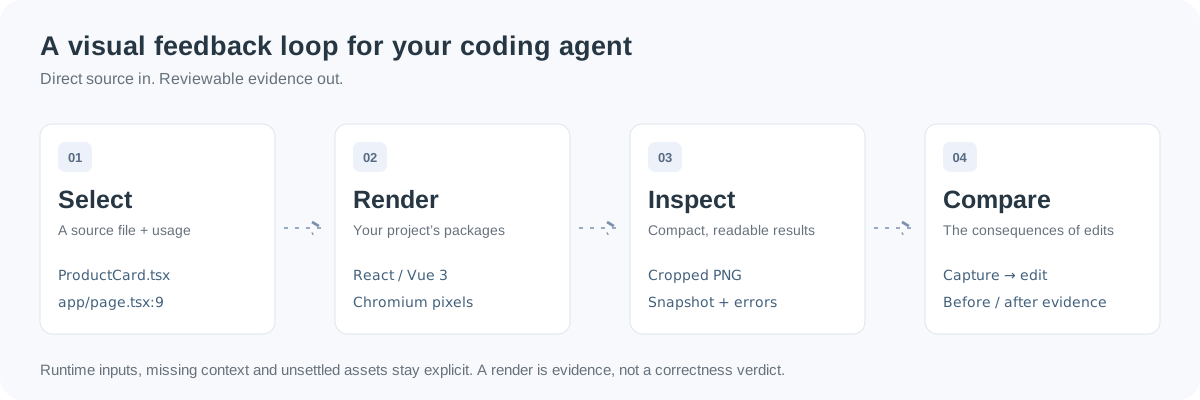
These are isolated component renders using discovered props, not full-page integration tests. Browser automation and stories remain useful for complete application journeys and explicitly curated states.
What it looks like
A real Next.js 14 app (MUI, Emotion, Redux, next-auth, 1,197 files), rendered from source with no server running, inside the app's own theme and nested layouts:
Tools (MCP server arguseye)
| Tool | What the agent gets back |
|---|---|
render_component {file, export?, usage?, props?, viewport?, in_context?, frame?, actions?, storage?} |
PNG cropped to the component, accessibility tree, errors[], warnings[], timings, changes since the previous render of the same target. usage takes the props of a real call site; in_context renders inside that call site's parent elements; frame is a stand-in parent box; actions and storage set the state first. Function props: {"$fn": "(x) => …"}. |
list_usages {file, export?} |
Every call site with its literal props, the props that depend on runtime values, and the JSX ancestors. |
render_usages {file, export?, viewport?, cursor?, limit?, output?} |
Paginated isolated call-site renders, up to 12 per batch, with per-usage evidence and capture IDs. |
describe_props {file, export?} |
The props schema from the TypeScript type, with sample values. |
render_diff {baselineId, output?} |
Before, after, highlighted pixel differences, accessibility changes, errors, and completeness against a captureId. |
CLI for agents without MCP: npx @ayushniroula/arguseye shot src/Card.tsx --export Card --usage app/page.tsx:12 --in-context --out card.png, npx @ayushniroula/arguseye usages …, npx @ayushniroula/arguseye serve … (live page with hot reload).
VS Code
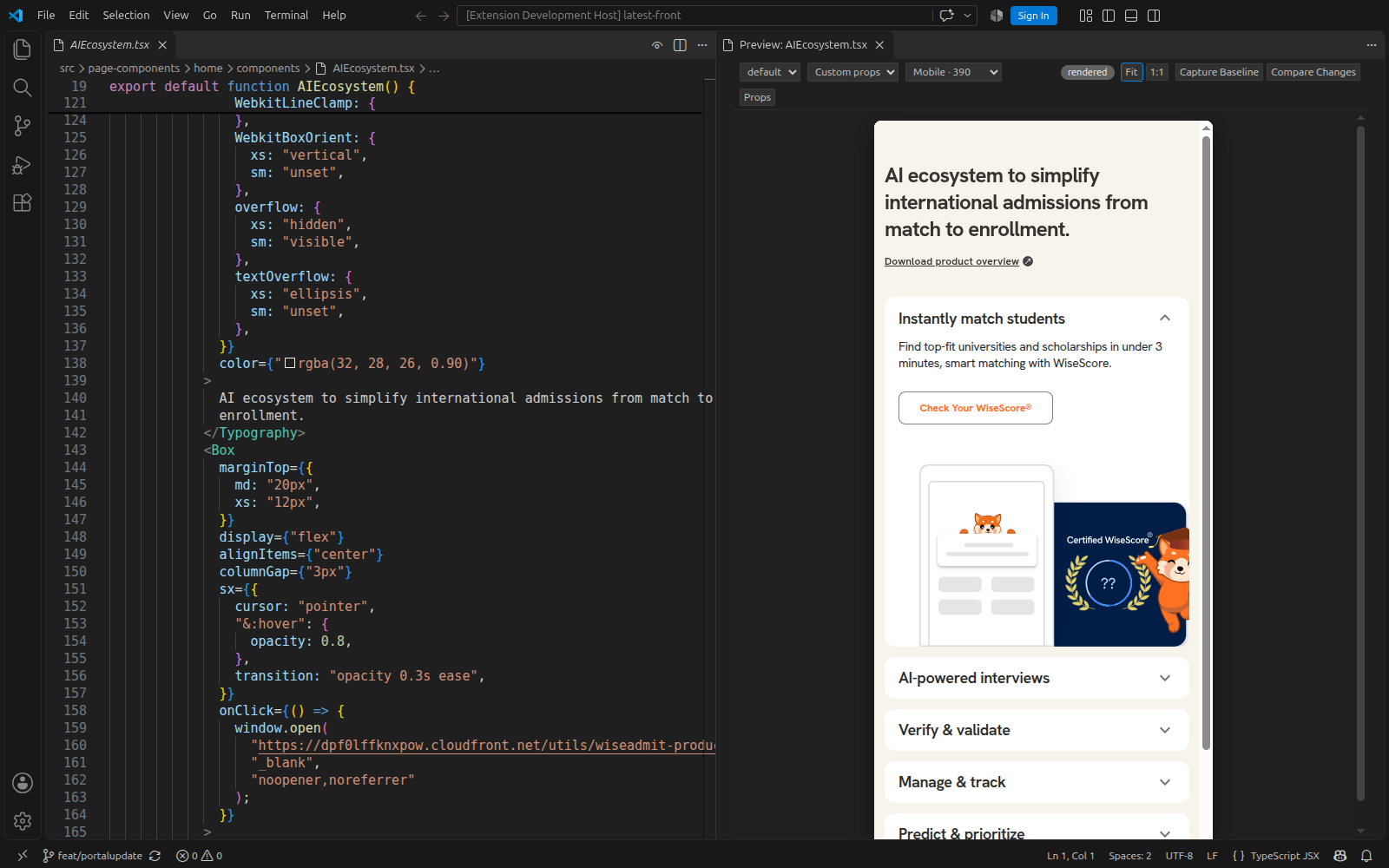
Open a .tsx, .jsx or .vue file and run Preview Component (the eye icon in the editor title, or Ctrl+Alt+P). The panel shows the component with the props from its first real usage, follows the file you edit, updates unsaved edits while preserving state during ordinary React refreshes and Vue template/style edits, scales the preview to fit (or 1:1), and has a props form built from the component's type. Install it from the Marketplace (id ayushniroula.arguseye, Linux, macOS and Windows builds), or grab the VSIX from the releases for Cursor, Windsurf and VSCodium.
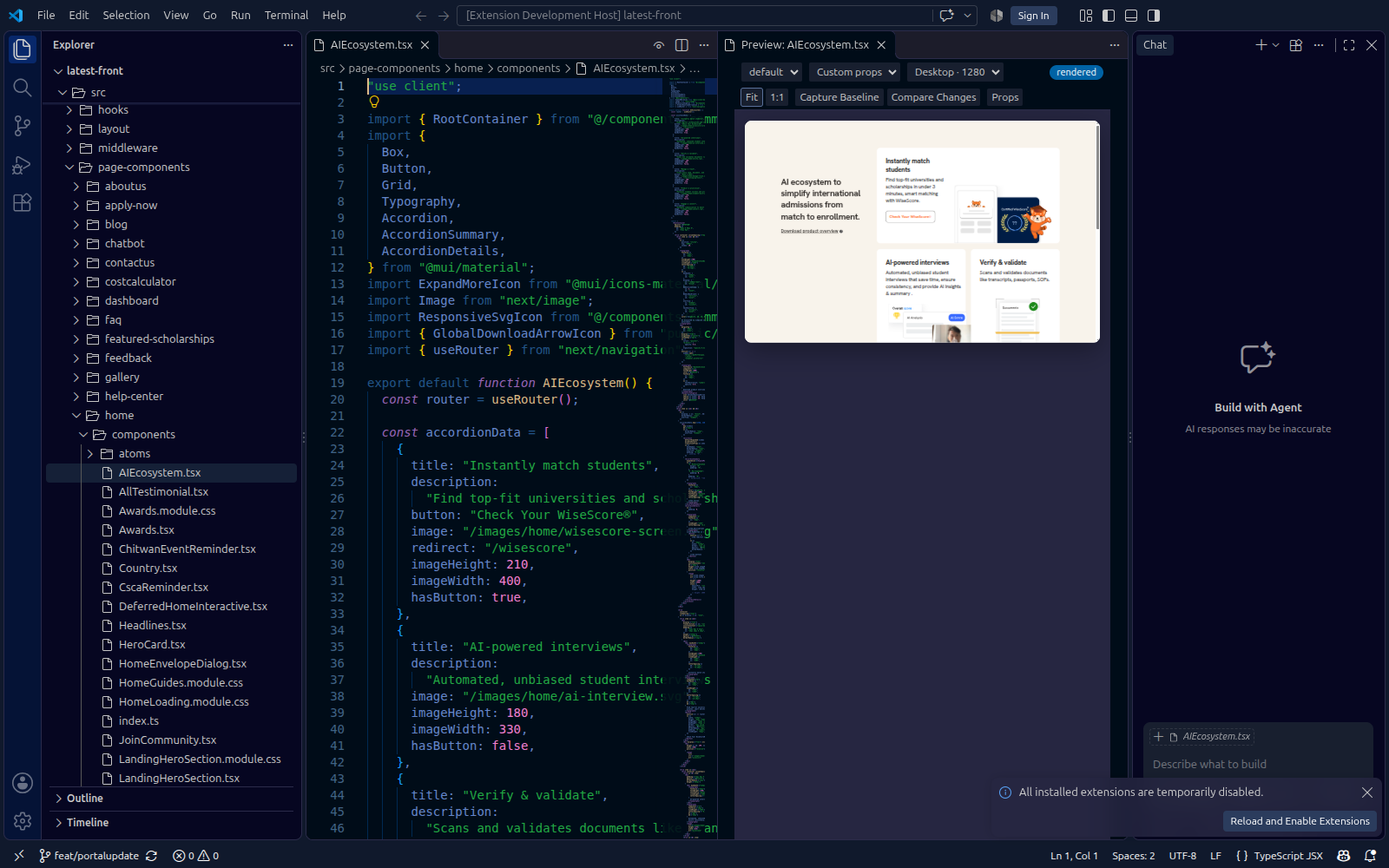
Build targets: Linux x64, Windows x64, and macOS Apple Silicon. The following screenshots were captured in the real extension host on Linux, using existing production components from WiseAdmit and CSCA.ai.
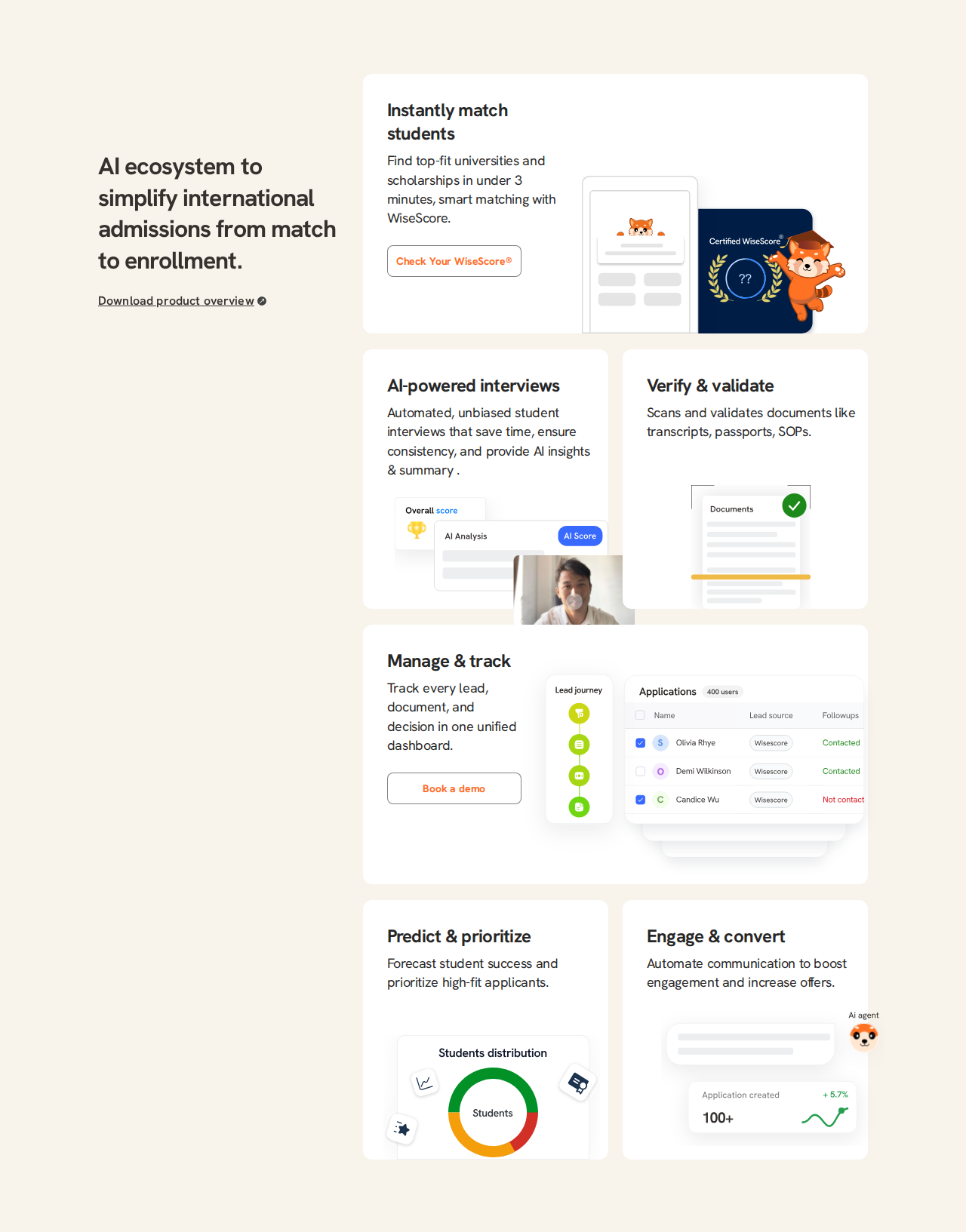
Real VS Code gallery: responsive layouts, unsaved changes, and CSCA.ai componentsWiseAdmit — desktop and mobile. The same existing AIEcosystem.tsx component uses its own responsive layout and assets.
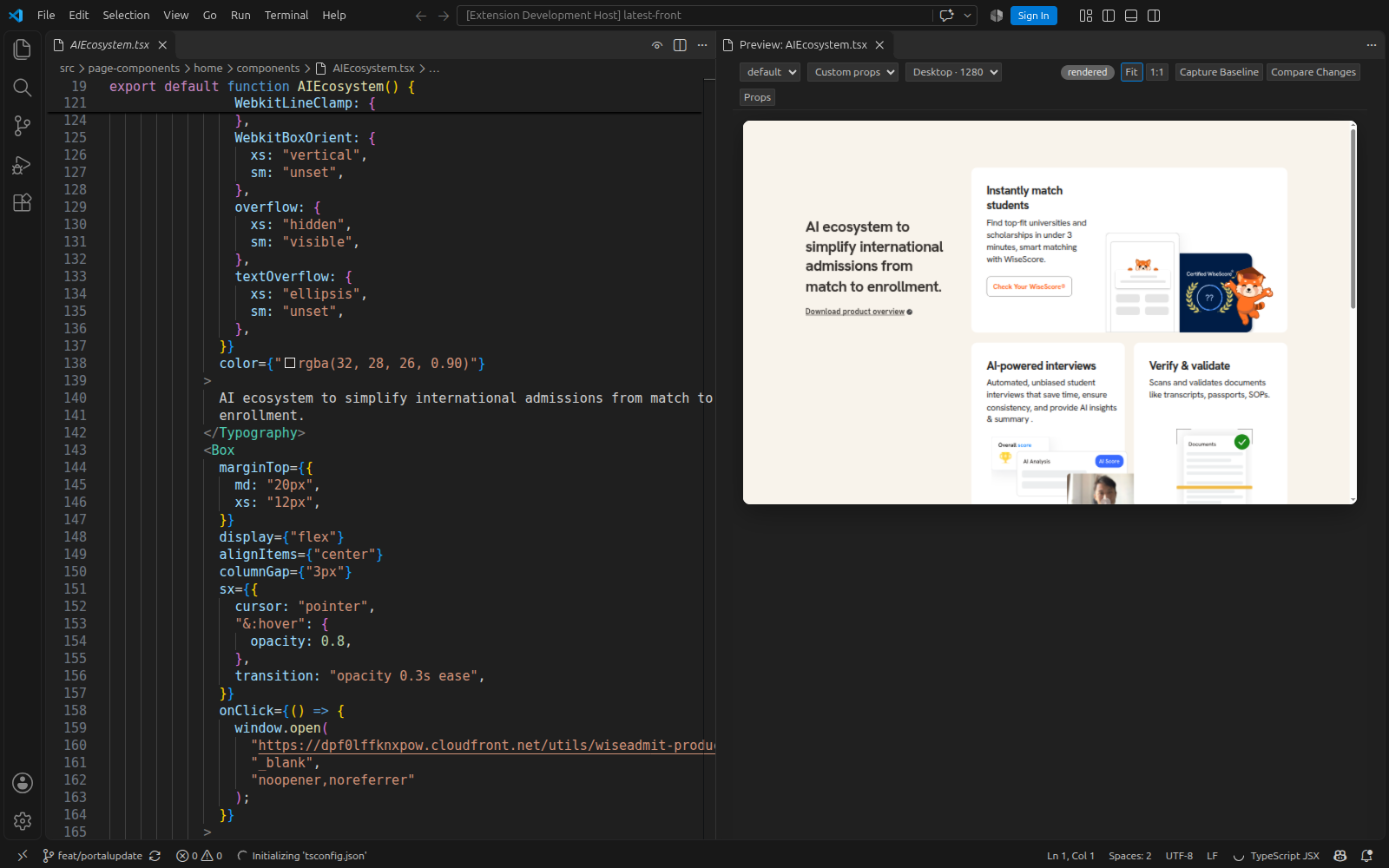
Before and after an unsaved edit. The comparison retains an incomplete-context warning for unsupported Next.js provider behavior.
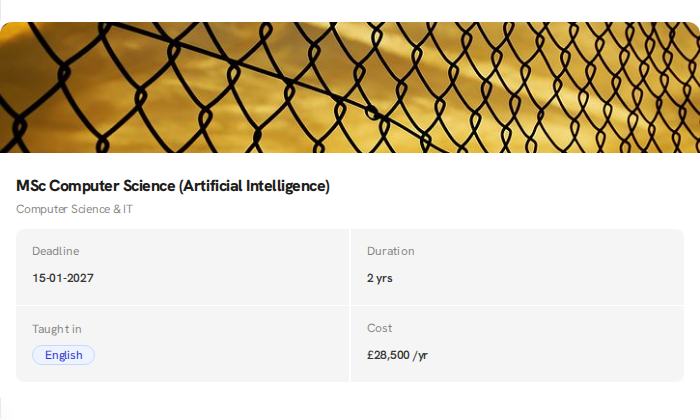
CSCA.ai — existing hero, feature cards, and exam-information grid. These are the actual HeroSection.tsx, CscaProvide.tsx, and ExamEssentials.tsx from cscanew/csca, rendered with their own assets and cached Next font faces.
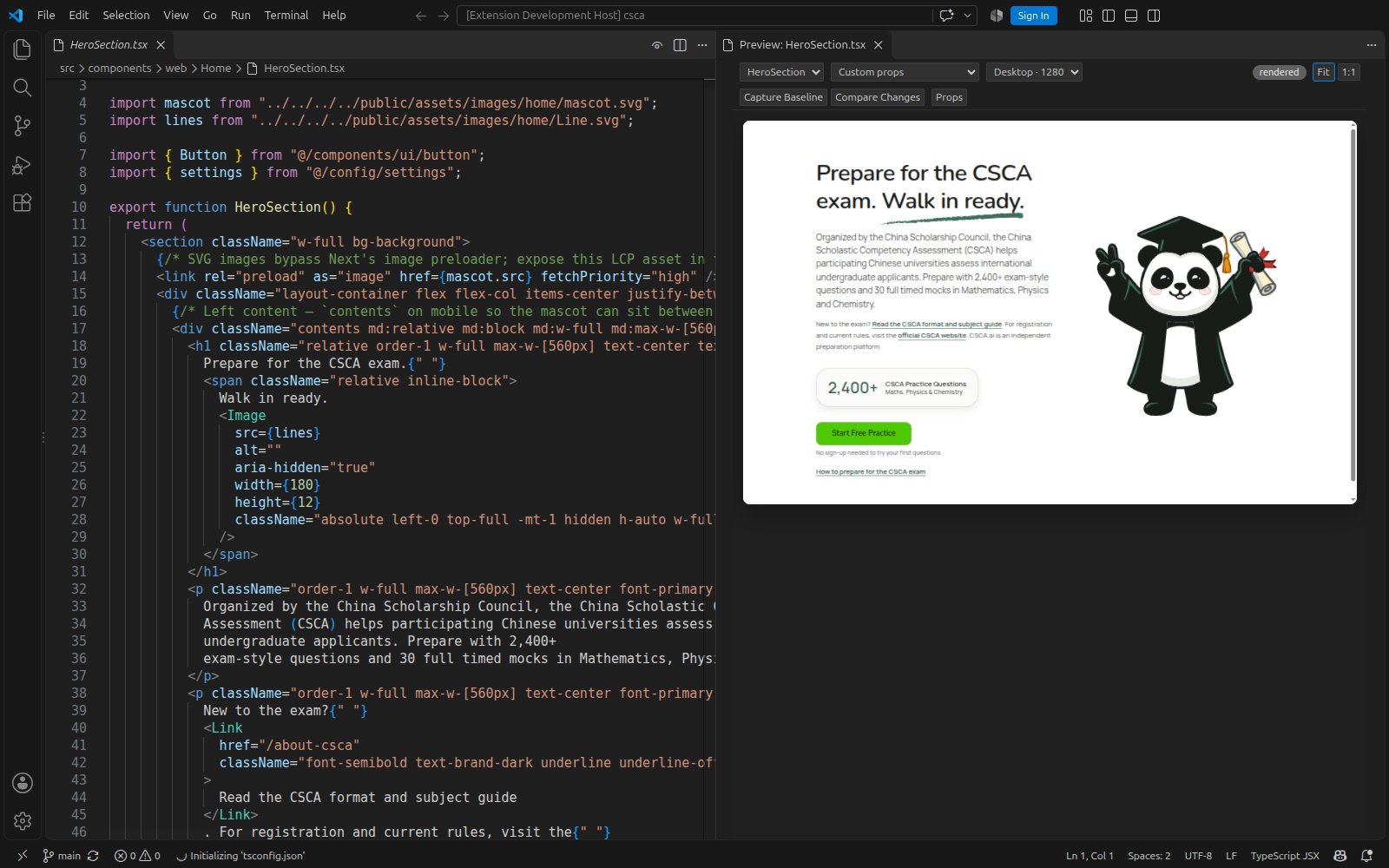
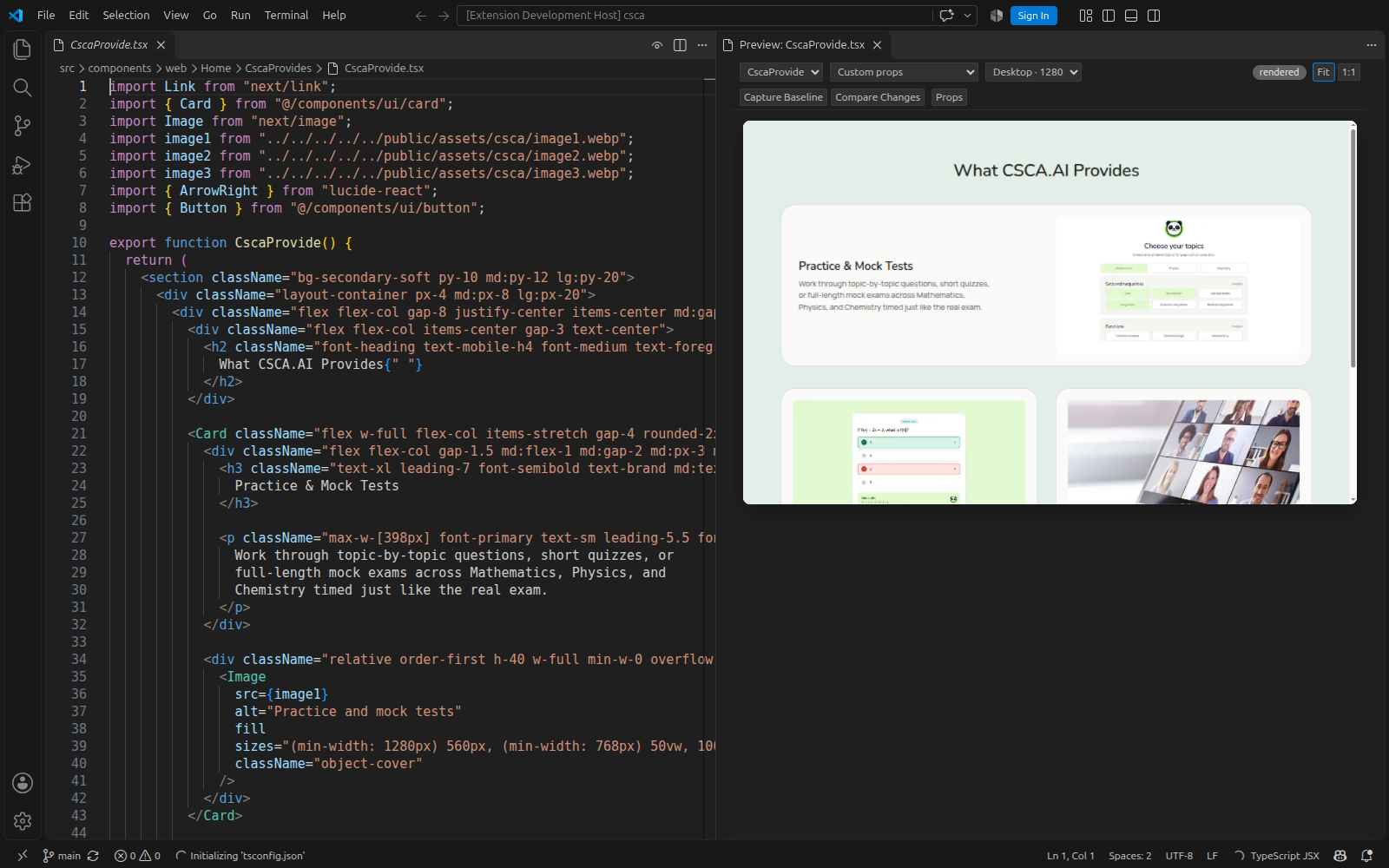
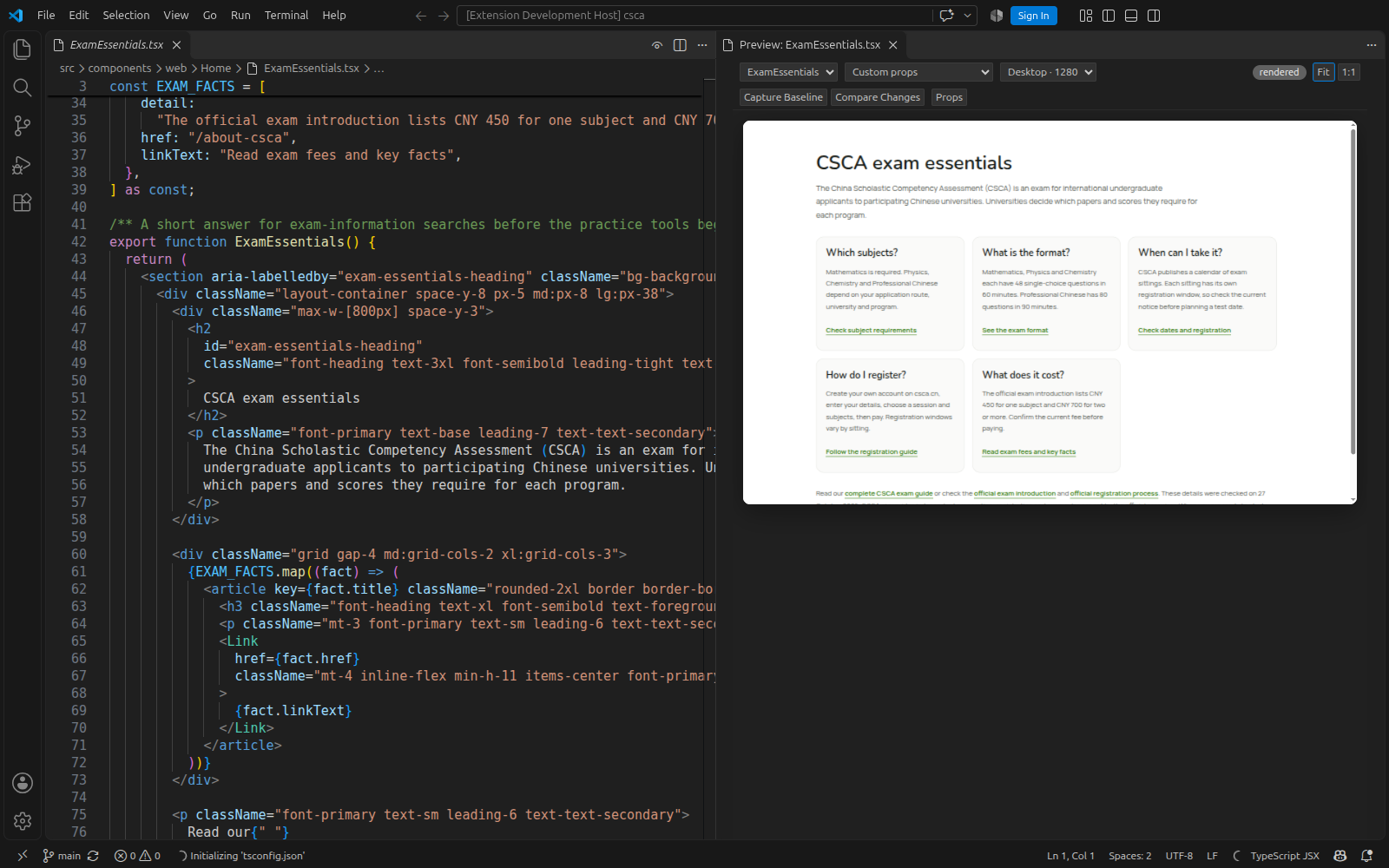
These are isolated frontend previews, not full application journeys. Next Google font variables can reuse matching font assets from an existing .next/static build. Without those assets, root font classes remain unresolved and the render reports incomplete context.
How rendering works
- Your files run through oxc one module at a time; your packages are pre-bundled once by Rolldown from your own
node_modulesin a worker process and cached by lockfile, so React, MUI and Tailwind are the versions your app uses. Next.js app-router projects run on Next's vendored React, like the app itself. - Supported root and nested layouts and templates supply context: global CSS,
<html>/<body>classes, providers with their props (theme={theme}is re-imported),CssBaseline-style siblings. Tailwind v4 compiles with your theme, Tailwind v3 through your PostCSS config, plus Sass, CSS modules,public/assets, image imports andNEXT_PUBLIC_*env. - Framework shims handle browser-compatible
next/link,next/image, andnext/navigationbehavior; Chromium draws the pixels. Server-only Next.js behavior is outside this isolated runtime. - Edits are hot-swapped with React Fast Refresh, from the editor or from disk. A target's whole import graph is preloaded in one batch; barrel imports of icon packages are rewritten per member; lazy images load eagerly so the frame settles in milliseconds.
Performance and boundaries
The recorded benchmark used Linux x64, an Intel Core i5-1235U, and Node v24.21.0 on 2026-10-27. Twenty warm renders of the small React fixture measured p95 50 ms, against a ≤100 ms gate. Edit-to-pixels has a separate 50 ms target; it is not a universal latency guarantee.
| Recorded component-edit workflow | Calls | Elapsed | Response size |
|---|---|---|---|
| Arguseye, warm | 2 | 145 ms | 48,669 bytes |
| Playwright MCP + Vite, warm | 4 | 217 ms | 27,298 bytes |
| Arguseye, cold | 2 | 2,105 ms | 49,076 bytes |
| Playwright MCP + Vite, cold | 6 | 1,704 ms | 28,006 bytes |
Arguseye returned a larger evidence bundle, including a pixel diff. This fixture run shows fewer calls and a faster warm workflow, alongside a slower cold path and larger responses. It is not a general performance ranking. Method, machine, caveats, and raw samples →
The separate 1,197-file Next.js example above measured server readiness at 2–11 s, first render at 1.5 s, a section at 0.9 s, and the same target again at 0.3 s, with roughly 500–750 MB server memory. These are different workloads. See the rendering technique.
What the isolated runtime cannot reconstructRuntime-only props, arbitrary provider values, authenticated or backend-dependent states, Next.js server execution, and Nuxt features may require explicit inputs or remain unsupported. Successful pixels can still have incomplete context; inspect warnings and unresolved inputs. Vue script changes remount the component and report the state reset. Verification renders start from fresh component state.
Roadmap
What an agent would ask for next, in order: layout facts as text (boxes, overflow, clipping, contrast) with refs; element → source file and line; a frozen clock and seeded randomness for diffs you can trust; next/font and more framework shims; lower server memory. The full list, with reasoning, is in docs/agent-wishlist.md.
Contributing
Issues and pull requests are welcome: CONTRIBUTING.md has the setup and the rules, AGENTS.md the engineering rules every change follows (humans and agents alike), SECURITY.md how to report a vulnerability.
npm install && for d in test/fixtures/*/; do (cd "$d" && npm install); done
npm test            # unit + headless browser tests
npm run test:vscode # integration test in a real VS Code
MIT licensed. Made by Ayush Niroula.
Yorumlar (0)
Yorum birakmak icin giris yap.
Yorum birakSonuc bulunamadi