reviewer
Health Uyari
- License — License: MIT
- Description — Repository has a description
- Active repo — Last push 0 days ago
- Low visibility — Only 7 GitHub stars
Code Gecti
- Code scan — Scanned 12 files during light audit, no dangerous patterns found
Permissions Gecti
- Permissions — No dangerous permissions requested
Bu listing icin henuz AI raporu yok.
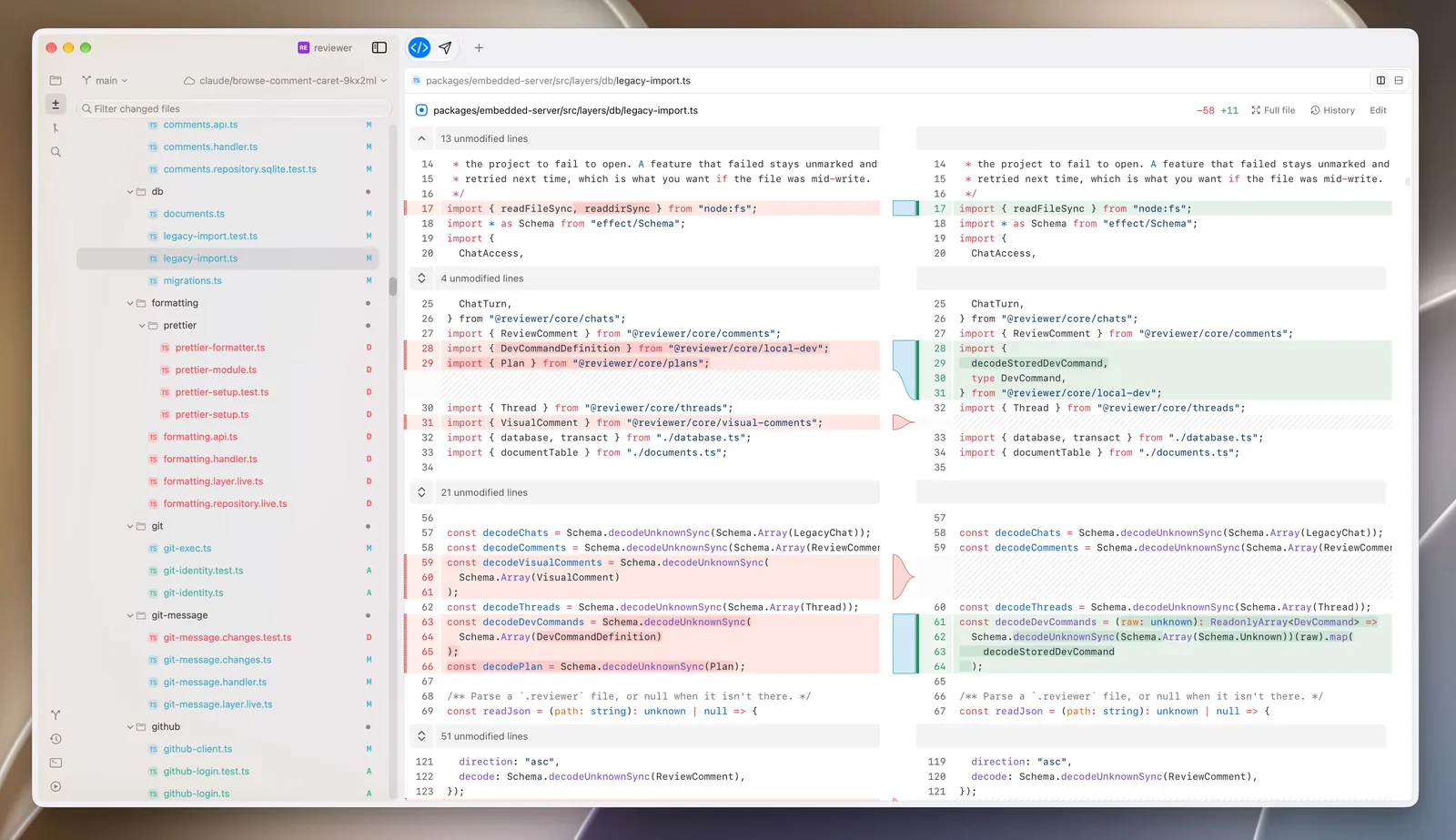
A native macOS app for understanding and reviewing AI-generated code — diffs, inline comments, and Claude Code & Codex agents in one place.

Reviewer
Understand AI-generated code.
In a world where we no longer write code, we spend a lot more time reviewing it.
Reviewer is a delightful, smooth macOS app built precisely for that.





Download for macOS · Website · Releases · Report a bug · Request a feature
Contents
Features
A diff viewer that reads the way you do
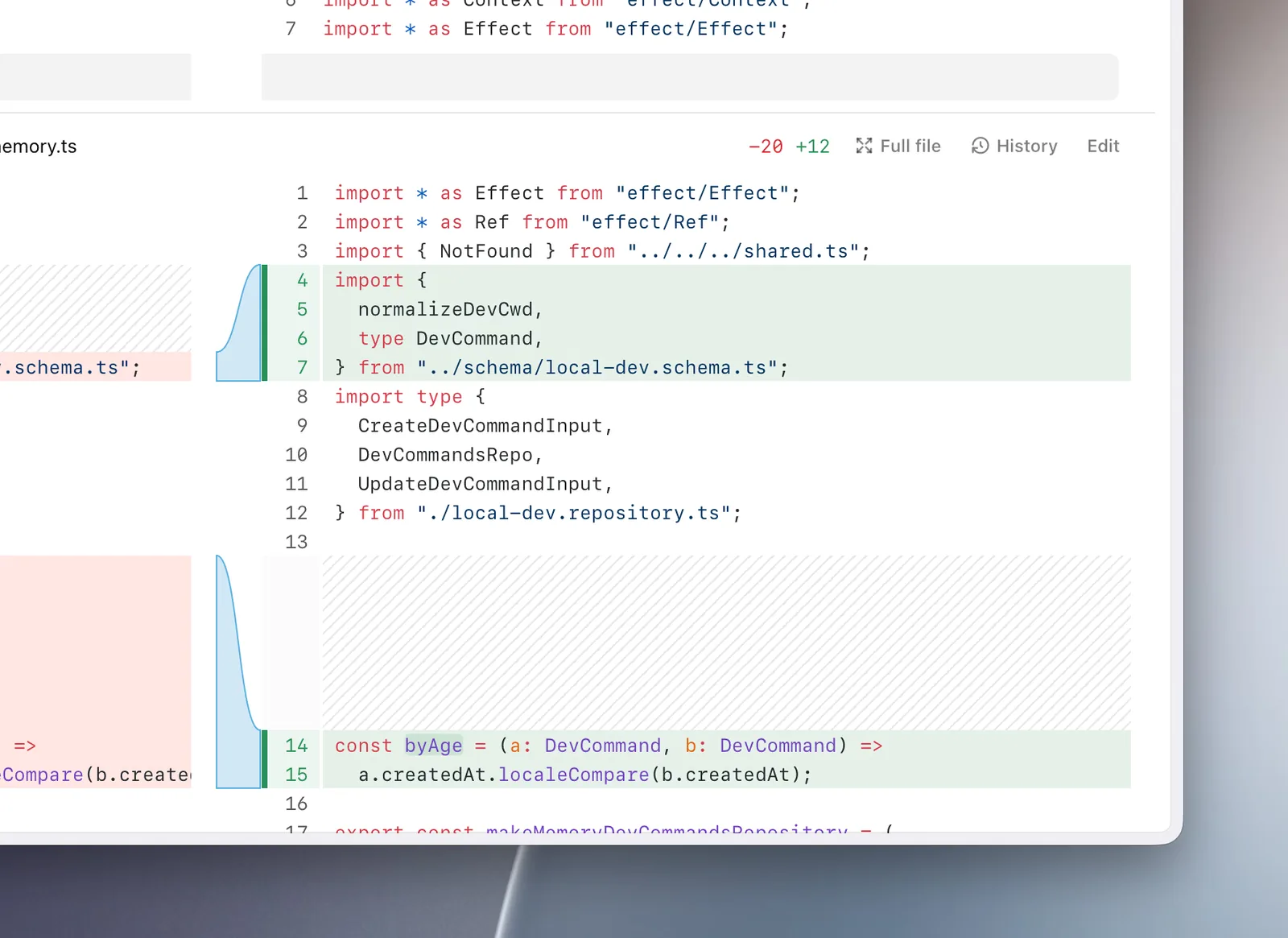
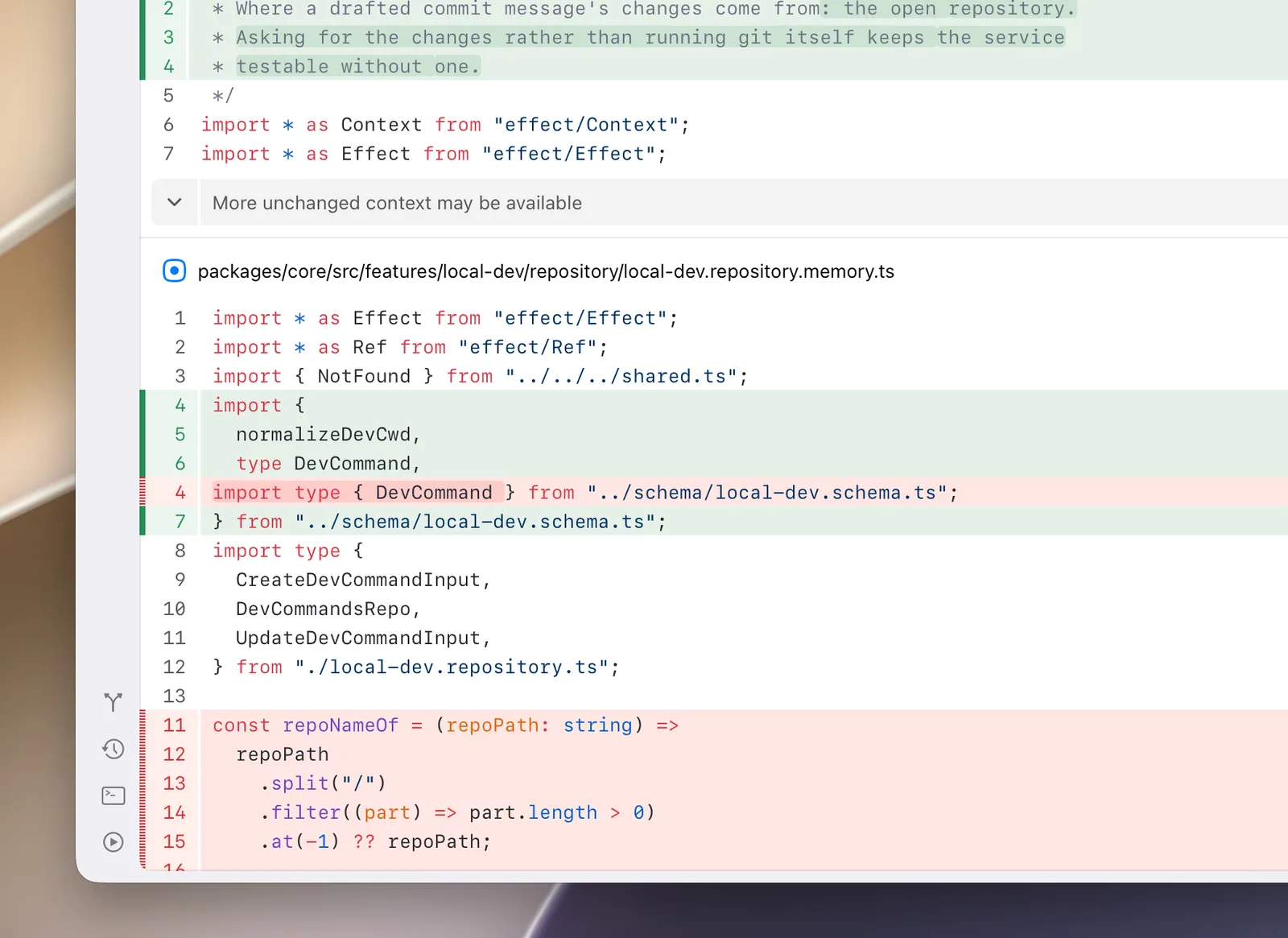
Lay the diff out side by side or top to bottom, whichever reads better for the
change in front of you. Click any file to open it on its own and read it whole.
| Horizontal | Vertical |
|---|---|
|
|
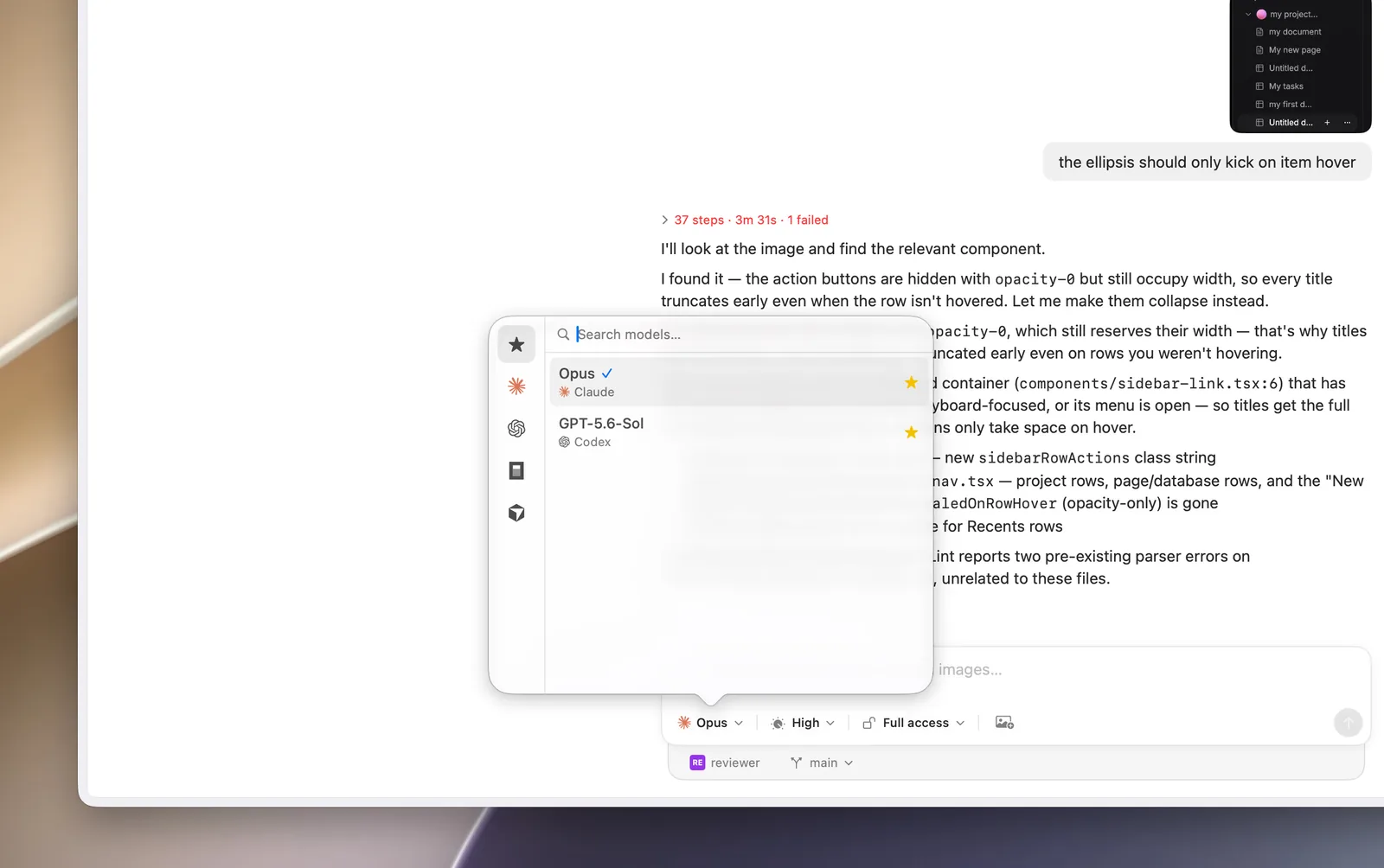
Work with Claude Code and Codex from the same interface
Use popular harnesses directly in Reviewer, or use
skills to connect to any harness you
have on your machine.
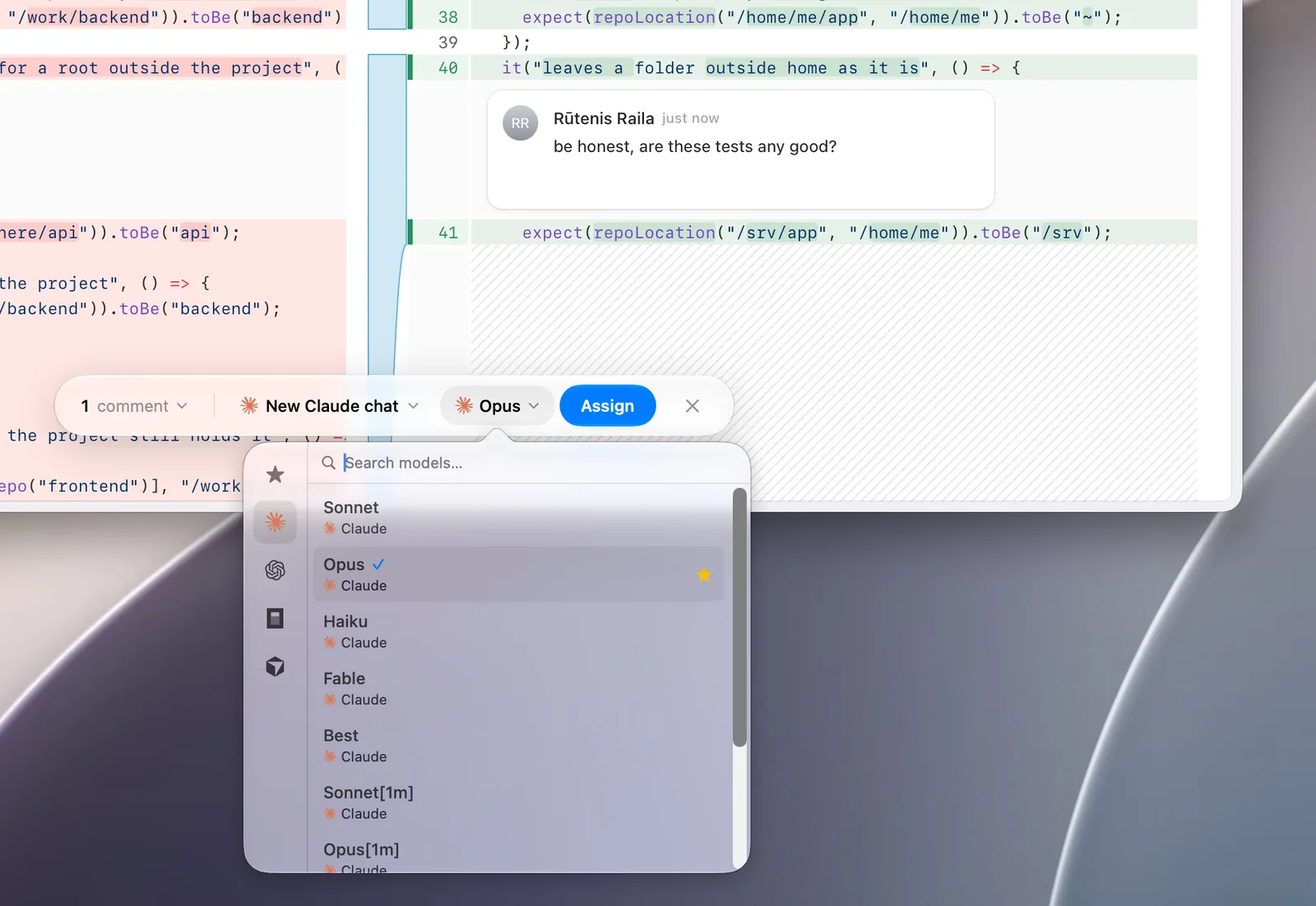
Comment, then hand it off
Leave a comment on any line, then assign it to an agent to pick up and fix.
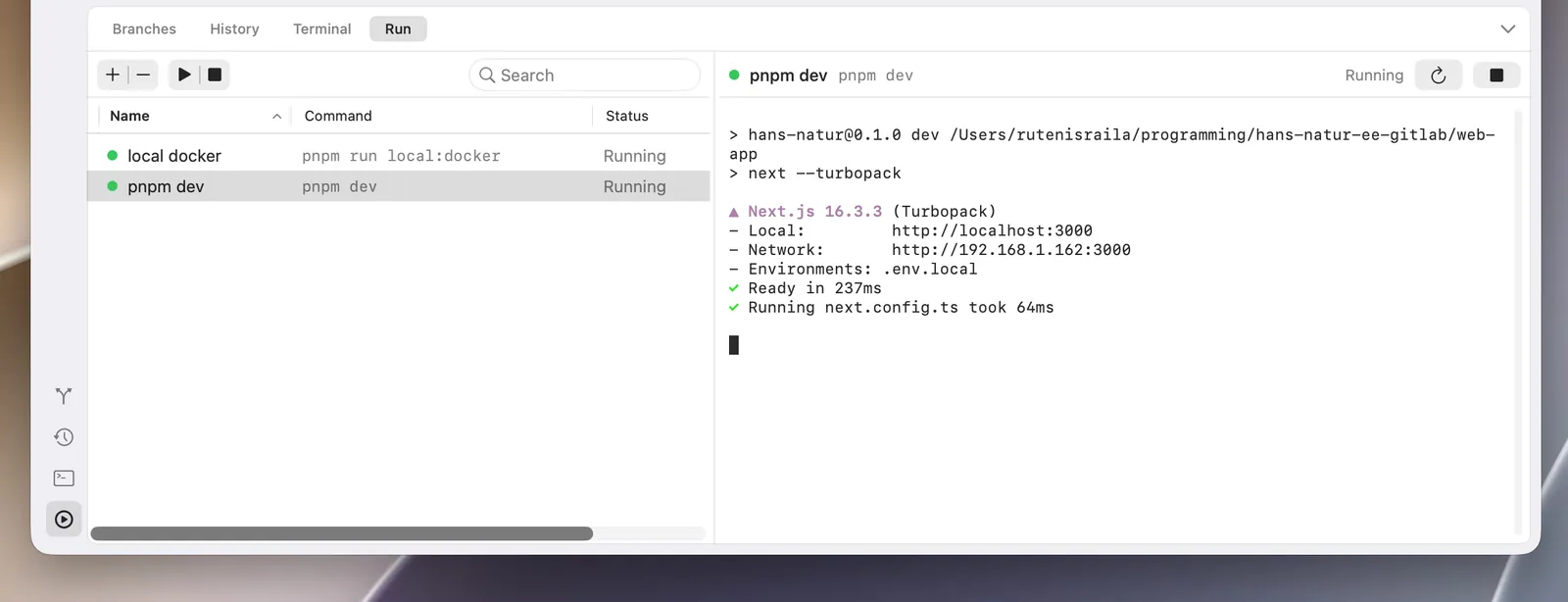
Run your services in one click
Set up your local services once from a macOS widget and start them with a
single click. If it runs in a terminal, it runs here.
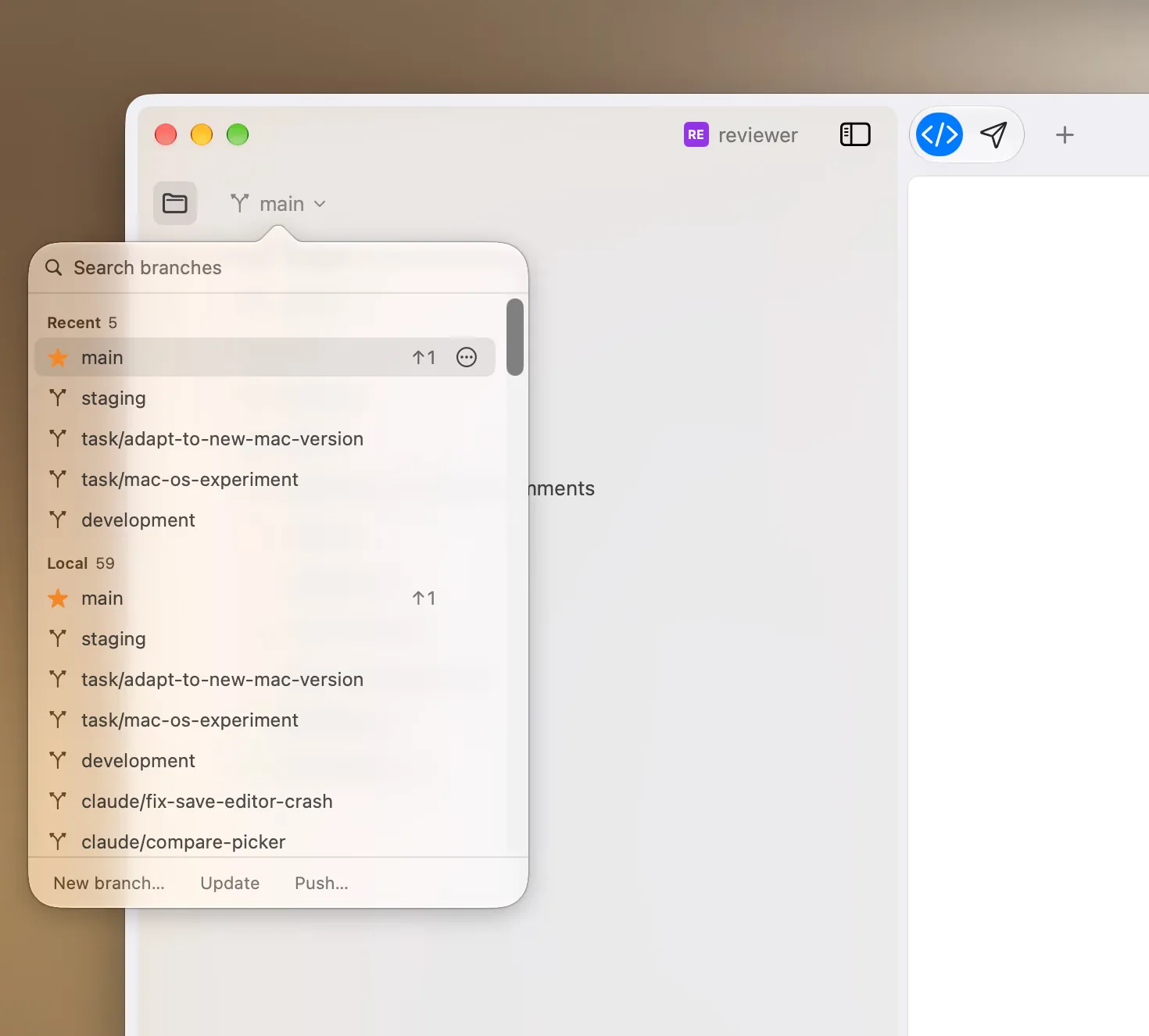
Intuitive Git integration
Create new branches and let Reviewer write the commit message from what
changed.
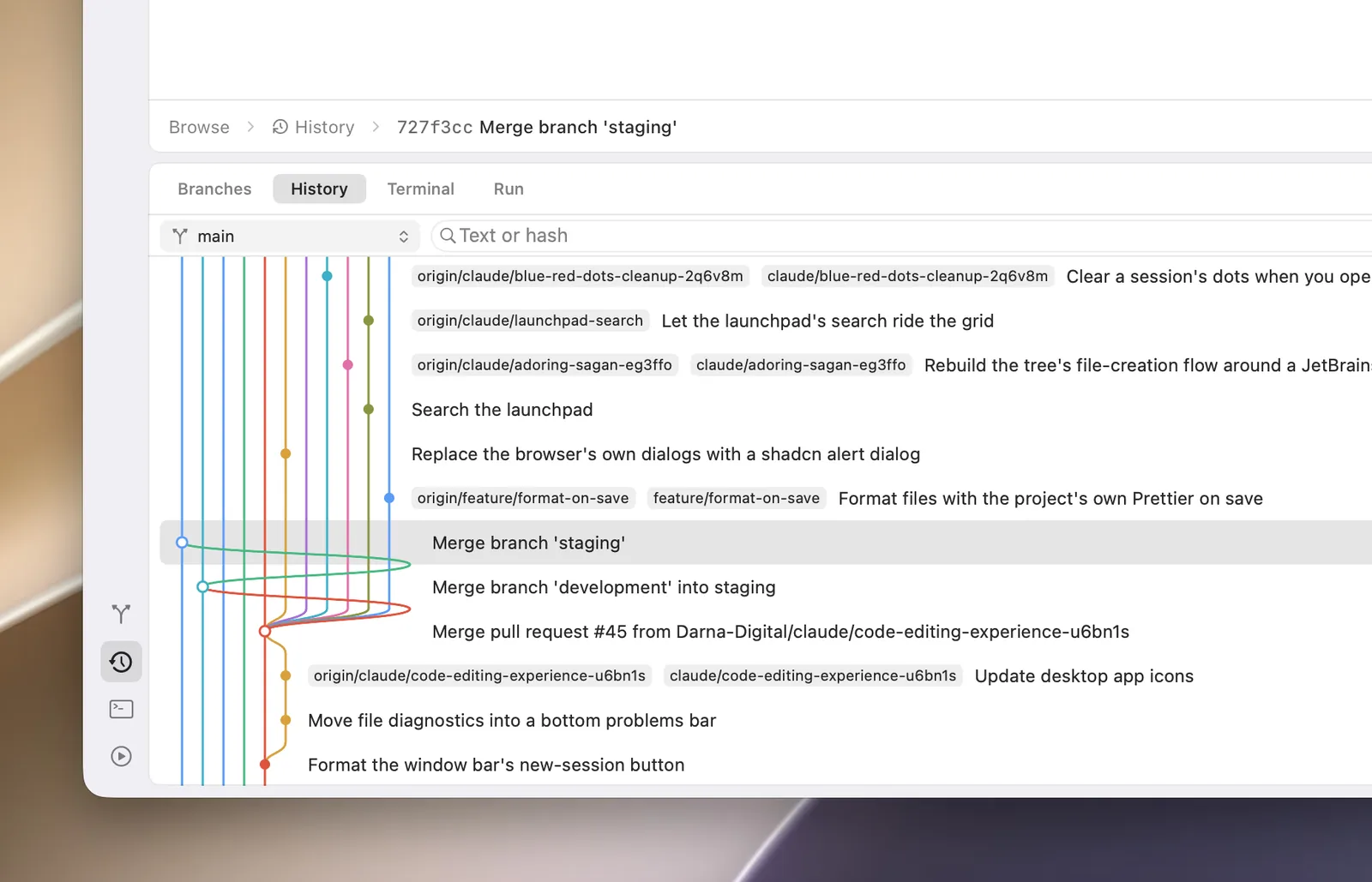
Know what changed, and when
Filter the history by author, date or branch. Click any entry to see what
changed and when, or open a single file's history to follow how it got to where
it is.
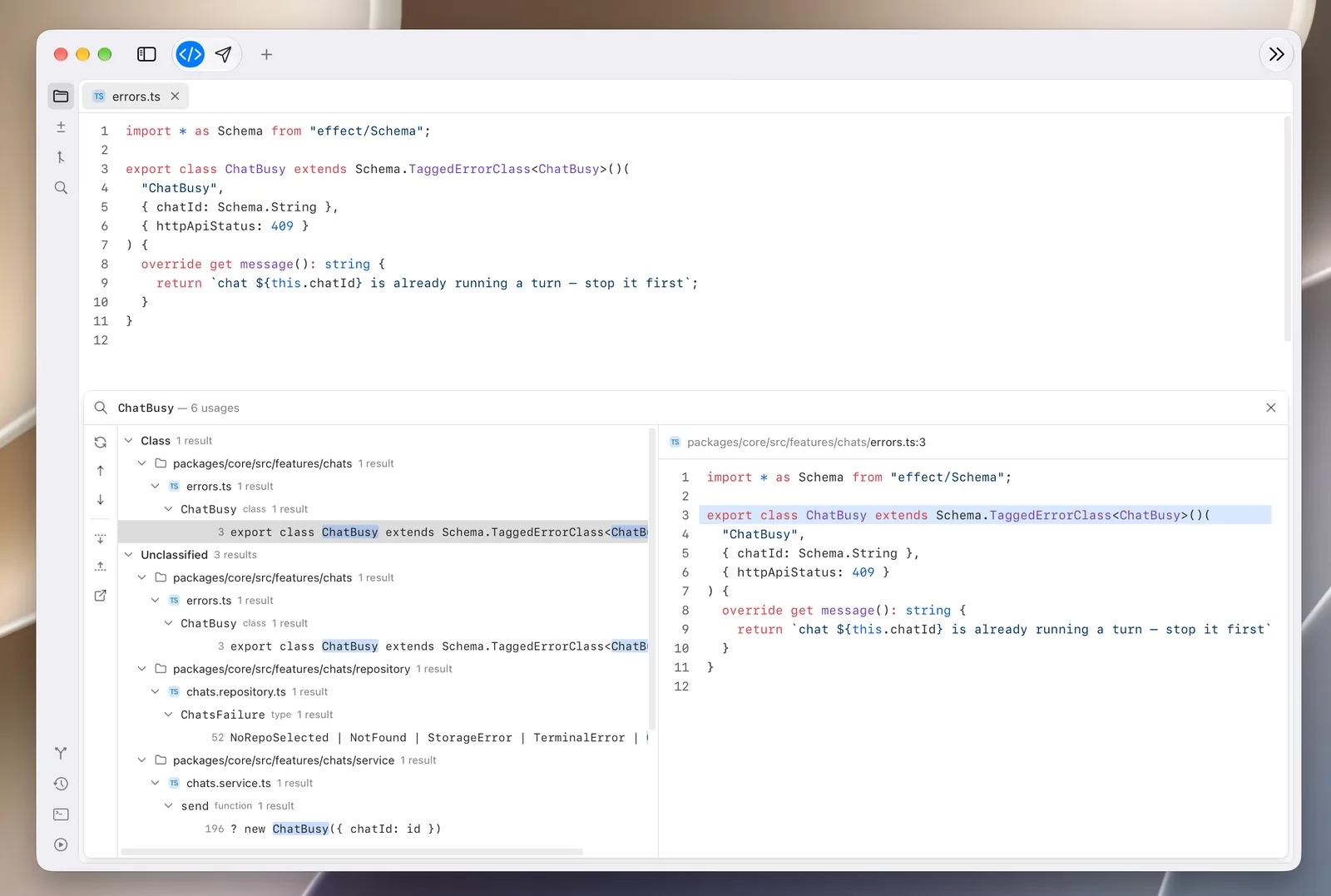
Follow a code symbol to its source
Language server protocol integration for TypeScript, Swift and Ruby. Hover a
symbol for its signature and docs, or find every usage of it across the
codebase.
And the rest
- Terminal — A built-in terminal for ad hoc work, right next to the code.
- Light and dark — Follows your Mac, or pick the appearance you prefer.
- Themes — Shiki and Pierre themes to make the environment your own.
- Native to the Mac — Built for Apple silicon, macOS 26 and later.
Install
- Download the latest
Reviewer-<version>-arm64.dmgfrom
Releases
(or from reviewer.sh). - Open the disk image and drag Reviewer into Applications.
Requirements: an Apple silicon Mac on macOS 26 or later.
Every release is signed with a Developer ID and notarized by Apple. Reviewer
keeps itself up to date: new versions are offered in-app as they ship.
Resolve review comments with any agent
Comments you leave in Reviewer can be handed to any coding agent (Claude Code,
Codex, Cursor, OpenCode, …) through theresolve-reviewer-comments skill.
It reads the repository's comments from Reviewer's local API server, implements
them and resolves them one by one.
npx skills add Darna-Digital/reviewer --skill resolve-reviewer-comments
Then, with Reviewer running, ask the agent to "resolve my reviewer comments".
Development
Reviewer is a pnpm monorepo: a native SwiftUI/AppKit shell that hosts parts of
a React web app as views inside its own layout, beside a local API server that
does the git and filesystem work.
| Package | What it is |
|---|---|
packages/mac-os |
The macOS app — a Swift package (SwiftUI + AppKit), bundled into Reviewer.app |
packages/spa |
The React web app whose surfaces the shell hosts |
packages/embedded-server |
The local API server the app runs beside it (Effect, git/filesystem-backed) |
packages/core |
Feature schemas and services shared by the server and the SPA |
packages/www |
reviewer.sh, on Cloudflare Workers |
packages/brand |
The brand studio that draws and exports the logo and icons |
packages/lint |
Shared ESLint and Prettier config |
Prerequisites
- macOS 26 on Apple silicon, with Xcode 26
- Xcode's Metal toolchain:
xcodebuild -downloadComponent MetalToolchain - Node.js (current LTS) and pnpm 11 (
corepack enable)
Run it locally
pnpm install
pnpm dev      # API server + SPA, in one terminal
pnpm dev:mac  # build and open the debug app, in another
| Command | Does |
|---|---|
pnpm dev |
API server + SPA in watch mode |
pnpm dev:mac |
Build and open the debug Reviewer.app |
pnpm dev:www |
The reviewer.sh site |
pnpm build:mac |
A release build of Reviewer.app, as CI builds it |
pnpm lint |
ESLint across the workspace |
pnpm format:check |
Prettier across the workspace |
pnpm typecheck |
TypeScript across the workspace |
Releasing
Releases are built, signed, notarized and published by GitHub Actions when a
version bump lands on main — see RELEASING.md.
Contributing
Bug reports, ideas and pull requests are all welcome. Read
CONTRIBUTING.md to get started, and please follow the
Code of Conduct. Security issues go through
SECURITY.md, not public issues.
License
Reviewer is released under the MIT License.
Made by Darna Digital.
Yorumlar (0)
Yorum birakmak icin giris yap.
Yorum birakSonuc bulunamadi