observagent
Health Pass
- License — License: Apache-2.0
- Description — Repository has a description
- Active repo — Last push 0 days ago
- Community trust — 11 GitHub stars
Code Fail
- exec() — Shell command execution in db/schema.js
- network request — Outbound network request in frontend/src/components/agents/AgentDetailPanel.tsx
- network request — Outbound network request in frontend/src/components/agents/AgentDetailTabs.tsx
- network request — Outbound network request in frontend/src/components/cost/CostPanel.tsx
Permissions Pass
- Permissions — No dangerous permissions requested
This tool provides local-first, real-time observability for Claude Code sessions, allowing developers to track costs, monitor tool usage, and debug agent behavior without sending data to the cloud.
Security Assessment
Overall Risk: Medium. The tool is fundamentally designed to read your local Claude Code session transcripts, meaning it inherently accesses potentially sensitive data, code, and prompts. The scan flagged a critical failure regarding shell command execution in `db/schema.js`. While this might be related to database setup rather than malicious activity, the presence of unchecked `exec()` calls is a security concern. Additionally, the frontend makes several outbound network requests. The documentation correctly notes that the server binds to `127.0.0.1` to keep data local, and no hardcoded secrets or dangerous permissions were found, but developers should still carefully inspect the code before running it.
Quality Assessment
Quality is good and the project appears actively maintained. The repository is licensed under the permissive Apache-2.0 license and has a clear, detailed description. It received updates very recently (0 days ago) and has garnered 11 GitHub stars, indicating a small but growing early-adopter community.
Verdict
Use with caution — while the project is well-maintained and keeps data local by default, the presence of shell command execution warrants a quick code review before installing.
Zero-config observability for Claude Code agent sessions Track costs, monitor tool usage, analyze latency, and debug agent behavior in real-time.
ObservAgent
Local-first observability for Claude Code power users running multi-agent workflows
Built for developers who want real-time visibility into cost, tools, latency, and subagents while the session is still running.







⭐ If ObservAgent helps you understand or reduce Claude Code costs, consider starring the repo — it helps guide future development.
ObservAgent turns Claude Code into a live, debuggable system.
No wrappers. No SDKs. No cloud. Just visibility.
❓ Why ObservAgent?
Claude Code sessions get expensive and opaque fast.
- Why did this run cost $3?
- Which tool is slowing everything down?
- Why did the agent silently fail?
Claude writes JSONL transcripts, but they’re not usable in real time.
ObservAgent gives you complete visibility into your Claude Code sessions without any code changes:
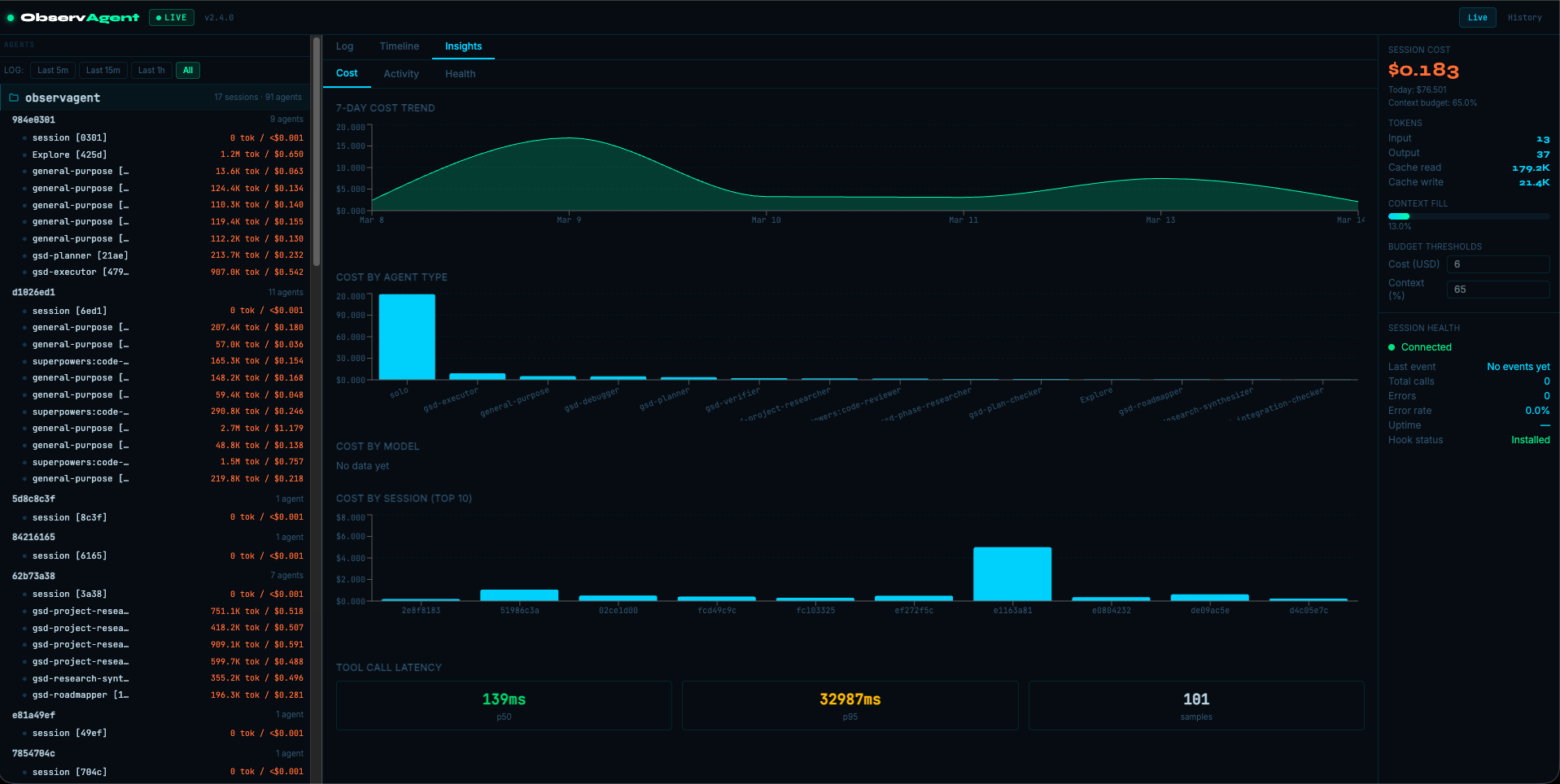
- 💰 Cost Tracking — Real-time token usage per model with automatic cost calculation
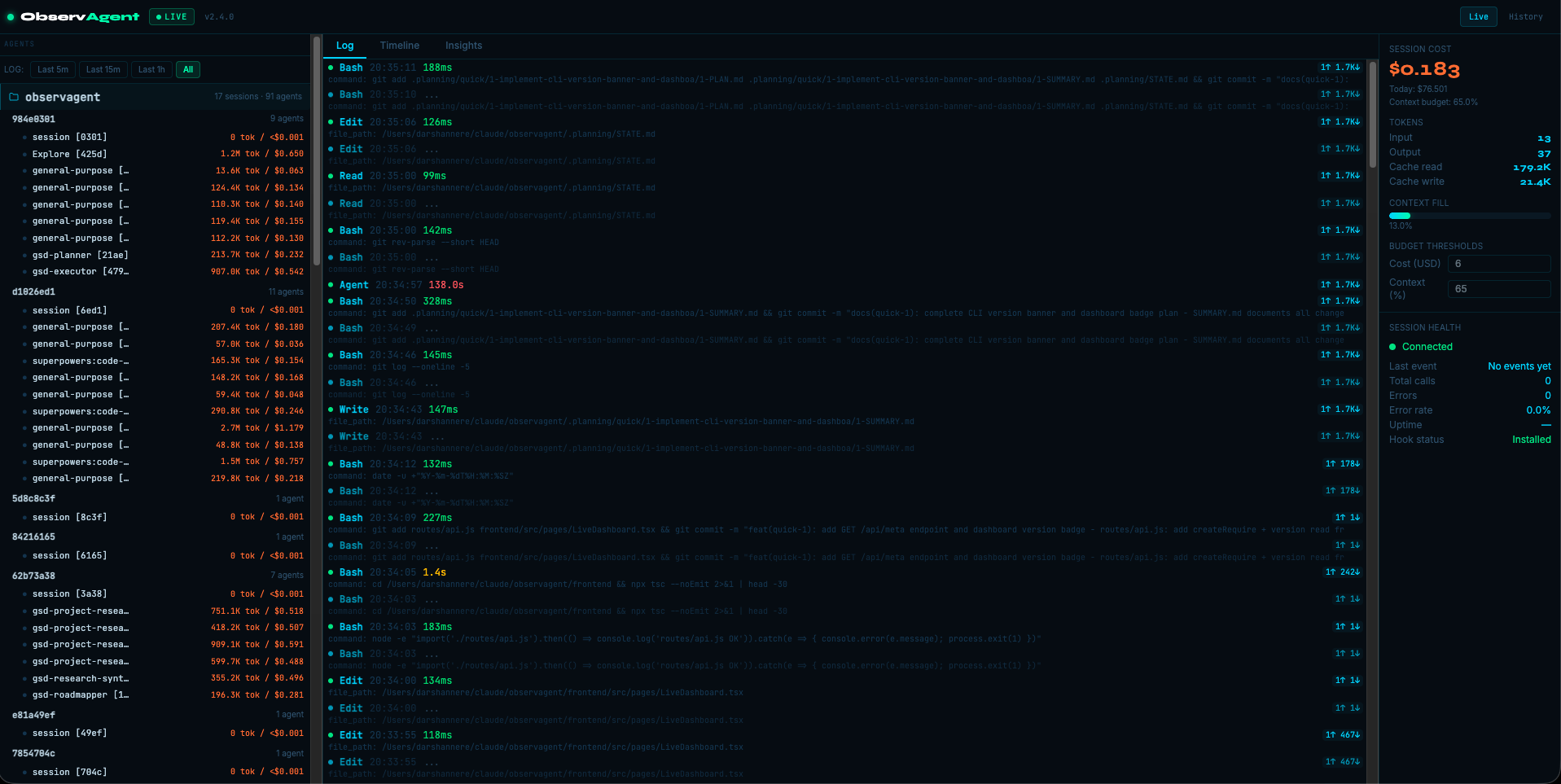
- 🔧 Tool Monitoring — See every tool call, latency, and success/failure status
- 🧩 Agent Visibility — Session + subagent timeline and filtering
- 🪝 Zero Integration — Works via Claude Code hooks
- 🔒 Local & Private — Server binds to
127.0.0.1; no telemetry pipeline
🚀 Quick Start
TL;DR (30 seconds)
npm install -g @darshannere/observagent
observagent init
observagent start
Run a Claude Code session and open http://localhost:4999 to watch it live.
1. Install
ObservAgent is currently published as a beta.
npm install -g @darshannere/observagent
Or clone and run locally:
git clone https://github.com/darshannere/observagent.git
cd observagent
npm install
npm --prefix frontend install
npm --prefix frontend run build
2. Configure Claude Code Hooks
Recommended (automatic):
observagent init
This installs relay.py to ~/.claude/observagent/relay.py and registers hooks in ~/.claude/settings.json.
Manual option (if you prefer):
{
  "hooks": {
    "PreToolUse": [{ "hooks": [{ "type": "command", "command": "python3 /absolute/path/to/relay.py" }] }],
    "PostToolUse": [{ "hooks": [{ "type": "command", "command": "python3 /absolute/path/to/relay.py" }] }],
    "SubagentStart": [{ "hooks": [{ "type": "command", "command": "python3 /absolute/path/to/relay.py" }] }],
    "SubagentStop": [{ "hooks": [{ "type": "command", "command": "python3 /absolute/path/to/relay.py" }] }]
  }
}
3. Start ObservAgent
observagent start
This opens the dashboard at http://localhost:4999.
✨ Features
Real-Time Session Monitoring
Every tool call streams instantly to the dashboard via SSE.
Cost Analytics
Automatic cost calculation from Claude JSONL usage records, including cache token handling.
Latency Insights
Track per-tool timing and identify slow calls quickly.
Error Monitoring
Track failed tool calls and session health metrics.
Session + Subagent Filtering
Click a session to filter that session, or a subagent to filter only that subagent’s calls.
History Panel (Repo-Level)
The History page (
/history) groups sessions by repository/project name so users can quickly see:
- how many sessions each repo has
- per-session cost, model, and last event time
- which sessions are active (
● active) or have errors (err) - one-click replay into live mode
- one-click log export in JSONL or CSV
🧠 Architecture
┌─────────────────┐     HTTP POST      ┌─────────────────┐
│  Claude Code    │──────────────────► │   ObservAgent   │
│    (hooks)      │   relay.py         │    Server       │
└─────────────────┘                    │                 │
                                       │  ┌───────────┐  │
                                       │  │  SQLite   │  │
                                       │  │  Database │  │
                                       │  └───────────┘  │
                                       └────────┬────────┘
                                                │ SSE + API
                                                ▼
                                       ┌─────────────────┐
                                       │   Dashboard     │
                                       │   (React SPA)   │
                                       └─────────────────┘
Components
| Component | Purpose |
|---|---|
hooks/relay.py |
Claude hook relay (fire-and-forget POST to /ingest) |
server.js |
Fastify server + route registration |
lib/jsonlWatcher.js |
Watches ~/.claude/projects JSONL for usage/cost updates |
lib/costEngine.js |
Pricing + cost aggregation |
routes/ |
Ingest, SSE, API, dashboard routes |
frontend/ |
React dashboard source (built to public/dist) |
⚙️ Configuration
CLI Commands
observagent init
observagent start
observagent doctor
Environment Variables
| Variable | Default | Description |
|---|---|---|
PORT |
4999 |
Server port |
OBSERVAGENT_DB_PATH |
./observagent.db |
SQLite database path |
When started via observagent start, DB defaults to:
- macOS/Linux:
~/.local/share/observagent/observagent.db - Windows:
%APPDATA%/observagent/observagent.db
API Endpoints
| Endpoint | Method | Description |
|---|---|---|
/ingest |
POST | Receive hook events |
/events |
GET | SSE stream |
/api/health |
GET | Dashboard health metrics |
/api/agents |
GET | Agent tree data |
/api/events |
GET | Tool events |
/api/cost |
GET | Session cost summary |
/api/config |
GET/POST | Budget and threshold config |
/api/sessions |
GET | Session history list |
/api/sessions/:id/export |
GET | Export session data |
📦 Requirements
- Node.js 18+
- Python 3 (for hook relay)
- Claude Code
🛠️ Troubleshooting
Hook Not Triggering
Run:
observagent doctor
Ensure hooks exist in ~/.claude/settings.json and use absolute paths.
Server Won't Start
Check if port 4999 is already in use:
lsof -i :4999
No Data Appearing
- Verify server is running:
observagent start - Verify hooks are installed:
observagent init - Verify Claude session files exist under
~/.claude/projects
📄 License
Apache License 2.0 — see LICENSE.
🤝 Contributing
Contributions welcome. Open an issue or PR.
Reviews (0)
Sign in to leave a review.
Leave a reviewNo results found