omp-studio
Health Warn
- License — License: MIT
- Description — Repository has a description
- Active repo — Last push 0 days ago
- Low visibility — Only 7 GitHub stars
Code Pass
- Code scan — Scanned 12 files during light audit, no dangerous patterns found
Permissions Pass
- Permissions — No dangerous permissions requested
No AI report is available for this listing yet.
Desktop app for oh-my-pi (omp) on Windows and macOS. Runs the official omp and shares logins, settings and sessions with the terminal version.

omp-studio
A desktop app for oh-my-pi (omp). It runs the official, unmodified omp and shares logins, settings and sessions with the terminal version.
English · 简体中文
Download · Docs · Changelog · Feedback




Why omp-studio
- It is the real omp. Each task runs interactive omp in a pseudo-terminal, and the window draws what omp sends over the TSP protocol (the protocol Tern uses). Subagents, the todo board, approvals, questions,
/btwand slash commands behave as they do in the terminal, not as a reimplementation on top of RPC. - Nothing to migrate. Logins, settings and sessions stay in
~/.omp. Sessions you started in a terminal show up in the sidebar, and settings you change in the app apply to the terminal omp too. - Desktop workflow around the agent. Tasks grouped by project, a review panel with per-line staging and generated commit messages, a branch menu, worktrees, a built-in terminal, a file panel, tray mode and notifications.
- Built for Windows first. No WSL needed. omp child processes run in a Windows Job Object, so they don't outlive the app, even if it crashes. macOS (Apple silicon) and Linux (x64 AppImage) are supported too.
Prefer to stay in a terminal? Tern, Stencil's own terminal, also renders omp natively. omp-studio is for people who want a desktop app around omp.
Download
| Windows (x64) | macOS (Apple silicon) | Linux (x64) |
|---|---|---|
omp-studio-<version>-setup.exe |
omp-studio-<version>-arm64.dmgomp-studio-<version>-arm64-mac.zip |
omp-studio-<version>-x86_64.AppImage |
System requirements
| Windows | macOS | Linux | |
|---|---|---|---|
| OS | Windows 10 / 11 | macOS 13 Ventura or later | Built and tested on Ubuntu 24.04 (CI) |
| Chip | x64 | Apple silicon (arm64) | x64 |
- Windows: Double-click the installer and step through the wizard (welcome, license, install location). By default it installs into your user directory and does not need administrator rights. The installer is unsigned, so on first run click "More info → Run anyway" in SmartScreen.
- macOS: Drag
omp-studio.appinto Applications. The app is ad-hoc signed. Before opening it the first time, runxattr -cr /Applications/omp-studio.appin Terminal, or click "Open Anyway" in System Settings → Privacy & Security. - Linux:
chmod +x omp-studio-<version>-x86_64.AppImage, then run it. libfuse2 is not needed. The AppImage updates itself. Closing the window keeps tasks running; press Ctrl+Q or use the tray menu to quit. On Ubuntu 24.04, AppArmor blocks the user namespaces Chromium's sandbox needs, so the app starts with the sandbox off;docs/architecture/linux.mdhas an AppArmor profile that keeps it on.
Intel Macs are not supported yet. Problems and suggestions are welcome in Issues.
Screenshots
 |
 |
 |
 |
 |
Features
Tasks and conversations
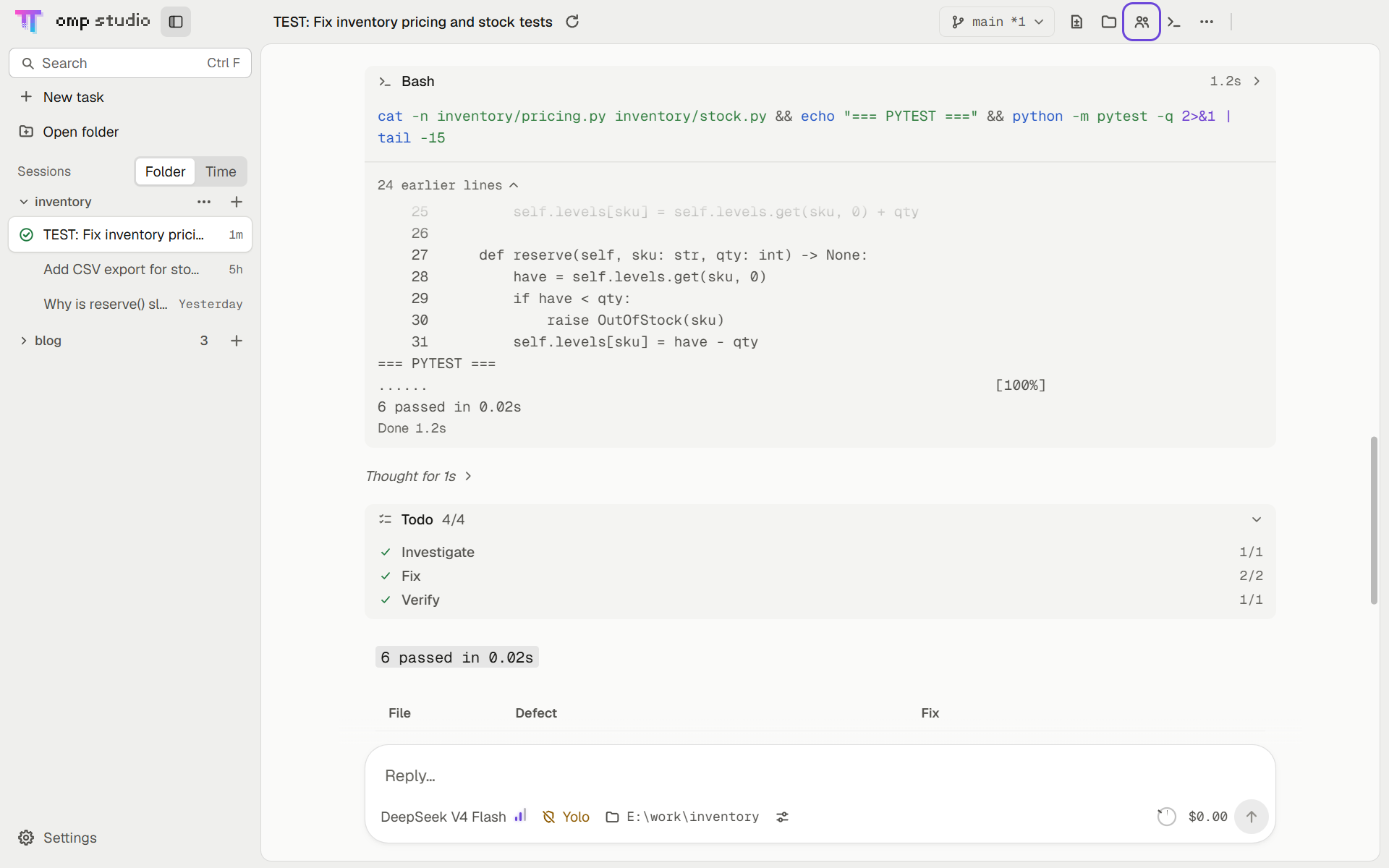
- Each task runs interactive omp in a pseudo-terminal. The UI renders the nodes omp sends over the TSP protocol, and tool cards and thinking blocks expand and collapse the same way as in the terminal version.
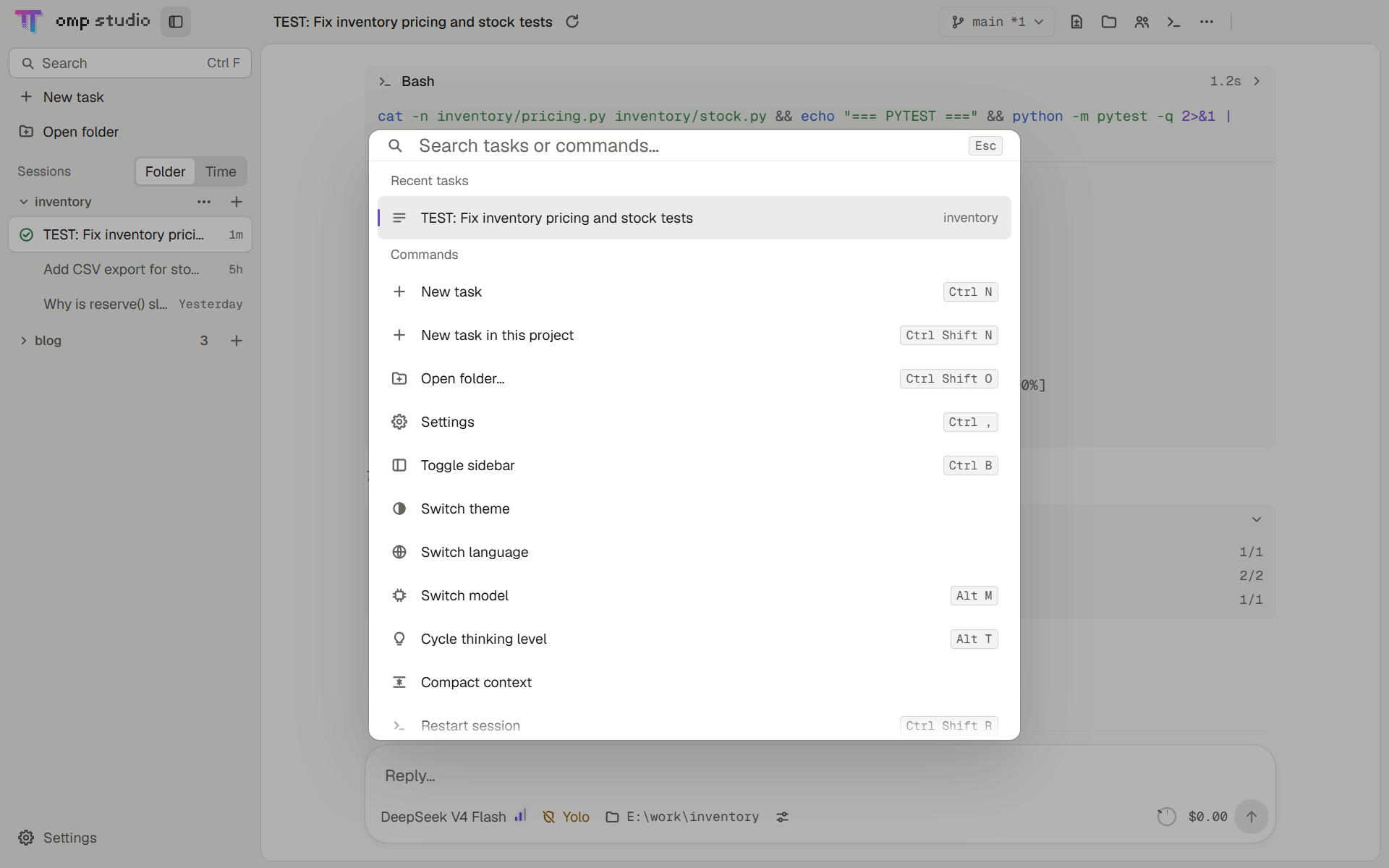
- The sidebar lists tasks by project, including omp sessions you started in a terminal. Open one to continue the conversation.
- Approvals and questions appear above the input box. When a task is waiting for you, a banner appears at the top of the sidebar;
Ctrl+Jjumps to it. - When the window is in the background, the taskbar flashes and system notifications follow omp's notification settings. Closing the window leaves the app in the tray, and tasks keep running.
Subagents and background jobs
- The todo board, subagents and background jobs sit above the input box.
- The subagents panel shows each subagent's output. You can send it a message, stop it, or resume it.
/btwasks a side question in a side panel without interrupting the main conversation.
Review, git and terminal
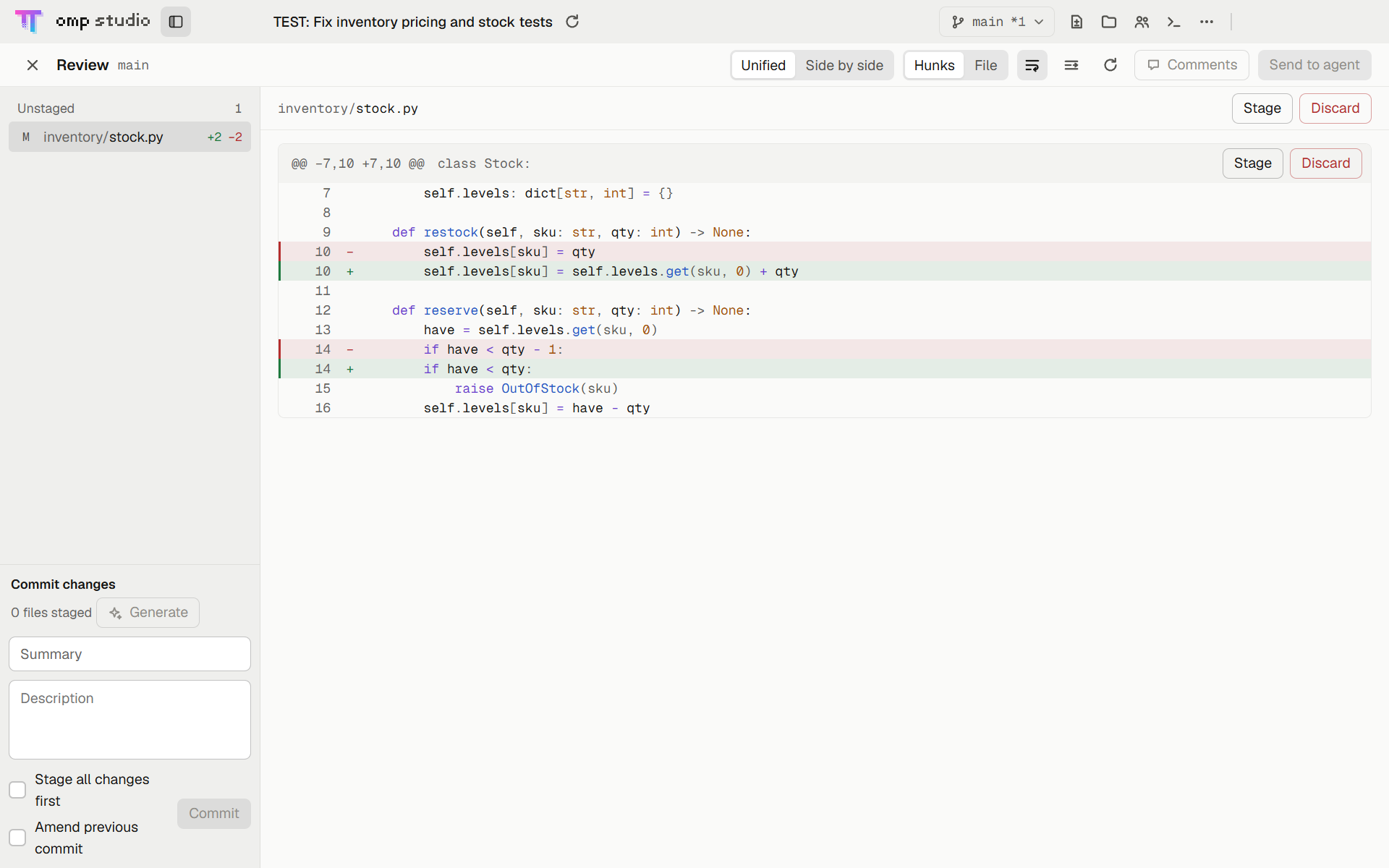
- Review (
Ctrl+Shift+D) stages or discards changes by file or by line, and omp can write the commit message. - The branch menu commits, pushes, creates PRs and merges. New tasks in a git repository can run in a separate worktree.
- The built-in terminal (
Ctrl+`) opens in the task's working directory. The file panel (Ctrl+Shift+E) shows the file tree and previews.
Settings and integrations
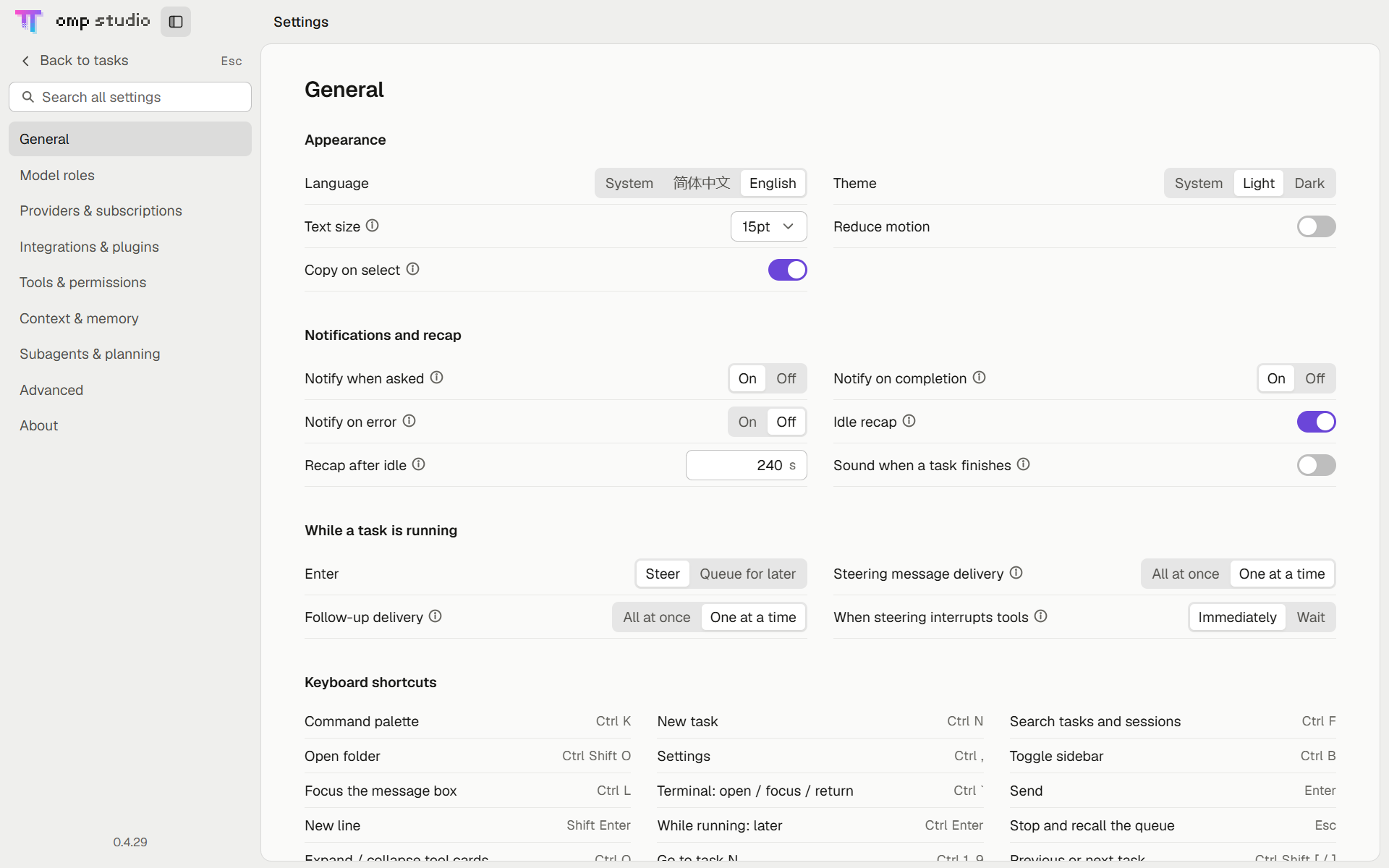
- Settings cover provider logins and API keys, custom providers, model roles, MCP, Skills, plugin marketplaces, and every omp setting.
- Changes are written to omp's own config, so the terminal version picks them up too.
- The
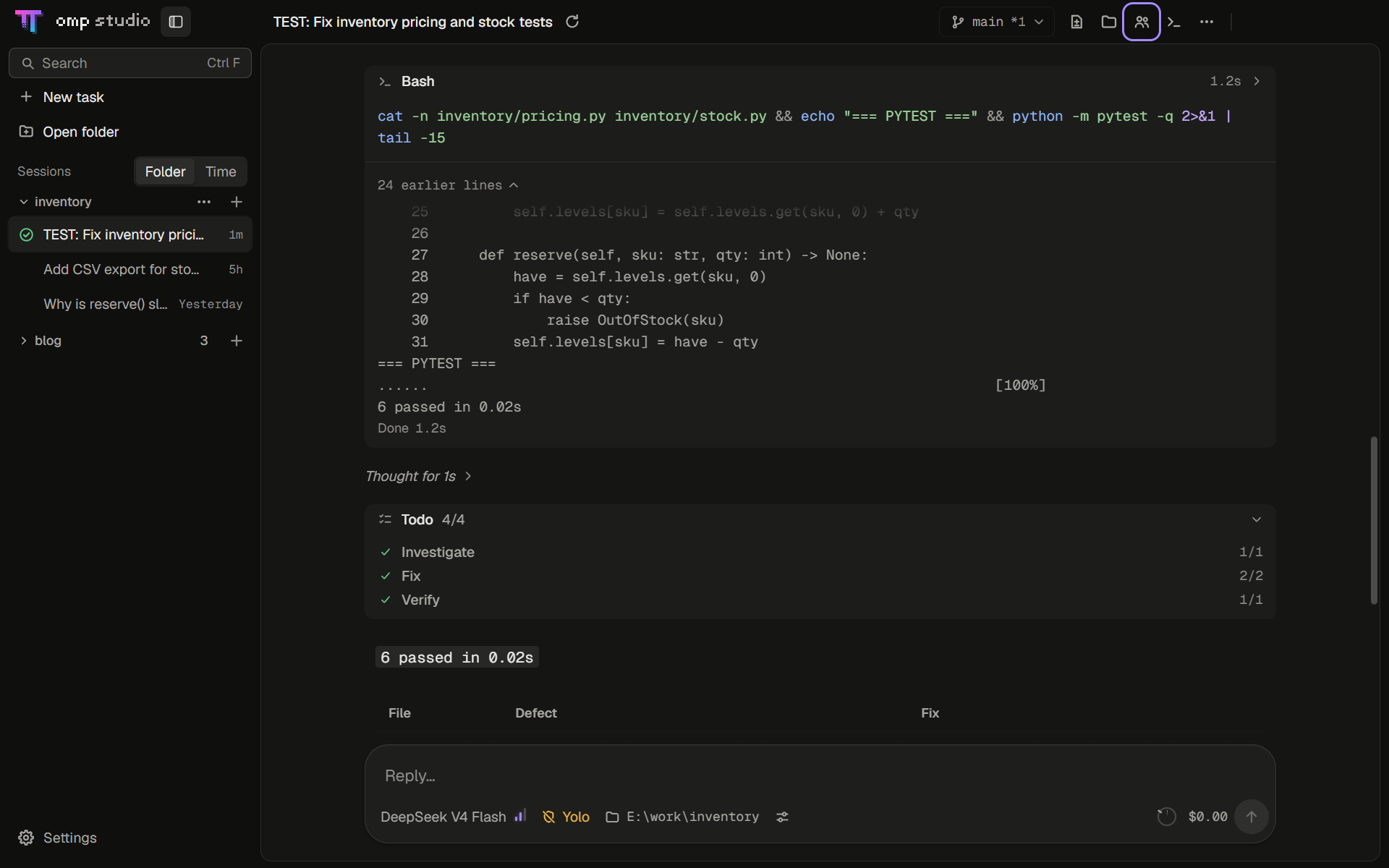
Ctrl+Kcommand palette searches tasks, past sessions, commands and slash commands. - Light and dark themes; English and Chinese UI. Text in the conversation's process area stays in English, as in omp.
On macOS, shortcuts use ⌘ instead of Ctrl.
First launch
omp-studio looks for omp on PATH at startup. An omp that omp-studio manages checks for new versions every hour and downloads and replaces itself in the background, fetching only a delta patch when one is available. Running tasks keep the old version; new tasks use the new one. To check manually, go to Settings → About → omp.
- No omp on PATH: The setup page shows the download source
build.stencil.soand the file size. Click "Download and install" to download the official build and verify its sha256. On Windows it installs to%LOCALAPPDATA%\omp-studio\omp\and goes first on the user PATH, soompin a terminal runs the same copy. On macOS it installs to~/Library/Application Support/omp-studio/omp/. - omp already on PATH (installed by you, or managed by a tool such as Tern): omp-studio asks once. "Let omp-studio manage it" installs a separate official copy first on the user PATH and leaves the original where it is. With "Keep using mine", updates keep going through the original install method.
FAQ
| Question | Answer |
|---|---|
| omp-studio shows "Found a script-based omp" at startup | The first omp on PATH is an omp.cmd created by npm or a similar installer, and omp-studio only launches .exe. Click "Let omp-studio manage it": the official copy it installs goes first on PATH, and the original stays. |
| How do I update omp-studio? | Windows: the app checks 10 seconds after launch and then every hour, or click Settings → About → Check for updates. New versions download in the background, and only the changed parts are fetched. When the download finishes, an "Update" label appears next to Settings in the sidebar: click it to restart and install, or leave it and the update installs the next time you quit. If it shows "This build has no update source configured" (0.4.16 and earlier), download the new installer from Releases and run it once. macOS: download the new version from Releases and replace the old one. |
| How do I report a problem? | First go to Settings → About → Troubleshooting and click "Export diagnostics…". The file contains the version, system, omp status and the last 3 days of logs, with user names, home paths and keys removed. Then press Ctrl+K → About & feedback → Report an issue, fill in the template, and drag the file into the "Diagnostics" box. Blur model provider account details in screenshots first. |
| Where is my data stored? | Logins, models, settings and sessions live in ~/.omp, shared with the terminal omp. |
Development
Requires Node.js 24 or later. Run npm run dist:mac on macOS and npm run dist:linux on Linux.
npm ci
npm run dev        # development with hot reload
npm test           # unit tests (Vitest)
npm run dist       # Windows NSIS installer, written to release/
npm run dist:mac   # macOS arm64 dmg and zip, written to release/
npm run dist:linux # Linux x64 AppImage, written to release/
Architecture docs are in docs/architecture/, the UI spec in docs/design/spec.md, and version history in CHANGELOG.md.
Acknowledgements
- oh-my-pi: omp itself; the RPC and TSP wire types are copied from its repository (MIT, see
src/shared/oh-my-pi-LICENSE.txt) - Tern: the TSP protocol spec
- Electron
- node-pty: pseudo-terminal
- xterm.js: built-in terminal
- markdown-it, KaTeX, Shiki: Markdown, math and code highlighting
- Geist: UI font (SIL OFL 1.1)
- LobeHub Icons: model provider logos
- magpie and the magpie community plugins: the built-in client account sign-ins use the community plugins' code (MIT)
License
MIT. omp-studio is developed independently by a third party.
Reviews (0)
Sign in to leave a review.
Leave a reviewNo results found