sketchy
Health Warn
- License — License: MIT
- Description — Repository has a description
- Active repo — Last push 0 days ago
- Low visibility — Only 7 GitHub stars
Code Fail
- exec() — Shell command execution in scripts/extract-parts.mjs
- process.env — Environment variable access in scripts/pack.mjs
Permissions Pass
- Permissions — No dangerous permissions requested
No AI report is available for this listing yet.
A layout engine for LLM diagrams: Claude says what to draw, Sketchy figures out where. Hand-drawn, interactive, no overlapping boxes.
Sketchy
Sketchy lets Claude draw while it explains: clean, hand-drawn, interactive diagrams rendered right next to the answer. It works in the Claude chat as a skill and in Claude Code as an MCP server.
Claude decides what to draw and label. Sketchy decides where: a part library with named anchor points and automatic layout. Claude never computes coordinates, so drawings come out precise and consistent every time.
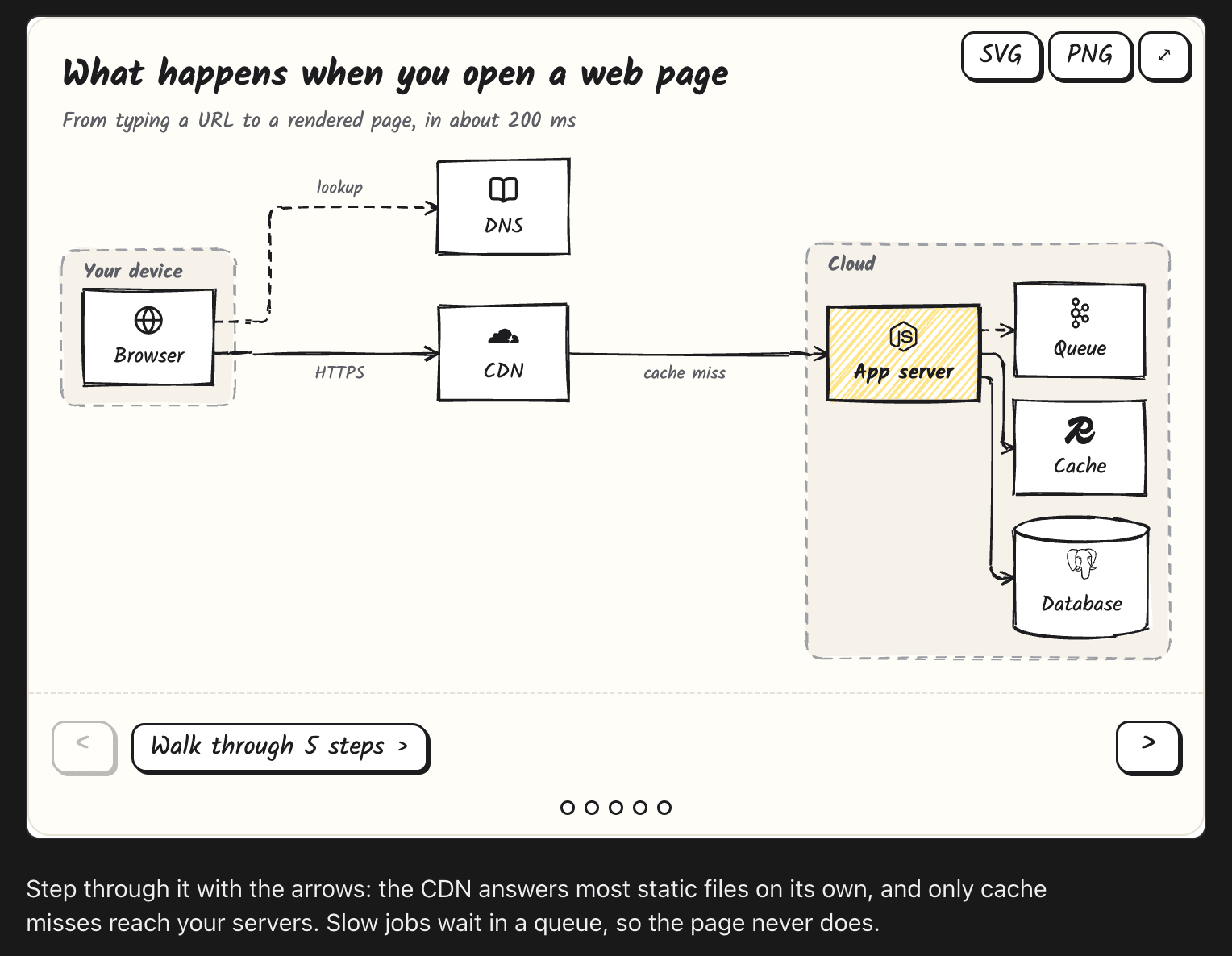
What it can draw
Systems, step by step
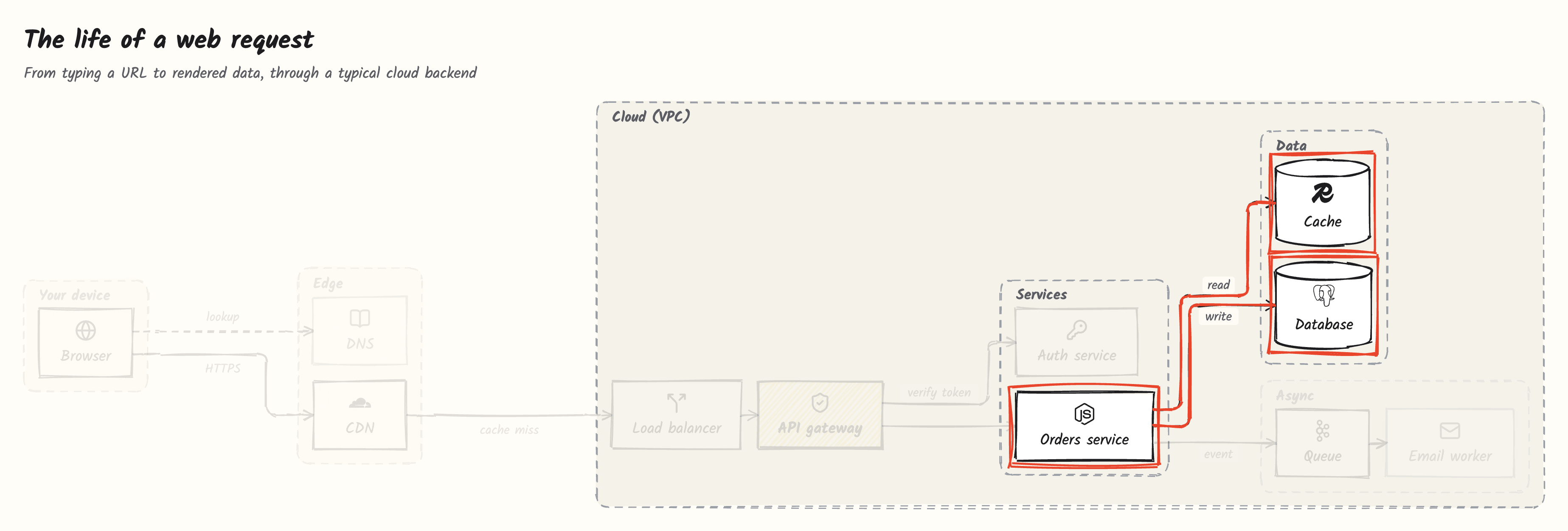
Ask "What happens when I open a web page?" and Claude draws the whole path, then walks you through it. Each step circles what matters in red pen and fades the rest. Use the buttons or the arrow keys.
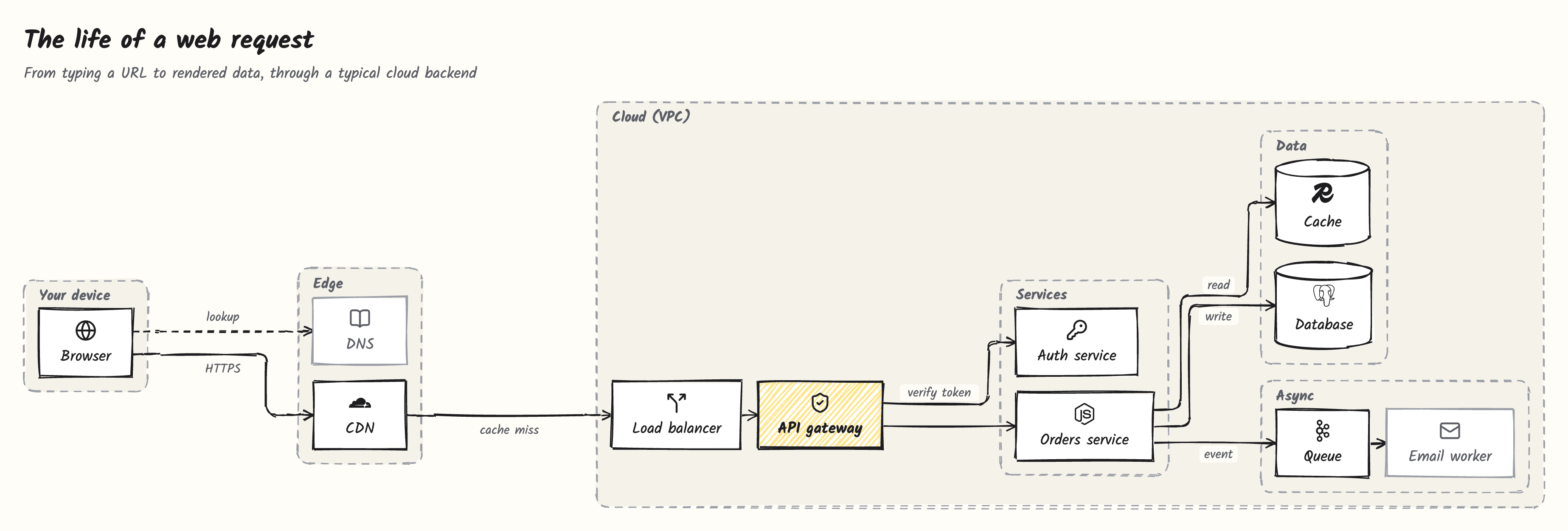
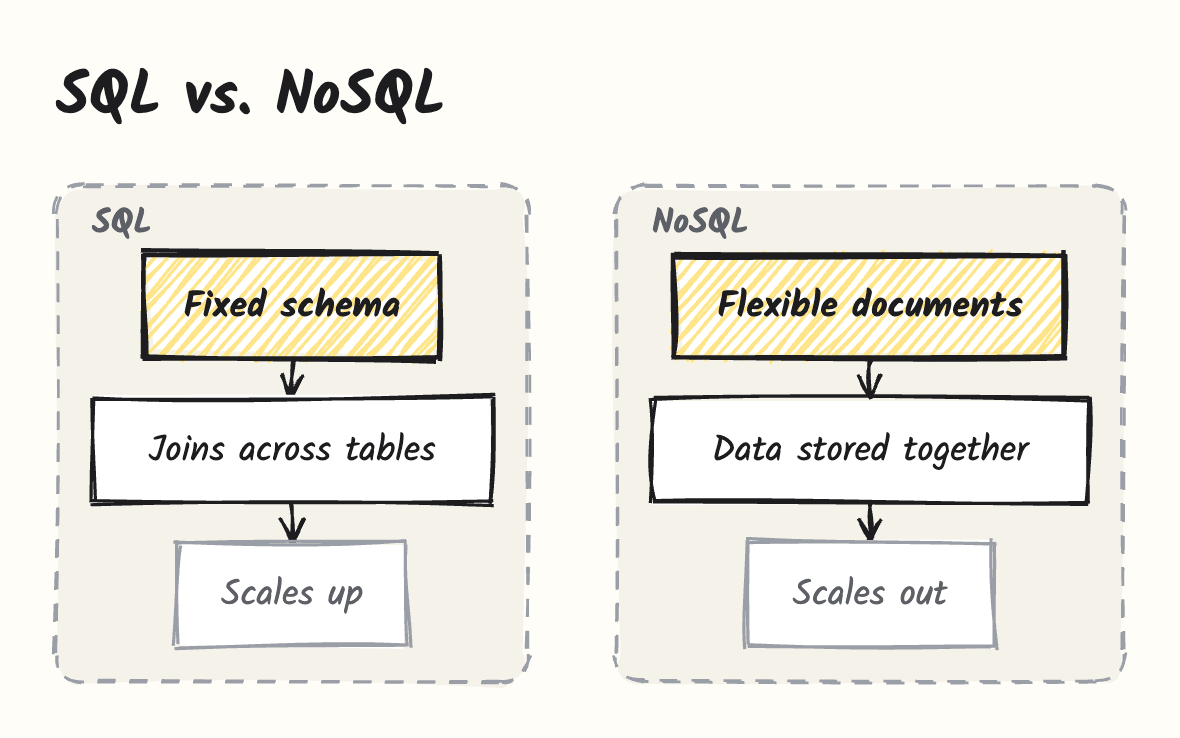
Concepts from computer science and machine learning
Sketchy is not limited to hardware. Structure, flow, comparison and metaphor patterns cover any topic, from transformers to TCP.

Your own code
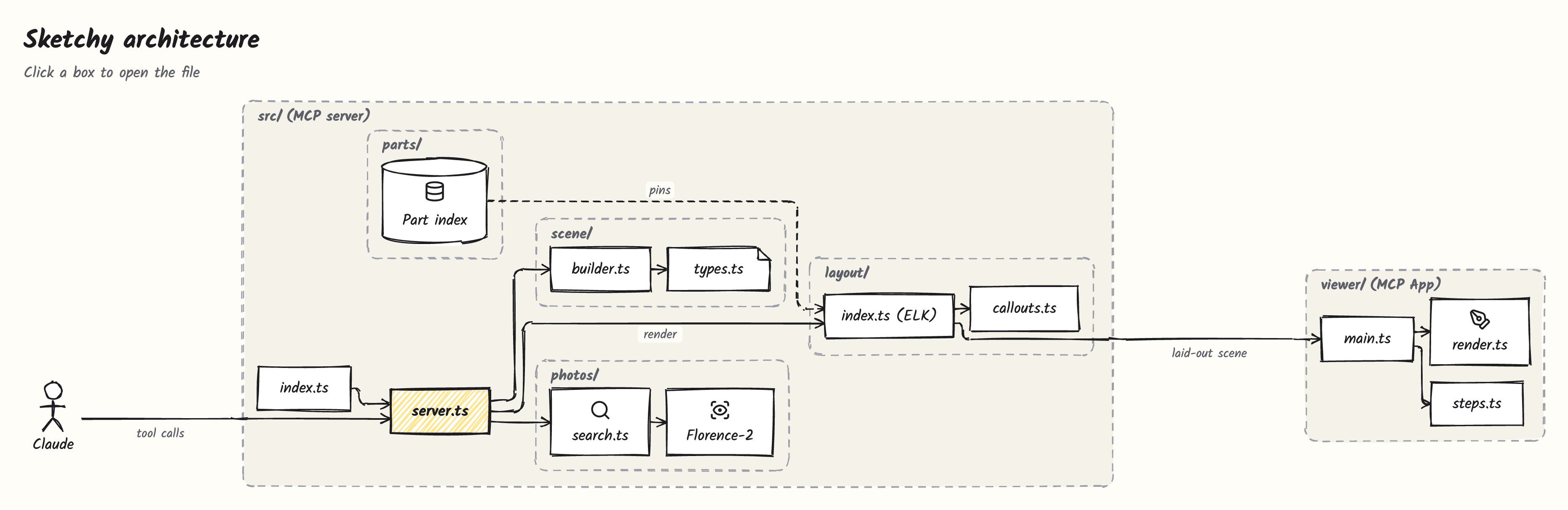
Ask "Explain my repo". Claude reads the code and draws modules, folders and data flow. Click a box to open the file in VS Code, Cursor, Windsurf or Zed; hover to see what it does.
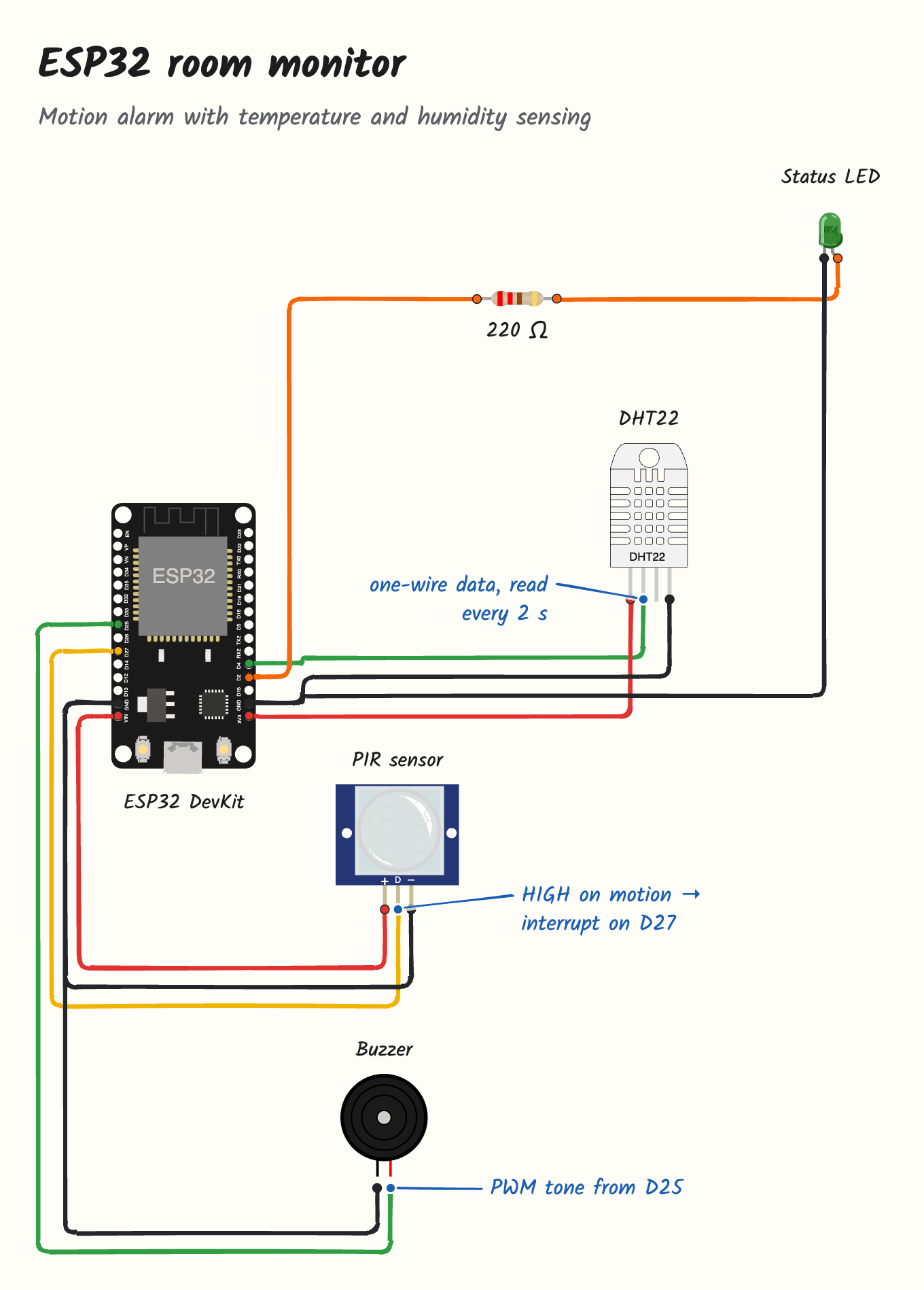
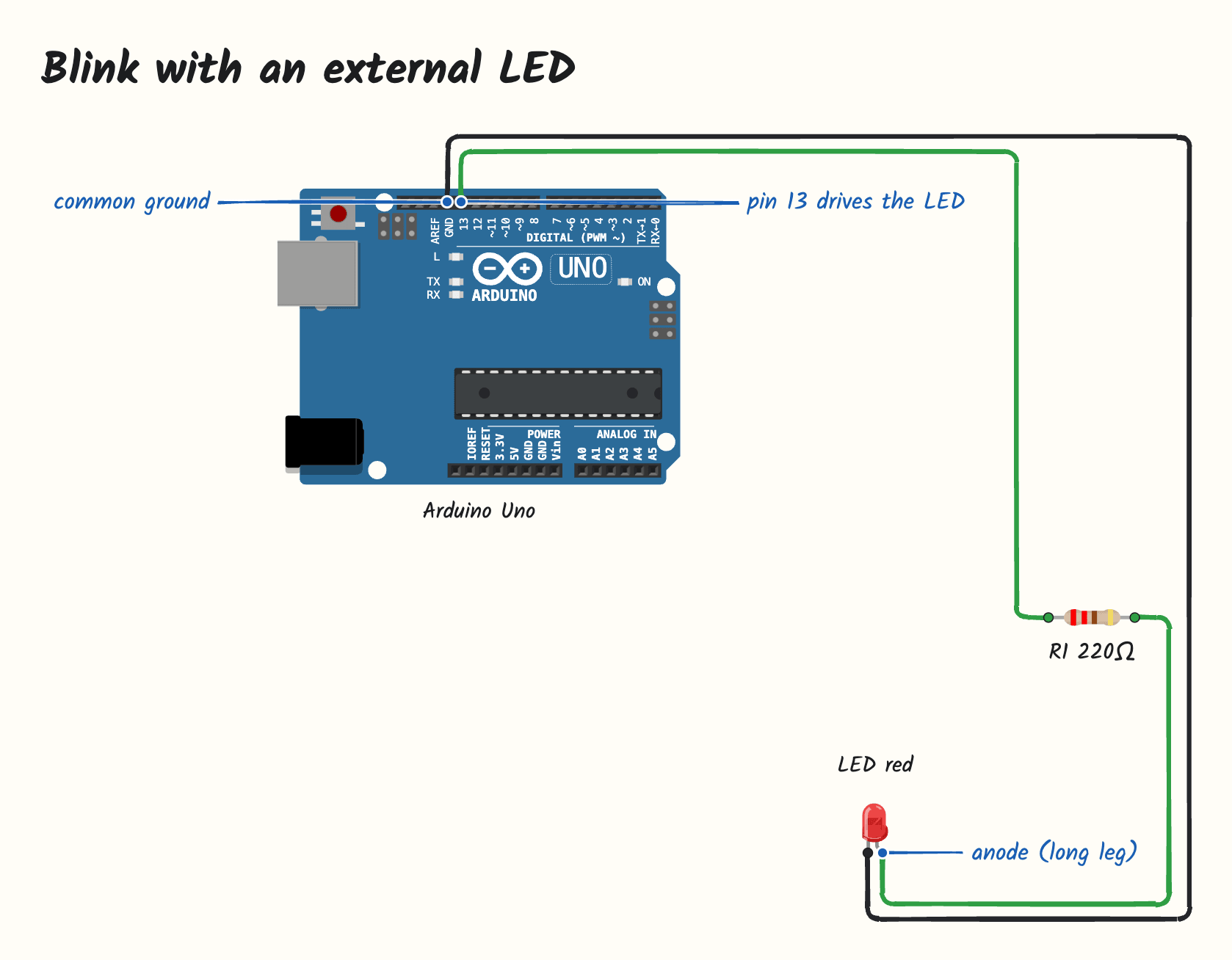
Circuits from Arduino and ESP32 sketches
Ask "How is my sketch wired?". Claude reads pinMode, digitalWrite and friends, places real parts (50 boards, sensors, displays and modules from wokwi-elements) and connects pins by name. Sketchy routes the wires and places the callouts.
 |
 |
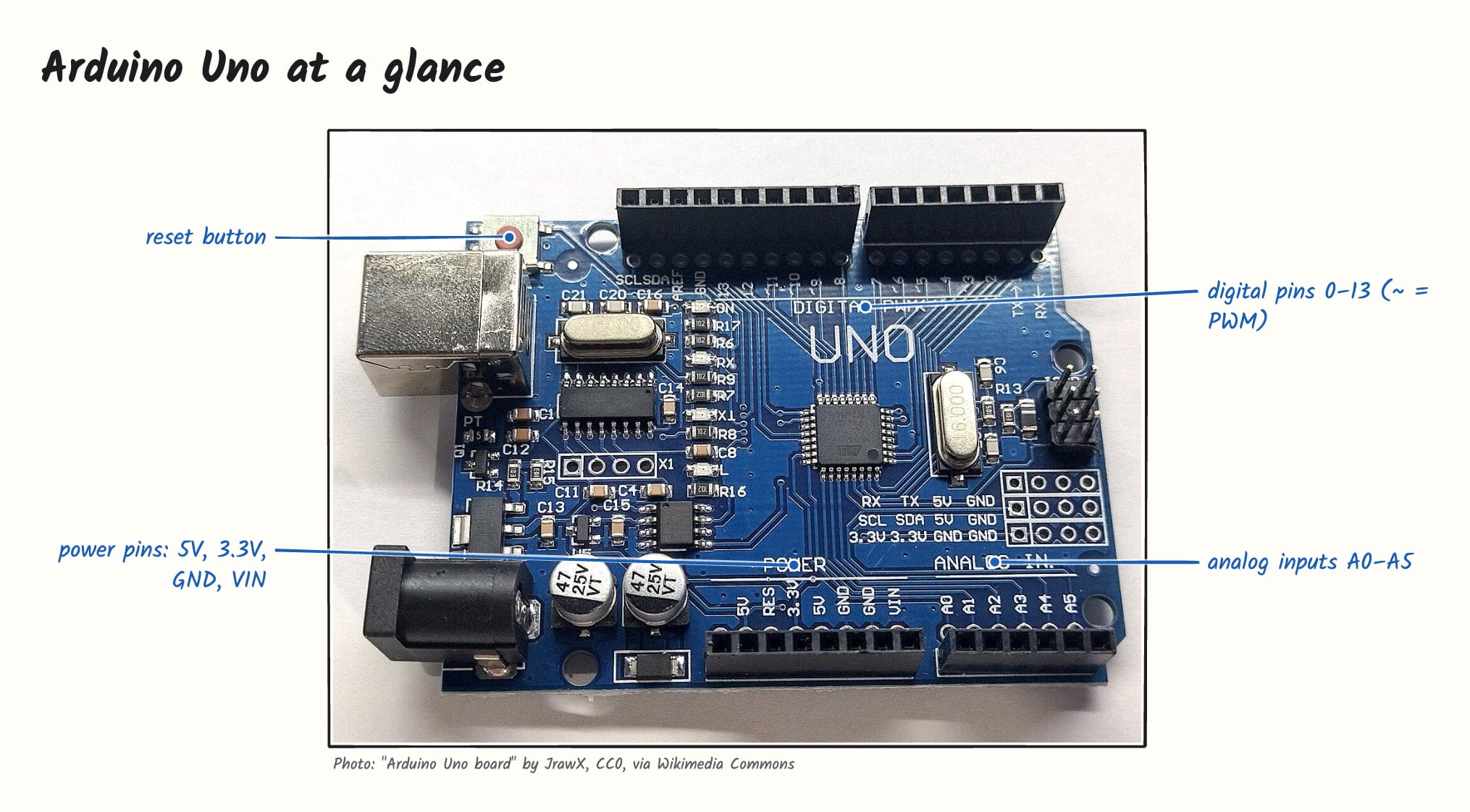
Labeled photos
Claude finds a freely licensed photo (Wikimedia Commons, Openverse), and a vision model running on your computer (Florence-2) locates the parts and printed text to label. Attribution is always shown.
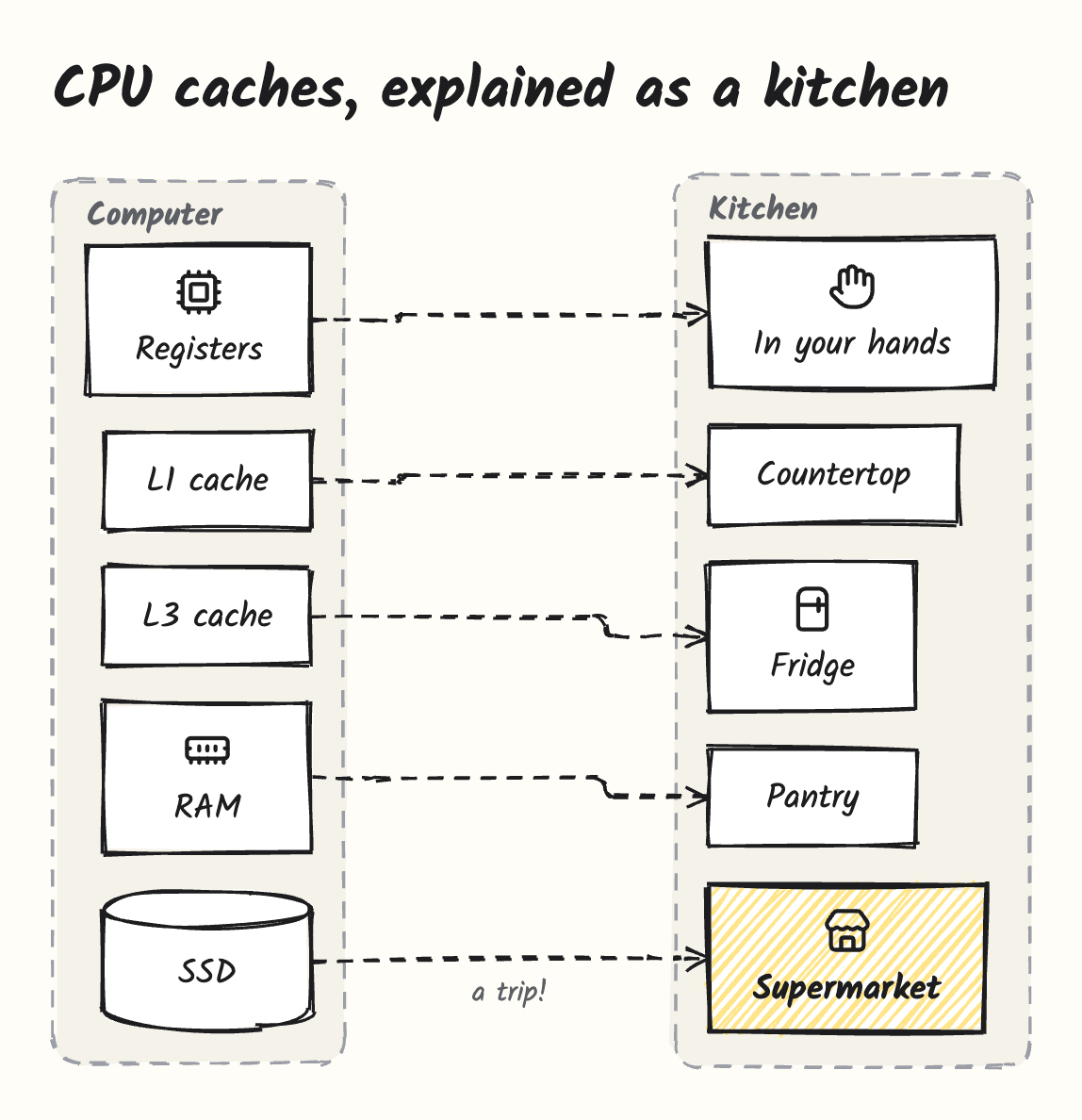
Comparisons and metaphors
 |
 |
Interactive, exportable
- Hover any box, pin or wire for details.
- Click a code node to open the file, or a photo credit to open its source.
- Export as SVG or PNG, fonts included: your system's save dialog asks where to put the file.
- Fullscreen where the host supports it.
Install
Where do you use Claude? Sketchy comes two ways, and both can be installed side by side:
- In the chat (web, desktop and mobile): the skill. Nothing to install locally.
- While coding (Claude Code in the desktop app or terminal): the extension, which adds photo labeling, SVG and PNG export and click-to-open files.
Claude chat (web, desktop and mobile)
The skill draws right in the chat, with no server:
- Download
sketchy-skill-<version>.zipfrom the latest release. - In Claude, open Settings → Capabilities → Skills and upload the zip.
- Ask for a drawing in any chat.
Claude writes the scene, and the chat's inline visualization loads Sketchy's browser bundle from jsDelivr, which serves it from this repository's cdn branch. The skill follows the current minor version, so it picks up fixes without being uploaded again. Photo labeling and opening files from a drawing need your computer, so they stay in the desktop extension.
Claude desktop app (Code tab)
- Download the
.mcpbfile for your platform from the latest release (macOS on Apple Silicon, Windows or Linux). - Double-click it (or drag it into Settings → Extensions) and confirm.
- Optional: in the extension settings choose your editor and where Sketchy stores its data.
- Open the Code tab and start a session. Drawings appear inline next to Claude's answer.
The Chat tab does not display views from locally installed extensions; use the skill above there.
The photo-labeling model is not part of the download. The first time Claude labels a photo, Sketchy asks you to pick a model size:
| Model | Download | Memory | Notes |
|---|---|---|---|
| Small | ~280 MB | ~1 GB | Recommended. Printed text, distinct parts |
| Medium | ~830 MB | ~2.5 GB | Better grounding of small parts |
| Large | ~3.1 GB | ~4.5 GB | Most precise |
Claude Code in the terminal
The terminal claude does not use desktop extensions, so register Sketchy once for all your projects:
git clone https://github.com/ddkbs/sketchy.git
cd sketchy && npm install && npm run build
claude mcp add sketchy --scope user -- node "$PWD/dist/index.js"
Run claude mcp list to check that it is connected.
Other MCP clients
Sketchy is a standard MCP server and works in any client that supports MCP Apps:
{
  "mcpServers": {
    "sketchy": {
      "command": "node",
      "args": ["/path/to/sketchy/dist/index.js"],
      "env": { "SKETCHY_EDITOR": "cursor" }
    }
  }
}
Try it
- "What happens when I open a web page? Walk me through it."
- "How does an LLM pick the next word?"
- "Explain the architecture of /path/to/my/repo, then walk me through one request."
- "How is this sketch wired?" followed by your
.inofile - "Show me a photo of a Raspberry Pi and label the ports."
- "Compare TCP and UDP."
- "Explain CPU caches with an everyday metaphor."
The same patterns are available as prompts: explain-structure, explain-flow, compare, metaphor, explain-repo and explain-circuit.
How it works
Claude describes the scene (extension: tools like sketch, place_part, label;
                            skill: the same scene as JSON in an inline widget)
          ↓
Scene: nodes, groups, parts, wires, labels, photos, steps — no coordinates
          ↓
Layout engine (elkjs): positions, orthogonal routing, collision-free callouts
          ↓
Viewer: hand-drawn rendering with rough.js, hover, steps, export
Every feature fills the same scene, and a single viewer renders it. The visual style lives in the renderer, so every drawing looks consistent no matter what Claude asks for. The extension runs layout in its server process and shows the viewer as an MCP App; the skill runs the same code in the browser from a bundle on jsDelivr.
Tools| Tool | Purpose |
|---|---|
sketch |
Draw a whole scene in one call |
new_scene, render |
Build a scene incrementally, then show it |
add_box, add_node, add_text, add_group |
Boxes, code nodes (clickable), notes and groups |
add_arrow, add_edge |
Arrows between elements |
place_part, connect, search_parts |
Electronic parts and wires |
label |
Callouts on pins, photo regions or nodes |
add_step |
Walkthrough steps |
search_icons |
Lucide icons and technology logos |
find_image, locate, add_image, choose_model |
Photo search, local grounding, model setup |
Token usage
Does a drawing cost more than a text answer? We asked Claude Sonnet to explain five topics (DNS, git branches, transformers, the TLS handshake, an Arduino button circuit), twice each, once in plain text and once with Sketchy, and read the exact usage that Claude Code reports.
| Average per answer | Plain text | With Sketchy |
|---|---|---|
| Output tokens (what Claude writes) | 972 | 1,114 (+15%) |
| New input tokens | 5,522 | 9,438 (+3,916) |
| Cached input tokens (1/10 price) | 23,610 | 92,797 |
| Cost on Sonnet list prices | ~$0.042 | ~$0.080 |
- Claude writes about as much for a diagram as for text. The scene replaces most of the prose; layout and drawing happen in Sketchy and cost no tokens.
- The tool definitions add about 4k input tokens once per conversation, not per drawing.
- A tool call adds turns. Each turn re-sends the context, mostly from the cache at a tenth of the price; that is the large cached number.
So the first drawing in a fresh conversation costs roughly twice a text answer; later drawings in the same conversation add only the output and the extra turns. Measured on November 2, 2026 in Claude Code with an empty project. Run it yourself with npm run build && node scripts/token-benchmark.mjs.
Configuration
| Variable | Default | Description |
|---|---|---|
SKETCHY_EDITOR |
vscode |
Editor for file links: vscode, cursor, windsurf, vscode-insiders, zed |
SKETCHY_PHOTOS |
on |
off disables photo search and labeling |
SKETCHY_DATA_DIR |
~/.sketchy |
Models, cached photos and the local SQLite database |
SKETCHY_EXPORT_DIR |
~/Downloads |
Folder the save dialog opens in, and where exports go when no dialog is available |
Development
Requires Node.js 20 or later.
npm install
npm run build      # part catalog, server and viewer
npm test
npm run preview    # viewer with sample scenes at http://localhost:5173/preview.html
npm run pack       # .mcpb bundle for the current platform
npm run build:skill  # chat skill zip
npm run build:web    # browser bundle that the skill loads
See CONTRIBUTING.md for the project layout.
License
MIT © ddkbs. Sketchy builds on open-source work listed in THIRD_PARTY_NOTICES.md.
Reviews (0)
Sign in to leave a review.
Leave a reviewNo results found