100x-engineer-skill
Health Gecti
- License — License: MIT
- Description — Repository has a description
- Active repo — Last push 0 days ago
- Community trust — 31 GitHub stars
Code Basarisiz
- process.env — Environment variable access in bin/100x.mjs
- fs.rmSync — Destructive file system operation in evals/runners/cursor-sdk.mjs
- network request — Outbound network request in evals/runners/ollama.mjs
- exec() — Shell command execution in lib/clock.mjs
- fs.rmSync — Destructive file system operation in lib/clock.mjs
Permissions Gecti
- Permissions — No dangerous permissions requested
Bu listing icin henuz AI raporu yok.
100x is a skill by a former Cursor engineer that turns prompts into formally verified, production-ready code

100× ENGINEER SKILL
No more "almost works" agentic coding


100x is a skill by a former Cursor engineer that turns prompts into formally verified, production-ready code.
I use it to ship over 1,000 PRs to production every month, with a rollback rate below 2%.
Terminal Bench 4.1 scores coming soon 😎
English · Español · 中文 · Português · Русский · 日本語 · Français · Deutsch · العربية · हिन्दी · 한국어 · Bahasa Indonesia · Türkçe · Tiếng Việt · বাংলা · Italiano · Polski · ไทย · Українська · Nederlands
100x engineer
/ˈwən ˈhən-drəd eks ˌen-jə-ˈnir/
nounA software engineer said to possess the output of one hundred ordinary engineers, without the meetings, questions, or failing tests.
Your agent says it's done. You open it and it kinda works. It always looks fine, but it's never quite ready to ship.
100x makes your coding agent solve the last 10% of development.
It splits the work into small blocks, formally verifies each one, then checks that the blocks work together.
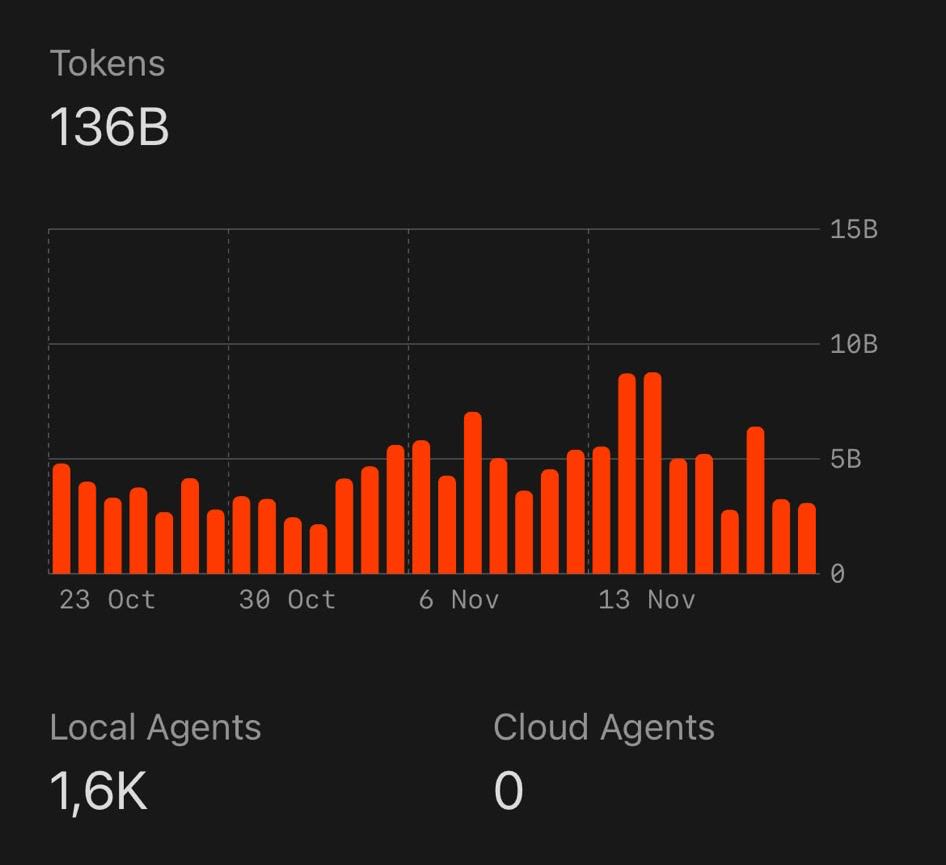
136B tokens in 30 days · 1 engineer · Serious projects · Over 1,000 PRs · $250k cache savings
It is an open-source skill for Claude Code, Cursor and Codex. Give it one job, like adding a feature to your app or building a small app from scratch. It plans the work, builds it, polishes it and tests the part that matters most. A second AI model reviews it. You get a report with screenshots, test results and anything still open.

Formal verification, one small block at a time
Nobody formally verifies a whole app in one piece. But almost any well-designed software is made of small blocks, and a small block has things you can state exactly and check completely. 100x writes those down, checks every one, then checks that the blocks work together. It does this by default.
Six questions for every block
| Ask | What you write down |
|---|---|
| State | what can exist |
| Transitions | how it can change |
| Preconditions | when a step is allowed |
| Postconditions | what is true after a step |
| Invariants | what always holds |
| Liveness | what must eventually happen, and what that assumes |
The prompt answers all six in plain sentences. Then 100x builds a small model that runs your real functions, and a checker visits every state the model can reach. When something breaks, it prints the shortest list of steps that gets there.
Small blocks add up to a big system
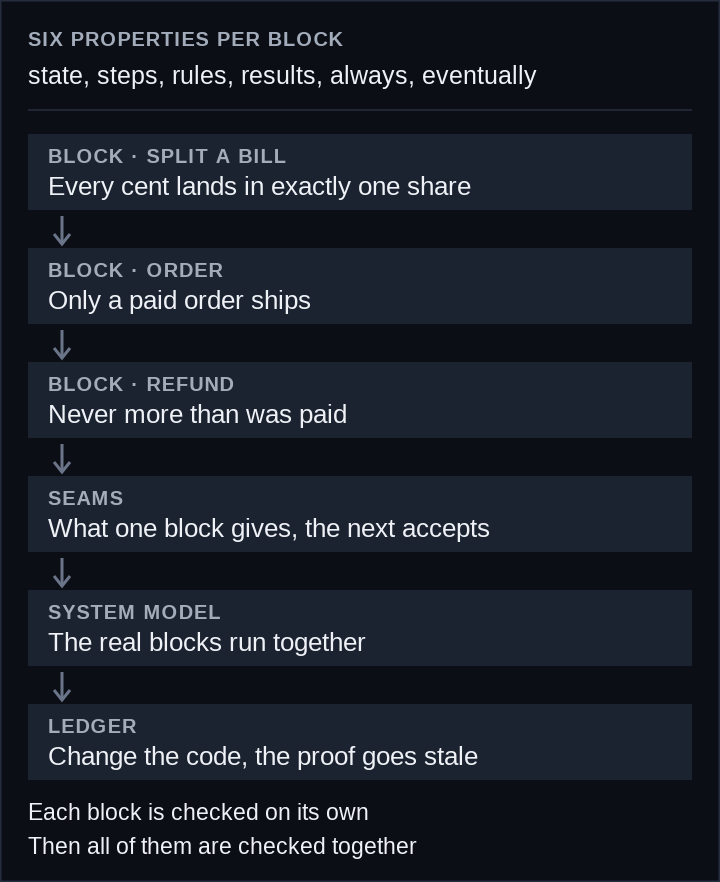
Each block is checked on its own, so a failure points at one small thing. The seams are checked too: what one block hands over has to meet the next block's rules. Then the real blocks run together in one model, and the checker visits every state of the whole. Checked blocks plus checked seams add up to software you can trust. The blocks do not prove the seams for free, so 100x checks both.
It stays true
The ledger is verify/ledger.tsv, in your repo, so it travels with every branch. Each row keeps a hash of the code it covers. Change that code and the row goes stale until someone reads the change, runs the check and syncs it. Every property has to fail once on a planted bug before it counts. 100x finish refuses a property that is stale, broken or never failed. When an agent is about to touch code that no rule covers, 100x verify cover answers NO RULE, and that starts the procedure.
$ 100x verify run
pass  split-keeps-every-cent. invariant, exhaustive, exit 0

# someone swaps Math.floor for Math.round in the split
$ 100x verify status
stale   split-keeps-every-cent  the covered code changed after the last sync

$ 100x verify run
FAIL  inv:shares-keep-every-cent. a cent was lost or made. Steps: set-bill(1), set-people(2), compute
From a small tip splitter, run by hand in a scratch repo
What verified means here
- Exhaustive: every state of the model was visited, so the property holds for that model and its bounds
- Bounded: the search hit a limit and found nothing in what it saw, which is not a proof, and liveness is never decided on it
- Sampled: chosen or random cases, good at finding bugs and silent about the rest
A pass covers the model and the real functions the checks run. Layout and copy have nothing to state, so they get a recorded waiver with a reason, and 100x finish names the code each waiver excuses. To skip all of it, say no verification in the brief or run 100x config set verify.enabled false. The report then says nothing was verified. The details.
Why agents stop at "almost works"
Three things go wrong, and 100x has an answer for each. Every example below uses the same request:
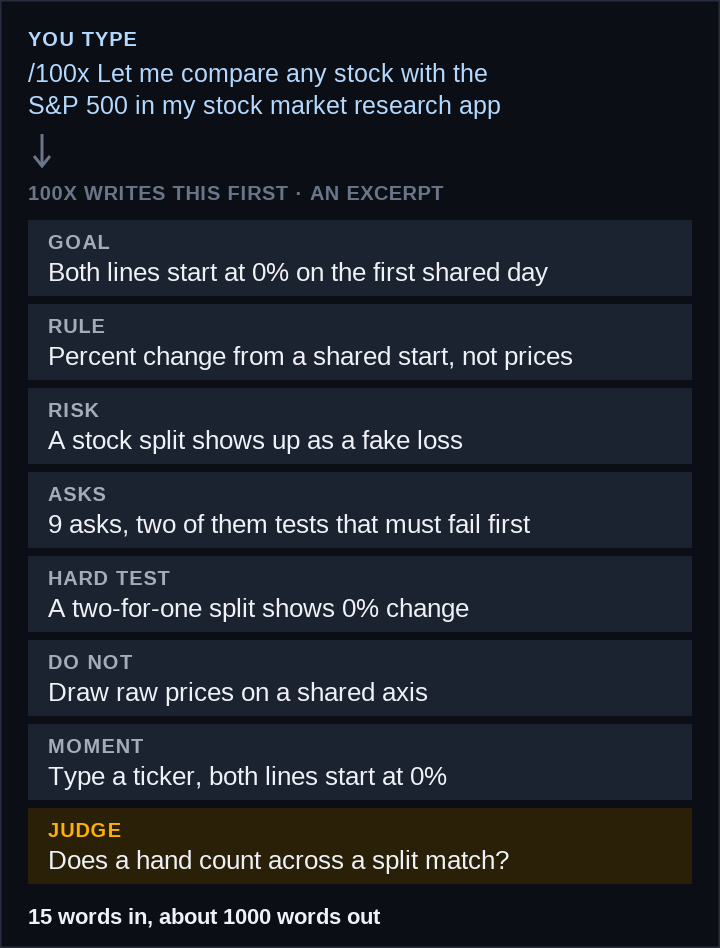
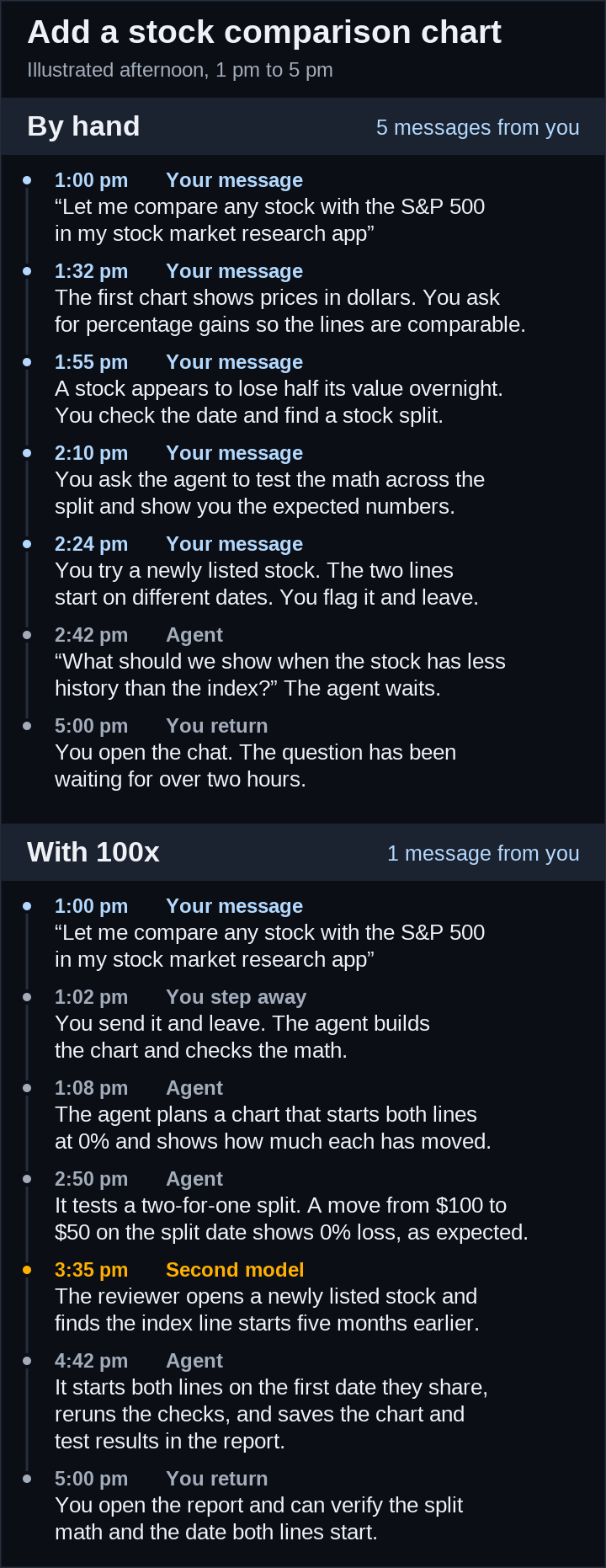
Let me compare any stock with the S&P 500 in my stock market research app
1. Nobody wrote down what "works" actually means
The request is one line. Before it builds anything, 100x writes the prompt you would have written with an hour to spare. It sets the goal, the rules, the riskiest part, and how to check each ask. Here it spots the trap early: a stock split looks like a loss unless the chart adjusts for it.
2. The agent checks its own work
A model checking its own work misses its own mistakes. 100x has a second model review the code and the screens, in rounds. The builder fixes each finding or writes down why it disagrees. Here the prompt named the case of a newly listed stock and told the reviewer to press on it, but the builder's tests only used older stocks. The reviewer tried a stock listed this year and found the index line starting five months early.
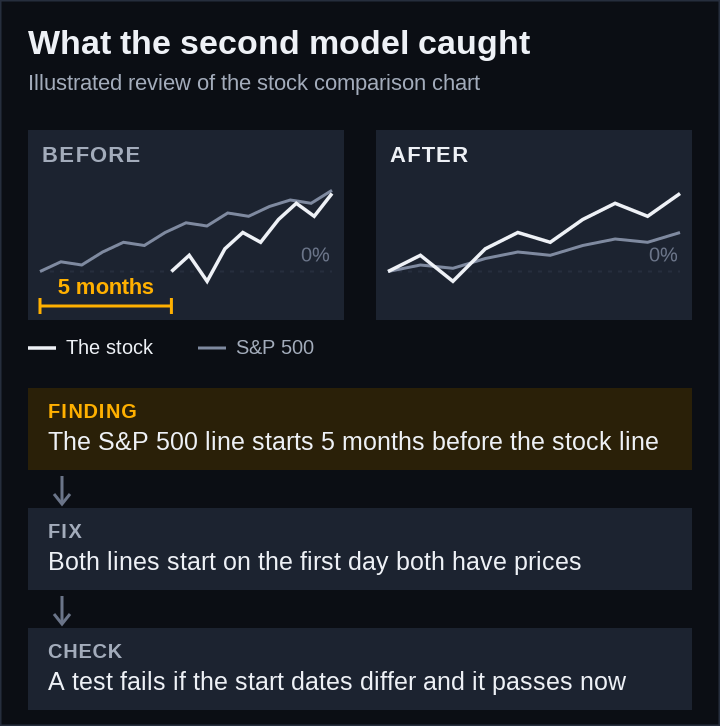
That one is illustrated. A real one: this README went through 100x before you read it. Its reviewer flagged 9 problems in the first round, from 20 dead language links to labels too small for a phone. 7 were fixed and 2 waited for the public launch. Read what it found.
3. The summary comes from memory
When an agent says "done", it reports what it remembers. 100x saves the evidence as it goes: screenshots, test output, the reviewer's findings. At the end, code writes the summary from those files, and 100x finish refuses to write it while an ask has no evidence or a check is missing. This is the message at the end of the stock chart run. The research app is made up, so the run is illustrated.
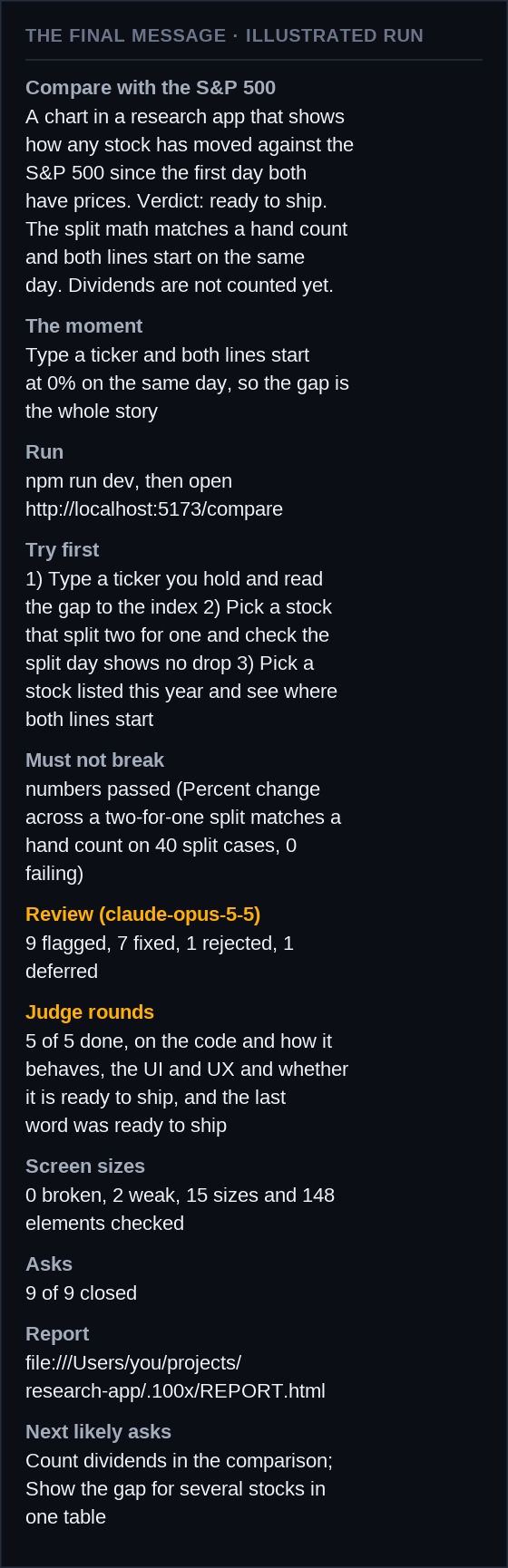
Compare with the S&P 500: A chart in a research app that shows how any stock has moved against the S&P 500 since the first day both have prices. Verdict: ready to ship. The split math matches a hand count and both lines start on the same day. Dividends are not counted yet.
The moment: Type a ticker and both lines start at 0% on the same day, so the gap is the whole story
Run: npm run dev, then open http://localhost:5173/compare
Try first: 1) Type a ticker you hold and read the gap to the index 2) Pick a stock that split two for one and check the split day shows no drop 3) Pick a stock listed this year and see where both lines start
Must not break: numbers passed (Percent change across a two-for-one split matches a hand count on 40 split cases, 0 failing)
Review (claude-opus-5-5): 9 flagged, 7 fixed, 1 rejected, 1 deferred
Judge rounds: 5 of 5 done, on the code and how it behaves, the UI and UX and whether it is ready to ship, and the last word was ready to ship
Screen sizes: 0 broken, 2 weak, 15 sizes and 148 elements checked
Asks: 9 of 9 closed
Report: file:///Users/you/projects/research-app/.100x/REPORT.html
Next likely asks: Count dividends in the comparison; Show the gap for several stocks in one table
- The moment: the one thing that should make you want it
- Must not break: the hard test, and whether it passed
- Review: what the second model flagged, and what the builder did with it
- Asks: the requirements from the prompt, each closed only with evidence
- Next likely asks: what you'd probably ask for next, built or listed already
Send one message and walk away
The same request as a timeline. By hand, you keep coming back to answer questions and catch mistakes. With 100x, you send one message and read the report when you return. Blue is you and amber is the second model. We made up the times.
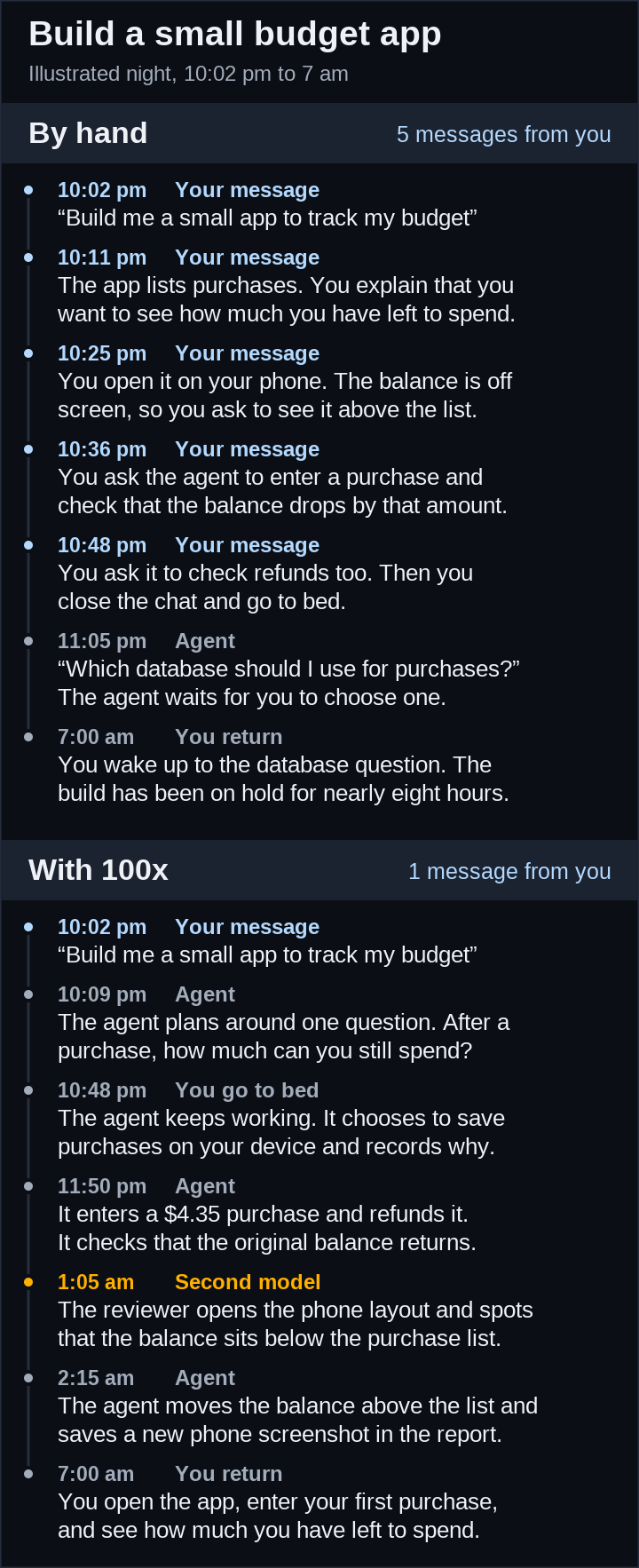
The budget app's prompt, written from four words: make me a budget app.
All eight steps of a run| Step | What happens |
|---|---|
| 1. Plan | Your agent writes a detailed prompt. It spells out what to build and how to check each request. |
| 2. Core | It tries the riskiest part first, while there's still time to change the plan. |
| 3. Build | It builds the first version and the extras you're likely to ask for next. |
| 4. Polish | It works on the layout and details. A second model looks at screenshots after each pass and points out what's weak. |
| 5. Test | The agent tests the one thing that would ruin the work if it broke, like a chart getting a split wrong. It first shows that the test can catch a mistake. |
| 6. Review | The second model reviews the code and screens. The builder fixes each issue or writes down why it can wait or why it disagrees. |
| 7. Finish | The 100x finish command checks the saved evidence before it writes the report. |
| 8. Report | You can see the result, try it yourself, and read what the reviewer found. |
If you're away, the agent writes down each decision it makes and keeps working. Read the full workflow.
What you get

The report page, drawn from three made-up runs. A real run puts its own screenshots on each card.
- The feature or app, and how to try it yourself
- Screenshots at many screen sizes, checked for spilled text, tiny buttons, blurry images and browser errors
- A report page (
.100x/REPORT.html) and a gallery of every finished run in~/.100x - A verification ledger in your repo: the properties of each block, whether each one holds, and the code it covers
- A decision log: every choice 100x made while you were away, and why
- The final message shown above
Each run gets one verdict: Ready to ship, Fine or Needs work. When something blocks a verdict, the card says what, in red when 100x found a problem and amber when a check is missing.
Real-life products built with 100x
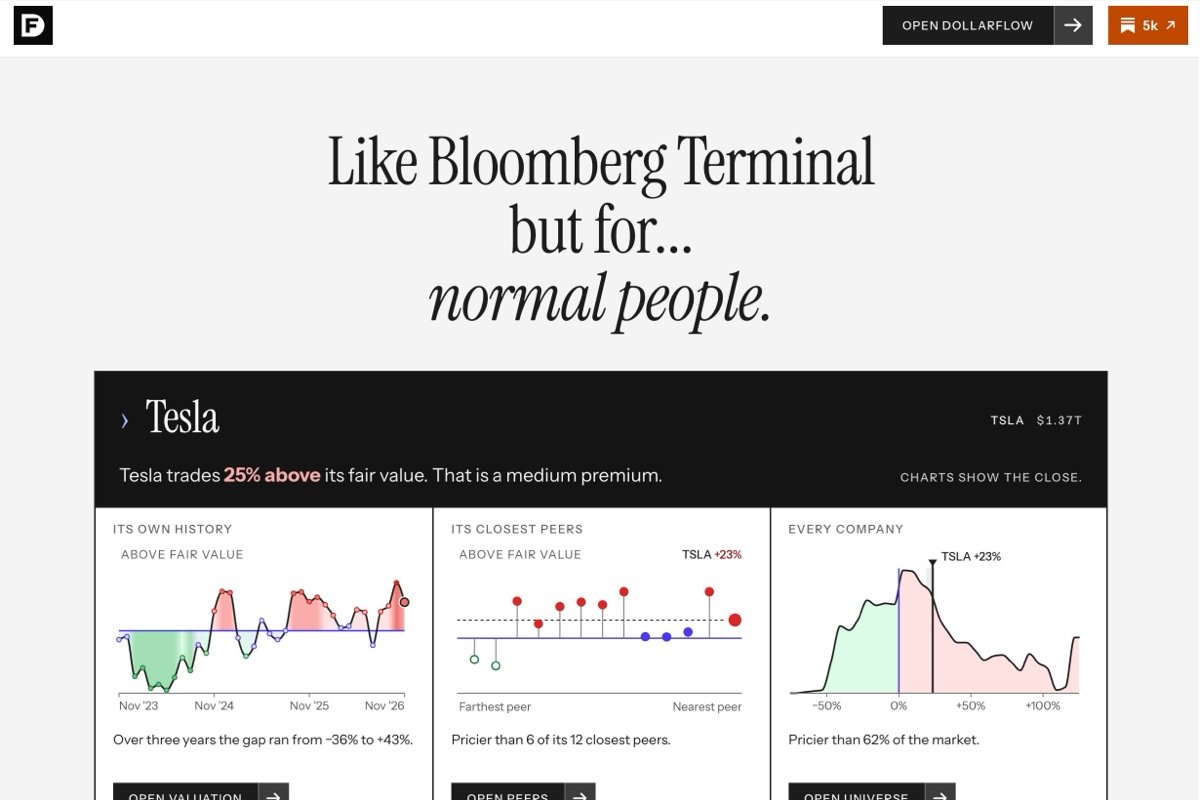 DollarFlow A stock screener, built with 100x assistance |
 Springtails Wiki A springtail wiki, built entirely with 100x |
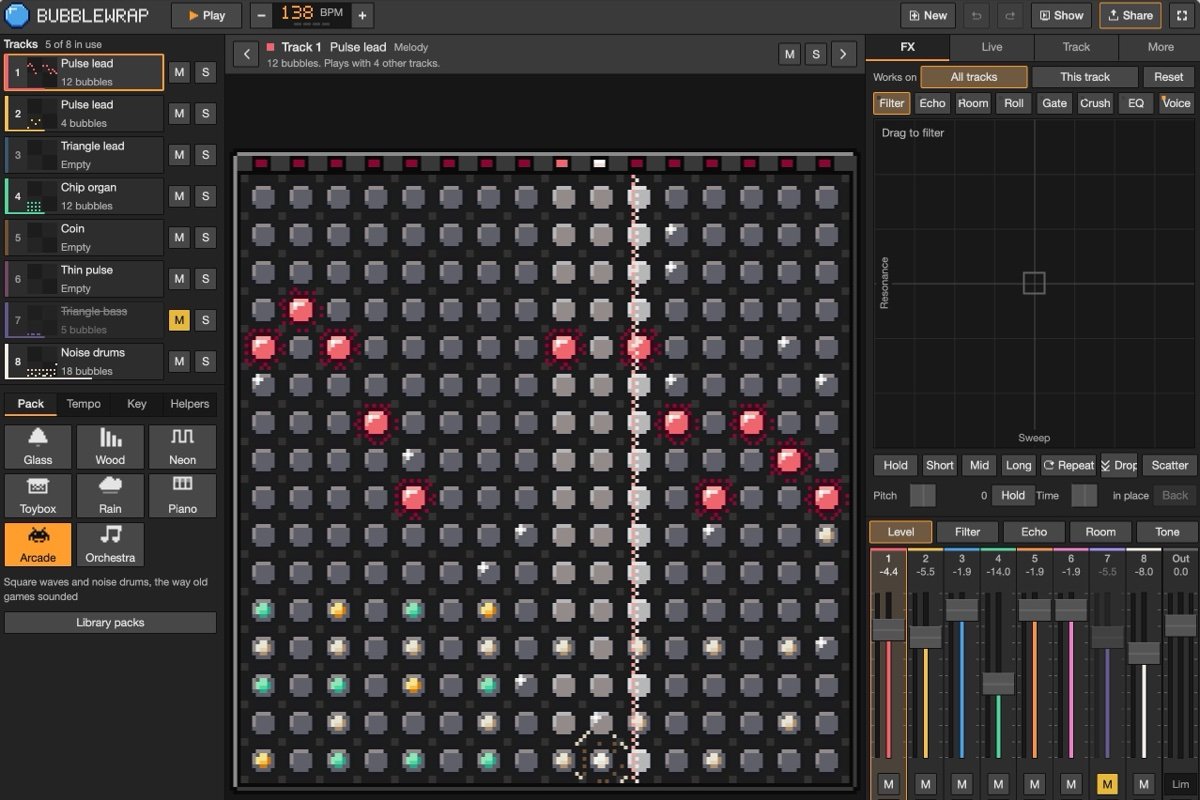 BubbleWrap A pixel art music app, built entirely with 100x |
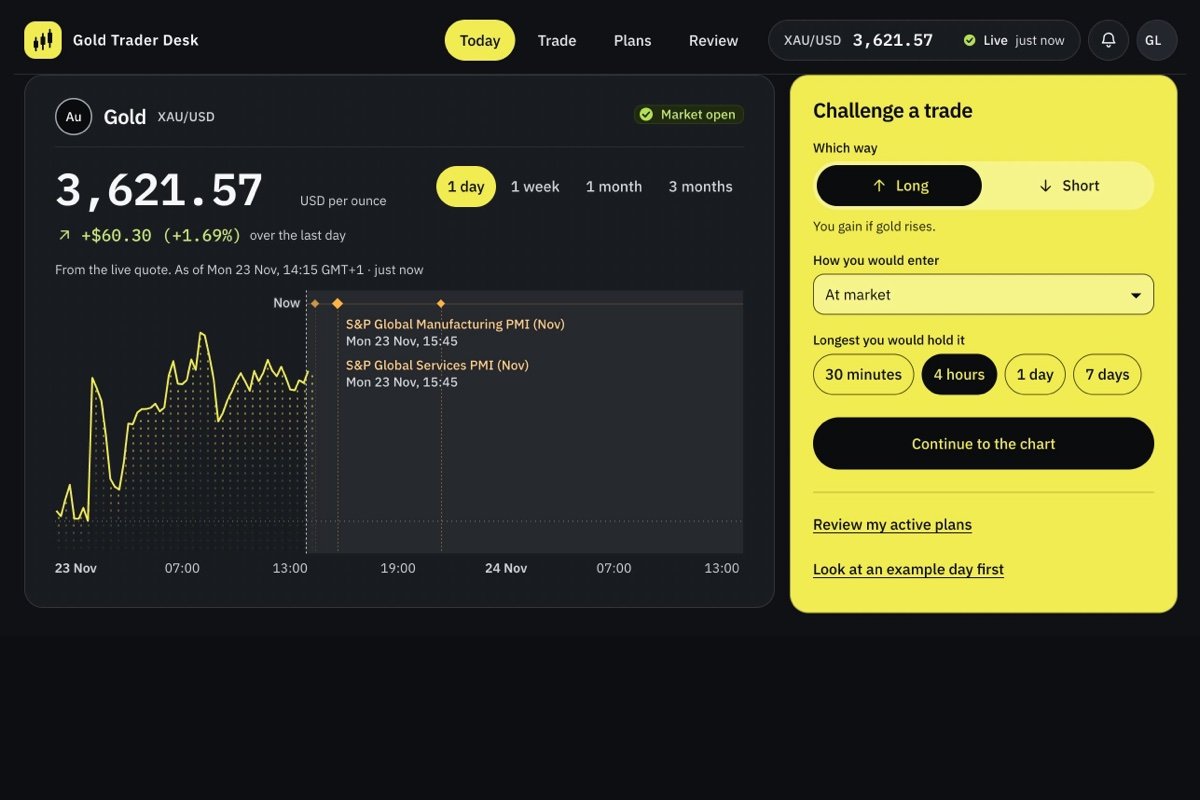 Gold Trader Desk A gold trading app, built entirely with 100x |
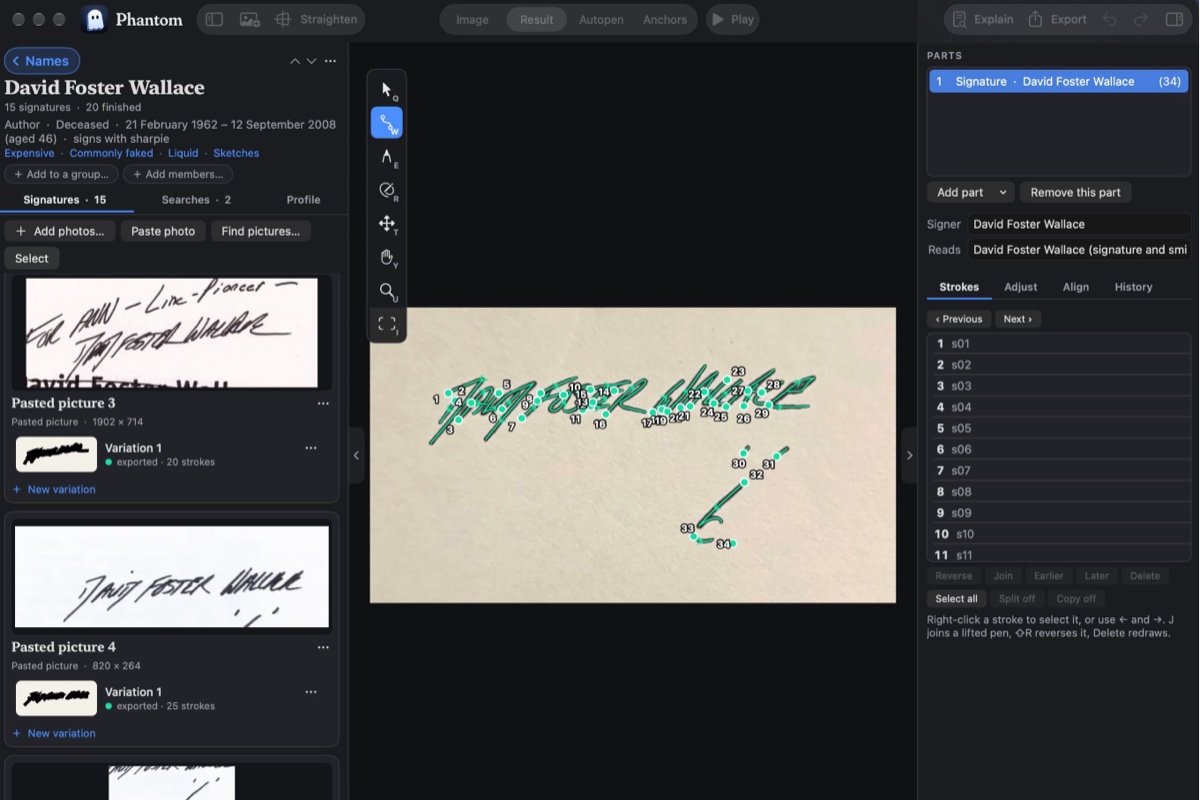 Phantom A Swift Mac app that forensic experts use to analyze handwriting, built with 100x assistance |
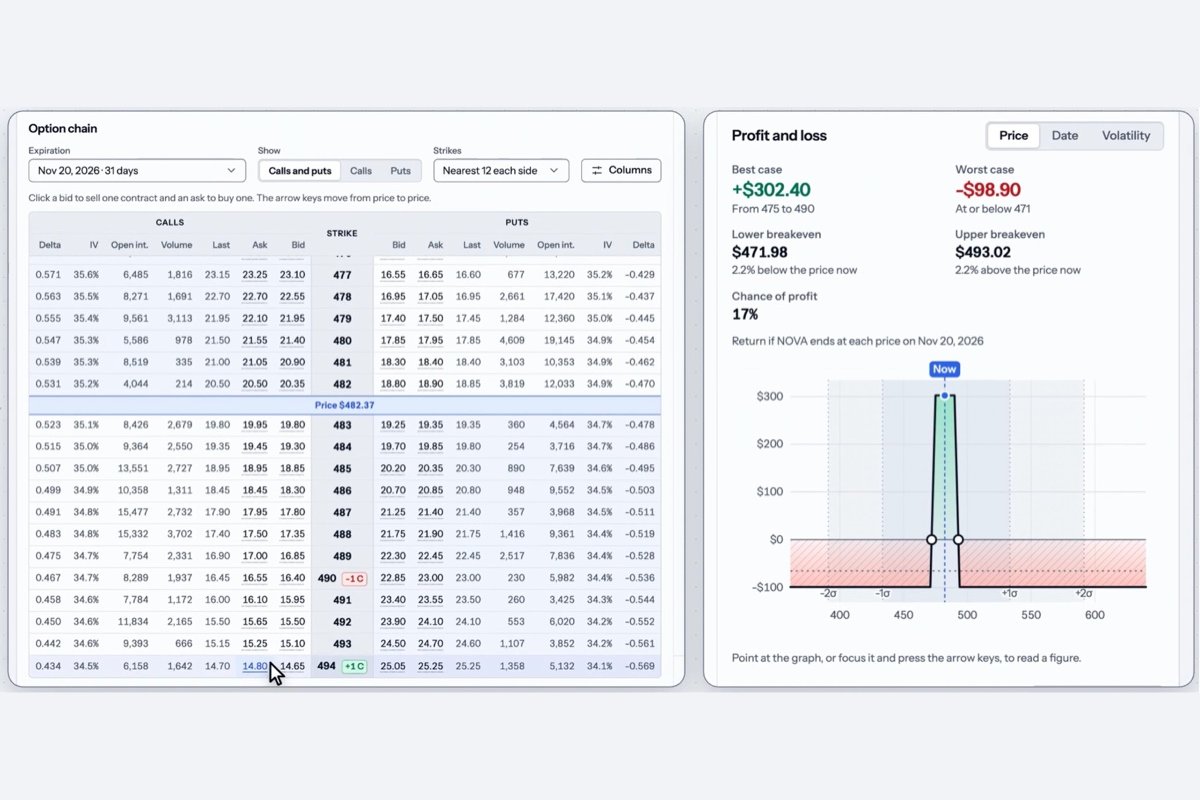 OptionsFlow A real-time option chain tool in React used by quant firms, built with 100x assistance |
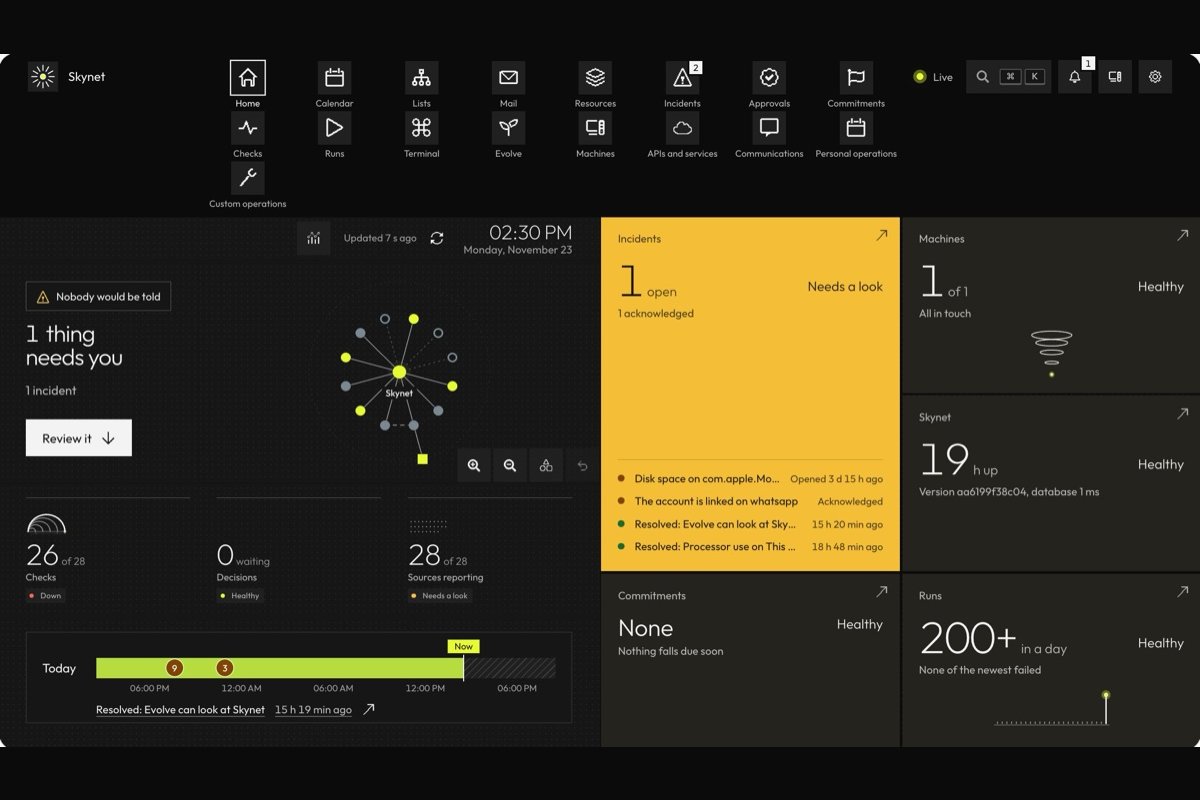 Skynet A project management tool built on Blueprint and Encore, with 100x assistance |
 Boneworks A text-to-3D pipeline that models, skins, rigs and animates characters, built with 100x assistance |

What it costs
100x trades time and usage for proof.
- A normal run takes hours. Every polish pass and every review round is another model at work, so a run uses a good part of your plan.
- For a first look,
/100x-mockuptakes about 15 minutes. It skips the review and says so. - On a smaller plan,
100x config preset lite --globaldoes one polish pass and two review rounds instead of three and five. The proof checks stay. - Not for small things. For a one-line fix or a question, ask your agent directly. 100x is for a job that deserves a plan, a test and a review.
Install
You need Claude Code, Cursor or Codex, and Node.js 22 or newer.
1. Install the tool and the skills
Choose one:
npm
npm install -g github:DeadInternetStudios/100x-engineer-skill
100x install
skills.sh
npm install -g github:DeadInternetStudios/100x-engineer-skill
npx skills add DeadInternetStudios/100x-engineer-skill --skill '*' -g
100x install
The skills tool copies the skills only, so the 100x tool still comes from npm. 100x install then sees the copies and leaves them alone. Update them with npx skills update -g.
2. Set up, in your agent
/100x-setup
It asks which plan you're on (Claude Pro, Max or Ultra, or OpenAI Go, Plus or Pro) and picks which model builds and which one judges. On a small plan, say so and it turns on the lite preset. More: docs/plans-and-setup.md.
3. Give it a job
/100x Let me compare any stock with the S&P 500 in my stock market research app
Claude Code and Cursor start a skill with /. Codex uses $, as in $100x-setup and $100x. Use /100x-overnight when you're leaving for the night, or /100x-mockup for a first look.
Other ways to install
From a clone (the way we test this repo)
./scripts/install.sh --dry-run   # preview
./scripts/install.sh
100x is two parts: skills your agent reads, and the 100x command line tool. The tool does what a model can't do reliably on its own. It keeps the clock, takes screenshots, runs the judge, checks the proof and writes the report. Screenshots use Playwright. If it's missing, 100x browsers installs it.
The installer only makes shortcuts (symbolic links), a few small files and their folders. It never overwrites a real file. 100x doctor checks the result, and ./scripts/install.sh --uninstall removes it. Every file it touches: docs/cli.md.
Modes
100x is a set of skills, called modes. Type a mode's name to use it. Words in your message never pick a mode, so /100x an overnight oats app builds an oats app.
| Type this | For | What it does |
|---|---|---|
/100x |
Build | The normal run: build, polish, test, second-model review. |
/100x-mockup |
Build | A fast first look in about 15 minutes. Only the key moment works. No review, and it says so (UNREVIEWED). |
/100x-overnight |
Build | For when you're leaving. Runs one idea or several, for a set time, and nudges the agent if it stalls. |
/100x-wrapup |
Build | For deadlines. Makes the main path work and hides the rest. |
/100x-judge |
Review | Reviews something already built. Builds nothing new. |
/100x-grind |
Review | Review, fix, review again until a judge says ready to ship. Stops if three reviews in a row find nothing better, at 15 rounds, or when time runs out. |
/100x-status |
A run | Where the run is, in six lines or fewer. |
/100x-continue |
A run | Picks up a run that stopped, for example at a usage limit. |
/100x-report |
A run | Shows everything that finished, best first. Builds nothing. |
/100x-adhd |
Plan | A short back and forth, one question at a time, that turns a loose idea into a plan. Nothing builds until you say go. |
/100x-setup |
Setup | Asks one question about your plan, then sets which model does which job. |
/100x-bakeoff |
Test 100x | Tests 100x itself: the same agent builds the same ideas with and without it, and a blind judge compares them. Builds nothing. |
Number phrases
Add these to your message to change a run. They work with /100x and /100x-overnight. Other words, like "fast" or "quick", do nothing.
| You write | What happens |
|---|---|
3 versions |
Builds 3 versions of the idea and finishes the best. Any number works. |
for 10 hours, for 2 days, until 6am |
Uses all that time. The run won't finish early. |
5 rounds of judging |
Runs that many review rounds. |
max 5 subagents |
At most 5 subagents at once. The default is 1. |
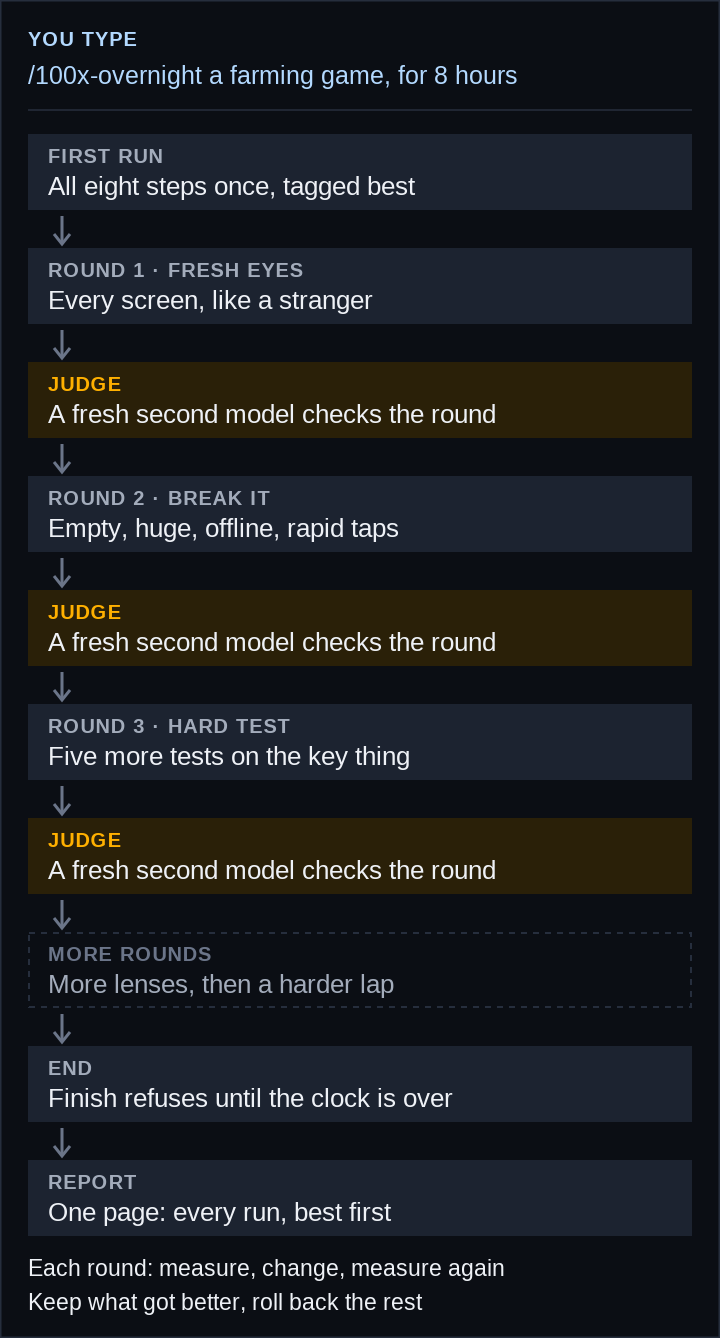
/100x-overnight 3 versions of a farming game, for 8 hours, max 3 subagents
Each run starts by listing the phrases it understood, so you can spot a misread.
Give it a clock and it keeps working in rounds until the time is up. Each round looks at the project in a new way, keeps the change if it helped, and rolls it back if it didn't. A fresh second model checks every round.
FAQ
Why a second model? Different models have different blind spots. If none is available, the run still finishes and says UNREVIEWED. On a single plan, a smaller model from the same company can judge, with less benefit than another company's model.
Will it put my project online? No. It makes a preview only if the project already has one. Going live needs you to say so.
What if I hit a usage limit mid-run? 100x saves progress in .100x/STATE.md. When the limit resets, type /100x-continue in the same folder.
Does it change my model or settings? No. It never switches your model, effort level or sign-in. /100x-setup only writes 100x's own settings.
Where do runs live? In a hidden .100x/ folder in each project (git ignores it), and a gallery of finished runs in ~/.100x.

Docs
| Page | What is in it |
|---|---|
| Install, in full | every install option, and every file the installer touches |
| Using 100x | a night away, the report page, the helper skill |
| Formal verification | the six properties, the ledger, what verified means, and how blocks add up to a system |
| Pipeline and final message | every step in full, and what 100x finish checks |
| Setup and plans | recommended Claude Code setup, the lite preset, setups for each plan |
| Settings | every config key |
| CLI and file layout | every 100x command, and where files live |
| Inside the skills, verifying | how the repo is laid out, and how to test it |
| Design notes | why 100x works this way |
Contributing
Bug reports, fixes and ideas are welcome. Small fixes can go straight to a pull request. For anything bigger, open an issue first so we can agree on it. How to contribute.

Credits
100x builds on the working principles of pstack by Lauren Tan (MIT), reworked for prototypes and for one conversation with your agent. What's different:
- Every run ends with a report page.
100x finishrefuses claims it cannot check.- A second model reviews the work in rounds.
See NOTICE.md and UPSTREAM.md.
MIT. See LICENSE.
Yorumlar (0)
Yorum birakmak icin giris yap.
Yorum birakSonuc bulunamadi