9remote
Health Uyari
- No license — Repository has no license file
- Description — Repository has a description
- Active repo — Last push 0 days ago
- Community trust — 575 GitHub stars
Code Uyari
- Code scan incomplete — No supported source files were scanned during light audit
Permissions Gecti
- Permissions — No dangerous permissions requested
Bu listing icin henuz AI raporu yok.
📱 Terminal in Your Pocket — Control Claude Code, Codex, Gemini CLI & your Mac/Linux/Windows from any phone or browser. Vibe coding from anywhere. Alternative to MobileCLI, Claude Remote, vibe-remote, MuxAgent.
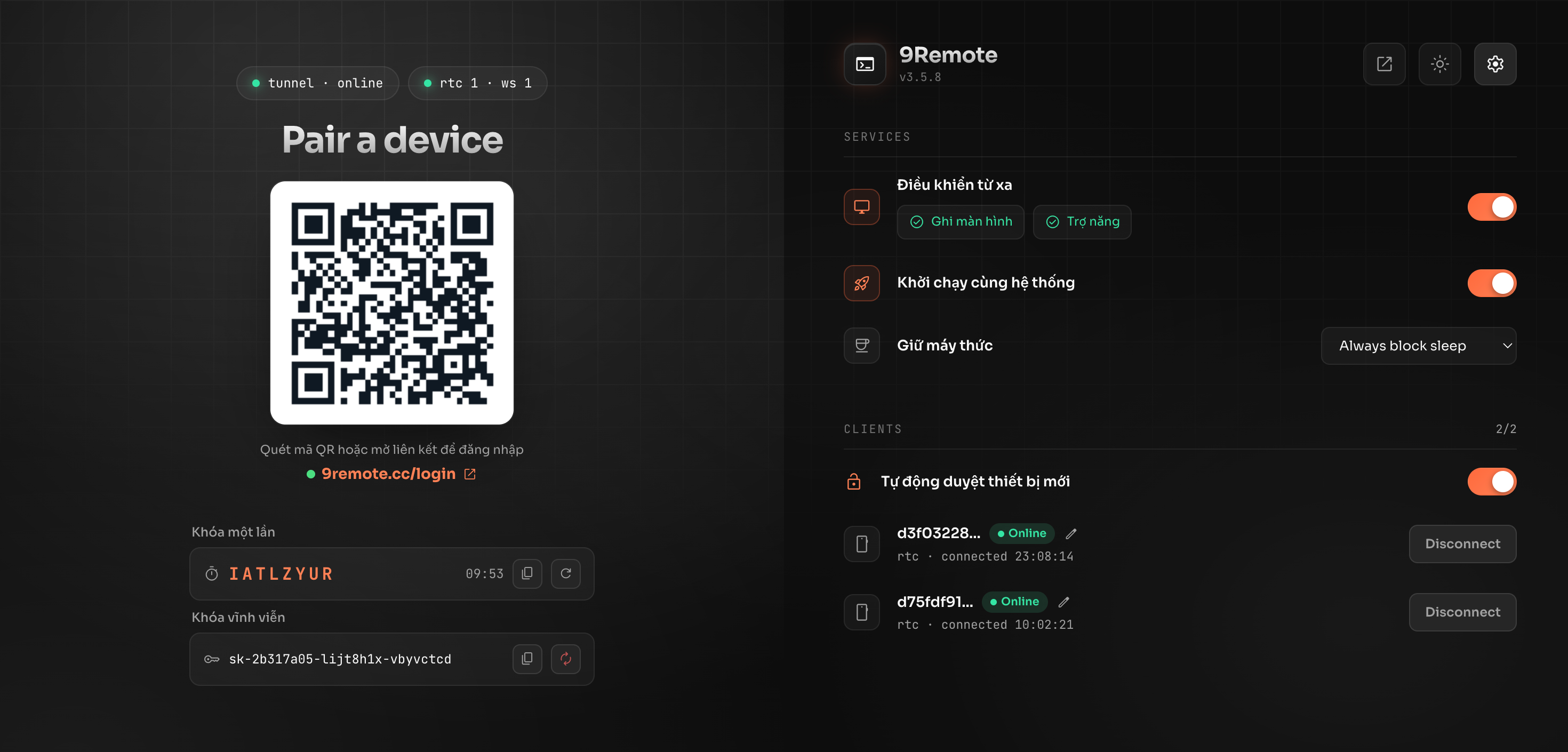
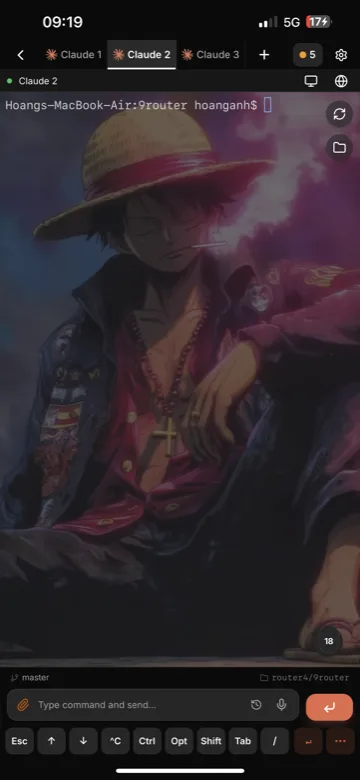
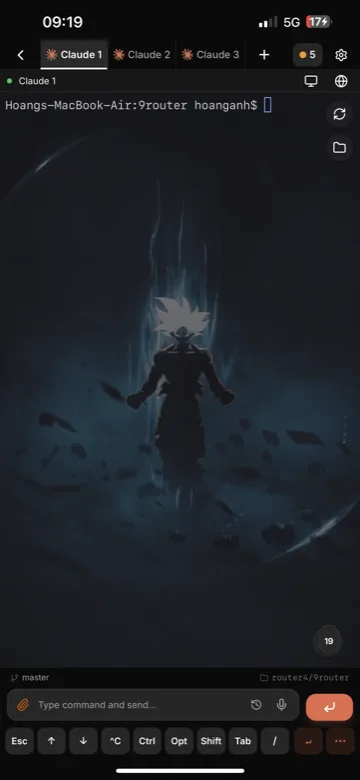
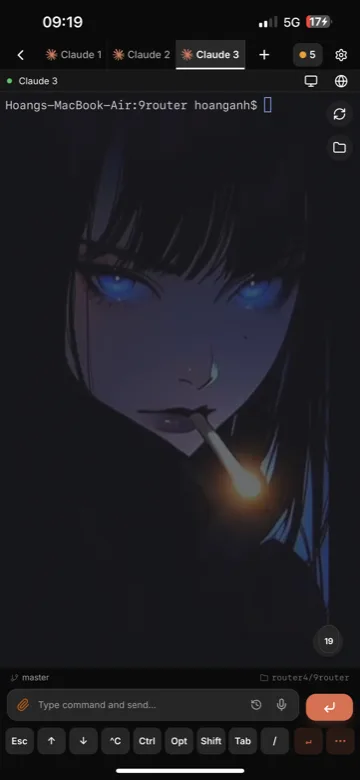
9Remote — Remote Everything, Vibecode Everywhere
Your entire dev workstation in your pocket.
Remote IDE, 60fps Desktop, Visual File Explorer, Live Mobile Emulator, Zero-Config Localhost, and Remote Vibe Coding with 30+ AI agents on PC, Web, iPad, or phone.



🚀 Quick Start • 📱 Platforms • ✨ 8 Superpowers • 🛡️ Security • 📊 Comparison • 🌐 Website • 📖 Docs
⚡ Quick Start
Start your remote workspace in 30 seconds:
Option 1: Install & Run via npm (Recommended)
npm install -g 9remote
9remote
Option 2: Download Desktop App
- macOS (Universal DMG): 9Remote-macos-universal.dmg (Intel + Apple Silicon, signed & notarized)
- Windows (Setup EXE): 9Remote-windows-x64-setup.exe (Installer, x64)
- Windows (Portable EXE): 9Remote.exe (Portable, no install)
🎉 Scan the QR code with your phone camera (or open the link on any browser) → click "Approve" on your host → you're in!
Works on macOS, Linux, and Windows. Requires Node.js 18+.
Zero configuration. No port forwarding. No account or signup required.
📱 Supported Platforms
| Platform | Host (Your Machine) | Client (Anywhere) | Download / Access |
|---|---|---|---|
| macOS | ✅ | ✅ | Download .dmg or npm i -g 9remote |
| Windows | ✅ | ✅ | Download .exe or npm i -g 9remote |
| Linux | ✅ | ✅ | npm i -g 9remote |
| Web Browser | — | ✅ | https://9remote.cc/login (Zero install, any browser) |
| iOS / iPadOS | — | ✅ | Web / PWA (Add to Home Screen) (Supports iPad keyboard & trackpad) |
| Android | — | ✅ | Web / PWA (Add to Home Screen) (Fullscreen dev mode) |
✨ 8 Remote Superpowers
🤖 1. Remote Vibe Coding (AI-Ready)
- Run Claude Code, Cursor CLI, Aider, Codex & 30+ AI agents on the go.
- Built-in artifact inspector with live rendering for HTML, Markdown, and Mermaid diagrams.
- Dedicated AI shortcut triggers and multi-turn workflow tracking.
📱 2. Every Screen, Everywhere (Mobile Full Feature)
- Dedicated developer keyboard row (
Esc,Tab,Ctrl,Alt, navigation arrows). - Customizable shortcuts and fluid swipe navigation between sessions.
- Tactile haptic feedback on touch for responsive coding.
- Fully adaptive UI: Multi-column IDE on desktop/tablet, touch-first card view on mobile.
🖥️ 3. 60fps Remote Desktop (WebRTC P2P)
- Hardware-accelerated screen streaming with ultra-low latency (<20ms).
- Mouse, touch, keyboard controls, and multi-monitor switching.
- Vastly lighter on battery and bandwidth than VNC, AnyDesk, or TeamViewer.
💻 4. Full Remote IDE & Multi-pane Terminal
- Multi-pane terminal rows with smooth drag-to-resize splitters.
- Integrated code editor with syntax highlighting and file tree.
- Visual Git status, diff viewer, and multi-worktree switcher.
📱 5. Live Remote Emulator
- Interactive remote stream for Android Emulator and iOS Simulator.
- Tap, swipe, and test mobile UI directly from your phone browser without sitting at your desk.
🌐 6. Zero-Config Localhost Preview
- Built-in Service Worker bridge streams
localhost:3000orlocalhost:8080to your mobile browser. - Preview local web apps in real time with zero port forwarding, no ngrok tunnels, and zero public internet exposure.
📁 7. Visual File Explorer (Path-Jailed)
- Visual directory tree with instant fuzzy file search (⌘⇧P).
- Touch drag-and-drop file transfers (upload and download).
- Secured by strict path-jail boundaries keeping your host system safe.
🔄 8. Persistent PTY Daemon
- Background daemon keeps your shells and builds alive on the host.
- Switching networks (Wi-Fi to 4G), locking your phone, or closing tabs never kills your running tasks.
🛡️ Zero-Trust Security Architecture
9Remote uses 3 layers of zero-trust defense:
- Split-Key Pairing: The key is split into HEAD and TAIL. The relay server only brokers the handshake with HEAD and never knows your secret TAIL.
- Direct WebRTC P2P: Data flows directly device-to-device with X25519 + AES-256-GCM encryption.
- Physical Host Approval: New devices cannot connect until you physically click "Approve" on your computer screen.
sequenceDiagram
    autonumber
    participant Client as Mobile / Web Client
    participant Server as 9Remote Signaling Relay
    participant Host as Host Machine (Agent)

    Host->>Server: 1. Register HEAD (TAIL stays private on Host)
    Client->>Server: 2. Request Host lookup with HEAD
    Server-->>Client: 3. Return Host Public Key (Relay steps aside)
    Note over Client,Host: Direct P2P Connection (WebRTC DataChannel)
    Client->>Host: 4. Send encrypted TAIL (X25519 + AES-GCM)
    Note over Host: Host verifies TAIL secret
    Host-->>Host: 5. Physical Security Prompt: "Approve Device?"
    Note over Host: You click Approve on host screen
    Host-->>Client: 6. Secure P2P Session Established (<20ms latency)
📊 How 9Remote Compares
| Feature | 9Remote | Claude Remote | TeamViewer | Chrome Remote | Termius |
|---|---|---|---|---|---|
| Zero Config | ✅ | ✅ | ✅ | ✅ | ❌ |
| Remote IDE | ✅ | ❌ | ❌ | ❌ | ❌ |
| 30+ AI Agents & Vibe Coding | ✅ | ✅ | ❌ | ❌ | ❌ |
| Terminal Access | ✅ | ✅ | ❌ | ❌ | ✅ |
| Persistent Daemon | ✅ | ✅ | ❌ | ❌ | ✅ |
| Remote Localhost Preview | ✅ | ❌ | ❌ | ❌ | ❌ |
| Touch File Explorer & Editor | ✅ | ❌ | ✅ | ❌ | ✅ |
| Remote Desktop (60fps) | ✅ | ❌ | ✅ | ✅ | ❌ |
| Remote Emulator | ✅ | ❌ | ❌ | ❌ | ❌ |
| AI Agent Artifacts | ✅ | ✅ | ❌ | ❌ | ❌ |
| Physical Host Approval | ✅ | ❌ | ✅ | ❌ | ❌ |
| Git Integration | ✅ | ❌ | ❌ | ❌ | ❌ |
| Mobile & iPad Optimized | ✅ | ✅ | ❌ | ❌ | ✅ |
| Browser-Based (Zero Install) | ✅ | ✅ | ❌ | ✅ | ❌ |
| QR Login | ✅ | ✅ | ❌ | ❌ | ❌ |
| Auto Tunnel | ✅ | ✅ | ✅ | ✅ | ❌ |
| No Port Forwarding | ✅ | ✅ | ✅ | ✅ | ❌ |
| No Account Required | ✅ | ❌ | ❌ | ❌ | ❌ |
| Free & Self-Hostable | ✅ | ❌ | ❌ | ✅ | ❌ |
| TOTAL | 19 / 19 | 10 / 19 | 6 / 19 | 5 / 19 | 5 / 19 |
🏆 9Remote: Complete 19/19 capabilities · 100% self-hosted & private.
🎯 Use Cases
- Code from bed — Fix a bug at 11 PM without getting out of bed. Open your phone, connect to your Mac, fix, commit, push, sleep.
- Fix bugs at a cafe — Server alert while having coffee? Connect from your phone or tablet, tail logs, edit configs, and restart services.
- Deploy on vacation — Urgent client hotfix while you're away? Phone → 9Remote →
git pull→ build → deploy. - Monitor AI Coding Agents — Run long Claude Code / Cursor tasks on your desktop, and review artifacts, diffs, and progress from your phone.
❓ FAQ
🔒 Is 9Remote secure?Yes. 9Remote uses 3 layers of zero-trust defense:
- Outbound-only Cloudflare tunnel (no open ports or firewall changes needed).
- Direct WebRTC peer-to-peer data channels with end-to-end encryption.
- Physical host approval required before any device can access your machine.
- Your code and credentials never touch third-party cloud servers.
Yes. 9Remote is free for personal, internal, and commercial use inside your organization.
🌐 Do I need to open router ports or setup DDNS?No. 9Remote automatically sets up an outbound secure tunnel and negotiates WebRTC P2P connections through NATs and firewalls.
🤖 Which AI agents are supported?Works with any CLI AI tool: Claude Code, Cursor CLI, Aider, Codex, OpenClaw, and more. 9Remote provides dedicated multi-pane terminals and live artifact rendering for HTML and diagrams.
📄 License
Business Source License 1.1 — see LICENSE. Free for personal, internal, and commercial use.
Yorumlar (0)
Yorum birakmak icin giris yap.
Yorum birakSonuc bulunamadi