cinsights
Health Uyari
- License — License: Apache-2.0
- Description — Repository has a description
- Active repo — Last push 0 days ago
- Low visibility — Only 9 GitHub stars
Code Gecti
- Code scan — Scanned 12 files during light audit, no dangerous patterns found
Permissions Gecti
- Permissions — No dangerous permissions requested
This agent analyzes your team's local AI coding assistant session logs (from tools like Claude Code and Codex) to identify friction points, track usage patterns, and generate actionable recommendations. It runs locally and exposes a web dashboard for viewing these insights.
Security Assessment
Risk: Medium. The tool explicitly reads sensitive data by design—it parses local developer session histories located in `~/.claude` and `~/.codex` directories. During setup, it requires an LLM provider, which means it likely sends aggregated session data to external APIs (like OpenAI) unless specifically configured to use a local model such as Ollama.
The automated code scan did not find any dangerous execution patterns or hardcoded secrets, and the tool does not request dangerous system permissions. However, because it accesses proprietary code context from session logs and strongly encourages connecting to third-party cloud LLMs, users must exercise caution regarding where their data is transmitted.
Quality Assessment
The project is highly active, with its last commit pushed today. It benefits from the permissive Apache-2.0 license, making it suitable for commercial and enterprise use.
However, community trust and visibility are currently very low. With only 9 GitHub stars, it is a relatively new and untested tool. While the documentation is thorough and well-structured, users should be aware that it has not yet undergone broad community review or security auditing.
Verdict
Use with caution—the code itself appears safe, but you should strictly configure it with local LLMs to prevent proprietary code session logs from being sent to external servers.
Coding Agent insights for teams
cinsights

Coding agent insights for teams
AI coding agents are transforming how teams build software. But when your team uses Claude Code, Cursor, and Codex across dozens of projects, you have no visibility into how they're being used, where the friction is, or whether things are getting better or worse over time.
cinsights helps engineering teams track, understand, and improve how their developers work with AI coding agents. Not per-session logs, but patterns across time, across agents, and across your whole team. Which projects have the most friction? What CLAUDE.md rules would help everyone? How is each developer's agent effectiveness changing over time? What patterns are your best developers using that the rest of the team could adopt?
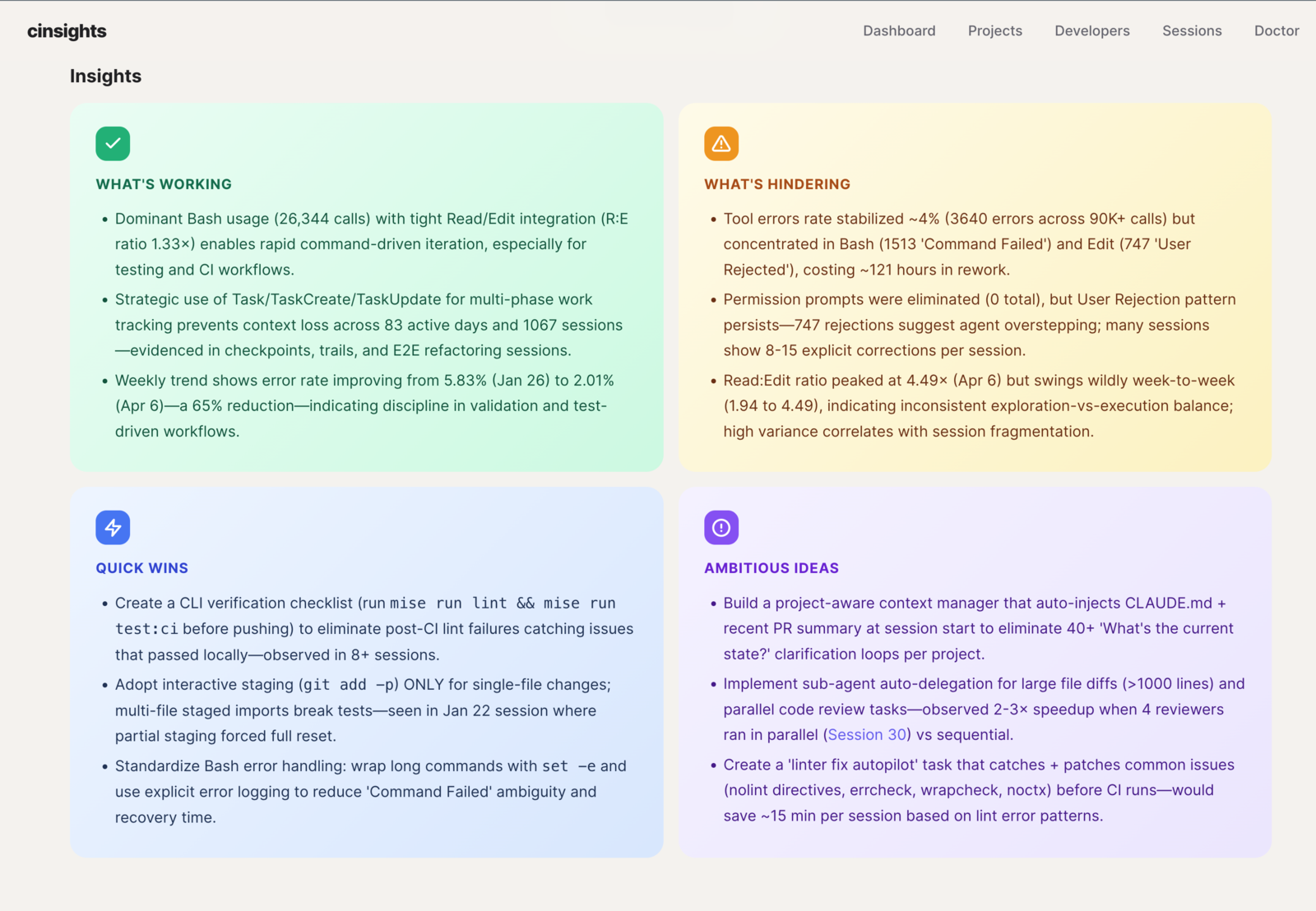
Per-project digests - what's working, what's hindering, quick wins, and ambitious ideas. Aggregated across sessions over days or weeks, not a single-run snapshot.
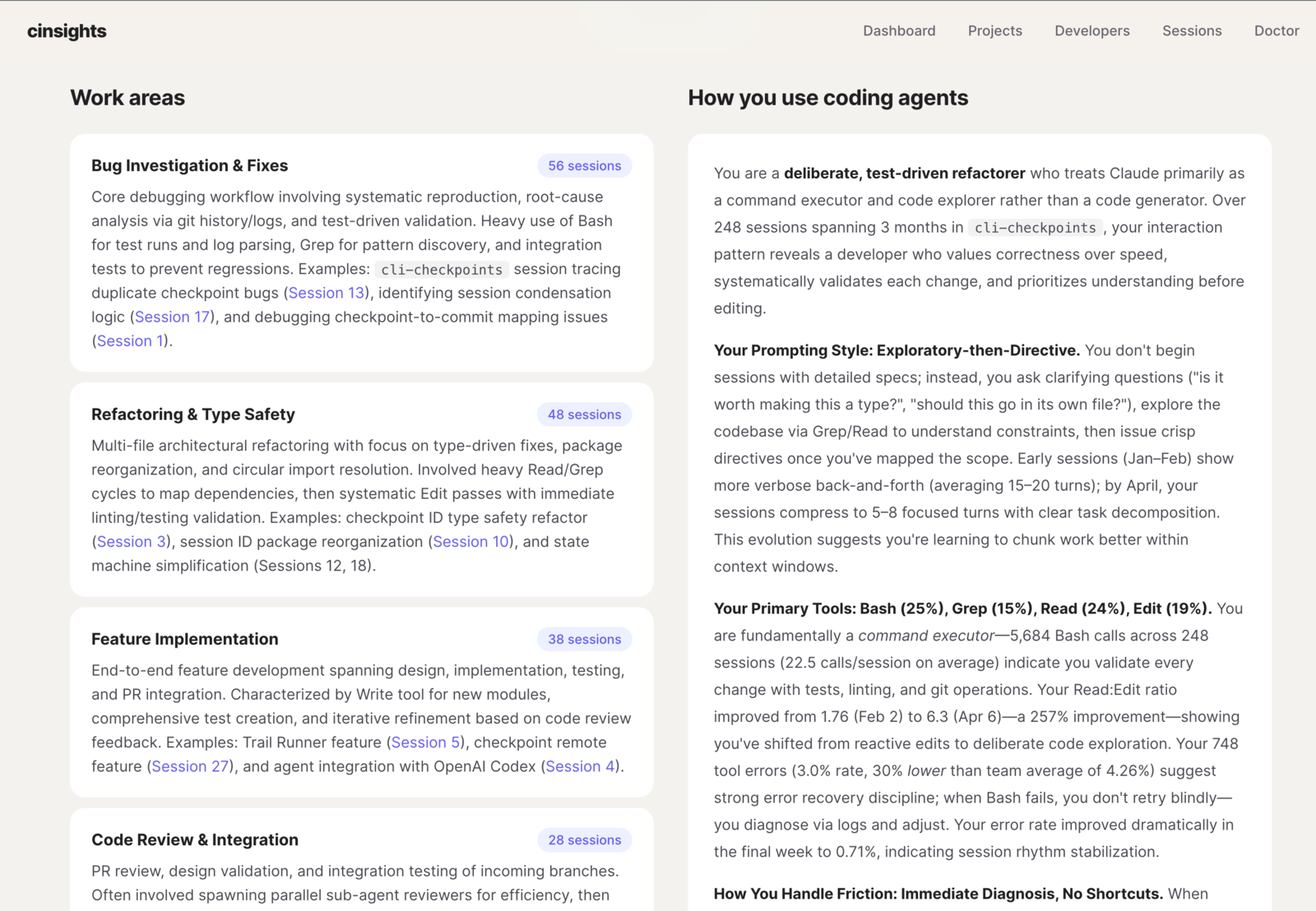
Per-developer profiles - work areas, interaction style, tool preferences, and how each developer uses coding agents. Built from cross-session patterns, not self-reported surveys.
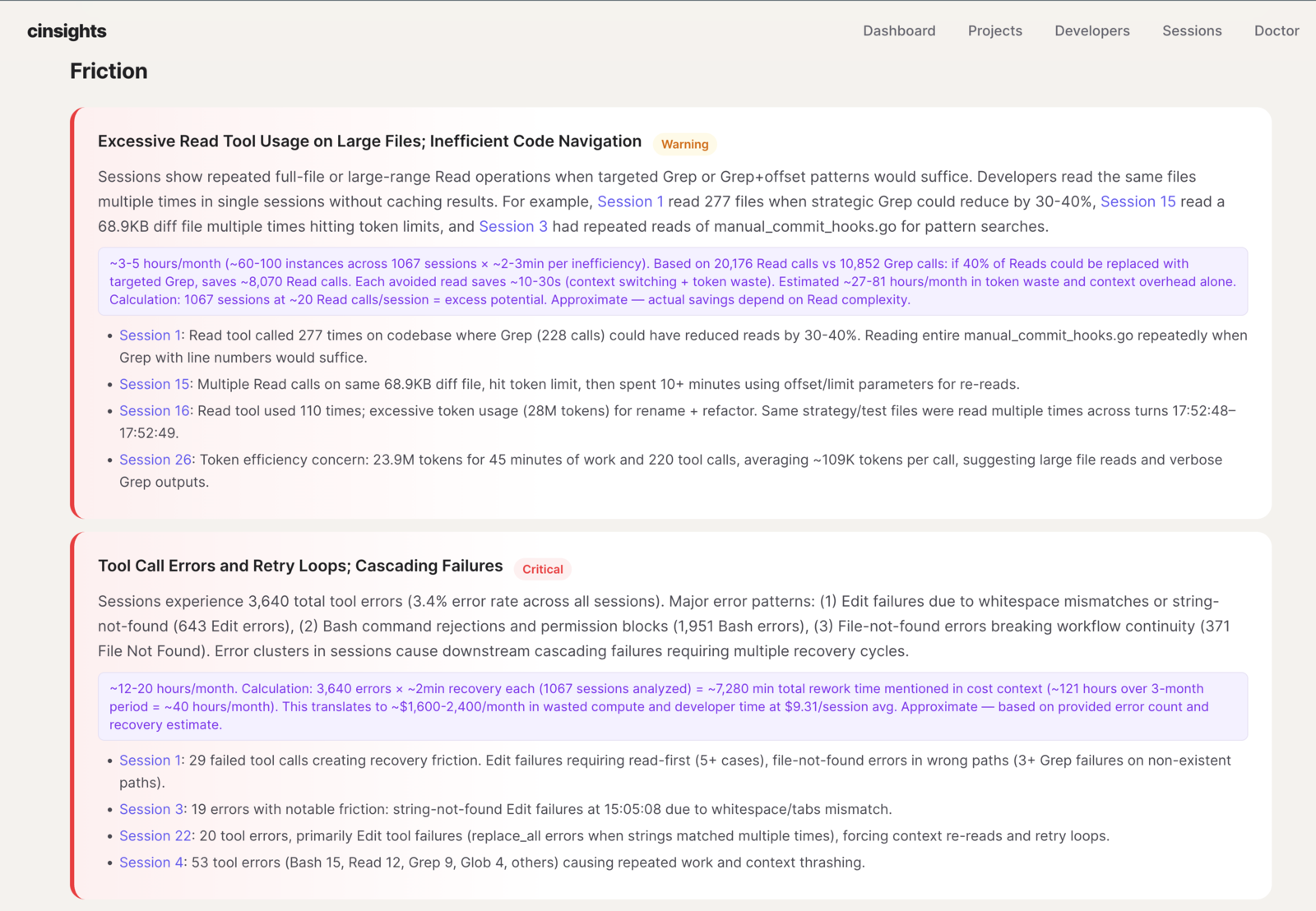
Grounded friction analysis - recurring pain points linked to specific sessions with impact estimates. Not "you had errors" but "you have a repeated read-before-edit pattern that costs ~40 tool calls per session."
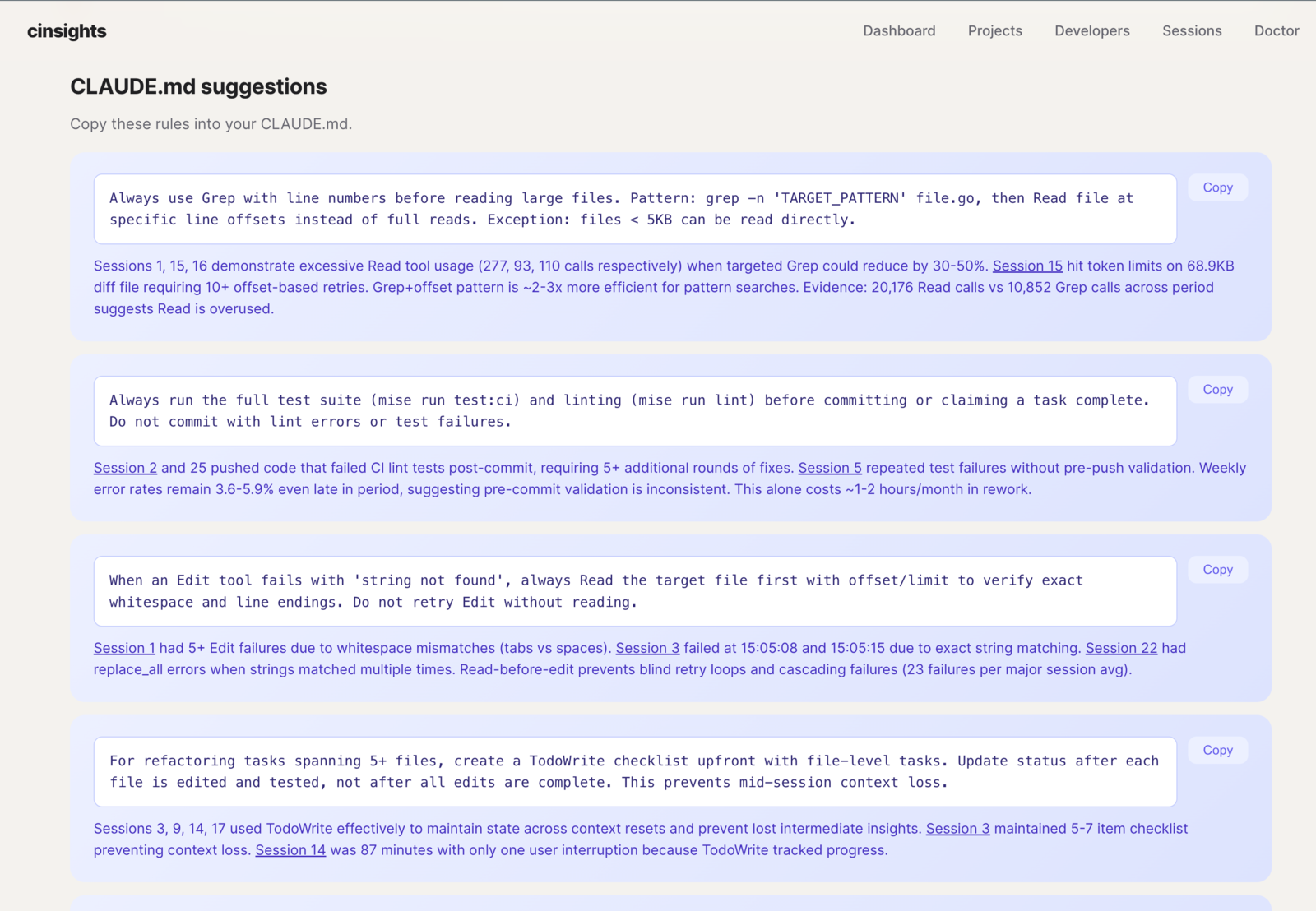
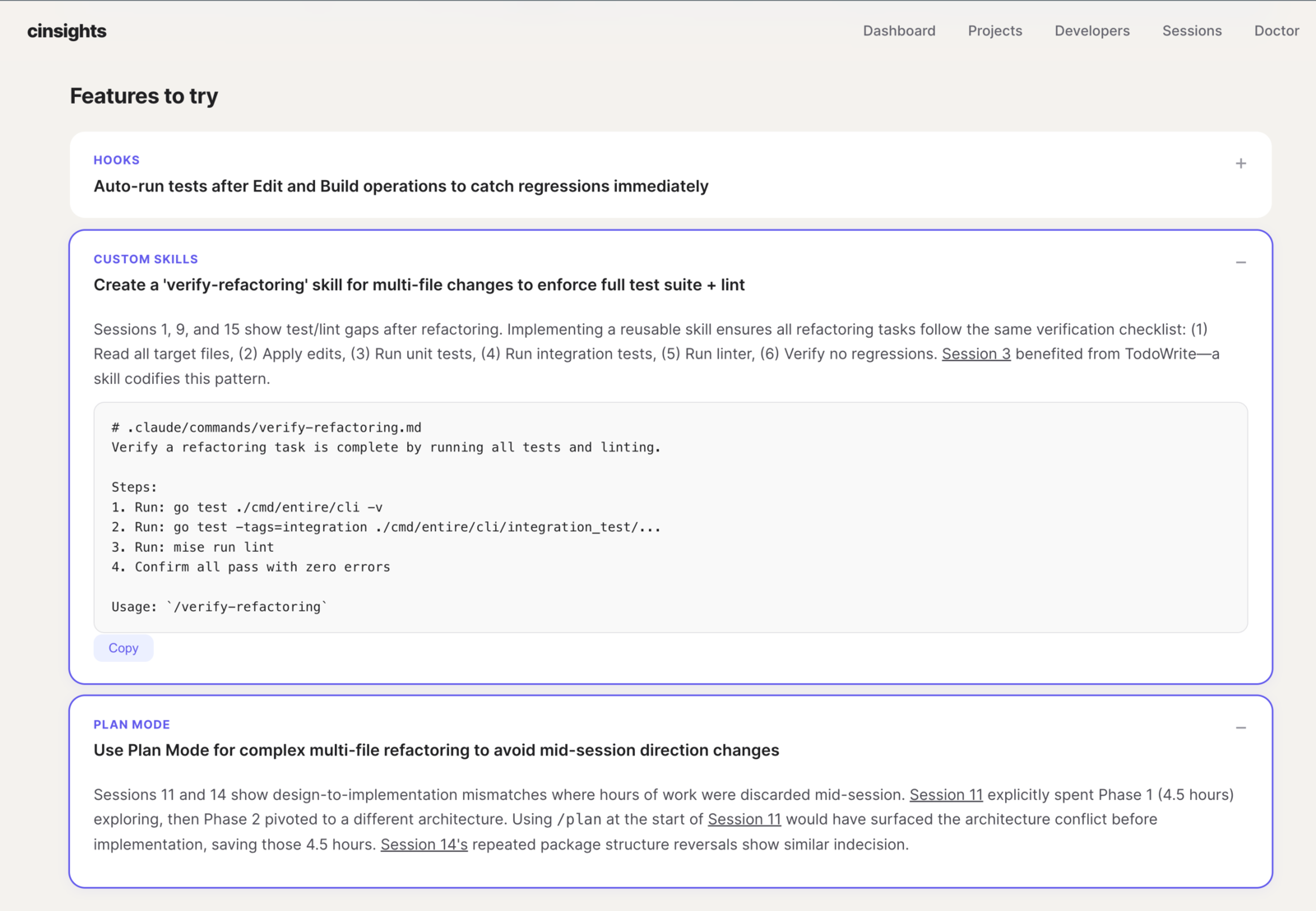
Actionable fixes - copy-paste CLAUDE.md rules and feature recommendations (hooks, custom skills, plan mode) generated from your team's actual friction patterns. Each suggestion is grounded in session evidence.
Quick start
# Install
pip install cinsights
# or: uvx cinsights

# Configure LLM (interactive)
cinsights setup
# No API key? Use Ollama instead:
# ollama pull qwen2.5:14b
# cinsights setup --provider openai --model qwen2.5:14b --base-url http://localhost:11434/v1

# Index + analyze local Claude Code / Codex sessions
cinsights refresh --source local --hours 8760

# Generate a project digest
cinsights digest project my-project --days 30

# Start the web UI
cinsights serve
Open http://localhost:8100. See the getting started guide for the full walkthrough.
Data sources
| Source | What it reads | Best for |
|---|---|---|
| Local | ~/.claude and ~/.codex session files |
Try in 2 minutes. No external dependencies. |
| Entire.io | Git-based checkpoints across Claude Code, Cursor, Codex | Cross-agent and cross-machine coverage for teams. |
| Phoenix | Arize Phoenix traces | Centralized team observability. |
Documentation
- Getting started - install, configure, first run
- Concepts - pipeline, quality metrics, scoring, insights, digests
- Configuration - env vars, config file, CLI reference
- Sources: Local · Entire.io · Phoenix
- Self-hosting - run cinsights on your infrastructure
Yorumlar (0)
Yorum birakmak icin giris yap.
Yorum birakSonuc bulunamadi