agentgram
Health Gecti
- License — License: MIT
- Description — Repository has a description
- Active repo — Last push 0 days ago
- Community trust — 20 GitHub stars
Code Gecti
- Code scan — Scanned 12 files during light audit, no dangerous patterns found
Permissions Gecti
- Permissions — No dangerous permissions requested
Bu listing icin henuz AI raporu yok.
A single front door for all your AI agents and MCPs

Agentgram
One MCP endpoint. One chat. Every agent.
A single front door for all your AI agents — Agentgram speaks REST, A2A and ADK on the way in,
and emits clean AG-UI events on the way out, so the UI never has to care how an agent is built.



Why
I kept ending up with a different chat window for every agent I built — one for the Kubernetes
agent, another for logs, another for metrics — each speaking its own protocol. Agentgram is the
single front door I wanted: one chat UI, one API, every agent, regardless of how each one is
wired underneath.
The API is a multiplexer. It handles auth, permissions and session storage, talks to each agent in
its native protocol, and converts everything to a uniform stream of AG-UI events. The web client
just renders that stream — it never needs to know whether an answer came from a REST endpoint, an
A2A peer or a Google ADK app.
[!TIP]
The killer feature — centralize everything, behind RBAC. Point Agentgram at every agent and
MCP server in your company — whether they speak ADK, A2A or a custom protocol — and expose them
through one API endpoint and one MCP endpoint. Role-based access control (RBAC) decides exactly
who can reach which agent or MCP, so a single integration hands each person precisely the tools
they're entitled to — and nothing else. No more N integrations, N logins, N tools to wire up per client.
Features
- 🏢 Centralize N agents and N MCP servers — register everything your company runs and reach it all through one API endpoint and one MCP endpoint.
- 🛡️ RBAC — fine-grained, per-agent and per-MCP access control by group or user. Each caller only ever sees what they're allowed to.
- 🔌 Protocol-agnostic — Custom REST/SSE, A2A (JSON-RPC) and Google ADK agents behind one interface.
- 📡 AG-UI native — the API emits standard AG-UI SSE events (
RUN_STARTED,TEXT_MESSAGE_*,TOOL_CALL_*,RUN_FINISHED). - 🧵 Sessions that persist — conversation history per agent, stored in Redis and managed by the API (agents stay stateless).
- 👥 Multi-agent chats — talk to several agents in one thread and propagate context between them.
- 🤝 Share & collaborate — share conversations with revocable, time-limited links (view or clone), and build shared multi-agent groups that a team uses together.
- 🔐 Authentication — optional OIDC (any provider: Keycloak, Authentik, Auth0, Zitadel, Google) or basic username/password; identities and groups drive the RBAC above.
- 🛠️ MCP server — expose your agents as tools inside Claude Code and Cursor, with full OAuth + Dynamic Client Registration (no manual setup).
- 💬 Slack integration — reach the same agents from Slack.
- 📊 Built-in observability — usage metrics, latency and cost dashboards out of the box.
- 🧰 Admin panel — register agents, MCP servers, LLMs and permissions from the UI.
Screenshots
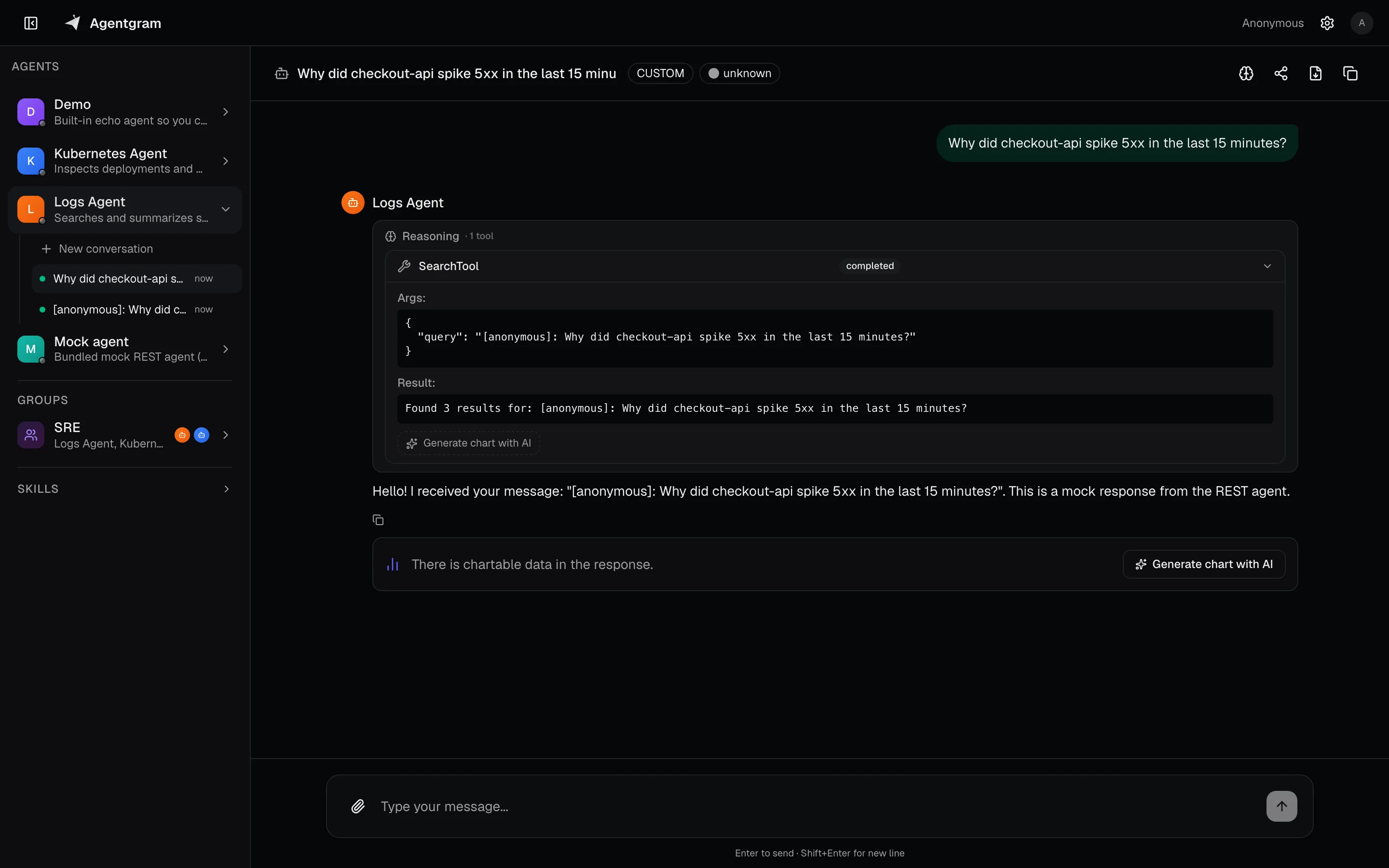 |
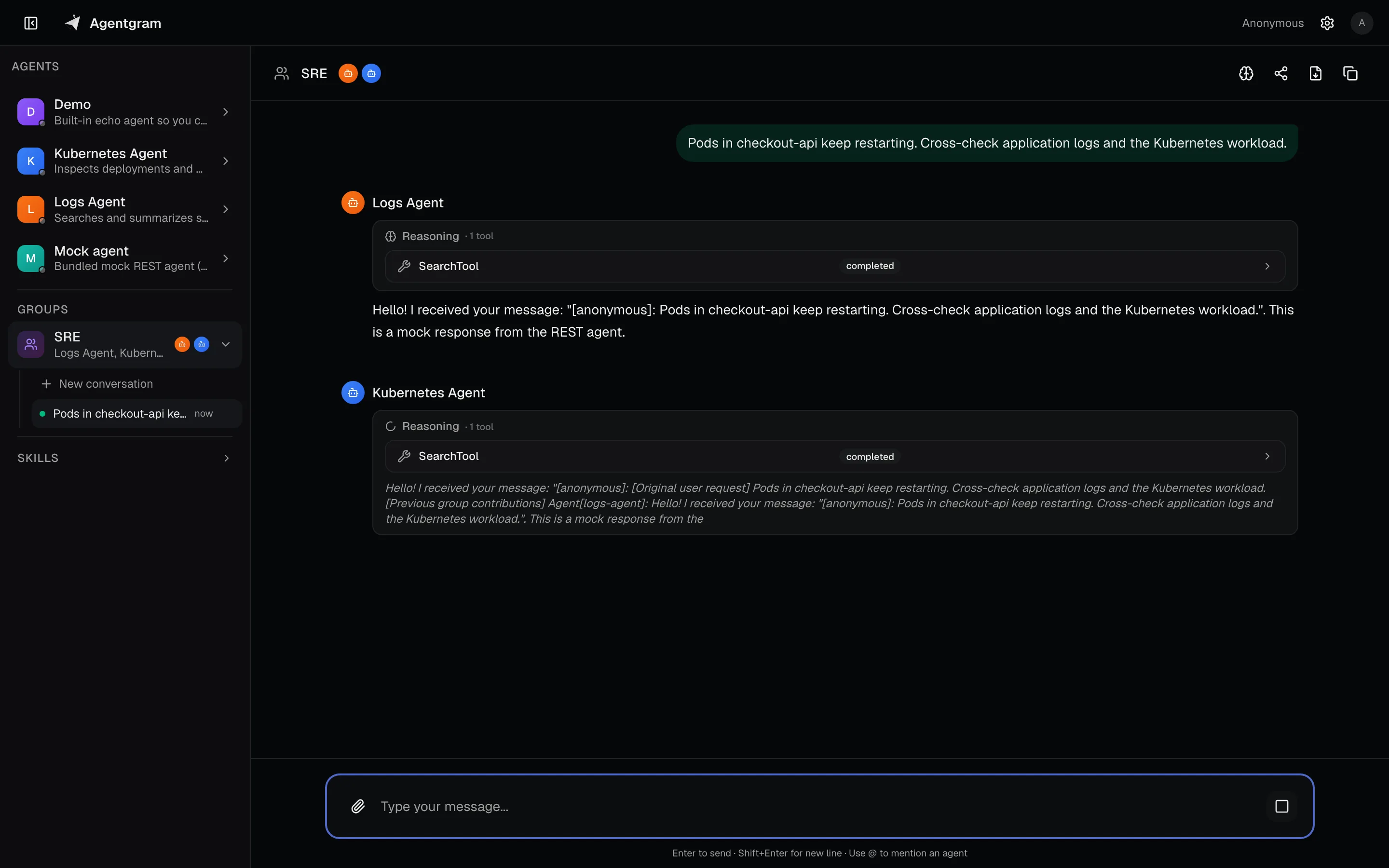 |
| Single-agent chat — streaming AG-UI responses with tool calls. | Multi-agent chat — several agents in one thread, sharing context. |
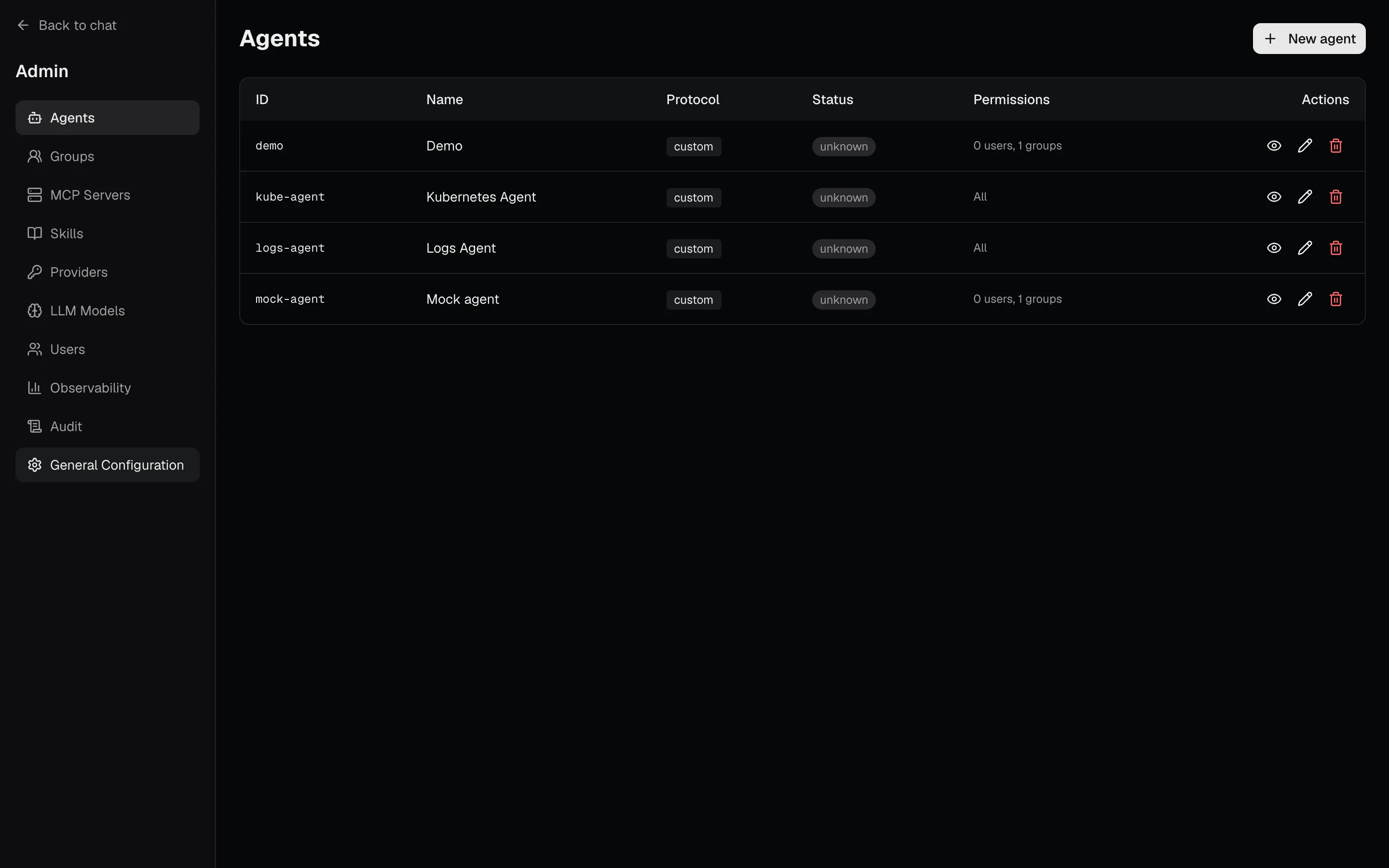 |
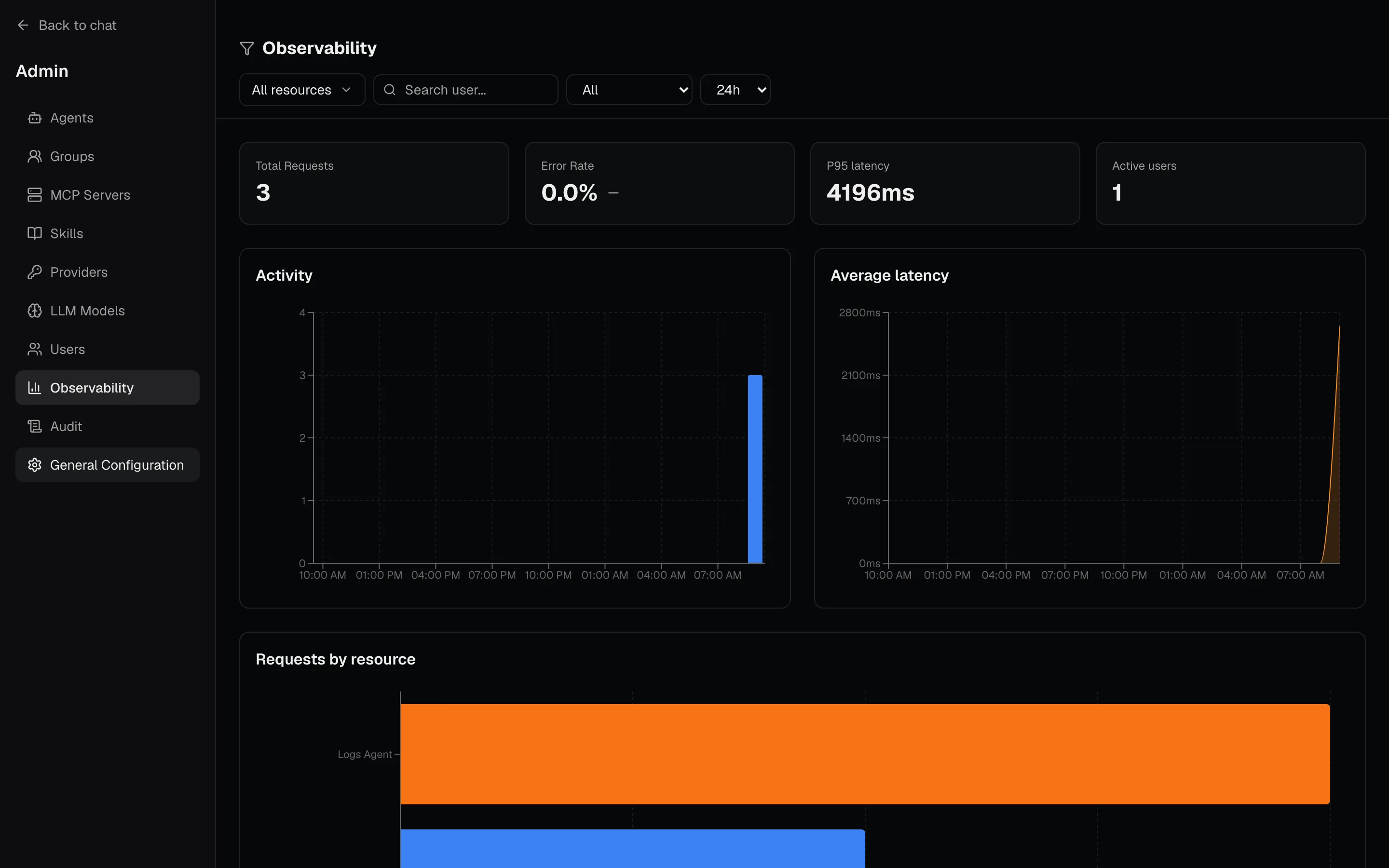 |
| Admin panel — register agents, MCP servers, LLMs and permissions. | Observability — usage, latency and cost dashboards out of the box. |
Architecture
┌──────────────────────┐     ┌─────────────────────┐     ┌─────────────────┐
│        Web           │────>│        API          │────>│  Agent (Custom) │
│  (Next.js + AG-UI)   │<────│   (Go Multiplexer)  │<────│  REST · SSE     │
└──────────────────────┘     │                     │     └─────────────────┘
         ↑                   │  - JWT / OIDC auth  │     ┌─────────────────┐
    AG-UI events             │  - Permissions      │────>│  Agent (A2A)    │
    over SSE                 │  - Session store    │<────│  JSON-RPC       │
                             │  - AG-UI conversion │     └─────────────────┘
                             │  - MCP server       │     ┌─────────────────┐
                             └─────────────────────┘────>│  Agent (ADK)    │
                                       │            <────│  REST · SSE     │
                                  Redis · PostgreSQL     └─────────────────┘
See docs/PROTOCOLS_OVERVIEW.md for how each protocol is mapped onto AG-UI.
Quick start
Requirement: Docker.
curl -fsSL https://raw.githubusercontent.com/dfradehubs/agentgram/main/docker-compose.yaml -o docker-compose.yaml
docker compose up -d
Open http://localhost:3000 — a built-in demo agent is already registered, so you can chat immediately.
| Service | URL |
|---|---|
| Web UI | http://localhost:3000 |
| API / MCP | http://localhost:8080/mcp |
Then point Cursor or Claude Code at the same MCP endpoint:
claude mcp add --transport http agentgram http://localhost:8080/mcp
Auth is off in this example. Do not expose it to the public internet. Password login (no Keycloak) and generic OIDC are documented under Configuration.
Self-host with the published images
git clone https://github.com/dfradehubs/agentgram.git
cd agentgram/examples/docker-compose
cp .env.example .env
docker compose up -d
A single image (ghcr.io/dfradehubs/agentgram) that runs API + UI together is also published; see Deploying.
Develop from source
Requirements: Node.js 22+, Go 1.25+, Docker.
git clone https://github.com/dfradehubs/agentgram.git
cd agentgram
make install
make docker-up    # API + mock agent + Redis + PostgreSQL + web
Laptop mode (no Docker for Redis/Postgres — embedded stores):
cd api && CONFIG_PATH=configs/config.laptop.yaml go run ./cmd/server
Run make help to see every available target.
How it works
A chat request is a list of messages plus an optional session id:
POST /api/agents/{agentId}/chat
Content-Type: application/json
Authorization: Bearer <jwt>     # only when auth is enabled

{
  "messages": [
    { "role": "user", "content": "Hello" }
  ],
  "session_id": "optional-uuid"
}
The response is a stream of AG-UI events over SSE — the same shape no matter which protocol the agent speaks:
data: {"type":"RUN_STARTED","threadId":"...","runId":"..."}
data: {"type":"TEXT_MESSAGE_START","messageId":"...","role":"assistant"}
data: {"type":"TEXT_MESSAGE_CONTENT","messageId":"...","delta":"Hello"}
data: {"type":"TEXT_MESSAGE_END","messageId":"..."}
data: {"type":"RUN_FINISHED","threadId":"...","runId":"..."}
Full API reference: docs/API.md. Agent contracts: REST · A2A · ADK.
Deploying to the world
Ready-to-use deployment recipes live in examples/:
- Docker Compose — self-host the whole stack (API + web + Redis + PostgreSQL) with the published images. The fastest way to put Agentgram on a server.
- Kubernetes (Helm) — production values for the bjw-s
app-templatechart, plus an Ingress that routes the web app and the MCP/OAuth endpoints correctly.
Container images are published to GitHub Container Registry on every release:
ghcr.io/dfradehubs/agentgram          # API + web in one container
ghcr.io/dfradehubs/agentgram-api
ghcr.io/dfradehubs/agentgram-web
Configuration
The API is configured from a single YAML file (CONFIG_PATH, e.g. api/configs/config.yaml) that
covers the server, auth, Redis, PostgreSQL, metrics, tracing and the MCP server. Secrets are never
written inline — every sensitive value uses ${ENV:VAR} and is resolved from the environment:
auth:
  enabled: true          # set false to run without login (local / trusted networks)
  keycloak:
    enabled: true
    issuer: "${ENV:KEYCLOAK_ISSUER}"
    client_id: "${ENV:OIDC_CLIENT_ID}"
    client_secret: "${ENV:OIDC_CLIENT_SECRET}"

redis:
  addr: "${ENV:REDIS_ADDR}"
  password: "${ENV:REDIS_PASSWORD}"
See api/.env.example for the full list of variables.
Agents are managed at runtime from the built-in admin panel (/admin) and stored in PostgreSQL —
no redeploy needed to add one. For each agent you choose its protocol (Custom / A2A / ADK), its
endpoint, and who can reach it (Google Workspace groups or individual users).
Model Context Protocol (MCP)
Agentgram ships a standard MCP server that turns your agents into tools for any MCP-compatible IDE
or CLI — Claude Code, Cursor, and any other client that speaks the spec. It implements the full
discovery + auth flow defined by the standard — protected resource metadata (RFC 9728), authorization
server discovery (RFC 8414) and Dynamic Client Registration (RFC 7591) — so a conformant client
connects with just the URL, nothing to configure by hand:
claude mcp add --transport http agentgram http://localhost:8080/mcp
The client runs the OAuth + DCR flow automatically. Then ask away:
Ask logs-agent for the errors in the last 30 minutes of the payment-api service.
The endpoint exposes both your agents (ask_<agent-id>) and the tools of any MCP server
registered in Agentgram that you're allowed to use — Agentgram aggregates those upstream servers
and re-exposes their tools, all filtered by your permissions.
Full guide (client setup, automations, tuning): docs/MCP.md.
Tech stack
API — Go 1.25 · Chi router · Redis (sessions + pub/sub) · PostgreSQL · OpenTelemetry · structured logging.
Web — Next.js 16 (App Router) · TypeScript · Tailwind CSS 4 · SSE/AG-UI consumed directly via fetch + ReadableStream · Pino logging · bilingual UI (English / Spanish).
Project structure
agentgram/
├── api/        # Go API (multiplexer) — proxy, agents, auth, mcp, store, repository
├── web/        # Next.js web client (AG-UI over SSE)
├── docs/       # Architecture, API and protocol contracts
├── examples/   # Docker Compose & Kubernetes deployment recipes
└── Makefile    # Development & build commands
Deeper dives: docs/ARCHITECTURE.md · api/CLAUDE.md · web/CLAUDE.md.
Contributing
Issues and pull requests are welcome. See CONTRIBUTING.md. Keep PRs focused, run make test and make lint before pushing, and follow
Conventional Commits (feat:, fix:, docs:, …).
License
Released under the MIT License. © Daniel Fradejas.
Yorumlar (0)
Yorum birakmak icin giris yap.
Yorum birakSonuc bulunamadi